HubSpot CRM allows you to structure a complete sales pipeline, from prospecting to closing, with a free base that’s already highly functional. With its Kanban view, customizable stages, mandatory properties, automation and reporting, the HubSpot platform covers the essential sales management needs of SMEs and mid-sized companies.
In this article, we show you how to take advantage of HubSpot’s pipeline features to build a real management tool, not just a simple tracking table. With a concrete method for defining your milestones, time-saving automations and a clear point of view on what’s free and what’s not.
The HubSpot sales pipeline is available free of charge, with no time limit and no credit card required. You can create your first pipeline, customize your steps and start tracking your transactions immediately.
Sommaire
What the HubSpot pipeline offers in concrete terms
Before talking method, let’s set the scene. HubSpot’s sales pipeline management software is built around two views synchronized in real time:
- A Kanban view (board type with columns for each stage and drag & drop to move deals).
- A filterable and sortable list view (table).
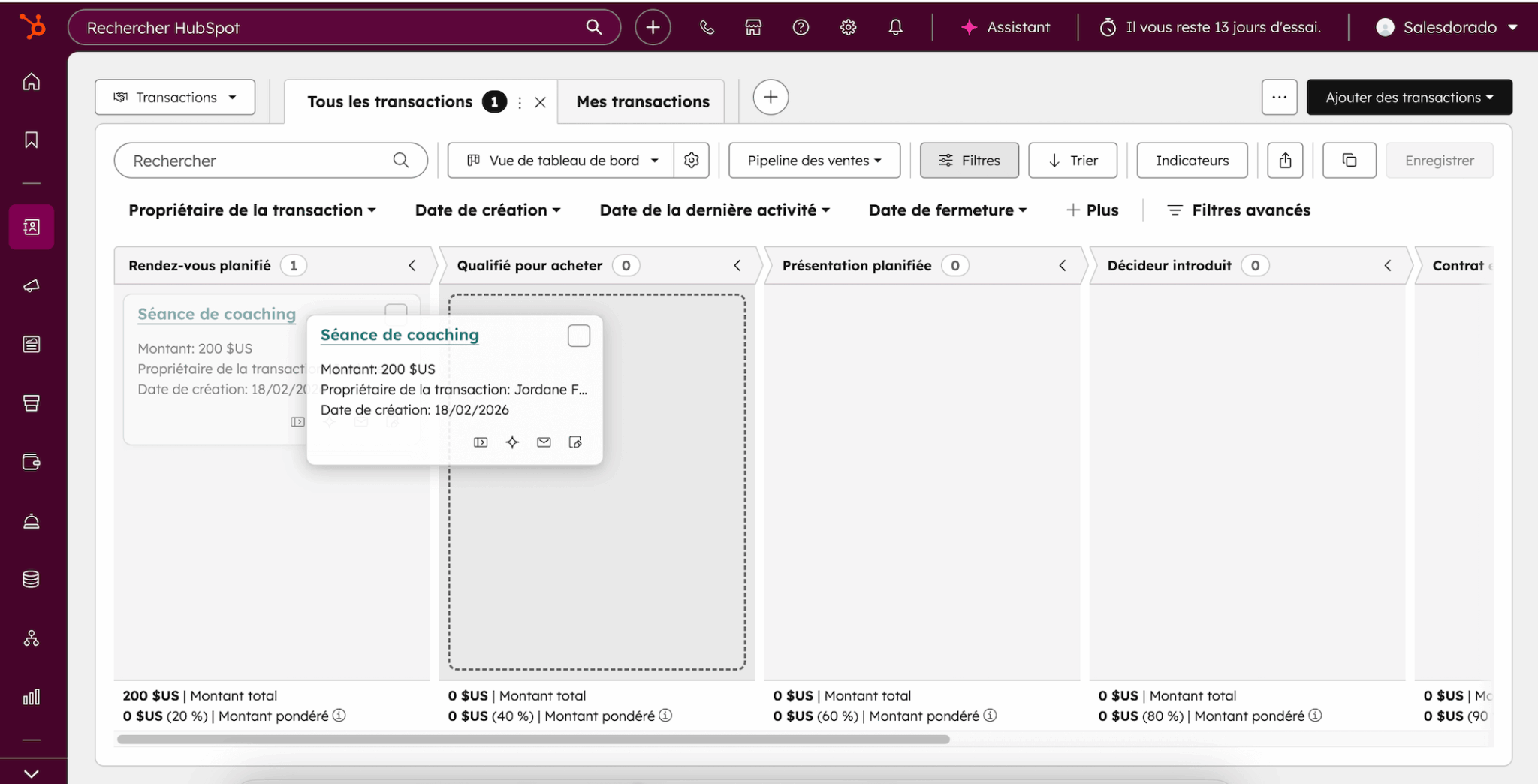
The two are perfectly complementary: the board for an overview, the list for advanced filtering and exporting.
Each deal aggregates the complete history of interactions: emails, calls, meetings, notes, tasks. The sales rep has a 360° view of the account without leaving the deal sheet. This is a strong point of the HubSpot platform: everything is centralized natively, whereas many CRMs require third-party integrations to achieve the same result.
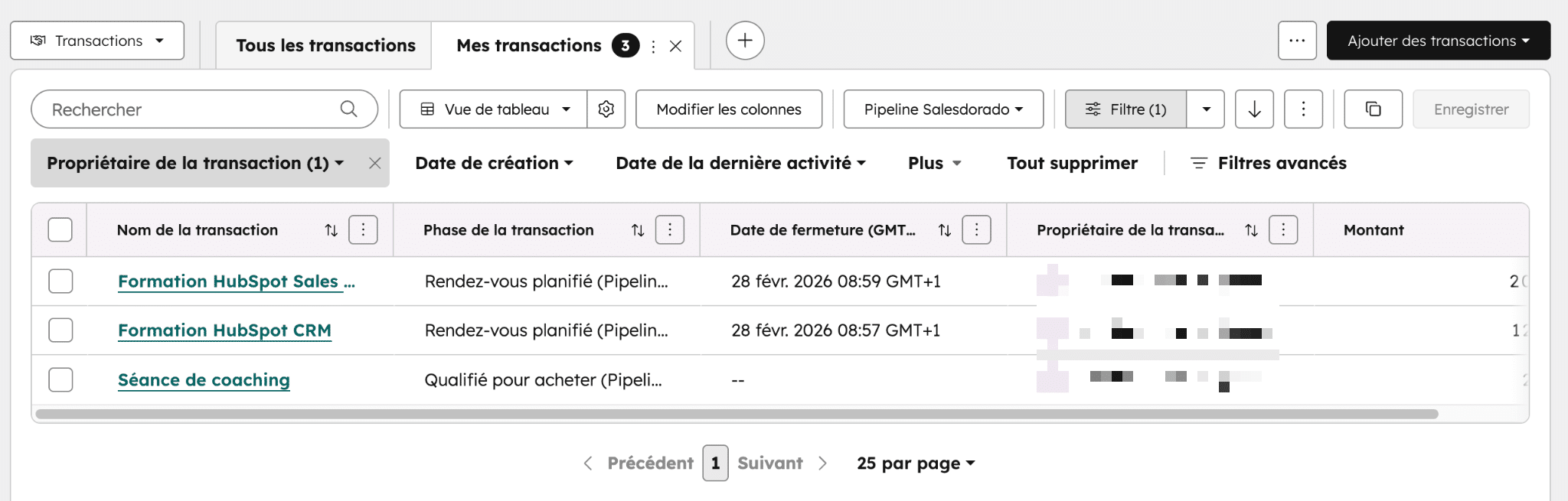
Mobile access is also a feature worth mentioning. The HubSpot app (iOS and Android) lets you update transactions, change stages and track the pipeline from the field.
In addition, views can be filtered by pipeline, team, owner and time period. A manager can view only his team’s pipeline and use it directly for coaching and prioritization, without having to build a separate report.
How do you structure your steps in HubSpot?
This is where it all comes together. Most pipelines fail not because the tool is badly configured, but because the steps are thought through from the salesperson’s point of view. “Demo performed” means nothing if the prospect has not confirmed that the solution meets their needs. “Proposal sent” has no predictive value if no one has validated the budget internally.
The fundamental principle: each step must correspond to a verifiable commitment on the buyer’s side. Not a sales action. This is what makes for realistic conversion probabilities and reliable forecasts.
A concrete example of a well-structured pipeline
Here’s what HubSpot’s 6-stage pipeline might look like, built around the progression of the buying decision:
| Step | What it means for the buyer | Probability |
|---|---|---|
| New prospect | Prospect has expressed interest (form, incoming request, contact). | 10 % |
| Qualified | The need is confirmed, the budget exists, a decision-maker has been identified. | 25 % |
| Ongoing evaluation | The prospect actively evaluates the solution (demo, POC, technical exchanges). | 40 % |
| Proposal accepted | The prospect has validated the content of the offer, not just “received the quote”. | 60 % |
| Verbal commitment | The prospect has verbally confirmed his intention to sign. | 80 % |
| Contract signed | The transaction is concluded. | 100 % |
The difference with a classic pipeline is subtle but fundamental. You don’t go to “Evaluation in progress” because you’ve made a demo, you go there because the prospect is actively evaluating. You don’t go to “Proposal accepted” because you’ve sent a quote, you go there because the prospect has validated the content.
Mandatory properties by stage
HubSpot lets you define mandatory properties for each stage of the pipeline. This is probably the most under-used and powerful feature for guaranteeing data quality.
In concrete terms, you can require a sales rep to fill in certain fields before advancing a deal. For example:
- To switch to “Qualified”, you can specify the estimated budget, the name of the decision-maker and the forecast closing date.
- To change to “Accepted proposal”, you can specify the amount of the deal and the type of offer.
This is what HubSpot consultants call “stage gates”: checkpoints which ensure that only truly qualified opportunities move forward. They prevent the pipeline from filling up with phantom deals that artificially inflate forecasts.
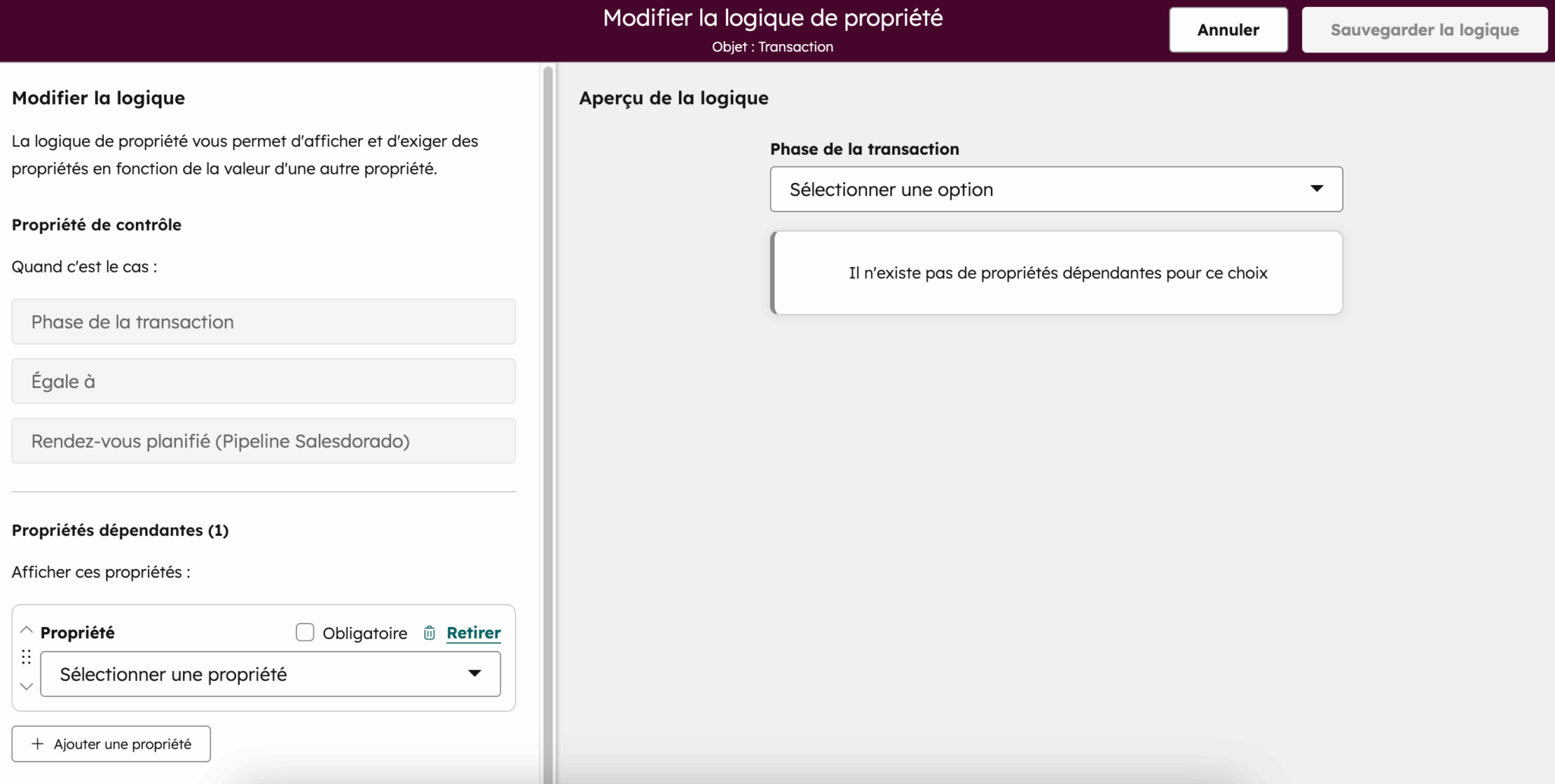
HubSpot also offers conditional properties: the display of certain fields is triggered by the value of other properties. This helps to guide the salesperson without overloading the screen with dozens of unnecessary fields at each stage.
In practice, 5 to 7 steps are sufficient for the vast majority of sales cycles. Beyond that, the pipeline becomes unreadable, and salespeople stop using it properly. It’s better to have fewer milestones, but milestones with clear passage criteria shared by the whole team.
Multi-pipelines in HubSpot: when and why create multiple pipelines
HubSpot allows you to create multiple transaction pipelines within the same CRM. Each pipeline has its own steps, probabilities, automations and required properties. It’s a valuable feature, but one that’s often misused.
The rule is simple: create a separate pipeline only when the sales stages are fundamentally different.
If you’re selling a self-service SaaS product on the one hand, and customized implementation projects on the other, the cycles have nothing to do with each other, and a single pipeline distorts everything. It’s the same thing if you’re managing acquisition (new business) and renewal: the decision-making logic and the people involved are different.
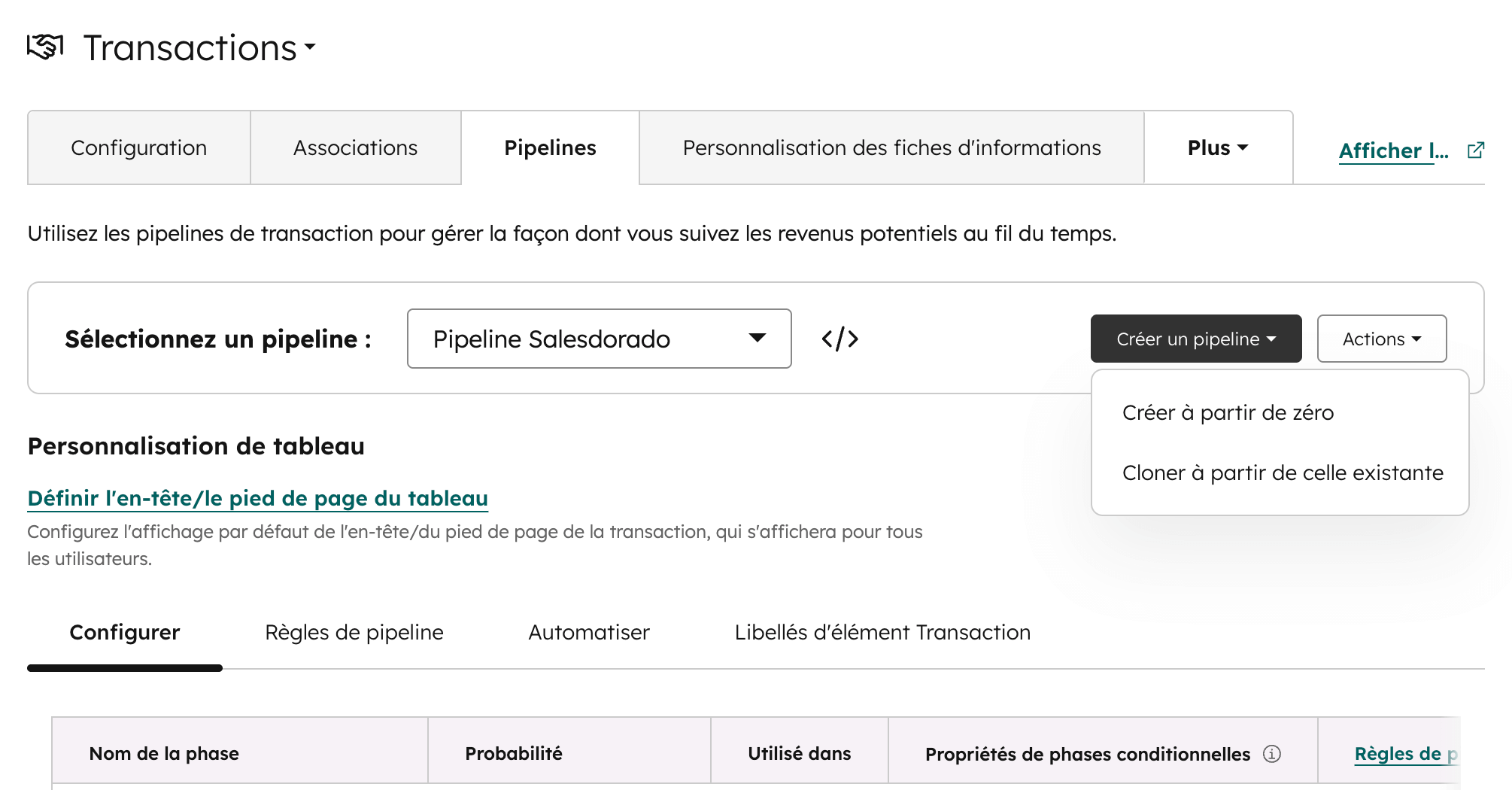
On the other hand, don’t create a pipeline by salesperson, region or deal size. HubSpot’s filters make it possible to manage these segmentations without multiplying pipelines, and unnecessary multiplication makes overall reporting unreadable.
Here are a few concrete use cases that justify a multi-pipeline:
- Vew business vs. renewal
- Direct sales vs. partner sales
- Short cycle (self-service) vs. long cycle (accompanied)
- Product sales vs. service projects.
Please note: HubSpot’s free plan is limited to a single pipeline. The Starter plan allows two, and the Pro plan up to fifteen. This is a criterion to take into account when choosing your subscription.
Going further
HubSpot’s time-saving automations
Pipeline automation is one of the strengths of HubSpot’s Sales Hub.
But beware: the aim is to keep the pipeline clean and reduce manual labor, not to replace commercial judgment.
Here are the five most useful automations in practice, in our opinion:
- Automatic creation of tasks at stage changeover. When a deal becomes “Qualified”, HubSpot can automatically create a “Prepare demo” task assigned to the sales rep. Simple, but it prevents oversights and standardizes practices.
- Inactivity alerts. A deal that stagnates for more than 14 days with no activity (no email, no call, no meeting) triggers a notification to the salesperson and/or his/her manager.
- Automatic switch to “Lost”. After a configurable period with no activity (30, 45 or 60 days depending on your cycle), the deal is automatically marked as lost.
- Lead rotation (round-robin). New deals are automatically distributed to sales staff according to territory, segment or simple rotation rules. This speeds up handling time and avoids “leads falling through the cracks”.
- Manager notifications on large deals. When a deal exceeds a certain amount or reaches a milestone, the manager is automatically notified. Useful for coaching and ensuring that strategic opportunities receive the attention they deserve.
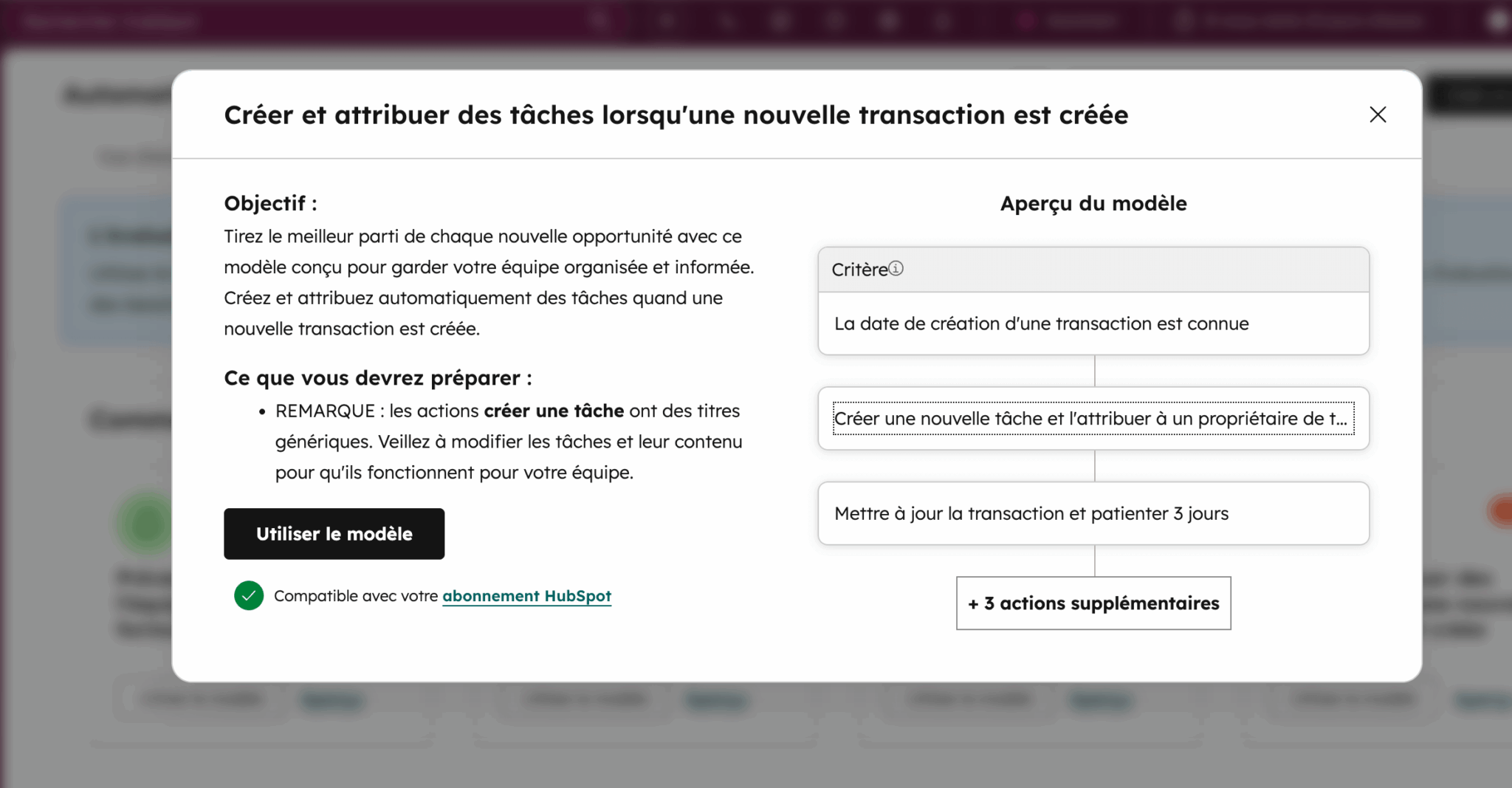
Simple automations (tasks, notifications, alerts) are available from Sales Hub Starter. Advanced workflows (conditional logic, complex sequences, scoring) require the Pro or Enterprise plan. Our advice: start with basic automations, which cover 80% of your needs. Don’t add complexity until you’ve mastered the basics.
Manage your pipeline with HubSpot reporting
HubSpot provides native dashboards for analyzing pipeline performance. Reports can be filtered by pipeline, by team, by owner and by period, giving sales managers a fine-tuned view of activity without manipulating Excel files.
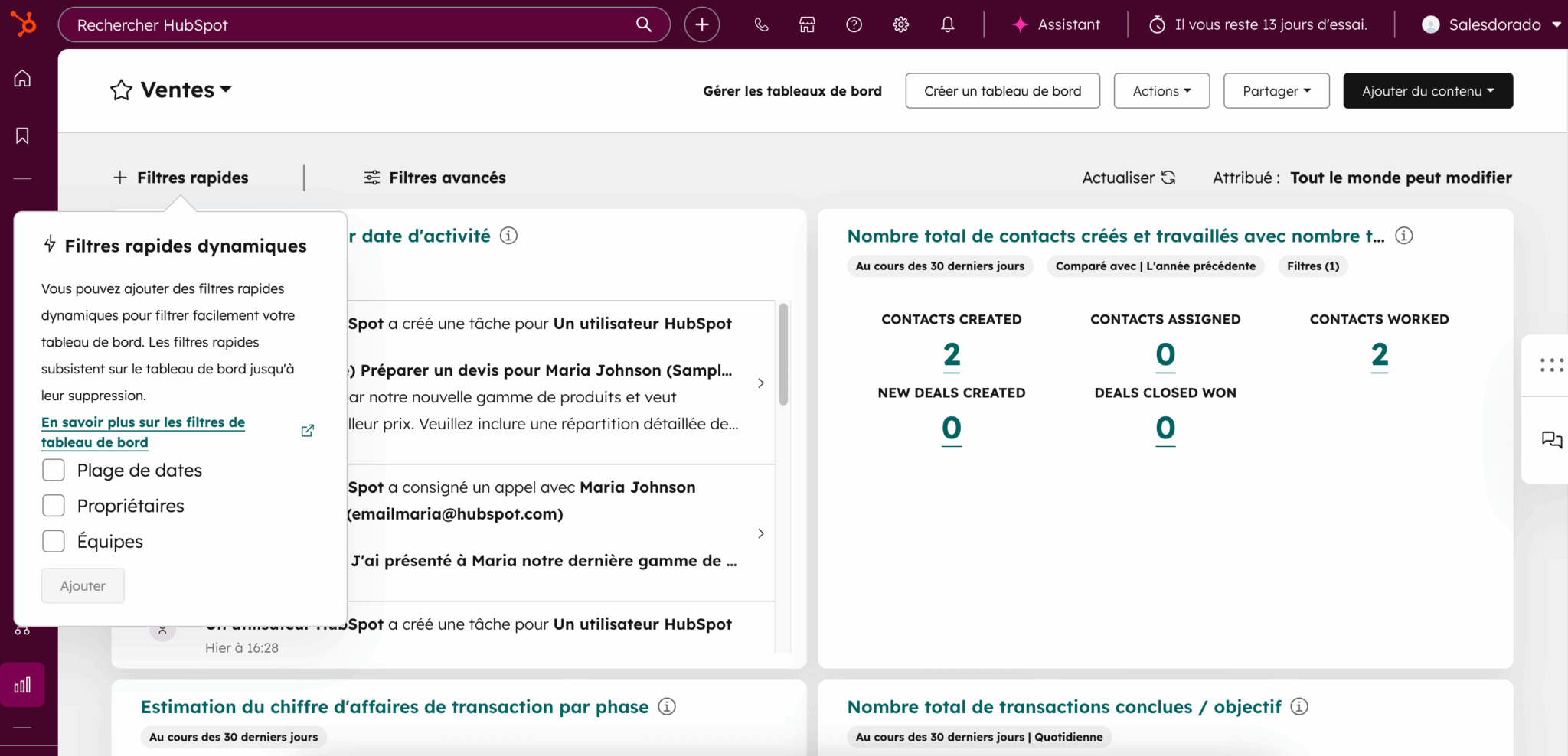
The sales performance indicators to be monitored in priority are :
- The conversion rate between each stage (to identify bottlenecks).
- Average duration per stage (to identify stagnant deals).
- The weighted pipeline amount (calculated by multiplying the amount of each deal by its stage probability).
- The average sales cycle from qualification to closing.
The HubSpot platform also offers a forecasting tool where sales reps and managers can manually refine their estimates, categorizing deals as “Commit”, “Best Case” or “Pipeline”. This is a useful complement to the step-by-step automatic probabilities, allowing human judgment to be integrated into forecasts.
Basic dashboards and pipeline tracking are available free of charge in HubSpot CRM. Advanced forecasting tools and AI scoring are available from the Pro plan.
How much does it cost? What’s free and what’s not in HubSpot
This is an important point for clarity. HubSpot offers a freemium model where the pipeline base is already highly functional in the free version, but advanced CRM functionality requires upgrading to the paid Sales Hub plans.
| Pipeline functionality | Free | Starter (€15/month/user) | Pro (€90/month/user) | Enterprise (€150/month/user) |
|---|---|---|---|---|
| Kanban view + list | ✅ | ✅ | ✅ | ✅ |
| Number of pipelines | 1 | 2 | 15 | 15+ |
| Customize steps | ✅ | ✅ | ✅ | ✅ |
| Mandatory properties per step | ❌ | ✅ | ✅ | ✅ |
| Simple automations (tasks, notifications) | ❌ | ✅ | ✅ | ✅ |
| Advanced workflows | ❌ | ❌ | ✅ (300 workflows) | ✅ (1,000 workflows) |
| Forecasts | ❌ | ❌ | ✅ | ✅ |
| Predictive Scoring (AI) | ❌ | ❌ | ❌ | ✅ |
| Pipeline rules (prohibit skip stages, approval) | ❌ | ❌ | Partially | ✅ |
| Dashboards and reporting | Basic | Basic | Advanced | Advanced |
| Mobile application | ✅ | ✅ | ✅ | ✅ |
Indicative prices excl. VAT, invoiced annually. Prices may vary according to current offers and options selected. See the official price list page for up-to-date prices.
For an SME just starting out, the free plan is enough to validate the method and test the interface. As soon as you need mandatory step-by-step properties and basic automations, the Sales Hub Starter at €15/month/user is excellent value for money. The Pro plan at €90/month/user is justified when you need advanced workflows, forecasting and multi-pipelines beyond two. This is often the right level for a sales team of 3 to 15 people.
Limits to be aware of
HubSpot is an excellent pipeline management tool, probably one of the best on the market for SMEs and ETIs, but it has its limits and knowing them avoids unpleasant surprises:
- Pipeline quality depends entirely on team discipline. This is the #1 limitation, and it’s not specific to HubSpot: if sales reps don’t update their deals, fill in mandatory properties or interpret milestones differently, even the best dashboards will produce misleading information. Sales governance (shared definitions, weekly pipeline reviews, training) is at least as important as technical configuration.
- The risk of over-engineering is real. The temptation to multiply pipelines, steps, custom fields and workflows can quickly make the whole thing opaque. We warn you against excessive complexity, which disempowers sales staff and creates side-effects that are difficult to diagnose. It’s better to have a simple, well-used pipeline than a gas factory that nobody understands.
- The most powerful features are not free. Advanced workflows, predictive scoring, forecasts and pipeline rules require a Pro or Enterprise plan. For a small organization on a tight budget, this can limit automation possibilities. HubSpot recommends starting with the free base and then justifying the upgrade with concrete use cases, an advice we share.
- The HubSpot pipeline does not natively handle complex quotes. For advanced CPQ (product configuration, multi-criteria pricing, dynamic quotes), you’ll need to use third-party tools like DealHub or PandaDoc, which integrate well with the HubSpot platform but add a layer of cost and complexity.
Our verdict: Who is the HubSpot pipeline for?
HubSpot is for you if :
- You are an SME or ETI with a sales team of 1 to 50 people.
- You’re looking for a CRM with a solid pipeline and a fast learning curve, without a six-month integration project.
- You want a free, functional base to get you started, with the option of gradually scaling up.
- You need to align marketing, sales and customer service on a single platform.
- Your sales cycles are relatively standard (no ultra-complex CPQ).
Look elsewhere if :
- You have highly advanced product configuration requirements (industrial CPQ, customized quotations).
- You’re already deep in the Salesforce ecosystem – it’s probably not worth migrating.
- You need complex custom objects right from the start (reserved for the Enterprise plan at €150/month/user).
In short: the HubSpot CRM pipeline is one of the most comprehensive and well thought-out on the market, with a price/performance ratio that’s hard to beat thanks to the free base. The real challenge is never the tool, it’s the rigor with which you design your steps, train your teams and maintain the discipline of daily use.
The HubSpot sales pipeline is available free of charge, with no time limit. Create your pipeline, customize your steps and start tracking your transactions in minutes.