Let’s be honest: why pay €25/month for a forms tool when Google Forms is free and unlimited?
The short answer: Typeform has become much more than a form builder. The platform has been transformed into an AI-powered conversational engagement tool, with automatic form generation, intelligent response clarification, integrated automation workflows and more. A far cry from a simple questionnaire.
Founded in Barcelona in 2012, Typeform today claims 125,000+ corporate customers and 60% of the Fortune 500 (Volvo, Uber, Amplitude…). The secret? A user experience that no one else has managed to match. Typeform forms make you want to respond, and that makes all the difference to completion rates.
But does that justify the premium price? For whom does Typeform really make sense, and for whom is it a waste of money? We’ll find out in this comprehensive review.
Sommaire
Our opinion of Typeform in brief
| Perimeter | Score | Our opinion |
|---|---|---|
| Overall rating | 4,6 | Typeform is the undisputed leader in conversational forms. The UX is incomparable, and the new AI functionalities are very promising. The premium price is justified for lead generation and customer surveys, but less so for occasional use. |
| User experience / Design | 4,8 | This is THE strength of Typeform. The “one question at a time” format, the minimalist design, the perfect mobile rendering, everything is designed to make respondents want to complete the form. 87% higher completion rate than alternatives, that’s not marketing. |
| Forms & templates | 4,5 | 3,000+ templates, intuitive drag-and-drop interface, extensive customization (custom CSS, custom domain). The Creator AI, which generates forms in natural language, is truly impressive. |
| AI features | 4,4 | The three AI modules (Creator, Interaction, Insights) launched in 2025 are impressive on paper. Form generation works well, as does response analysis. The downside is that it’s all very recent, and real maturity has yet to be confirmed in the field. |
| Conditional logic & branching | 3,9 | Skip logic, basic branching, automatic scoring: this covers 80% of needs. But for really complex forms with multi-level logic, Jotform is still ahead. The new Workflow Builder improves things, without revolutionizing them. |
| Integrations & automations | 4,5 | 100+ native integrations including the essentials: HubSpot, Salesforce, Slack, Calendly, Stripe. The new Workflow Builder lets you create automations without going through Zapier. It’s solid. |
| Analytics & reporting | 4,2 | Real-time dashboard, abandonment rate (paid plans), CSV export. AI Insights (theme detection, sentiment analysis) add real value for large volumes of responses. Sufficient for most uses. |
| Value for money | 3,5 | This is the sticking point. The minimum charge for serious use is €25/month. Justified for lead gen and recurring surveys, hard to swallow for one-off forms. |
The best way to understand the Typeform difference is to create a form and test it on the respondent side. The UX speaks for itself.
The main advantages & disadvantages of Typeform
- A UX that no-one has managed to copy: the conversational “one question at a time” format changes everything. Respondents are no longer subjected to the form, they complete it. The result: completion rates far superior to Google Forms or Jotform. This is the real argument that justifies the price.
- Video forms, a real differentiator: Typeform is one of the only tools to offer video questions AND answers. For recruitment (seeing the candidate before the interview), customer testimonials or user interviews, it’s a game changer that competitors don’t have.
- Creator AI saves an incredible amount of time: you describe the form in a few sentences, and the AI generates it. You upload a PDF, and the AI transforms it into a structured form. It’s amazing, and cuts creation time by a factor of 5 or 10 compared with conventional forms.
- Workflow Builder for automation without Zapier: Typeform now lets you create automation workflows directly within the tool: follow-up emails, CRM actions, Slack notifications, all visually orchestrated.
- Native integrations that really work: HubSpot, Salesforce, Pipedrive, Calendly, Stripe, Slack, Google Sheets…The key integrations are there and well done. No need for Zapier for standard use cases.
- Reassuring Fortune 500 adoption: 60% of the Fortune 500 use Typeform (Volvo, Uber, Amplitude…). It’s not just marketing, it’s proven templates, platform stability and a tool that scales.
- Premium pricing doesn’t go down well for one-off uses: €25/month minimum for serious use (Basic plan), which makes you think twice if you’re only sending out a few forms a year. The ROI is there for recurring lead gen, much less for the rest.
- Conditional logic remains below Jotform: for simple to moderately complex forms, Typeform does the job. For forms with multi-level logic, advanced calculations or custom scripting, Jotform remains more flexible.
- AI features are very recent: Creator AI, Interaction AI, Insights AI, all launched in 2025. This is promising, but real maturity in production has yet to be confirmed. We still lack hindsight.
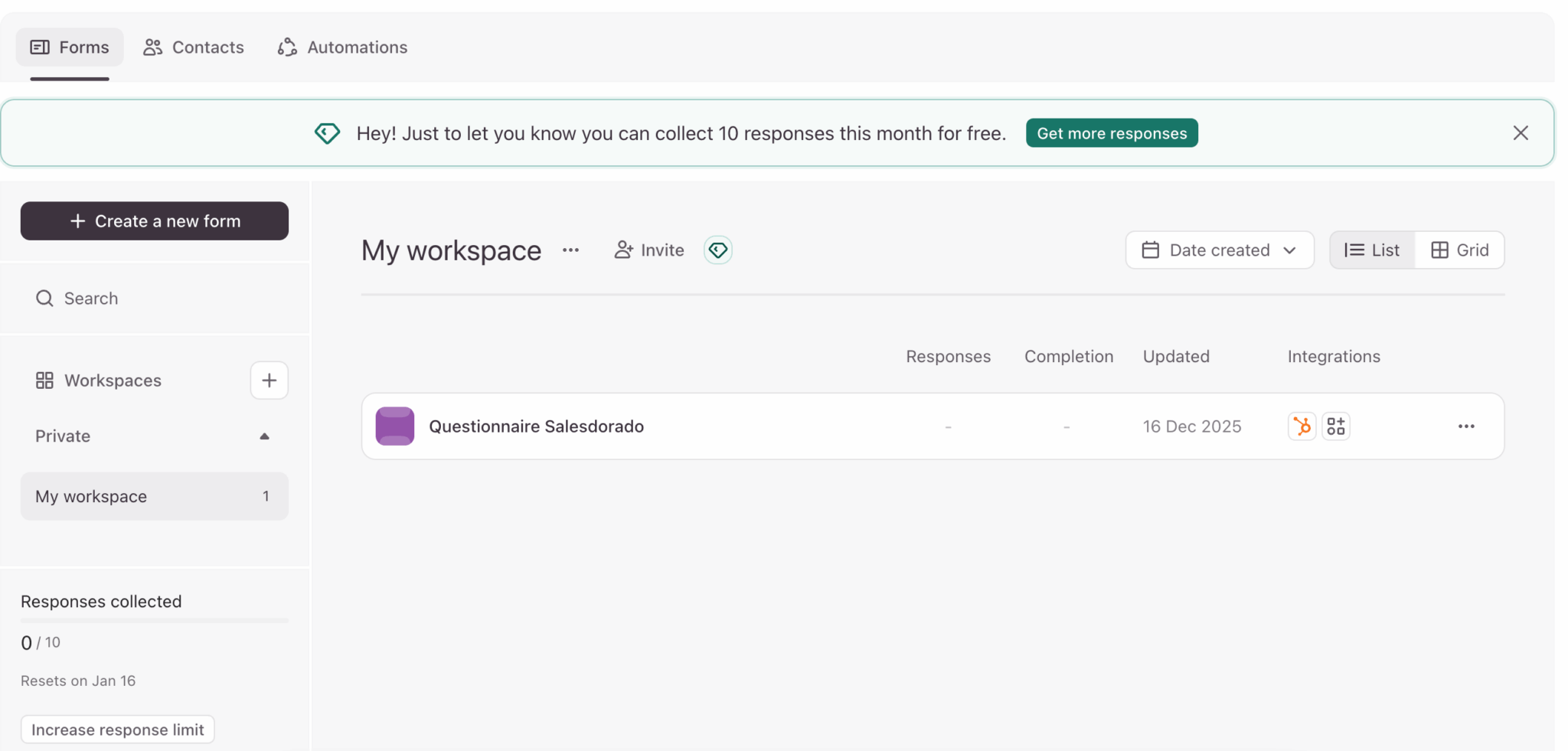
The best way to understand the Typeform difference is to create a form and test it on the respondent side. The UX speaks for itself.
Typeform’s key features
Typeform has come a long way in recent years. What was once a simple “pretty” forms tool has become a complete platform with AI, automations and analytics. Let’s take a look at what this means in practice, feature by feature.
Creating conversational forms
This is what has made Typeform so famous, and remains its number-one strength. The principle: instead of displaying all questions on a single page (like Google Forms), Typeform presents one question at a time, with a fluid transition to the next.
It may seem trivial, but it changes everything. The respondent is no longer faced with a wall of questions, but has the impression of a conversation. The result: fewer drop-outs, more thoughtful answers and an experience that people remember.
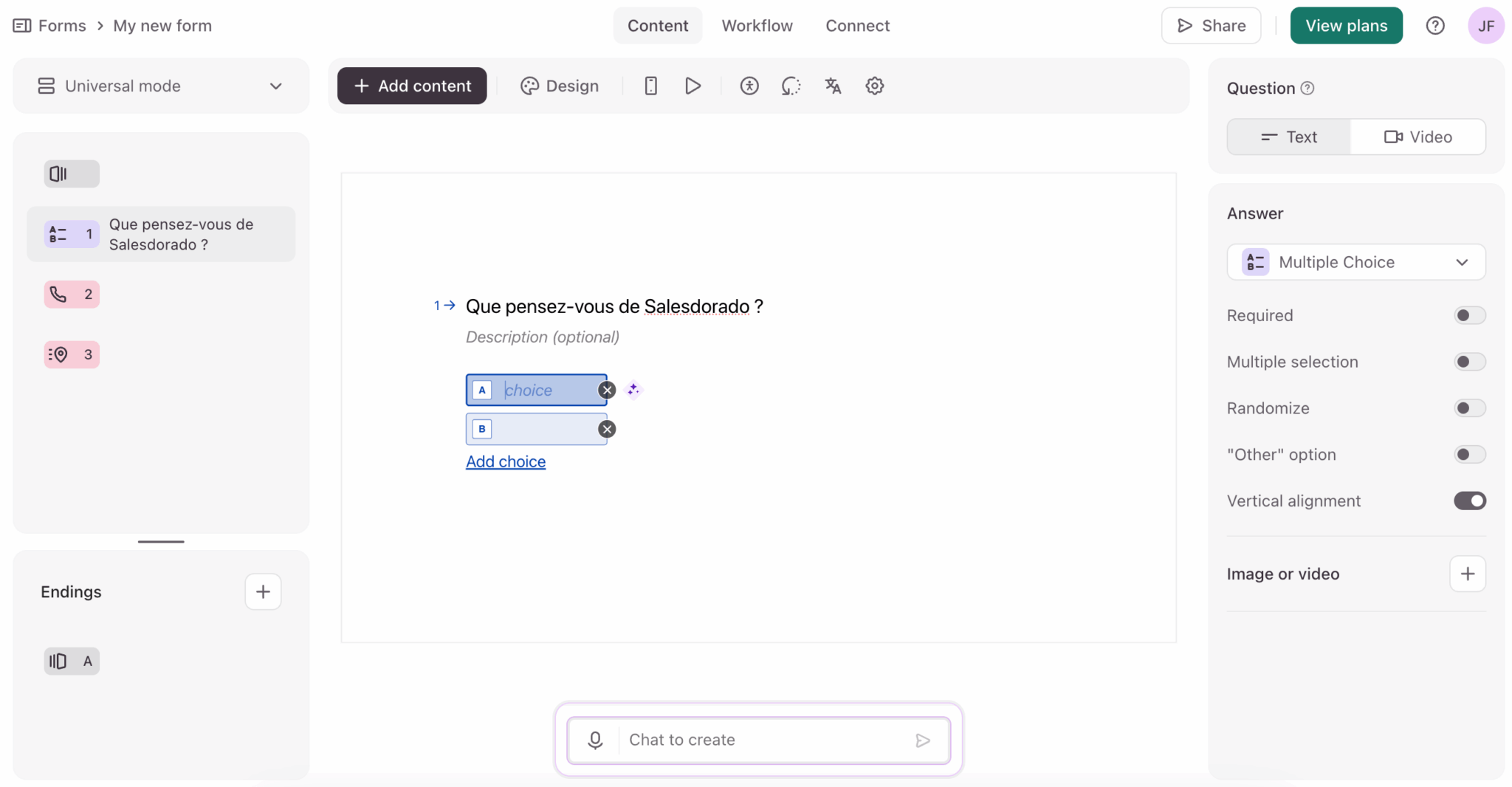
On the creative side, the drag-and-drop interface is intuitive even for non-technical users. You have access to over 3,000 templates classified by use case (lead generation, customer satisfaction, recruitment, quizzes…). This allows you to start from a solid base rather than a blank page.
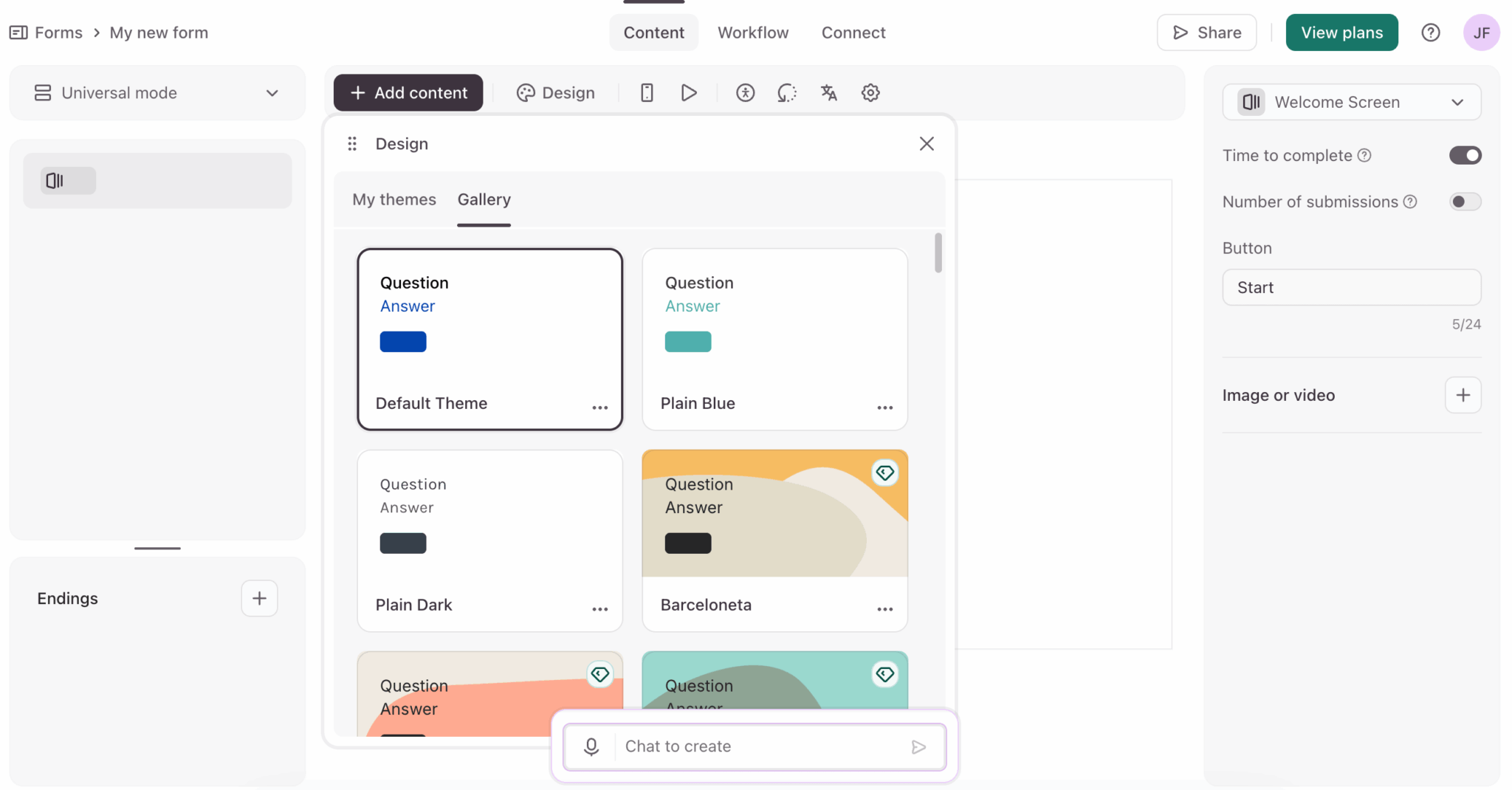
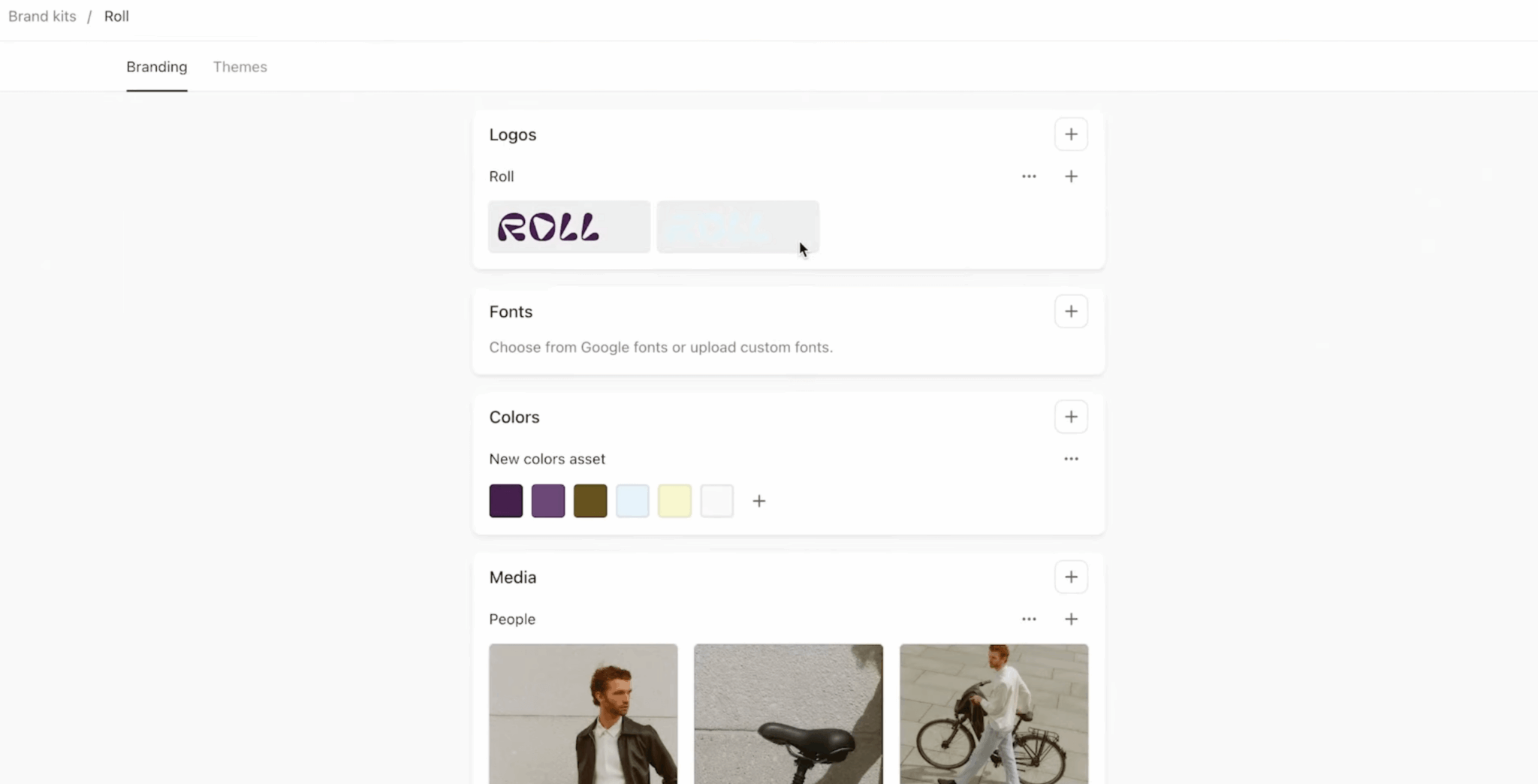
Customization goes far enough: colors, fonts, logo, background images and even custom CSS for the most demanding. You can also use your own domain so that the form is on yourresite.com/formular rather than on typeform.com.
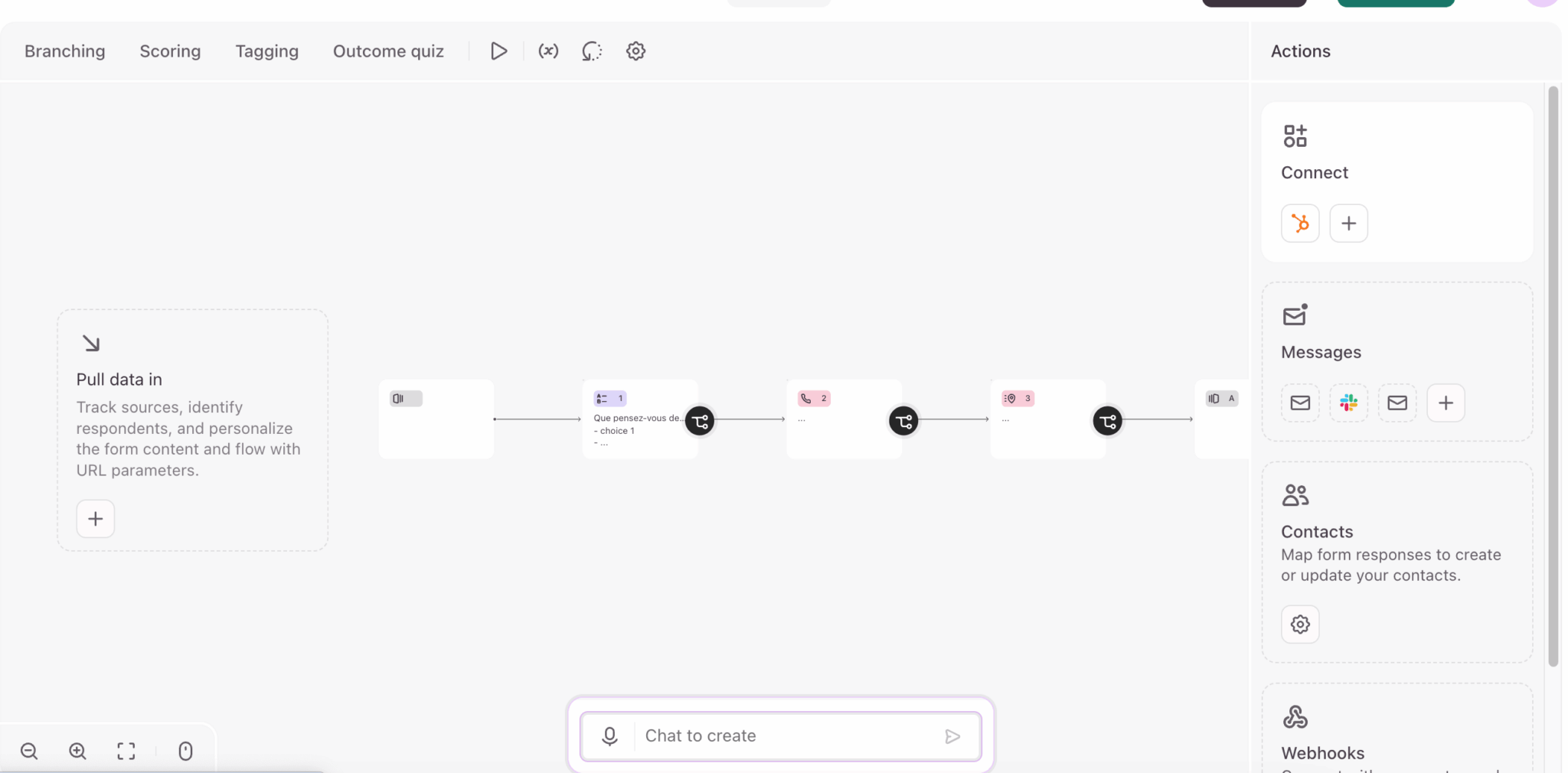
The form editor is one of the most user-friendly on the market. You quickly understand how it works, the templates save time and the end result is always clean. If you come from Google Forms, you’ll feel the difference immediately.
The 30+ types of questions (including video)
Typeform offers a good thirty different question types. The classics are there: short text, long text, multiple choice, drop-down list, rating scale, ranking, date, email, phone, file upload…
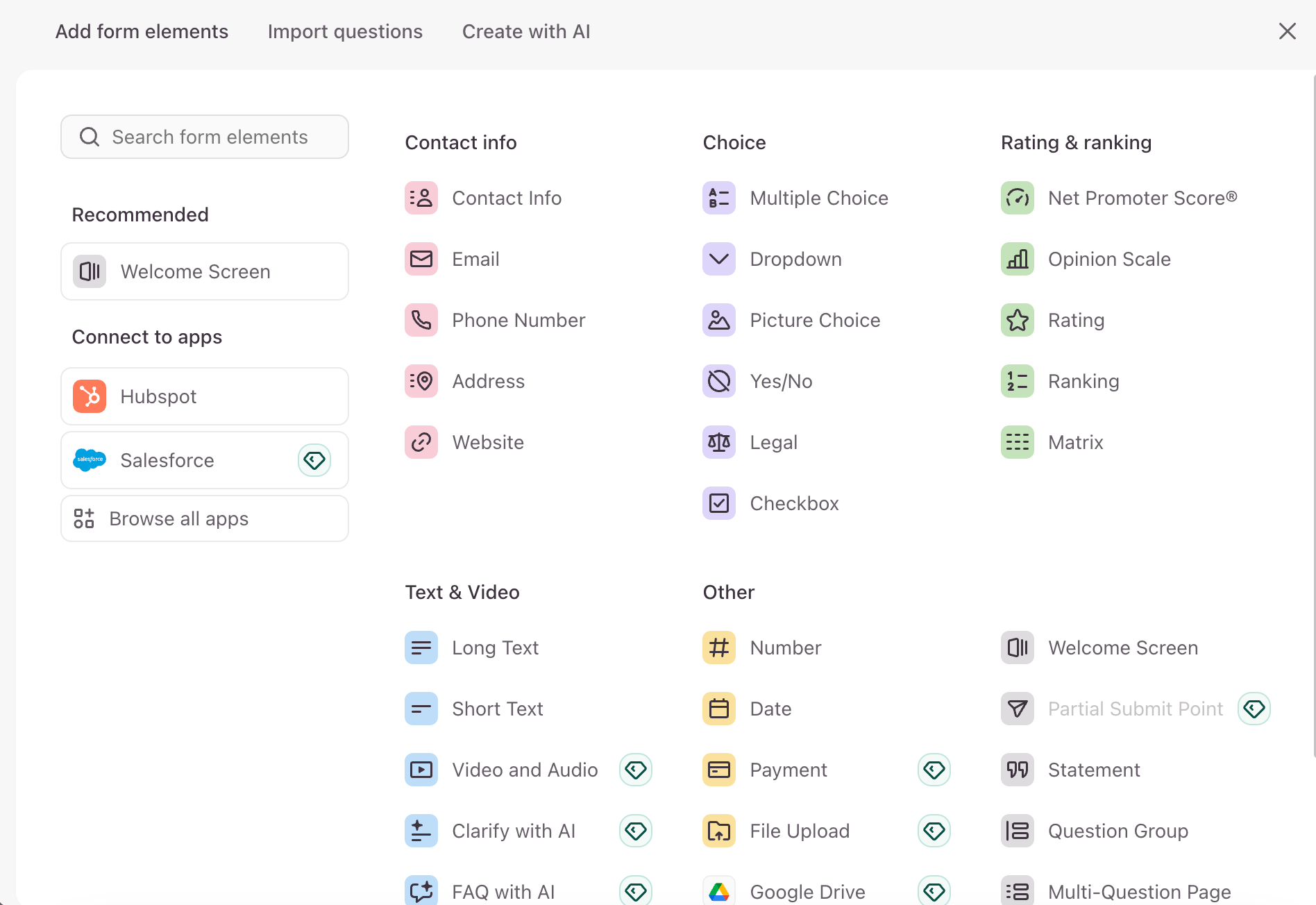
But what really sets Typeform apart are its advanced formats:
- Video questions. You can record a question in video rather than text. This humanizes the form and increases engagement, as the respondent sees a real person asking the question.
- Video answers. It’s the other way around: the respondent can record his or her video response directly in the form. For recruitment (seeing the candidate before the interview), customer testimonials or user interviews, this is a real differentiator that competitors don’t have.
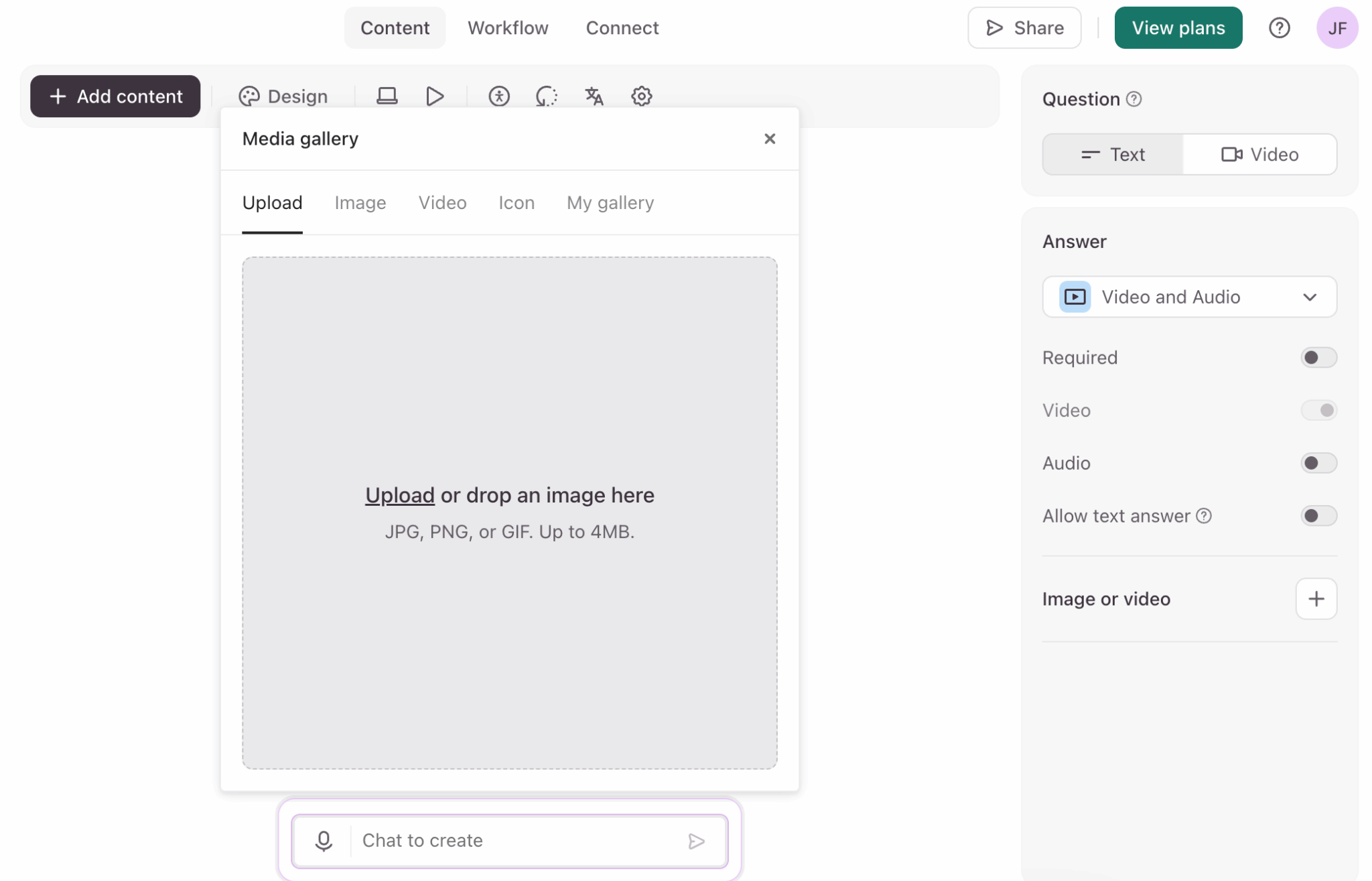
- Integrated payments. Typeform integrates natively with Stripe or PayPal. You can collect payments directly in the form. This is useful, for example, for event registrations or simple orders.
- Hidden fields. Fields invisible to the respondent but pre-filled with data (UTM source, customer ID, etc.). Very useful for tracking and automatic enrichment.
Video questions and answers are really Typeform’s differentiator. If your use case lends itself to it (recruitment, testimonials, qualitative feedback), it’s a strong argument for choosing Typeform over a competitor. For classic text-only forms, the advantage is less pronounced.
Typeform’s AI features
Typeform offers three distinct AI modules. It’s ambitious…we wanted to see what it was really worth…
Creator AI: form generation
The idea is simple: you describe the form you want in natural language (“a lead qualification form for a web agency with questions about budget, deadlines and technical requirements”) and the AI generates the complete structure.
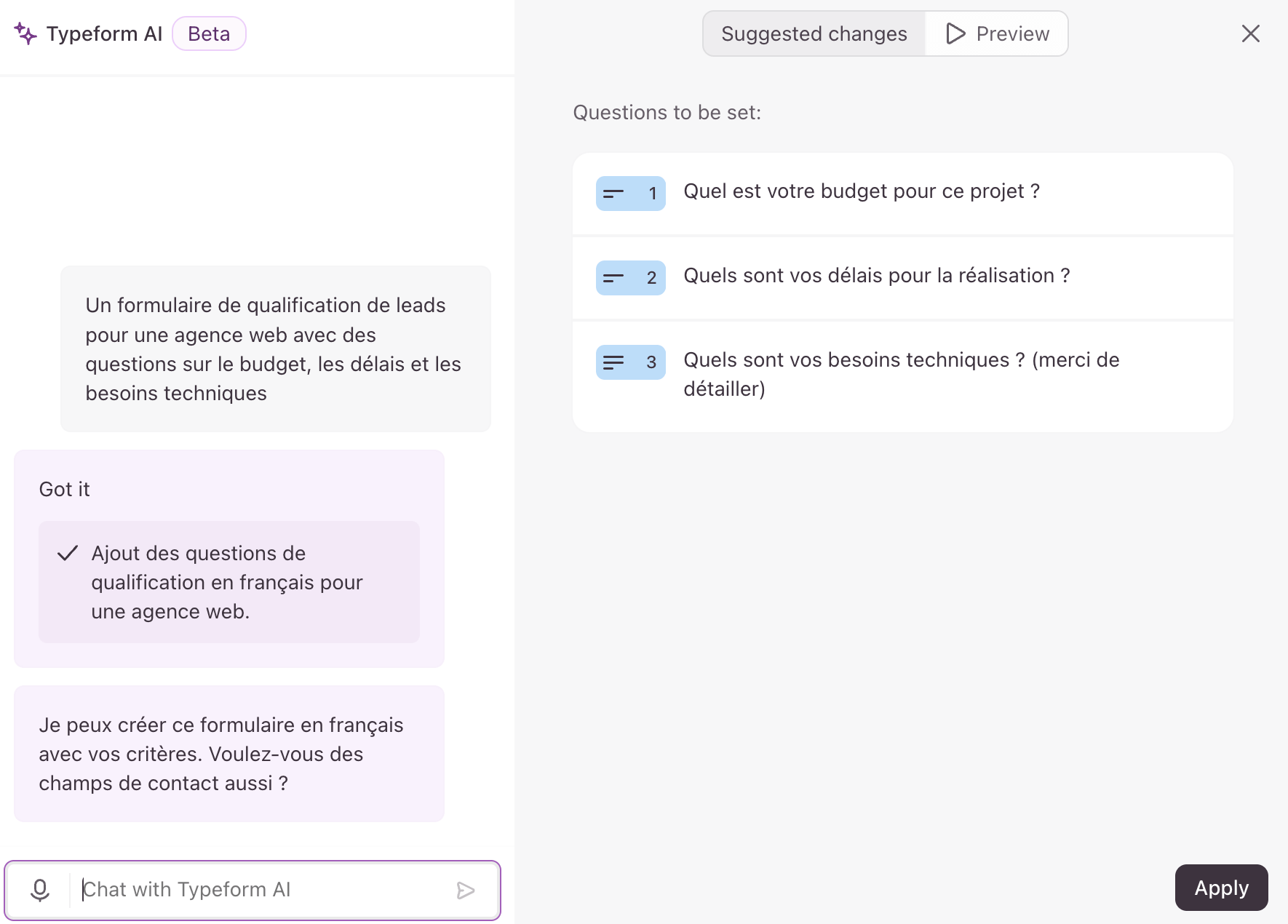
It works surprisingly well for standard forms. The AI suggests relevant questions, in a logical order, with the right field types. You then adjust as needed, rather than starting from scratch.
AI interaction: automatic clarification
This is the most interesting feature in terms of data collection. When a respondent gives a vague or incomplete answer to an open-ended question, the AI detects the problem and automatically generates a clarification question.
For example, if someone answers “I had a problem” to the question “What did you think of our service?”, the AI can ask “Can you specify what type of problem you encountered?”.
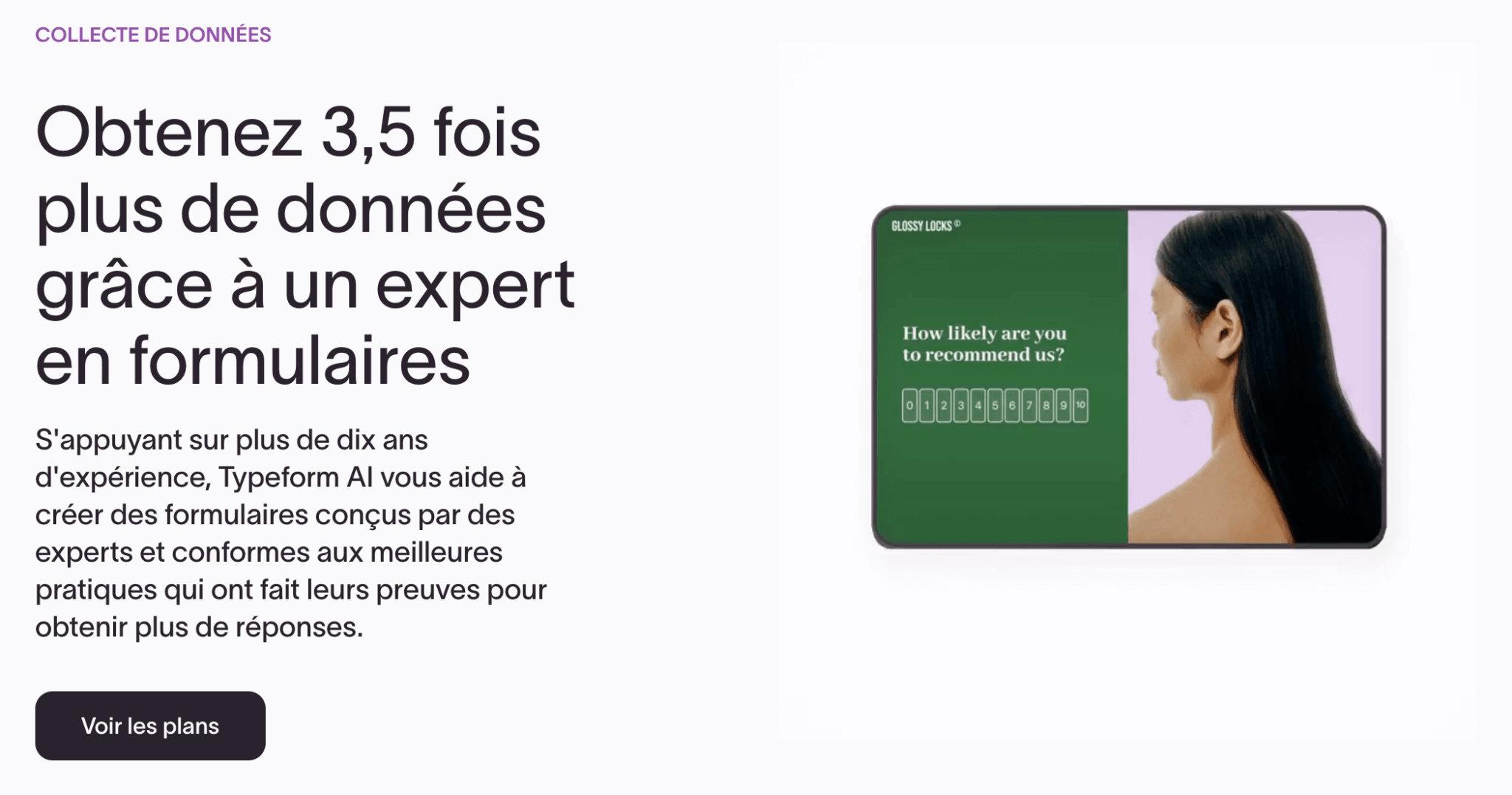
Typeform claims to collect 3.5x more data with this feature. That’s probably optimistic, but the principle is sound: richer responses without weighing down the basic form.
Insights AI: response analysis
For large volumes of responses, manual analysis quickly becomes unmanageable. That’s where Insights AI comes in, offering three main functions:
- Ask AI: you ask questions about your data in natural language (“What are the main friction points mentioned?”) and the AI responds with relevant insights.
- Topic Detection: AI automatically identifies recurring themes in open-ended responses and groups them together. This is particularly useful for identifying patterns without having to read everything.
- Sentiment Analysis, which analyzes the tone of responses (positive, neutral, negative). It also works on video responses.
Conditional logic and branching
Conditional logic makes it possible to adapt the form’s flow according to responses. This is essential when you want to qualify leads or segment respondents.
Typeform offers the basic functions:
- Skip logic, to skip certain questions depending on previous answers. If someone answers “No” to “Do you have a website?”, there’s no need to ask for the URL.
- Branching, for routing to different sections of the form. A B2B prospect and a B2C prospect may have completely different paths through the same form.
- Scoring, to assign points to answers and calculate a final score. Useful for quizzes, assessments or lead qualification.
For 80% of use cases, this is more than sufficient. But if you need really complex logic (multi-level nested conditions, advanced calculations, dynamic variables), Typeform shows its limits. Jotform is more flexible in this respect.
The new Workflow Builder (see next section) improves things a little on the automation side, but the conditional logic in the form itself remains basic to intermediate.
Typeform’s conditional logic covers standard needs without any problem. If you have really complex forms (multi-level technical evaluations, sophisticated scoring), test well in advance…you may come up against the tool’s limits.
The best way to understand the Typeform difference is to create a form and test it on the respondent side. The UX speaks for itself.
Workflow Builder and automation
This is the big news that changes Typeform’s positioning. Previously, to automate actions after a form submission, you had to go through Zapier or Make. Now, you can create workflows directly within Typeform.
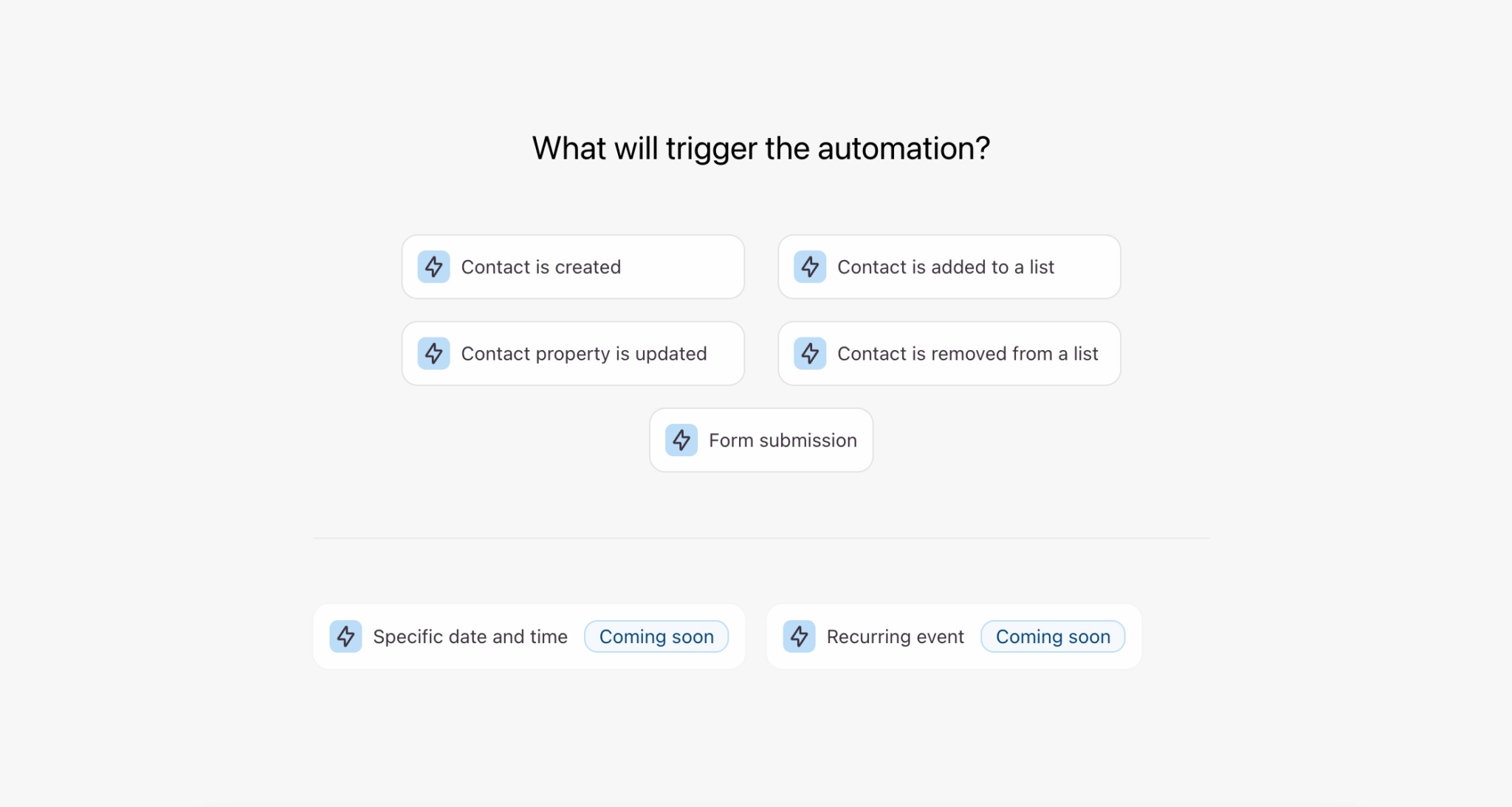
The Workflow Builder is a visual canvas where you build sequences of actions:
- Automatic follow-up e-mails. For example: send a confirmation email to the respondent, a notification to your team, a conditional reminder if certain criteria are met.
- CRM actions. For example: automatically create a contact in HubSpot or Salesforce, update an existing record, trigger a CRM workflow.
- Slack notifications. For example: alert a channel when a form is submitted, with key info directly in the message.
- Conditional connection. Different actions depending on responses: a qualified lead triggers one action, an unqualified lead another…
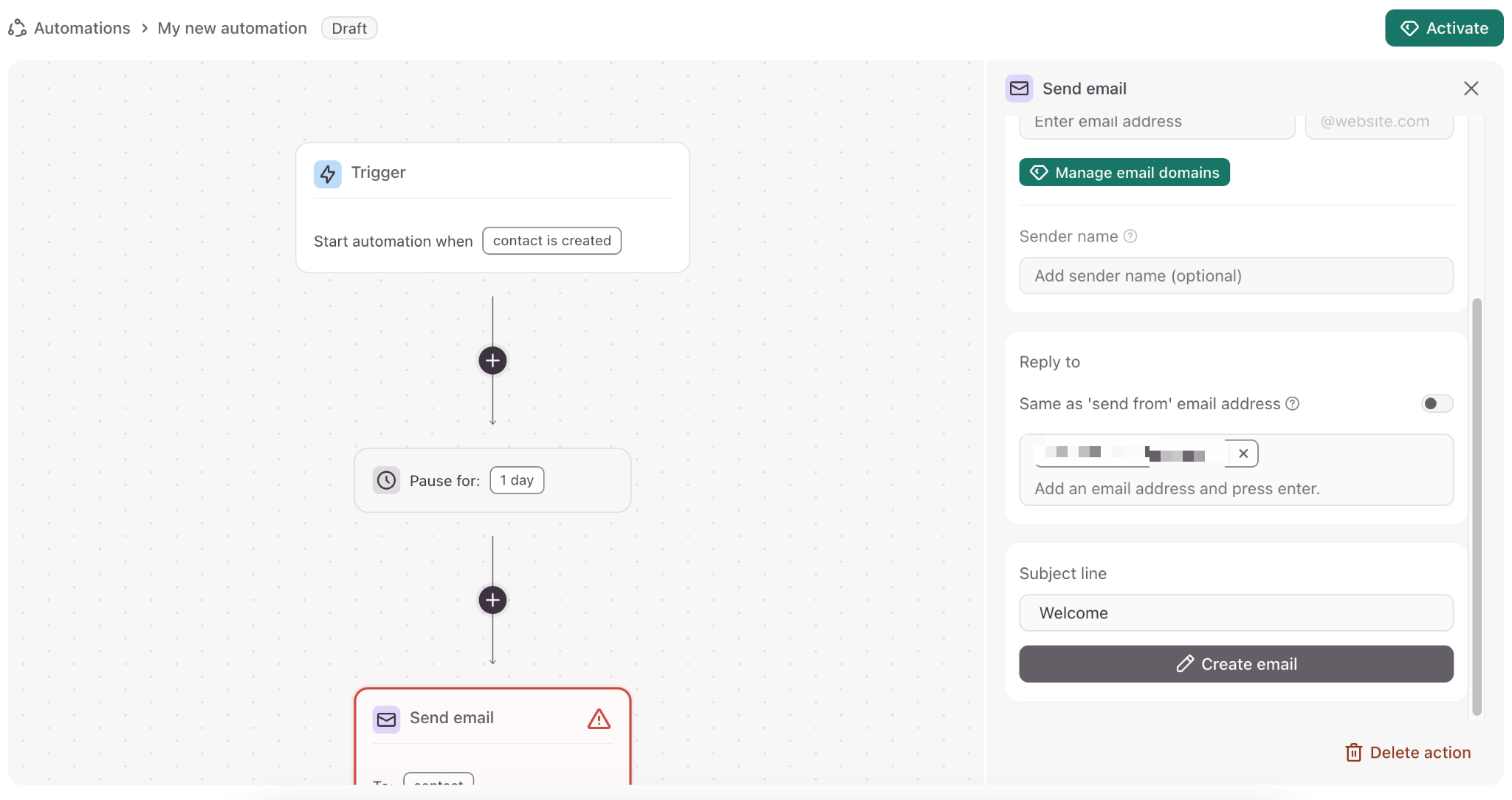
This is a real step forward for simple to moderate automation. You no longer need to juggle between Typeform and Zapier for standard cases.
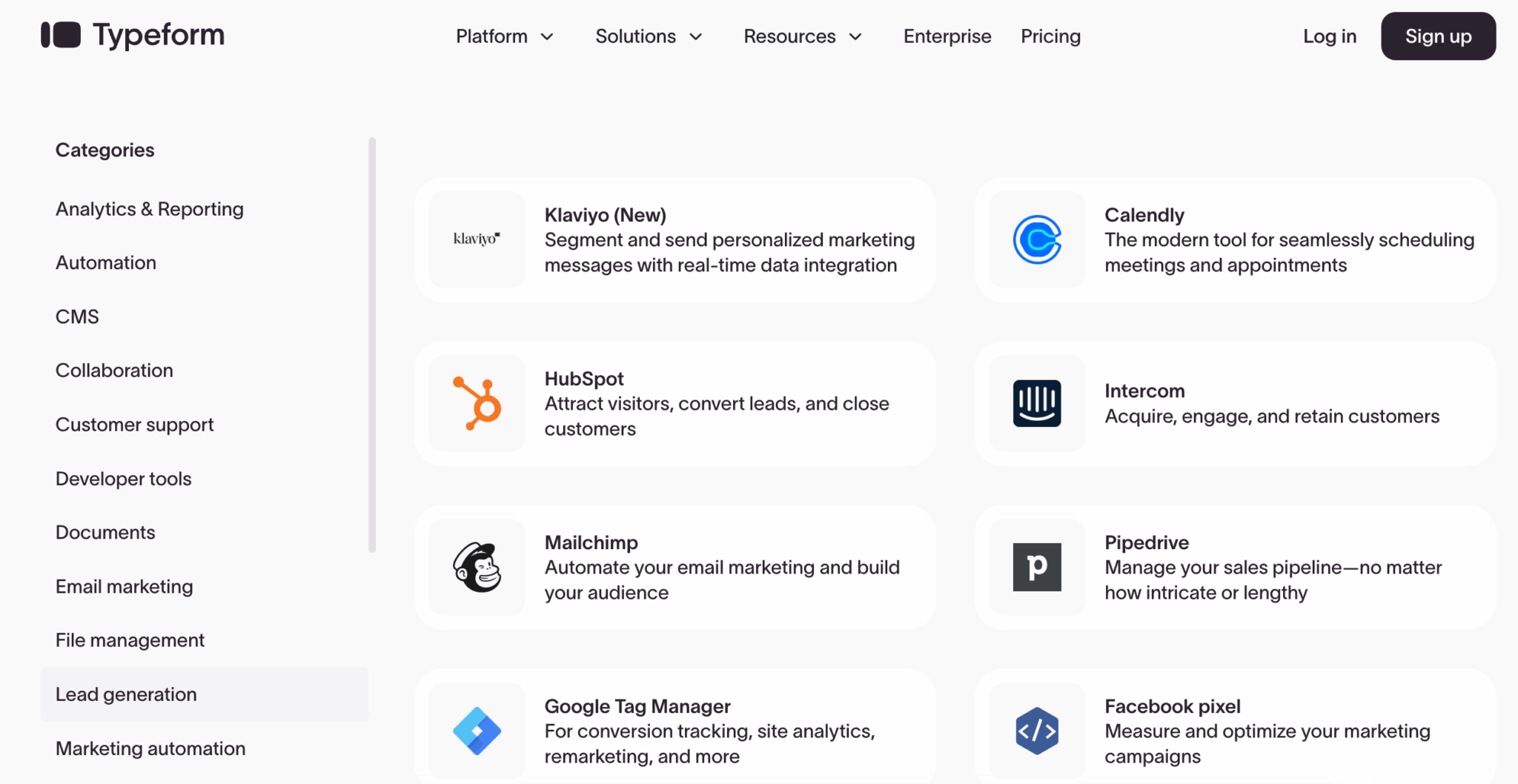
When it comes to native integrations, Typeform covers the essentials: HubSpot, Salesforce, Pipedrive, Mailchimp, Slack, Calendly, Stripe, Google Sheets, Notion, Airtable…Over 100 integrations in all, and Zapier remains available for cases not covered.
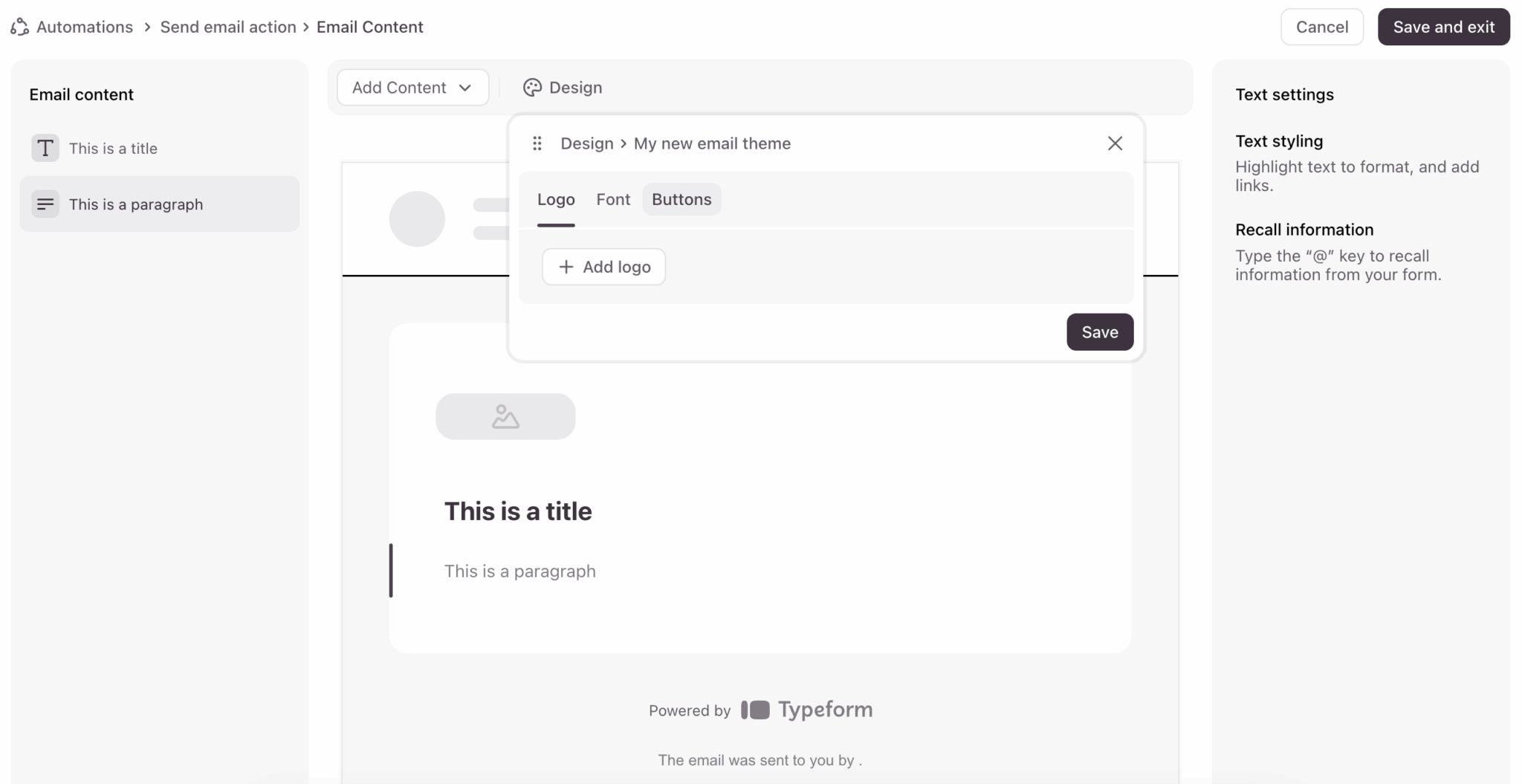
The new Email Builder also lets you create follow-up emails directly in Typeform, with your branding. The beginning of a “complete platform” logic rather than a simple data collector. To be continued…
Analytics and reporting
Typeform offers a real-time results dashboard with essential metrics: number of responses, completion rate, breakdown of responses by question, evolution over time.
Graphics are automatically generated according to question type: pie charts for multiple choice, bars for scale, etc. It’s clean and legible without any configuration.
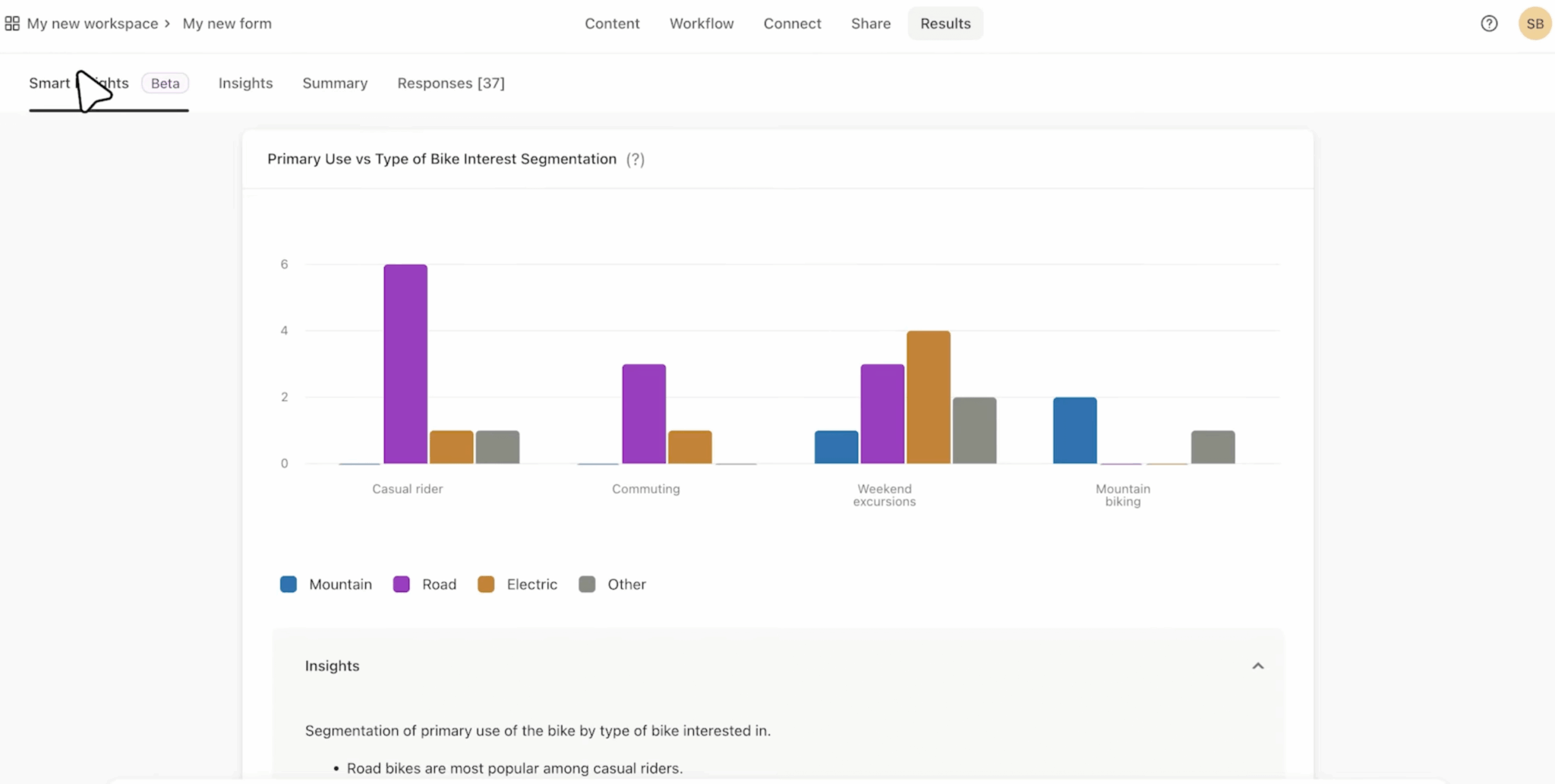
On paid plans, you have access to the abandonment rate per question. This allows you to identify where respondents are dropping out and optimize the form accordingly. An underestimated but very useful feature.
AI Insights (theme detection, sentiment analysis), which we mentioned earlier, add a layer of analysis for open-ended responses and videos.
Analytics can be exported in CSV or XLS format, with the option of filtering by date, tag or custom properties. Real-time Google Sheets synchronization is also available for those who prefer to work with spreadsheets.
For advanced needs (attribution, integration with BI tools), Business and Superior plans provide access to Google Analytics tracking and the Facebook pixel.
Typeform’s analytics do the job for most uses. The abandonment rate per question is particularly useful for optimizing forms. For really advanced analysis, you’ll have to export and process elsewhere…but that’s the case with most forms tools.
The best way to understand the Typeform difference is to create a form and test it on the respondent side. The UX speaks for itself.
Support, documentation & community
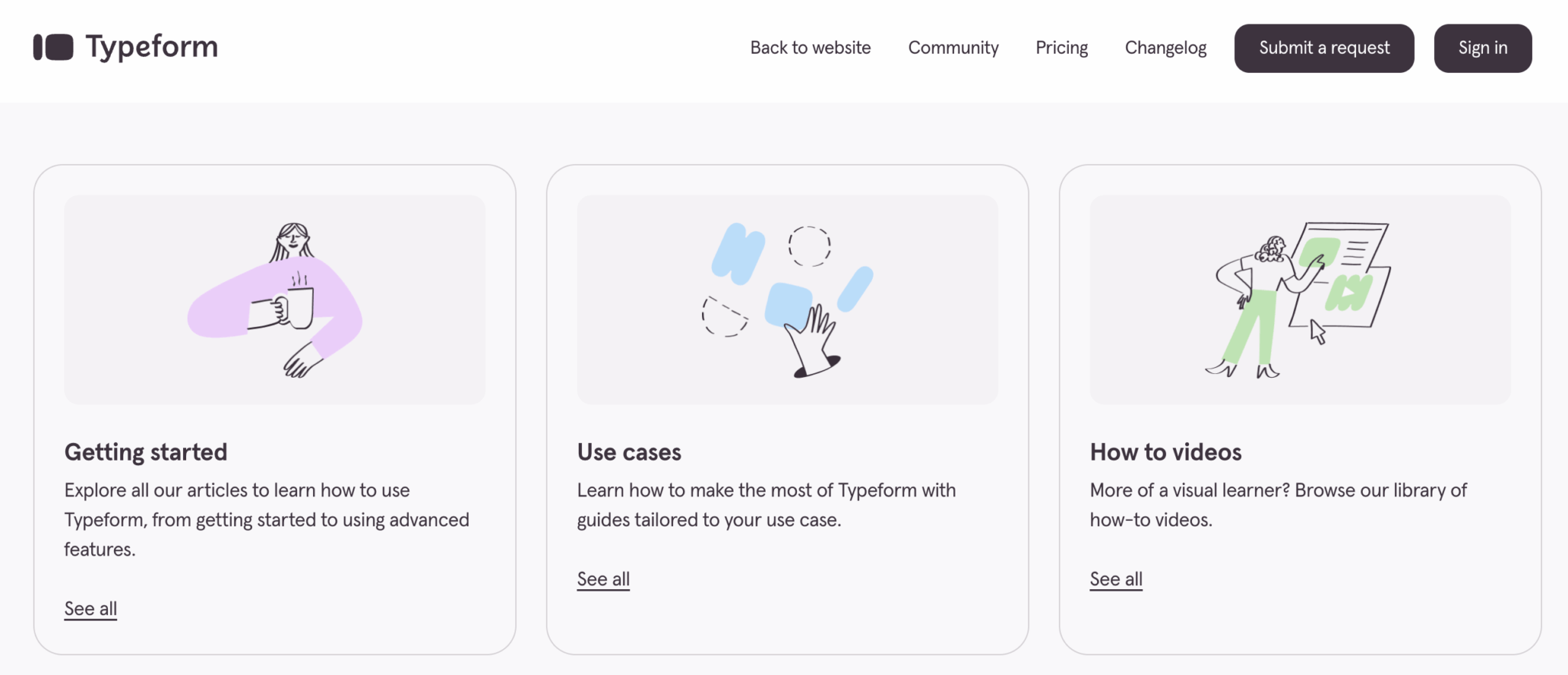
Typeform offers a fairly comprehensive Help Center, with guides organized by theme: form creation, conditional logic, integrations, analytics, and more. It’s well organized, with up-to-date screenshots. For common questions, you’ll usually find the answer without having to contact support.
The level of human support depends on your plan:
- Basic Plan: support by email only, with response times of 24-48 hours. Sufficient for simple questions, frustrating if you’re stuck on an urgent problem.
- Plans Plus and Business: priority support with shorter lead times. You go ahead in the queue.
- Enterprise Plan: VIP support with a dedicated customer success manager. Personalized onboarding, regular reviews, hotline for emergencies.
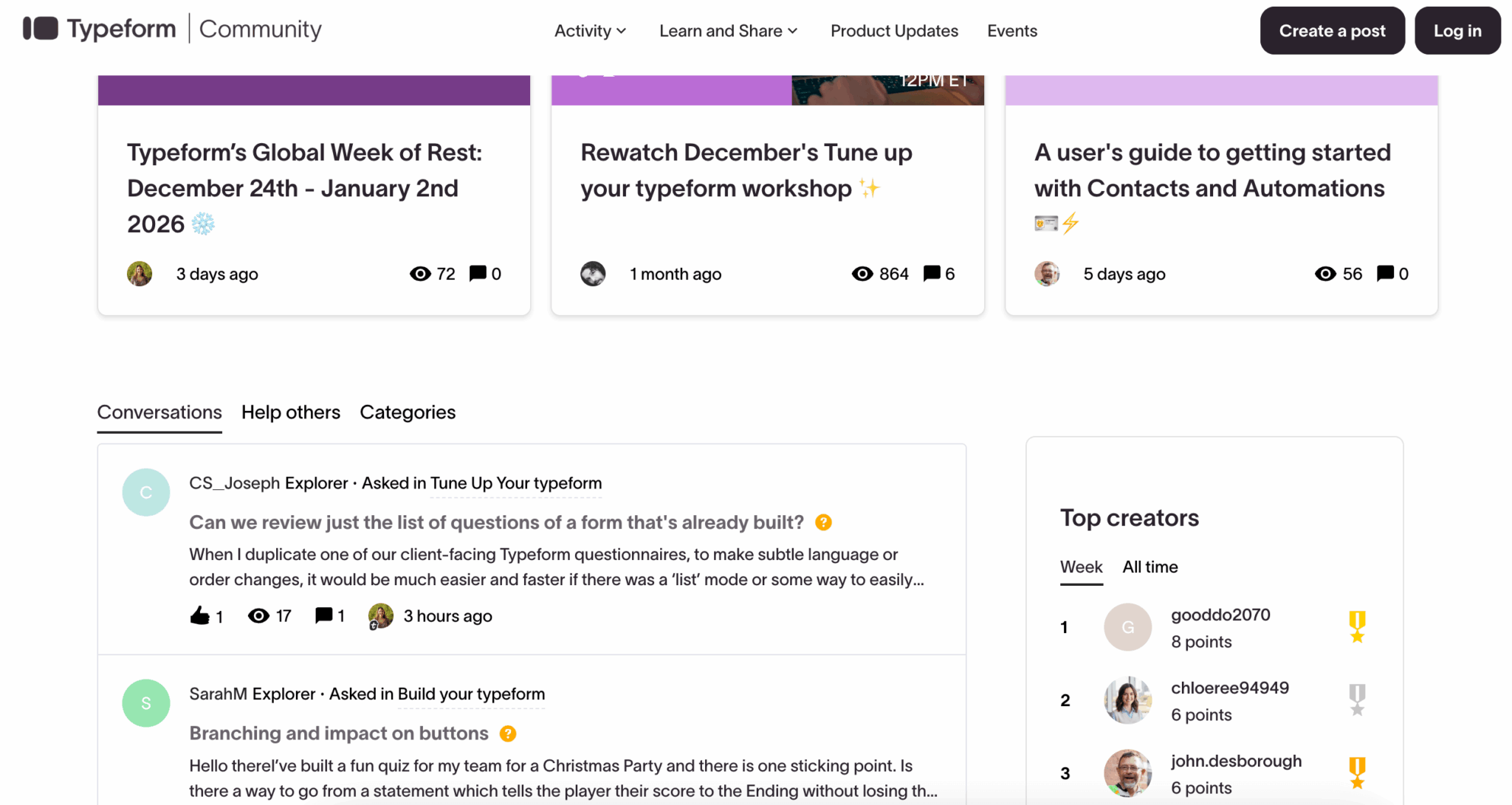
Typeform also has an active user community, with a forum where you can ask questions and exchange ideas with other users. Less extensive than the HubSpot or Salesforce communities, but useful for finding solutions to specific problems or template ideas.
Typeform rates & value for money
Let’s get down to the nitty-gritty. Typeform isn’t cheap, and the pricing structure may come as a surprise when you come from Google Forms (free) or low-cost alternatives. Here are the current rates (for annual payments, the most advantageous):
| Plan | Monthly price (yearly) | Responses/month | Users | Who’s it for? |
|---|---|---|---|---|
| Basic | 21 €/month | 100 | 1 | Freelancers, VSEs. Unlimited forms and questions, but only 100 answers/month. That’s the bare minimum. |
| More | 46/month | 1 000 | 3 | SME, marketing teams. Typeform logo removed, 1,000 responses, 3 users. The real entry point for serious use. |
| Business | 75/month | 10 000 | 5 | Structured teams. Abandonment rates, advanced analytics, 10,000 responses. For those with volume. |
| Enterprise | On request | Made to measure | Unlimited | Key accounts. SSO, HIPAA compliance, VIP support, dedicated customer success, personalized domains. |
Some important points to note:
- No free version. Unlike many of its competitors, Typeform does not offer a free version. The Basic plan at €21/month is the entry point, with only 100 answers/month, which is very limited.
- The €46/month Plus plan is the real entry point. This is where you unlock 1,000 responses/month, Typeform branding removal and 3 users. For a team doing lead gen or regular surveys, this is the realistic minimum.
- The €75/month Business Plan unlocks analytics. The abandonment rate per question (to optimize your forms) is only available from this plan. If you have volume and want to optimize your conversions, this is the plan for you.
- Answers are capped, forms are not. You can create as many forms as you like – it’s the number of responses you collect that counts. Beware of usage peaks: a successful campaign can cause your quota to explode.
- Prices shown are for annual payments. Monthly payments cost around 20% more (€25, €55, €89/month respectively). Annual commitment is clearly encouraged.
Typeform VS Google Forms, Jotform, Tally…
To situate Typeform in the landscape, here’s how it stands up to the main alternatives:
Typeform VS Google Forms (free)
Google Forms is free and unlimited, and that’s its only argument. The UX is basic, the design dated, the integrations limited to the Google ecosystem.
If you send a prospect a Google form, it looks cheap. If you send a Typeform, it looks professional. The question is: is this difference worth €25/month (or €21 with an annual commitment)? For B2B lead gen, probably yes. For an internal survey, probably not.
Typeform VS Jotform (from €34/month)
Jotform is more flexible when it comes to conditional logic and complex forms. The responsive UX is correct, but less elegant than Typeform. Jotform also offers a fairly generous free version (100 submissions/month but 5 forms).
If you have really complex forms with lots of conditions, Jotform is probably a better choice. If engagement and completion rates are a priority, Typeform wins.
Typeform vs. Tally (free with paid options)
Tally is the new kid on the block. Generous free plan (unlimited responses), Notion-inspired interface, aggressive pricing on paid plans. The UX is good, but less polished than Typeform, and advanced features (video, AI, Workflow Builder) are non-existent.
For simple forms on a tight budget, Tally is a real alternative. For more advanced needs, Typeform remains ahead.
Typeform VS Microsoft Forms (included in Microsoft 365)
If you already have Microsoft 365, Forms is “free” (included in the subscription). Integration with the Microsoft ecosystem is good, but the responsive UX is as bland as Google Forms. Same logic: for internal use, it may suffice. For external use with customers or prospects, Typeform makes a better impression.
Typeform is expensive, let’s face it. The price is justified if you use the tool for lead generation, recurring customer surveys or cases where the completion rate has a direct impact on your business. For one-off or in-house use, Google Forms or Tally do the job for less (or even free).
For whom is Typeform really worth it?
Typeform is for you if :
- You are involved in lead generation and the conversion rate of your forms has a direct impact on your sales.
- You send out customer/NPS surveys and want to maximize the response rate
- You’re recruiting and are interested in video responses to pre-qualify candidates
- Collect customer testimonials (video or text) for your website or networks
- You need native integrations with your CRM (HubSpot, Salesforce)
- Brand image matters, and you want forms that reflect your positioning
Skip it if :
- Your budget is ultra-tight and €25/month for forms seems disproportionate.
- You have very complex forms with multi-level logic (prefer Jotform)
- Your forms are purely internal (Google Forms or Microsoft Forms are sufficient).
- You need pay-as-you-go with micropayments (not the Typeform model)
- You’re in a highly safety-sensitive sector and are concerned about the 2018 antecedents
The best way to understand the Typeform difference is to create a form and test it on the respondent side. The UX speaks for itself.