Electronic signatures have become a must-have for businesses, and the market is still largely dominated by American giants, led by DocuSign. For French and European SMEs, this raises a fundamental question: should they entrust their contracts and sensitive data to servers subject to the American Cloud Act?
This is precisely where Yousign has positioned itself. The French publisher, founded in Caen in 2013, now boasts over 280,000 users and 30,000 corporate customers in Europe. Its promise: a simple, eIDAS-compliant solution, with data hosted exclusively in France.
But does Yousign really live up to its promises when compared to DocuSign? We’ve analyzed the tool in depth: features, pricing, limitations, user feedback. Here’s our full review.
Sommaire
Our opinion of Yousign in brief
| Perimeter | Score | Our opinion |
|---|---|---|
| Overall rating | 4,3 | Yousign is a French electronic signature solution designed as a European alternative to DocuSign. The tool focuses on simplicity, eIDAS compliance and data sovereignty. A very good choice for SMEs and ETIs, with the main drawback being the absence of a mobile application. |
| Ease of use | 4,5 | Uncluttered interface and quick start-up, in less than ten minutes. The process is deliberately minimalist (upload PDF, add signatories, send), which clearly makes the difference with more complex solutions. |
| Legal compliance | 4,5 | eIDAS-qualified, ANSSI-certified and RGPD-compliant trust provider. Ten-year evidential archiving included via CDC Arkhineo. Data is hosted exclusively in France, avoiding any exposure to the Cloud Act. |
| Value for money | 4,1 | Yousign’s prices are competitive and identical to those of DocuSign (they have aligned themselves), with the added advantage of a free offer (2 signatures/month) which has the merit of allowing you to test the tool in real-life conditions. |
| Integrations | 3,7 | Native connectors with Salesforce, HubSpot and Zapier, as well as a well-documented API. Sufficient for the majority of SMBs, but the ecosystem remains more limited than DocuSign’s, especially for highly equipped environments. |
| Customer support | 4,1 | Responsive support based in France, appreciated for its proximity and pedagogy. Support adapted to teams looking for simplicity and quick answers, without cumbersome enterprise systems. |
Yousign offers a 14-day free trial without credit card. Test the interface and make sure the tool meets your needs before committing yourself.
What exactly is Yousign?
Yousign is a French electronic signature solution founded in 2013 in Caen by Luc Pallavidino and Antoine Louis. The company has grown rapidly, notably after raising 30 million euros in 2021. Today, it boasts more than 280,000 users, 30,000 corporate customers and a presence in 83 countries.
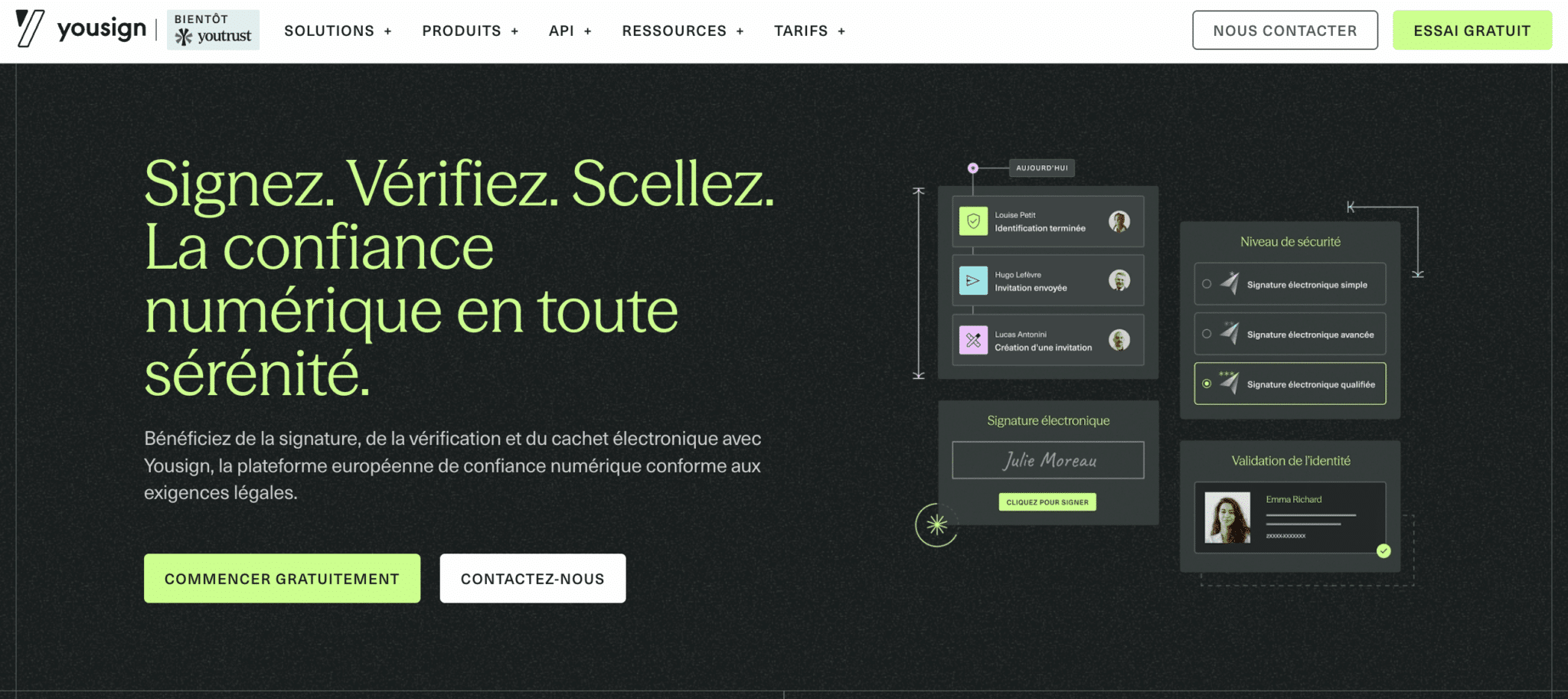
Yousign’s positioning is based on three pillars:
- Simplicity: a streamlined interface, designed to be used without training. Getting to grips with the tool takes just a few minutes (or a few hours to really get to grips with all its features).
- Sovereignty: data hosted exclusively in France, SecNumCloud-certified infrastructure, ANSSI security visa. No exposure to the U.S. Cloud Act. This is a key argument for some organizations.
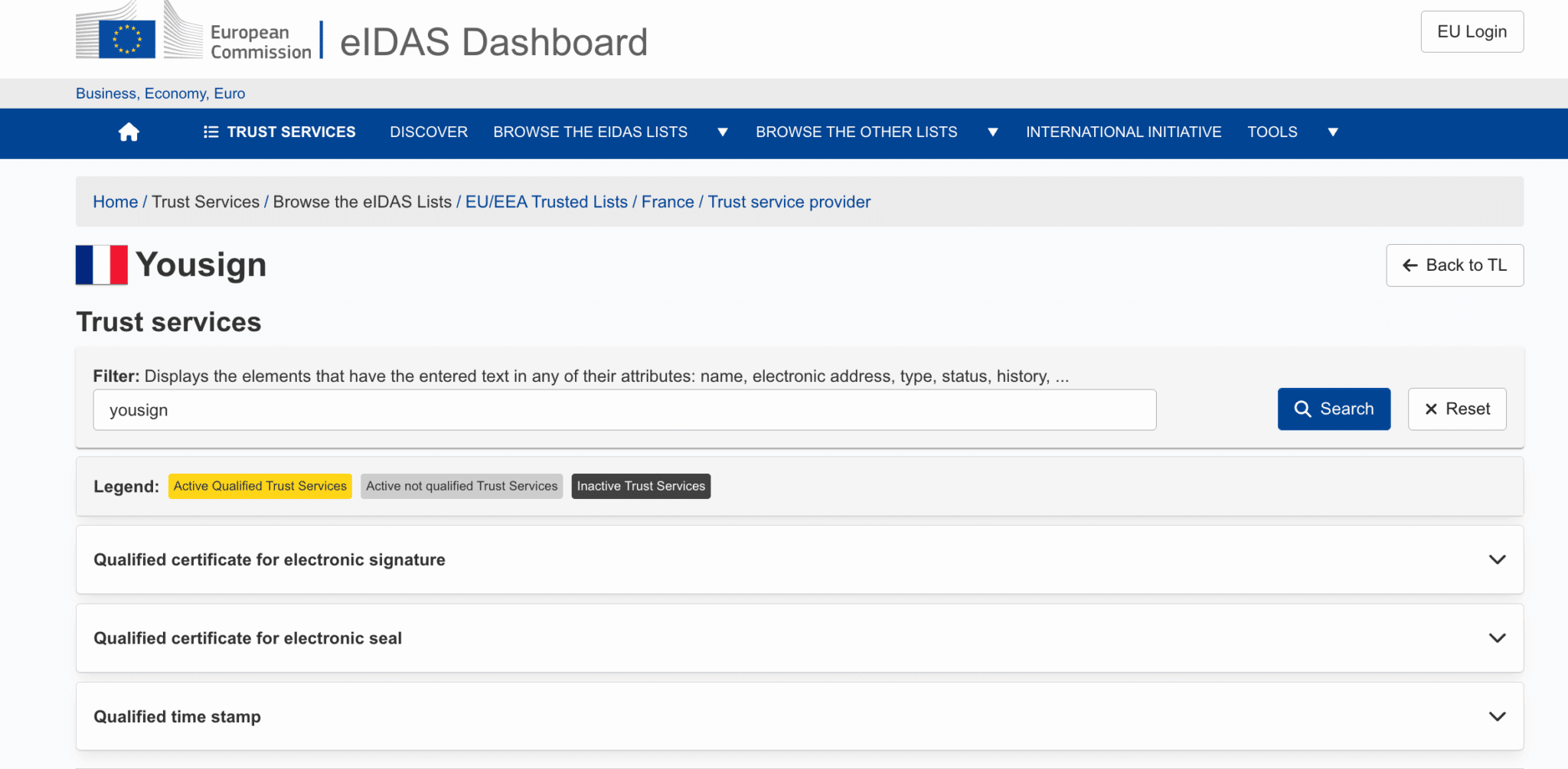
- eIDAS compliance: Yousign is recognized as a Qualified Trust Service Provider (QTSP) on the European Commission’s Trust List. Signatures are legally recognized in all member states.
The company is currently undergoing a strategic transition to the “Youtrust” brand (scheduled for 2026). The idea is to move from a simple signature tool to a digital trust platform integrating three bricks: Sign, Verify and Seal. A logical evolution in the face of rising document fraud.
Yousign’s key features
The 3 signature levels (eIDAS compliant)
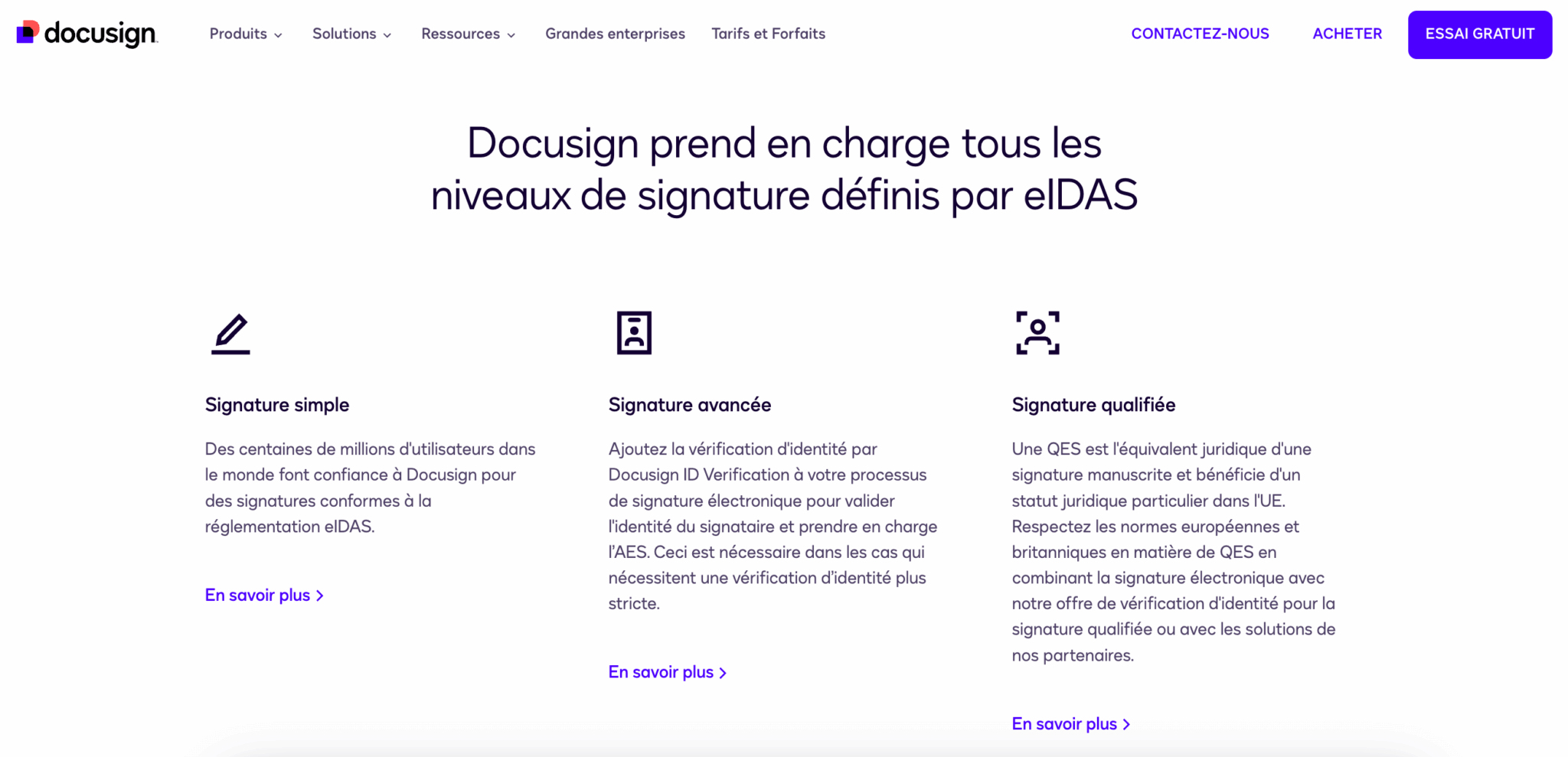
Yousign strictly implements the eIDAS standards, which structures its offer into three signature levels:
- Simple Electronic Signature (SES): This is the most common level, accounting for around 90% of volumes. Authentication is based on sending a link by e-mail + OTP code. Admissible in court, but the burden of proof rests with the party claiming the signature. Applications: quotations, purchase orders, general terms and conditions, simple rental leases, internal HR documents.
- Advanced Electronic Signature (AES) This level introduces stronger identity verification: the signatory must provide proof of identity (ID card, passport) and validate by SMS code. Document integrity is guaranteed after signature. Typical applications: employment contracts, real estate sales agreements, bank account openings, SEPA mandates.
- Qualified Electronic Signature (QES) The highest level, legally equivalent to a handwritten signature. Requires issuance of a qualified certificate with face-to-face identity verification (physical or certified video). In the event of a dispute, it is up to the disputing party to prove that the signature is false (reversal of the burden of proof). Use cases: notarial deeds, public contracts, complex financial transactions.
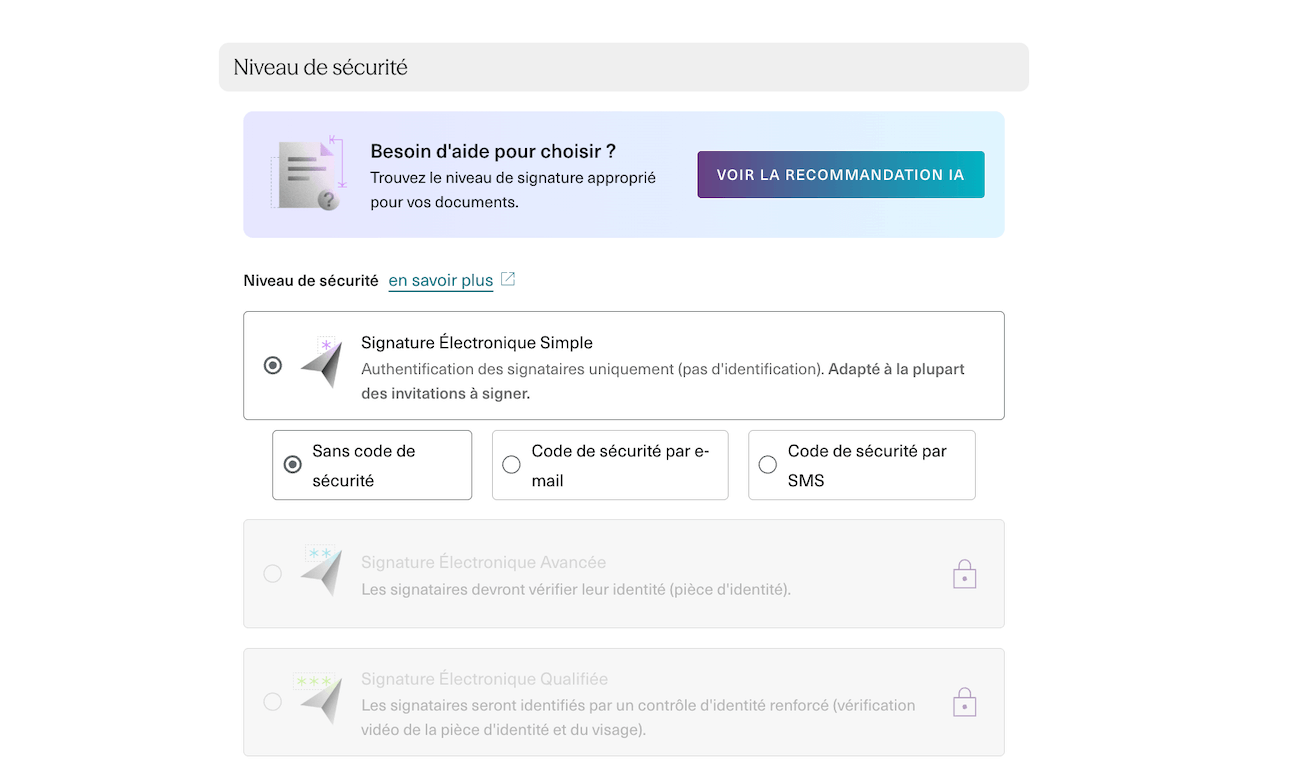
For 90% of SME applications (quotations, purchase orders, commercial contracts), a simple signature is sufficient. Advanced signature is recommended for employment contracts and real estate transactions. Qualified signatures are rarely required and are billed extra (€10-15/signature).
Workflows and automation
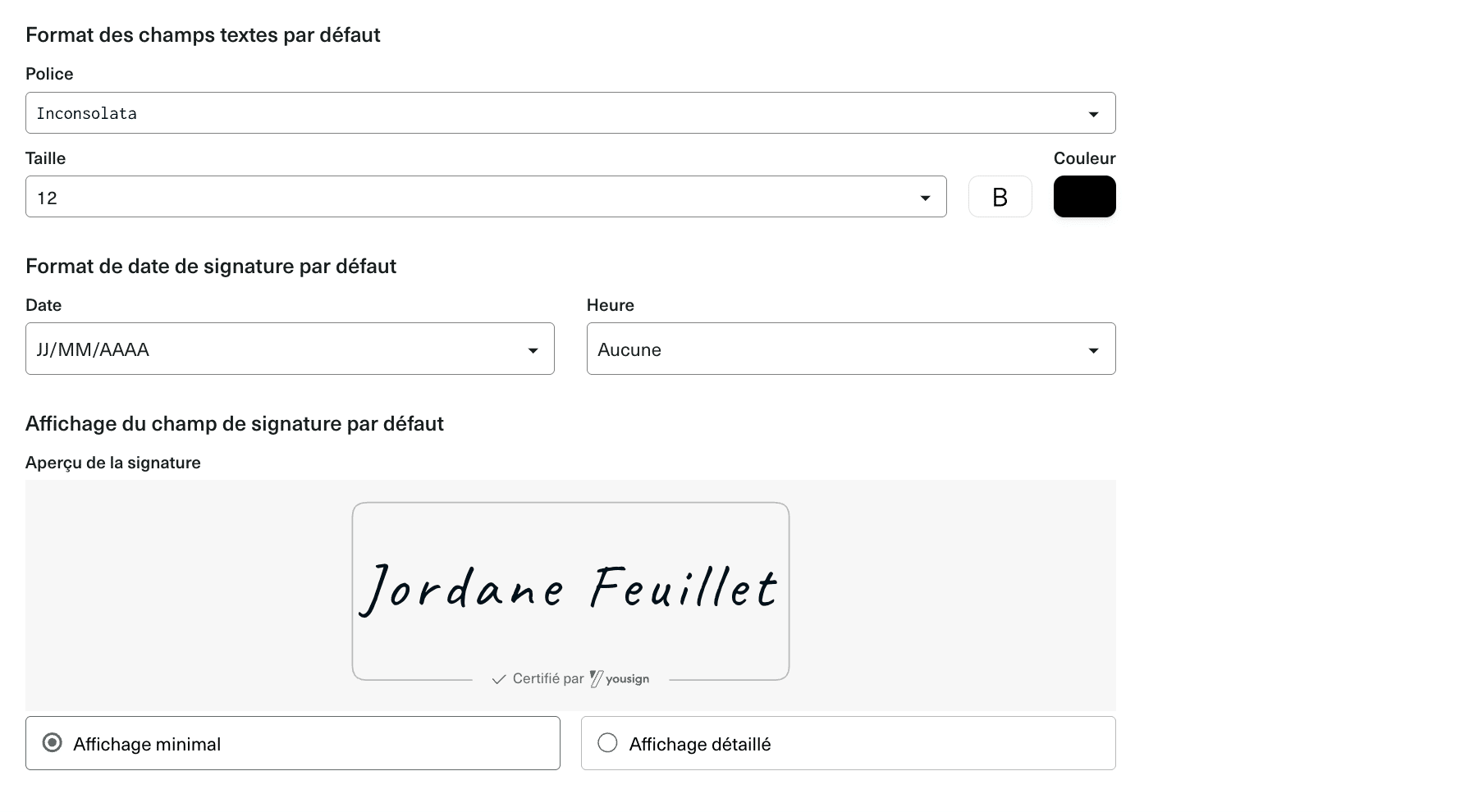
Beyond the pure signature, Yousign enables you to build document paths adapted to your internal processes. This is often where real time savings are made, not in the act of signing itself, but in everything that surrounds it.
This functional package is built around several bricks:
- The first of these is the signing order. You can define a sequential order (manager signs first, then employee, then HR) or a parallel order (everyone signs at the same time). In practice, sequential is useful when one signature conditions the others – typically, a purchase order which must be validated by the CFO before being sent to the supplier. Parallel processing speeds up processes when the order is unimportant.
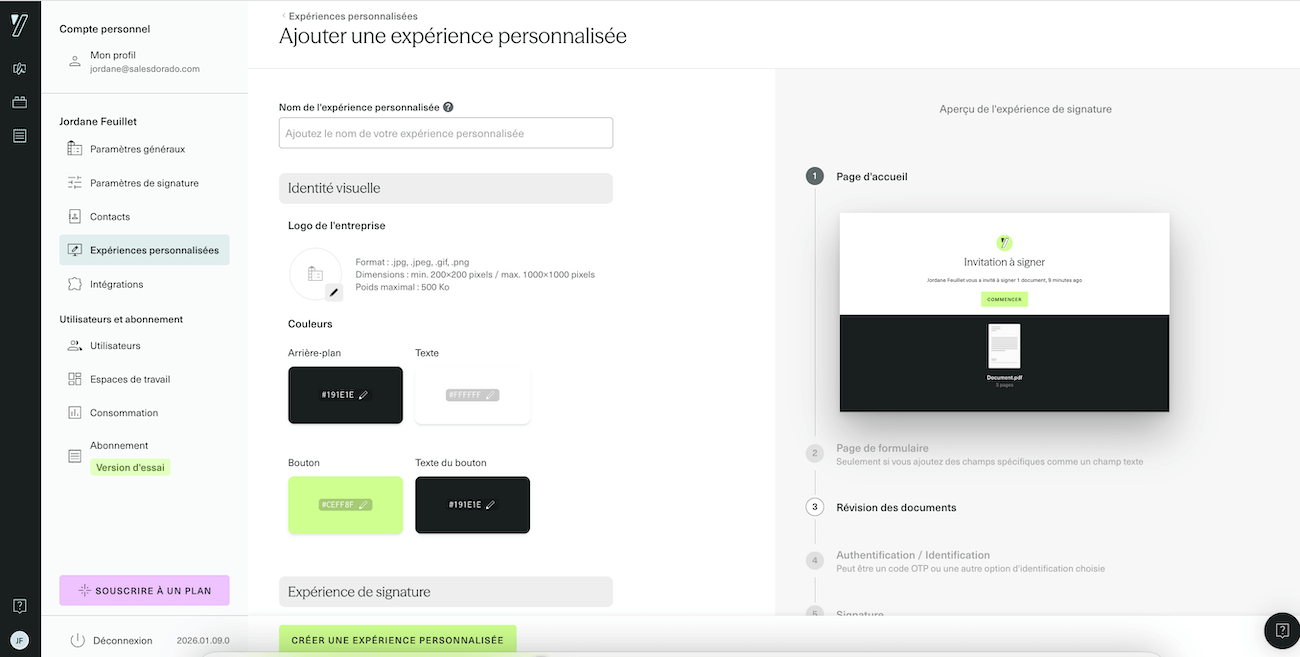
- Automatic reminders solve a problem familiar to all administrative teams: the signatory who “forgets” to sign. Rather than manually sending reminders by email or telephone, Yousign sends reminders at regular intervals: every 24 hours, 48 hours, or once a week, depending on your configuration. The signatory receives an email reminder until they take action. It’s a simple, but highly effective way of unblocking those files that have been lying around.
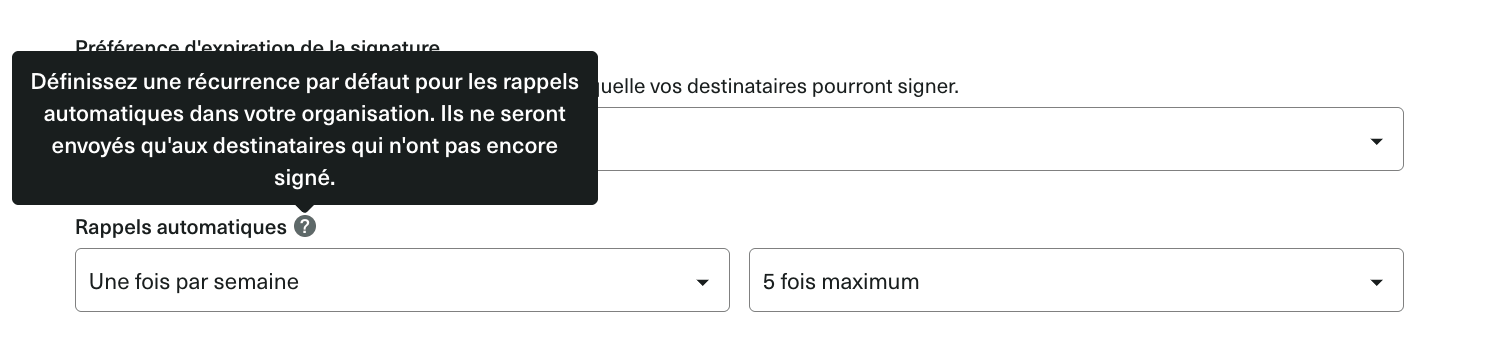
- Approvers add an internal validation step before sending to final signatories. Typical case: a sales person prepares a customer contract, but the sales manager has to validate the pricing conditions before sending. The approver receives the document, validates it (or rejects it with comments) and only then does the customer receive the signature link. This avoids the embarrassing back-and-forth of “sorry, we sent you the wrong tariff”.
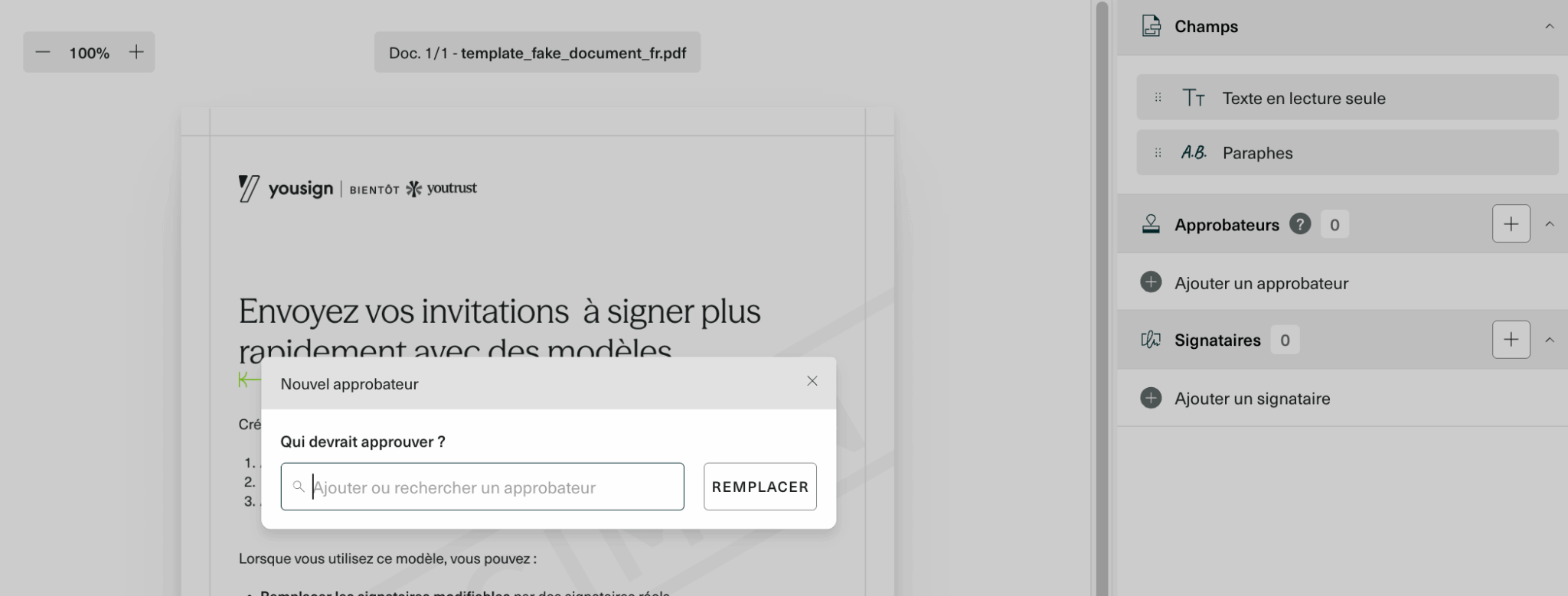
- Expiration allows you to set a time limit after which signing is no longer possible. This is useful for quotations with limited validity, promotional offers or simply to avoid an obsolete contract being signed six months later. Once the deadline has passed, the signature link becomes inactive and you can resend a new version if necessary.

- Document templates are indispensable whenever you regularly sign the same type of contract. You create a template with the signature zones positioned, the fields to be filled in, the obligatory mentions, and you reuse it ad infinitum. No need to reconfigure each document from scratch.
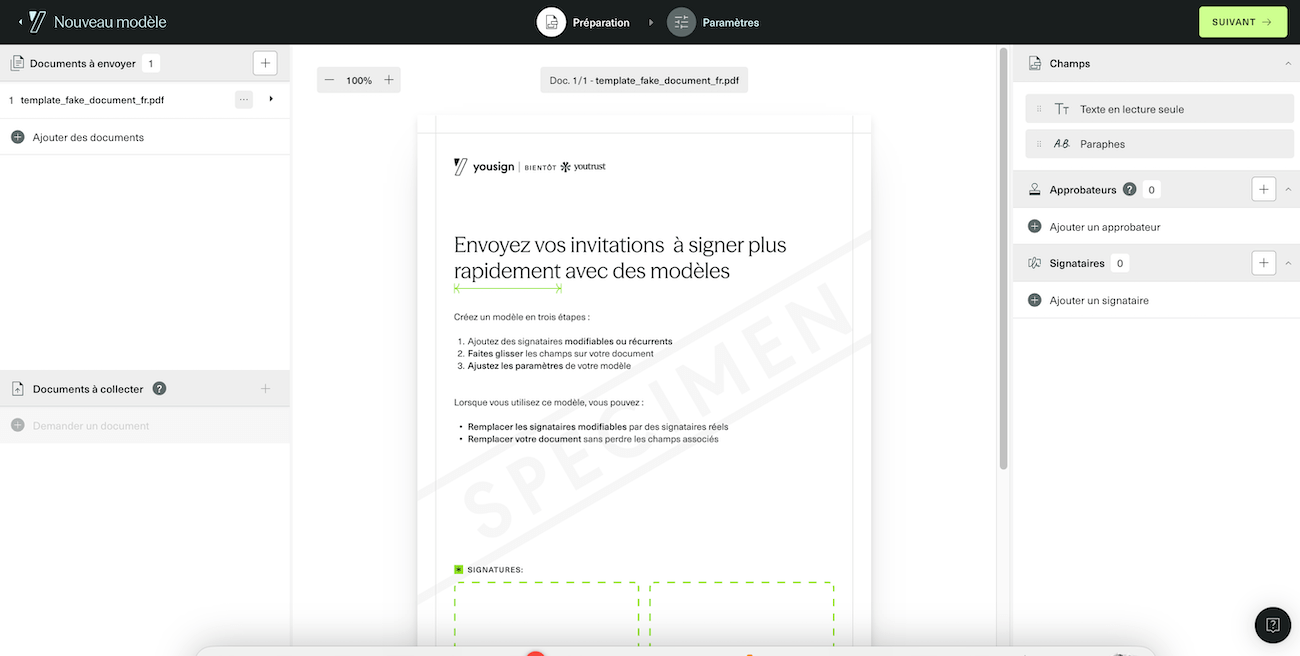
In concrete terms, these automations transform administrative processes lasting several days into a matter of hours.
Let’s take the example of an SME that recruits 100 people a year:
- Without Yousign: print out 100 contracts, send them by post or organize physical appointments, follow up latecomers by telephone, scan signed contracts, archive them…
- With Yousign: create an “Employment Contract” template, generate the 100 customized contracts via form, send them en masse, let the automatic reminders do the work, and retrieve the signed contracts directly from the archive.
The HR process that used to take a week is now completed in a day.
Yousign offers a 14-day free trial without credit card. Test the interface and make sure the tool meets your needs before committing yourself.
Archiving and evidence files
Each signature automatically generates a time-stamped proof file containing all metadata: identity of signatories, IP addresses, timestamps, browser used, etc. This file is archived for 10 years via a partnership with CDC Arkhineo.
This is an economic strength: probative archiving is included in all plans, whereas some competitors charge for it as an option.
Integrations
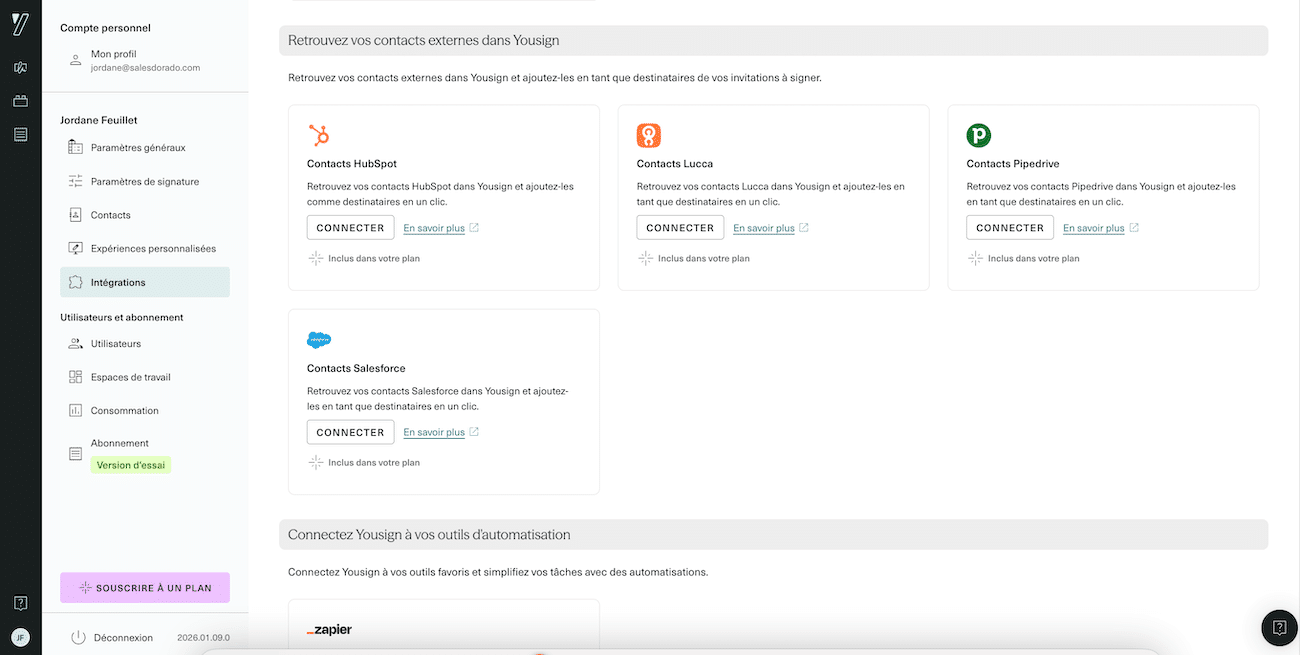
Yousign offers native connectors with the most common tools:
- CRM: Salesforce, HubSpot, Pipedrive
- Automation: Zapier, which unlocks access to over 8,000 third-party applications. Yousign, on the other hand, does not offer Make integration. What a shame…
For more advanced needs, the Yousign API (from €106/month) lets you integrate the signature directly into your business applications.
How much does Yousign cost?
Yousign uses pricing transparency as a marketing argument against the traditional opacity of enterprise contracts. Here are the details of our offers.
Application plans (SaaS)
| Plan | Price | Signatures included | For whom |
| Free | 0€ | 2/month | Test, very occasional use |
| One | 9/month | 10/month | Self-employed, micro-businesses |
| Plus | 23/month/user | Unlimited (single) | VSE/SME (1-10 users) |
| Pro | 38/month/user | Unlimited (single) | SMEs, advanced needs |
What’s included in all plans
- Simple electronic signature (SES)
- Time-stamped proof file
- 10-year probationary archiving (CDC Arkhineo)
- Email support
What’s billed extra
- Advanced Signature (SEA): add-on module at extra cost (non-public price)
- Qualified signature (QES): €10 excl. tax/signature (annual package 10+) or €15/signature (monthly)
- SMS authentication: included from Pro plan onwards
- Approvers and forms: from plan Plus
API offer
For companies that want to integrate the signature into their own applications :
- API Plus: €106 excl. tax/month (500 signatures/year included)
- API Pro: €131 ex VAT/month (500 signatures + white label + 99.9% SLA)
The €9/month One plan may look attractive on paper, but 10 signatures a month will soon prove insufficient for a busy SME. As soon as you start signing contracts, quotes or purchase orders on a regular basis, you’ll switch to the Plus plan at €23. Make your calculations before committing yourself.
Yousign offers a 14-day free trial, with no credit card required. Documents remain accessible after the trial expires.
What we like (and don’t like)
- Exceptionally easy to use: streamlined interface, 3-click process (upload PDF → add signatories → send). Quick to learn, even for non-technical users. This is a major advantage over DocuSign, which is more complex and complicated to learn.
- Affordable entry price: Slightly less expensive than DocuSign for equivalent functionality. The Plus plan at €23/month with unlimited signatures is very competitive for SMEs.
- Compliance and sovereignty: eIDAS-qualified, ANSSI-certified trust provider, data hosted in France. No exposure to the U.S. Cloud Act – a strong argument for regulated sectors.
- 10-year archiving included: proof file and evidential archiving are included in all plans, whereas some competitors charge for them as an option.
- Responsive French customer support: French-speaking team, response in less than 2 hours. No language barrier or time difference like with American publishers.
- HubSpot/Salesforce/Zapier integrations: native connectors sufficient for most SMBs. The API is well documented for custom needs.

- No native mobile application: this is the most frequent criticism. Impossible to create signatures on a smartphone. This is problematic for field teams (real estate agents, traveling sales representatives). The mobile web interface exists, but it doesn’t replace a real app…
- Slightly dated interface: functional but not visually very modern. Muted colors, thick typography – a far cry from the clean design of some recent competitors.
- Plan One too limited: 10 signatures/month not enough for regular use. Force a rapid migration to the Plus plan at 23€.
- Qualified signature (QES) surcharge: €10-15 per signature. For sectors that need it frequently (notaries, lawyers), the variable cost can quickly exceed the subscription fee.
- Less comprehensive than DocuSign: no notarization, no presence signature, less advanced KBA (identity verification). For complex needs, DocuSign remains ahead.
Yousign vs DocuSign: which tool should you choose?
It’s the classic comparison, and the rates are now identical. DocuSign offers a Personal plan at €9/month, a Standard plan at €23/month and a Business Pro plan at €38/month. Yousign offers €9 (One), €23 (Plus) and €38 (Pro). On rates, it’s a draw.
The real difference lies elsewhere. DocuSign is the world leader, with 100+ million documents signed per year and a presence at 95% of the Fortune 500. Its strength lies in its functional comprehensiveness (notarization, in-presence signature, advanced Salesforce integrations, advanced workflow designer, native mobile app). It’s a solution designed for large international companies with complex needs.
Yousign takes a different approach: simplicity and sovereignty. Where DocuSign can seem like a “gas factory” with hundreds of options, Yousign guides the user step by step. And above all, for a European SME, hosting in France + native RGPD compliance + ANSSI certification considerably simplify risk analysis. No need to worry about the American Cloud Act.
The other notable difference is that DocuSign offers a native mobile app (iOS/Android), enabling you to sign documents on your smartphone or tablet, even offline. Yousign does not, and this is its Achilles heel for field teams.
In short: DocuSign if you’re a major international account, if you need advanced features (notarization, KBA) or if your teams work a lot on mobile devices. Yousign if you’re a European SME/ETI that prefers simplicity, data sovereignty and French support.
Yousign offers a 14-day free trial without credit card. Test the interface and make sure the tool meets your needs before committing yourself.
Our verdict: Who is Yousign right for?
Yousign is for you if :
- You are a French or European SME (< 100 employees)
- You sign 50 to 500 documents a year (contracts, quotes, purchase orders, HR documents).
- Ease of use is a priority (you don’t want to spend 3 days training your teams)
- RGPD compliance and data sovereignty are important criteria
- Your teams work mainly on desktop (no critical mobile needs)
Skip it if :
- You are a large international company with complex requirements (notarization, advanced KBA, advanced Salesforce integrations).
- Your teams are out in the field and need to get signatures on cell phones (real estate agents, traveling sales representatives).
- If you make intensive use of qualified signatures (QES): the variable cost will become prohibitive
- You’re already full Adobe or Microsoft (in which case Adobe Sign will be a more natural fit in your stack)
Final score: 4/5. Yousign deserves its reputation as the best European alternative to DocuSign. Its ease of use is remarkable, its eIDAS compliance reassuring, and its value for money excellent for SMEs. The main drawback remains the absence of a mobile application, which can be a real hindrance for certain professions. Try it out with the 14-day free trial to make sure it’s right for your needs.
Yousign is the obvious choice for French and European SMEs who want to combine simplicity, compliance and sovereignty. The interface is intuitive, prices are transparent and support is responsive. Test it for free for 14 days to make up your own mind.