If you type “Dynamics 365 vs Salesforce” into Google, you’ll come across dozens of comparison tables that pit features that 90% of companies will never use against each other. The reality is that both platforms are mature, cover the same use cases and are capable of supporting organizations of all sizes.
The real difference between a successful CRM project and one that ends up in a drawer (one out of two, according to Forrester) is not the choice between Agentforce and Copilot. It’s the technological ecosystem in which you’re already evolving, the real cost over 3 years and, above all, the quality of the integrator working with you.
In this article, we won’t drown you in 45 functional criteria. Instead, we’re going to help you decide by tackling the 5 strategic questions that really tip the balance one way or the other. And let’s be honest: if you’re already in the Microsoft world, the answer is often simpler than you think.
Sommaire
Microsoft Dynamics 365 vs Salesforce: our comparison in brief
| Criterion |
Microsoft Dynamics 365
|
Salesforce |
|---|---|---|
| Ideal for | ETIs and large SMEs already in the Microsoft ecosystem, industrial companies, B2B services | Large international accounts, multi-cloud organizations, highly ambitious CRM/data programs |
| Philosophy | Unified business suite CRM + ERP + Microsoft 365 productivity + Power Platform | AI-first “Customer 360” cloud CRM platform with a massive ecosystem of third-party apps |
| Entry price (sales) | 56 €/user/month (Sales Professional) | 25 €/user/month (Starter Suite, limited to 10 users) |
| Enterprise plan | 91 €/user/month (Sales Enterprise) | 175 €/user/month (Enterprise) |
| Highlights |
|
|
| Weak points |
|
|
| More about Dynamics | Discover Dynamics 365 with Masao | Our opinion on Salesforce |
Get support for Dynamics 365
If you’re moving towards Dynamics 365, the choice of integrator is crucial. Masao is a Microsoft pure player specializing exclusively in Dynamics 365 and Power Platform since 2006, with over 100 certified consultants and more than 400 CRM projects delivered. A member of the Microsoft Inner Circle (top 1% of worldwide partners) and Partner of the Year France on several occasions, it is our recommendation for a Dynamics 365 project.
Microsoft Dynamics 365: what you need to know
Dynamics 365 is more than just a CRM. It’s a suite of business modules (sales, customer service, marketing, finance, supply chain, field service, etc.) built on Microsoft’s Power Platform and natively integrated with the entire ecosystem: Outlook, Teams, SharePoint, Power BI, Power Automate, Azure.
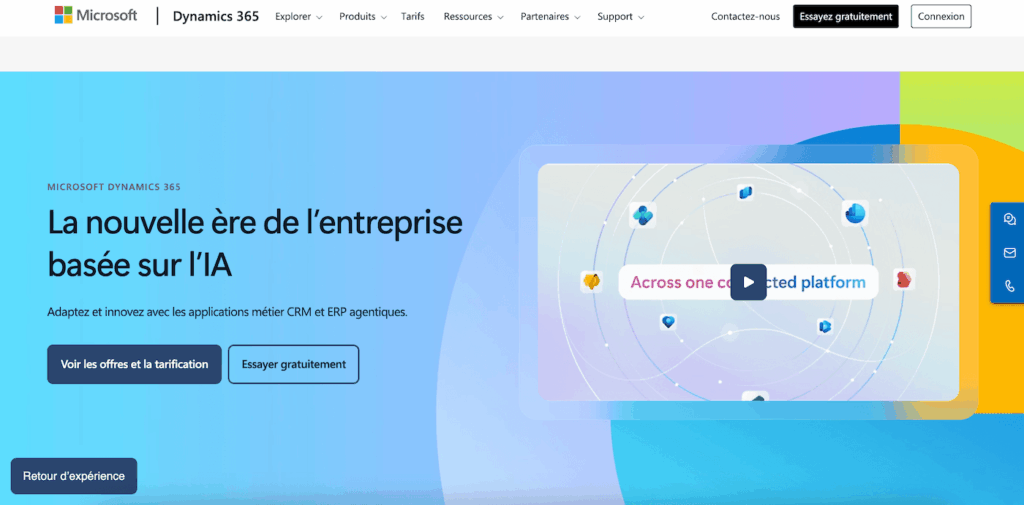
On the pure CRM side, the modules we are interested in are :
- Dynamics 365 Sales (sales automation, pipeline, forecasting)
- Customer Service (case management, omnichannel)
- Customer Insights (marketing automation, customer journeys).
Each module can be billed separately, so you only pay for what you use.
The great strength of Dynamics 365 is its continuity with the tools your teams already use on a daily basis. Your sales reps can consult customer files, track their emails and manage their opportunities directly from Outlook or Teams, without changing their interface. In a context where CRM adoption is the number one factor in project failure, this is a powerful argument.
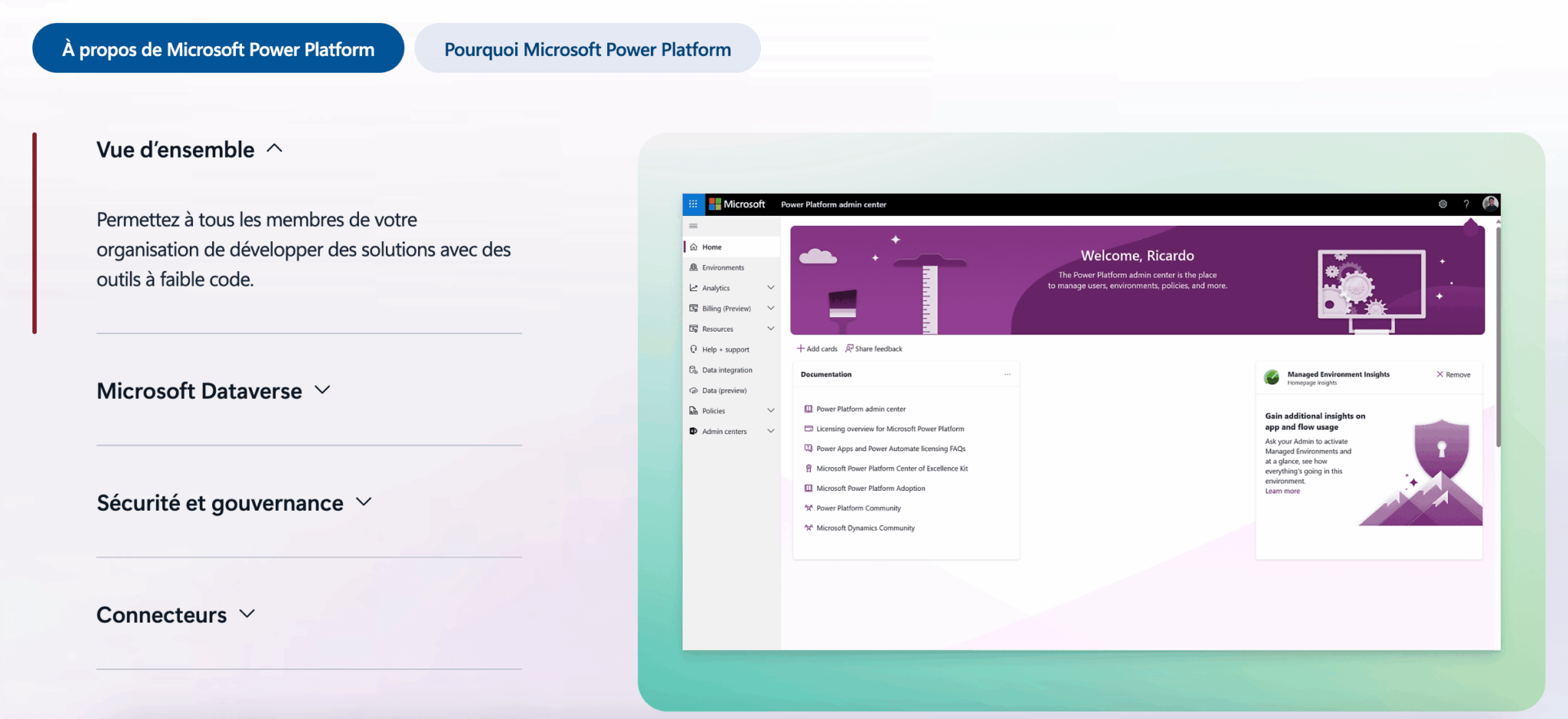
The other major asset is Power Platform. With Power Apps (low-code applications), Power Automate (automations) and Power BI (reporting), you have a base that enables you to customize and extend CRM without necessarily going through heavy development. This is particularly interesting for small and medium-sized businesses who want to gain autonomy without having to multiply their tools.
Dynamics 365: strengths and limitations
- Native Microsoft integration: Outlook, Teams, SharePoint, Power BI. Zero friction for teams already in the ecosystem.
- Unified CRM + ERP: connect sales, customer service, finance and supply chain on the same platform. A rarity among competitors.
- Low-code with Power Platform: business teams can create apps, automations and reports without relying on developers.
- Often lower TCO: more affordable licenses, especially if you already have Microsoft 365 (and fewer paid add-ons to pile on).
- Integrated Copilot: Microsoft AI for email generation, conversation summaries and predictive scoring, directly in CRM.
- Limited AppSource Marketplace: far fewer third-party apps than Salesforce’s AppExchange. For very specific needs, this may be lacking.
- Interface sometimes outdated: the UX is improving, but some screens are still less intuitive than Salesforce Lightning, especially on mobile devices.
- Requires a good integrator: the power of Power Platform can become a trap without governance. Without support, you can quickly create technical debt.
- Fewer community resources: the network of developers and admins is less extensive than that of Salesforce (Trailhead, forums, etc.).
Salesforce: what you need to know
Salesforce is the world leader in cloud CRM. The “Customer 360” platform covers sales (Sales Cloud), customer service (Service Cloud), marketing (Marketing Cloud), data (Data Cloud) and offers sector-specific clouds (healthcare, finance, etc.) based on a common foundation. It is the benchmark tool for major international accounts with complex needs and budgets to match.
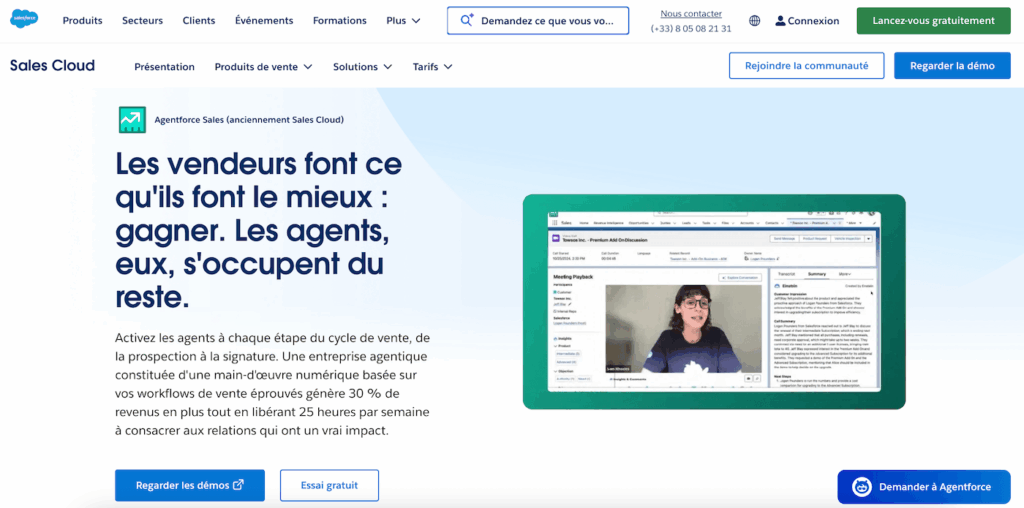
Salesforce’s historic strength is its functional depth and ecosystem. TheAppExchange offers thousands of third-party applications, and Salesforce’s network of integration partners is the densest in the world. If you have a specific business need, there’s a good chance that an app or integrator can meet it.
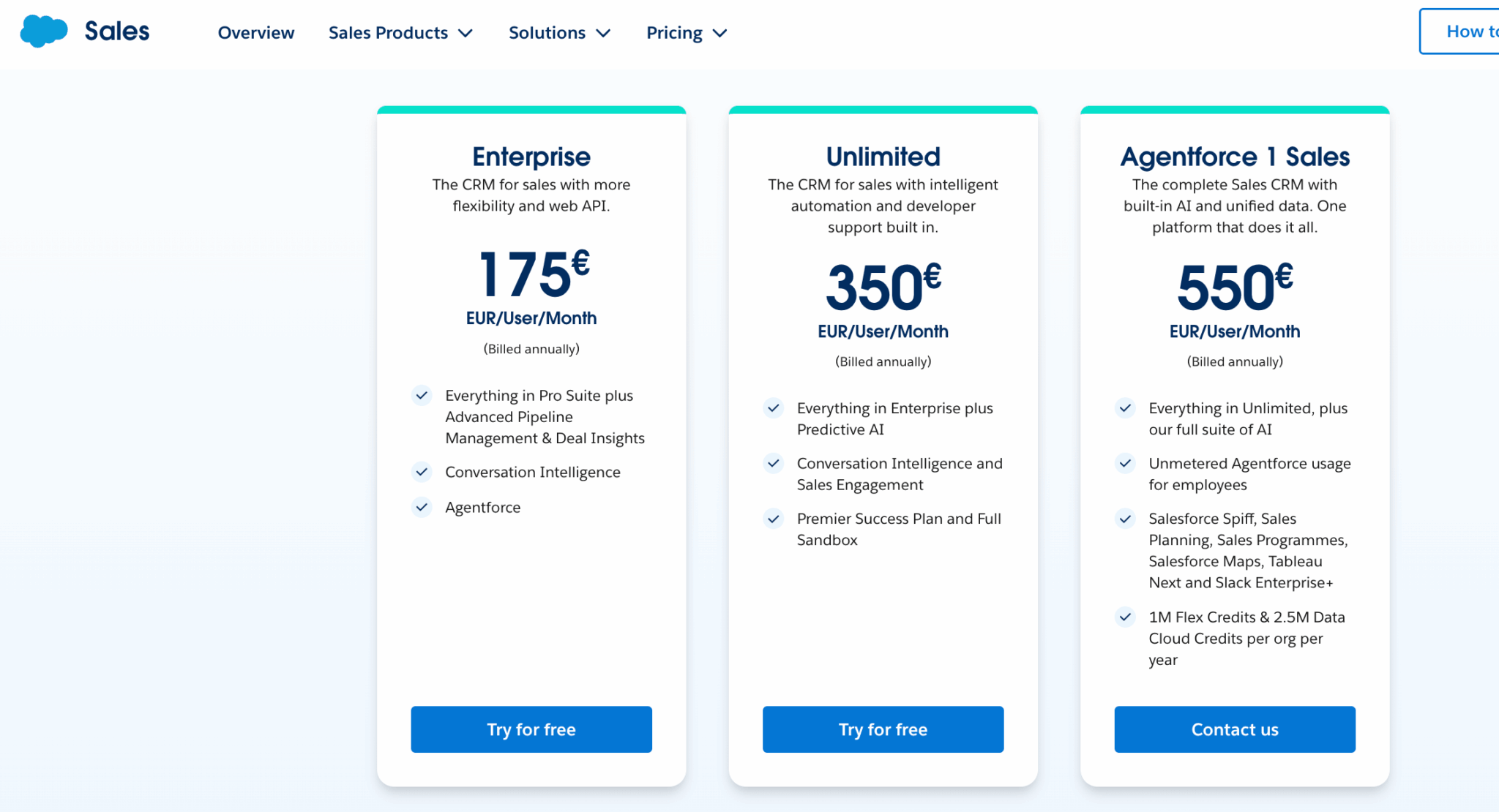
On the AI side, Salesforce has invested heavily with Einstein, renamed Agentforce, which promises autonomous agents capable of handling customer interactions without human intervention. Impressive on paper, but these advanced features are reserved for the most expensive editions (Unlimited, from €350/user/month, and Agentforce 1 Sales, from €500/user/month).
The other side of the coin is complexity and cost. Salesforce’s actual costs far exceed list prices once you add up the various clouds, add-ons, integration and maintenance. And implementation often takes longer and costs more than expected, especially for companies without a dedicated IT team.
Salesforce: strengths and limitations
- Unrivalled AppExchange ecosystem: thousands of third-party apps, verticals and connectors. The richest ecosystem on the market.
- Functional depth: for pure CRM (sales, service, marketing), Salesforce remains the benchmark in terms of parameter finesse.
- Advanced AI: Agentforce is the most advanced AI on the CRM market.
- Worldwide partner network: hundreds of integrators and specialist consultants, including major consultancies.
- Community and training: Trailhead, forums, events. The resource ecosystem is massive.
- Very high real cost: add-ons (Data Cloud, Marketing Cloud, CPQ, Agentforce…) push the bill well beyond the list price.
- Complexity of implementation: Salesforce projects often take longer and cost more than expected, especially for SMEs.
- Non-native Microsoft 365 integration: if your teams live in Outlook and Teams, integration will be functional but never as seamless as with Dynamics 365.
- Dependence on Apex developers: for complex architectures, you need specialized (and expensive) profiles in Apex and Lightning.
- Longer onboarding: the richness of the Lightning interface can be confusing. Change management support is essential.
Dynamics 365 vs Salesforce: 5 questions that make the difference
As we said in the introduction, it doesn’t make much sense to compare the two solutions on a feature-by-feature basis. In terms of core CRM (leads, accounts, contacts, opportunities, pipeline, reporting), both platforms are mature and virtually interchangeable. The real differences lie elsewhere.
#1 Is your technology environment already Microsoft?
This is the most discriminating question, and yet it’s the one that’s asked the least in classic comparisons.
If your teams already use Outlook, Teams, SharePoint and Power BI on a daily basis, Dynamics 365 integrates seamlessly into this environment. Sales people don’t need to navigate between two worlds: customer records, opportunities, activities and emails can all be accessed directly from their Outlook or Teams inbox. When you consider that 83% of executives cite team adoption as the main challenge of a CRM project, this fluidity is no detail.
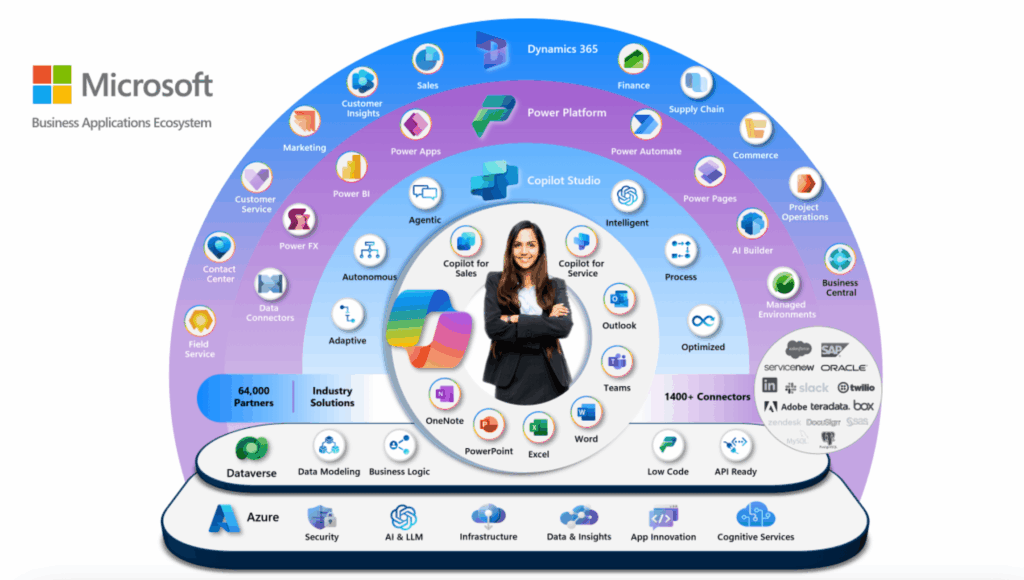
Salesforce does offer Outlook and Teams connectors, but the integration remains functional without being native. There’s always an intermediate layer, a plugin that sometimes gets out of sync, an experience that isn’t quite the same. For teams deeply rooted in the Microsoft ecosystem, this is a daily friction that weighs on adoption.
Conversely, if your stack is heterogeneous (Google Workspace, Slack, dozens of different SaaS tools), Salesforce will probably be more at ease, thanks to the depth of the AppExchange and its connectors.
Salesdorado’s opinion
Ask yourself an honest question: which tool do your salespeople spend the most time in? If the answer is Outlook or Teams, Dynamics 365 has a structural advantage. If the answer is “a bit of everything”, Salesforce will probably be more connected to your stack.
#2 How much does it really cost?
In terms of list prices, the two solutions appear to be very similar at the entry-level. But the cost structure is very different, and it’s on actual TCO (Total Cost of Ownership) that the gap widens.
| Plan | Dynamics 365 Sales | Salesforce Sales Cloud |
|---|---|---|
| Entry-level | Sales Professional: €56/user/month | Starter Suite: €25/user/month (max 10 users) |
| Mid-market | Sales Enterprise: €91/user/month | Pro Suite: €100/user/month |
| Company | Sales Premium: €130/user/month | Enterprise: €175/user/month |
| Top of the range | Included in Sales Premium | Unlimited: €350/user/month |
| Advanced AI | Copilot included in Sales Enterprise | Agentforce 1 Sales: €550/user/month |
But the price of licenses is only the tip of the iceberg. To get a realistic picture, you need to factor in the costs of integration, training, administration and add-ons:
- As for Dynamics 365, if you already have Microsoft 365 licenses, there are no additional costs for Outlook, Teams or SharePoint. Copilot is integrated as of the Enterprise edition, and Power BI can be used with a free license for basic dashboards. Advanced reporting, automation with Power Automate, and low-code applications with Power Apps are accessible without multiplying subscriptions.
- On the Salesforce sideThe list price is misleading. As soon as you need marketing automation, advanced reporting (Tableau), advanced AI functionalities or Data Cloud to unify your data, each brick is billed separately. Not to mention paid AppExchange apps and the cost of a dedicated Salesforce administrator (or even an Apex developer for advanced customization).
Beware of hidden costs
For both solutions, the cost of integration is often 1 to 3 times the annual cost of licenses in the first year. Never evaluate a CRM solution based on license costs alone. Always ask for a 3-year TCO including integration, training, administration and upgrades.
#3 AI: Copilot vs Agentforce
AI has become a central marketing argument for both publishers. But beyond the promises, what is actually usable today?
- Microsoft Copilot is integrated into Dynamics 365 Sales from the Enterprise edition (€91/month). It can generate personalized email drafts from CRM context, produce summaries of Teams conversations, prioritize leads via predictive scoring, suggest next actions, and more. The beauty of Copilot is that it draws on data from the entire Microsoft ecosystem (Outlook emails, Teams conversations, SharePoint files) to contextualize its recommendations. It’s not just AI in CRM, it’s AI that leverages your entire working environment.
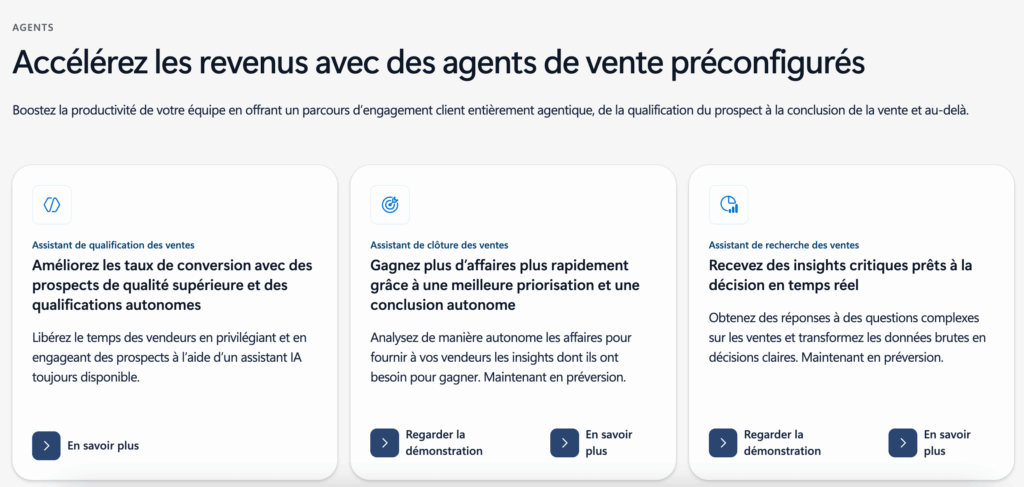
- Salesforce’s Agentforce is more ambitious on paper, with the promise of autonomous agents capable of handling end-to-end customer requests. Predictive scoring and sales recommendations are available from the Enterprise edition, but the most advanced features (autonomous agents, Data Cloud) require the Unlimited (€350) or Agentforce 1 Sales (€550) plans. It’s powerful, but the entry ticket is high.
Salesdorado’s opinion
For most French SMBs, Copilot’s AI functionality in Dynamics 365 Sales Enterprise is more than sufficient, and is included in the license. Salesforce goes further with Agentforce, but at a price that can only be justified for mature organizations with high volumes. Don’t choose your CRM on the basis of AI features you won’t use for another 2 years.
#4 Customization and extensibility
Both platforms are highly customizable, but with different philosophies:
- Dynamics 365 is all about low-code. With Power Platform, business teams (the so-called “citizen developers”) can create applications, workflows and reports without writing a single line of code. Entities, fields, forms, business rules and business process flows are configured via a graphical interface. For more complex requirements, development is carried out in .NET and JavaScript, with open APIs and the option of hosting on Azure. The approach is more accessible, but governance is essential to avoid the proliferation of uncontrolled apps.
- Salesforce offers a rich customization base (custom objects, Flow Builder, validation rules), but for complex architectures, you have to use Apex (Salesforce’s proprietary language) and Lightning Web Components. This is more powerful for very advanced use cases, but creates a dependency on specialized Salesforce developers, who are rare and costly.
In terms of third-party integrations, Salesforce’s AppExchange is well ahead of the game, with thousands of applications available. Microsoft’s AppSource, on the other hand, is making progress, but still offers fewer applications. That said, in a Microsoft environment, the Power Platform more than makes up for this difference by connecting CRM to the entire ecosystem via Power Automate and its hundreds of native connectors.
#5 The question we never ask: which integrator?
This is the question that should come first in any CRM project, and which is systematically relegated to the end of the process. Yet the figures are clear: according to Forrester, 47% of CRM projects fail. Gartner puts the figure at 60%. .
And in the vast majority of cases, the failure is not linked to the software itself, but to the quality of the integration:
- His poorly framed needs.
- Neglected change management.
- Insufficient training.
- A configuration that doesn’t match the company’s actual processes.
- Etc.
This is where the choice of integrator becomes decisive. A good integrator doesn’t just implement software. They help you define your needs, prioritize functionalities, design processes that really work, train your teams, and support adoption over the long term:
- Salesforce’s partner network is the densest in the world. You’ll find integrators of all sizes, from major consulting firms to industry specialists. This is an advantage for large accounts who can afford to choose, but it can also make the choice more complex.
- For Dynamics 365, the network of specialized partners is tighter, but includes highly specialized players with real business expertise. The advantage is that these integrators are also familiar with the entire Microsoft ecosystem (Power Platform, Azure, Microsoft 365), which is invaluable for projects that go beyond the CRM perimeter.
Our recommendation for Dynamics 365: Masao
If you’re interested in Dynamics 365, we recommend contacting Masao. Masao is a Microsoft pure player specialized exclusively in Dynamics 365 and Power Platform since 2006. The team has over 100 certified consultants, more than 400 CRM projects delivered, and boasts a 99% success rate on its projects.Masao has been a member of the Microsoft Inner Circle (top 1% of worldwide partners) since 2017, and was voted Partner of the Year France in 2018, 2021 and 2023. Their proprietary “M Method” combines agility and a forfeited approach to avoid the tunnel effect.
It is one of the strongest Dynamics 365 integrators on the French market.
Detailed comparison: Dynamics 365 vs Salesforce
| Focus | Dynamics 365 | Salesforce |
|---|---|---|
| Lead and opportunity management | Comprehensive: capture, qualification, conversion, predictive scoring (from Enterprise). Visual business process flows that guide sales reps step by step. | Complete: capture, qualification, conversion, AI scoring. Sales cadences and coaching to structure sales follow-up. |
| Pipeline and forecasting | Forecasting, quota management, pipeline inspection. Advanced reporting via Power BI (native integration). | Forecasting, AI inspection pipeline, Lightning dashboards. Advanced analysis with Tableau |
| Customer service | Customer Service: cases, omnichannel (email, chat, voice, Teams), knowledge base, SLA. + Field Service for field interventions. | Cloud service: case, highly advanced omnichannel (WhatsApp, Messenger…), self-service, AI bots Richer on the volumetric contact center. |
| Marketing automation | Customer Insights – Journeys: multi-channel campaigns, segmentation, customer journeys, scoring. | Marketing Cloud: email, advanced journeys, AI personalization, Data Cloud integration. More powerful, but considerably more expensive. |
| Native integrations | Outlook, Teams, SharePoint, Power BI, Power Apps, Power Automate, Azure, LinkedIn Sales Navigator. | AppExchange (thousands of apps), Mulesoft for advanced integrations. Outlook and Teams connectors available, but not native. |
| IA | Copilot from Sales Enterprise: email generation, summaries, scoring, recommendations. Based on Microsoft 365 data. | Agentforce (premium editions): scoring, autonomous agents, generative AI. More ambitious but more expensive. |
| Customization | Low-code (Power Platform). Graphical configuration. .NET/JS development for advanced cases. Citizen developer” philosophy. | Flow Builder + Apex + Lightning Web Components. More powerful for complex architectures, but more technical. |
| CRM + ERP | Yes: Finance, Supply Chain, Commerce and Project Operations modules on the same platform. | Non-native. Integrations with third-party ERP systems possible, but no integrated ERP brick. |
| Mobile | Mobile app + CRM access in Outlook and Teams mobile. Functional but not the most accomplished. | Rich, well-designed Salesforce mobile app. Salesforce’s advantage in this respect. |
| Security and governance | Inherits Azure AD stack, granular roles, ISO/SOC certifications, RGPD compliance. Multi-region. | Multi-tenant architecture, profiles/roles/hierarchy, advanced auditing, multiple certifications. Robust. |
Going further
Our verdict: Dynamics 365 or Salesforce, for whom?
Dynamics 365 is for you if :
- Your company already uses Microsoft 365 (Outlook, Teams, SharePoint) on a daily basis
- If you’re a small or medium-sized business (50 to 500 users) looking to unify CRM, ERP and productivity tools
- You work in industry, B2B services or a sector where finance/supply chain integration is important
- You want a controlled TCO without multiplying add-ons and subscriptions
- You promote the autonomy of business teams via low-code (Power Platform)
- You’re looking for a specialized integrator who knows your business, not a generalist.
Salesforce is for you if :
- You are a major international account with complex, multi-country CRM requirements
- Your technology stack is heterogeneous (not Microsoft-centric) and you need maximum connectivity
- Looking for the most “universal” platform with the widest choice of partners and applications?
- You have an ambitious CRM/data program that justifies a substantial investment (Agentforce, Data Cloud, Marketing Cloud).
- Do you have an in-house IT team capable of handling Salesforce complexity, or a comfortable integrator budget?
Salesdorado’s opinion
For the majority of French SMBs and SMEs, Dynamics 365 is the most rational choice in 2026. Not because Salesforce is bad, but because the bulk of the French economic fabric is already in the Microsoft ecosystem.
Native integration, lower TCO and the ability to connect CRM and ERP on the same platform are decisive arguments for this business profile.
Salesforce remains a must-have for large international groups and organizations that need maximum depth in terms of personalization and app ecosystem.
But in both cases, the number-one success factor is the choice of integrator.
Are you moving to Dynamics 365?
Contact Masao to discuss your project. With over 400 Dynamics 365 CRM projects delivered and a 99% success rate, Masao is the benchmark integrator for the Microsoft ecosystem in France.
FAQ
Is Dynamics 365 really cheaper than Salesforce?
On licenses alone, Dynamics 365 Sales Enterprise (€91/user/month) is less expensive than Salesforce Enterprise (€175/user/month). But the real difference lies in the overall TCO. If you’re already in the Microsoft ecosystem, there’s no extra cost for Outlook, Teams, SharePoint or Power BI. On the Salesforce side, add-ons (Marketing Cloud, Data Cloud, CPQ, advanced AI functionalities) are piling up fast.
For a team of 30 sales representatives over 3 years, the difference can represent several tens of thousands of euros. In all cases, ask your integrator for a full TCO costing before making a decision.
Can I migrate from Salesforce to Dynamics 365 (or vice versa)?
Yes, both ways are possible. Both platforms have open APIs and migration tools. In practice, a CRM migration is a real project requiring data mapping, process reconfiguration and change management support. Count on 2 to 4 months for a clean migration, with a specialized integrator. Migrations from Salesforce to Dynamics 365 are becoming increasingly common among small and medium-sized businesses looking to rationalize their Microsoft stack and reduce their TCO.
Is Dynamics 365 suitable for large companies or only for SMEs?
Dynamics 365 is used by organizations of all sizes, including very large groups. But its positioning is particularly relevant for ETIs and large SMEs (50 to 500 users) who want an integrated CRM/ERP platform without the complexity and cost of a multi-cloud Salesforce deployment.
For very large international accounts with extreme ecosystem and customization needs, Salesforce often remains the default choice, even though Dynamics 365 is gaining ground.