When you create your account, Crisp asks a question that few customer support tools dare to ask so directly: Do you want the AI to handle most of your conversations, or would you rather stay in control of each one?
The entire repositioning of the Nantes-based company boils down to this question. Since the launch of Hugo in February 2026—its AI agent that debuted at number one on Product Hunt—Crisp is no longer just the simple, well-designed French live chat platform we used to know.
How does Hugo measure up against the AI agents of American tech giants? Is the per-workspace plan still as cost-effective once AI is enabled? And to what extent can you manage your support with Crisp’s analytics?
Here is our review of Crisp.
Sommaire
Our Review of Crisp: A Summary
| Perimeter | Score | Our opinion |
|---|---|---|
| Overall Rating | 4.4 | A comprehensive, robust, and surprisingly user-friendly support platform that has successfully transitioned to AI without sacrificing the simplicity that made its reputation. One of the best options on the market for a European small business. |
| Getting Started | 4.7 | The widget installs in just a few minutes, and the AI agent sets up in a single step. No deployment project or training required. This has always been its strong point, and it remains so. |
| AI Agent (Hugo) | 4.5 | An agent that resolves conversations rather than routing them, connected to your tools via MCP, with a choice of underlying model. Customers report that between 40% and 60% of requests are automated. |
| Statistics and Management | 4.2 | Service levels, operator performance, ratings, workload, and custom dashboards: reporting is far more comprehensive than its reputation suggests, available starting with the Essentials plan. |
| Value for the money | 4.6 | A flat rate per workspace rather than per seat, unlimited human conversations, and AI billed based on actual usage. |
| Sovereignty | 4.8 | A self-funded Nantes-based publisher since 2015; data stored and processed in Europe; AI hosted on our own servers. |
Crisp offers a free plan forever (2 agents, unlimited conversations) and a 14-day trial of all features, with no credit card required. The trial can be extended up to 30 days by setting up advanced features.
Crisp or Hugo: the question asked right after installation
Creating an account takes two minutes, and Crisp immediately presents you with a philosophical choice:
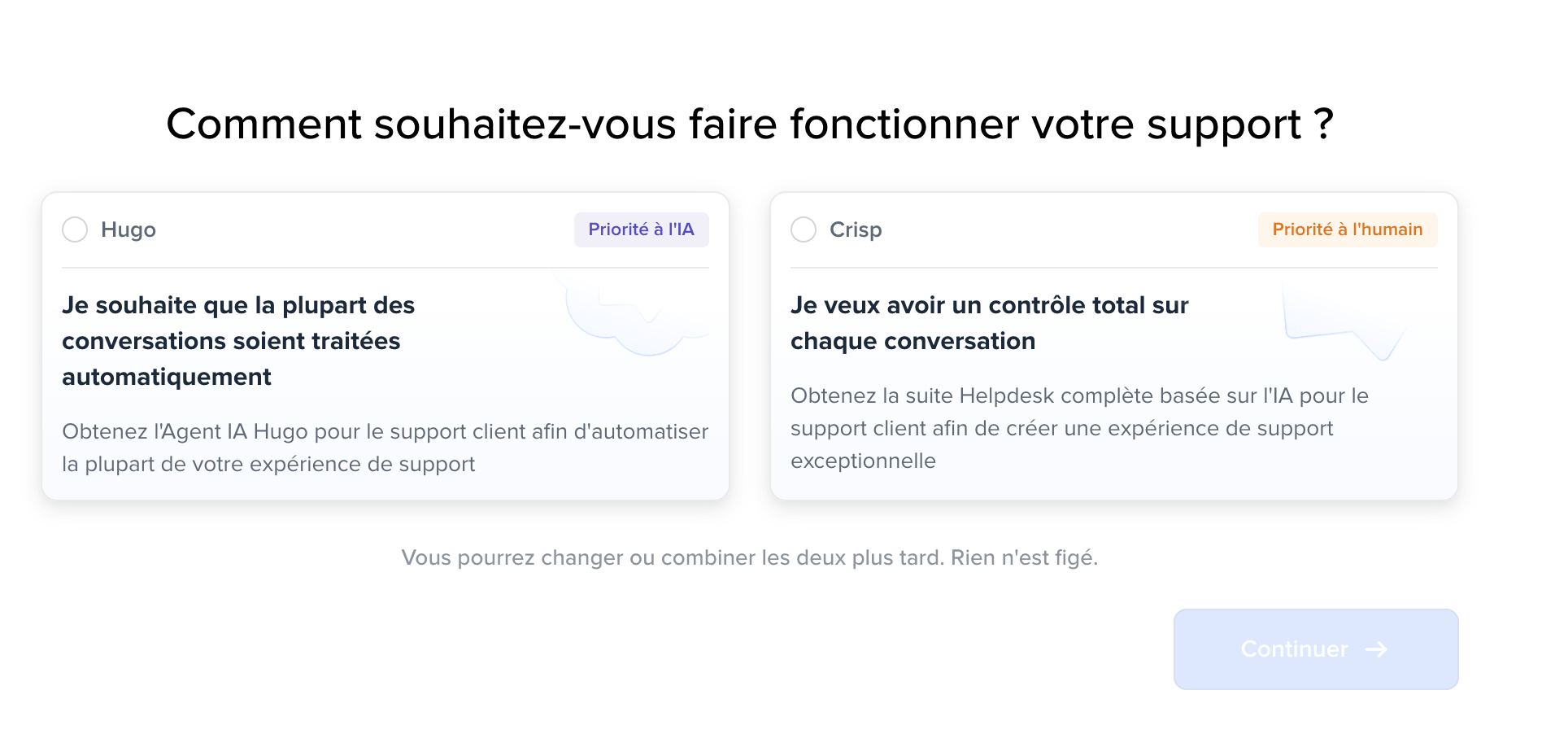
Two cards, two ways of working:
- Hugo, AI-first, for teams that want most conversations to be handled automatically.
- Crisp, with a focus on human interaction, for teams that want to maintain full control over every conversation.
With a line below that takes the pressure off: you can switch or combine the two later—nothing is set in stone.
This question, though it may not seem like much, says a lot about the state of the market in 2026.
Today, content publishers fall into two camps: those who push for maximum automation and those who champion human connection. Crisp refuses to make that decision for you and treats the slider as a setting, not a dogma.
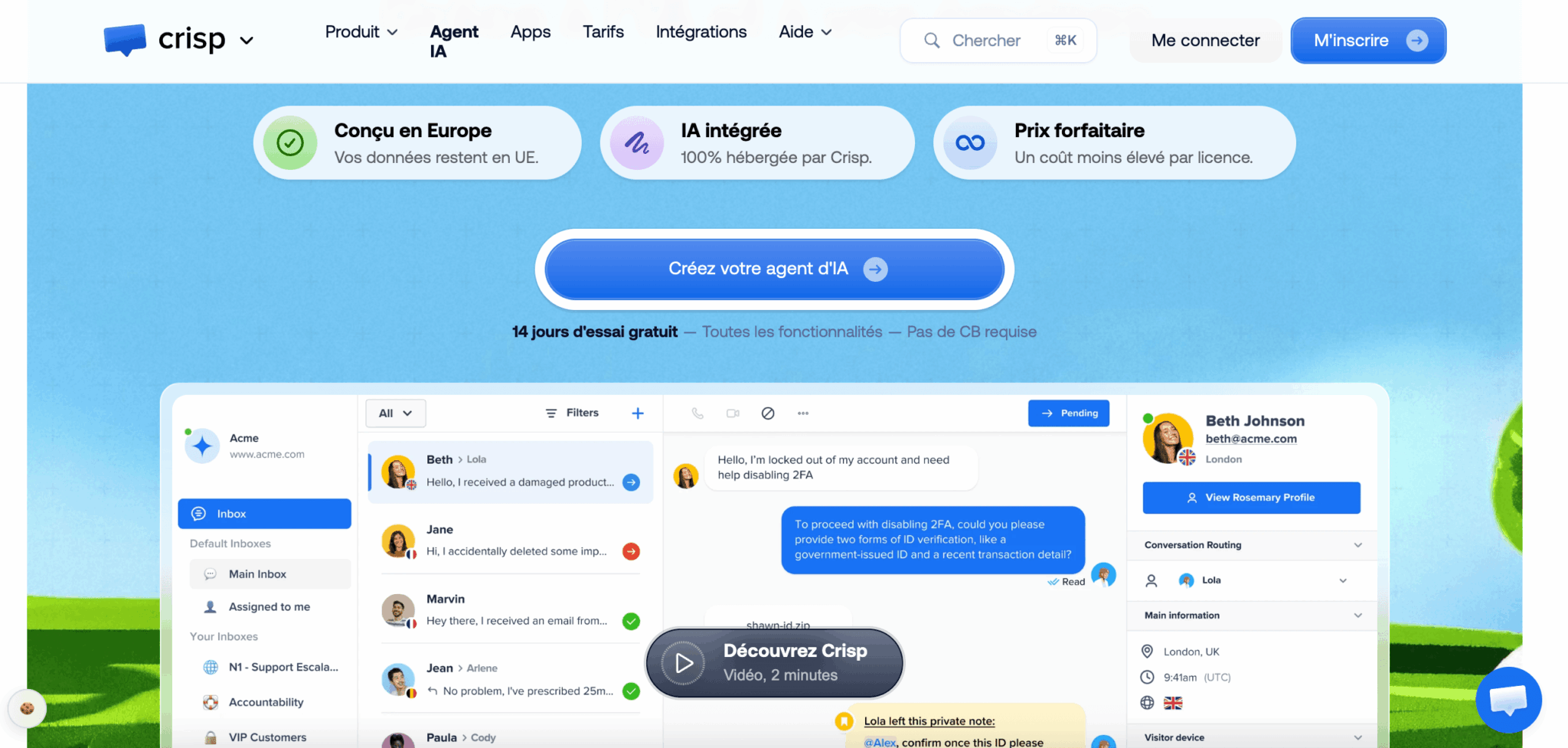
Three promises form the basis of the publisher’s message:
- Designed in Europe with data that remains within the EU.
- AI hosted 100% by Crisp.
- A flat-rate pricing model designed to lower the cost per license.
We’ll look into all three.
Hugo, the AI agent that revolutionized Crisp in 2026
Hugo was launched in early February 2026, following a testing phase that began in October 2025. The launch took the top spot on Product Hunt, and Crisp is touting it as its biggest shift in a decade, with the company acknowledging that it rebuilt part of its platform for the occasion.
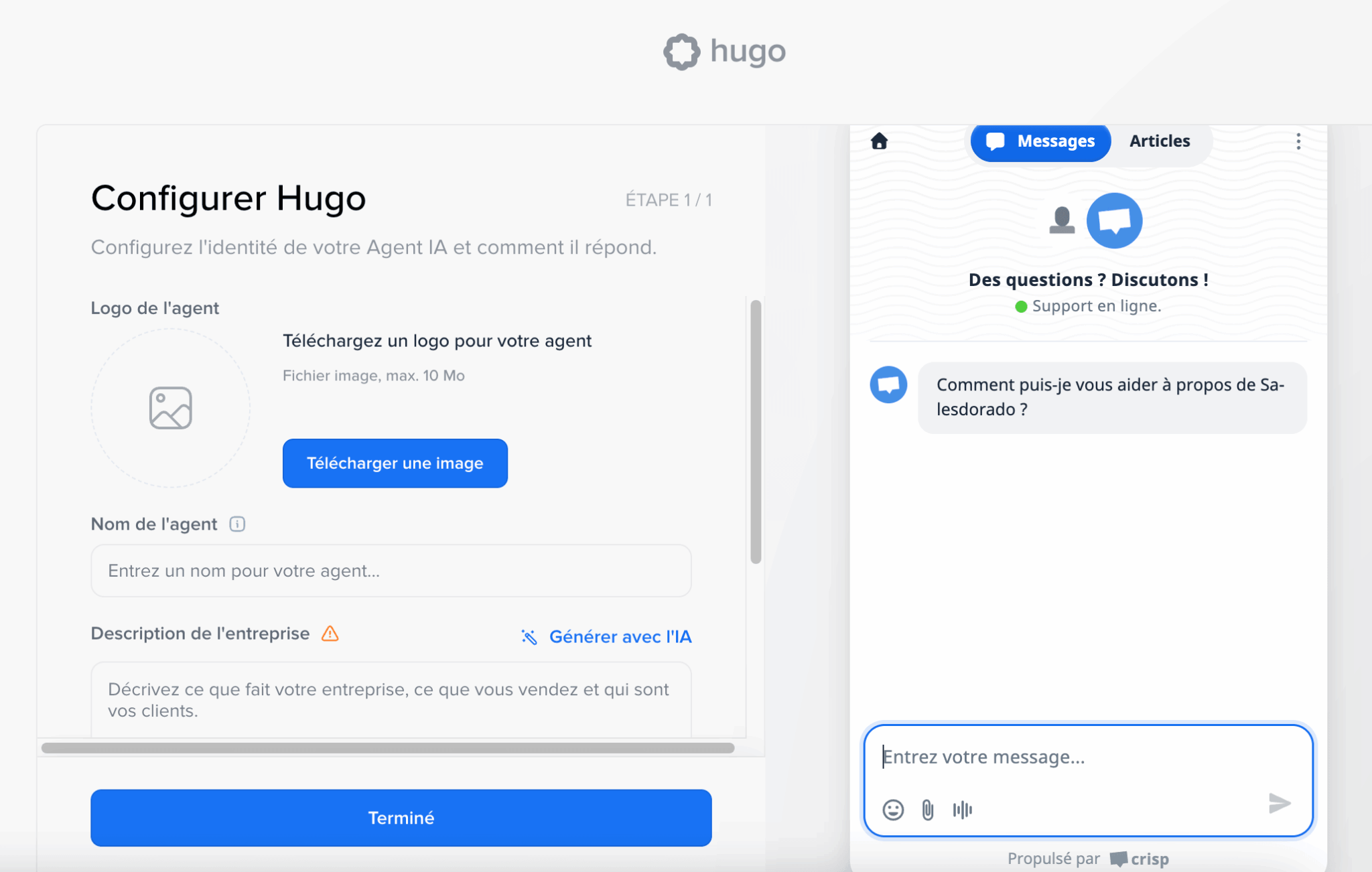
The setup fits on a single screen: a logo, a name, and a description of your business—which the AI can actually write for you. On the right, the widget preview shows in real time what your visitors will see. It takes just five minutes to get an agent up and running with access to your documentation.
What sets Hugo apart from a traditional chatbot can be summed up in one word: it takes action. While an FAQ bot simply directs users to an article, Hugo connects to your business tools via the MCP protocol to retrieve an invoice, check an order status, or update a profile—and then formulates the response. Baptiste Jamin, co-founder of Crisp, sums up the vision by openly contrasting Hugo with the disappointing chatbots of the past.
According to customer reports, automation handles between 40% and 60% of incoming requests. A manufacturer of marine equipment reports that 60% of requests are handled end-to-end, while a wellness app and an automotive software company cite figures closer to 40%. These figures are consistent with one another, which is rather reassuring.
Two technical details are worth noting because they are rare in this market:
- Choosing a model. Hugo works equally well with Claude, ChatGPT, Mistral, or Gemini. You’re not tied to any single provider, and the Mistral option keeps the entire process within Europe.
- Context-Aware Escalation. When Hugo reaches its limit, it forwards the entire conversation to a human rather than having the customer repeat their issue. That’s what sets useful automation apart from forced automation.
In addition, there is an internal co-pilot, reserved for agents and intentionally less restricted than the customer-facing agent: context-aware response suggestions, conversation summaries, corrections, rephrasing, voice message transcription, and real-time translation into more than 50 languages.
Hugo’s performance depends directly on what you feed it. An agent connected to an empty knowledge base won’t work miracles. Before judging the AI, spend a day organizing your help articles (your knowledge base) and importing your past conversations. This is the real groundwork, and it’s worth the effort no matter which tool you end up choosing.
Crisp’s collaborative messaging in everyday use
The heart of the product remains the shared inbox, and that’s still what Crisp does best.
All incoming messages are routed to the same place, regardless of the channel: chat widget, email, WhatsApp, Instagram, Messenger, SMS, Telegram, X, Line, Viber, and phone. A dozen channels, with no per-unit surcharge—which is still rare at this price point.
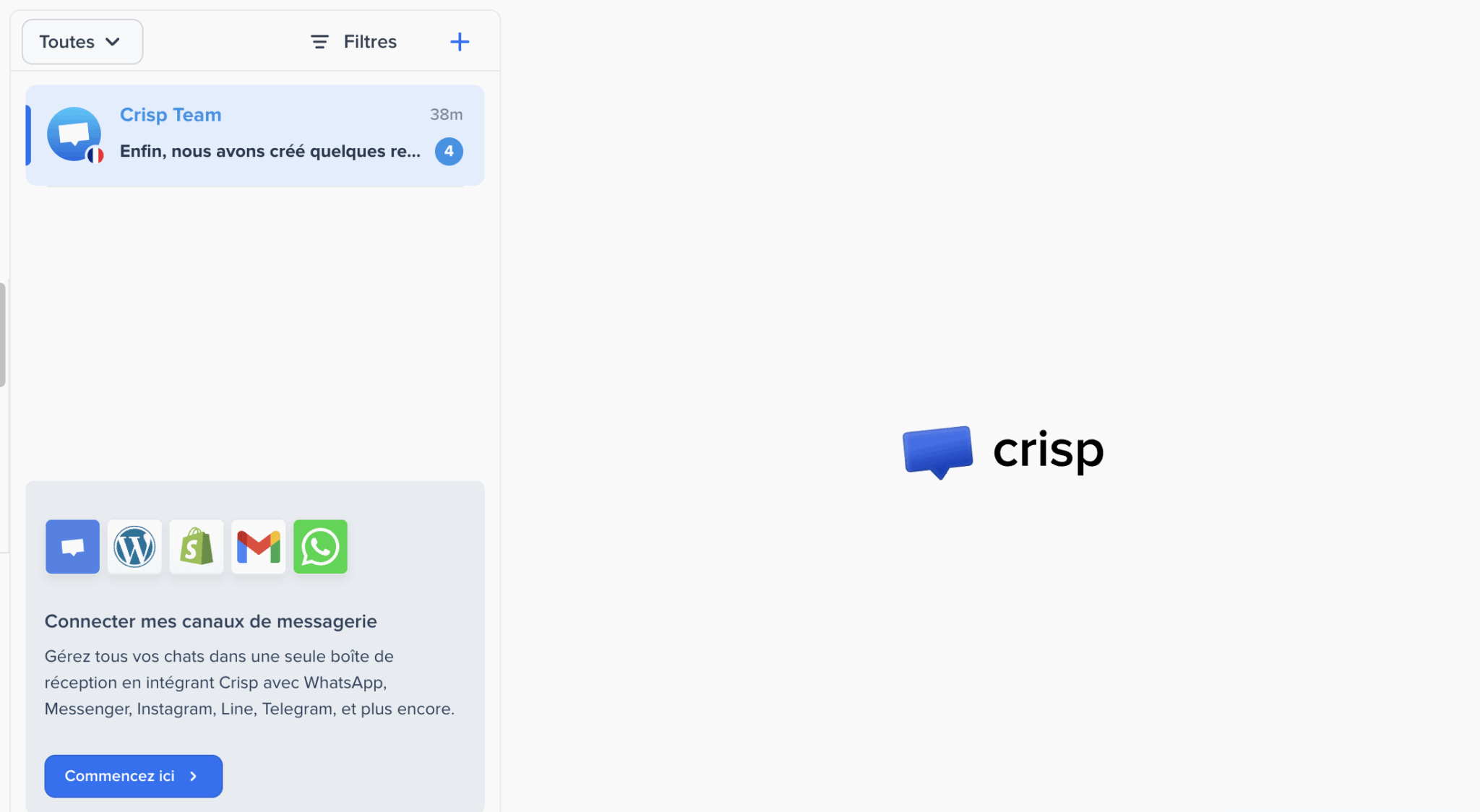
Internal organization follows the same principle of simplicity:
- You create sub-inboxes by team or by support level.
- You assign conversations.
- You leave private notes for your colleagues.
- You tag the appropriate people.
Routing rules automatically direct each request to the right person based on your criteria.
Crisp Support CRM: Contacts, Segments, and Visitors
Crisp includes a CRM.
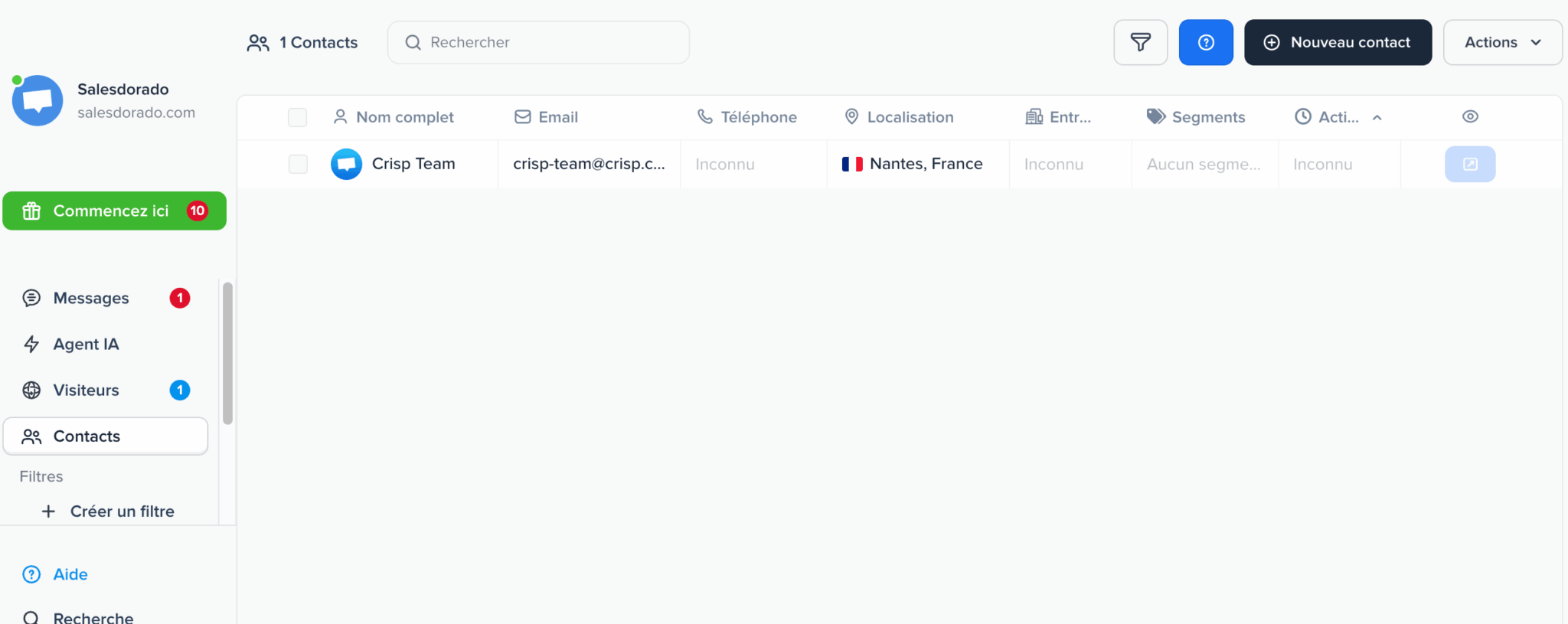
Each contact has a comprehensive profile that includes name, email, phone number, location, company, and segments—all viewable in a filterable view where you can create your own saved filters. Segments function as tags that can be applied: you assign them, export them, and trigger multichannel campaigns based on them. The capacity is generous, with 50,000 customer profiles on the Essentials plan.
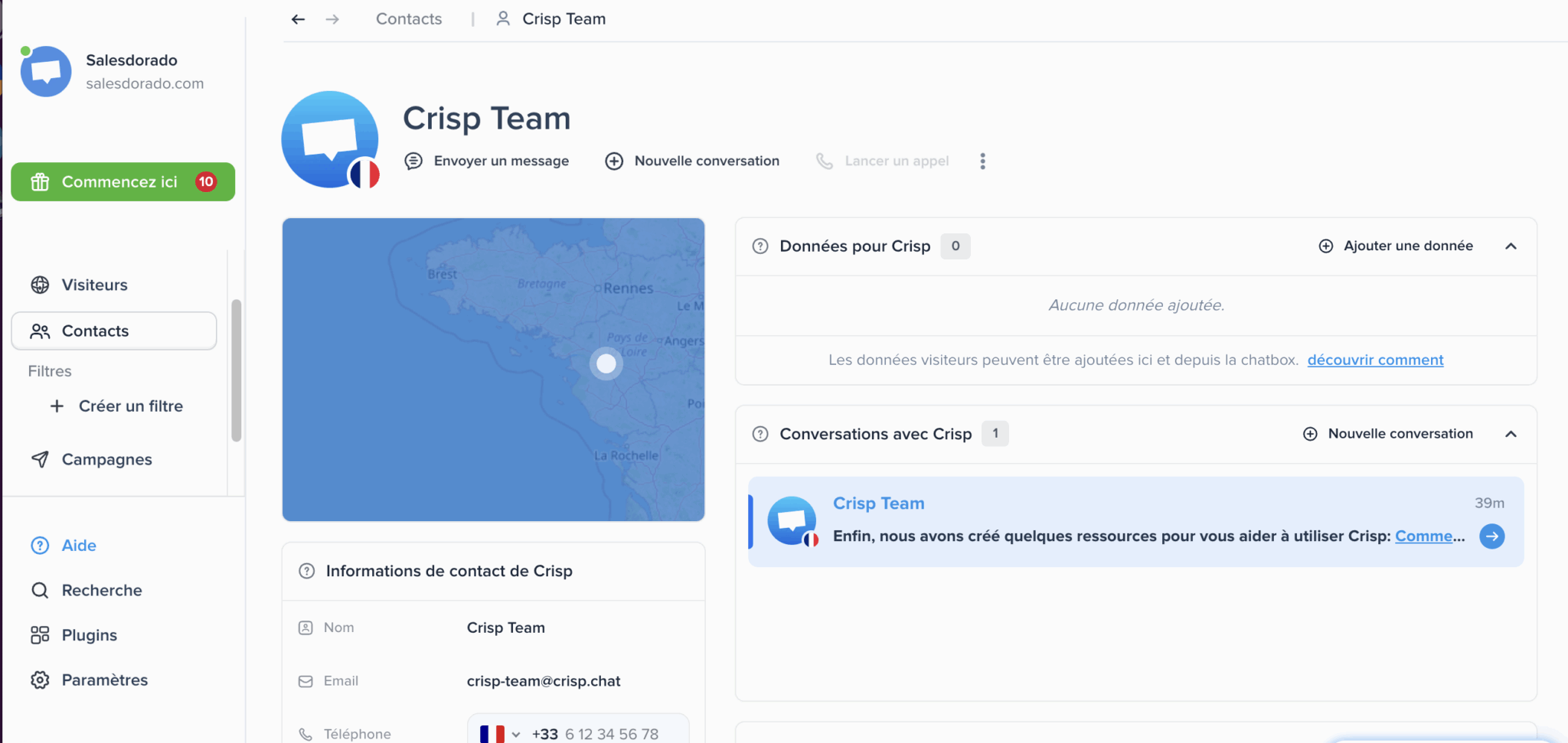
This is a support CRM, not a sales CRM. You won’t find an opportunity pipeline, sales forecasts, or sales cycle management here. If you’re looking for those features, they’re available in dedicated CRM software that Crisp can integrate with via its connectors. For its intended purpose—namely, letting you know immediately who you’re talking to and what happened previously—it does the job very well.
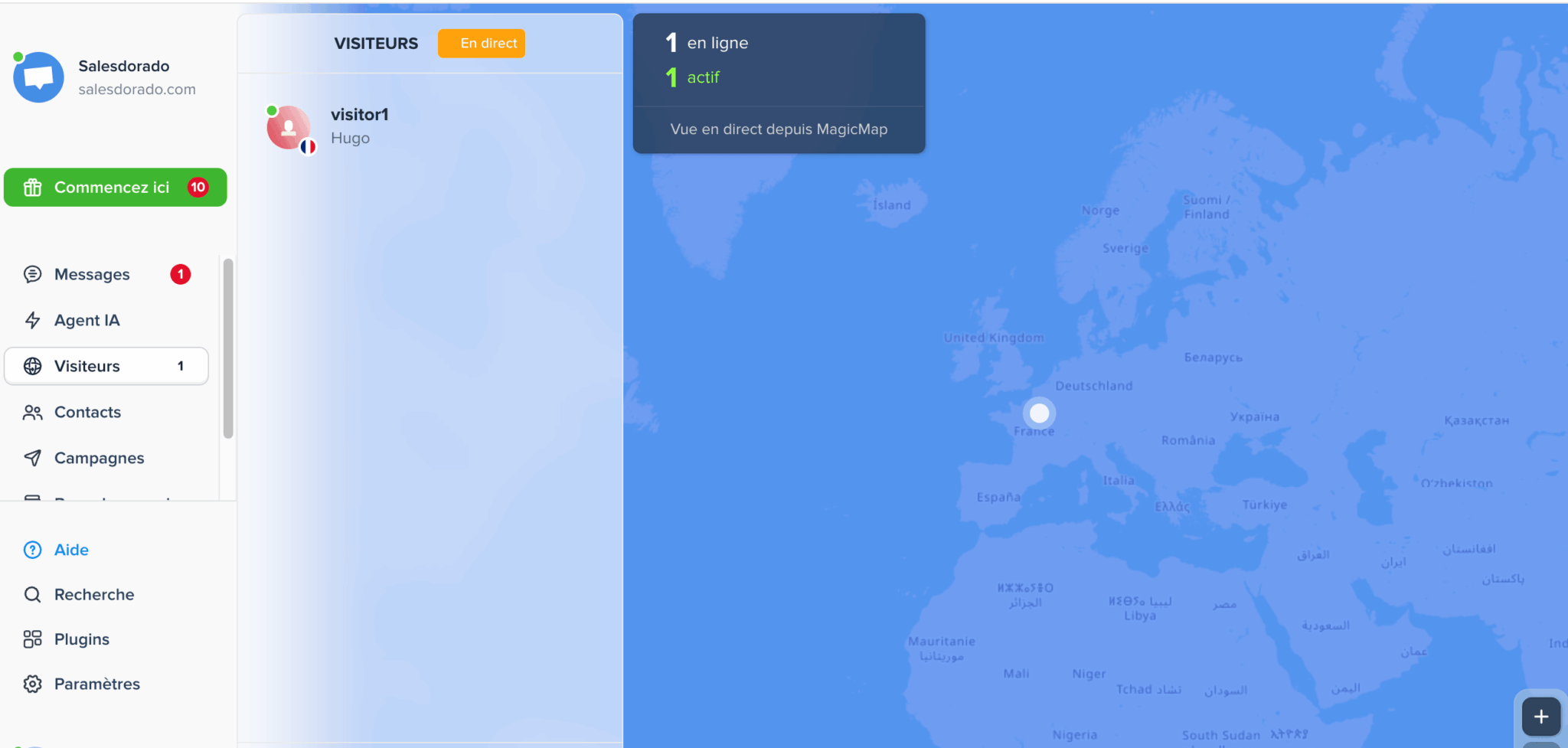
A quick note on live visitor tracking. MagicMap displays visitors currently on your site in real time on a world map, showing their location and activity status. You can see who’s browsing, where they’re from, and you can start a conversation at just the right moment. This is a hallmark of Crisp’s live chat DNA, and it’s still just as effective at turning a visit into a conversation.
Crisp Knowledge Base: The Foundation of AI
The knowledge base serves two purposes at once.
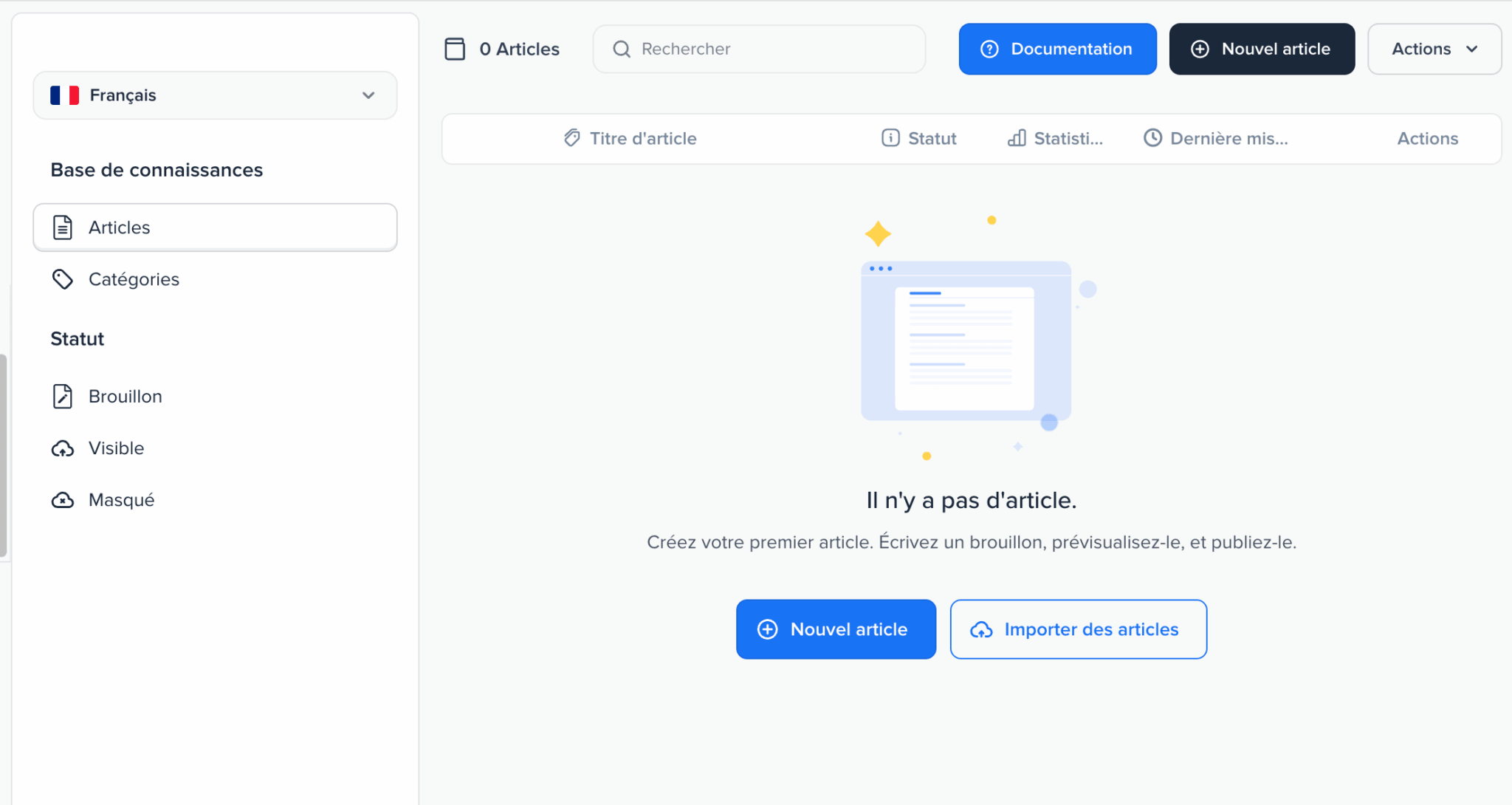
First feature, the classic one: provide your customers with a self-service help center, organized into categories, with a publishing workflow that allows articles to be set to “draft,” “visible,” or “hidden.” The language selector lets you manage multiple language versions of the same help center, and the ability to import existing articles saves you from having to re-enter everything.
The second feature—the one that matters most in the age of AI—is Hugo’s fuel. Crisp notes that published articles are automatically reindexed after every edit, which means that updating your documentation updates your AI agent immediately. There are also other training sources, ranging from crawling your site to importing PDFs, as well as your past conversations and excerpts from Q&A responses.
: Don’t overlook this component by assuming it’s only for self-service. On a platform where the AI agent draws directly from your articles, an incomplete or outdated knowledge base automatically results in inaccurate AI responses to your customers. This is the aspect most often underestimated during deployment.
Crisp’s Statistics: What Can You Actually Manage?
This is the area where Crisp has evolved the most. Many articles still describe only basic reporting. The reality of the interface is quite different.
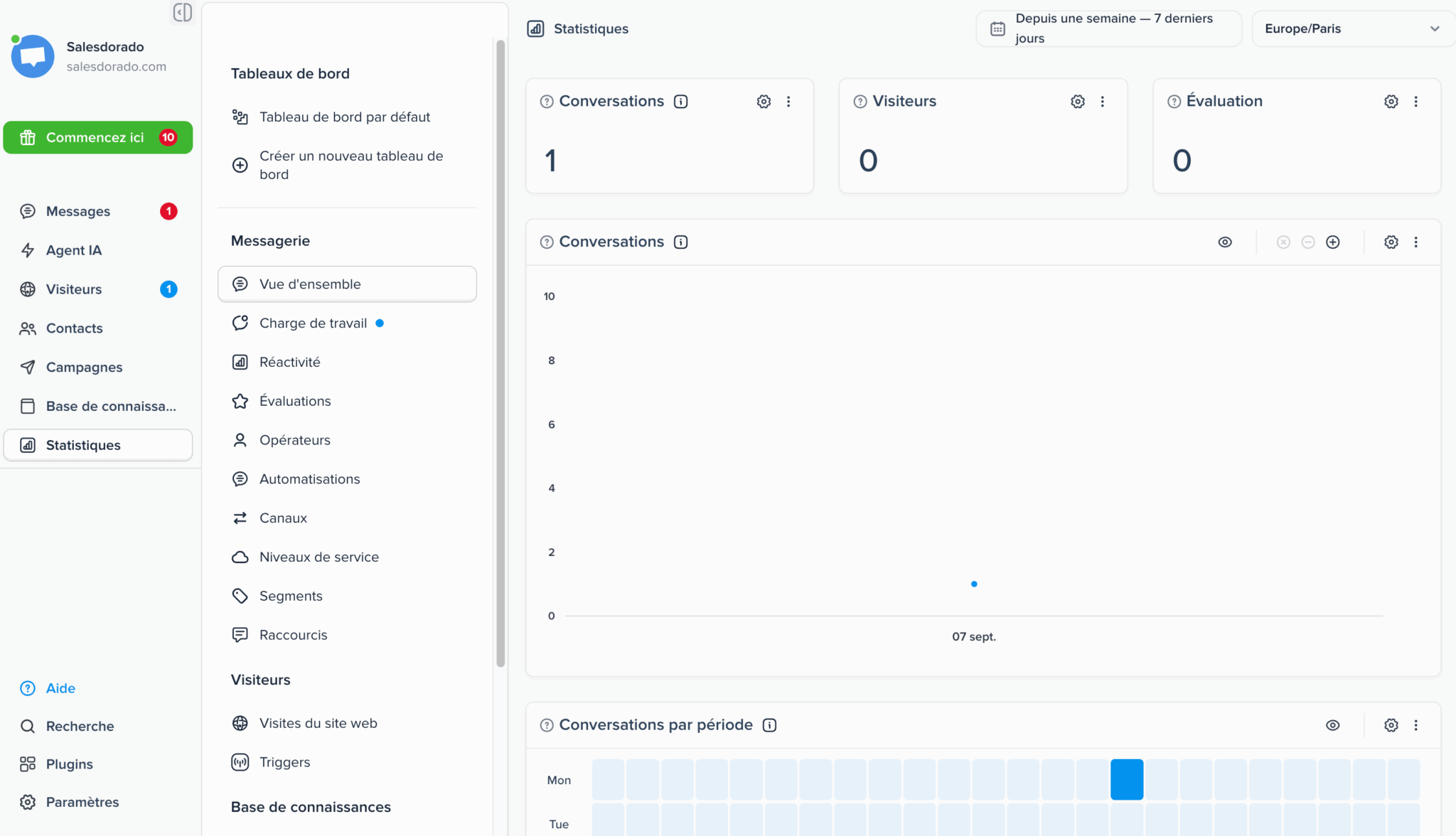
The Statistics menu provides access to about ten different reports on the messaging component alone:
- Service levels—in other words, SLA tracking—which many people think is missing from Crisp, even though it’s actually part of the package.
- Agents, for individual performance, and Workload, for allocating resources and planning for future hiring.
- Responsiveness and Evaluations, which cover response times and long-term customer satisfaction.
- Channels, Segments, Automations, and Shortcuts, to understand where requests are coming from and what automation is actually handling.
In addition, there are website visits, triggers, and knowledge base statistics. You can create as many dashboards as you need, choose your time zone, adjust the time period, and the “Conversations by Period” view displays a heat map that shows activity peaks at a glance. Exports can be done via file or API.
An SME support team will find everything it needs here to effectively manage its operations. The limitation lies elsewhere, and it’s simple to explain: statistics are available starting with the Essentials plan, and highly structured organizations accustomed to the analytics suites of enterprise platforms will find the data modeling here less sophisticated. For everything else, it’s more than enough.
Crisp Integrations: 118 plugins and an open API
The promise of 100 or more integrations is easily fulfilled.
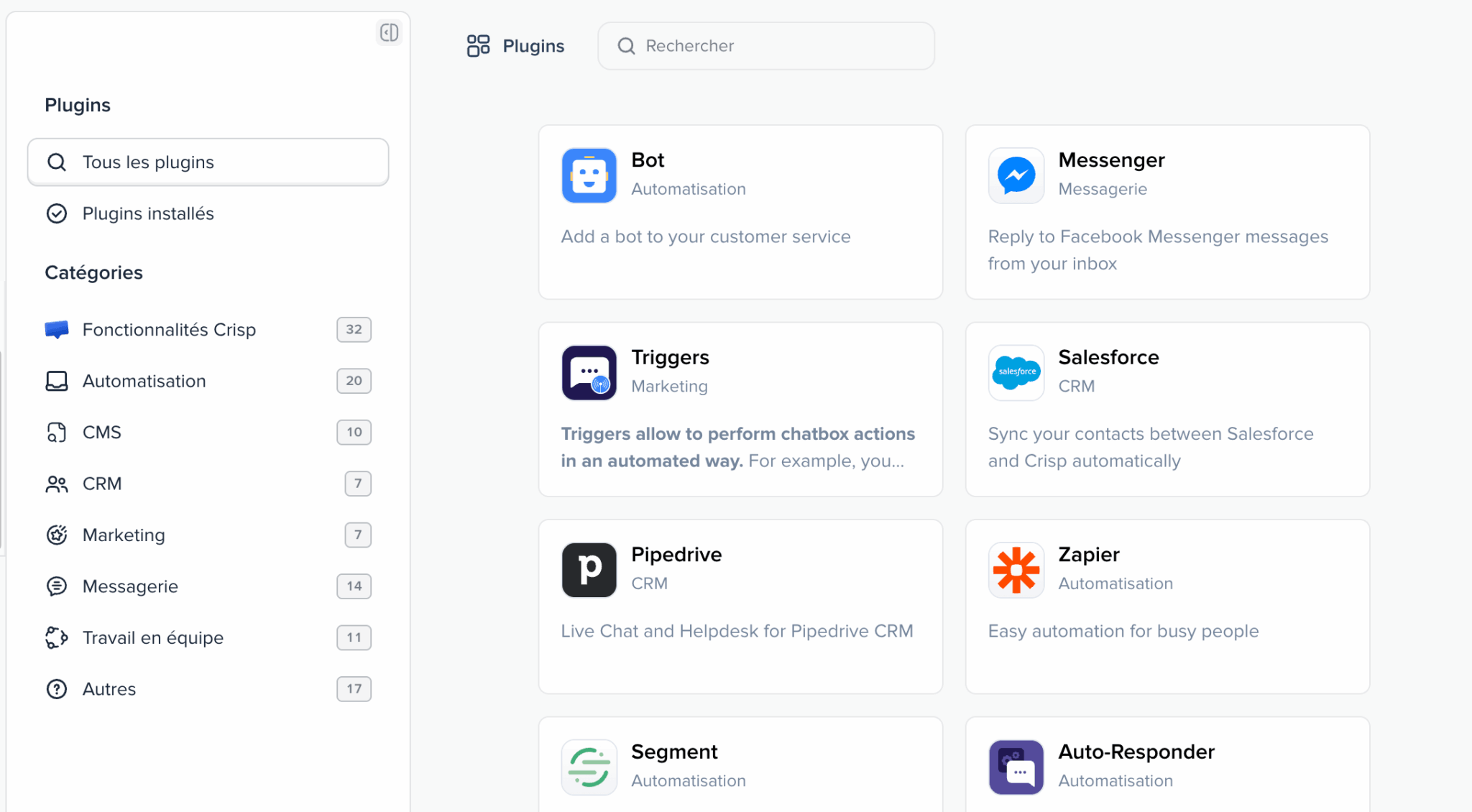
The plugin catalog currently includes 118 entries divided into eight categories: Crisp features, automation, CMS, CRM, marketing, messaging, team collaboration, and miscellaneous. It includes most of what a small business uses on a daily basis, from Salesforce to Pipedrive on the CRM side, from Zapier to Segment on the automation side, not to mention e-commerce connectors and CMS.
The API is the natural complement to this catalog.
Crisp Pricing: How Does the Plan Work?
Crisp bills by workspace, not by user. Adding an agent costs nothing as long as you stay within your plan’s limit, which fundamentally changes the equation compared to providers that bill per seat.
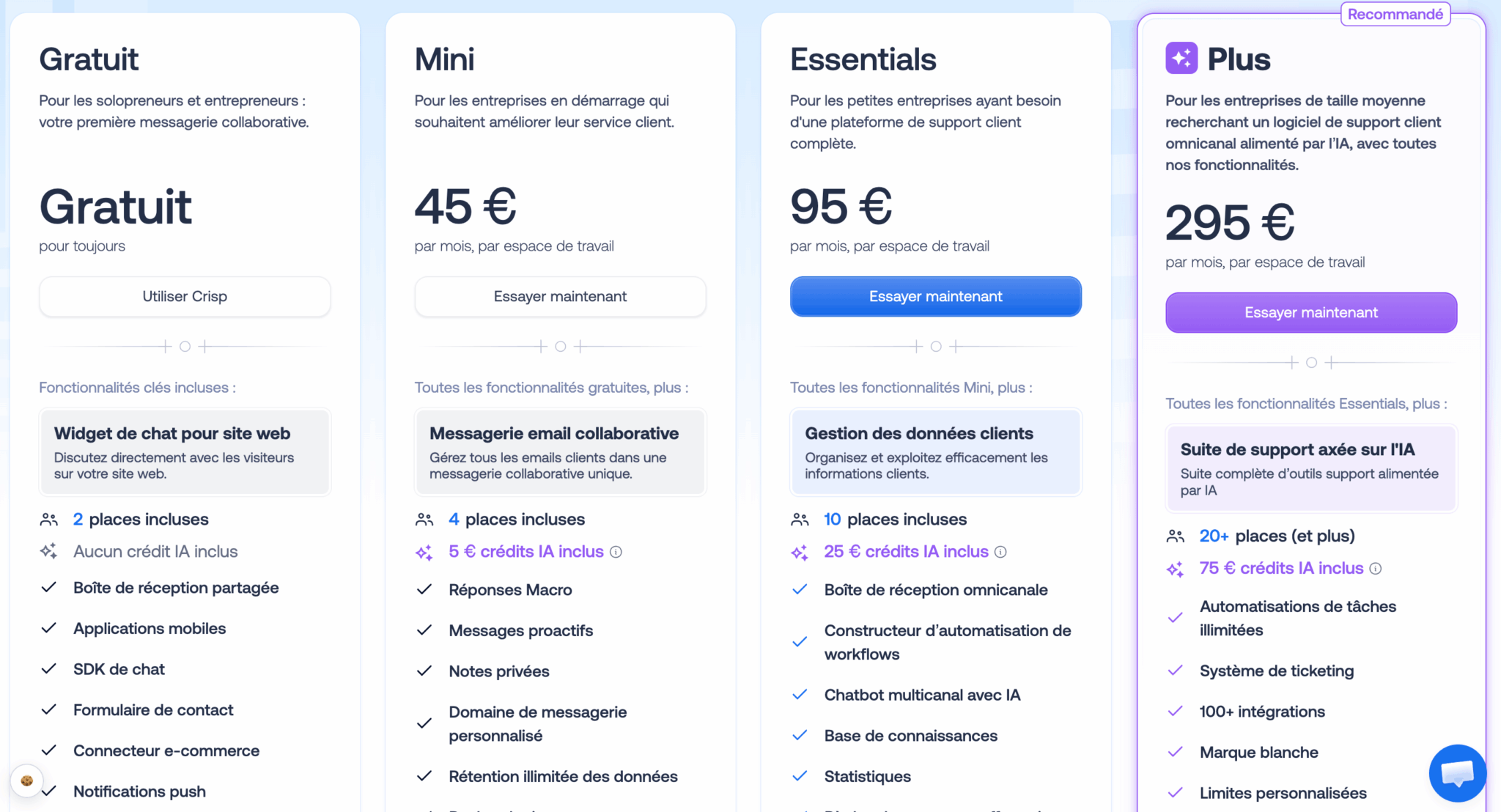
| Plan | Price per month | Seats | AI Credits | What it offers |
|---|---|---|---|---|
| Free | €0 | 2 | None | Chat widget, shared inbox, mobile apps, SDK, contact form, e-commerce connector. A real production plan for a solo entrepreneur. |
| Mini | 45 € | 4 | 5 € | Collaborative email, macro replies, proactive messages, private notes, unlimited data retention. |
| Essentials | 95 € | 10 | 25 € | Omnichannel platform, customer data management, AI-powered multichannel chatbot, workflow builder, knowledge base, analytics. |
| More | 295 € | 20 and up | €75 | Complete AI-powered suite: ticketing, unlimited automations, 100+ integrations, white-labeling, custom limits. |
That leaves the question of AI credits: these credits correspond to conversations handled by Hugo, billed at approximately $0.05 each. The included allowance therefore amounts to about 100 automated conversations on Mini, 500 on Essentials, and 1,500 on Plus. Beyond that, you pay based on actual usage.
This is a deliberate business model choice, and Crisp explicitly stands by it in the face of competitors who often charge based on resolution, at rates that are out of all proportion. In other words: human conversations remain unlimited, and AI costs you only what it actually processes—with no oversized plans or surprise bills.
A few additional details round out the picture:
- Annual billing lowers the bill.
- Nonprofits and students receive a 50% discount.
- Eligible startups receive a 30% lifetime discount.
- Managing multiple workspaces entitles you to a 20% discount starting with the third one.
The best benchmark for comparison is the Essentials plan at €95: ten agents, an omnichannel platform, an AI chatbot, a knowledge base, and statistics included. On a per-agent basis, this is well below the per-seat rates charged by U.S. platforms, and the gap widens as the team grows. Just calculate your AI conversation volumes before choosing your tier.
Quota Transparency
One screen in the interface is worth a closer look because it clearly illustrates the publisher’s culture.
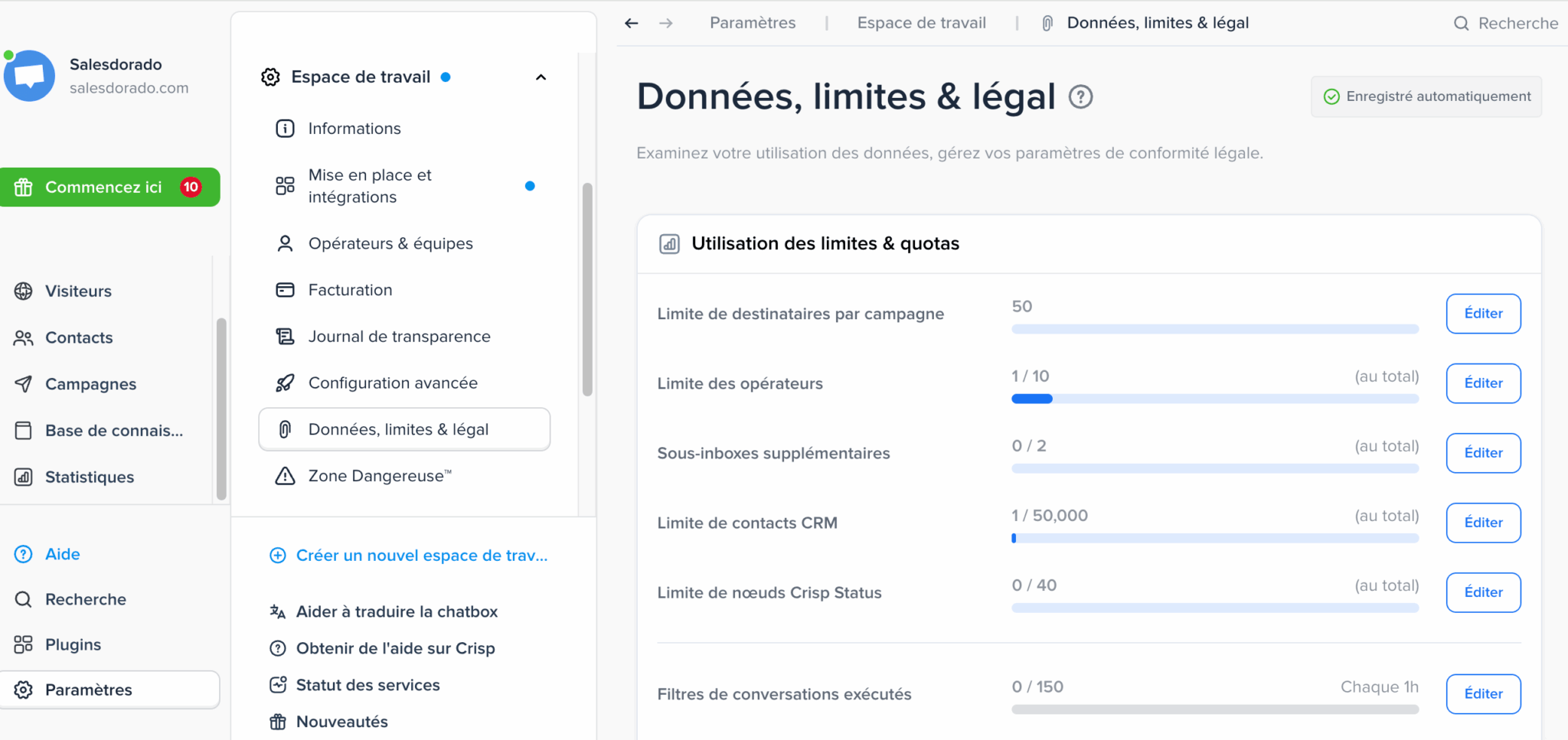
The “Data, Limits, and Legal” section clearly displays your usage against each quota: operators used, CRM contacts, subfolders, recipients per campaign, and conversation filters executed. Each row is editable, and the entire section updates automatically.
Many publishers bury this information in technical documentation or only disclose it to the customer on the day they reach the limit. Here, it’s right in front of you in the settings. The adjacent menu also offers a transparency log, alongside the legal compliance settings. This kind of direct access saves real time for a company that needs to document its processing of personal data.
Crisp vs. Intercom: How to Choose
The comparison is inevitable, and Crisp largely defines itself in relation to its American competitor.
| Criterion | Crisp | Intercom |
|---|---|---|
| Ideal for | European SMEs, e-commerce, and SaaS companies | Scale-ups and well-resourced large organizations |
| Pricing Model | Flat rate per workspace, AI on demand | Per seat, with billing based on AI resolution |
| Choosing an AI Model | Choose from Claude, ChatGPT, Mistral, or Gemini | Model specified by the publisher |
| Accommodations | European Union | U.S. Stakeholder Calls for Analysis of the Cloud Act |
| Functional Depth | Broad and consistent for an SME | More in-depth in terms of behavioral segmentation |
The decision depends more on the size of your organization than on the intrinsic quality of the two products:
- With fewer than 20 agents, Crisp has a clear advantage in terms of cost, speed of implementation, and data ownership.
- Beyond that, and when behavioral automation needs become highly nuanced, Intercom remains ahead.
- If your needs lean more toward a ticket-based help desk, Freshdesk and Help Scout are also worth considering.
What we like (and don’t like)
- The per-workspace plan: You never face penalties when you expand your team, and human conversations remain unlimited.
- Hugo and model selection: an agent that solves problems instead of just sorting them, connected to your tools via MCP, with a choice of Claude, ChatGPT, Mistral, or Gemini. A rare offering in this market.
- AI billed based on actual usage: about $0.05 per automated conversation, with no commitment to a volume you may never reach.
- Statistics that are far more comprehensive than its reputation suggests: service levels, performance by carrier, ratings, customized dashboards, and API exports.
- Data sovereignty: a Nantes-based company that has been self-funded since 2015, with data processed in Europe, AI hosted on-premises, and quotas and compliance visible in the interface.
- A truly usable free plan and an immediate learning curve, from the widget to the AI agent configured in a single step.
- A CRM intentionally limited to support: no pipeline, no opportunities, and no forecasts. You’ll need a separate sales CRM.
- Statistics from Essentials: the Free and Mini plans do not provide access to them.
- AI credits are something to keep an eye on if you’re automating on a large scale, even though the per-unit cost remains very low.
- Seat expansion is reserved for the Plus plan: if you have more than ten agents on Essentials, you’ll need to upgrade.
- Hugo is stillin its early stages: launched in February 2026, it lacks the track record of solutions that have been in use longer.
Our verdict: Who is Crisp designed for?
Crisp is right for you if:
- You’re a small or medium-sized business, an online store, or a French or European SaaS provider
- You want to centralize chat, email, WhatsApp, and social media in a single interface
- Data sovereignty and GDPR compliance are key factors in your decision
- You’re looking for predictable pricing with no unpleasant surprises as your team grows
- You want to test AI automation without committing to a volume upfront
Look elsewhere if :
- You expect the tool to be a comprehensive sales CRM with a pipeline and forecasts
- You’re a large organization with very advanced behavioral segmentation needs
- Your team has well over twenty agents, and your analytical requirements are those of a contact center
Final rating: 4.4/5. Crisp is currently one of the best customer support platforms for European small and medium-sized businesses and is likely the most balanced in terms of price, scope, and control.
The AI transition in February 2026 was managed without sacrificing the tool’s greatest strength: ease of use that few competitors can match. The statistics are much stronger than most comparisons suggest; the flat rate per workspace remains unbeatable for teams of 20 or fewer agents, and billing for AI based on actual usage rather than a flat rate is a decision that benefits the customer. The free plan and the trial—which requires no credit card—will let you test all of this on your own channels.
Crisp offers a free plan for life and a 14-day trial of all features, with no credit card required. Install the widget, set up Hugo on your documentation, and evaluate the quality of the responses based on your actual conversations before choosing your plan.