Miro is the most widely used collaborative whiteboarding tool on the market. The tool has evolved considerably in recent years, with the publisher repositioning its platform as an “innovation workspace” and injecting AI at every level.
So we’ve gone back to the drawing board to answer a concrete question: is Miro worth its price today, and for whom? In this article, we give you our full opinion on its real strengths, its limitations, details of its four price plans and our recommendations according to your profile.
Sommaire
Our opinion of Miro in brief
| Perimeter | Score | Our opinion |
|---|---|---|
| Overall rating | 4,3 | Miro is the leader in visual collaboration, and deserves to be, with its unrivalled template library and well thought-out AI functionalities. The main drawback is that Miro’s billing per seat is not easy to read, and can hold surprises for small structures. |
| Ease of use | 3,8 | The interface remains accessible for simple uses, but the functional richness can be intimidating. To run structured workshops, you clearly need to plan a real learning phase. This is not a tool that can be mastered in ten minutes. |
| AI features | 4,5 | The AI Innovation Workspace goes far beyond the gimmick: automatic clustering of sticky notes, diagram generation from a prompt, board summaries, collaborative AI workflows, and more. It’s probably the most accomplished AI in this segment. |
| Quality-price ratio | 3,9 | The Starter plan is competitive, and the Free plan is a great way to get started. The real cost issue is not the price per user, but the number of seats billed, which can rise unexpectedly… |
| Integrations | 4,7 | Over 160 native apps, two-way integrations with Jira and Azure DevOps, Slack, Teams, Salesforce connectors. Full REST API with OAuth 2.0. One of the broadest ecosystems on the market. |
| Safety and compliance | 4,6 | SOC 2 Type II, ISO/IEC 27001, ISO 42001 for AI, TISAX, RGPD compliance. Above all, data hosting in Europe by default. Solid for an American publisher and reassuring for European organizations. |
| Customer support | 3,6 | The Help Center is well-stocked, and the Miro Academy offers real certification. Email support is included in the Starter package, but remains impersonal until you have a dedicated CSM, reserved for the Enterprise offer. |
Miro offers a permanent Free plan (3 editable boards, unlimited users) and a 14-day free trial on the Business plan to test all features, including AI.
What exactly is Miro?
Miro is a visual collaboration platform founded in 2011, originally under the name RealtimeBoard. The tool took on its current name in 2019 and experienced a truly spectacular trajectory during the Covid period, growing from a few million to tens of millions of users in less than two years. Today, the publisher claims over 100 million users and 250,000 client organizations, including almost all the Fortune 100 (excuse the pun).
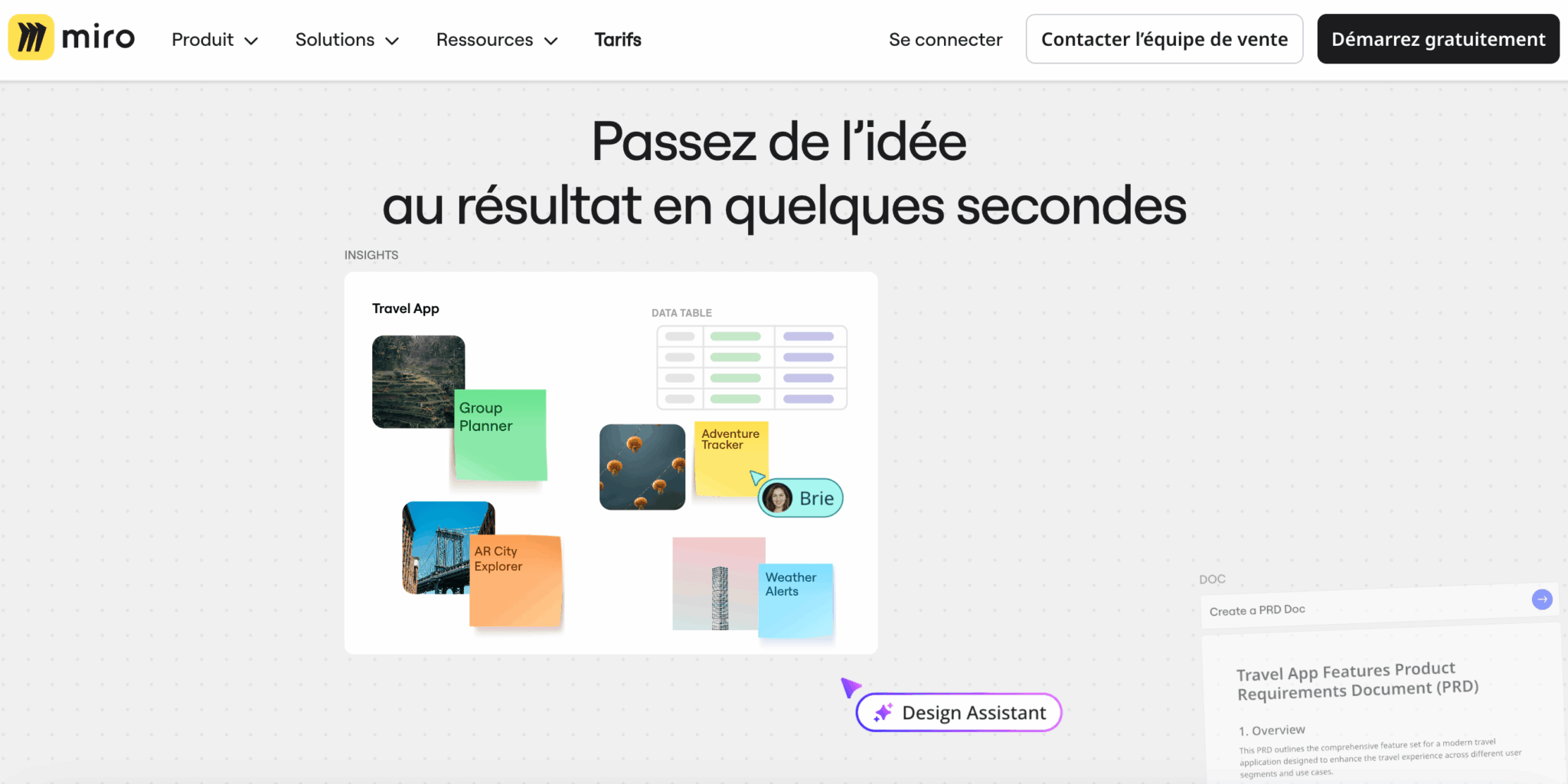
On the financing side, Miro raised $400 million in Series C at the beginning of 2022, then an equivalent amount at the end of 2025, for a valuation of around $17.5 billion. This is officially a“decacorn“. The company has over 1,800 employees spread between San Francisco and Amsterdam, plus a dozen other hubs.
These figures put the actor in the right place, but say nothing about what really interests us: what Miro does on a day-to-day basis, and what has changed recently.
From whiteboard to innovation workspace
Miro’s repositioning in 2025-2026 is worth considering, because it changes the nature of the product. For years, Miro sold itself as “the best online whiteboard”. Today, the official discourse speaks of the “AI Innovation Workspace”, a visual workspace that is supposed to cover the entire project cycle, from discovery to delivery.
In concrete terms, Miro has added several bricks to its historic infinite canvas that take it beyond the strict perimeter of the whiteboard:
- Tables, Timelines and Slides, transforming the canvas into a fully-fledged visual project management tool.
- Collaborative AI workflows (Flows and Sidekicks), enabling several people to work with AI agents on the same board.
- Integrations with code tools such as Cursor or GitHub Copilot, to transform visual specs and diagrams into code.
It is this repositioning that justifies the current valuation. Miro no longer wants to be a tool to be opened for a meeting, but now aims to be a cross-functional platform for innovation teams.
Who is Miro really for?
On paper, Miro is aimed at everyone. In practice, certain profiles derive far more value than others:
- Product and engineering teams use it for product discovery, roadmaps and architecture.
- This is where UX and design teams build their user journeys and co-design workshops.
- Agile coaches and RTEs in SAFe environments use it for PI Planning and retrospectives.
- Strategy departments and PMOs use it to manage their planning and OKRs.
Miro’s key features
The infinite canvas and template library
The heart of Miro remains its infinite, zoomable canvas. You can freely place sticky notes, shapes, images, videos, documents, tables, diagrams or slides on the canvas, and zoom in and out as you would on a map.
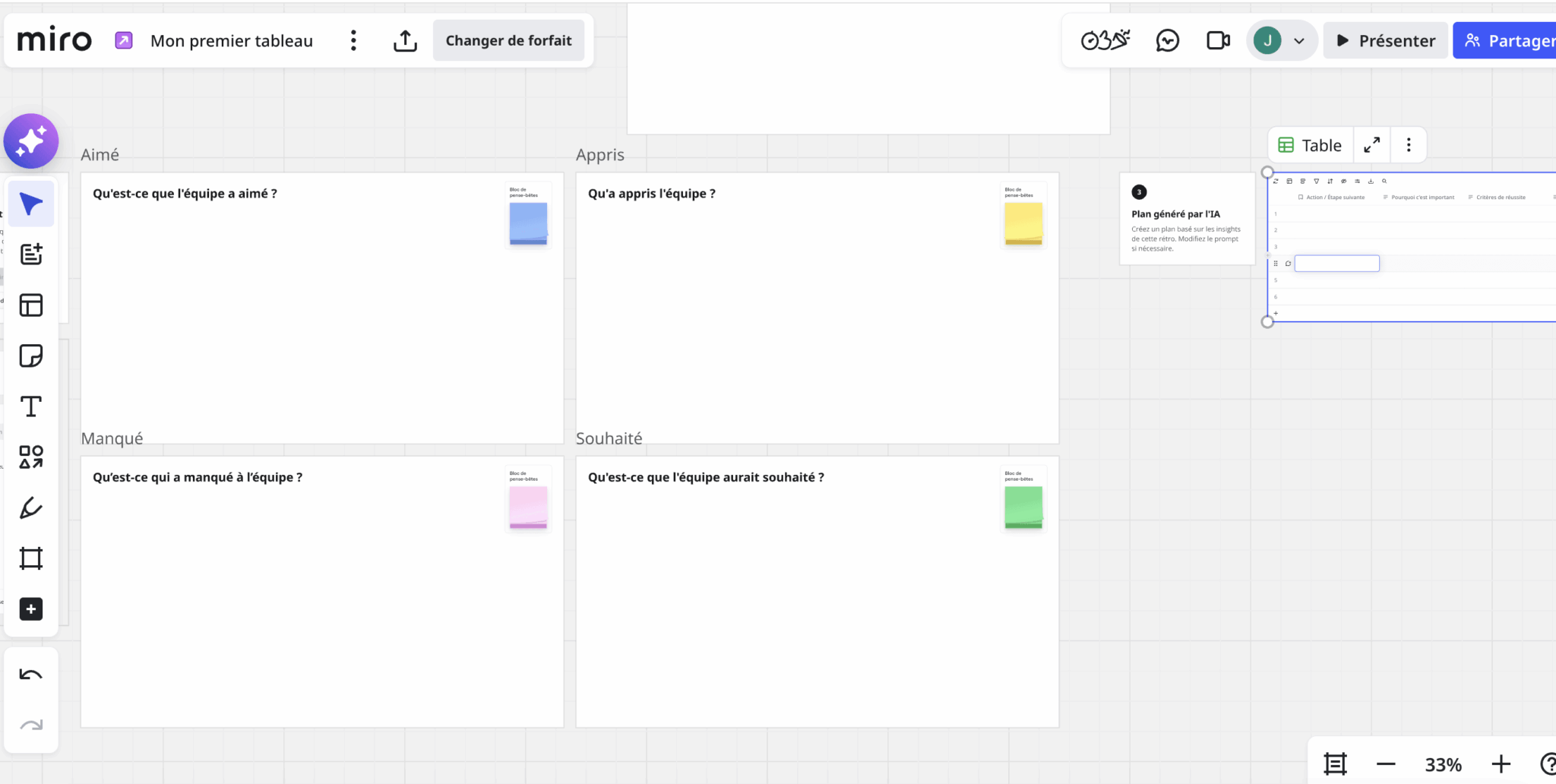
This foundation is common to all competitors (Figma springs to mind), but Miro takes it a step further. Frame management, auto-layout of diagrams, connectors that automatically attach to objects, presentation mode that transforms frames into decks: all this bears witness to years of product investment. And you can feel it in use. The canvas is fluid, precise and holds up even on busy boards.
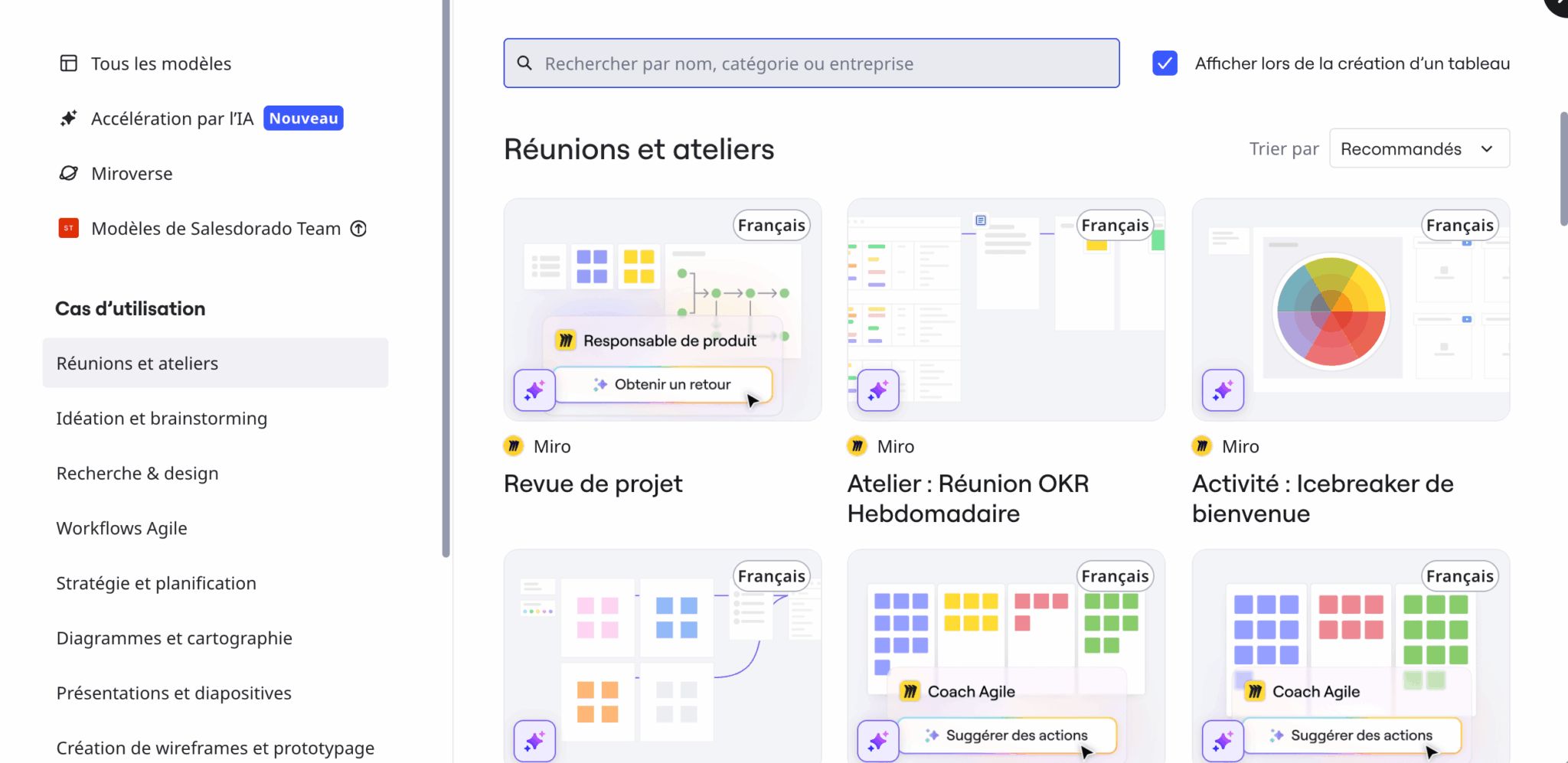
The other major strength is the template library. Including Miroverse, the community of shared templates, Miro exceeds 5,000 templates. That’s far more than you’ll find in FigJam or Mural. You’ll find something to get you started on just about any workshop: sprint planning, customer journey map, business model canvas, BPMN, cloud architecture, agile retrospective, story mapping. For anyone who regularly prepares workshops, this depth saves a considerable amount of time.
Collaborative AI: AI Flows and Partners
This is where Miro stands out today.
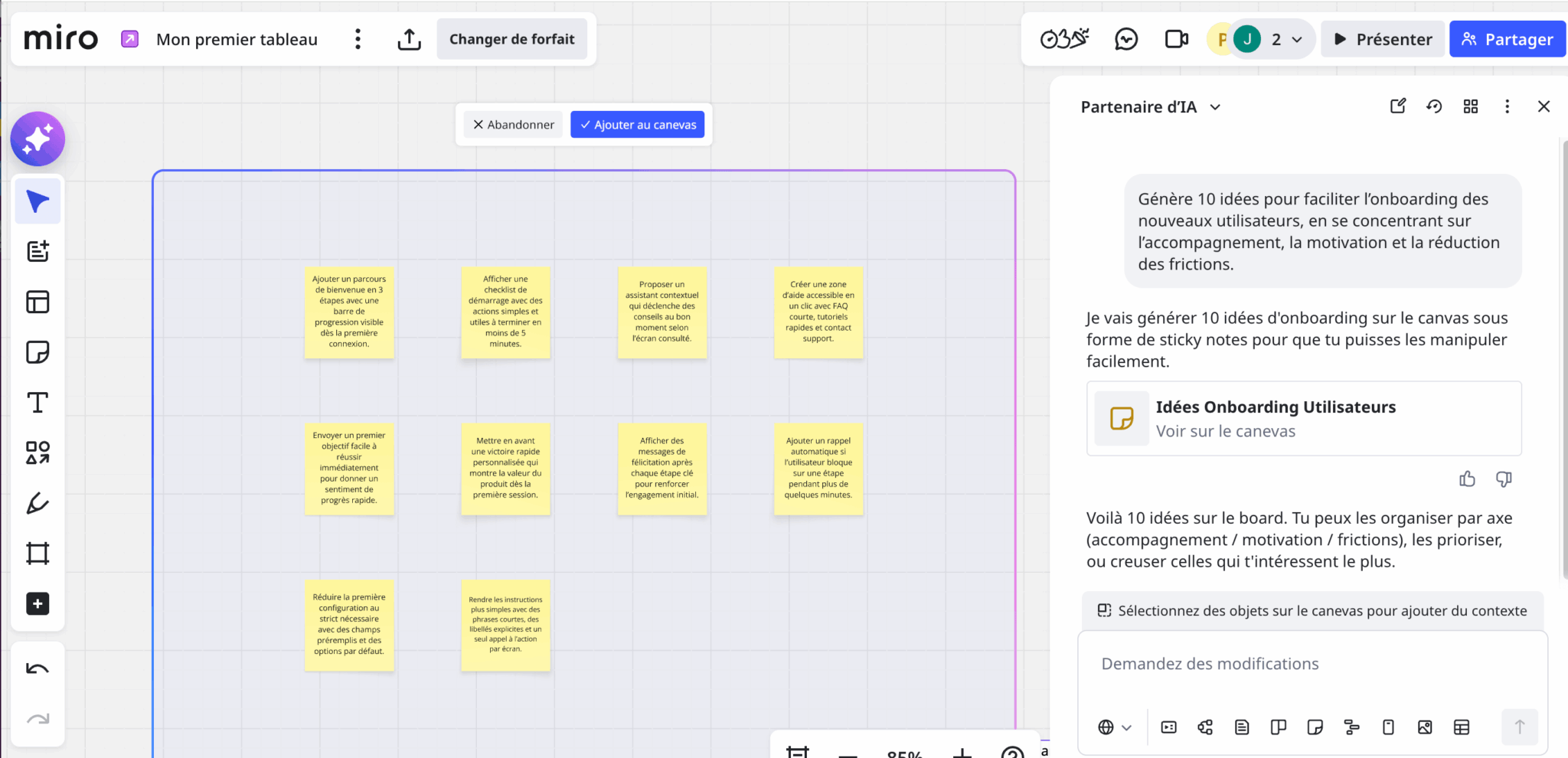
Miro AI can generate a mind map or diagram from a prompt, automatically group sticky notes by theme, summarize the content of an entire board, or transform a brainstorming session into a presentation.
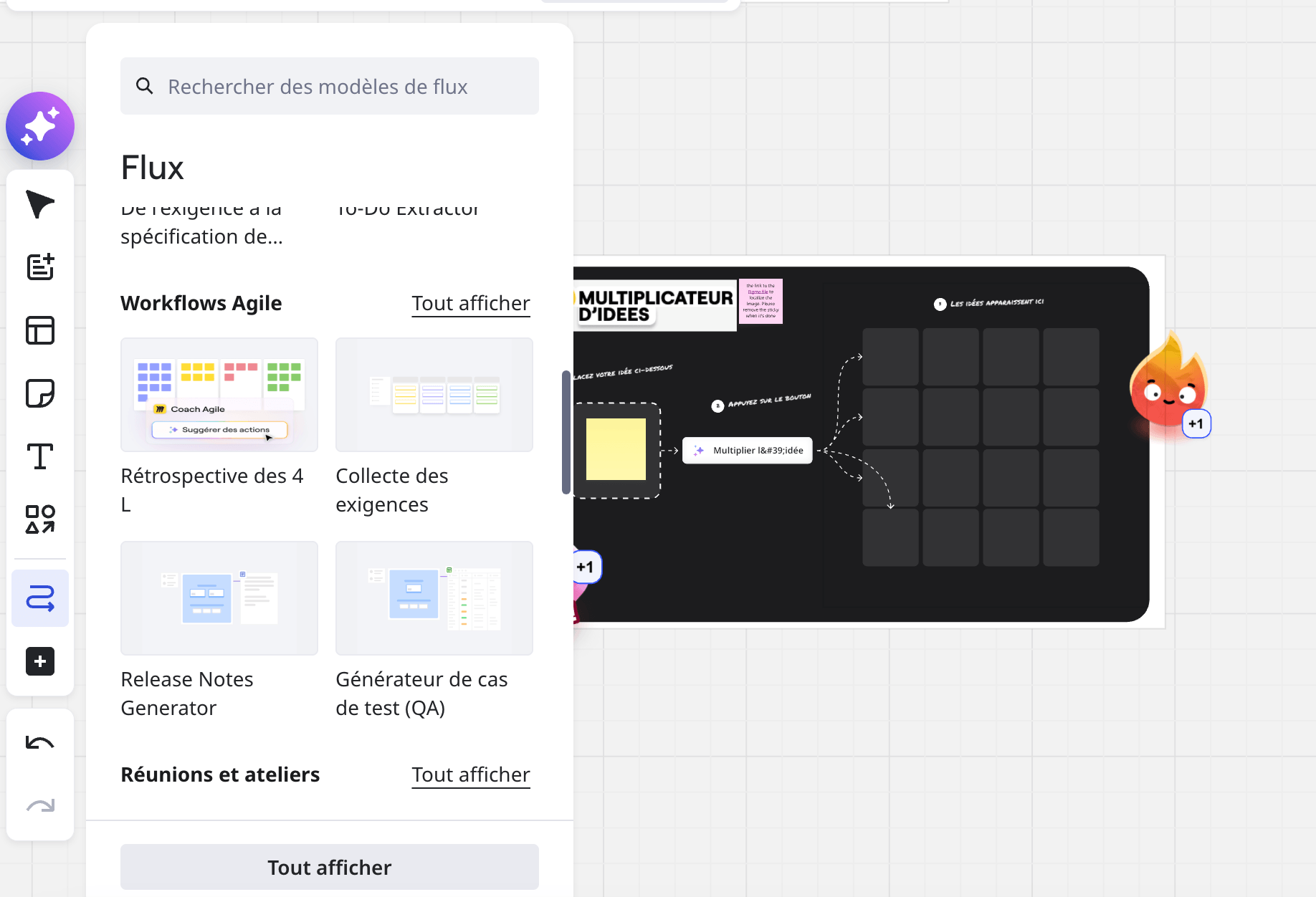
Flows go a step further: they are multi-stage visual workflows that link AI actions while keeping the human element in the loop. For example, you can build a flow that collects a batch of customer feedbacks, clusters them, extracts the main irritants and then generates a product brief.
AI partners (sidekicks), on the other hand, are conversational agents specialized in a specific task, such as writing a PRD or synthesizing user insights.
The system works with monthly credits, the volume of which increases with the plan subscribed. For intensive use, an add-on of extra credits quickly becomes necessary. AI partners are not available in Miro’s free plan.
Miro’s AI is powerful, but it remains confined to the context of the current board. For long-term projects requiring links between several boards, external documents and a history of decisions, the experience becomes fragmented. So if you’re concerned with long-term organizational memory, don’t rely on Miro alone.
Workshop facilitation
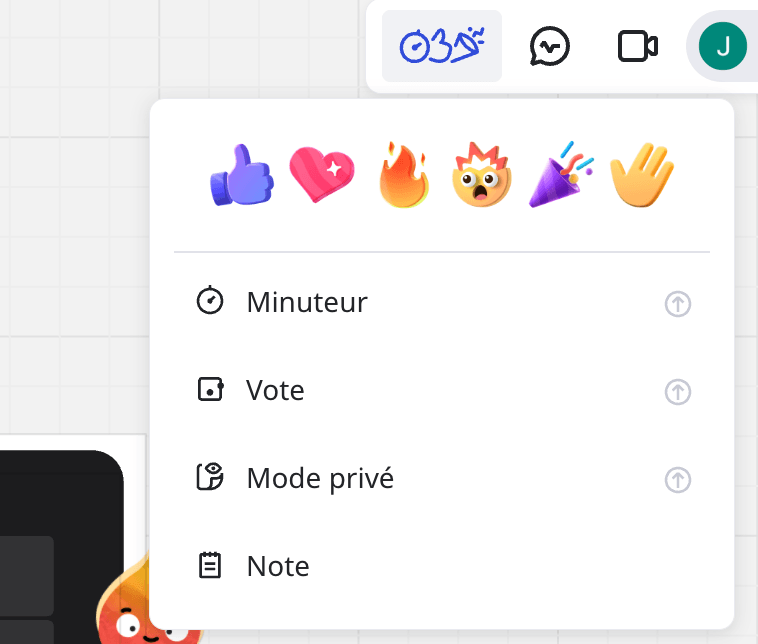
- Voting organizes dot votes on cards or sticky notes.
- Attention management brings all participants back to a specific frame at the click of a button, so there’s no need to lose the room. And Miro can handle up to 200 simultaneous collaborators on the same board, making it one of the few tools truly cut out for multi-team PI Planning.
- The Talktrack feature allows an audio or video tour to be recorded directly into the board. Viewers then follow the cursor and the presenter’s explanations, while still being able to interact with the board during playback. It’s the equivalent of a Loom.
Integrations and API
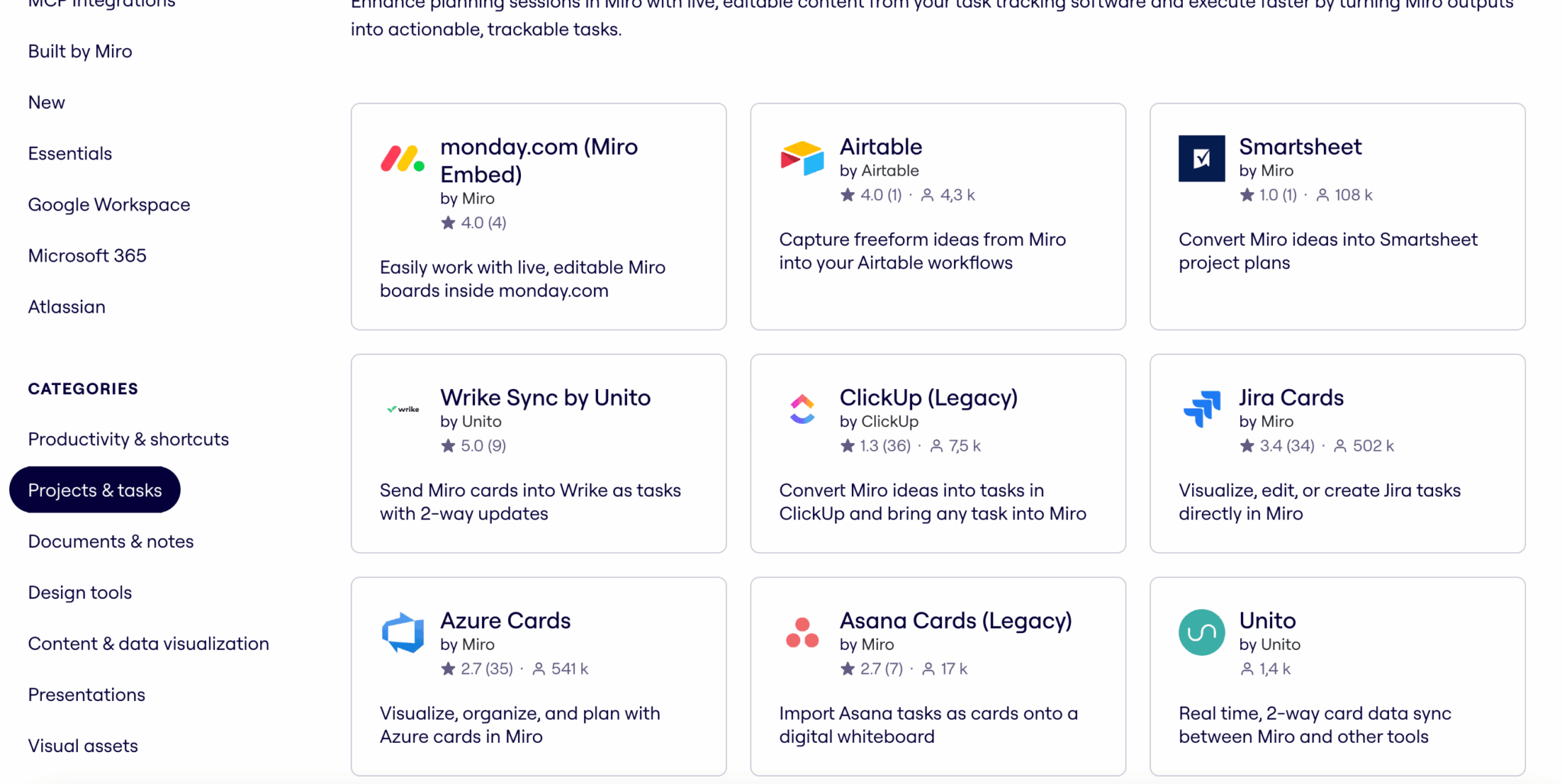
This is another of Miro’s strengths. The Miro marketplace boasts over 160 native integrations to date:
- On the communication side, there’s Slack, Microsoft Teams, Zoom and Google Meet.
- On the project management side, Miro connects to Jira, Azure DevOps, Asana, Trello, ClickUp and Notion.
- Then there are the Google Workspace and Microsoft 365 suites, design tools such as Figma, and Salesforce and ServiceNow.
- The list of managed tools and categories is long, as you can see from the filter options in the screenshot below:
For more specific needs, Miro provides a complete REST API with OAuth 2.0 authentication and a Web SDK for developing your own plug-ins.
Security, compliance and hosting
For an American publisher, Miro is rather ahead of the curve when it comes to European compliance. Certifications cover SOC 2 Type II, ISO/IEC 27001:2022, ISO/IEC 42001 for AI management, TISAX, in addition to RGPD alignment. The infrastructure runs on AWS, with encryption in transit and at rest.
The most important point for a European readership is that data will be hosted in Europe by default from 2023. Customer content is stored in EU data centers, including backups.
On the Enterprise offering, the Enterprise Guard add-on adds an advanced governance layer: automatic detection of sensitive data, classification, sharing safeguards, audit logs, eDiscovery… It is this level that enables Miro to be adopted in highly regulated sectors such as banking, insurance or healthcare.
Miro prices: how much does it really cost?
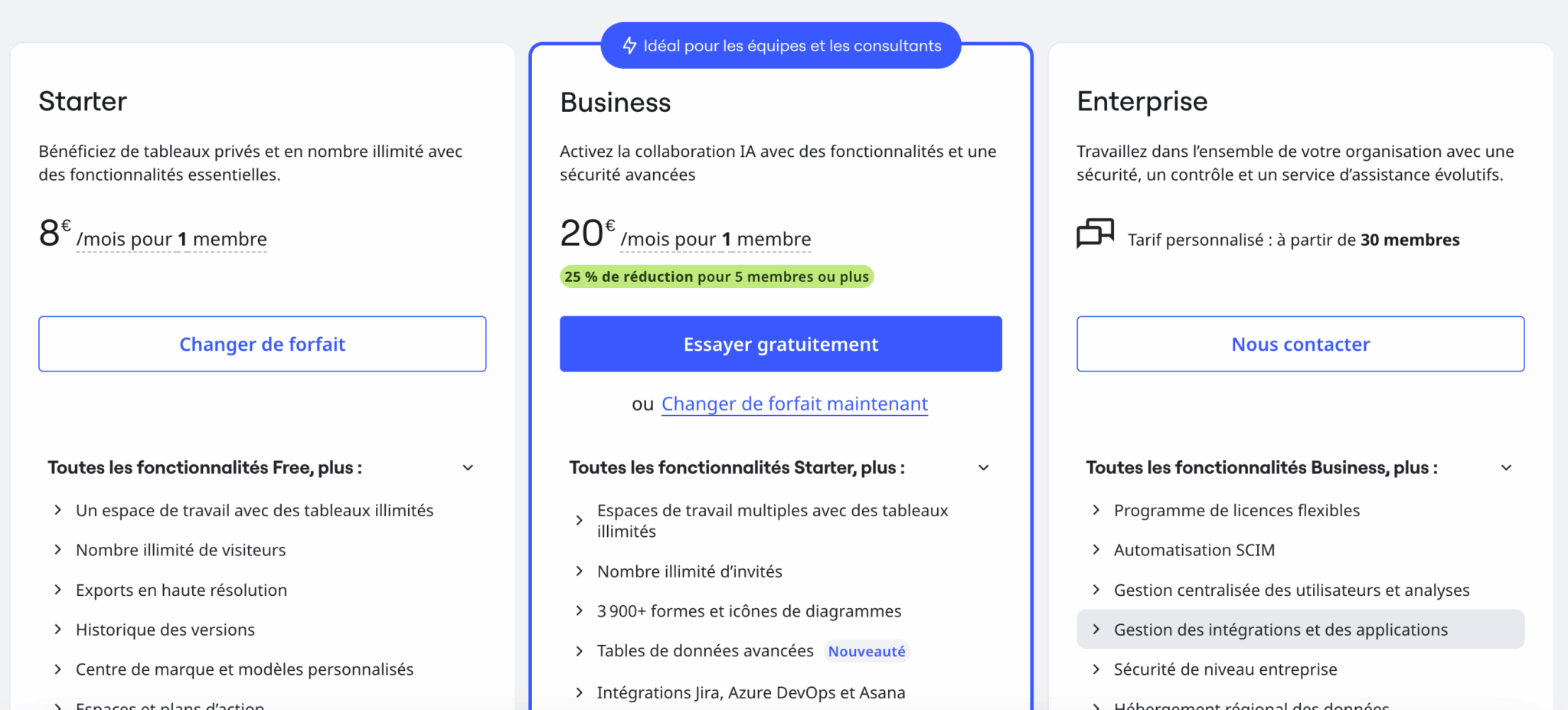
The four Miro plans in detail
Miro offers a classic four-tier pricing structure, with a 20% discount for annual commitments.
| Plan | Awards | For whom |
|---|---|---|
| Free | 0$ | Discovery, very occasional use |
| Starter | 8/user/month | Small teams, freelancers |
| Business | 20/user/month | SMEs and SMBs with advanced needs |
| Enterprise | On request | Large organizations (30+ users) |
- The Free plan is generous on paper, with access to over 3,000 templates and all integrations. But it’s severely limited on the essentials: only 3 editable boards, no custom templates, no voting or timers, and a very low AI quota. It’s perfect for getting to know the tool, but insufficient for regular team collaboration.
- The Starter plan unlocks what Free lacks: unlimited boards, custom templates, voting, timer, unlimited Talktracks…At $8 per user per month on an annual basis, it’s the right entry point for a small team.
- The Business plan adds the features expected by a structured organization: SAML SSO, two-factor authentication, private workspaces, unlimited guests, advanced diagramming. Above all, it opens up full access to IA workflows. That’s the serious minimum for an SME.
- The Enterprise plan is negotiated by quotation. Orders of magnitude observed on the market range from a few thousand to several tens of thousands of dollars per year, depending on the size of the deployment, with volume discounts, the Enterprise Guard add-on and a dedicated CSM.
Understanding Miro’s seat billing
This is the real issue when it comes to assessing the cost of Miro. The price per user poses no problem: $8 or $20 a month is within the market average.
What we need to understand is how the number of seats billed evolves, because the mechanism isn’t intuitive, and it’s the mechanism that holds the surprises.
Miro distinguishes several roles on a board:
- Members are the paying users of your team.
- Guests are external collaborators with editing rights.
- Visitors access the site via a public link.
- Commentators are limited to reading and commenting.
The costly nuance: unlimited guests are only unlocked on the Business plan. On Starter, they are limited, and when you share a board in edition with an external collaborator, Miro tends to convert it into a member, thus adding a paid seat to your subscription.
Let’s take a concrete example. You subscribe to a Starter for yourself, for a total of $96 over the year. You then share a board with a designer, a freelance developer and a consultant so that they can contribute. If these three people switch to members, your bill rises to 4 seats, or $384 a year. The difference is quickly quantified, and the downward adjustment requires you to go back to team management, which is not immediate.
Before sharing an editing board with an external collaborator on a Starter plan, systematically check the role assigned to them. To get external editors to contribute without inflating the bill, there are two options: switch to Business, which includes unlimited guests, or remain in commentator mode on Starter. This is the governance reflex you should adopt from the outset.
It’s not a fatal flaw, but it is a real point of vigilance. Miro’s role and permissions management is powerful, but lacks legibility, and sharing screens don’t always clearly indicate what triggers a paid seat. For a structured team, used to administering its tools, it’s a one-time setup and the matter’s settled. For a freelancer or a small organization new to the tool, it’s best to find out before multiplying the number of shares.
The Free plan allows you to discover the tool with no time limit (3 editable boards, unlimited users). To test all Business features, including AI, take advantage of the 14-day credit-card-free trial.
What we like (and don’t like)
- Ultra-mature infinite canvas: years of investment in zoom, alignment and performance. No competitor holds up so well on dense boards.
- An unrivalled template library: thousands of templates covering research & design, diagramming & mapping, ideation & brainstorming, strategy & planning, and more.
- High-level AI designed for the collective: not a chatbot stuck in a corner, but collaborative AI workflows integrated into the canvas. The current benchmark in this segment.
- The widest integration ecosystem: over 160 native apps, complete REST API…Miro works like a hub.
- Enterprise-level compliance: SOC 2, ISO 27001, ISO 42001, TISAX. Data hosting in Europe by default secures continental organizations.
- Unclear invoicing per seat: the conversion of external collaborators into paying seats lacks transparency. This is manageable for a well-equipped team, but confusing for a small organization.
- Performance limits on very large boards: although we can’t really blame Miro, beyond a few thousand objects, the canvas shows signs of slowing down. Miro itself recommends splitting boards that are overloaded.
- A real learning curve: functional richness has a downside. Expect to spend several hours getting to grips with the tool.
- A Free plan is quickly limited: 3 editable boards are enough for discovery, not for long-term collaboration. It’s a loss leader.
- No true offline mode: for facilitators operating in unstable network environments, the absence of a reliable offline mode remains a real brake.
Our verdict: who is Miro really for?
Miro is for you if :
- You regularly run workshops, design sprints or PI Planning sessions, and you need a tool that can handle up to 200 participants.
- You work on complex projects that require you to visualize systems, customer paths or product roadmaps.
- You are a European organization attentive to RGPD compliance and data localization
- You intend to make serious use of collaborative AI to structure your content and synthesize your boards.
Skip it if :
- Your needs are limited to the occasional whiteboard in Teams or Zoom meetings: Microsoft Whiteboard will suffice.
- You’re a freelancer or a very small organization that shares a lot of boards externally, but you don’t want to worry about fine-tuning your role management.
- Your challenges involve task tracking and operational execution: a dedicated project management tool will be more appropriate.
- You mainly run gamified training courses and are keen to work with a French publisher: Klaxoon will be more in line with your logic.
- You frequently work offline or on a degraded network
Final rating: 4.3/5. Miro deserves its place as leader in the visual collaboration segment. The canvas is mature, the template library is unrivalled, the collaborative AI is the most advanced on the market, and the security coverage is solid. The main point of vigilance remains per-seat billing, which requires a bit of method when setting up parameters. For a structured team with a real use for visual collaboration, Miro is an excellent choice. For a more occasional need, it’s best to test the Free plan in depth before committing yourself…
Miro is the benchmark tool for visual team collaboration, and that’s no mistake. The Free plan allows you to seriously test the canvas and templates, and the 14-day Business trial unlocks all the features, including AI. A tool to be adopted without hesitation if you use it regularly, simply by keeping an eye on seat management.