If you’re comparing HubSpot CRM and Monday, you’ve probably read a few comparisons that put them on an equal footing. Let’s be frank: that’s not what we’re doing here.
HubSpot and Monday CRM don’t share the same DNA. HubSpot is CRM software built to manage your entire revenue cycle, from lead generation to customer loyalty. Monday CRM is a Work OS, a collaborative work management tool on which we’ve grafted a CRM layer. This is a fundamental difference that changes everything: functional depth, reporting, automation and, above all, the way your teams work on a daily basis.
In concrete terms :
- If you’re looking for a true CRM to structure your sales activity and align your marketing and sales teams, HubSpot is the best option.
- If your priority is to manage customer projects with a commercial brick on top, Monday may make sense. But you need to know before you commit…not after six months of use.
In this article, we compare HubSpot CRM and Monday CRM according to 8 criteria to help you decide.
Sommaire
HubSpot VS Monday CRM at a glance: comparison chart
| Solution |

HubSpot |

Monday CRM |
|---|---|---|
| Ideal for | B2B SMEs who want to align marketing, sales and customer service on a single platform | Project-oriented teams (agencies, ESN, studios) who want to unify CRM and work management |
| Philosophy | CRM platform for growth, focused on the complete customer journey | flexible, visual Work OS, with a CRM layer added on top |
| Our opinion | The best depth/accessibility ratio for B2B SMBs. Very generous free plan, excellent functional depth, but watch out for the price cliff towards Pro/Enterprise plans. | A powerful collaboration tool that’s also a CRM. Very good for project-oriented organizations, but clearly lags behind in marketing, prospecting and pure sales reporting. |
| Highlights |
|
|
| Weak points |
|
|
| Free trial | Permanent free plan (unlimited contacts, 1 pipeline) | 14-day free trial, then minimum 3 paying seats |
HubSpot: our analysis in brief
HubSpot is an all-in-one CRM platform structured into “Hubs” (Marketing, Sales, Service, Content, Operations) with a free CRM foundation that serves as a single source of truth for all customer data. Today, it is one of the most widely used CRMs in the world, with over 250,000 customers.
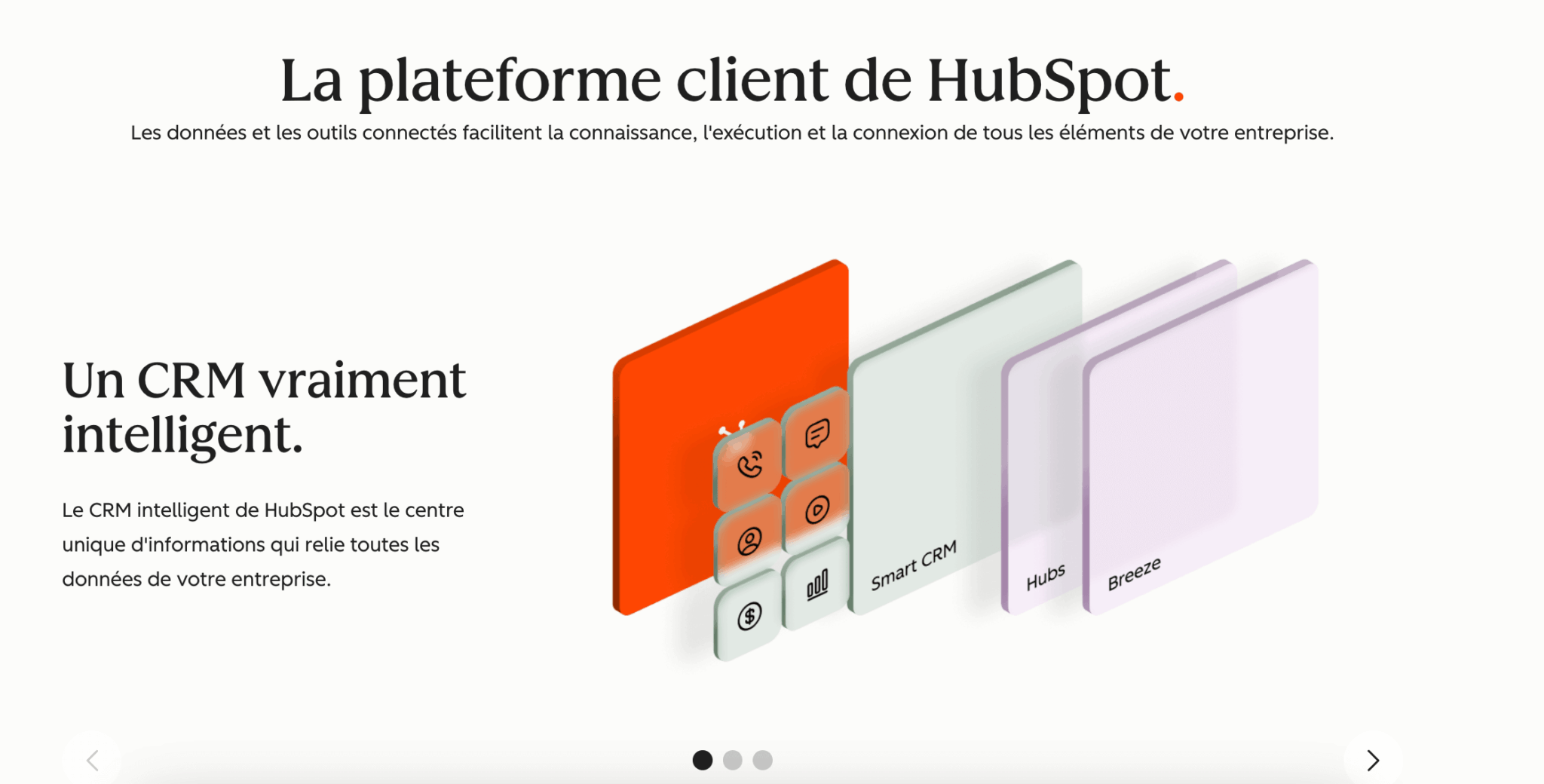
HubSpot’s great strength is the cohesion between its bricks. When a prospect fills in a form on your site, HubSpot records the action, triggers a nurturing sequence, scores the lead and notifies your sales rep, all in a single system. This native integration between marketing and sales is a major strength of this CRM giant.
The free plan is also very generous: unlimited contacts, a sales pipeline, email tracking, forms and even some basic automation. That’s more than enough to get you started. The €15/user/month Starter plan unlocks additional features (email sequences, 2 pipelines, removal of HubSpot branding). On the other hand, the leap to the Professional plan at €90/user/month is brutal: it’s the famous HubSpot “price cliff” that you need to anticipate.
Monday CRM: our analysis in brief
Monday CRM is an offshoot of Monday.com, a popular work management platform (Work OS). The CRM is built on the same logic of configurable boards, customizable columns and multiple views (Kanban, Gantt, timeline, table).
The interface is objectively one of the best on the market: visual, modern and colorful. You can drag & drop your deals from one column to the next. For teams used to project management, it’s all very natural.
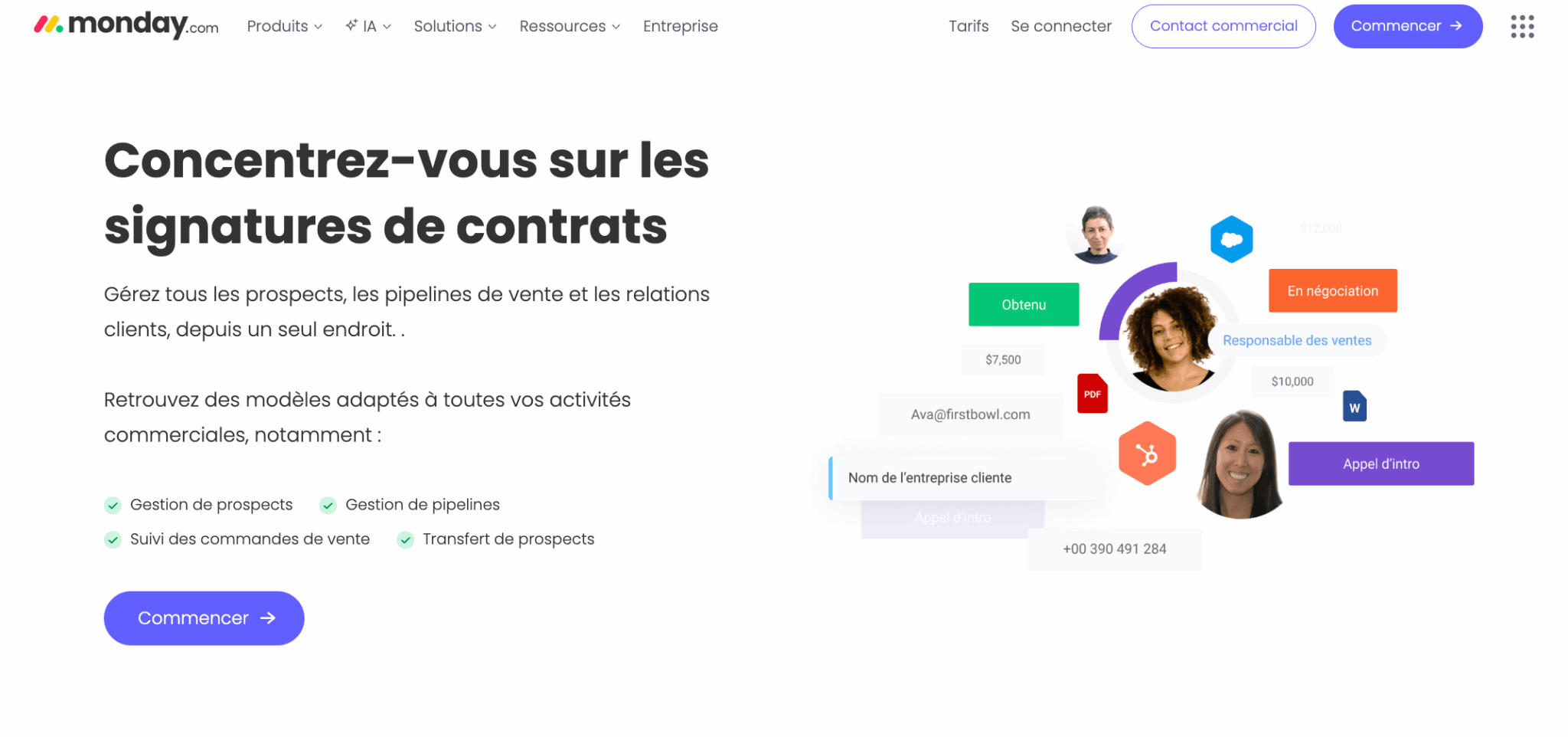
Monday CRM’s greatest asset is the native transition between sales and delivery. You close a deal in your sales pipeline and you can switch the customer directly to a project board for onboarding or production. This is interesting for agencies, ESNs and service companies.
On the other hand, when it comes to pure CRM functionalities (marketing automation, advanced sales prospecting, reporting, pipeline, lead scoring), Monday is clearly behind HubSpot. It’s a great collaboration tool, but it’s not a CRM in the same sense as HubSpot.
Try both to compare
HubSpot offers a permanent free plan and Monday a 14-day free trial. The best way to decide is often to try both.
HubSpot VS Monday CRM: what their customers say
| Last update: February 2026 |
 HubSpot HubSpot |
Monday CRM |
|---|---|---|
|
G2
|
4.4 ( 13 500+ reviews ) | 4.6 ( 1 100+ reviews ) |
|
Capterra
|
4.5 ( 4,400+ reviews ) | 4.7 ( 450+ reviews ) |
Monday CRM’s ratings are slightly higher than HubSpot’s, but this has to be put into perspective: Monday has 10 to 15 times fewer reviews than HubSpot. Ratings are also inflated by the Monday.com user base (project management), which evaluates CRM through a different prism: that of collaboration, not sales management.
HubSpot
HubSpot users are almost unanimous in their praise for the ease of use and power of the integrated platform. Teams appreciate the fact that the entire customer journey is integrated into a single tool: marketing, sales and support. The free plan is regularly cited as the best on the market.
There are two main points of criticism:
- The cost of accessing advanced functionalities (workflows, custom reporting, sequences) rises quickly.
- The richness of the interface, which may initially disorientate small teams.
Monday CRM
Monday CRM users praise the visual interface, the flexibility of the boards and the ease of use. The tool is often described as more “fun” to use than traditional CRMs, which facilitates adoption by non-sales teams.
Negative feedback is more severe: the billing model based on seat increments (3, 5, 10…) irritates many users, who find themselves paying for unused licenses. Email and reporting functionalities are regularly judged insufficient for serious CRM use. And several reviews point to occasional bugs on large boards.
HubSpot CRM VS Monday CRM: functional scope
#1 Cœur CRM: contacts, pipeline and deal management
Salesdorado
HubSpot offers a true CRM data model, structured from the outset. Monday is more flexible, but much less structured, and this is clearly a problem for medium-term sales management.
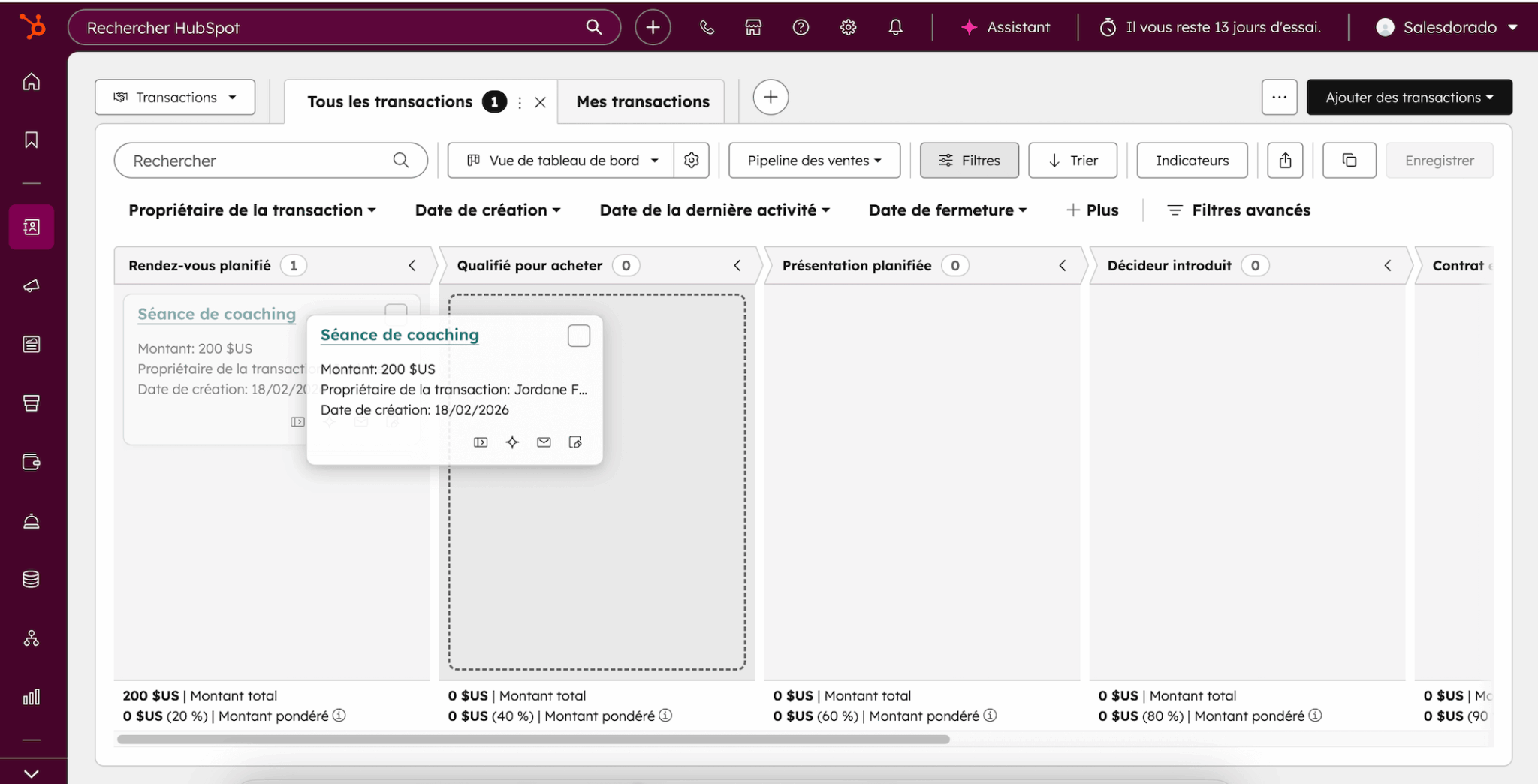
HubSpot is based on well-thought-out, standard CRM objects: contacts, companies, deals, tickets. Each record displays a complete chronological timeline of all interactions: emails, calls, forms filled in, pages visited, meetings. This 360° view is the strength of a true CRM.
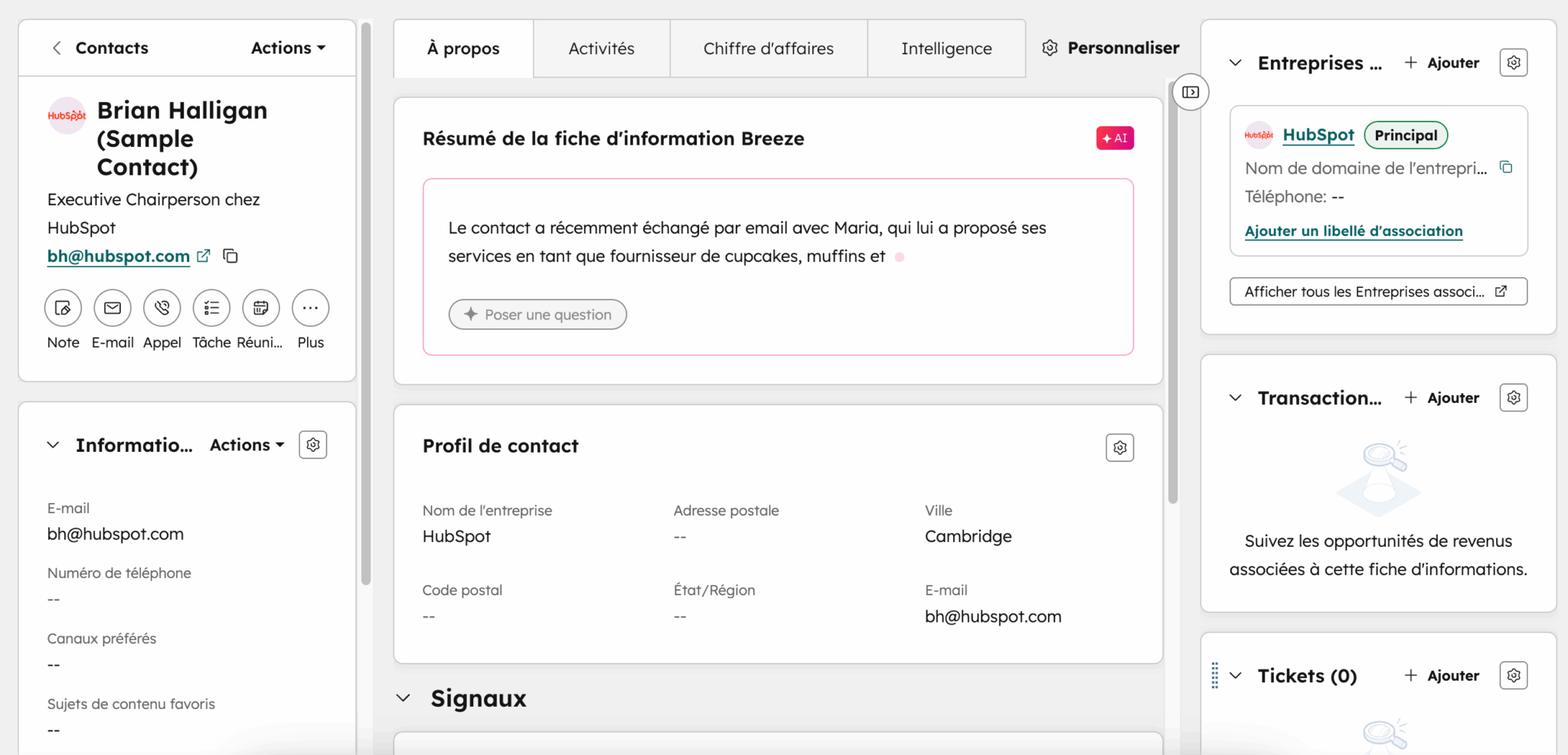
HubSpot’s pipeline is robust: Kanban view, customizable stages, aggregated amounts per stage, closing probabilities, mandatory properties per stage (starting with the Starter plan). You can force your sales reps to enter the right information at the right time, which is fundamental to the quality of your data.
Monday CRM takes a radically different approach. Each line on a board represents a lead, contact or deal, with configurable columns (status, amount, date, owner). It’s extremely flexible: you can shape your CRM exactly the way you want. But this freedom comes at a cost. There’s no default structuring data model, no unified interaction timeline as with HubSpot. And the notion of “pipeline” is really a filtered board or view, which requires more modeling up front.
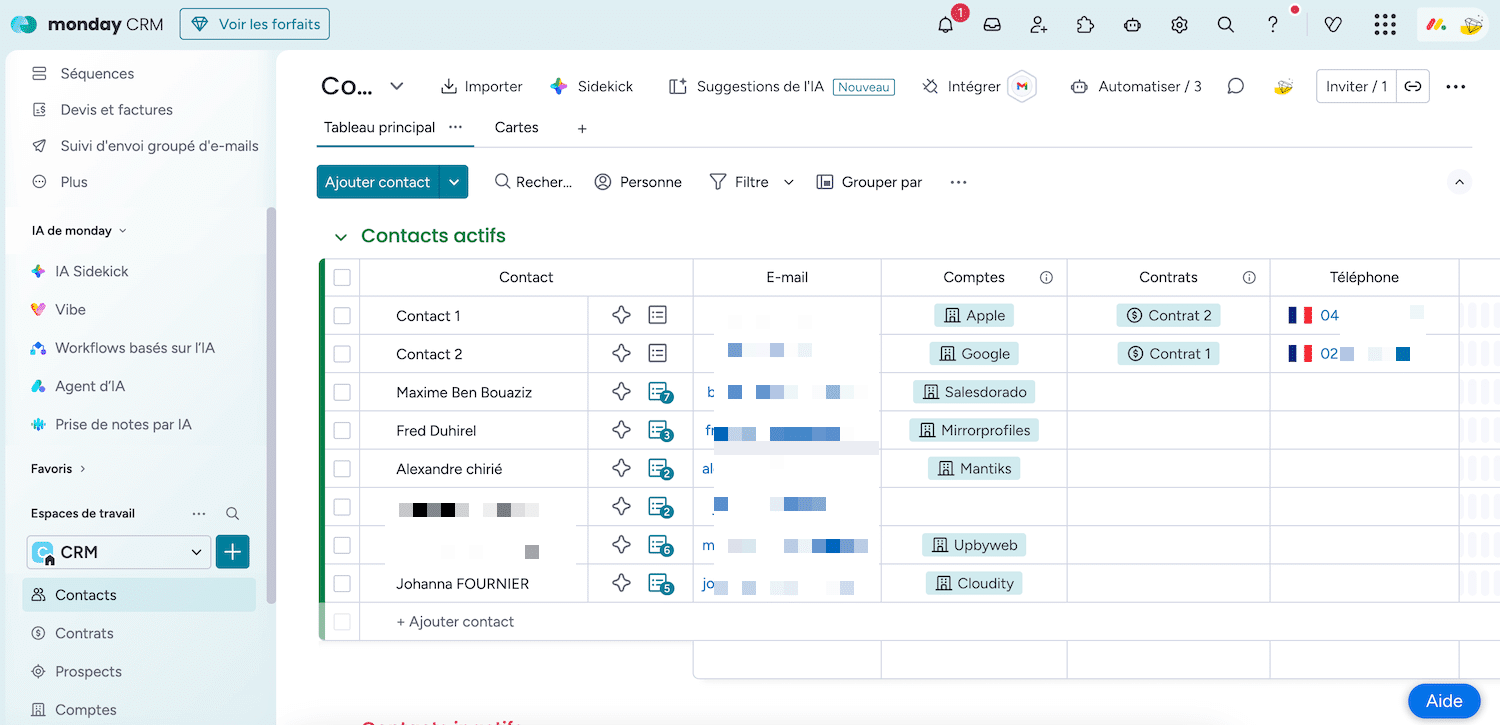
In practice, two teams at Monday can model the same deal in completely different ways. This is great for autonomy, but a real risk for long-term data consistency.
#2 Marketing & lead generation
Salesdorado’s opinion
There’s simply no match here. If marketing is part of your growth strategy, HubSpot is the only credible choice between the two.
This is the criterion on which the gap is the widest. HubSpot was born out of inbound marketing. The platform natively integrates landing page creation tools, intelligent forms, segmented email marketing, ad campaign management, lead scoring, lead nurturing and even a complete CMS.
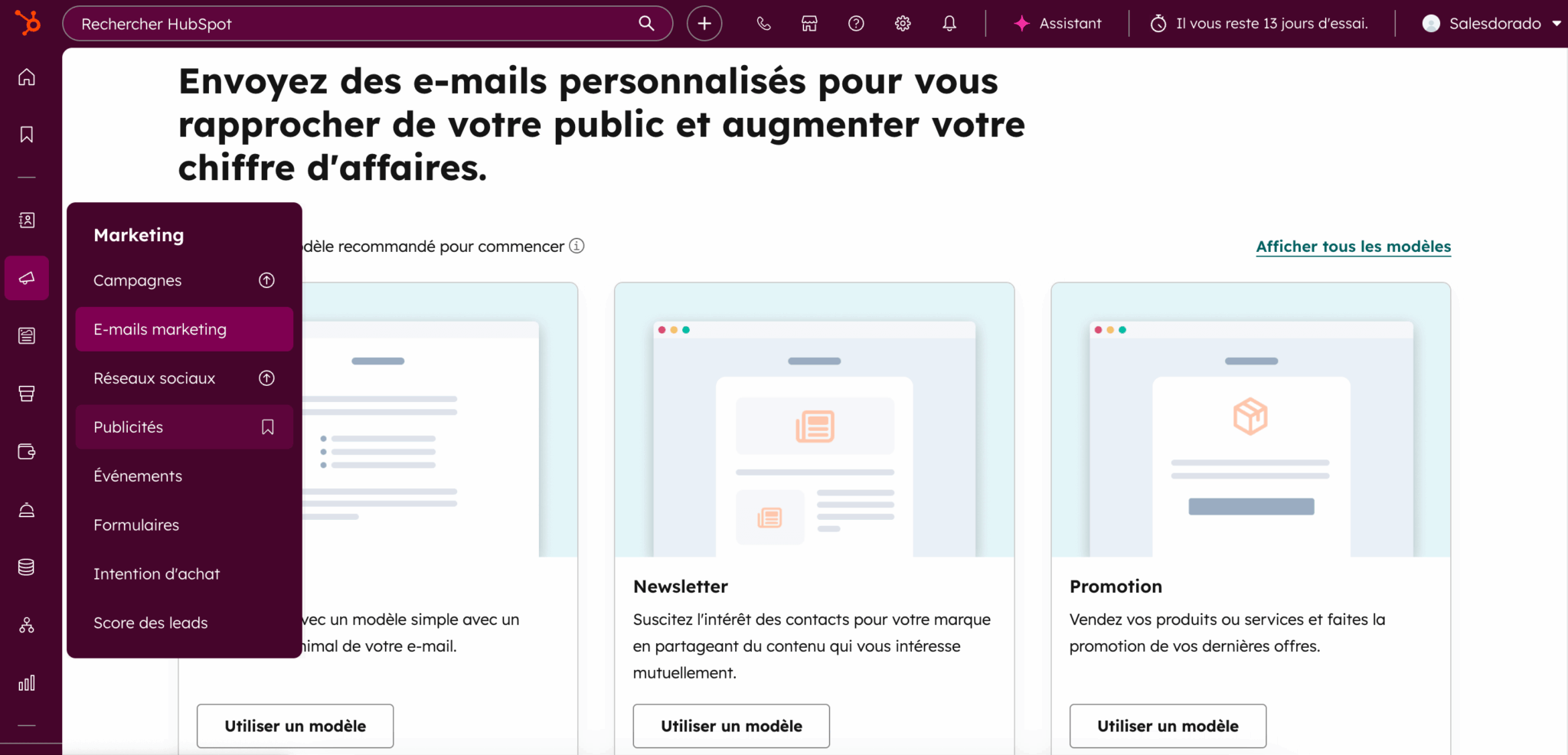
Everything is connected to the CRM. A prospect who fills in a form on your site enters directly into your contact database, with the history of their marketing interactions already attached. Your sales team can see where the lead comes from, what content it has consumed and what its score is. This closed loop between marketing and sales is HubSpot’s fundamental value proposition.
Monday CRM offers basic lead capture forms and simple emailing features (templates, bulk mailings). But there are no landing pages, no lead scoring, no automated nurturing, no campaign management. For anything beyond sending an email, you’ll have to integrate third-party tools like Mailchimp or ActiveCampaign, and you’ll lose the unified marketing-sales view that is the strength of an integrated CRM.
Try out HubSpot’s Marketing features
Try out HubSpot’s Marketing Hub in its free version to see the depth of the marketing tools available.
#3 Automation & workflows
Salesdorado
HubSpot can orchestrate complete customer journeys. Monday automates internal tasks very well, but remains limited to the scope of each board.
Automation is the criterion where the difference in DNA between the two tools is most apparent:
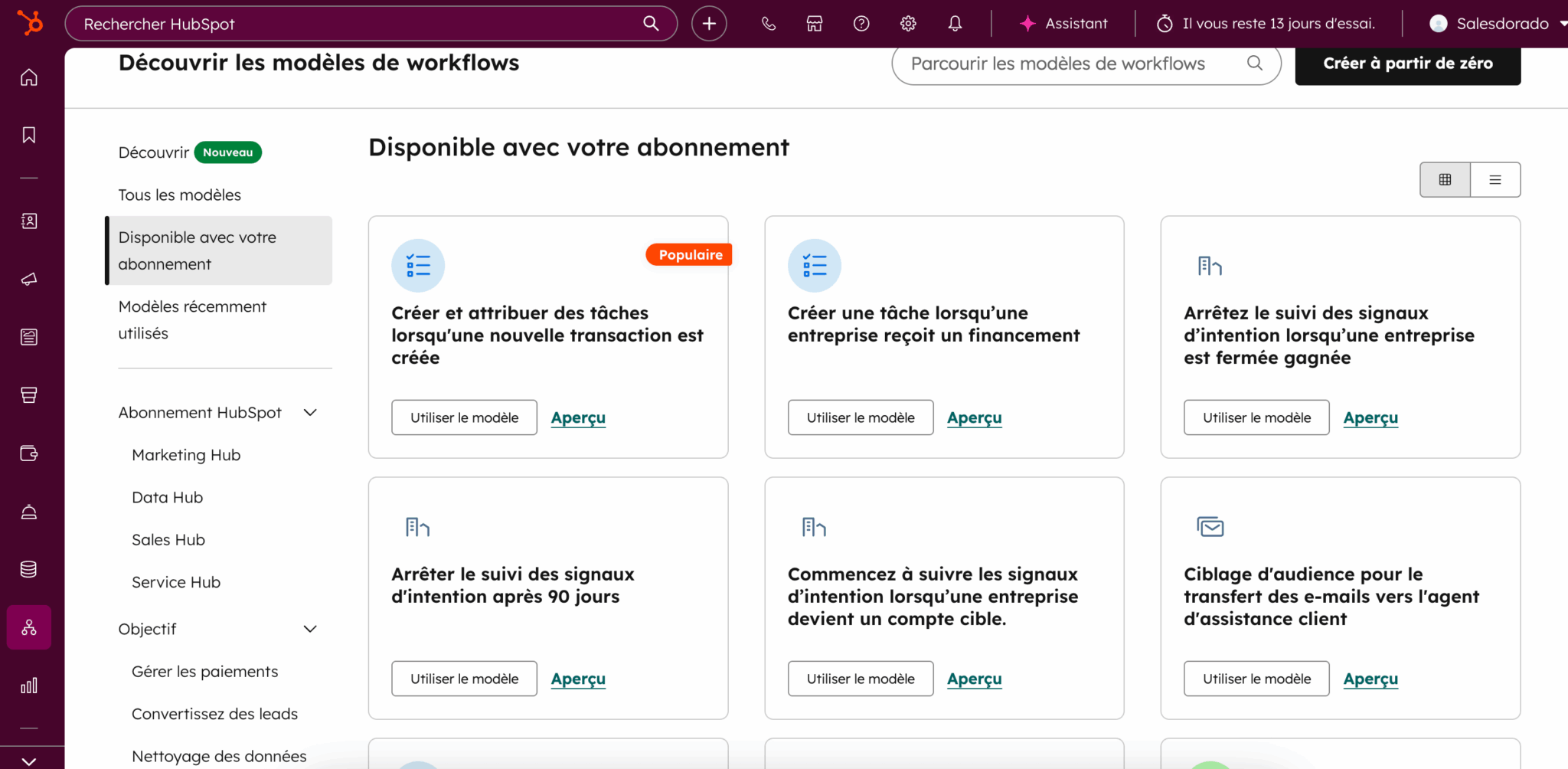
- HubSpot uses centralized, cross-object workflows. A single workflow can retrieve a lead from a form, score it, enroll it in a nurturing sequence, create a task for a sales rep, update the deal, and notify the manager, all with consistent logging on the contact’s timeline. This is what we call customer lifecycle automation, and it’s extremely powerful for teams who want to industrialize their sales machine.
- Monday works on a system of automation “recipes”: “when X happens, do Y”. It’s quick to set up and effective for simple operational logic, such as when a status changes, notifying someone, creating a task, moving an item. But these automations are scoped by board. They don’t cross objects. You can’t orchestrate a complete customer journey from the first form filled in to contract renewal in a single engine.
Another important point: Monday imposes monthly action quotas on its automations. The Standard plan is limited to 250 actions/month, the Pro plan to 25,000. HubSpot does not impose quotas on workflows, even in Starter.
#4 Reporting & sales management
Salesdorado
HubSpot is more robust for strict pipeline and sales performance management. Monday is more visually modern for multi-team workloads, but classic CRM reporting is less structured.
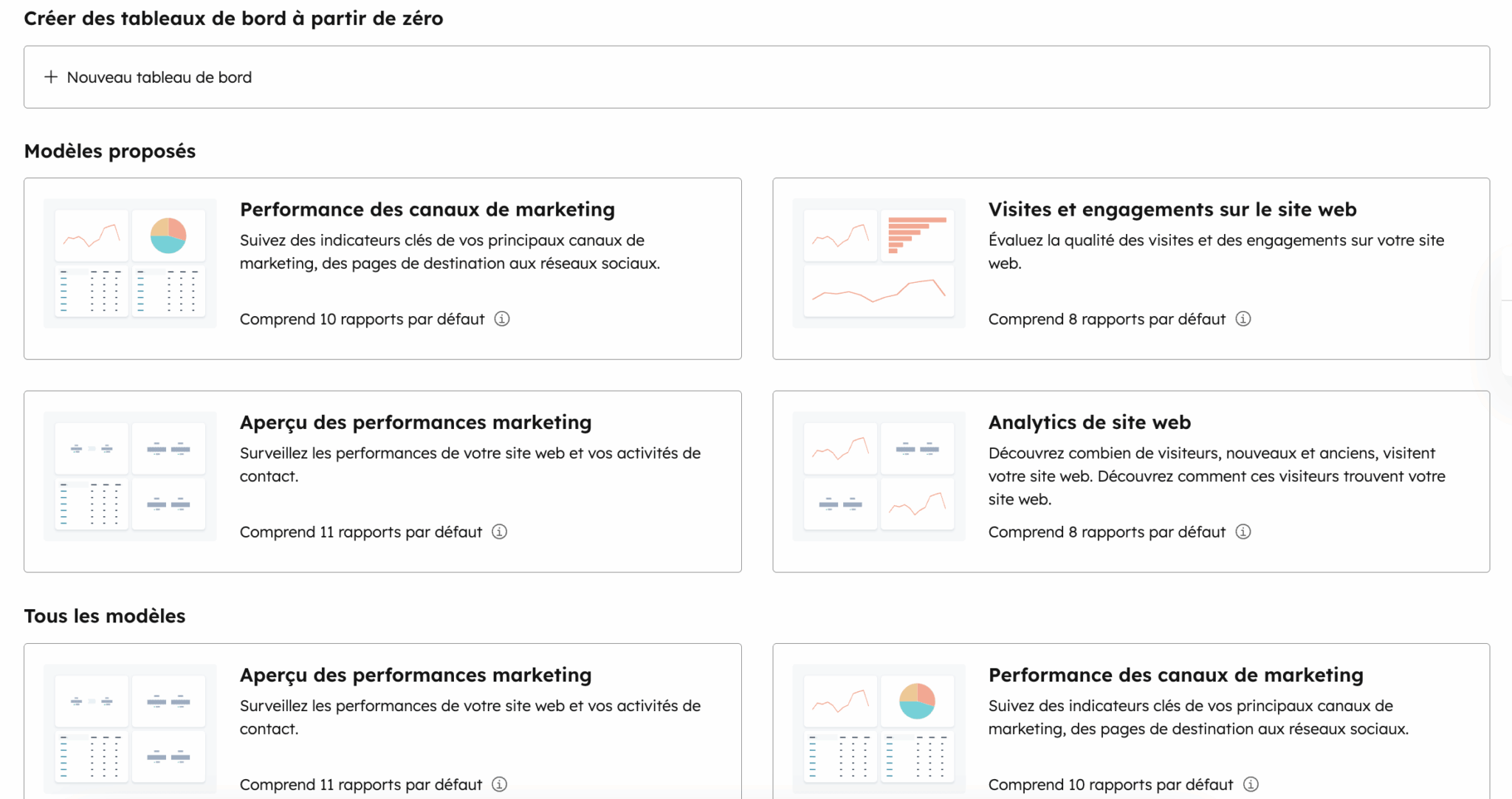
HubSpot provides ready-to-use dashboards for pipeline, forecast, sales activity and lead sources. The report builder lets you cross-reference data from all objects (contacts, deals, companies, tickets) for highly detailed analyses: conversion rate by stage, average sales cycle time, performance by source, marketing attribution. Sales forecasting functionalities are available from the Pro plan.
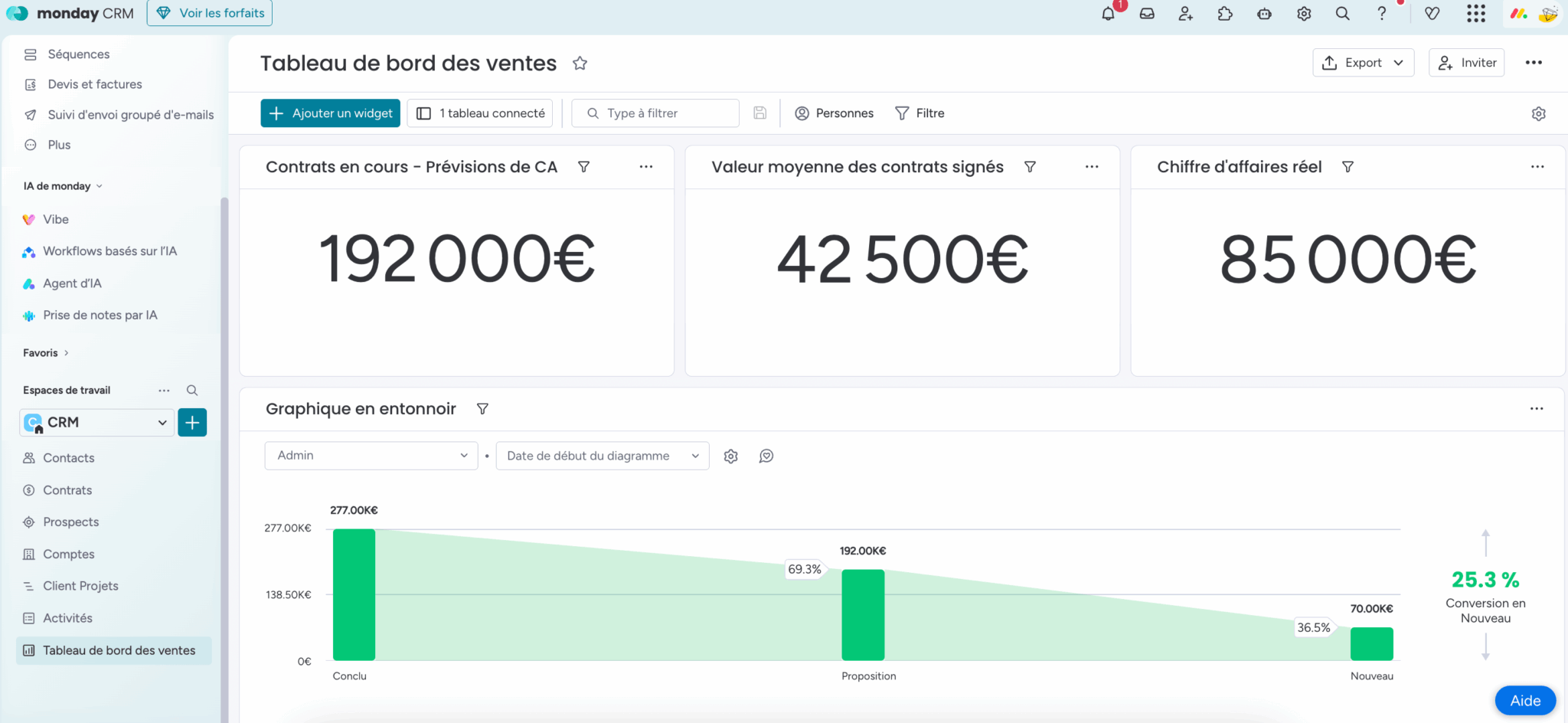
Monday offers highly visual, customizable dashboards with a variety of widgets (graphs, gauges, workload). This is excellent for visualizing the overall workload of a multi-project team. But when it comes to classic CRM reporting (conversion by funnel stage, sales performance by source, marketing ROI), it’s far less structured. Reports are built from boards, not from a unified CRM data model.
#5 Ease of use
Salesdorado
Monday is easier to get to grips with on Day 1, but HubSpot’s richness becomes an advantage as your needs grow.
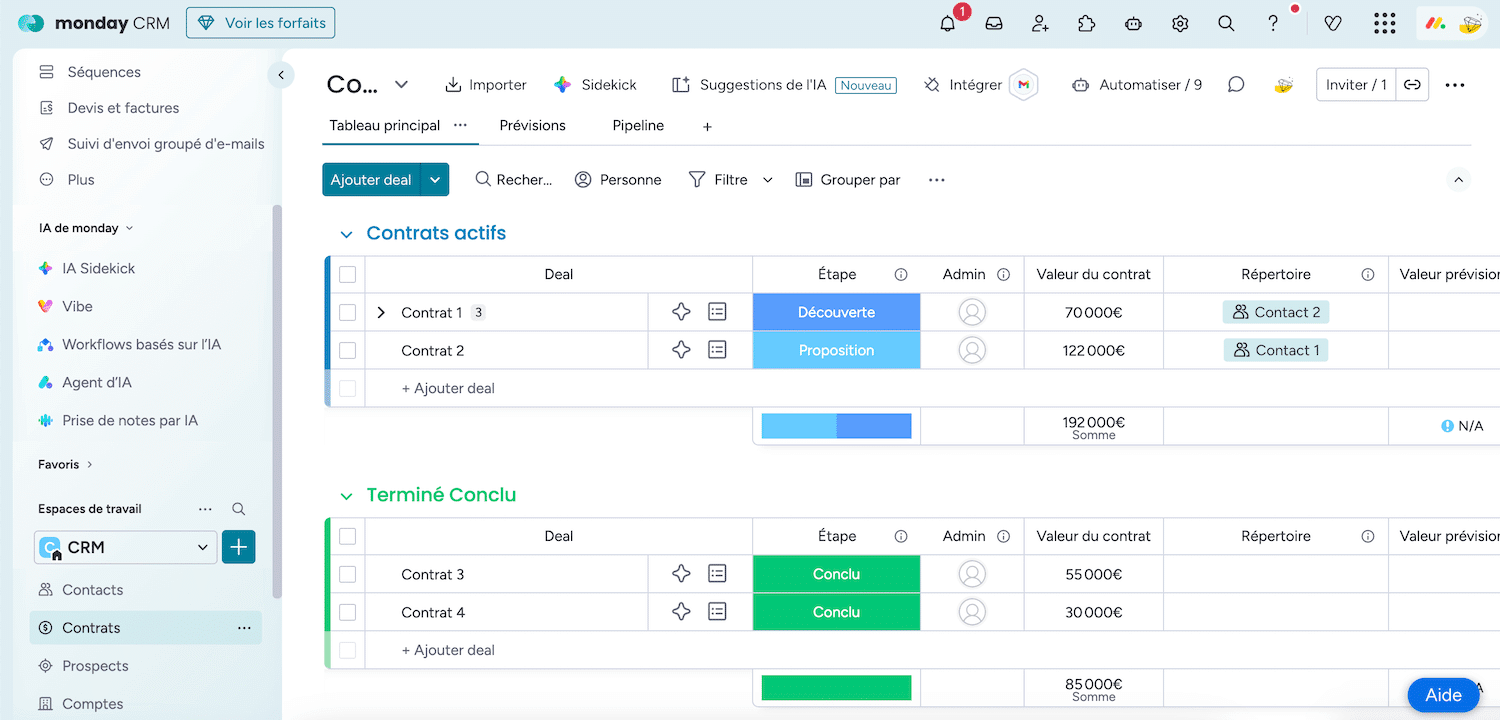
This is probably the criterion on which Monday has the clearest advantage…at least initially. The interface is immediately understandable: colorful boards, drag & drop, Kanban and Gantt views. A salesperson can start creating deals in minutes, without any training. There’s no denying that.
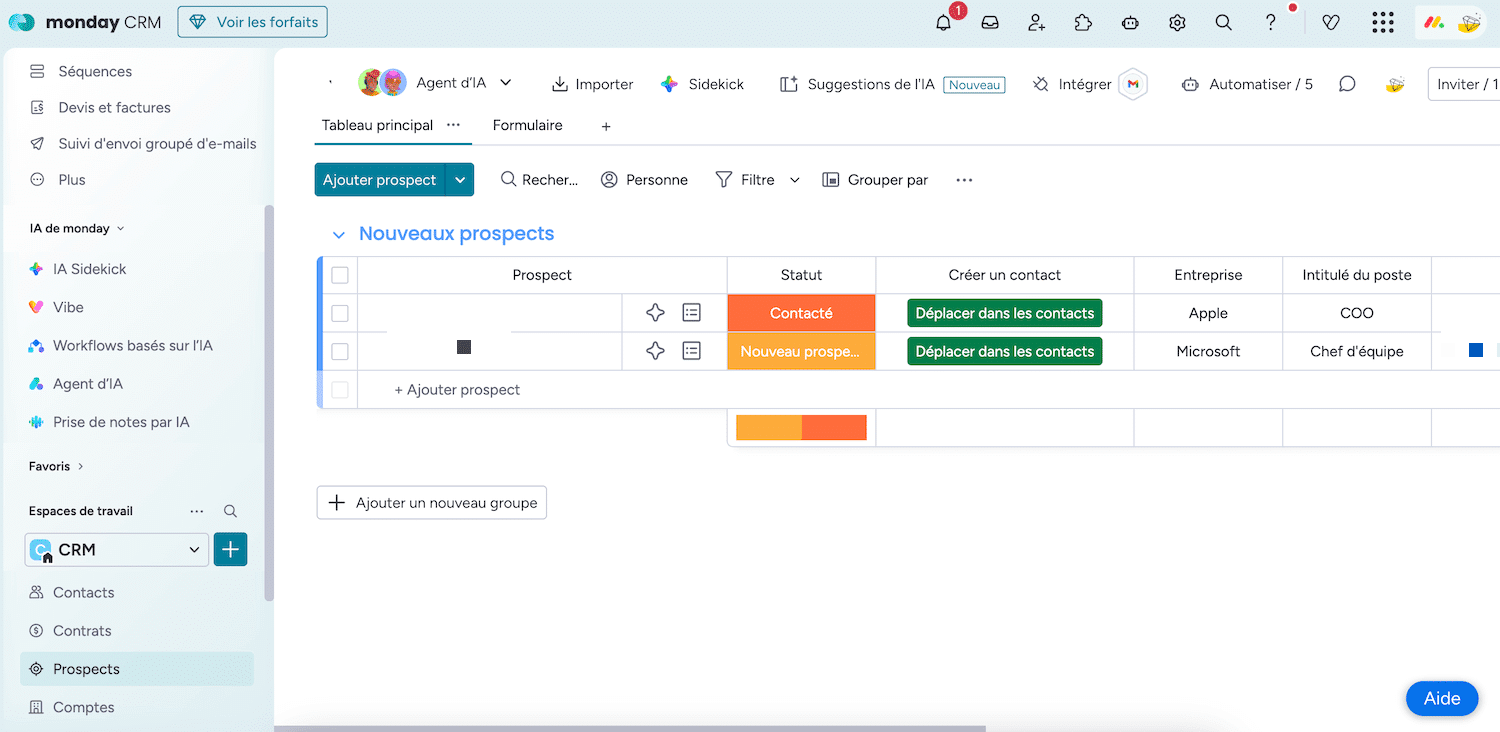
But this initial ease masks a problem: Monday’s flexibility can backfire. Without clear governance, you soon find yourself with a “boardroom”, dozens of tables with different structures, siloed data and no one who knows exactly where to find the information. In fact, several user reviews point to the risk of time-consuming “over-configuration”.
HubSpot takes more time to get to grips with. Functional richness can be intimidating at first, with numerous tabs and lots of options, but the CRM skeleton is highly structured and guided: standard objects, pre-populated properties, template pipelines get you on the right track right from the start. And HubSpot Academy offers hundreds of free training courses with certifications to speed up adoption.
#6 Project management & post-sales
Salesdorado’s opinion
This is the only criterion where Monday CRM clearly wins. If your business relies on delivering customer projects after the sale, this is a real advantage.
This is where Monday’s platform really comes into its own. You close a deal in your sales pipeline and you can switch the customer directly to a project board for onboarding, delivery or production. The link between sales and execution is native, fluid and visible to everyone.
This is particularly interesting for digital agencies, ESNs, consulting firms, creative studios – in short, any organization where sales trigger a project to be delivered. Your sales team, your project manager and your production team work in the same environment.
HubSpot isn’t designed for that. It offers basic task management, but it’s not a project management tool. If you have complex post-sales workflows, you’ll need to integrate a separate tool (Asana, Notion, or… Monday.com Work OS). But be careful: Monday CRM and Monday Work OS require separate licenses. You generally don’t want your production teams consuming CRM licenses.
Try both to compare
The best way to find out is often to test the software. HubSpot is free for life, Monday offers a 14-day free trial.
HubSpot VS Monday CRM: integrations & ecosystem
Salesdorado
HubSpot has a massive marketing & sales-oriented ecosystem. Monday integrates well with collaborative and project management tools. Two philosophies, two ecosystems.
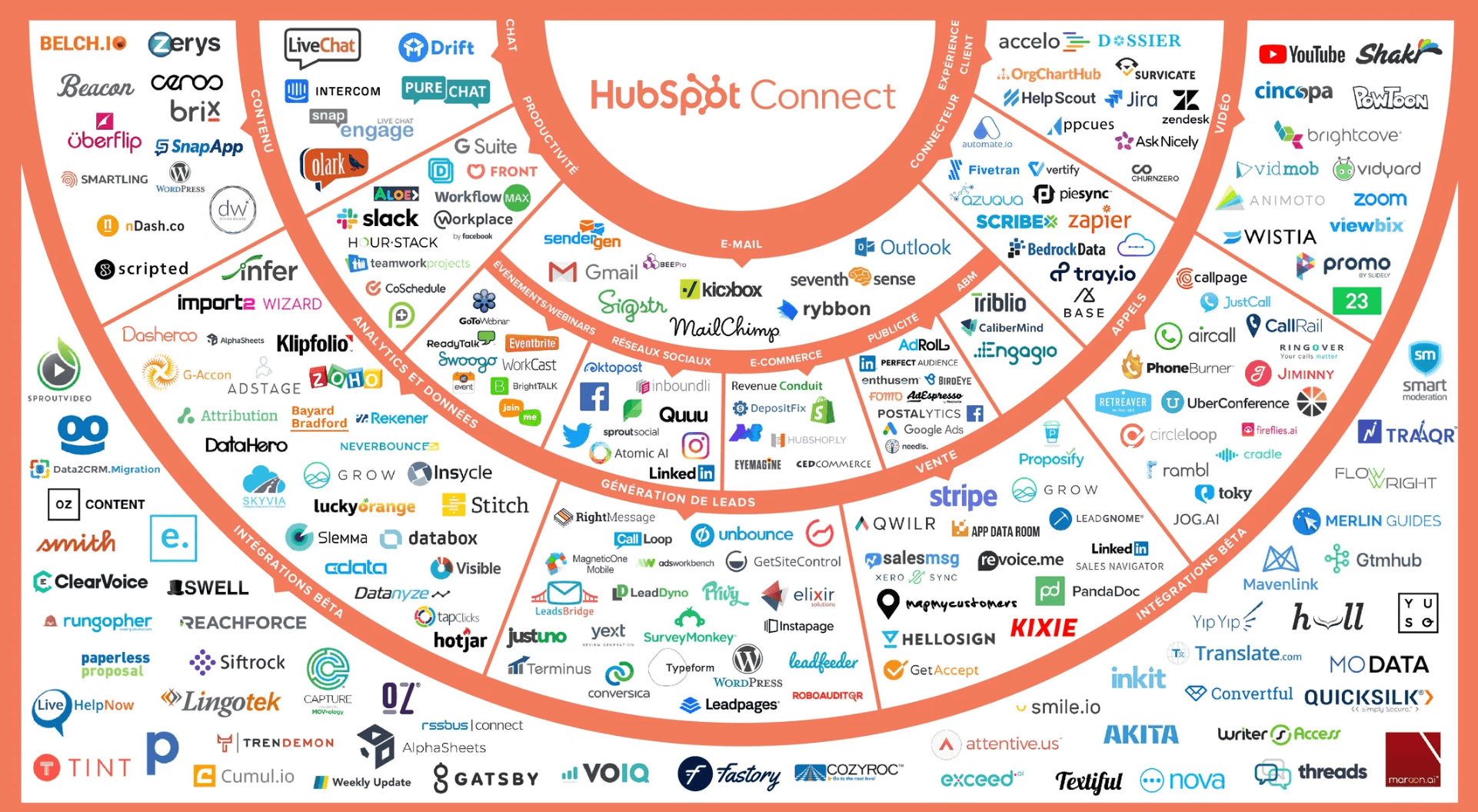
HubSpot offers over 2,000 native integrations via its App Marketplace : Slack, Zoom, Gmail, Stripe, Shopify, Calendly and hundreds more. As HubSpot is massively adopted, many publishers are building native integrations for the platform. The ecosystem is highly focused on marketing, sales and customer support.
Monday integrates with popular collaborative tools (Slack, Teams, Google Workspace, Jira, GitHub), which makes sense for a work management platform. But the CRM ecosystem is more limited. For many integrations, you’ll be going through third-party connectors like Zapier or Make, which adds complexity and eats into your automation quotas.
For “CRM + marketing” use (ads, email marketing, forms, scoring), HubSpot has a clear advantage. Monday excels at connecting sales to project management, production tracking and internal collaboration.
HubSpot VS Monday CRM: pricing
| Price comparison |
HubSpot (Sales Hub)
|
Monday CRM
|
|---|---|---|
| Free plan | Yes > unlimited contacts, 1 pipeline, basic email tracking, forms | No > 14-day free trial only |
| Entry plan | Starter: €15/user/month: 2 pipelines, email sequences, no branding | Basic: €12/user/month (min. 3 seats = €36/month min.): unlimited pipelines, but no automation, no email sync |
| Intermediate plan | Standard: €17/user/month: Gmail/Outlook sync, 250 automations/month, IA email | |
| Advanced plan | Professional: €90/user/month + €1,500 onboarding: advanced workflows (300), sequences, forecasting, advanced reporting | Pro: €28/user/month: bulk emails, quotes, 25,000 automations/month, advanced permissions |
| Enterprise | Enterprise: €150/user/month + €3,500 onboarding: custom objects, AI scoring, conversation intelligence | Enterprise: on quotation – lead scoring, HIPAA, onboarding included, dedicated success manager |
| Actual cost for 5 users (serious use) | Free to €75/month (Starter) or €5,400/year (Pro, onboarding included) | 140/month (Pro, min. 5 seats) or €1,680/year |
On paper, Monday CRM is considerably cheaper. In practice, however .
First, Monday doesn’t have a free CRM plan. The trial lasts 14 days, after which you pay, with a minimum of 3 seats. If you’re 2, you still pay for 3. If you’re 6, the seat tiers (3, 5, 10) may force you to pay for 10. Many users on Trustpilot and G2 complain about this tiered billing model, which can double the bill for a single additional user.
Secondly, Monday’s Basic plan at €12/month is virtually unusable in real-life conditions: no email synchronization, no automation, no integrations. The real functional entry point is the Standard plan at 17€, and for serious use, the Pro plan at 28€.
On the HubSpot side, the free map is a real entry point. You can stay on it as long as you need to. The Starter plan at €15/user/month is competitive with Monday’s Standard plan and offers more CRM features. On the other hand, the jump to Professional at €90/user/month is brutal. If you need more than the Starter, budget accordingly.
Salesdorado’s opinion
The real calculation is not “which tool is cheapest”, but “which tool allows me to generate the most revenue”. A CRM that aligns marketing and sales, automates nurturing and provides pipeline visibility can bring in far more than it costs. This is the reasoning that drives the majority of structured B2B SMEs to HubSpot.
Try HubSpot CRM for free
HubSpot’s free plan is enough to get a clear idea of the tool. No time limit, no credit card required.
Salesdorado verdict: which CRM for which profile?
To conclude this comparison, here’s our recommendation. It’s based on a simple conviction: HubSpot and Monday CRM don’t meet the same needs, and the choice depends above all on your top priority.
Choose HubSpot if :
- You want a true CRM that drives your entire revenue cycle, from first click to renewal.
- Marketing is part of your growth strategy (inbound, content, email, ads).
- You need cross-object automation to orchestrate complete customer journeys.
- Sales reporting and forecasts are essential to your management.
- You’re looking for a tool that scales with your growth, even if it means a greater investment in the medium term.
Choose Monday CRM if :
- Your business is project- or service-oriented (agency, ESN, consulting firm, creative studio).
- You need the native transition deal > customer project in the same tool.
- Your sales team is small and has no in-house marketing structure.
- Flexibility and visual personalization take priority over CRM depth.
- You want an affordable entry-level price, and your CRM needs remain relatively simple.
And if you’re still hesitating?
If your question is “what’s the best CRM?”, the answer is HubSpot. Its functional depth, marketing-sales alignment, ecosystem of integrations and free plan make it the most solid solution for a B2B SME looking to structure its growth.
If your question is “Which tool will enable me to manage both my sales AND my customer projects without multiplying licenses?”, Monday CRM deserves your attention, provided you accept its limitations on marketing and sales reporting.
HubSpot CRM is our choice for B2B SMBs who want to align marketing, sales and customer service on a single platform. The free plan is the best on the market for getting started, and the tool grows with you. Test it without obligation.