Does your email marketing tool show a delivery rate of over 98%? This figure simply means that your recipients’ servers accepted your messages—it does not mean they actually reached the inbox. In its 2025 email deliverability benchmark, Validity found thatone out of every six legitimate marketing emails never reached the inbox.
Testing tools are supposed to reveal this discrepancy.
The problem with B2B is that they mainly test Gmail, Outlook.com, or Yahoo email accounts, whereas your prospects read their emails in Microsoft 365 or Google Workspace—and, in large companies, often behind a security gateway like Proofpoint.
What is a perfect score on consumer email accounts really worth? And which tools truly test your prospects’ email accounts?
To find out, we analyzed the email servers of 100 companies and then took a close look at what each tool actually tests. Here you’ll find a method for identifying your target’s email system, the free toolkit that’s often all you need, our comparison of placement tests, and the protocol to follow before each campaign.
Sommaire
Testing Deliverability: What These Tools Actually Measure
The phrase “testing deliverability” actually encompasses four different questions. Most articles on the subject lump these together, and that’s the primary source of confusion: an email address validator isn’t a delivery test, and an anti-spam score says nothing about your reputation.
| The question | The type of tool | Examples | What It Doesn’t Tell You |
|---|---|---|---|
| Is my email valid? | Test Email Analysis (Authentication, Content) | Mail-tester, aboutmy.email, MXToolbox | Where the email actually ends up |
| Where does it end up? | Placement test on a seed list | GlockApps, MailReach, Unspam, GMass tester | The behavior of your actual recipients |
| How do email providers evaluate me? | Email Service Provider Dashboards | Google Postmaster Tools, Microsoft SNDS | What’s happening in corporate email systems |
| Am I blocked somewhere? | Blocklists and file hygiene | Barracuda Reputation Lookup, Heatwave | The quality of your content |
Each family of tools answers only one of these questions. No single tool covers all of them with the same level of reliability.
“Delivered” does not mean “received” in the inbox
Most email platforms calculate their deliverability rate by subtracting bounces from the number of emails sent. Validity notes that this calculation typically comes out to around 98.5%. However, the measured inbox placement rate dropped to 83.5% in 2024: 6.7% of emails ended up in the spam folder, and 9.8% were blocked or delayed en route.
France fared better, with a 91.4% inbox delivery rate according to the same study. Nevertheless, this gap is enough to skew your profitability calculations.
A delivered email is an accepted email. Nothing more.
Why does a placement test provide a trend rather than a measurement?
A placement test sends your email to what’s called a seed list— a panel of test mailboxes managed by the tool across various providers. The tool then tracks where each copy landed.
The limitation is structural. These accounts have no history with you: they never open anything and never reply. Gmail and Microsoft, on the other hand, tailor their filtering to each recipient’s behavior. The EmailToolTester comparison tool, which uses GlockApps for its own testing, acknowledges this: an email sent to a seed list behaves like a cold email, so your actual deliverability is likely better than the result shown.
Google, for its part, notes in the Postmaster Tools dashboard documentation that spam reports from third-party tools generally differ from its own data.
Does that mean we should do away with seed lists? No. They remain the best way to identify issues before a mailing, and Validity’s benchmark itself is based on this type of data. But a single test doesn’t prove much. Compare your results over time, not from one tool to another.
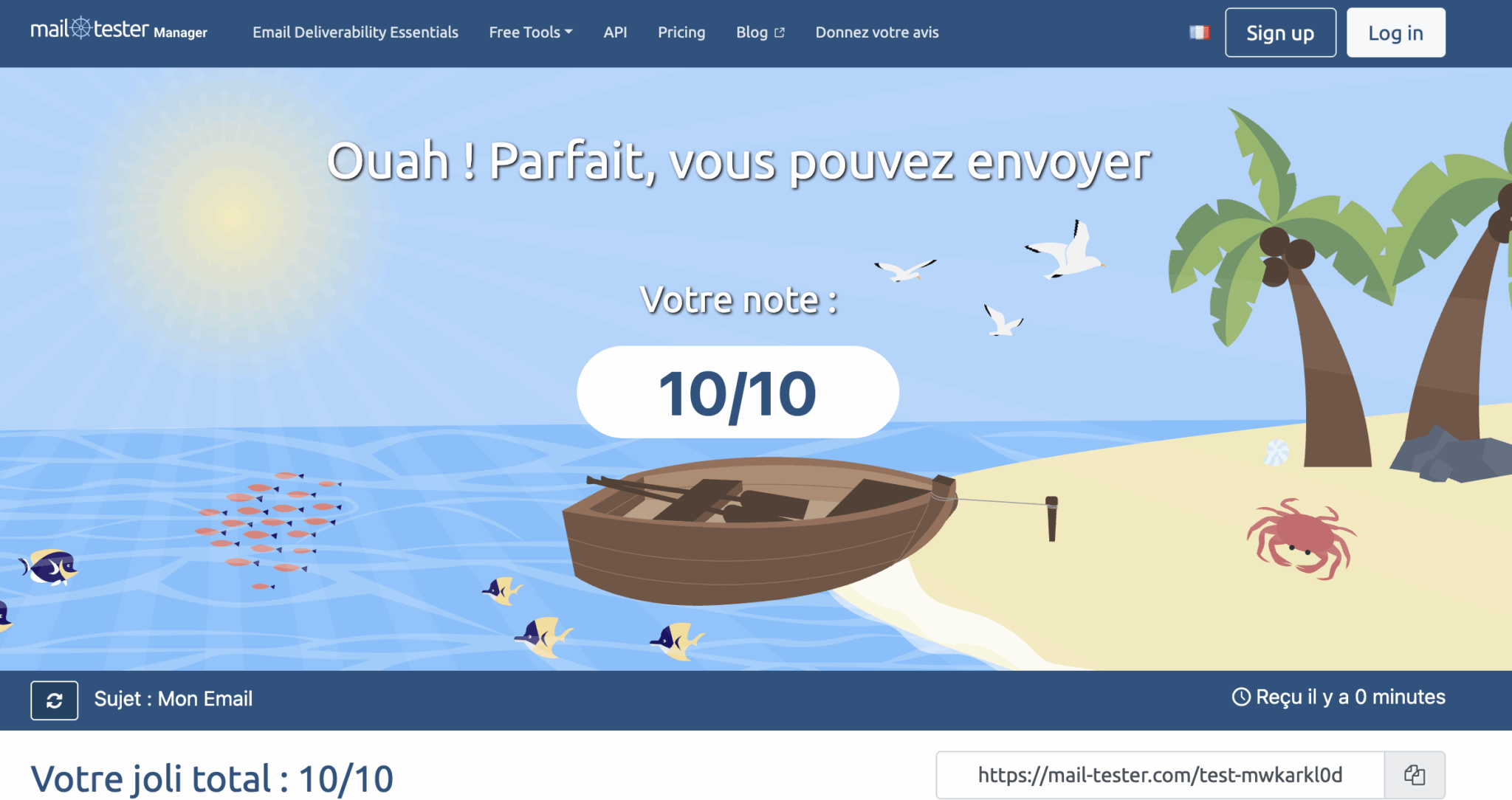
A perfect score proves that your email is technically sound: authentication is in place, and the content shows no suspicious signs. It doesn’t indicate where Gmail, Microsoft 365, or a corporate gateway will classify it. Treat it as a prerequisite, never as a final verdict.
B2B Deliverability: Where Do Your Prospects’ Emails End Up?
In B2B, deliverability plays out on a different playing field. Validity highlights this point: in addition to filtering their email systems, many companies entrust their email protection to a specialized service provider. To gauge the significance of this, we looked at where emails from 100 companies actually end up.
Our Analysis of the Email Servers of 100 Companies
| Where do emails end up? | 60 major companies listed on the Paris Stock Exchange | 40 digital companies |
|---|---|---|
| Directly in Microsoft 365 | 21 (35%) | 1 (2.5%) |
| Directly in Google Workspace | 4 (7%) | 37 (92.5%) |
| First, via a safety bridge | 26 (43%) | 1 (2.5%) |
| including Proofpoint | 17 | 1 |
| including Mimecast | 5 | 0 |
| including Cisco and Trend Micro | 4 | 0 |
| Internal servers or other service providers | 9 (15%) | 1 (2.5%) |
On September 16, 2026, we analyzed the MX records (the servers that receive emails for a domain) of 100 domains: 60 large companies listed on the Paris Stock Exchange, most of which are members of the CAC 40 or SBF 120, and 40 digital companies founded in France (scale-ups, software publishers, fintechs, and marketplaces). The MX records show only the first link in the chain: a gateway filters emails before forwarding them to the company’s email system. The sample does not include SMEs and does not claim to be representative.
Two profiles, two realities:
- Among large companies, 43% first route emails through a security gateway, with Proofpoint far ahead (17 out of 60 companies). Only 21 receive their emails directly in Microsoft 365. The remaining nine use their own servers or a less common provider (primarily banks and companies in the aerospace and defense sectors).
- In the digital sector, the landscape is nearly uniform: 37 out of 40 companies use Google Workspace.
Takeaway: A test conducted on consumer Gmail accounts says nothing about the first scenario and tells only part of the story regarding the second.
Microsoft 365 and Workspace: Filters Configured by Each Company
Of the emails that Validity’s clients send to hosted business email accounts, 61.4% go to Office 365 and 35.4% to Google. Their filtering is similar to that of their consumer versions. One key difference makes all the difference: each administrator can add their own rules, which are often stricter than the default settings.
The same email can therefore be delivered by Gmail but blocked by a client whose IT team has tightened its settings. MailReach acknowledges this: a message may reach the inbox 100% of the time on work email accounts but end up in the spam folder on personal accounts. The reverse is just as likely.
Proofpoint, Mimecast, Barracuda: The Overlooked Gateways in Testing
A security gateway adds a second layer of protection, positioned before the company’s email system. According to Validity, four vendors handle more than 90% of the traffic that its customers send to this type of solution:
- Proofpoint: 50.4% of traffic on its own
- Mimecast: 21.1%
- Cisco: 12.1%
- Barracuda: 10%, with only 77.2% of emails delivered to the inbox and 22.8% blocked or delayed
Validity also notes that many French ISPs rely on Vade for filtering. This is something to keep in mind if your list contains addresses from these providers.
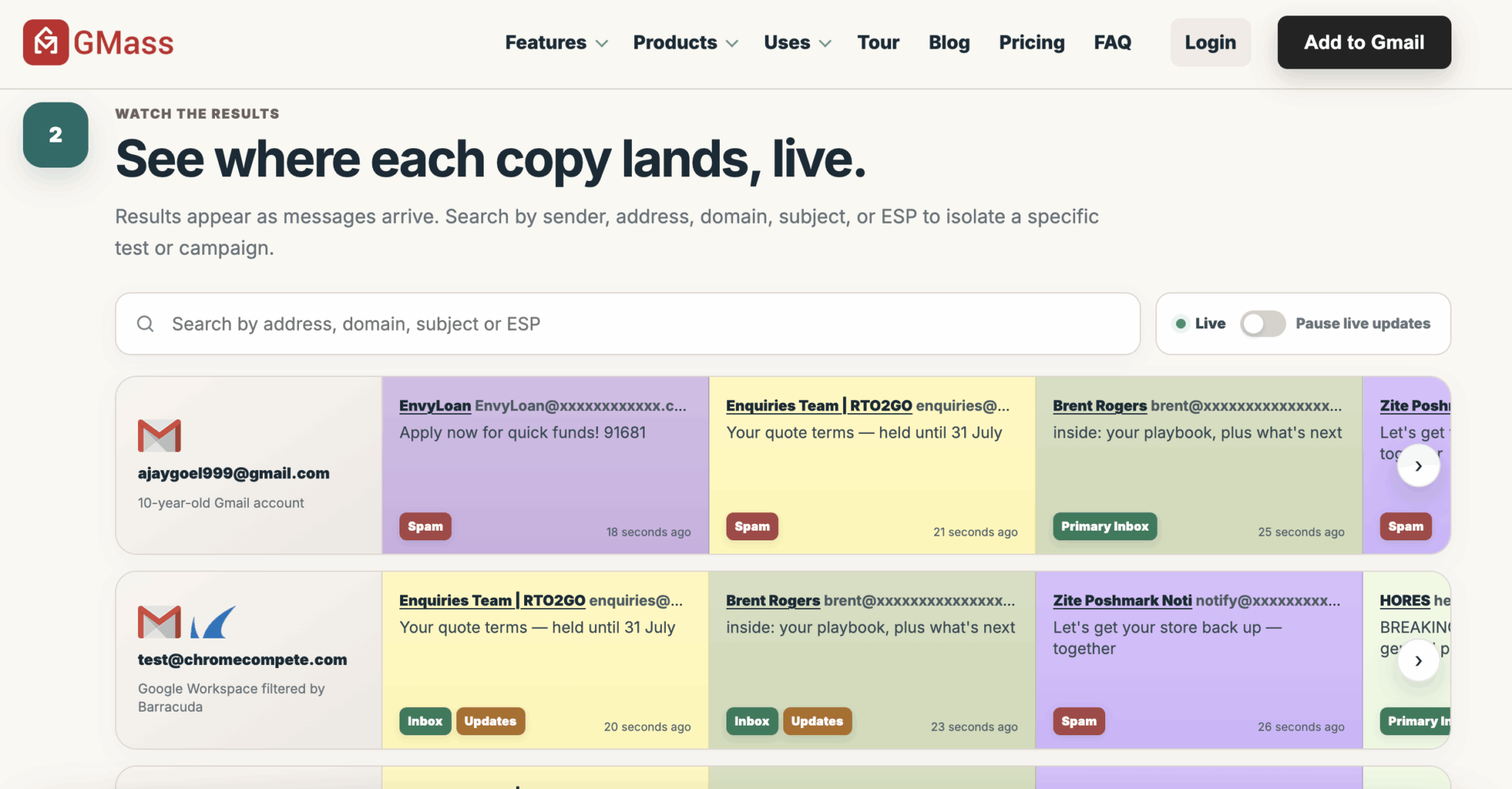
Very few testing tools simulate these gateways. Among those we’ve reviewed, GlockApps routes your emails through Proofpoint and Barracuda filters, and the free GMass tester includes Google Workspace accounts protected by Barracuda, Mimecast, or Sophos.
How to Identify Your Target’s Email Service in Two Minutes
No paid tool required.
The method consists of four steps:
- Select 20 to 50 domains that are representative of your file.
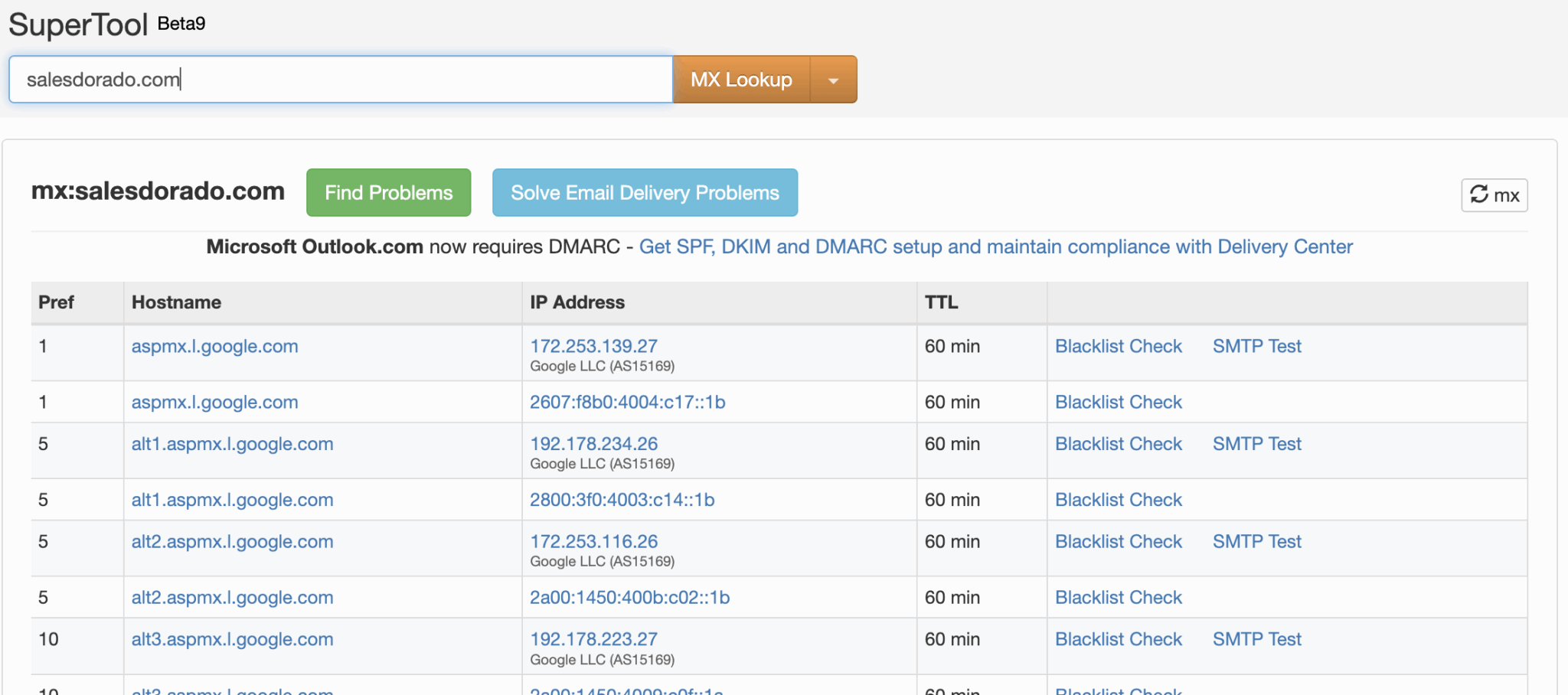
- Enter each one into a free MX lookup tool, such as the “MX Lookup” feature in MXToolbox’s SuperTool.
- Compare the server displayed with the table below.
- Calculate the percentage for each environment: this will guide your choice of testing tool.
| The MX server contains | The email arrives at |
|---|---|
| mail.protection.outlook.com or mx.microsoft | Microsoft 365 |
| aspmx.l.google.com, googlemail.com, or smtp.google.com | Google Workspace |
| pphosted.com | Proofpoint |
| mimecast.com | Mimecast |
| iphmx.com | Cisco Secure Email |
| barracudanetworks.com | Barracuda |
| trendmicro | Trend Micro |
| sophos.com | Sophos |
| hornetsecurity.com or antispameurope.com | Hornetsecurity or Vade |
| mail.ovh.net | OVHcloud |
| gandi.net | Gandi |
: Tailor your tests to your contact list. If 40% of your target accounts use Proofpoint, your delivery test should include this filter, supplemented by an actual send to a few clients who have it enabled. A good score on consumer email accounts will never make up for a blind spot in your primary target audience.
Test deliverability for free: the kit that’s often all you need
Most of the checks are free. However, you still need to set up the tools. Badsender, which supported more than twenty organizations in 2025, notes in its summary of deliverability recommendations from its 2025 projects that several of these engagements began with the implementation of Google Postmaster Tools and Microsoft SNDS.
These tools simply weren’t configured.
| Free Tool | What it teaches you | What it doesn’t see |
|---|---|---|
| Mail-tester | A score out of 10 that summarizes authentication and content, with three free tests per day | Rankings by provider |
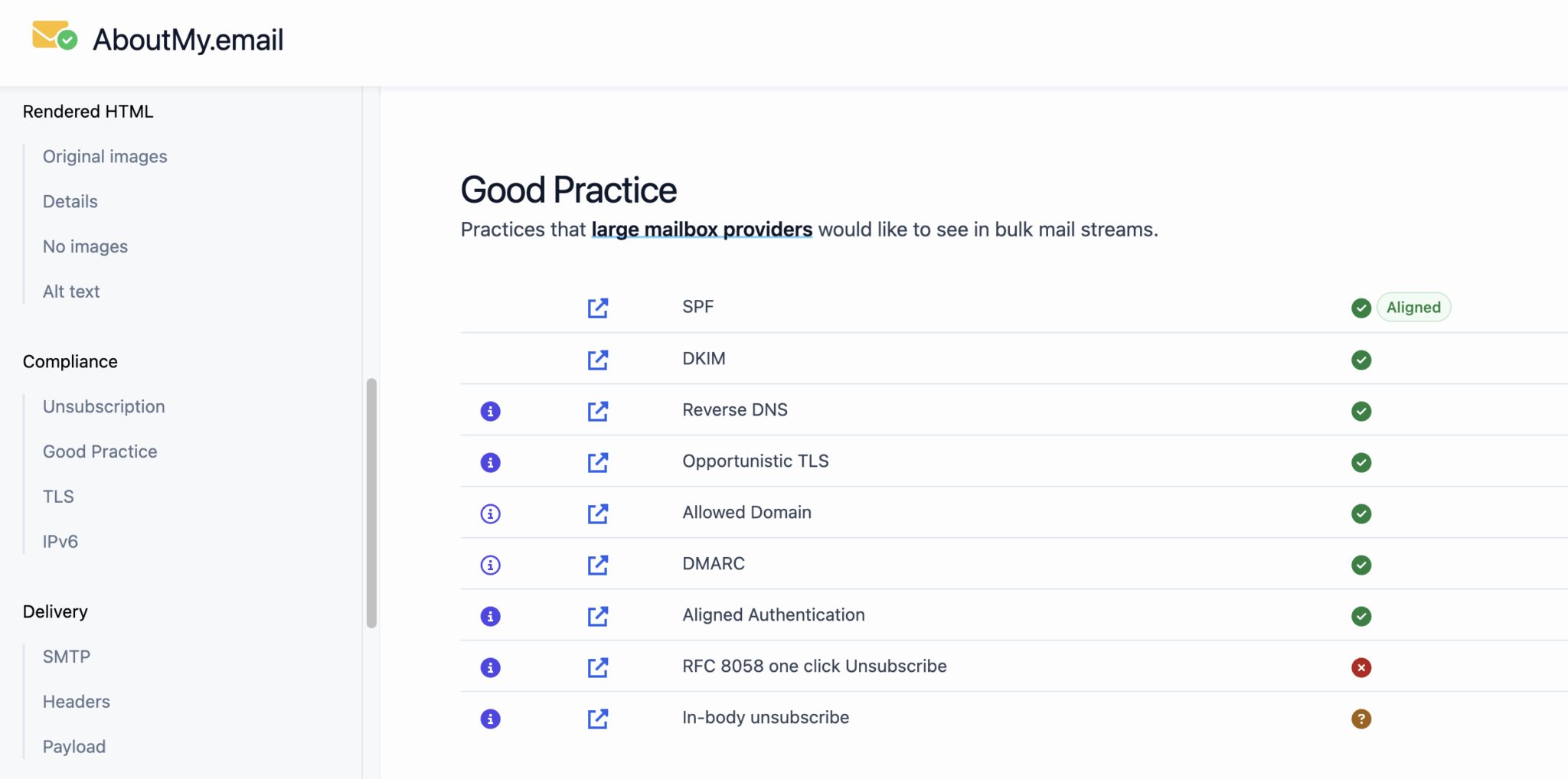
| aboutmy.email | A detailed report on authentication and compliance with best practices | Placement and reputation |
| MXToolbox | Your DNS records (SPF, DKIM, DMARC) and your blacklist status | The content of your emails |
| Barracuda Reputation Lookup | If your IP address is on Barracuda’s blocklist | Other gateways |
| Heatwave (Validity) | If your domain is flagged for artificial warm-up | Everything else: this is a blocklist, not a test |
| GMass Tester | Deployment across 15 Google mailboxes, including Google Workspace accounts filtered by gateways such as Barracuda or Mimecast | Microsoft 365 and Proofpoint |
| Google Postmaster Tools | Complaints, Compliance, and Delivery Errors in Gmail | Recipients on Google Workspace |
As for paid tools, most providers offer free trials: two credits at GlockApps, three placement tests per month at Unspam, three trials per 24 hours on the MailReach test, and ten tests with anti-spam filters at EmailGuard. ZeroBounce, which we’ve reviewed in detail, has added a free delivery test to its email address verification service.
Postmaster Tools: Essential, but Lacks Visibility on Google Workspace
Postmaster Tools remains the only direct access to Gmail data regarding your mailings, including complaints and delivery errors. Version 2 adds a sender compliance dashboard and a diagnostic tool (“Deliverability Analysis”) that provides recommendations when your volume is too low, your messages fail to deliver, you exceed the complaint threshold, or your recipients aren’t engaging with your emails.
Four game-changers in B2B:
- It only covers consumer Gmail. The tables cover emails sent to personal Gmail accounts, and the FAQ on Gmail sender policies specifies that these policies do not apply to messages intended for Google Workspace. If you’re reaching out to scale-ups, the tool provides no insight into the majority of your mailings.
- Reputation tables are being phased out. Google announced on its page dedicated to the discontinuation of the old Postmaster Tools interface that it is removing domain and IP reputation tables, which were deemed difficult to act upon and sometimes misleading.
- A very low complaint rate isn’t always reassuring. Google explains that it may mean Gmail is already classifying a large portion of your messages as spam, where no one reports them.
- The thresholds are strict. Stay below 0.10% complaints and never reach 0.30%. Since November 2025, Gmail has been enforcing its rules more strictly, with temporary or permanent blocks. If you send more than about 5,000 messages per day to Gmail, you’ll be classified as a “bulk sender” for good.
Microsoft SNDS and Yahoo Sender Hub: Useful, but with Conditions
SNDS is Microsoft’s equivalent, with two limitations. It operates based on IP addresses and applies only to consumer email accounts—Outlook.com and Hotmail. As Al Iverson points out on Spam Resource, it’s therefore only useful with a dedicated IP address: on an IP shared by your ESP, data from all senders gets mixed together. He adds that a green status doesn’t prevent emails from ending up in the spam folder on Outlook.com.
Yahoo Sender Hub, launched in 2024, plays a similar role for Yahoo and AOL.
Starting in May 2025, Outlook.com will require SPF, DKIM, and DMARC for domains that send more than 5,000 emails per day to its consumer mailboxes, as detailed in Microsoft’s announcement regarding high-volume senders. Non-compliant messages are rejected with the error “550 5.7.515.” If you see this code in your bounce reports, start here.
Deliverability Testing Tools: Our Comparison for B2B
Six tools stand out for B2B use. We evaluated them based on one absolutely key criterion: real-world professional environments that have been thoroughly tested.
| Tool | Tested B2B Environments | Starting price | Free plan | Ideal for |
|---|---|---|---|---|
| #1 GlockApps | Office 365, G Suite, Microsoft EOP filters, Proofpoint, and Barracuda | $59/month with an annual commitment | 2 trial credits | Target large enterprises |
| #2 MailReach | Google Workspace and Office 365 email account network | $19.50 per mailbox/month, 20 credits included | 3 tests per 24 hours | Cold email |
| #3 EmailGuard | Filter list not published | $49/month for 300 tests | 10 tests with anti-spam filters | Multi-domain agencies |
| #4 Unspam | Mainly consumer email services | $9/month | 3 placement tests per month | Email marketing |
| #5 Mailgun Optimize | List of providers to check | $49/month for 25 tests | No | Technical teams |
| #6 Validity | Professional hosting providers and filtering gateways | By quote | No | Large senders |
#1 GlockApps: The Most Comprehensive Tool for Targeting Large Accounts
GlockApps is one of the most frequently cited email delivery testing tools, and EmailToolTester uses it for its own studies. Its strength in B2B lies in its targets: Exchange (Office 365) and G Suite are among its test mailboxes, and every email passes through five filters, including Microsoft EOP, Proofpoint, and Barracuda.
- Tests on Office 365 and G Suite, using leading enterprise filters
- Monitoring blacklists and DMARC reports in a single tool
- API available starting with the free plan; integration with Postmaster Tools on higher-tier plans
- With the Enterprise plan, add your own addresses to the seed list—for example, a client’s address protected by Proofpoint
- Only one French internet service provider was tested: Laposte.net
- About 30 tests per month on the Essential plan, with one credit used for each test
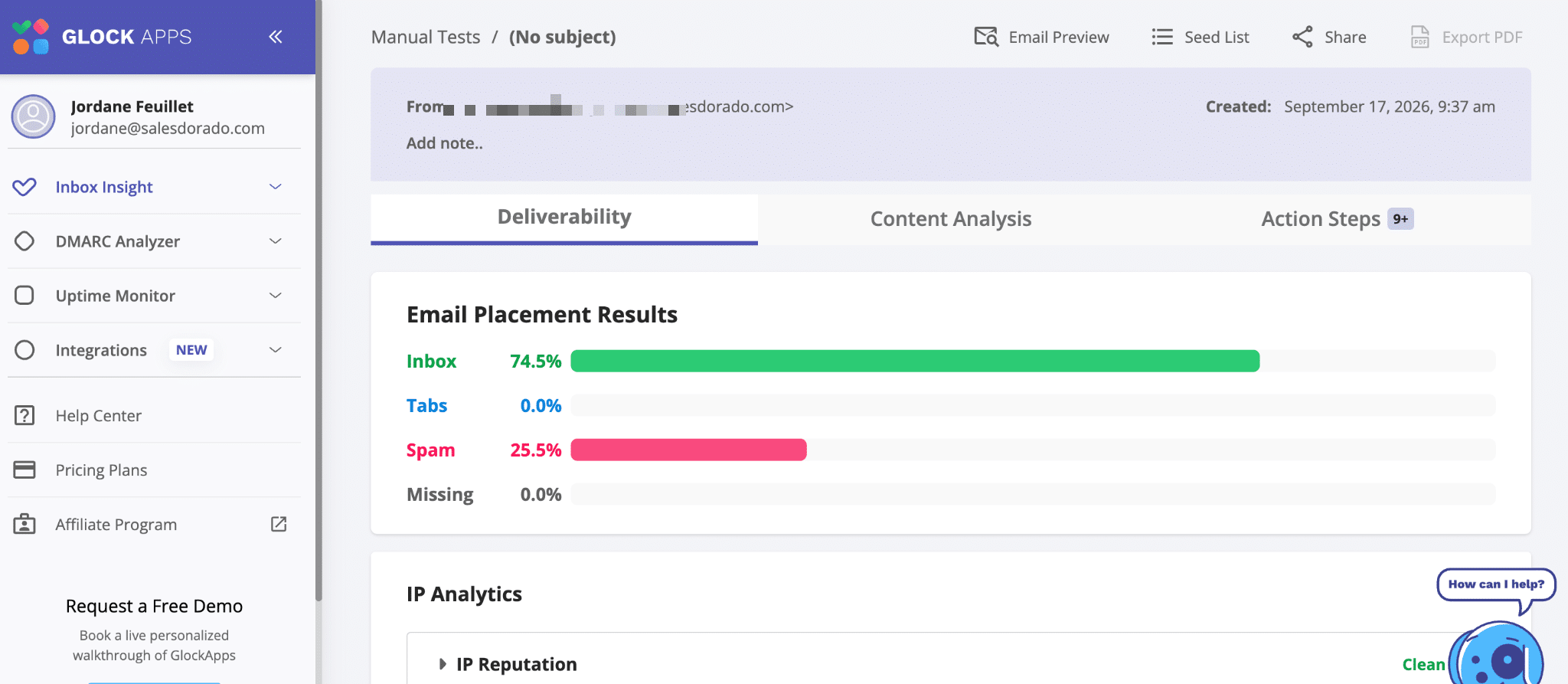
Pricing: Free plan with two credits, then the Essential plan at $59 per month with an annual commitment ($708 per year), or $85 without a commitment.
. GlockApps’ free offer includes two trial credits—enough to test your positioning on Office 365 and G Suite before a major campaign.
#2 MailReach: Designed for business email accounts and cold emailing
MailReach combines two products: a warm-up tool and a placement test. Its network is based on Google Workspace and Office 365 email accounts—the two environments that matter most in B2B. This is its main advantage over tools focused on consumer email services.
- Ideal if you’re sending out emails from multiple mailboxes and want to review each campaign before launching it.
- Less suitable if your target accounts are protected by gateways: the provider does not highlight testing on Proofpoint or Mimecast.
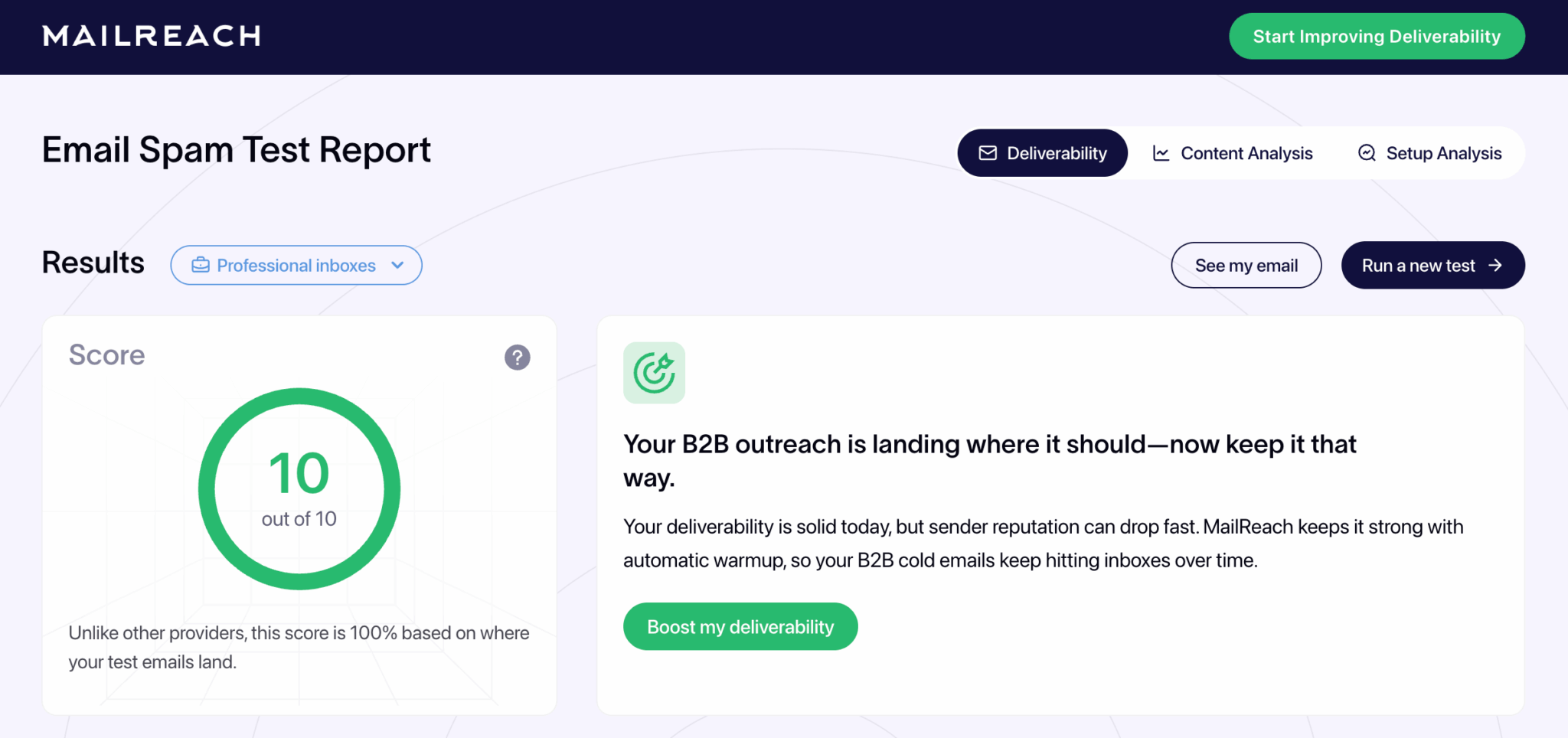
Pricing: The test is free for up to three trials per 24 hours. The All-in-One offer, including the warm-up, costs $25 per box per month with 20 test credits. Credits can also be purchased separately. Its warm-up module operates on a different model, which we will discuss later.
MailReach’s placement test is free, limited to three attempts per 24 hours, on a network of Google Workspace and Office 365 mailboxes.
#3 EmailGuard: Test volumes designed for agencies
EmailGuard is designed for teams that manage a large number of sending domains. The tool combines one-time or scheduled deliverability tests with blacklist monitoring and DMARC reports.
Its appeal lies mainly in its size:
- Free offer: one domain, ten tests with anti-spam filters, and unlimited DMARC monitoring
- Pro, at $49 per month: 300 deliverability tests, 25 domains, and 100 sender accounts
- Business, $129 per month: 500 deliverability tests
- Agency, $199 per month: 1,500 deliverability tests
One limitation: We couldn’t find a public list of the filters used. During the trial, make sure your target environments are fully covered.
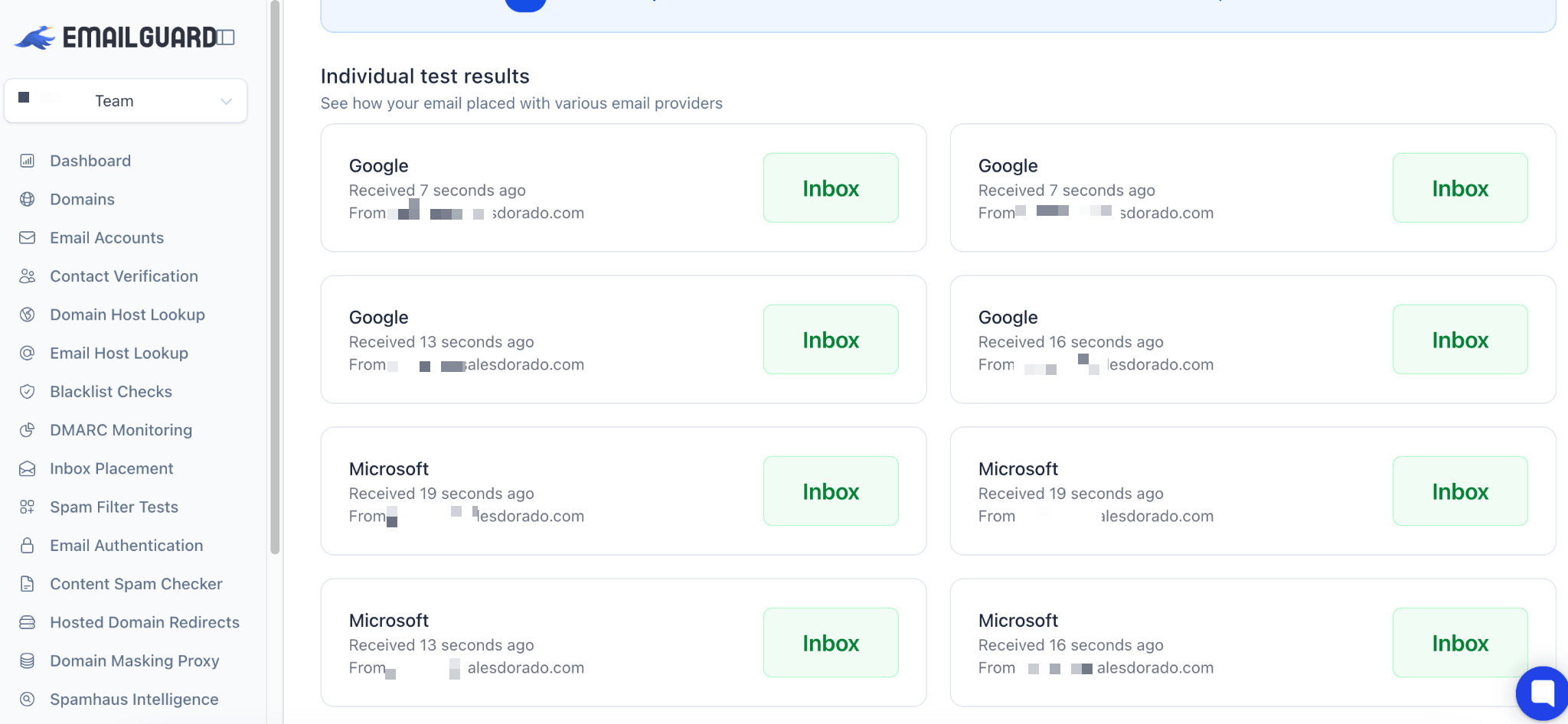
The EmailGuard free plan covers one domain, with ten email scans and unlimited DMARC monitoring.
#4 Unspam: The Best Value for Email Marketing
Unspam combines an anti-spam score, deliverability testing, email client previews, and an AI-generated heat map all in a single subscription. It’s the most affordable tool in our selection: free for up to 10 placement tests per month and $19.30 for 50 tests.
Its limitation in the B2B sector lies in its supported destinations: Gmail, Outlook, Yahoo, Zoho, ProtonMail, AOL, GMX, and Amazon WorkMail. There is no indication that it has been tested with Microsoft 365 in a corporate environment or with a gateway. For a newsletter or a mixed email list, it’s an excellent choice. For prospecting large accounts, however, it’s not sufficient.
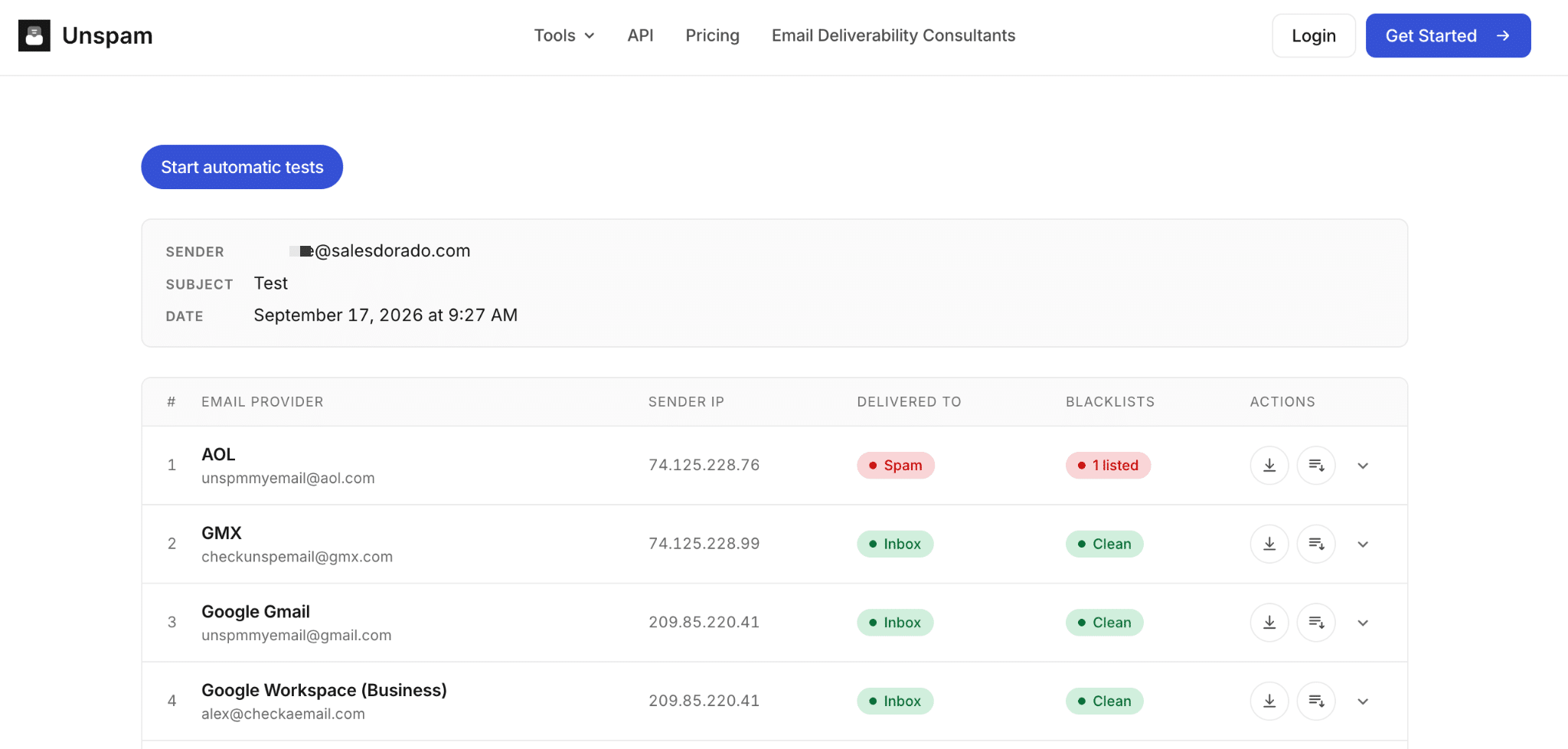
Unspam’s free offer includes three placement tests and ten anti-spam scans, renewed each month.
#5 Mailgun Optimize: Placement Tests Independent of Your ESP
Mailgun, which is owned by Sinch, is best known as an email delivery service. However, its Optimize suite can be used with any ESP. The Pilot plan starts at $49 per month for 25 deliverability tests, including address validation and email previews. The Starter plan increases to 50 tests for $99 and adds blacklist monitoring as well as integration with Postmaster Tools.
Its tests do not distinguish between Gmail’s “Main” tab and “Promotions” tab. A minor detail for a transactional email. A real limitation for a newsletter.
The Mailgun Optimize suite works with any email sending tool, starting at $49 per month.
#6 Validity: The Go-To Choice for Large Email Senders, by Quote
Validity is the leading provider for large email senders. Its seed lists cover hundreds of email providers and anti-spam filters worldwide, and its annual benchmark is based on this data.
For B2B, EmailToolTester highlights two key strengths of its Everest platform:
- Tests can include professional email service providers and filtering tools.
- A dedicated feature weights the tests based on the email providers present in your list—exactly the approach we advocate in this article.
Validity also counts Orange among its partners, a useful point for shipments to the French market.
The price, however, is no longer public. Everest’s pricing page now redirects to a sales form, and Validity groups its offers, including Litmus, on its Engage platform. There are no free offers.
Validity is aimed at large shippers and operates on a quote basis: schedule a demonstration with their sales team.
What tool should I use to test deliverability based on my target audience?
The right tool depends less on your budget than on your recipients’ email providers.
Here are our recommendations, broken down by scenario.
| Your target audience or use case | Top priorities to test | Our selection | Budget |
|---|---|---|---|
| Scale-ups and SaaS providers | Google Workspace | GMass Tester, MailReach | Free to $19.50 per sending account |
| SMEs | Allocation to be determined using the MX method | GlockApps (free plan, then Essential) | Free to $59 per month |
| Large Accounts | Gateways (Proofpoint, Mimecast) and Microsoft 365 | GlockApps or Validity, plus an actual email campaign to equipped contacts | $59 per month or upon request |
| Multi-domain cold email | Each outbox, continuously | EmailGuard, MailReach, and SmartDelivery for Smartlead users | Starting at $19.50 per mailbox or $49 per month |
| Newsletters and Email Marketing | Consumer email services and French internet service providers | Unspam, GlockApps | Starting at $9 per month |
| Transactional emails | Technical Compliance and Reputation | Mail-tester, aboutmy.email, Postmaster Tools, Mailgun Optimize | Free to $49 per month |
If you’re prospecting with Smartlead, its paid feature, SmartDelivery, adds placement tests directly within the tool (see our review of Smartlead). To compare the email marketing platforms themselves, check out our selectionof cold-emailing tools and our comparison of email marketing software, which includes Brevo.
When it comes to newsletters, neither GlockApps nor Unspam tests Orange or SFR. So keep an eye on these recipients in your router’s statistics, as recommended by Badsender. If you’re more concerned with how your emails appear than where they land, consider using tools designed to test how your emails render.
Warm-up and Deliverability: What the Heatwave List Changes
Warm-up and deliverability testing: two different functions
Many comparisons categorize warm-up tools as testing tools. This is a misunderstanding. A test measures. A warm-up takes action: it seeks to build a reputation by generating activity between mailboxes on a network.
We’ve tested several of these services, such as Warmy and lemwarm, lemlist’s warm-up tool. Email address verification is yet another specialized task: it prevents bounce-backs before sending, and we’ve dedicated a separate selection of tools to it.
Heatwave: How to Check That Your Domains Aren’t Flagged
On September 3, 2026, Validity launched Heatwave, a blocklist that targets the artificial warm-up of domains. According to its Heatwave launch announcement, more than one million domains are already on the list. The initiative targets services that generate fake messages, opens, clicks, and replies within networks of fake accounts—sometimes after registering domains similar to the client’s.
The signal is used or evaluated by Comcast, Proofpoint, Spamhaus, and SURBL. Proofpoint, in fact, is the first gateway in our analysis. Validity itself sells deliverability solutions, but the involvement of Spamhaus and SURBL—two leaders in the fight against spam—lends credibility to the initiative.
The check is free: enter your primary domain at lookup.validity.tools. According to Validity, the search may reveal related domains you didn’t know existed, since some providers register domains using a brand name without the company’s knowledge.
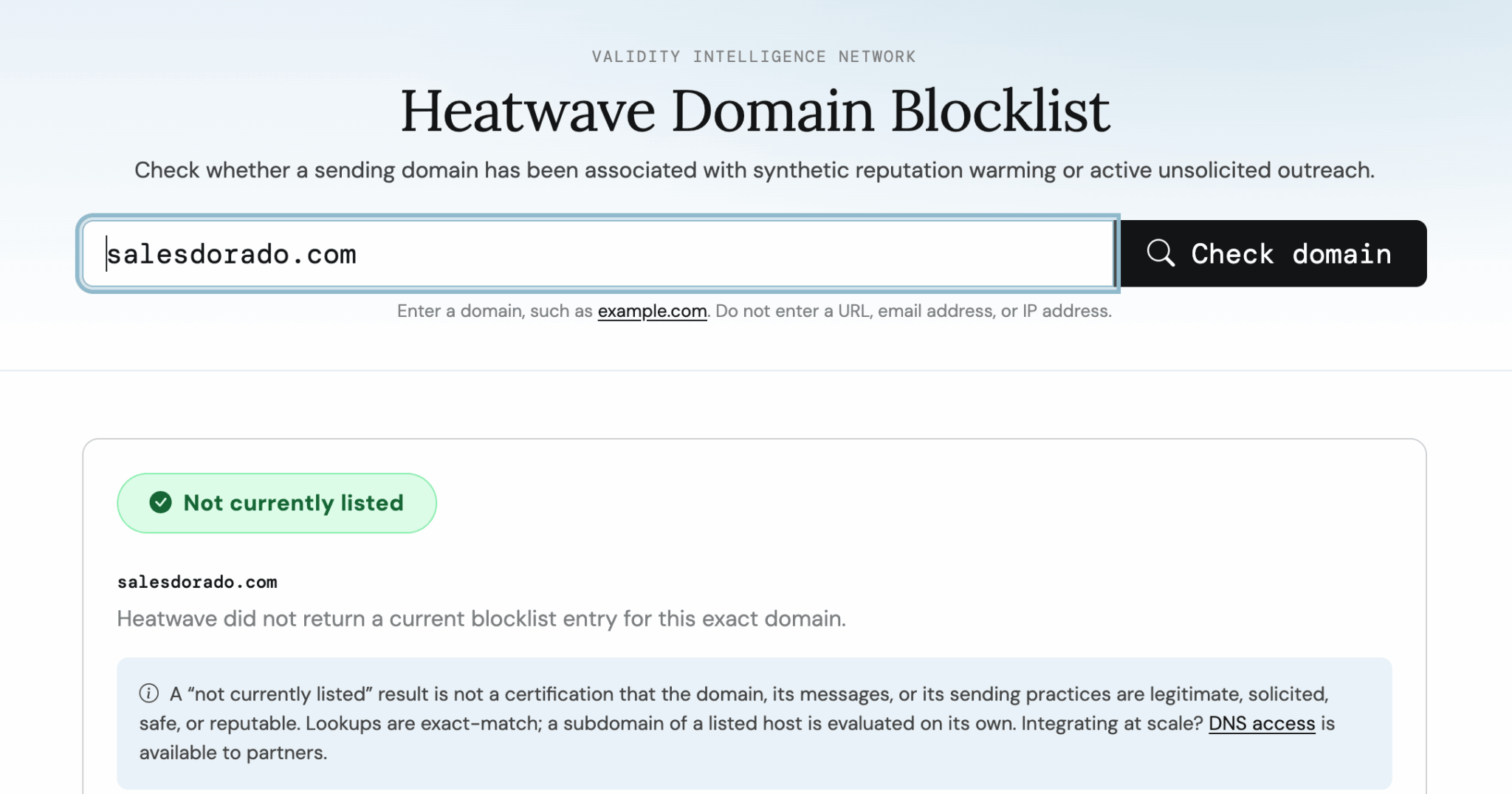
Validity’s press release targets practices, not brands: no specific tools are mentioned. If you use a warm-up service, ask them how they generate engagement and check your domains on Heatwave. A gradual ramp-up toward your most engaged contacts remains the safest method.
Testing Deliverability Before a Campaign: Our Protocol
Here is the process we recommend following before every major campaign:
- Check for technical compliance. Send your email to aboutmy.email or Mail-tester: SPF, DKIM, and DMARC must pass, and your marketing emails must include a one-click unsubscribe option.
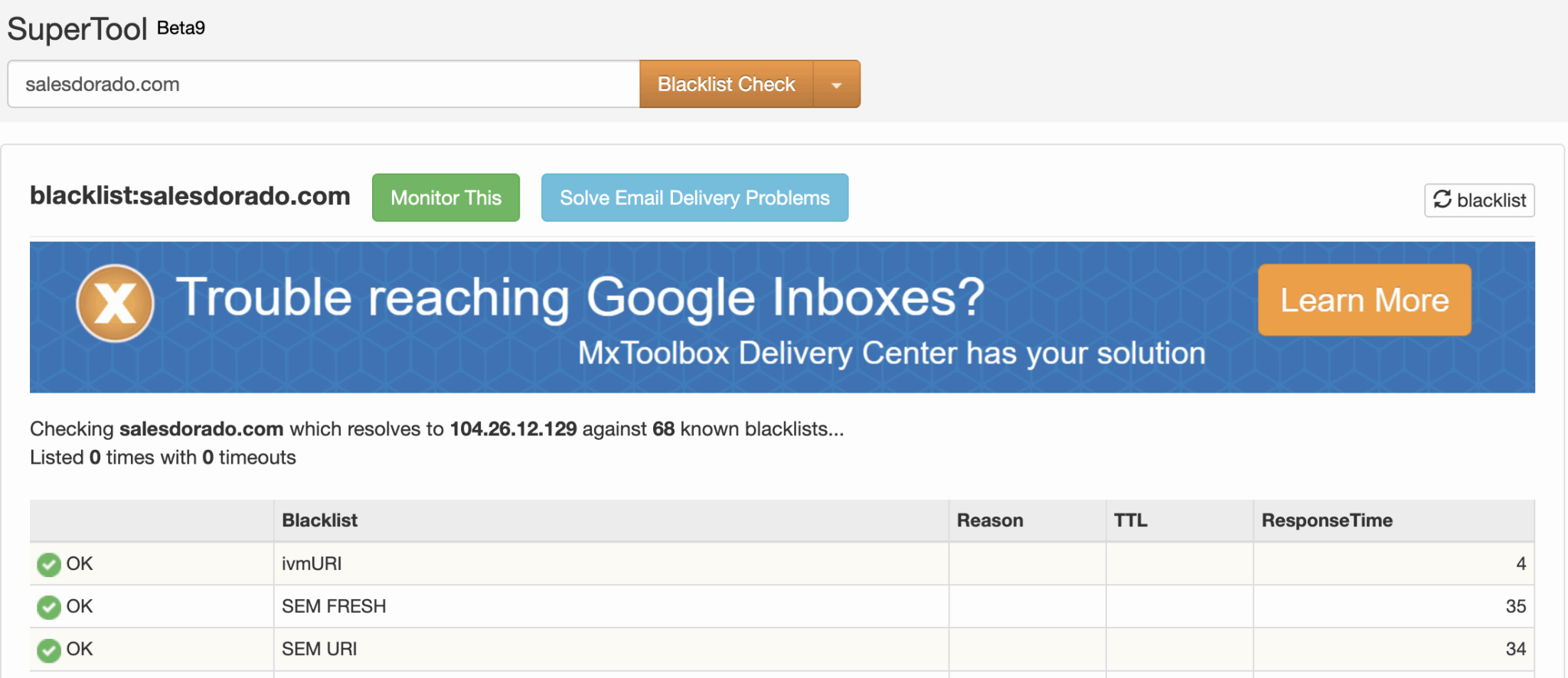
- Check blocklists. Run your IP and domain through MXToolbox and Barracuda, then run your primary domain through Heatwave.
- Identify your target’s email system. Apply the MX method to a sample of 20 to 50 domains from your file.
- Run a tailored delivery test. Choose the tool based on this distribution and send the test from your actual sending platform, using the same domain and template as the campaign.
- Add a real-world test. Include a few trusted contacts—customers or partners—who use Microsoft 365 or are protected by a gateway in the email. Ask them where the message landed.
- Increase your send volume gradually. Monitor Postmaster Tools (and SNDS if you have a dedicated IP) as well as rejection codes: “550 5.7.515” for Outlook.com, and the 4.7.x and 5.7.x series for Gmail.
- Base your assessment on reliable metrics. Responses and bounces matter more than opens, which are skewed in particular by Apple’s privacy settings.
Run a full test every time you add a new domain or a new sending tool. That’s often when problems arise.
Frequently Asked Questions About Deliverability Testing
What is the best free tool for testing deliverability?
No free tool covers everything. For technical compliance, Mail-tester and aboutmy.email are sufficient. For placement, the GMass tester is free and includes Google Workspace mailboxes protected by gateways. Add Google Postmaster Tools if some of your recipients use Gmail.
Is Mail-tester reliable for testing deliverability?
Yes, for what it measures: an email’s technical compliance and anti-spam score. No, for predicting placement. A 10/10 score doesn’t tell you whether your message will land in the inbox in Microsoft 365 or behind a gateway like Proofpoint. Use it as a prerequisite.
How can you test deliverability to Microsoft 365?
Choose a tool whose seed list includes Office 365 mailboxes, such as GlockApps or MailReach, and then follow up with a test email sent to a few contacts who have Office 365 accounts. Microsoft SNDS won’t help you with this target: it only covers consumer email accounts and can only be used with a dedicated IP address.
Does a placement test reflect reality?
Only partially. Test inboxes have no history of engagement with you, whereas Gmail and Microsoft also filter based on each recipient’s behavior. A placement test is a reliable warning sign for identifying a problem, not an accurate measure of what your prospects will see.