
The tool in detail
We use Pennylane every day for the company that publishes Salesdorado. We went back through each module in read-only mode, from the bank to e-invoicing, with figures blurred. Verdict: a very complete tool, provided your accountant plays along.
How did we test Pennylane?
We did not open Pennylane just for this review. It is the management and accounting software of the company that publishes Salesdorado, used every day, with a chartered accounting firm connected to it. For this test, we went back through each module one by one on November 26, 2026, like a user discovering the tool, and noted what each screen lets you do.
Since this is real data, we worked in read-only mode: no invoice created, no setting changed. On every screenshot, amounts, customer and supplier names, bank labels and charts are blurred. So you will see the interface as it is, without our figures.
What exactly is Pennylane?
Pennylane mixes three jobs you usually buy separately. Management software first: customer invoices, quotes, supplier invoices, expense reports, cash flow. Accounting software next, used by the accounting firm on the same data as you. And a bank, the Compte Pro, with an IBAN, cards and payment terminals.
The left-hand menu mirrors this split: Transactions, Compte Pro, Purchases, Sales, Steering and analytics, Accounting, Shared documents. At the bottom, the AI Assistant, the settings and subscription management. A global search (Shift + K) lets you jump from one screen to another.
The home page works as a dashboard: a drop zone for invoices and documents, the list of incomplete customer and supplier records, the key figures for the period (balance, cash in, cash out, invoiced revenue, purchases) and, on the right, an inbox where the accountant asks for supporting documents. You reply right there, attaching the file.
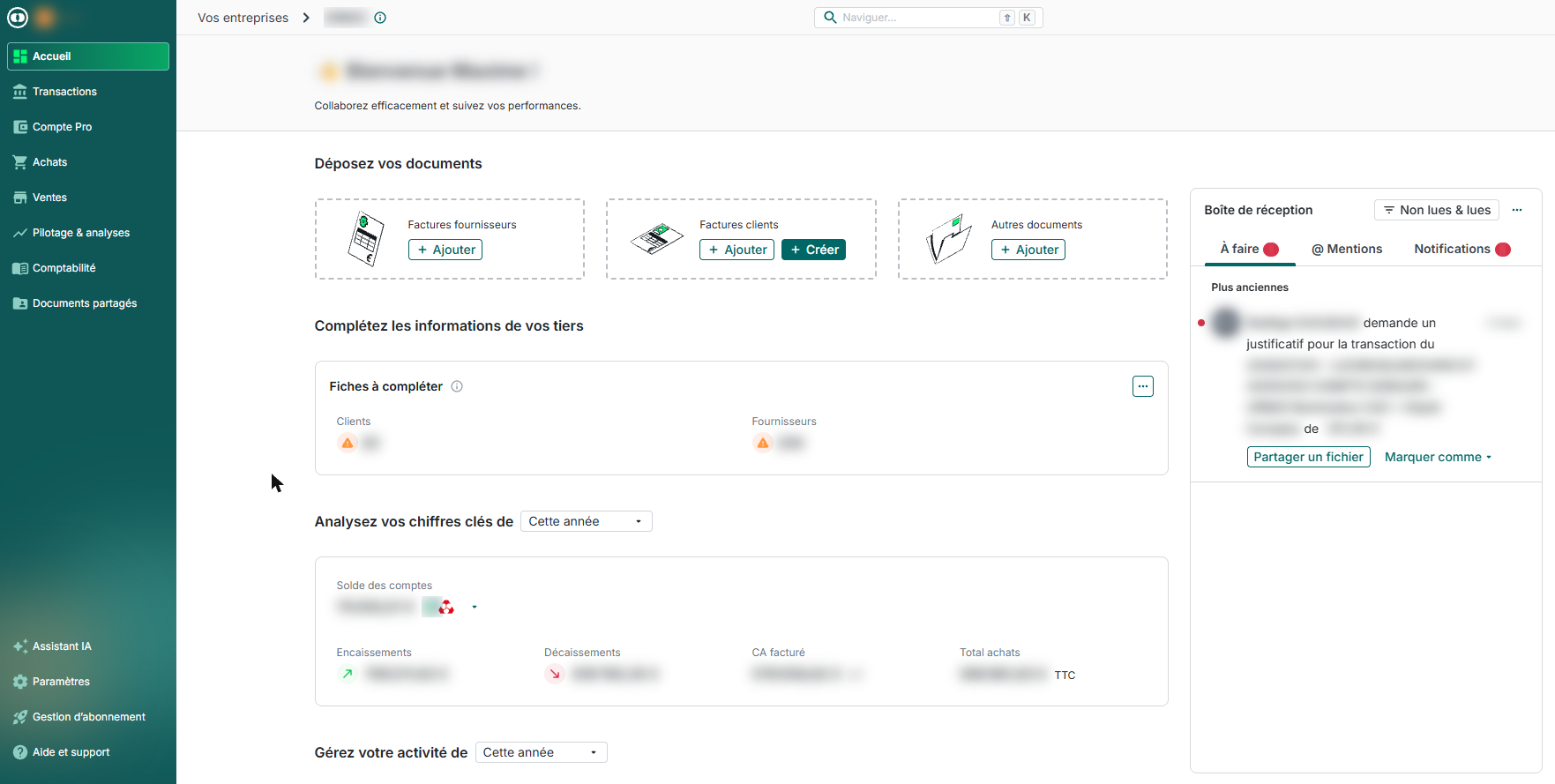
If you manage several companies, a holding and its subsidiary for example, Pennylane first opens on an overview: for each company, the number of transactions to justify, requests from the accountant and invoices to process. Company groups already exist. Consolidation and shared settings across companies are announced, not available yet.
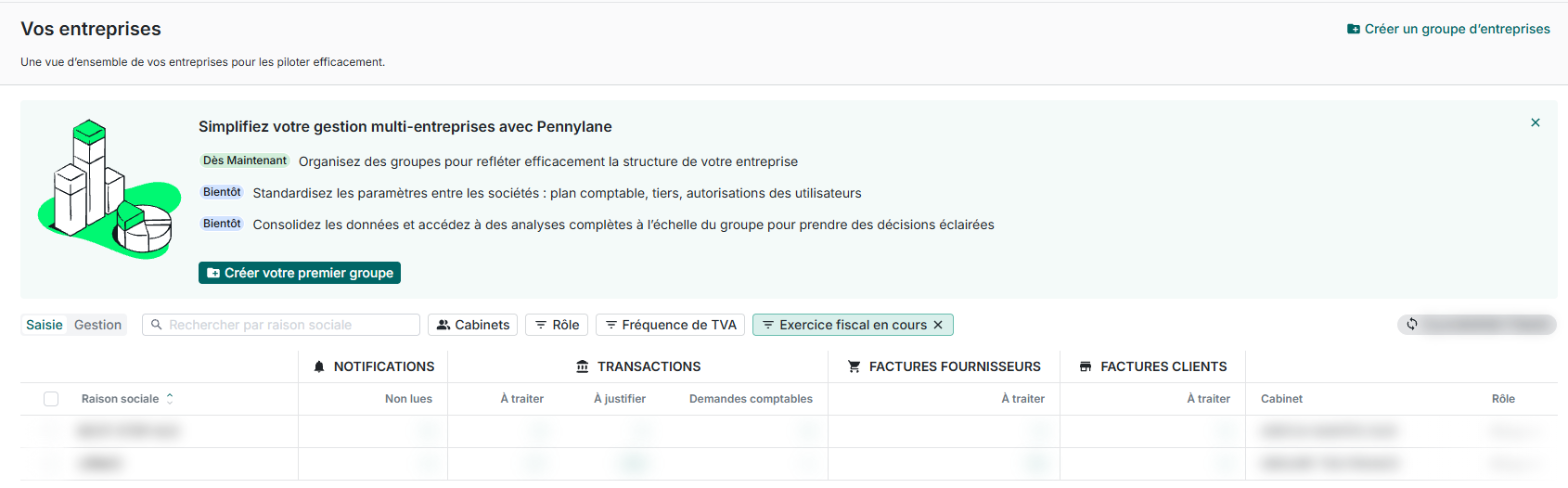
Bank transactions: where everything starts
Pennylane syncs with your bank accounts, and each transaction becomes a line to justify. The list can be filtered by status, period, amount, category, account, card, whether a receipt is attached, comment or duplicate. Four tabs split the work: all, unjustified, requests from the accountant, scheduled transactions.
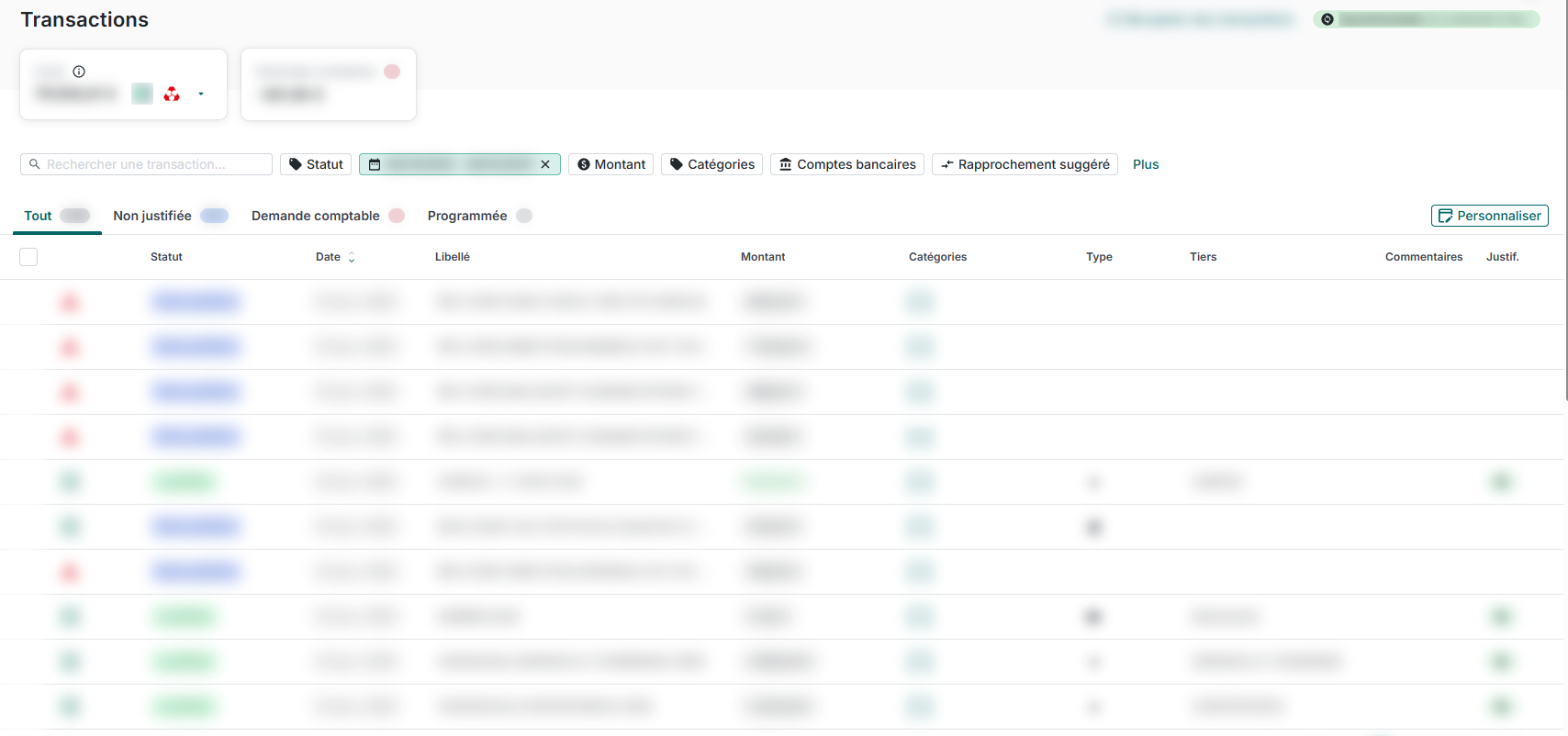
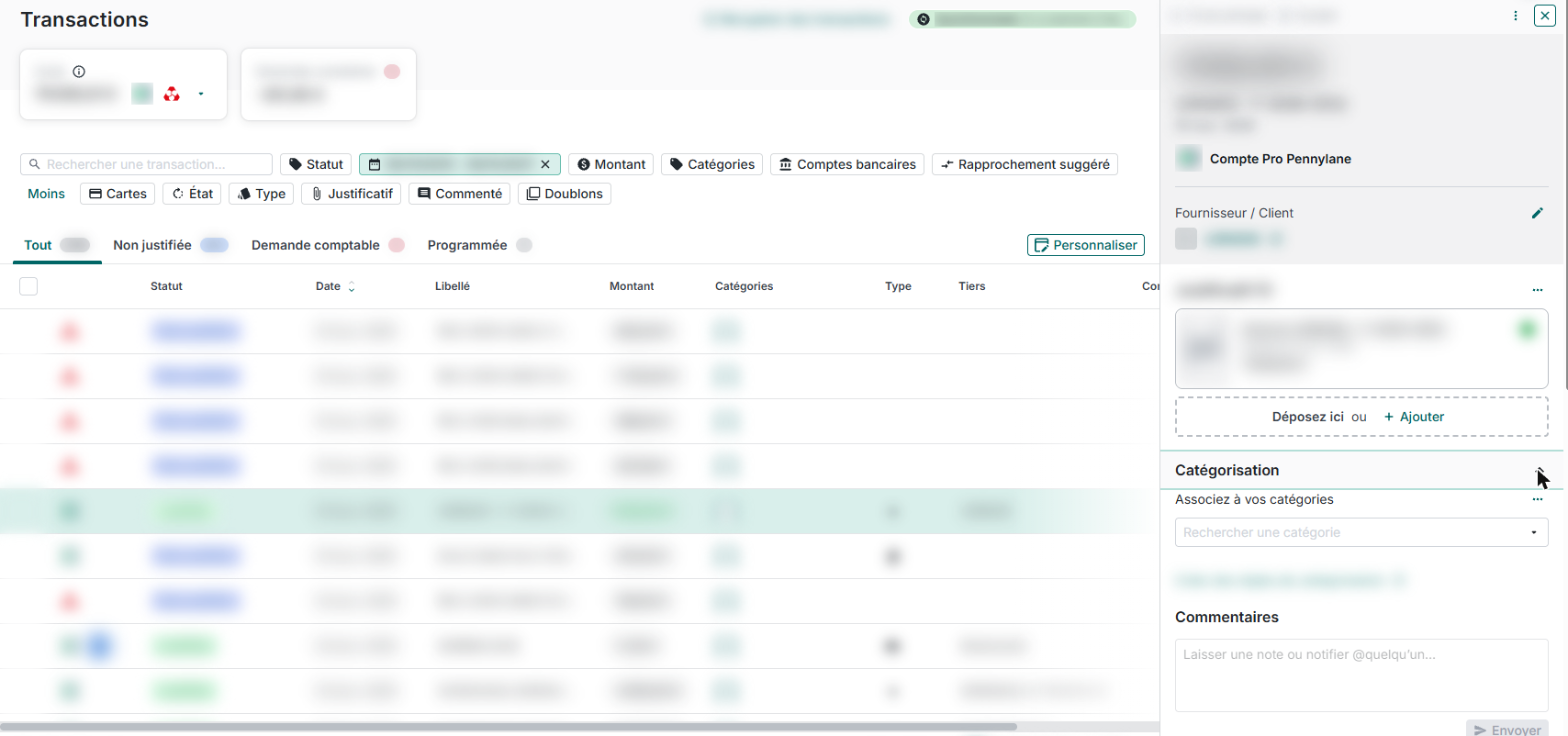
Clicking a transaction opens a side panel with the third party (customer or supplier), the attached receipt, the analytical categorization and a comment thread where you mention a colleague or the accountant with @. To justify, you drag the PDF into the panel. Pennylane also suggests matches when it finds the corresponding invoice, hence the “Suggested match” filter.
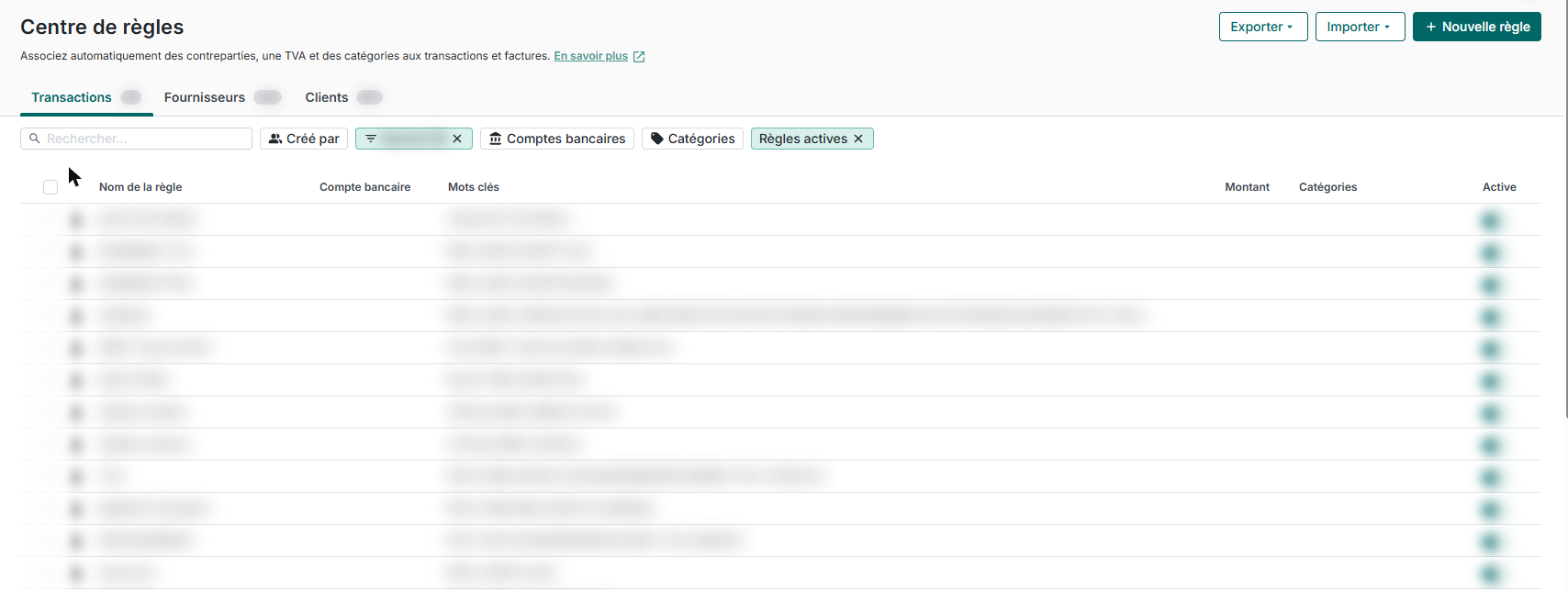
The time saved comes mostly from the rules center. A rule automatically assigns a third party, a VAT rate and categories to every transaction that contains a keyword, on a given account, optionally for a specific amount. Rules are created by hand, imported, exported, and Pennylane suggests some based on your habits. This is what lets recurring subscriptions and direct debits sort themselves without any intervention.
Purchase invoices and expense reports: hunting down receipts
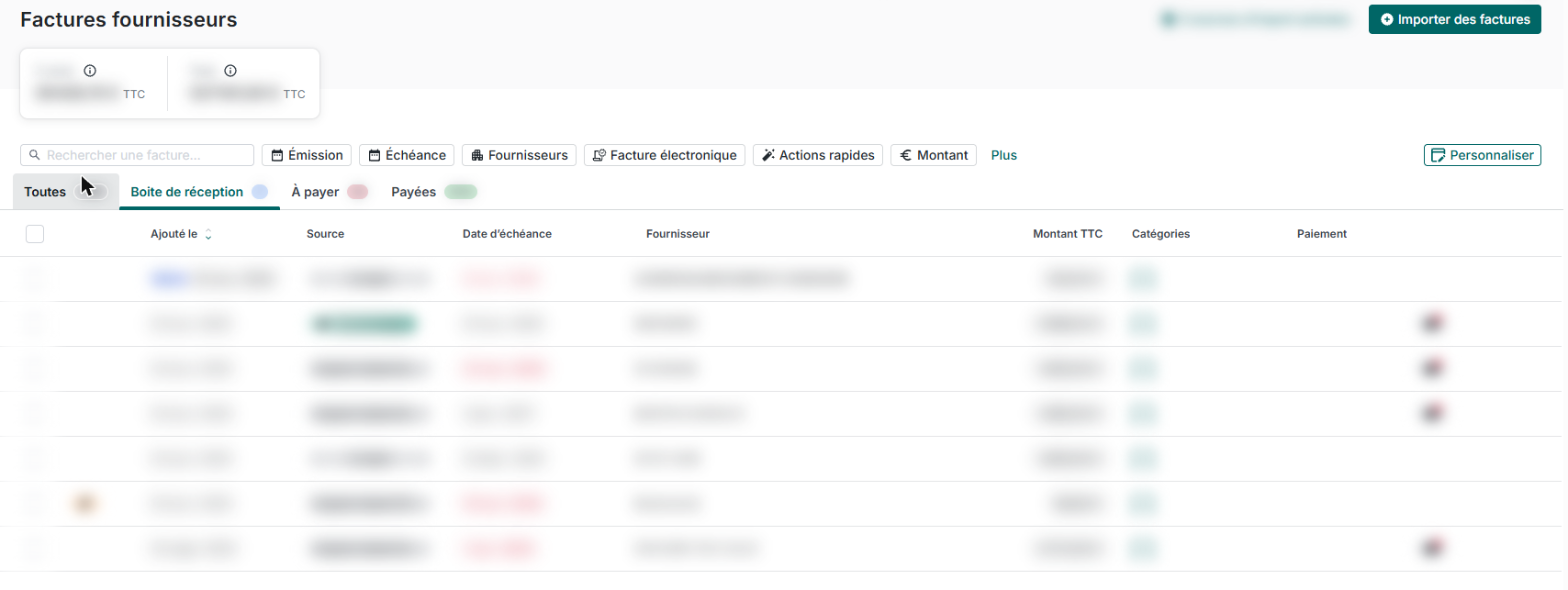
Supplier invoices land in an inbox, then move to “to pay” and “paid”. For each invoice: the date added, the source, the due date, the supplier, the amount, the categories and the payment status. The totals to pay and overdue are shown at the top of the page.
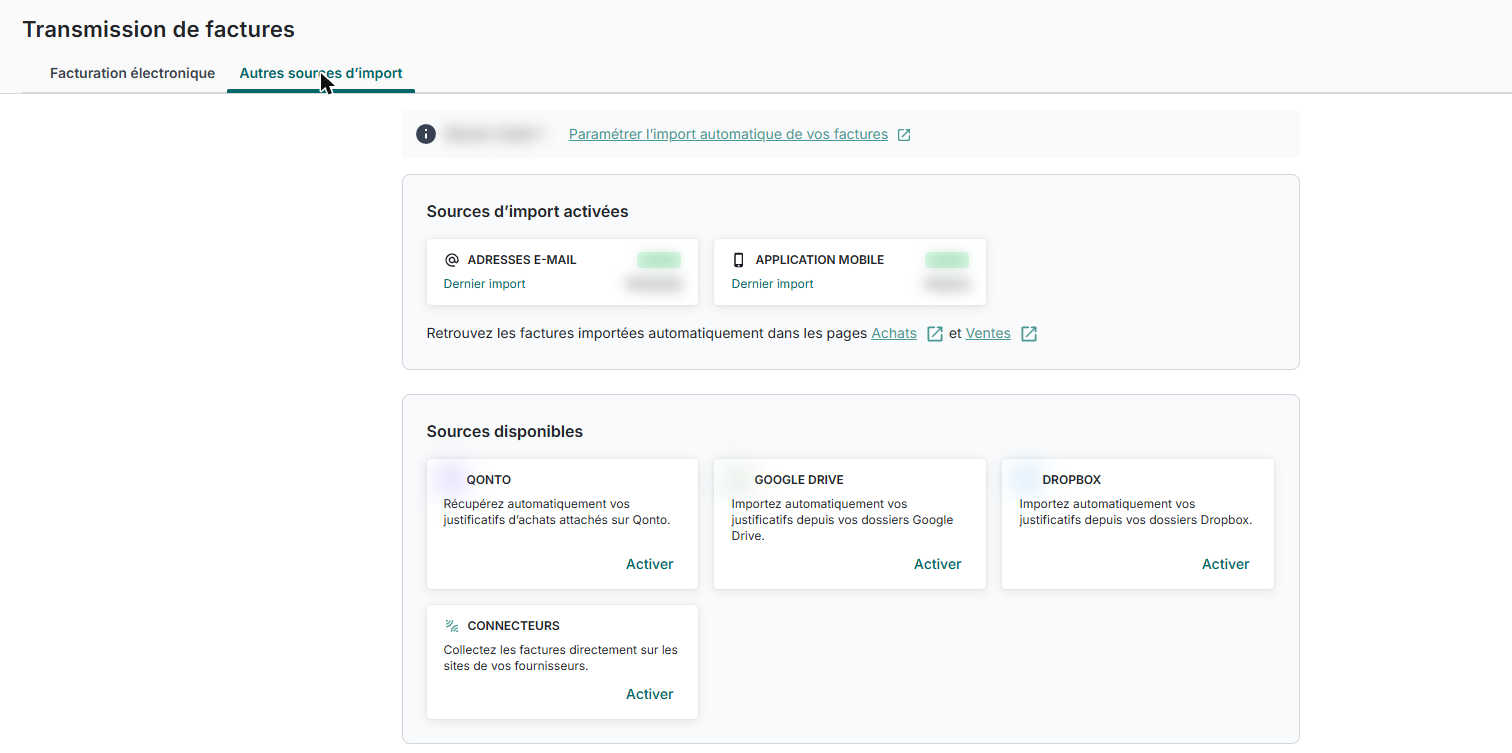
Collection is what makes the difference. Each company gets drop-off email addresses, the mobile app to photograph a receipt, and automatic sources: Qonto, Google Drive, Dropbox, and connectors that fetch invoices directly from suppliers’ websites. For a small team, it spares you the monthly “I’m missing your invoices” reminder.
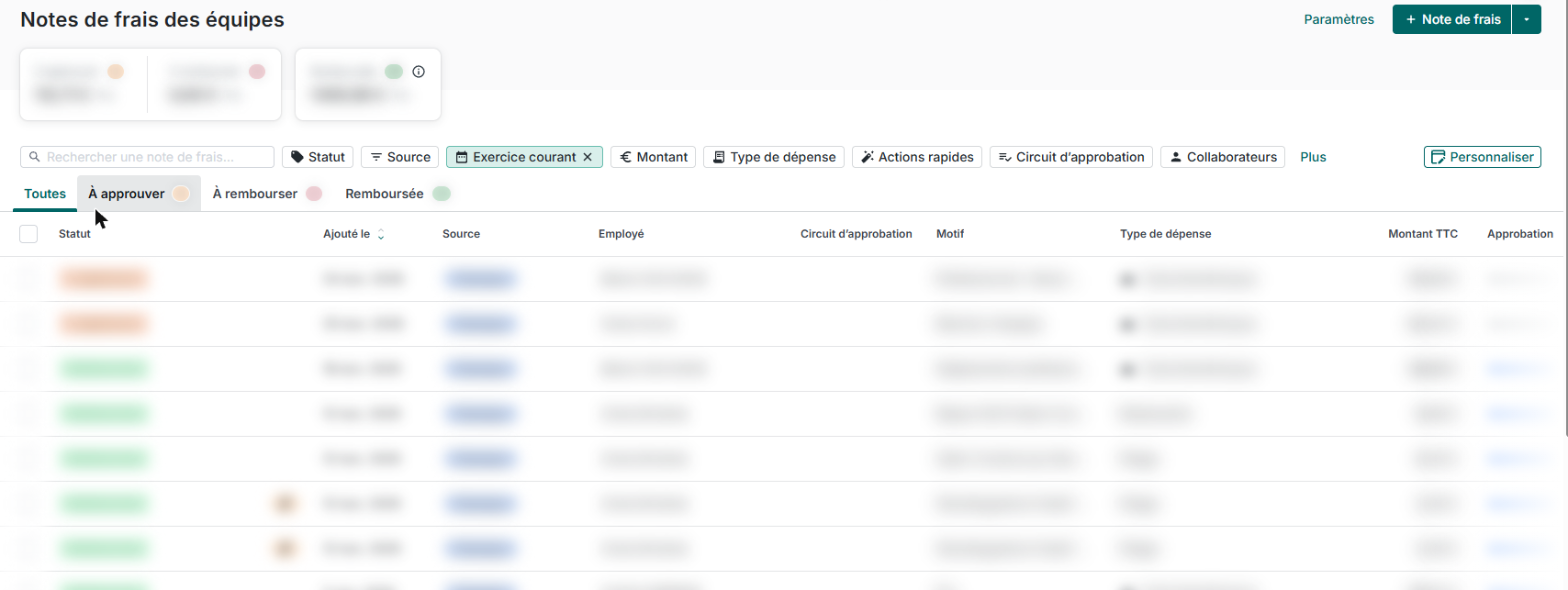
Employee expense reports follow the same path, with an approval workflow: to approve, to reimburse, reimbursed. You filter by employee, expense type or workflow. Purchase requests and payment requests round out the Purchases module for teams that want a spend approved before it happens.
Billing your customers: quotes, invoices, subscriptions, reminders
On the sales side, Pennylane covers the whole chain: products and services, quotes, invoices, commercial documents (deposits, purchase orders and delivery notes depending on the plan), customer payments. The invoice list shows sending, due date, amount outstanding and collection status, with upcoming, overdue, collected and partially collected tabs.
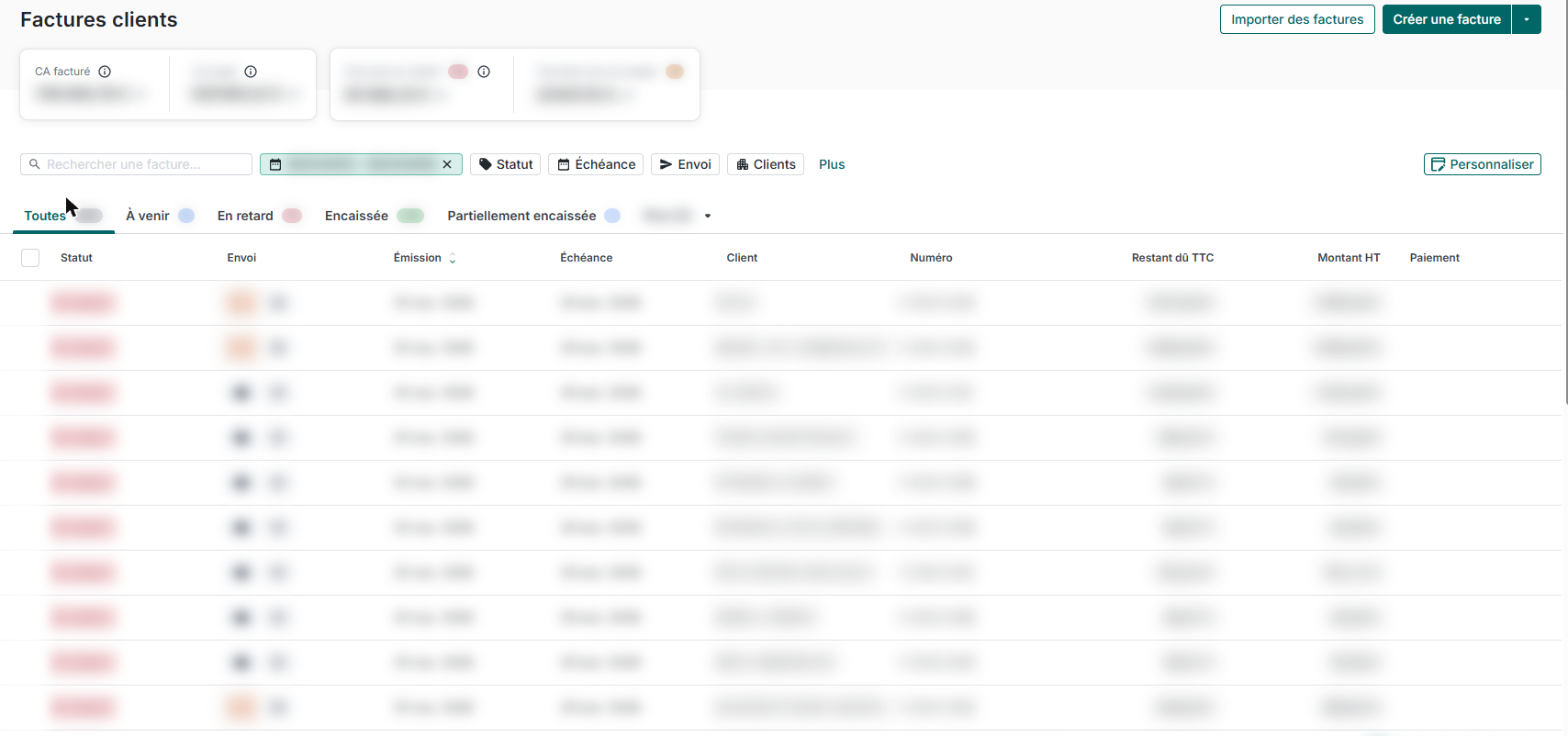
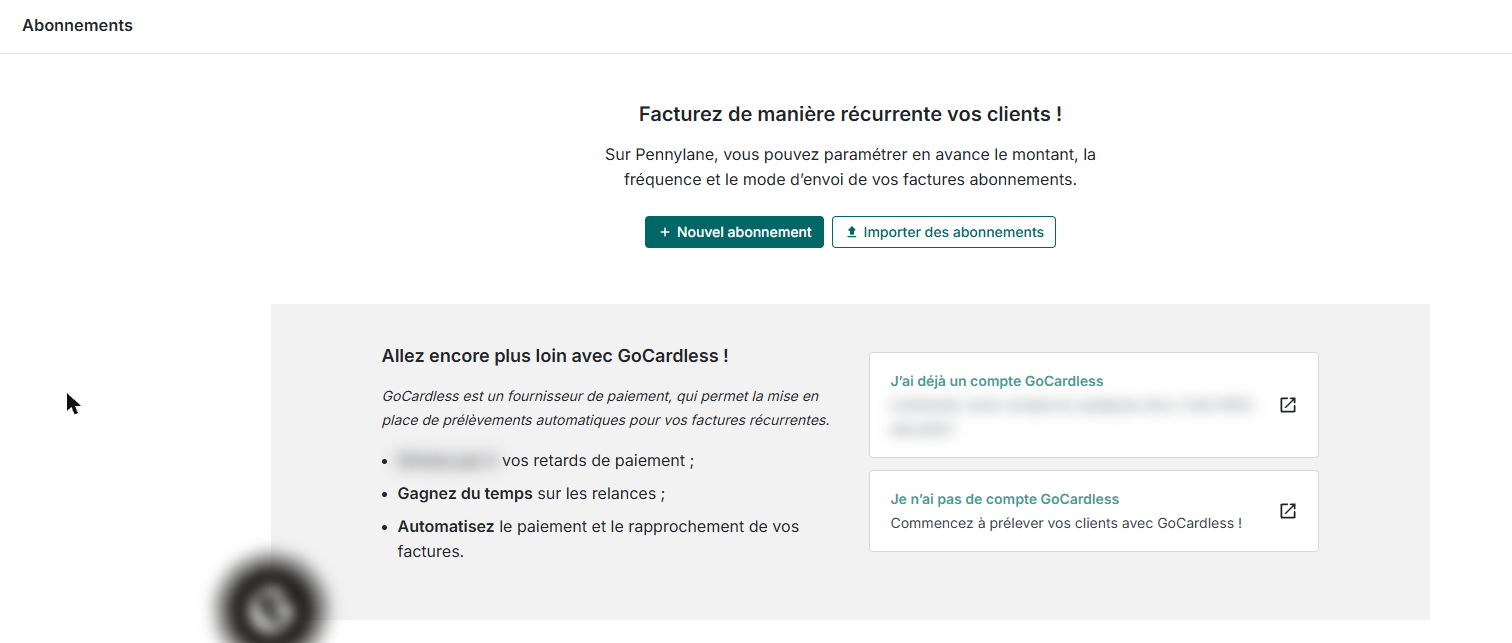
Two features are of particular interest to software publishers and fixed-fee service providers. Subscriptions, first: amount, frequency and sending method are set once, and the invoice goes out on its own every month. Paired with GoCardless, they also trigger the direct debit. Then payment reminders, automatic and customizable with templates. Be careful, they do not run by default: you have to turn them on, and they require the Essentiel plan.
E-invoicing: Pennylane is already a certified platform
This is a strong argument in 2026. Since September 1, 2026, every company subject to VAT in France must be able to receive electronic invoices, and SMEs, very small businesses and micro-enterprises will have to issue them from September 1, 2027. To do so, they must go through a platform certified by the tax authorities, a Plateforme Agréée (PA), the French certified e-invoicing platform status.
Pennylane is one. It appears on the official list of certified platforms published by impots.gouv.fr, with a registration issued on December 11, 2025. In the settings, you create one or more receiving addresses, for example one per site or per department, and a single switch is enough for issued invoices to go to the platform chosen by each customer. E-invoicing is included in every plan, at no extra cost.
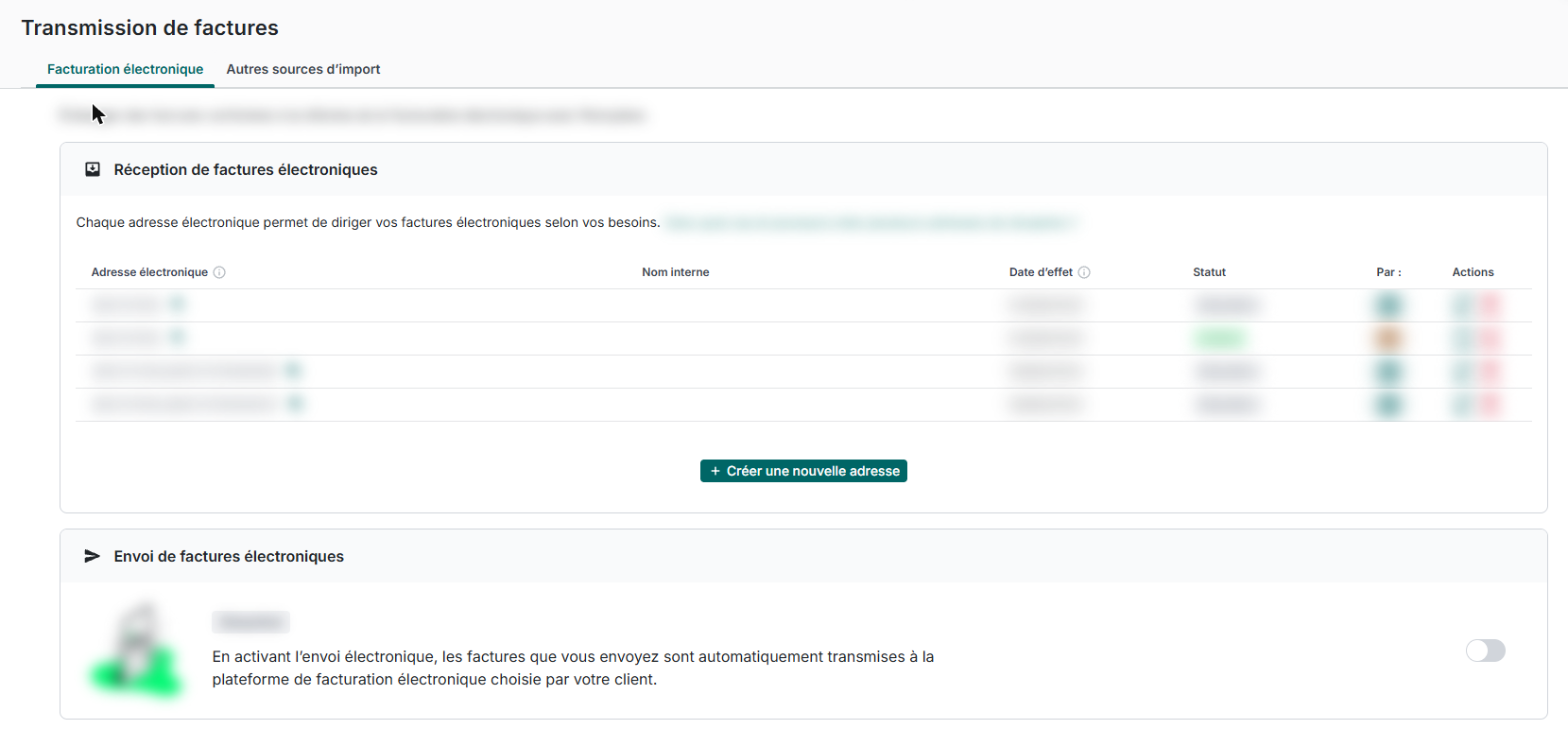
Salesdorado tipIf your accountant already works on Pennylane, the reform asks almost nothing of you: turn on receiving, check your addresses, and sending will plug in when the time comes. If you invoice elsewhere, ask your invoicing software publisher whether it is connected to a certified platform.
Cash flow and financial statements: the same books as your accounting firm
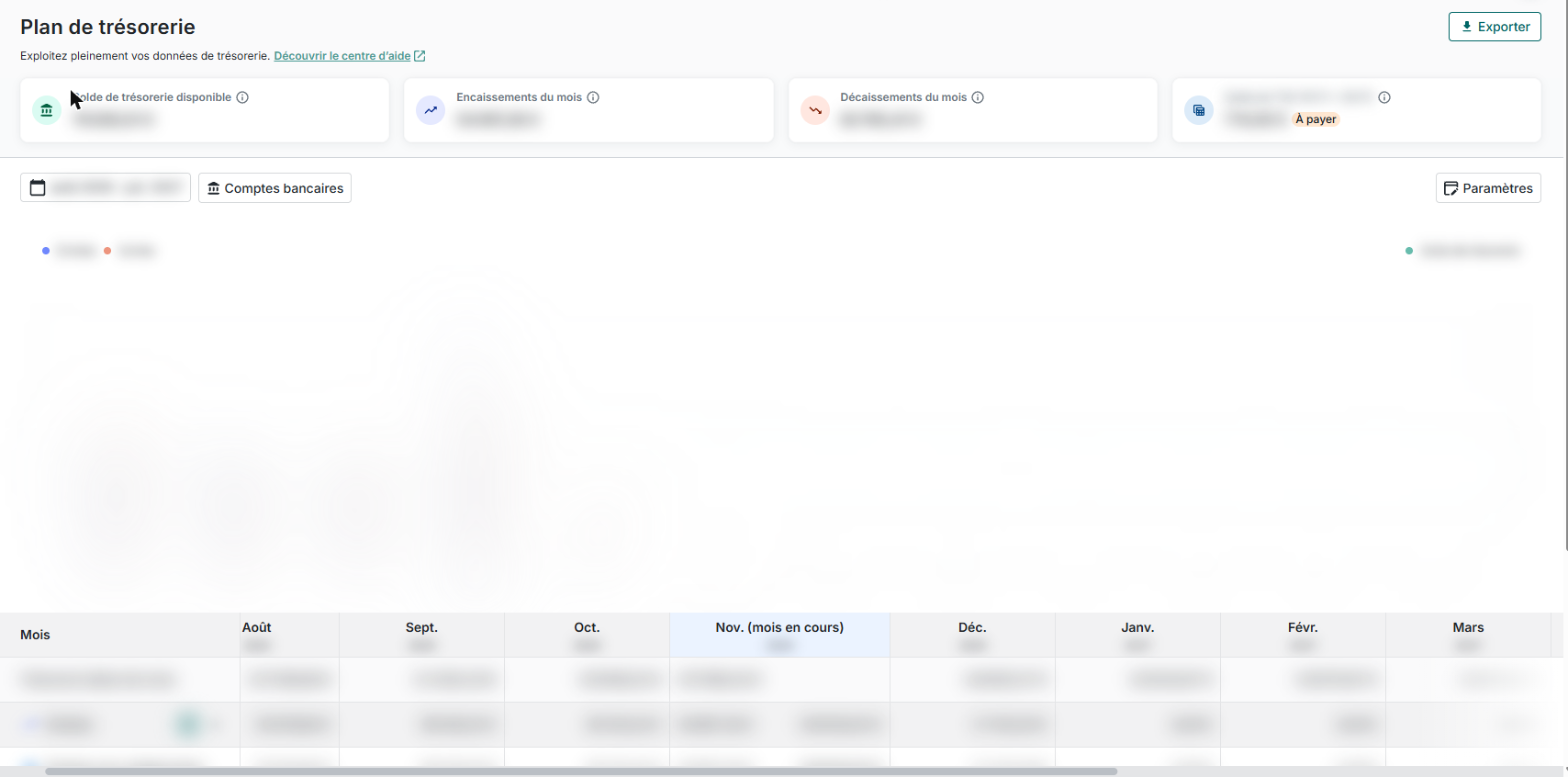
The cash flow plan shows a rolling twelve months, actual past figures and forecasts, with the available balance, the month’s cash in and cash out and the invoices to pay. The table below breaks down each month by category. You configure it, filter it by account and export it.
What sets Pennylane apart from a simple invoicing tool is that the business owner has access to the accounts themselves: general, customer, supplier and aged trial balances, journals, general ledger, balance sheet, income statement, intermediate management balances, balance sheet analysis, funding table, self-financing capacity. The income statement can be compared from one fiscal year to the next, in euros and as a percentage, and switches to analytical mode to cross line items with your categories.
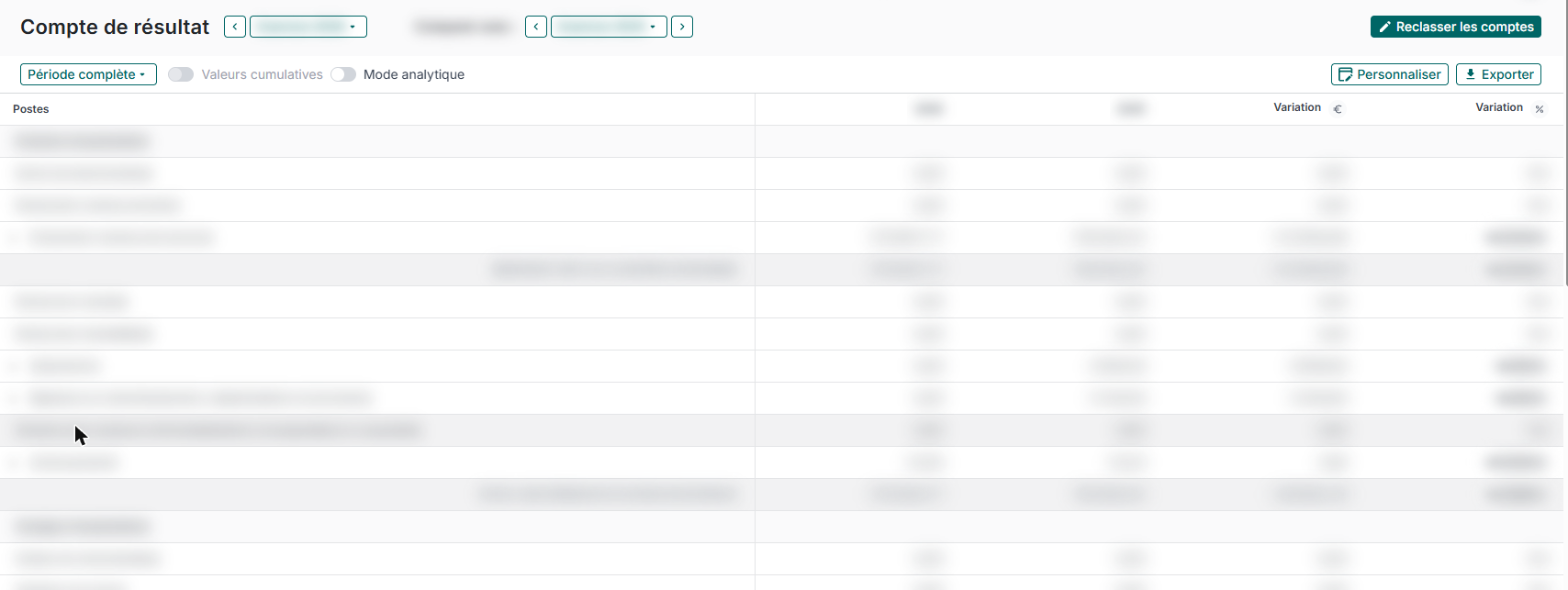
One drawback: the real-time dashboard, still in beta, shows nothing until the accounting firm has prepared the indicators. The rest of the reporting, on the other hand, works without it.
Working with your chartered accountant in Pennylane
Pennylane was designed so that the company and its accounting firm work on the same base. The accountant requests a receipt from a transaction, the request lands in the business owner’s inbox, and they reply by attaching the file. Documents that are not invoices, articles of association, repayment schedules or minutes of shareholder meetings, go through a shared document space, with the documents to send and the ones the firm has requested.
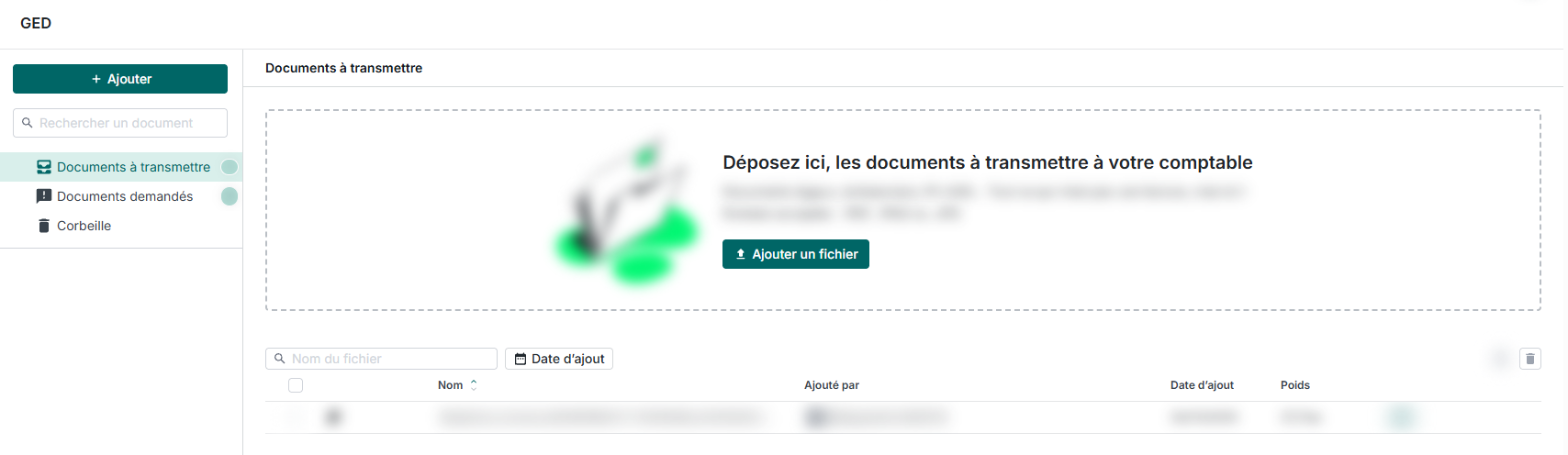
More than 7,500 accounting firms use Pennylane, according to the publisher. If yours is not one of them, you can still use Pennylane for management and give it access, but you lose part of the benefit. Note also that Pennylane is not an accounting firm: it does not keep your books for you.
The Compte Pro: a bank inside the software
The Compte Pro is a business account with a French IBAN, built into the software. Pennylane specifies that it is not a bank: the account is operated by Swan, an institution regulated by the ACPR (the French banking supervisor), and the funds are safeguarded at BNP Paribas. It is included in the subscription from the Starter plan, but not in the Collaboratif plan offered by some accounting firms.
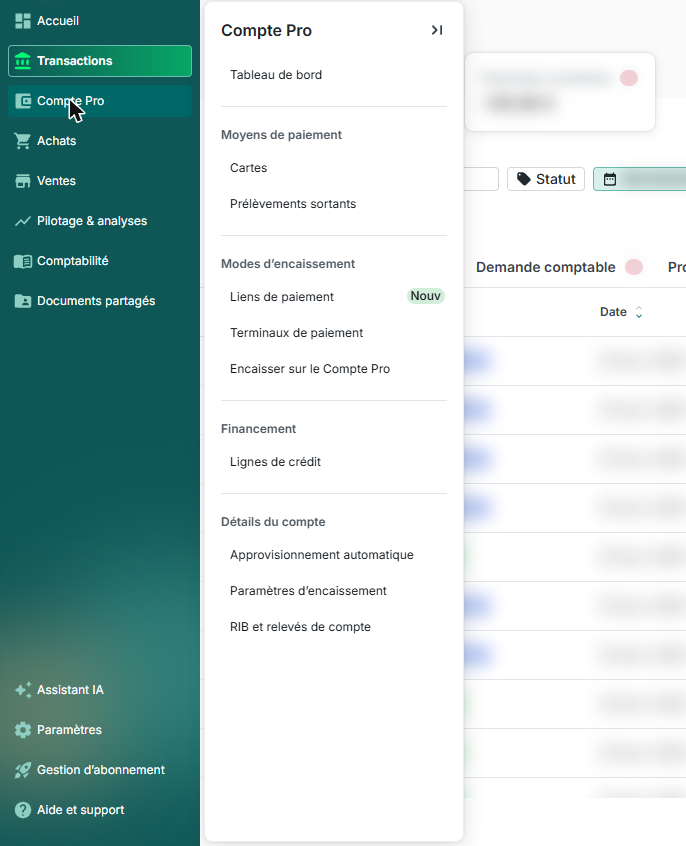
The menu gives an idea of the scope: physical and virtual Mastercard cards, outgoing direct debits, payment links, payment terminals and smartphone payments, automatic top-up, bank details and statements. Basic cards are free, Premium cards cost €7 or €15 per month. Terminals cost €89 or €189, with a fee starting at 0.75% on European cards. Financing (cash advance, invoice financing) is provided by a partner, Defacto, not by Pennylane.
A security detail we appreciated during our test: even with the Pennylane session open, accessing the Compte Pro asks again for an SMS verification. A less pleasant detail, found in the help center: direct debit collections stay blocked for five business days before becoming available.
Integrations and API: Pennylane connects to almost everything
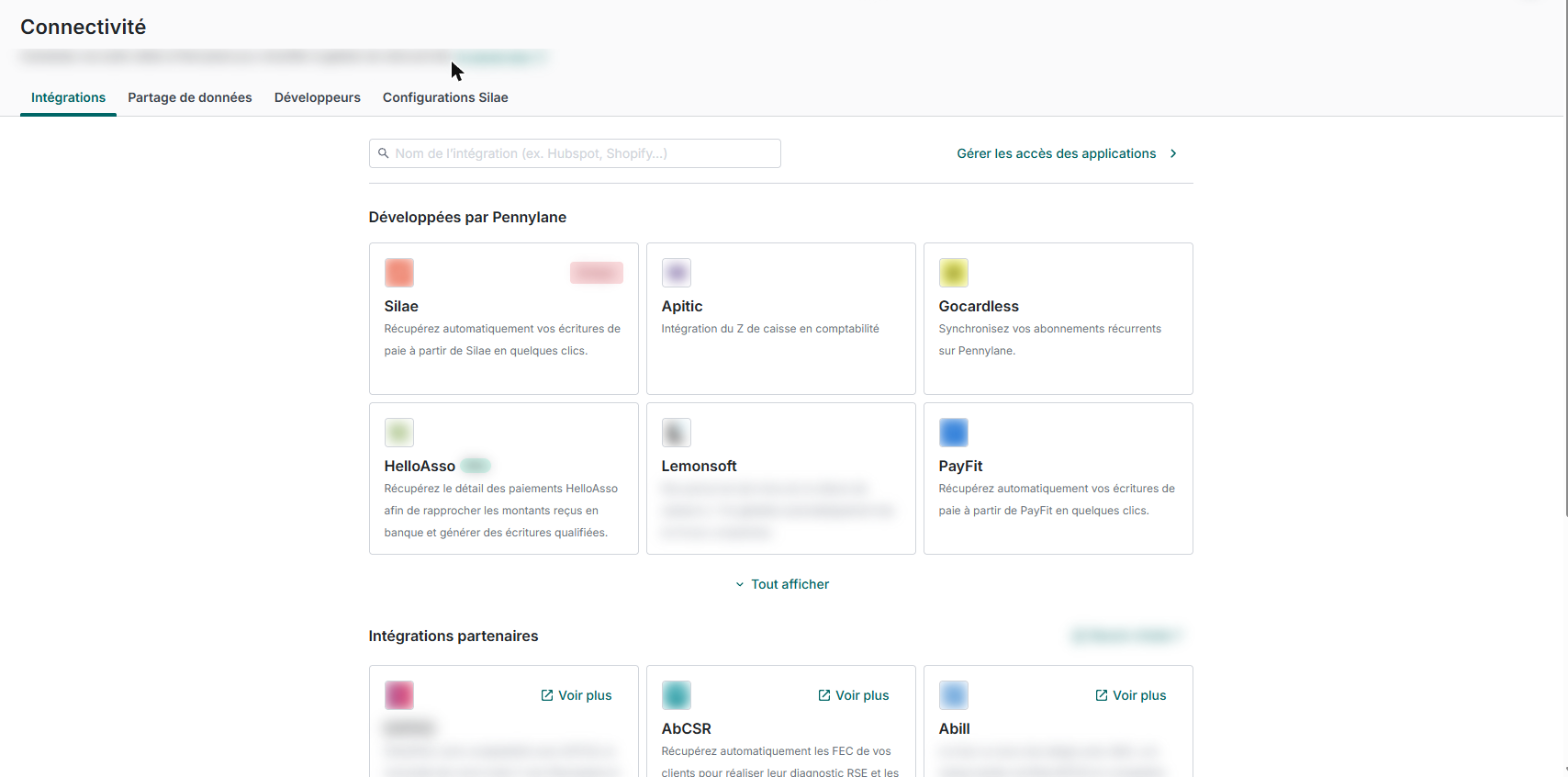
The Connectivity page groups the in-house integrations, such as Silae and PayFit to retrieve payroll entries, GoCardless, HelloAsso or Apitic for point-of-sale systems, then a long catalog of partner integrations. A search lets you check in a few seconds whether your CRM or your online store is connected.
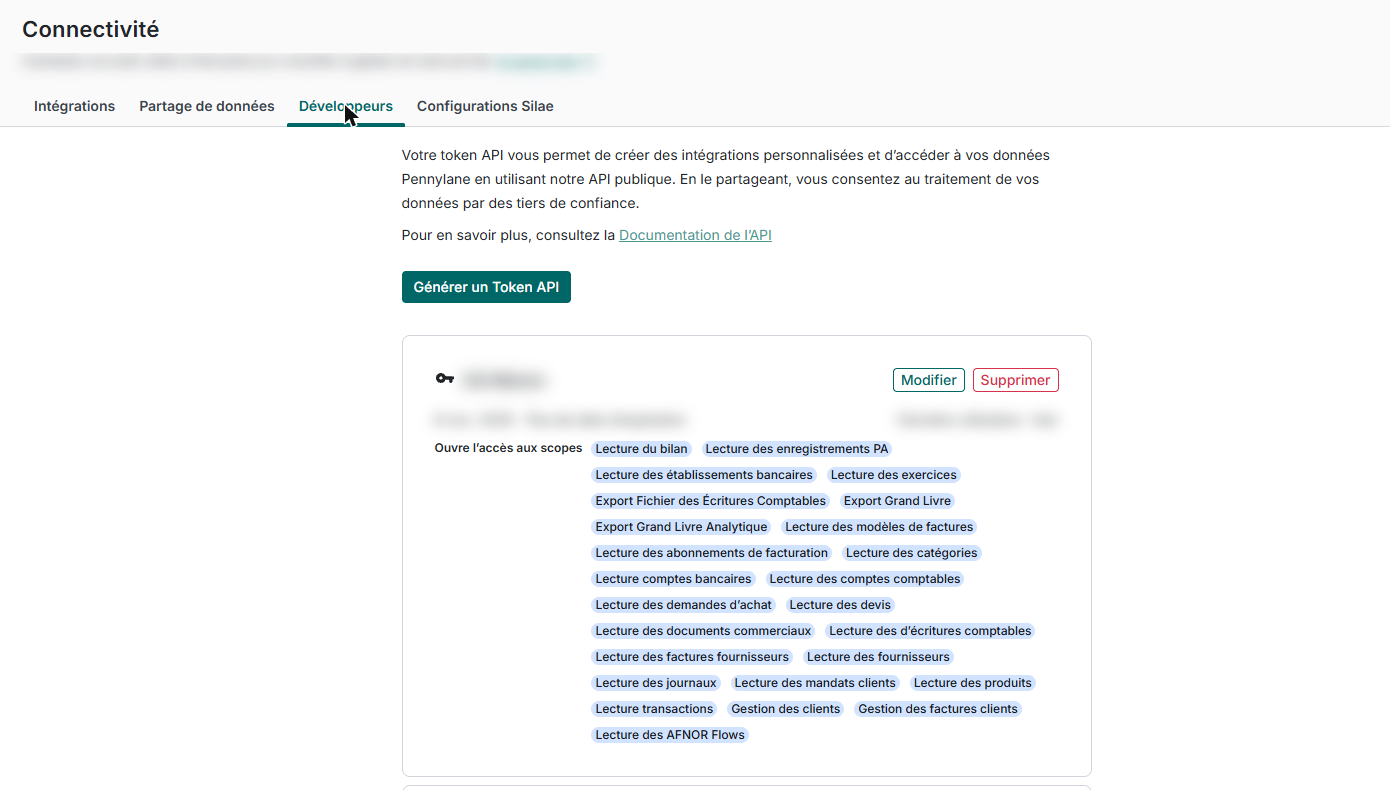
For more technical teams, Pennylane offers a documented public API. Tokens are generated in the interface with very granular permissions: read access to the balance sheet, entries, transactions, invoices, export of the accounting entries file, management of customers and customer invoices, e-invoicing flows. This is what lets you, for example, push invoices from a CRM to Pennylane without re-entering them.
AI Assistant and MCP: what does AI do in Pennylane?
Pennylane’s AI is set company by company, in the Artificial intelligence section of the settings. Two switches wait there: the AI Assistant chat and access to the MCP server. No AI module to buy on top: the assistant is included, and the MCP is from the Essentiel plan.
The AI Assistant opens as a side panel and offers specialized agents, which you call by typing @agent. On the company side, it is limited to using the software: how to archive an invoice, how to turn a quote into an invoice. Accounting and tax questions are reserved for accountants, who have their own assistant, ComptAssistant, and can create agents on a client file. The publisher says it uses models from OpenAI and Anthropic, with data hosted in the European Union.
The MCP server connects Pennylane to an external assistant: Claude, ChatGPT, Mistral, Copilot Studio, Cursor and others. You log in with your Pennylane credentials, without an API key, and the assistant can then read invoices, transactions, trial balances, general ledger and tax returns to answer a question in natural language. It is read-only: impossible to create an invoice or move money. It is free on the Pennylane side, but reserved for companies from the Essentiel plan, and for accounting firms.
How much does Pennylane cost?
The price depends on the plan and the number of users, not on your revenue. Each tier includes a cap on invoices per year. All plans are commitment-free, with a fifteen-day free trial. Prices noted on the website on November 26, 2026, excl. VAT and per month.
| Plan | Freelancer (1 user) | Small business (2 management users) | Small business (5 management users) |
|---|---|---|---|
| Starter | €7 | Not offered | Not offered |
| Basique | €14 | €29 | €49 |
| Essentiel | €24 | €49 | €99 |
| Premium (with accounting module) | €79 | €149 | €298 |
| Invoice cap | 1,200 per year | 2,400 per year | 3,600 per year |
Starter, reserved for freelancers, requires opening the Compte Pro. Basique adds deposits, purchase orders and supplier payments. Essentiel is the tier that matters for an SME: automatic reminders, quote signing, subscriptions, expense reports, automatic categorization, cash flow forecasting, API and MCP. Premium adds full bookkeeping, with approvals, custom dashboards, tax returns and year-end closing. Beyond that, a custom plan covers unlimited users and multi-level approvals, and SMEs and mid-sized companies get a quote.
If your chartered accountant invites you to Pennylane, you may get access to the Collaboratif plan, usually paid for by the firm. It covers collaboration, bank sync and invoicing, but not the Compte Pro.