



- In Sales, Copilot drafts email replies and creates Teams meeting summaries directly in Outlook.
- Copilot Studio handles AI orchestration, memory and context, while respecting the permissions and roles defined in Dynamics 365.
- Against Salesforce Einstein, which specializes in personalization within the CRM, Copilot bets on orchestration across applications.
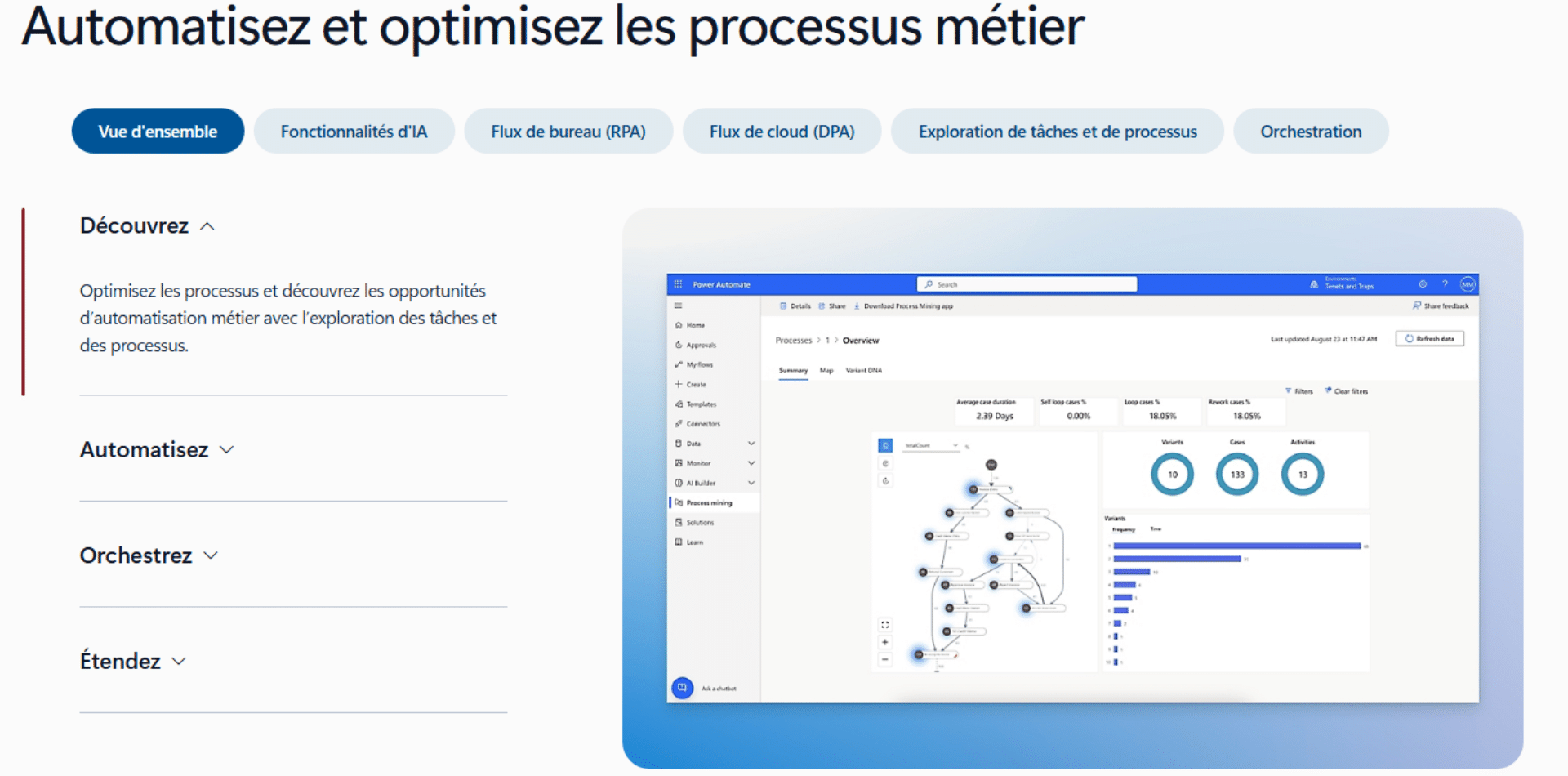
- Power Automate remains the tool for structured, predictable workflows; a Copilot agent can trigger one of its flows.
- Activation goes through Azure OpenAI, the Power Platform admin center and a Dataverse environment.
Artificial intelligence is redefining how companies interact with their customers and run their operations. Following the wave 2 release for Microsoft Dynamics 365, Microsoft Power Platform and the Copilot offerings, new and improved capabilities are helping organizations make full use of this new era. At the heart of this shift is Microsoft Copilot for Dynamics 365, an AI assistant that changes how sales, marketing and customer service teams work.
Get help from an expertActivating Copilot can look technical, but with the right partner it becomes a fast, low-risk lever for transformation.
Understanding the fundamentals of Copilot and Dynamics 365
Bringing artificial intelligence into CRM solutions is a decisive step in the evolution of business management tools. To grasp the full impact of this innovation, you need to understand what Copilot is, how it fits into the Dynamics 365 ecosystem and what concrete benefits it brings to organizations.
What is Microsoft Copilot in Dynamics 365?
Copilot for Dynamics 365 provides AI assistance to improve the productivity and efficiency of sales, marketing and other teams involved in your business operations. This technology is much more than a simple chatbot: it is a real intelligent assistant that understands the business context, analyzes data in real time and suggests concrete actions suited to each situation.
The conversational interface lets users interact naturally with their data. Whether they ask for a summary of a sales opportunity, generate a personalized proposal or analyze market trends, Copilot answers instantly with relevant, actionable information.
Dynamics 365 modules compatible with Copilot
Copilot integration extends across the whole Dynamics 365 suite, with specialized features for each area.
- In Microsoft Dynamics 365 Sales and Viva Sales, Copilot cuts the time sellers spend on routine tasks. Using AI, Copilot helps draft email replies and create meeting summaries directly in Outlook from a Teams meeting.
- For customer service, Dynamics 365 Copilot drafts contextual replies to queries in chat and email, and provides an interactive chat experience over knowledge bases and case history. In marketing, marketers can create highly personalized, targeted customer segments by talking to their customer data platform in natural language.
How does Copilot integrate into a CRM?
Copilot’s architecture relies on deep integration with the Microsoft ecosystem. Copilot Studio handles AI orchestration, conversation history, memory and context for the Copilot, with data grounding and plugin execution underneath. This architecture ensures the assistant strictly respects the permissions and roles defined in Dynamics 365, keeping data secure while offering a personalized experience.
The system uses the most advanced language models to understand natural language queries, analyze the business context and suggest relevant actions. Native integration with Microsoft 365 lets users reach the features directly from their everyday tools such as Outlook or Teams, creating a unified, frictionless workflow.
Which benefits for which use cases?
Beyond the marketing promises, the concrete benefits show up in better operational efficiency, intelligent process automation and the ability to anticipate customer needs.
How does AI improve sales efficiency in Dynamics 365?
Copilot’s impact on sales performance is measurable and significant. The Dynamics 365 Sales MCP (Model Context Protocol) can be used when building agents in Copilot Studio or through interactive tools that support the MCP client, giving flexibility to adapt the AI to each organization’s specific needs.
Sales reps get intelligent summaries that automatically analyze the full history of customer interactions, generating insights in a few seconds. AI-based prioritization identifies important signals in the pipeline, detects at-risk opportunities and predicts customer behavior. Microsoft 365 Copilot for Sales offers real-time tips and suggested answers during Teams meetings, triggered when the customer mentions a competitor or a brand, turning each interaction into a chance to learn and improve.
Automating repetitive tasks: concrete examples in customer management
Intelligent automation frees teams from time-consuming tasks so they can focus on added value. Copilot for Sales helps sellers and sales teams complete sales processes autonomously. They analyze sales data to carry out sales tasks and provide insights to the seller. In practice, this means things such as:
- automatic generation of personalized email replies
- intelligent classification of incoming requests
- automatic updating of CRM records after each interaction
- marketing teams get automated creation of SEO-optimized product descriptions
- customer service gets automatic conversation summaries and solution suggestions based on history
Predictive analysis and recommendations
Copilot’s predictive capability transforms the approach to customer relationships. A Beyond Key study shows that AI lead scoring can improve conversion by about 20 percent, illustrating the tangible impact of these technologies. The AI analyzes millions of data points to identify imminent buying signals, churn risks and cross-selling opportunities.
In customer service, Copilot proactively detects patterns that indicate growing dissatisfaction and suggests preventive interventions. This proactive approach helps improve customer satisfaction.
According to Beyond KeyTeams report a 30% reduction in time spent on data entry, a 50% decrease in meeting preparation time and a 45% improvement in customer satisfaction thanks to faster, more relevant answers.
Summary table of features by area
| Area | Main features | Goals | Key benefits |
|---|---|---|---|
| Sales | – Summaries of opportunities, accounts and leads – Automatic drafting of personalized emails – Automatic preparation of pre-meeting briefs – Integration with Outlook and Teams (transcripts, summaries, tasks) – Opportunity analysis and prioritization – Customer trend predictions | Improve sales efficiency and reduce administrative tasks | – Considerable time savings – Better preparation for meetings – Clearer pipeline tracking – More relevant customer messages |
| Customer Service | – Summaries of exchanges (email, chat, phone) – Automatic replies adapted to the context – Ticket analysis and synthesis – Next-step suggestions – Automated knowledge base search – Proactive incident detection | Speed up resolutions and improve support quality | – Faster, better-informed agents – Standardized answer quality – Shorter handling time – Higher customer satisfaction |
| Marketing (Marketing / Customer Insights) | – Segment creation in natural language – Campaign idea generation – Marketing email drafting – Content optimization based on context and trends – Advanced personalization for different audiences | Simplify campaign creation and personalize messages | – More accessible segmentation – Faster campaign creation – Content better suited to targets – Higher performance |
| Commerce | – Automatic generation of product descriptions – Creation of short/long variations – Built-in SEO optimization – Keyword suggestions | Make product content creation easier and improve visibility | – Product pages faster to produce – Better organic search ranking – Consistent sales content |
| Cross-functional features | – AI conversational interface – Automated summaries (emails, meetings, CRM data) – Microsoft 365 integration (Teams, Outlook) – Automation of recurring flows and tasks – Data-driven analysis and predictions | Unify information sources and automate repetitive tasks | – Higher overall productivity – Consistency across tools – Massive time savings – Simplified access to complex analyses |
Positioning Copilot against other CRM AI tools
In an increasingly competitive market, understanding the differences between the available AI solutions is crucial to making the right technology choice. Each platform takes its own approach, with its strengths and limits.
Microsoft Copilot vs Salesforce Einstein: what are the major differences?
The battle between Microsoft and Salesforce in CRM AI reveals two distinct philosophies. Microsoft Dynamics 365 Copilot is designed to streamline customer interactions, optimize business processes and support data-driven decision-making, by embedding AI directly into teams’ workflow. This native integration with the Microsoft 365 ecosystem is an advantage for companies already invested in these technologies.
Salesforce Einstein Copilot prioritizes data privacy and personalization for tailored experiences, while Microsoft Dynamics 365 Copilot focuses on automating tasks across various business functions. This difference in approach shows in the architecture: Einstein specializes in personalization within the CRM, while Copilot excels at cross-application orchestration.
Copilot or Power Automate: which solution for which use?
The distinction between these two Microsoft tools is fundamental to optimizing automation. Copilot Agents are specifically designed to embed logic in AI agent conversations, enabling smooth human-AI interaction. Copilot handles conversational interactions, contextual content generation and real-time assistance.
Power Automate is your solution for structured, predictable workflows. Copilot Agents add an intelligent conversational layer on top, understanding intent, adapting and orchestrating the tools.
The synergy between the two is particularly strong: a Copilot Agent could start a Power Automate flow to perform a backend task that requires extensive integration or complex data manipulation.
Implementing and adopting Copilot
A successful Copilot implementation requires a structured, methodical approach. From technical configuration to team training, each step must be carefully planned to ensure adoption and maximize return on investment.
Steps to activate Copilot in Dynamics 365
To set up Copilot, you will have to follow a process and hold a few licenses. It can be a bit technical, but it is necessary to benefit from the AI:
- Check Azure OpenAI availability in your region
- Allow data movement across regions if needed
- Configure the settings in the Power Platform admin center
- Enable Copilot in the Dynamics 365 app settings
- Enable audit history for the relevant tables
Technical prerequisites and required licenses:
- Microsoft 365 E3, E5, Business Standard, Business Premium or Office 365 E1, E3, E5 license
- Dynamics 365 Sales Enterprise (basic features) or Sales Premium (full access)
- Optional Microsoft 365 Copilot at 30$/user/month for advanced features
- Power Platform Integration enabled
- Associated Dataverse environment
- Server-side synchronization enabled for emails and appointments
Get help from an expertActivating Copilot can look technical, but with the right partner it becomes a fast, low-risk lever for transformation. A Microsoft-certified integrator saves you months of deployment, helps you avoid costly mistakes and ensures your teams adopt it successfully.
How do you train your teams to use Copilot?
Training is crucial for adoption. A program structured in three phases ensures a gradual skills ramp-up: awareness (1 week) to present capabilities and benefits, technical training (2-3 weeks) with hands-on sessions by role, and field support (4-6 weeks) with Copilot champions in each team. Learning by example, using real company cases, and ongoing support through documentation and dedicated channels ensure lasting adoption.
Pricing, access conditions and Microsoft support
Dynamics 365 Sales licenses do not include Copilot for Sales. A separate purchase with a Microsoft 365 subscription is required. The pricing structure offers several options:
- Copilot for Sales at €47 / user / month
- €19 / user / month (if the user already has Microsoft 365 Copilot)
New customers can choose between Sales Professional (€60/month), Enterprise (€90/month) or Premium (€119/month). Microsoft support comes in several tiers, from the included basic support to Premier/Unified support with 24/7 assistance.
Useful resources to go further
To deepen your command of Copilot and get more out of it, Microsoft and its partners provide a rich ecosystem of resources, training and test environments.
Accessing the official Microsoft documentation
Microsoft Learn is the main portal for comprehensive documentation. The Microsoft 365 Copilot service description guide is a good resource for understanding the detailed features. The platform offers interactive modules, structured learning paths with tracked progress, and recognized certifications. The technical documentation covers every aspect, from quick-start guides to advanced integration scenarios, with regular updates on new features.
Testing Copilot in a demo environment
Microsoft Demo eXperiences (MDX) give qualified partners and customers provisioned environments with preconfigured data. Ideal for evaluating the features with real data.
Ready to roll out Copilot in your company?
Integrating Microsoft Copilot into Dynamics 365 marks a decisive turning point in companies’ digital transformation. AI assistants and agents do not just help people with daily tasks, they also act as proactive partners to achieve better business results. Organizations that adopt these technologies today are positioning themselves well for the future, with higher productivity and a lasting competitive advantage. The key to success lies in a methodical approach: assessing needs, choosing the right partners, training properly and measuring results continuously.
The questions we get over and over.
What is Microsoft Copilot in Dynamics 365?
An AI assistant that improves the productivity of sales, marketing and other teams involved in business operations. It understands the business context, analyzes data in real time and suggests actions suited to each situation, through a conversational interface.
What is the difference between Copilot and Salesforce Einstein?
Salesforce Einstein Copilot prioritizes data privacy and personalization, while Microsoft Dynamics 365 Copilot focuses on automating tasks across various business functions. Einstein specializes in personalization within the CRM, Copilot in cross-application orchestration.
Copilot or Power Automate: which one should you choose?
Power Automate is for structured, predictable workflows. Copilot adds a conversational layer on top: it understands intent, adapts and orchestrates the tools. A Copilot agent can launch a Power Automate flow for a backend task.
How do you activate Copilot in Dynamics 365?
Check Azure OpenAI availability in your region, allow data movement across regions if needed, configure the settings in the Power Platform admin center, enable Copilot in the Dynamics 365 app settings, then enable audit history for the relevant tables.
How much does Copilot for Sales cost?
€47 per user per month, or €19 per user per month if the user already has Microsoft 365 Copilot. Dynamics 365 Sales licenses do not include it: a separate purchase with a Microsoft 365 subscription is required.



What the community says.