The best tools to test the deliverability and rendering of your B2B emails

Eight tools to test an email before sending, compared for B2B. Six test inbox placement: GlockApps (Microsoft EOP, Proofpoint and Barracuda among its filters, from $59 per month billed annually), MailReach (Google Workspace and Office 365 mailboxes, €25 per mailbox per month), EmailGuard (300 tests for $49 per month), Unspam (pay per test, free plan), Mailgun Optimize ($49 per month, whatever the ESP) and Validity Engage (on request, includes Litmus). Two test rendering and code: Mailgun Inspect, successor to Email on Acid ($99 per month for 1,000 previews), and Mailtrap (pre-production sandbox, from $17 per month).

Maxime Ben Bouaziz
Maxime Ben Bouaziz
CEO Salesdorado, IA & Sales Tech
September 17, 2026, updated November 10, 2026, 10 min read
See all tools

An email testing tool tells you, before you send, whether your message is technically compliant, where it lands (inbox, Promotions tab or spam) and how it displays for your recipients. In B2B, the right tool depends mostly on their mail system: Microsoft 365, Google Workspace or a security gateway like Proofpoint. Depending on your need:

  • target large accounts protected by Proofpoint or Barracuda: GlockApps;
  • check every sending mailbox of a cold email campaign: MailReach, or EmailGuard beyond a few domains;
  • test a newsletter on a small budget: Unspam;
  • test placement without changing your sending tool: Mailgun Optimize;
  • a very high-volume program, on request: Validity Engage, which includes Litmus;
  • check rendering across more than 100 mail clients: Mailgun Inspect, the successor to Email on Acid;
  • test an application’s emails before going to production: Mailtrap;
  • a free check before each send: Mail-tester or aboutmy.email.

Does your emailing tool show more than 98% of emails delivered? That figure only says that your recipients’ servers accepted your messages, not that they reached the inbox. In its 2025 email deliverability benchmark, Validity measured that one legitimate marketing email in six never reached the inbox.

Testing tools are supposed to reveal that gap.

The problem, in B2B, is that they mostly test Gmail, Outlook.com or Yahoo mailboxes, while your prospects read their emails in Microsoft 365 or Google Workspace and, in large companies, often behind a security gateway like Proofpoint.

What is a perfect score on consumer mailboxes worth? And which tools really test your prospects’ mail systems?

To find out, we analyzed the mail servers of 100 companies, then went through what each tool actually tests. Here you will find a method to identify your target’s mail system, the free kit that is often enough, our comparison of placement and rendering tests, and the protocol to follow before each campaign.

Testing deliverability: what the tools really measure

Behind the phrase “testing deliverability” hide four different questions. Most articles on the subject mix them up, and that is the first source of confusion: an address verifier is not a placement test, and a spam score says nothing about your reputation.

The questionThe type of toolExamplesWhat it doesn’t tell you
Is my email compliant?Analysis of a test email (authentication, content)Mail-tester, aboutmy.email, MXToolboxWhere the email actually lands
Where does it land?Placement test on a seed listGlockApps, MailReach, Unspam, GMass testerHow your real recipients behave
How do mailbox providers judge me?Mailbox provider dashboardsGoogle Postmaster Tools, Microsoft SNDSWhat happens in corporate mail systems
Am I blocked somewhere?Blocklists and list hygieneBarracuda Reputation Lookup, HeatwaveThe quality of your content

Each family of tools answers only one of these questions. No tool covers them all with the same reliability.

Delivered does not mean received in the inbox

Most email platforms calculate their deliverability rate by subtracting bounces from the number of emails sent. Validity points out that this calculation generally shows around 98.5%. Yet inbox placement, when measured, fell to 83.5% in 2024: 6.7% of emails ended up in spam and 9.8% were blocked or delayed along the way.

France does better, with 91.4% placement according to the same study. The gap is still enough to distort your profitability calculations.

A delivered email is an accepted email. Nothing more.

Why a placement test gives a trend, not a measurement

A placement test sends your email to what is called a seed list, a panel of test mailboxes run by the tool, across different providers. The tool then records where each copy landed.

The limit is structural. These mailboxes have no history with you: they open nothing and never reply. Yet Gmail and Microsoft adjust their filtering to each recipient’s behavior. The EmailToolTester comparison site, which itself uses GlockApps for its tests, acknowledges this: an email sent to a seed list behaves like a cold email, so your real deliverability is probably better than the result shown.

Google, for its part, warns in the Postmaster Tools dashboard documentation that spam reports from third-party tools generally differ from its own data.

Should you do without seed lists, then? No. They remain the best warning system before a send, and Validity’s benchmark itself relies on this type of data. But a single test proves little. Compare your results over time, not from one tool to another.
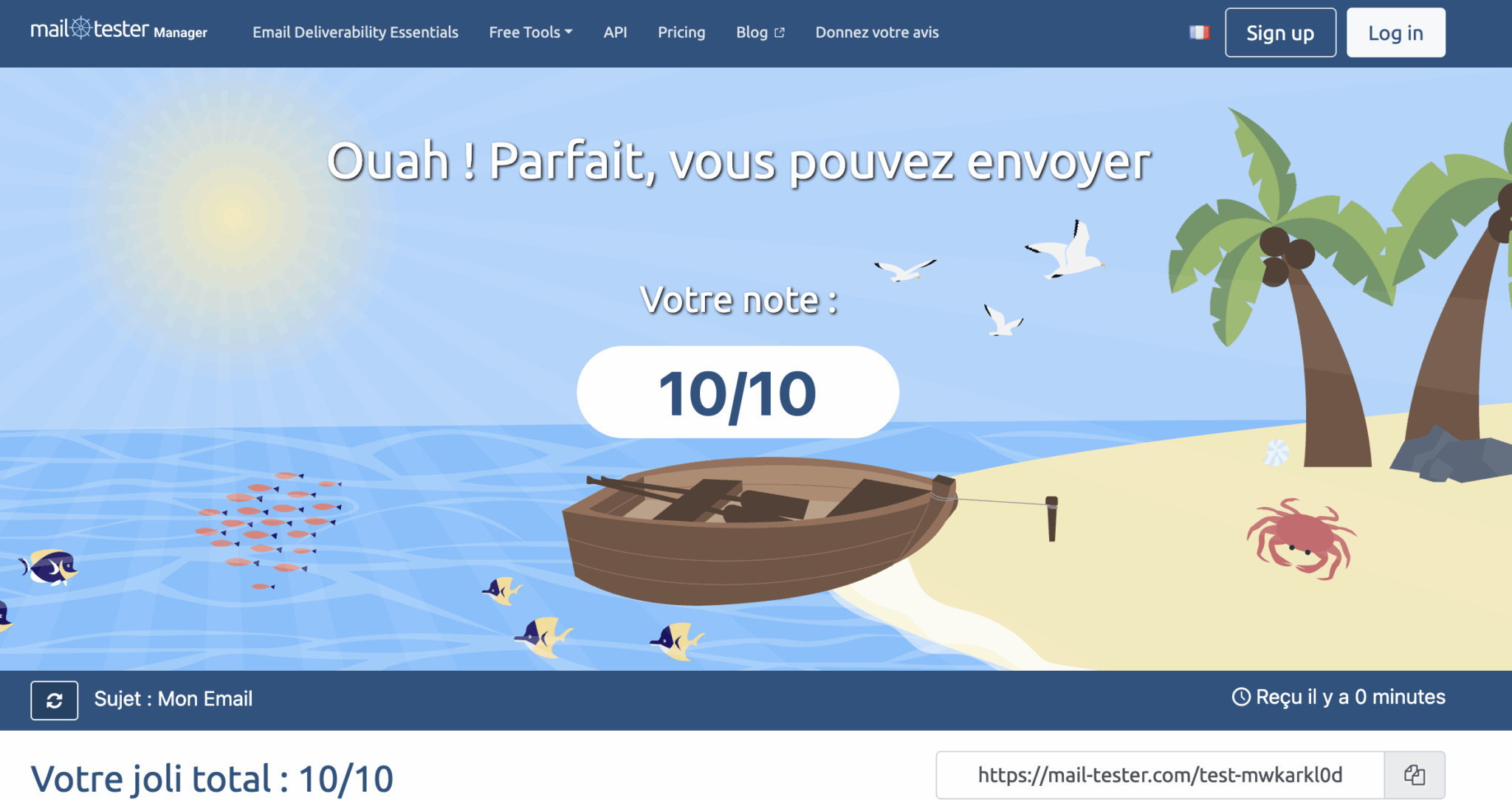
Mail-tester result for a test email: score of 10/10

A 10/10 on Mail-tester guarantees nothingA perfect score proves your email is technically clean: authentication in place, content with no suspicious signal. It does not say where Gmail, Microsoft 365 or a corporate gateway will file it. Treat it as a prerequisite, never as a verdict.

B2B deliverability: where do your prospects’ emails land?

In B2B, deliverability is played on a different field. Validity stresses this too: on top of their mail system’s filtering, many companies entrust their protection to a specialized provider. To measure how much that represents, we looked at where the emails of 100 companies actually arrive.

Our analysis of the mail servers of 100 companies

Where emails arrive60 large companies listed in Paris40 digital companies
Directly in Microsoft 36521 (35%)1 (2.5%)
Directly in Google Workspace4 (7%)37 (92.5%)
First through a security gateway26 (43%)1 (2.5%)
of which Proofpoint171
of which Mimecast50
of which Cisco and Trend Micro40
Internal servers or another provider9 (15%)1 (2.5%)

Our methodOn September 16, 2026, we queried the MX records (the servers that receive a domain’s emails) of 100 domains: 60 large companies listed in Paris, mostly members of the CAC 40 or the SBF 120, and 40 digital companies founded in France (scale-ups, software vendors, fintechs, marketplaces). The MX only shows the first link: a gateway filters emails before passing them on to the company’s mail system. The sample includes no SMEs and makes no claim to be representative.

Two profiles, two realities:

  • In large companies, 43% first route emails through a security gateway, with Proofpoint far ahead (17 companies out of 60). Only 21 receive their emails directly in Microsoft 365. The last nine use their own servers or a less common provider (mostly banks and aerospace and defense groups).
  • In digital companies, the landscape is almost uniform: 37 companies out of 40 use Google Workspace.

The lesson: a test run on consumer Gmail mailboxes says nothing about the first profile and only part of the truth about the second.

Microsoft 365 and Workspace: filters tuned by each company

Of the emails that Validity’s customers send to hosted business mail systems, Office 365 receives 61.4% and Google 35.4%. Their filtering resembles that of their consumer versions. One difference changes everything: each administrator can add their own rules, often stricter than the default settings.

The same email can therefore pass at Gmail and be blocked at a customer whose IT team has tightened the settings. MailReach acknowledges it too: a message can reach 100% inbox placement on business mailboxes and end up in spam on personal mailboxes. The reverse is just as possible.

Proofpoint, Mimecast, Barracuda: the gateways tests forget

A security gateway adds a second filter, placed before the company’s mail system. According to Validity, four vendors handle more than 90% of the traffic its customers send to this type of solution:

  • Proofpoint: 50.4% of the traffic on its own
  • Mimecast: 21.1%
  • Cisco: 12.1%
  • Barracuda: 10%, with only 77.2% inbox placement and 22.8% of emails blocked or delayed

Validity also notes that many French internet service providers entrust their filtering to Vade. Worth keeping in mind if your list contains addresses at these providers.

Very few testing tools reproduce these gateways. Among those we studied, GlockApps runs your emails through the Proofpoint and Barracuda filters, and GMass’s free tester includes Google Workspace accounts protected by Barracuda, Mimecast or Sophos.
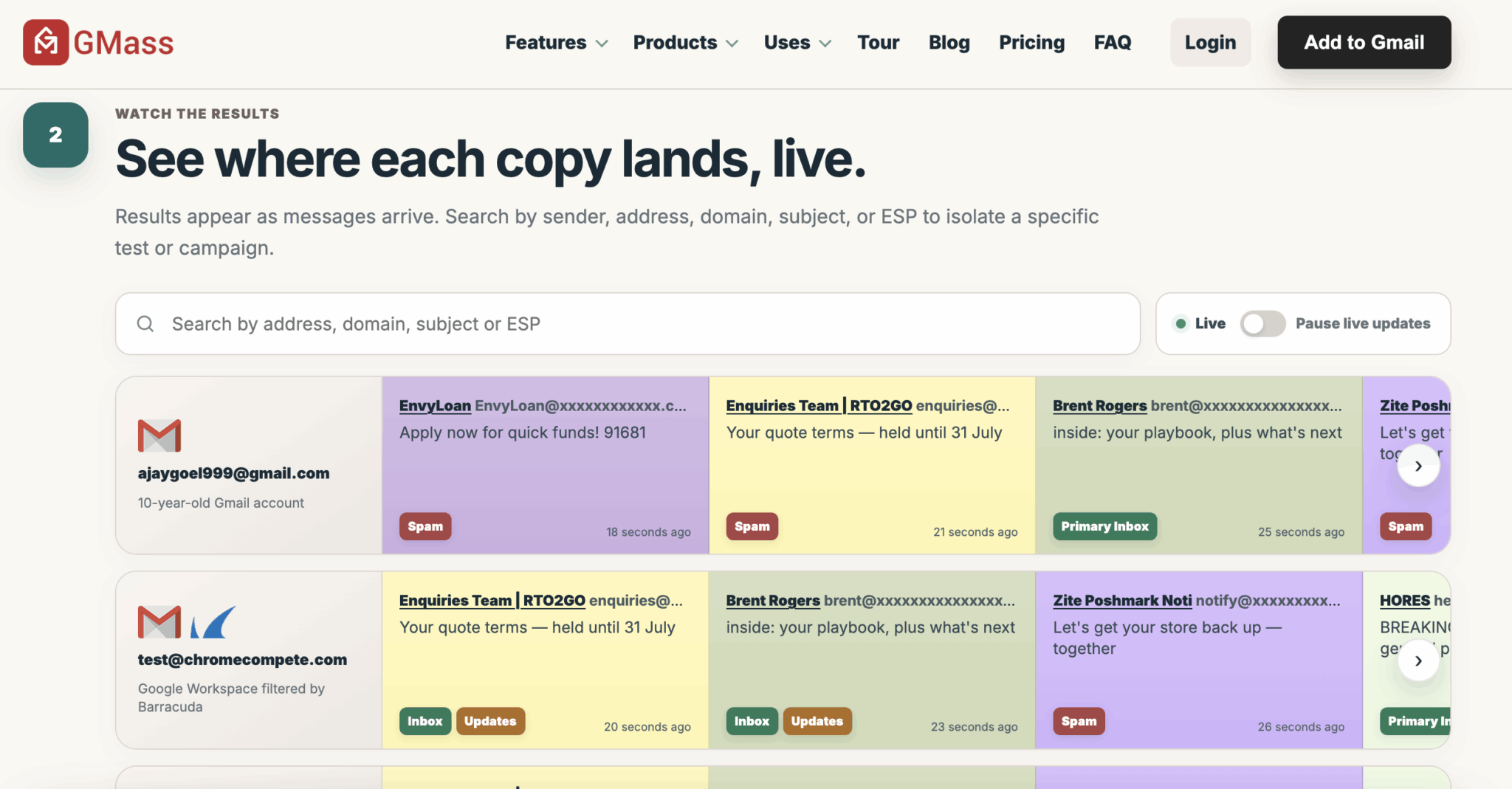
GMass placement tester: location of each copy on a Gmail mailbox and a Google Workspace mailbox filtered by Barracuda

How to identify your target’s mail system in two minutes

No paid tool needed.

The method comes down to four steps:

  1. Select 20 to 50 domains representative of your list.
  2. Enter each one in a free MX lookup tool, such as the “MX Lookup” function of MXToolbox’s SuperTool.
  3. Compare the server displayed with the table below.
  4. Calculate the share of each environment: it will guide your choice of testing tool.
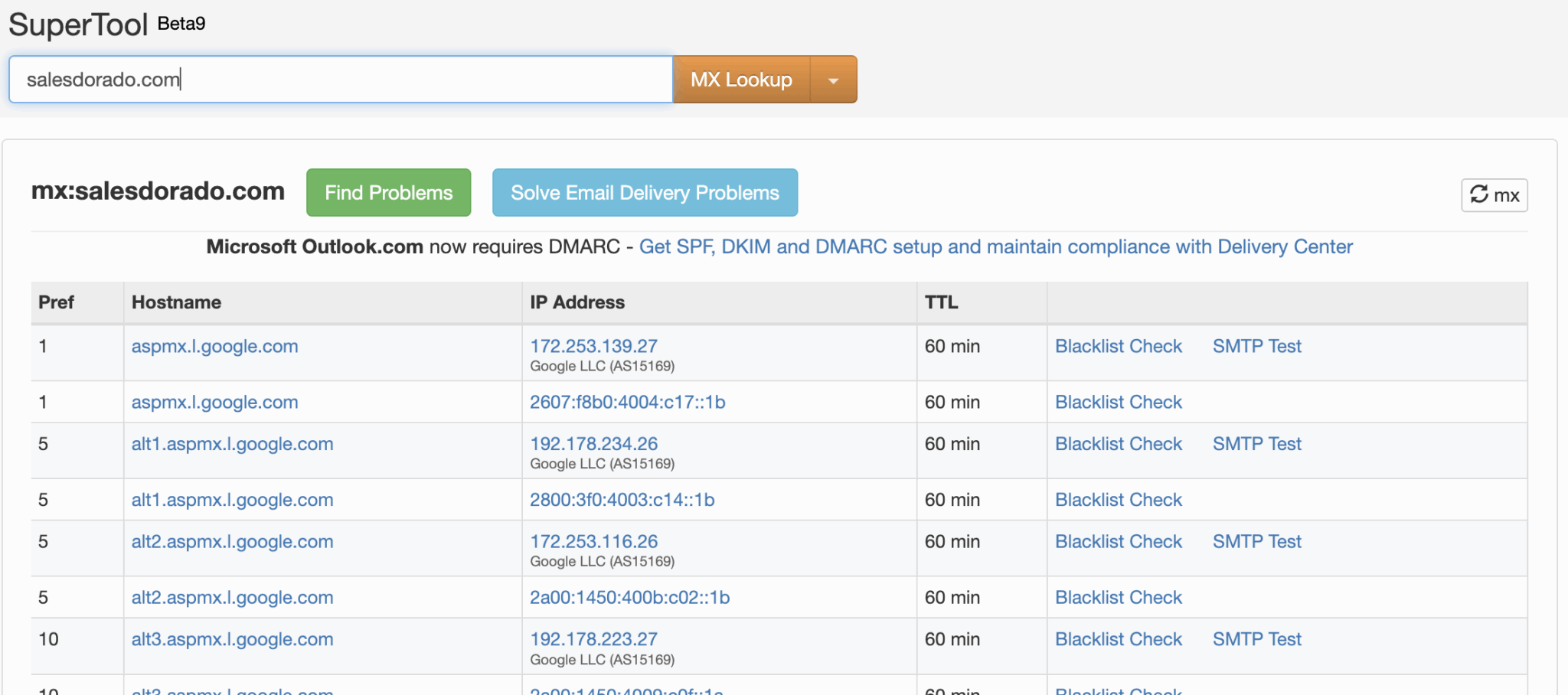
MX Lookup search for salesdorado.com in MXToolbox’s SuperTool: aspmx.l.google.com servers

The MX server containsThe email arrives at
mail.protection.outlook.com or mx.microsoftMicrosoft 365
aspmx.l.google.com, googlemail.com or smtp.google.comGoogle Workspace
pphosted.comProofpoint
mimecast.comMimecast
iphmx.comCisco Secure Email
barracudanetworks.comBarracuda
trendmicroTrend Micro
sophos.comSophos
hornetsecurity.com or antispameurope.comHornetsecurity or Vade
mail.ovh.netOVHcloud
gandi.netGandi

Salesdorado’s takeWeight your tests according to your list. If 40% of your target accounts are behind Proofpoint, your placement test must include that filter, complemented by a real send to a few equipped customers. A good score on consumer mailboxes will never make up for a blind spot on your main target.

Testing deliverability for free: the kit that is often enough

Most checks cost nothing. You still have to set the tools up. Badsender, which supported more than twenty organizations in 2025, reports in its review of the deliverability recommendations from its 2025 engagements that several engagements started with setting up Google Postmaster Tools and Microsoft SNDS.

These tools simply weren’t configured.

Free toolWhat it tells youWhat it doesn’t see
Mail-testerA score out of 10 summarizing authentication and content, with three free tests per dayPlacement at each provider
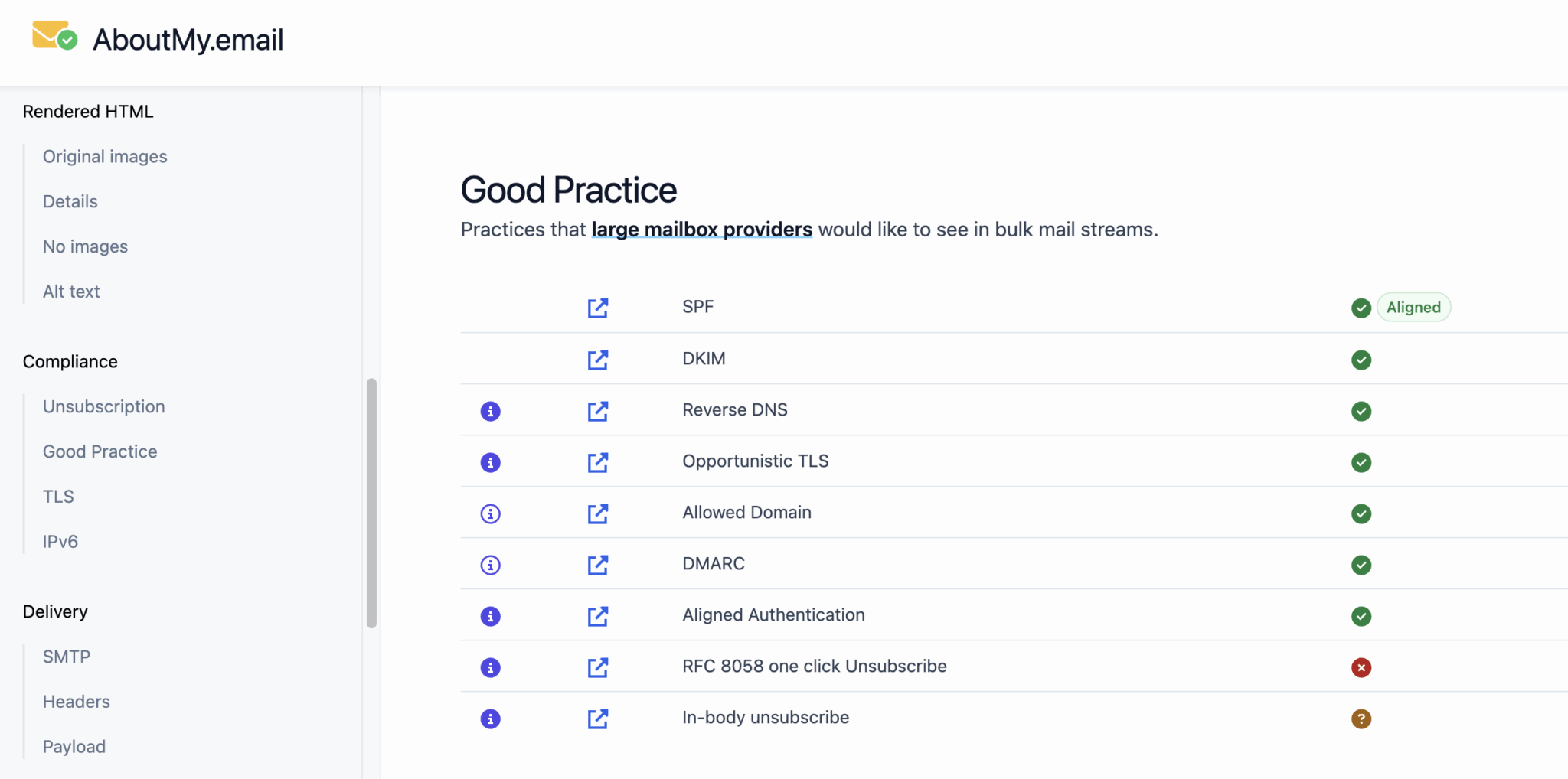
aboutmy.emailA detailed report on authentication and compliance with best practicesPlacement and reputation
MXToolboxYour DNS records (SPF, DKIM, DMARC) and your presence on blacklistsThe content of your emails
Barracuda Reputation LookupWhether your IP is on Barracuda’s blocklistThe other gateways
Heatwave (Validity)Whether your domain is flagged for artificial warm-upEverything else: it is a blocklist, not a test
GMass testerPlacement on 15 Google mailboxes, including Google Workspace accounts filtered by gateways like Barracuda or MimecastMicrosoft 365 and Proofpoint
Google Postmaster ToolsComplaints, compliance and delivery errors at GmailRecipients on Google Workspace

aboutmy.email report, Good Practice section: SPF, DKIM and DMARC passed, RFC 8058 one-click unsubscribe failed

On the paid side, most vendors let you test without paying: two credits at GlockApps, three placement tests per month at Unspam, three tries per 24 hours on MailReach’s test, ten tests with spam filters at EmailGuard. ZeroBounce, of which we published a detailed review, adds a free placement test to its address verification offer.

Postmaster Tools: essential, but blind on Google Workspace

Postmaster Tools remains the only direct access to Gmail’s data on your sends, notably complaints and delivery errors. Its version 2 adds a compliance table for sender requirements and a diagnosis (“Deliverability analysis”) that gives a recommendation when your volume is too low, your messages fail, you exceed the complaint threshold or your recipients don’t engage.

Four points change the picture in B2B:

  1. It only covers consumer Gmail. The dashboards cover emails sent to personal Gmail accounts, and Gmail’s sender requirements FAQ specifies that these rules do not apply to messages sent to Google Workspace. If you prospect scale-ups, the tool stays silent on most of your sends.
  2. The reputation dashboards are going away. Google announced, on its page about retiring the old Postmaster Tools interface, the removal of the domain and IP reputation dashboards, judged hard to act on and sometimes misleading.
  3. A very low complaint rate is not always reassuring. Google explains that it can mean Gmail already sends a good share of your messages to spam, where nobody reports them.
  4. The thresholds are strict. Stay under 0.10% complaints and never reach 0.30%. Since November 2025, Gmail has been tightening enforcement of its rules with temporary or permanent rejections. Beyond roughly 5,000 messages per day to Gmail, you become a “bulk sender” for good.

Microsoft SNDS and Yahoo Sender Hub: useful, with conditions

SNDS is Microsoft’s equivalent, with two constraints. It works by IP address and only covers consumer mailboxes, Outlook.com and Hotmail. As Al Iverson reminds us on Spam Resource, it is therefore only useful with a dedicated IP: on an IP shared by your ESP, the data of all senders gets mixed together. He adds that a green status doesn’t prevent landing in spam at Outlook.com.

Yahoo Sender Hub, launched in 2024, plays a comparable role for Yahoo and AOL.

Microsoft rejects non-compliant sendsSince May 2025, Outlook.com has required SPF, DKIM and DMARC from domains that send more than 5,000 emails per day to its consumer mailboxes, as detailed in Microsoft’s announcement on high-volume senders. Non-compliant messages are rejected with the error “550 5.7.515”. If that code shows up in your bounces, start there.

Deliverability testing tools: our comparison for B2B

Six tools stand out for testing placement in B2B. We ranked them on one criterion: the business environments they actually test. Two rendering tools round out the selection, to check display and code before sending.
The 8 tools, side by side

# Logos tool Score Price Best for
01 GlockApps 4.6/5 ★ $59 Teams that prospect large accounts protected by Proofpoint or Barracuda Visit site
02 MailReach 4.5/5 ★ €25 Teams that prospect by cold email from several sending mailboxes Visit site
03 EmailGuard 4.3/5 ★ $49 Agencies and teams that manage many sending domains Visit site
04 Unspam 4.2/5 ★ $9.65 Newsletters and marketing emailing to a mixed list, on a small budget Visit site
05 Mailgun Optimize 4.0/5 ★ $49 Technical teams that want to test placement, whatever their ESP Visit site
06 Validity Engage 4.1/5 ★ On request Large senders who want to weight their tests by the mail systems in their list Visit site
07 Mailgun Inspect (ex-Email on Acid) 4.1/5 ★ $99 Teams that design HTML emails and need to validate them on Outlook, Gmail and mobile Visit site
08 Mailtrap 4.0/5 ★ $17 Development teams that test transactional emails in pre-production Visit site
01

GlockApps

4.6/5 From $59

Best for: Teams that prospect large accounts protected by Proofpoint or Barracuda

+ Strengths
  • Seed list with Exchange (Office 365) and G Suite
  • Filtering through Microsoft EOP, Proofpoint and Barracuda on every test
  • Blacklists, DMARC reports and IP monitoring in the same subscription
  • Two free tests, no credit card
− Downsides
  • Only one French internet service provider tested: Laposte.net
  • 360 credits per year on Essential, or about 30 tests per month
★ GlockApps in brief

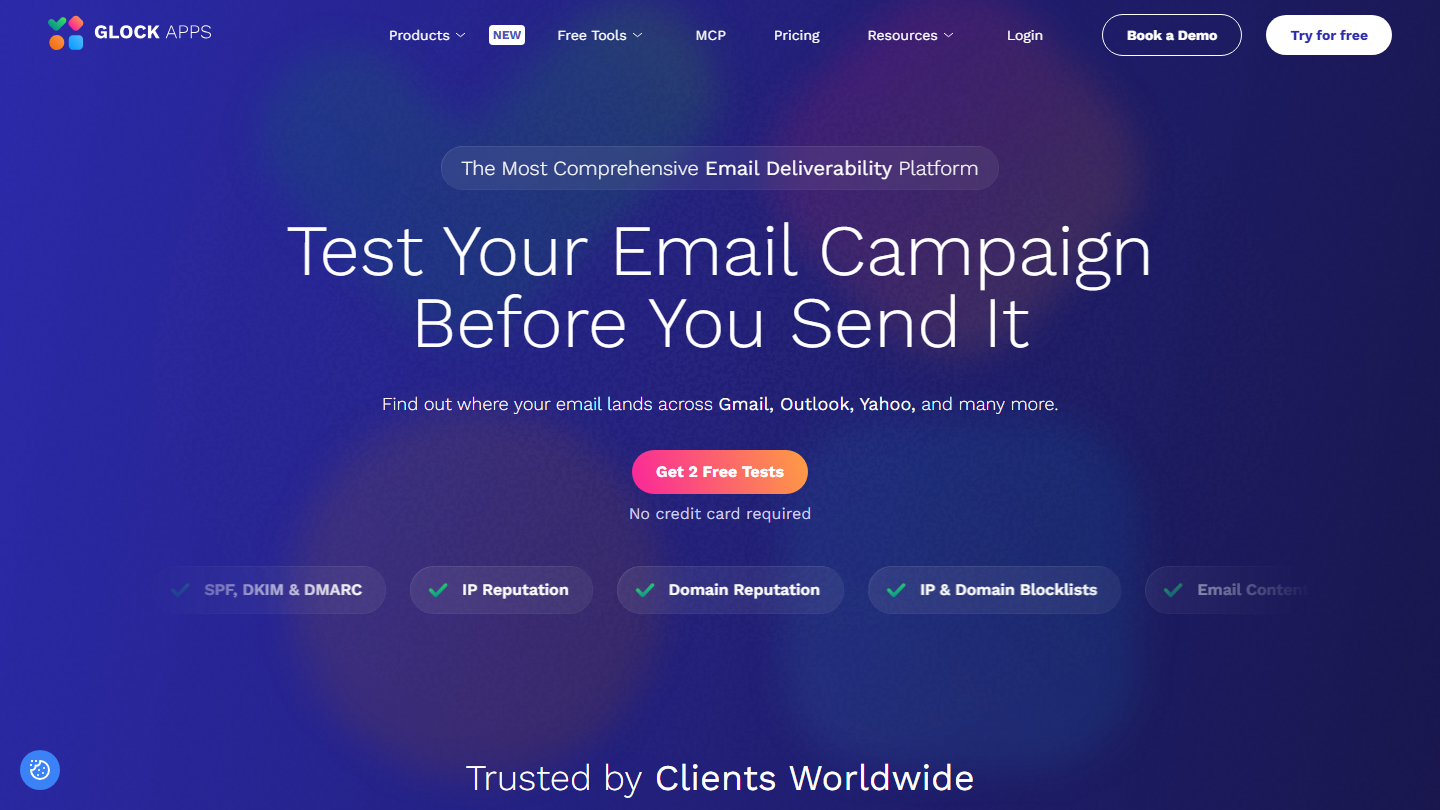
GlockApps home page: “Test Your Email Campaign Before You Send It”, with two free tests

GlockApps is a placement testing tool: you send your email to its seed list, and the tool shows for each mailbox whether it arrived in the inbox, the Promotions tab or spam, with a SpamAssassin score and an analysis of the content and HTML. It is one of the most cited on the market, and EmailToolTester uses it for its own studies.

Its value in B2B lies in the path of each test. The message goes through five filters, including those of the gateways we found in front of 43% of the large companies in our sample. For a specific customer, the Custom Seed Emails service adds your own addresses to the seed list, for example that of a contact equipped with Proofpoint.

It pays off as soon as your list contains large accounts. For a list of scale-ups on Google Workspace, GMass’s free tester or MailReach are enough; for a consumer newsletter, Unspam costs less. On the higher plans, GlockApps also connects to Postmaster Tools and works as a reputation dashboard.

The free plan gives two credits, one credit being worth one test. Essential costs $59 per month on an annual commitment ($708 per year) or $85 monthly, Growth $99 ($142 monthly) and Enterprise $129 ($185 monthly), with one to ten users depending on the plan.

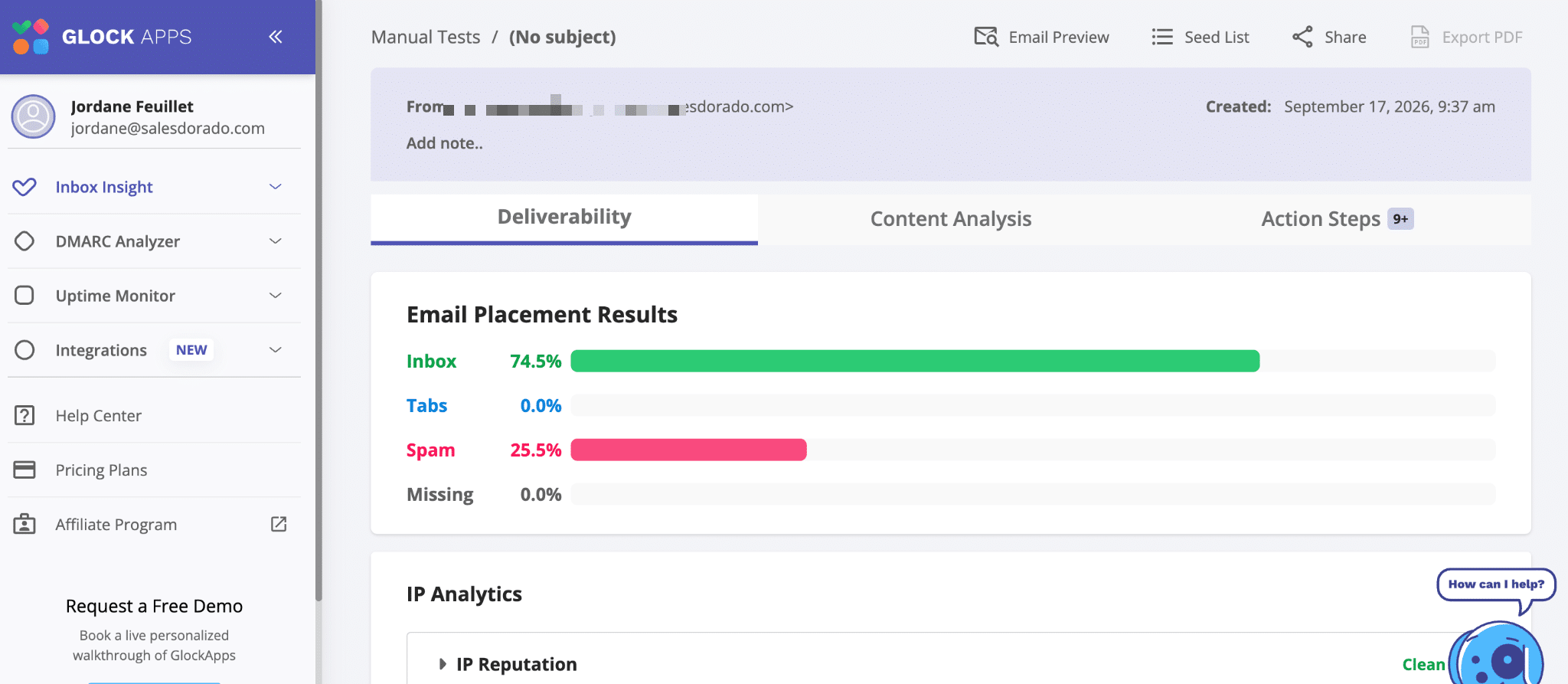
GlockApps placement results for a manual test: 74.5% in the inbox and 25.5% in spam

02

MailReach

4.5/5 From €25

Best for: Teams that prospect by cold email from several sending mailboxes

+ Strengths
  • Test network on Google Workspace and Office 365
  • Free test with no signup, up to 3 per 24 hours
  • Warm-up and 20 test credits bundled in the All-in-One plan
− Downsides
  • No highlighted test on Proofpoint or Mimecast
  • Billed per sending mailbox: €25 per month each
★ MailReach in brief

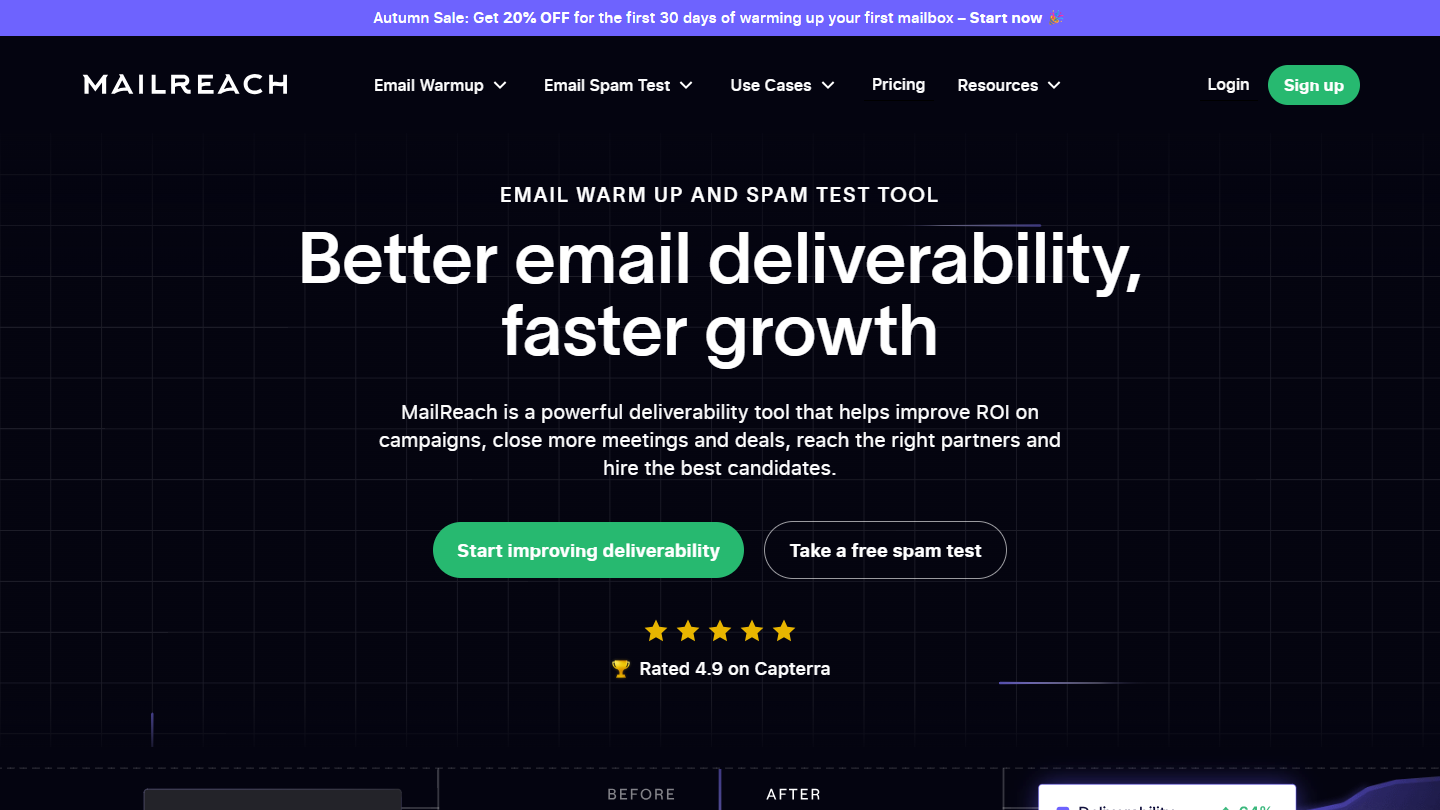
MailReach website: “EMAIL WARM UP AND SPAM TEST TOOL”

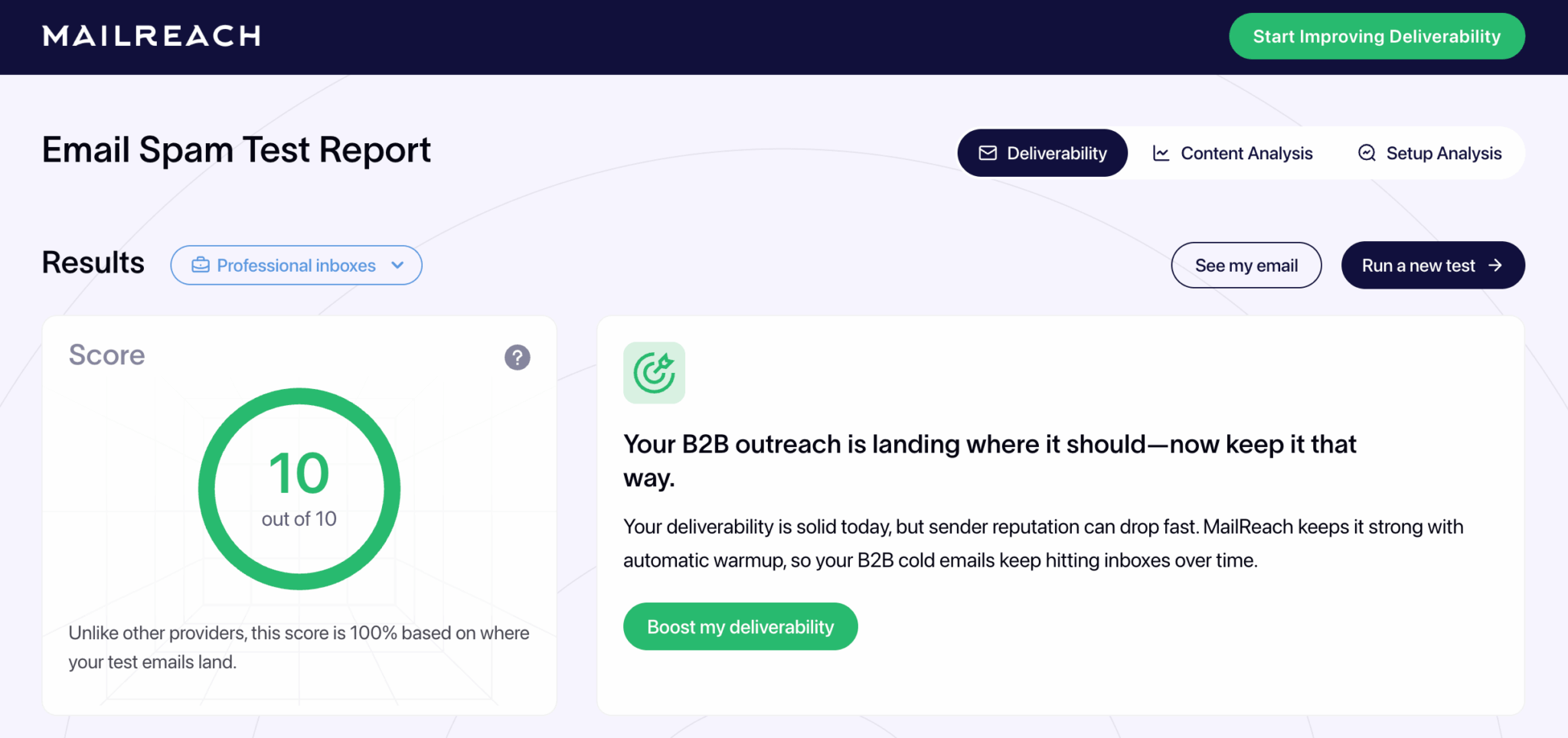
MailReach sells two products that complement each other: automatic warm-up of sending mailboxes and an anti-spam test that sends your message to its network of mailboxes, then returns a score out of 10 and the location of each copy. One credit corresponds to one placement test with its report.

When launching a test, you choose the type of mailboxes targeted: personal, business or both. That is the setting that matters for a scale-up target, almost all on Google Workspace in our analysis. The report also checks domain health: blacklists, SPF, DKIM and DMARC.

It pays off when you prospect from several domains: you test each mailbox before launching a sequence, then at regular intervals. For accounts protected by a gateway, GlockApps covers the ground better. Its warm-up component is a different logic, which we discuss below with the Heatwave list.

The test remains free within the limit of three per 24 hours. The All-in-One plan costs €25 per mailbox per month, €20 billed annually, with 20 test credits. Credits can also be bought on their own, in packs from 20 to over 10,000.

MailReach Email Spam Test report on business mailboxes: score of 10 out of 10

03

EmailGuard

4.3/5 From $49

Best for: Agencies and teams that manage many sending domains

+ Strengths
  • 300 placement tests, 25 domains and 100 sending accounts from Pro
  • One-off or scheduled tests, blacklists and DMARC in the same tool
  • Unlimited team members on all plans
  • Free plan with no credit card
− Downsides
  • No public list of the filters and mail systems tested
  • No inbox placement test on the free plan
★ EmailGuard in brief

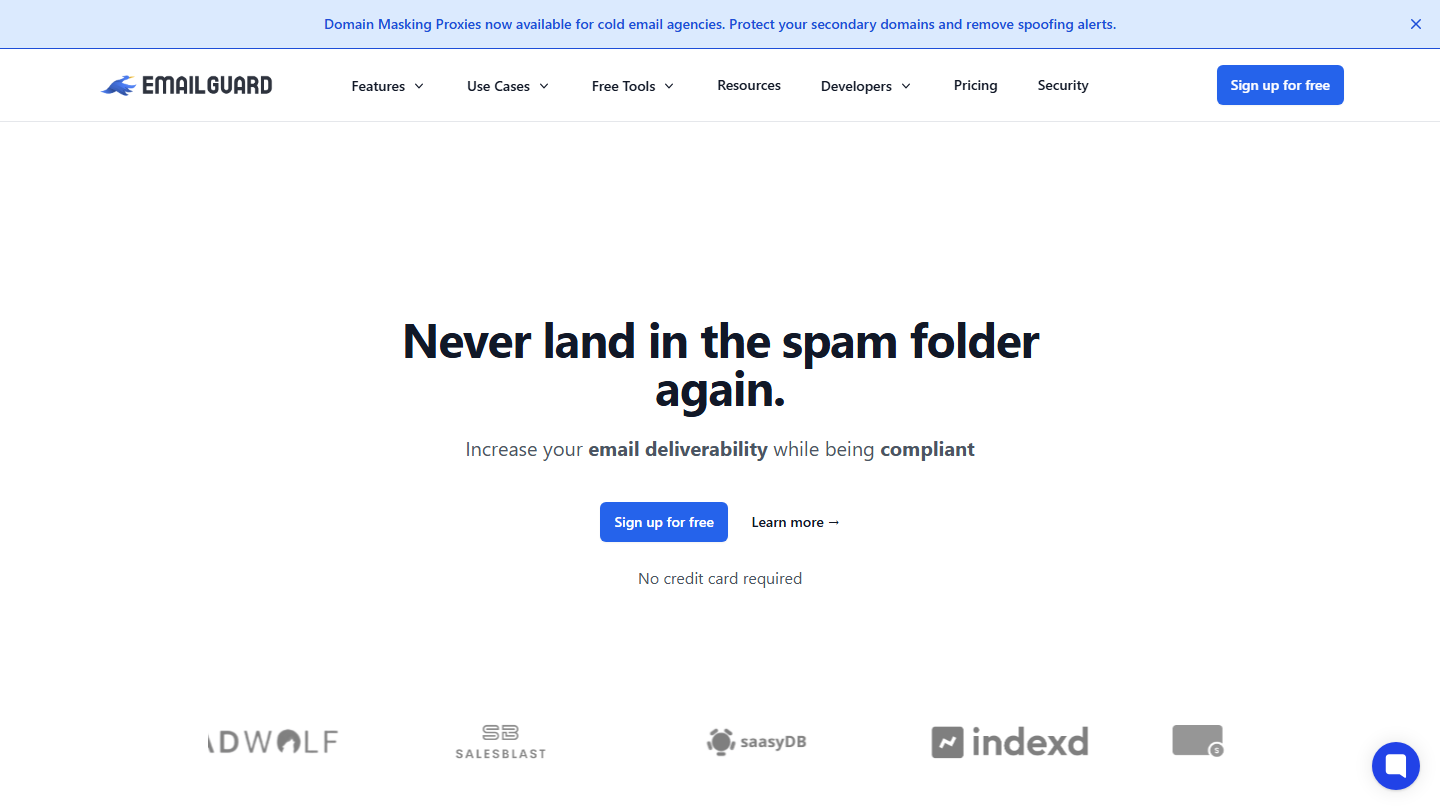
EmailGuard home page: “Never land in the spam folder again.”

EmailGuard is a deliverability toolkit built for cold email: placement tests, contact verification, monitoring of blacklists and authentication (SPF, DKIM, DMARC), and domain-masking proxies for agencies.

Its selling point is volume. Where GlockApps counts its credits one by one, EmailGuard gives hundreds: an agency managing sixty domains stays within the Business plan, with 500 placement tests per month.

Before paying, use the free plan to see which mail systems appear in the results. The vendor doesn’t publish the list, and that is what decides its value against a target behind Proofpoint or Microsoft 365.

The free plan covers one domain, three sending accounts, ten tests with spam filters and DMARC monitoring. Pro costs $49 per month, Business $129 (75 domains, 500 placement tests) and Agencies $199 (200 domains, 1,500 tests).

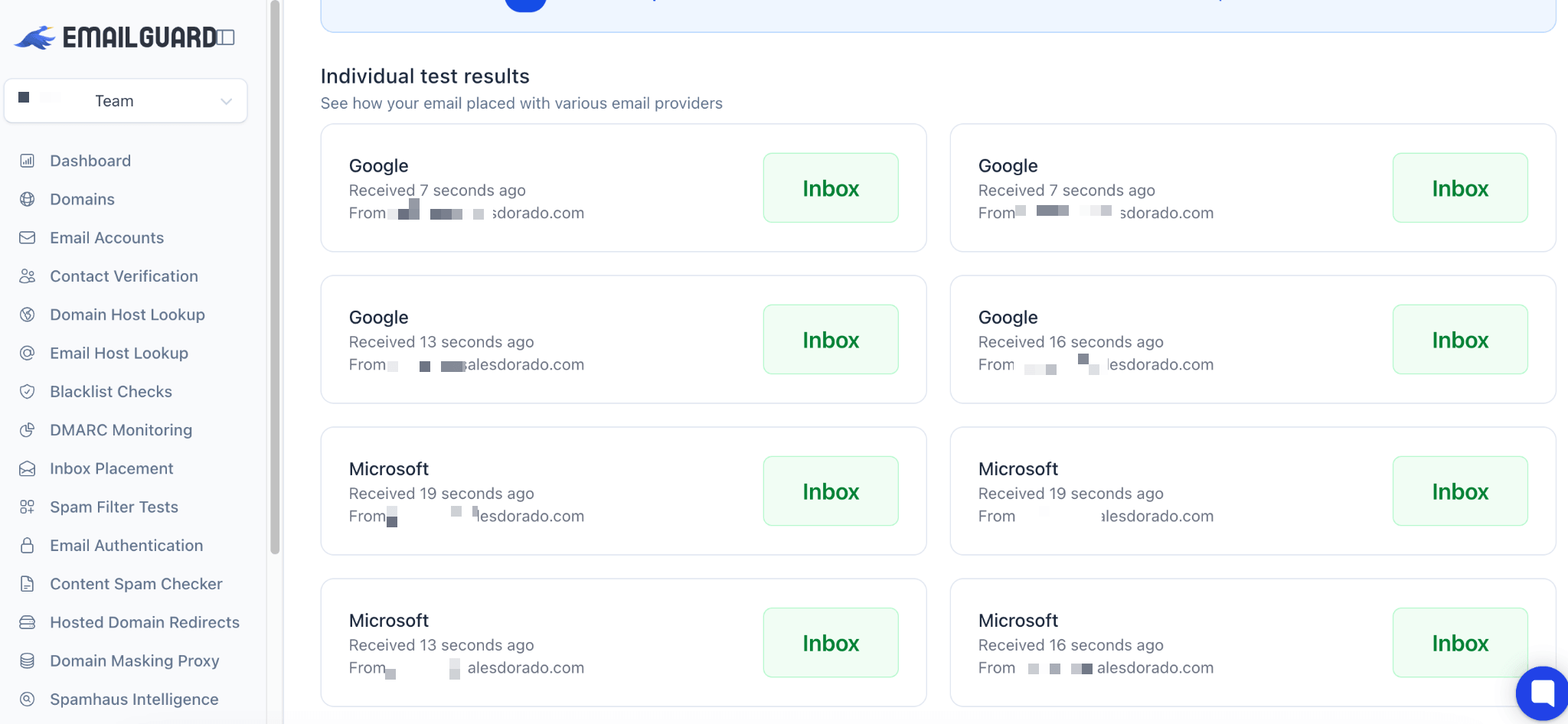
Individual results of an EmailGuard placement test: emails received in the inbox at Google and Microsoft

04

Unspam

4.2/5 From $9.65

Best for: Newsletters and marketing emailing to a mixed list, on a small budget

+ Strengths
  • Anti-spam score, placement, previews and heat map in a single tool
  • Unlimited sending accounts, no per-mailbox billing
  • Free plan renewed every month
− Downsides
  • Neither business Microsoft 365 nor a gateway in the public list of destinations
  • Neither Orange nor SFR among the providers tested
★ Unspam in brief

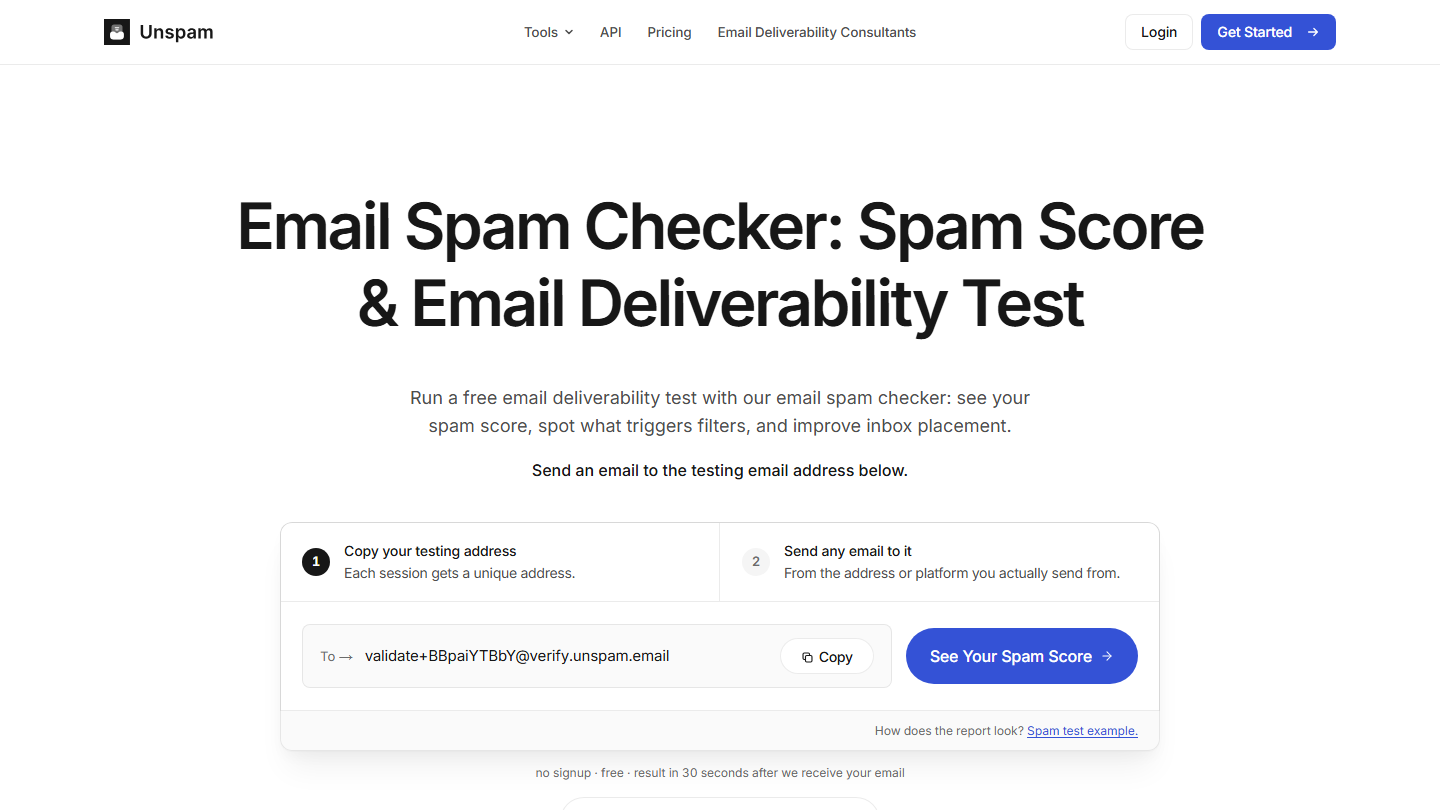
Unspam home page: “Email Spam Checker: Spam Score & Email Deliverability Test”, with the test address to copy

Unspam brings together the tests you run before a campaign: anti-spam score (authentication, content, blacklists, HTML), placement test on a seed list, rendering previews on more than 50 clients and devices in light and dark mode, and an AI-generated heat map that predicts where the eye lands.

The published destinations are mostly consumer: Gmail, Outlook.com, Yahoo, Zoho, ProtonMail, GMX, AOL and Amazon WorkMail. The vendor also says it tests business mailboxes, and our tests showed Google Workspace, but nothing indicates business Microsoft 365 or a security gateway.

It is the right tool for a newsletter or a mixed list: it combines placement and rendering for a few tens of cents per test. To prospect large accounts, it is not enough.

The free plan gives, each month, 5 anti-spam tests, 3 placement tests and 3 previews. Beyond that, the Custom plan bills each test: $0.50 per placement, $0.75 per preview, $0.18 per anti-spam test. The default configuration, 25 tests, comes to $9.65 per month, with 15% off when billed annually.

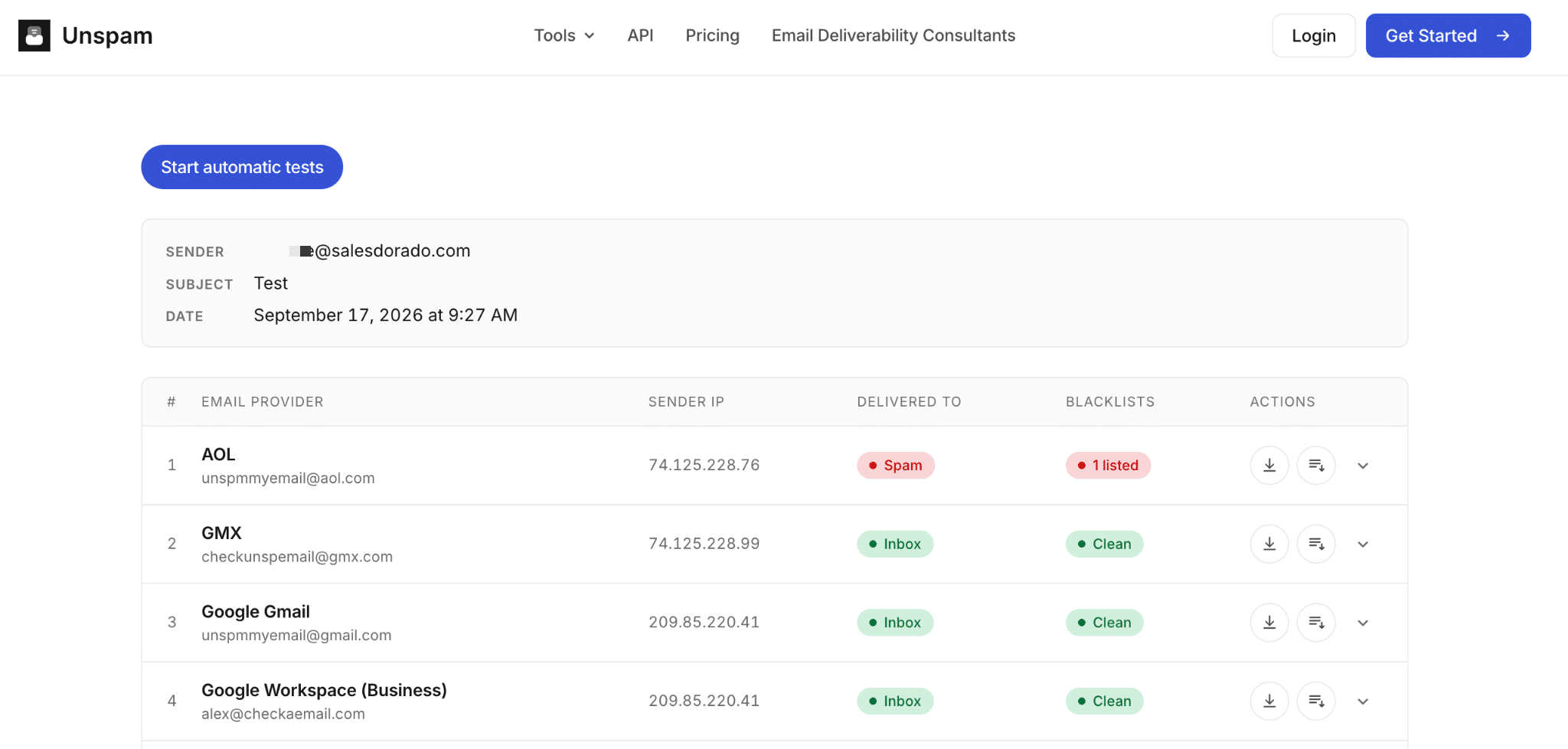
Unspam placement test: result by provider, AOL in spam, GMX, Gmail and Google Workspace in the inbox

05

Mailgun Optimize

4.0/5 From $49

Best for: Technical teams that want to test placement, whatever their ESP

+ Strengths
  • Works with any ESP
  • 2,500 address validations included in Pilot
  • First month free
− Downsides
  • Email previews left out of the plan: they belong to Mailgun Inspect, sold separately
  • No permanent free plan
★ Mailgun Optimize in brief

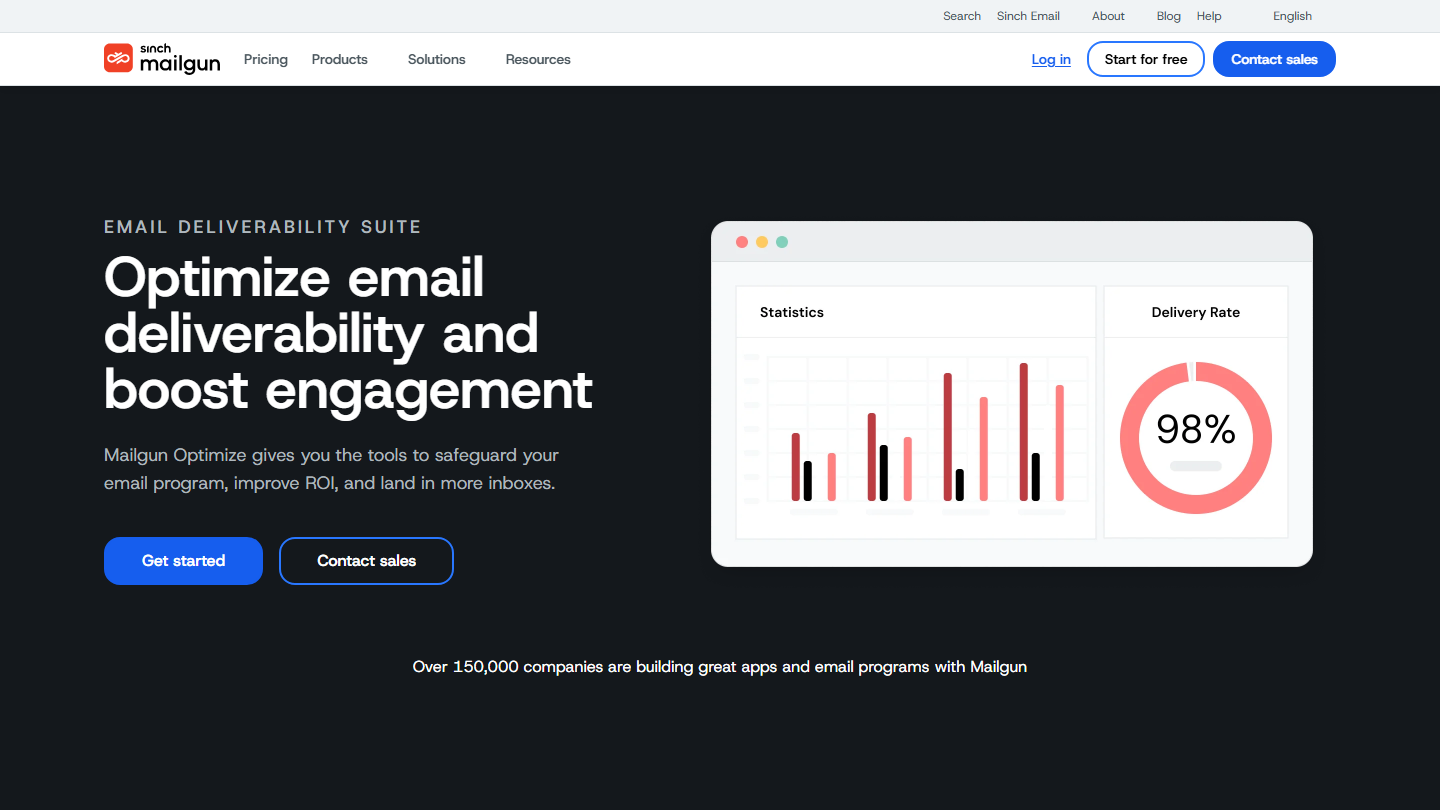
Mailgun Optimize product page: “Optimize email deliverability and boost engagement”

Mailgun, which belongs to Sinch, is first and foremost a sending service for developers. Optimize is its deliverability suite: placement tests, address validation and reputation monitoring, usable with any ESP.

On the plan’s page, Mailgun advertises a result per provider down to the tab or folder. Independent comparisons nevertheless noted that its tests did not separate Gmail’s Primary tab from the Promotions tab. A detail for a transactional email, a real question for a newsletter: check it during the trial month.

It pays off for a technical team that wants to track reputation in the same place as its tests. The Starter plan plugs in Google Postmaster Tools and Microsoft SNDS, and monitors blacklists and spam traps.

Pilot costs $49 per month after a free month, for 25 placement tests and 2,500 validations. Starter goes up to $99 for 50 tests and 5,000 validations. Each additional test costs from $0.75.

06

Validity Engage

4.1/5 From On request

Best for: Large senders who want to weight their tests by the mail systems in their list

+ Strengths
  • Seed lists covering hundreds of mail systems and anti-spam filters
  • Litmus previews across more than 100 clients and devices
  • Post-send email monitoring
  • Orange among its partners, useful for the French market
− Downsides
  • Pricing not public: on request, after a sales conversation
  • No free plan
★ Validity Engage in brief

Validity home page: “AI-powered email, trained on the world’s largest email data network”, Validity Engage platform

Validity is the go-to player for large senders. Its Engage platform brings together its placement and reputation tools, and Litmus, now integrated into Engage, for email creation and preview. The benchmark cited in the introduction rests on its seed lists, which cover hundreds of mail systems worldwide.

For B2B, EmailToolTester notes two strengths of its placement component: tests can include business hosting providers and filtering tools, and a feature weights results according to the mail systems present in your list. That is exactly the logic we defend in this article.

It pays off for a high-volume emailing program, when a single team manages creation, deliverability and data quality. For a sales team prospecting a few hundred accounts, GlockApps covers the essentials for a fraction of the price.

Pricing is not public: Validity’s pricing page points to a sales form, and so does Litmus’s since its integration into Engage. No free plan.

07

Mailgun Inspect (ex-Email on Acid)

4.1/5 From $99

Best for: Teams that design HTML emails and need to validate them on Outlook, Gmail and mobile

+ Strengths
  • Previews on more than 100 clients and devices, dark mode included
  • Unlimited users and API from the Basic plan
  • Accessibility, link and image checks in Premium
− Downsides
  • No placement test: it is a rendering tool
  • 1,000 previews per month on Basic, $0.15 per preview beyond that
  • No permanent free plan
★ Mailgun Inspect (ex-Email on Acid) in brief

Mailgun Inspect product page, successor to Email on Acid: “Build better emails with Mailgun Inspect”

Email on Acid was for a long time, along with Litmus, the reference tool for testing email rendering. Sinch, Mailgun’s owner, folded it into Mailgun Inspect: Email on Acid’s pricing page now presents Inspect as its successor.

The principle: you submit your email, and the tool generates a screenshot per client and device, in light and dark mode. The Premium plan adds HTML code analysis, link and image validation, and an anti-spam check of the content.

It says nothing about inbox placement: it complements a test like GlockApps or Mailgun Optimize. It pays off when a badly displayed email is costly, for example a newsletter sent to a base heavily equipped with Outlook, or templates that change with every campaign.

Basic costs $99 per month for 1,000 previews, Premium $199 for 2,000 previews and quality checks. The first month is free, and volume beyond the allowance is billed per preview.

08

Mailtrap

4.0/5 From $17

Best for: Development teams that test transactional emails in pre-production

+ Strengths
  • Captures pre-production emails without them reaching real customers
  • API to automate tests
  • Free plan for 50 test emails per month
− Downsides
  • Built for developers, not for a marketing campaign
  • Real previews on mail clients are optional, on request
  • No placement test
★ Mailtrap in brief

Mailtrap Email Sandbox page: “Sandbox for safe email testing”, with HTML analysis by mail client

Mailtrap is best known to developers for its Email Sandbox: a fake SMTP server that captures the emails sent by an application in development or pre-production. Nothing goes out to real recipients, and the team inspects each message in a shared inbox.

For each captured email, Mailtrap displays the headers, an anti-spam score and an analysis of the HTML and CSS that indicates, client by client, which elements are poorly supported. A validated email can then be forwarded to a few authorized real recipients.

It pays off for transactional emails: signup confirmation, password reset, invoice. It replaces neither a placement test nor a full rendering tool like Mailgun Inspect for a newsletter.

The free plan accepts 50 test emails per month in one sandbox. Basic costs $17 per month ($14 annually) for 500 test emails, Team $42 for 5,000 and Business $123 for 50,000. Mailtrap also sells a sending service and an emailing tool, billed separately.

How we chose these 8 tools

Every tool in this selection has been used in real conditions by our team or by a Salesdorado consultant, in a B2B sales and marketing setting. No ranking built from a marketing deck. The order of the list is not a ranking: the right tool depends on your needs.

  1. 01
    Benchmark scope

    Broad identification of the tools on the market (G2, Capterra, Salesdorado customer feedback, LinkedIn signals). Initial filtering, then a short list based on a 2-hour setup per tool.

  2. 02
    Test conditions

    3 to 4 weeks of active use per tool, with data representative of a B2B sales use case. When a tool targets a specific profile (SDR, AE, Ops, Marketer…), we match the tester accordingly.

  3. 03
    Weighted criteria

    For each category, 5 to 7 axes weighted according to what matters in the segment: UX, feature depth, native integrations, support, pricing at scale, compliance (GDPR, security), and roadmap quality.

  4. 04
    Independence

    No tool is scored in exchange for payment. Partner links (affiliate) are marked as such and do not influence the score. Non-partner tools are included when their place in the ranking is deserved.

  5. 05
    Updates

    The ranking is reviewed every 6 to 12 months or on every major release of a tool mentioned. The date of the last check is shown at the top of the article.

The questions we get over and over.

What is the best free tool to test deliverability?

No free tool covers everything. For technical compliance, Mail-tester and aboutmy.email are enough. For placement, GMass’s tester is free and includes Google Workspace mailboxes protected by gateways. Add Google Postmaster Tools if some of your recipients use Gmail.

Is Mail-tester reliable for testing deliverability?

Yes, for what it measures: the technical compliance and anti-spam score of an email. No, for predicting placement. A 10/10 doesn’t tell you whether your message will reach the inbox in Microsoft 365 or behind a gateway like Proofpoint. Use it as a prerequisite.

How do you test deliverability to Microsoft 365?

Choose a tool whose seed list includes Office 365 mailboxes, such as GlockApps or MailReach, then complete it with a real send to a few equipped contacts. Microsoft SNDS won’t help you for this target: it only covers consumer mailboxes and is only usable with a dedicated IP.

Does a placement test reflect reality?

Only partly. Test mailboxes have no engagement history with you, whereas Gmail and Microsoft also filter based on each recipient’s behavior. A placement test is a reliable warning signal to spot a problem, not an exact measure of what your prospects will see.

★ The conversation, 0 comments

What the community says.

Basic Markdown, moderated within 24 h
Loading…

    In the same category