
The tool in detail
The detail below reviews Zervant's feature set, from the invoice editor to reminders for unpaid invoices by way of time tracking, then how easy it is to get started, its customer service and its three plans.
Good to know Zervant belongs to the Ageras group, which also bought the neobank Shine. On its French site, the publisher now presents Shine Facture as the new invoicing tool gradually succeeding Zervant. Zervant is still open to sign-ups, but its prices and features may change as the transition goes on.
Zervant’s feature set
Creating invoices and quotes
This is Zervant’s main feature.
The tool lets you create your invoices and quotes quickly and simply with an online editor:
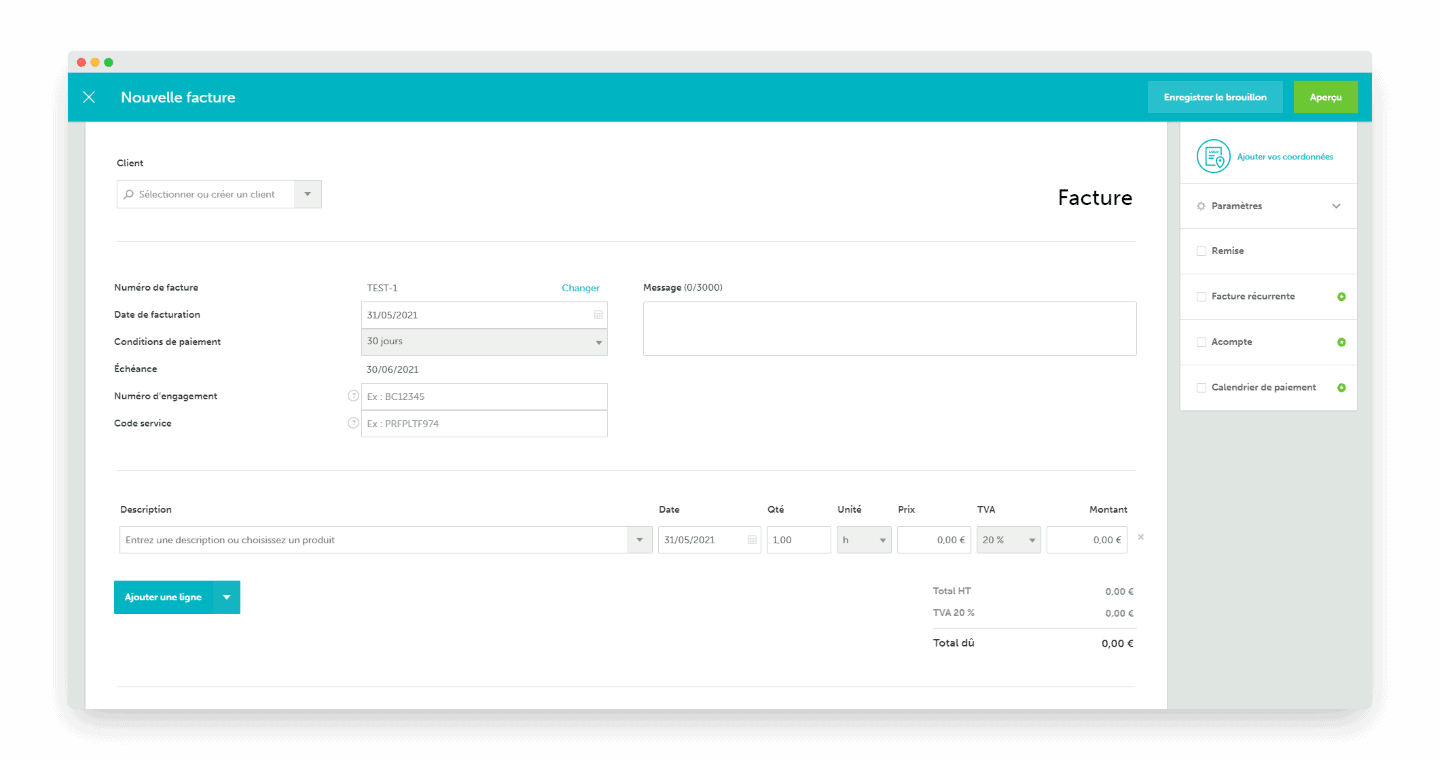
The editor is very complete and comes with some useful features, including:
- Invoice templates with or without VAT
- The option to add a footer note
- Several invoicing languages available
- Several currencies available
- Setting a down payment
Just fill in the fields with your details and you get your invoice in 1 click:
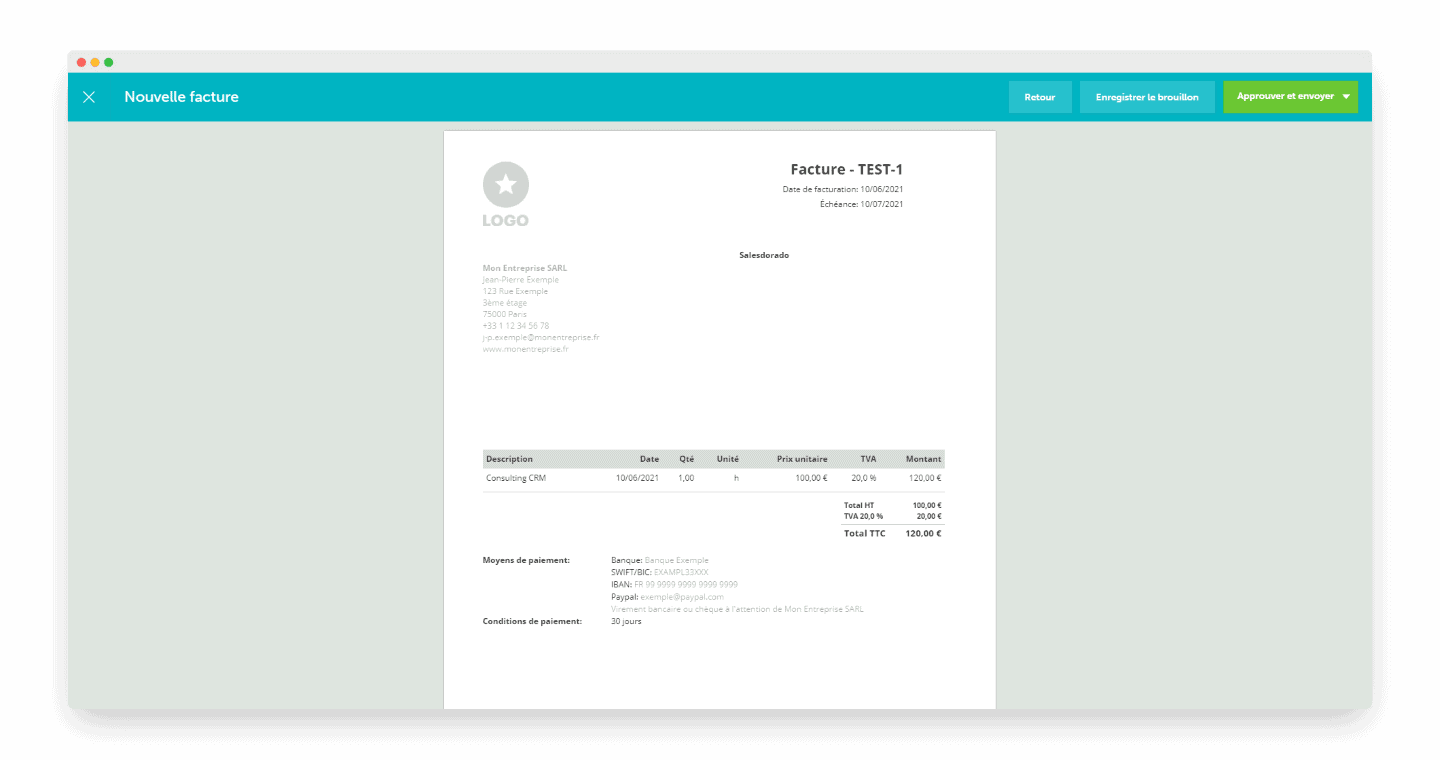
You can then send your invoice:
- By email
- By post, from the Start plan
- Or download it as a PDF
Your quotes in a few clicks
Creating a quote works like invoices: just click “new quote” and you are in the editor.
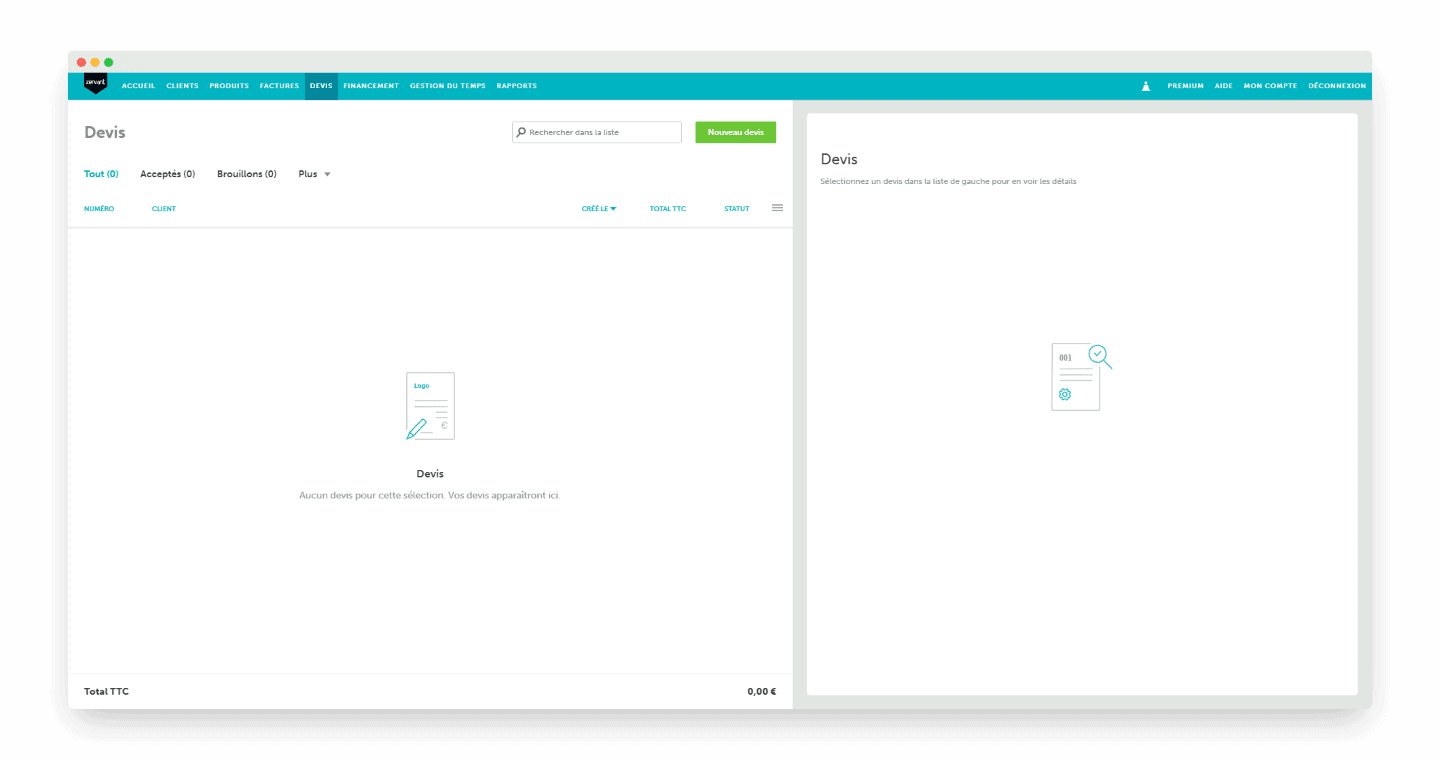
Date, service description, message, currency: in a few clicks you get a professional quote.
Recurring invoice: the option that saves you time
The “recurring invoice” option is also very handy. Once it is on, Zervant creates and sends an invoice to your client automatically every month.
It is a real time saver if you bill the same service regularly.
Client file and product catalogue
Zervant also offers client tracking features. You can create a prospect file that gives you access to key information such as outstanding invoices or quotes.
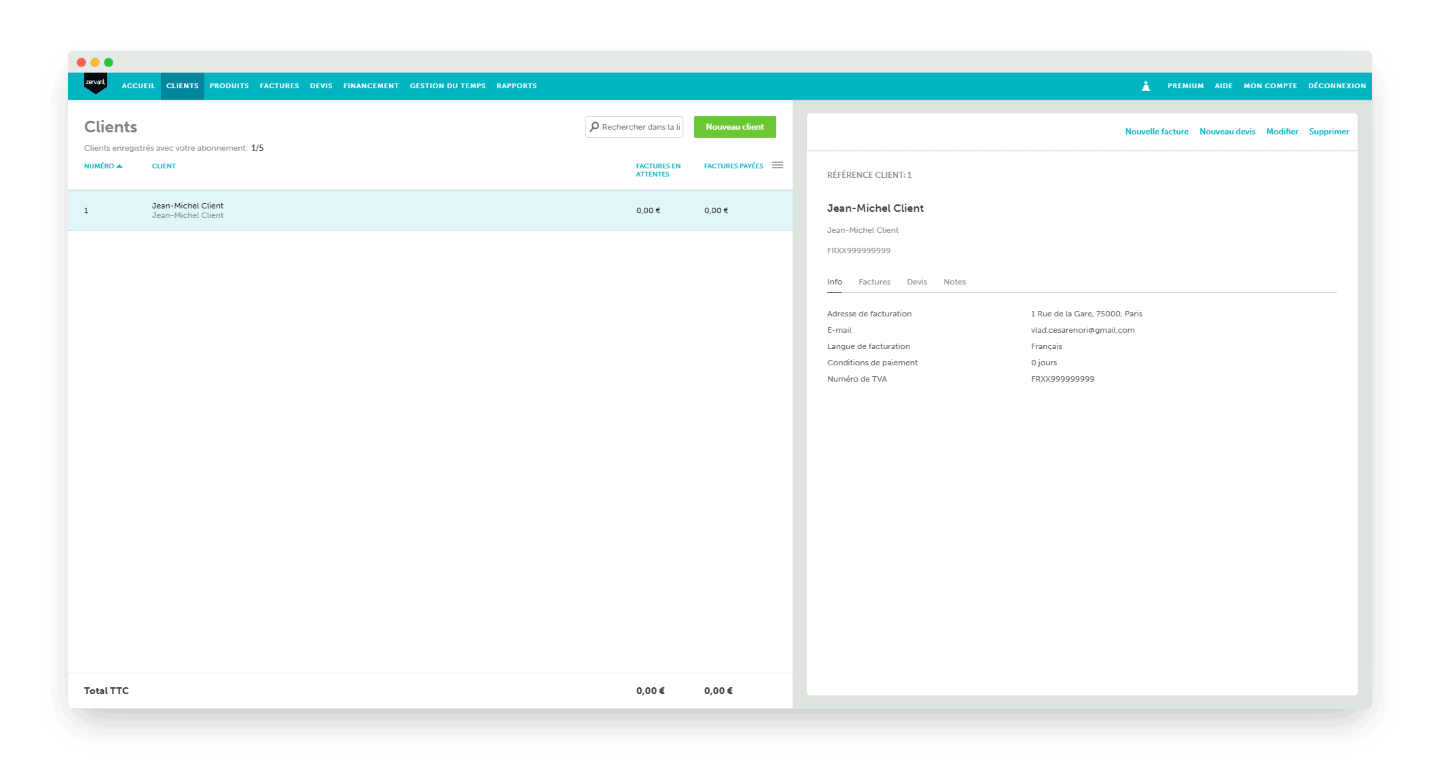
Even if this information is basic, it is a plus for invoicing software.
The free version is limited to 5 clients.
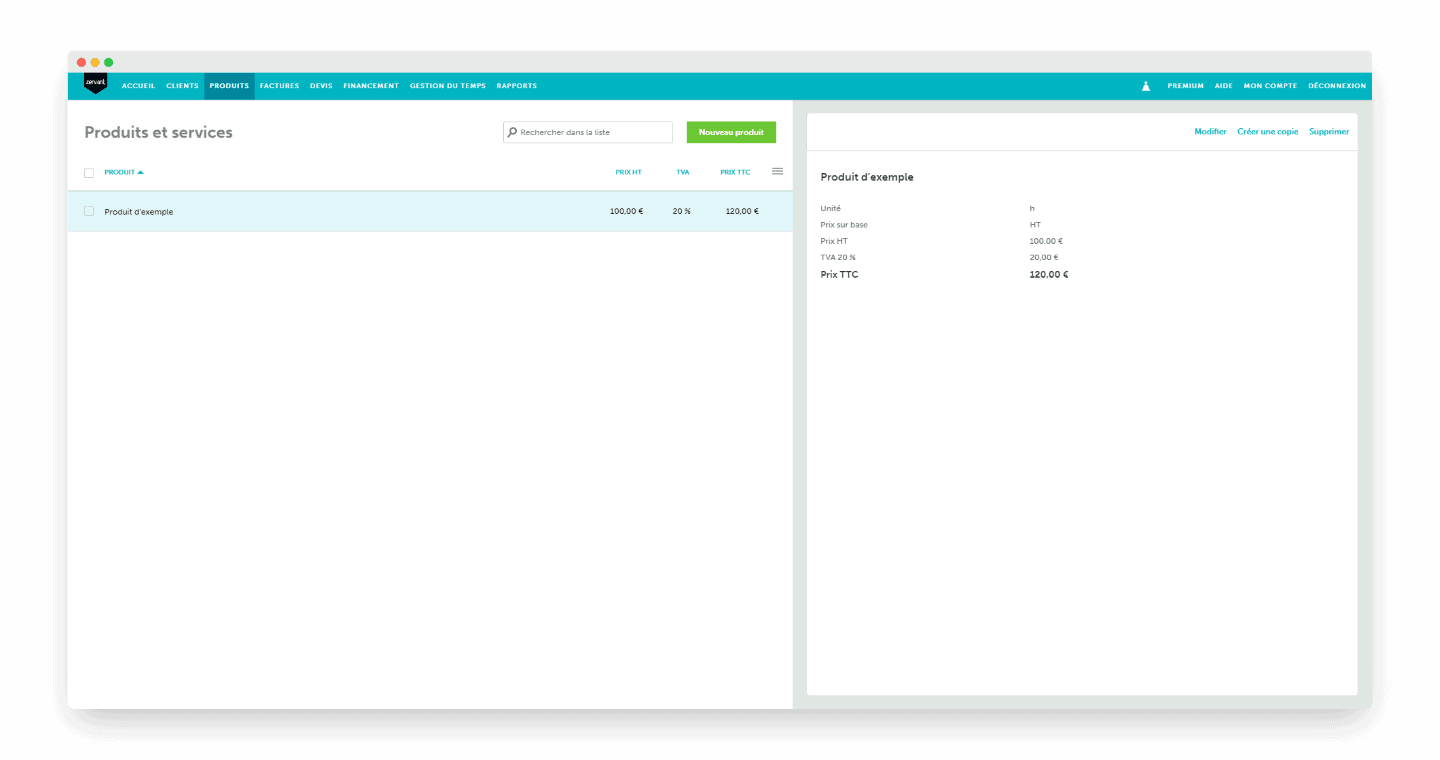
A “products” tab is also available and groups, for each product or service, the amount excluding VAT and the VAT.
Tracking hours worked and billing them
Available only in the premium version, the “Time management” feature lets you track and manage the time spent working for your clients.
For professionals who bill by the hour, it really simplifies the way they manage their work.
In practice, Zervant lets you:
- Get a full overview of the hours logged.
- Add the logged hours to an invoice in one click.
Payment management
Online payments
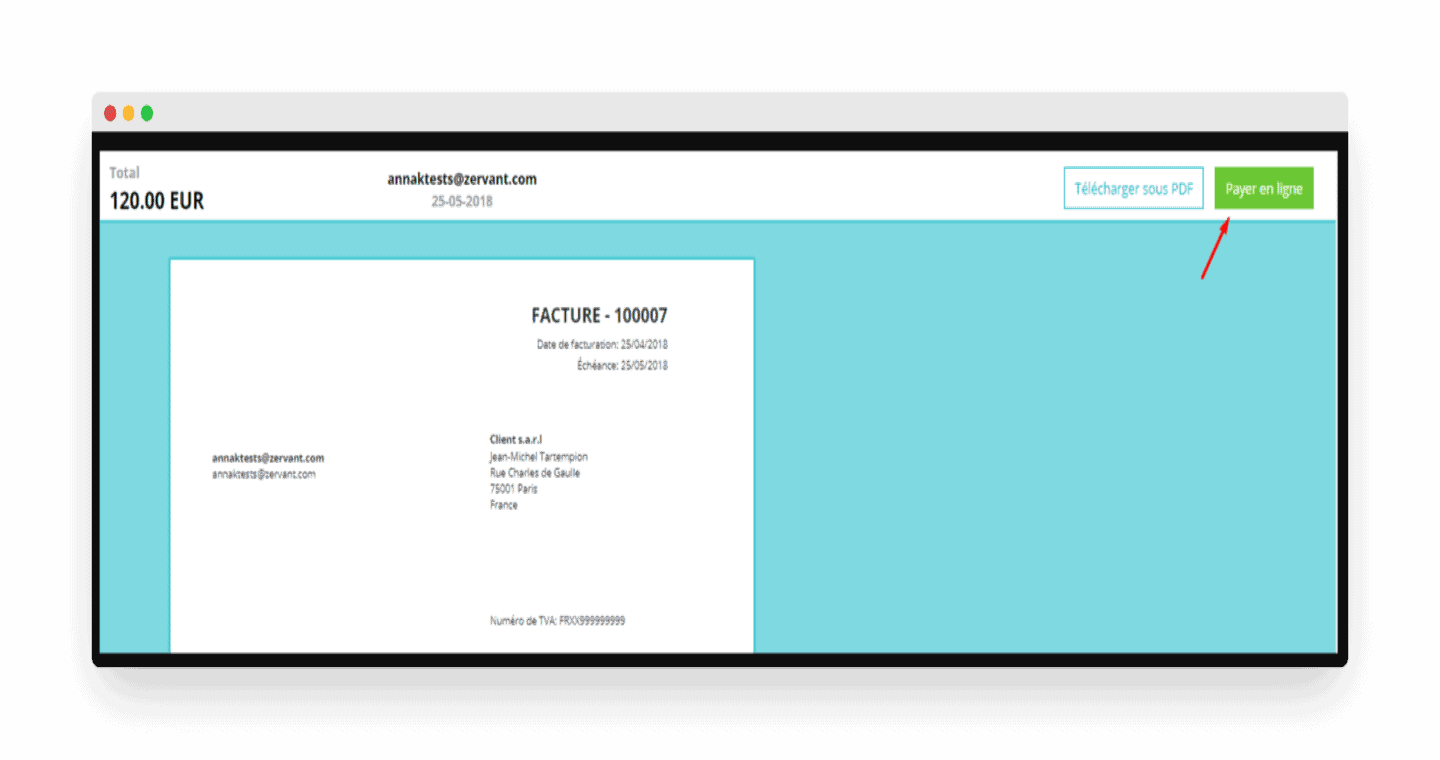
Thanks to its Stripe integration, Zervant lets your clients pay you online by credit or debit card.
Transaction fees are 1.9% of the invoice’s total value + €0.25 for European cards.
More than 135 currencies are accepted.
How does it work?
- You create a Stripe account.
- When your client receives the invoice, they can pay online with the “pay now” button.
- Once the payment is made, the money is transferred to your bank account and the invoice status is updated automatically.
Alerts and reminders for unpaid invoices
Zervant saves you from chasing your clients with a feature dedicated to unpaid invoices.
In practice, you have 2 options:
- Setting up automatic reminders when a payment is late.
- Selecting priority invoices one by one.
Payment reminders are only available in the premium version.
Bookkeeping
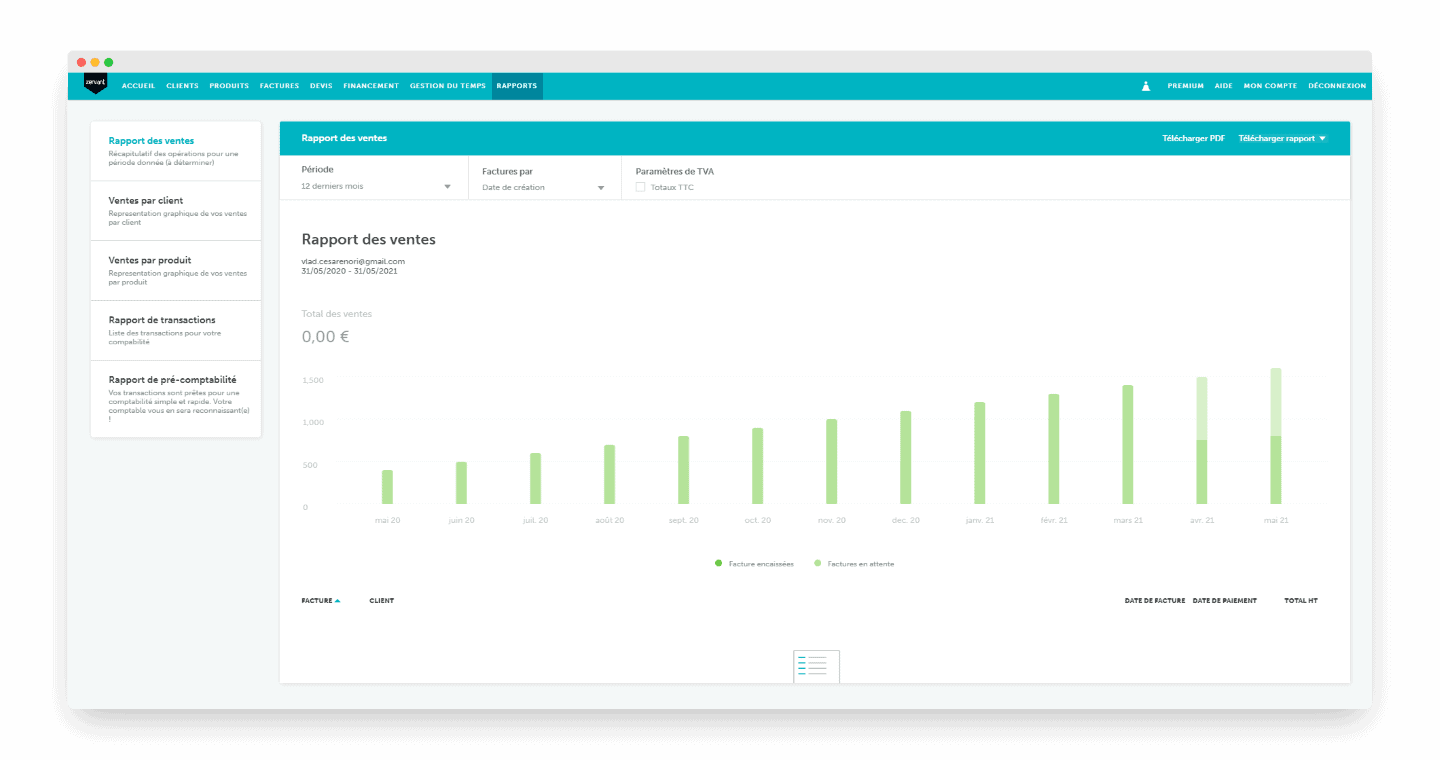
Zervant lets you produce basic reports that make your bookkeeping easier.
The “pre-accounting report” is a document to send to your accountant that summarises the various transactions over a financial year.
Be careful, Zervant is not accounting software, the features here are limited.
Mobile app
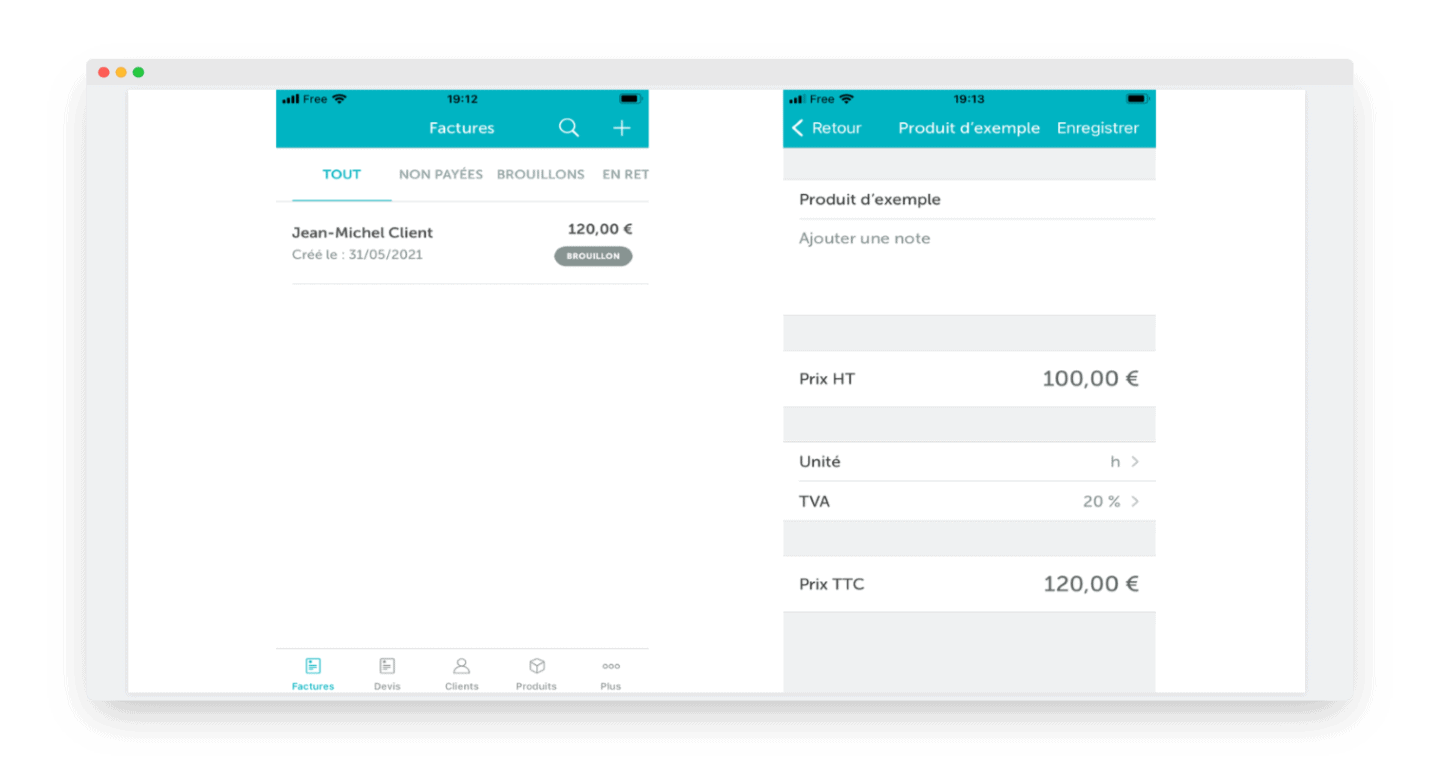
Zervant offers an app so you can carry out all your operations even on the move.
Available on iOS and Android, it lets you handle everything related to invoices and quotes.
With the free version limited to 5 clients, you also get the “clients” and “products” options.
Salesdorado’s takeZervant offers features that will save you precious time in running your business. The free version is ideal if you are just starting out.
Getting started
Ergonomics and user experience on Zervant are good. On a computer, the interface is quite clean, with a dashboard that sums up the key information on invoices and sales.
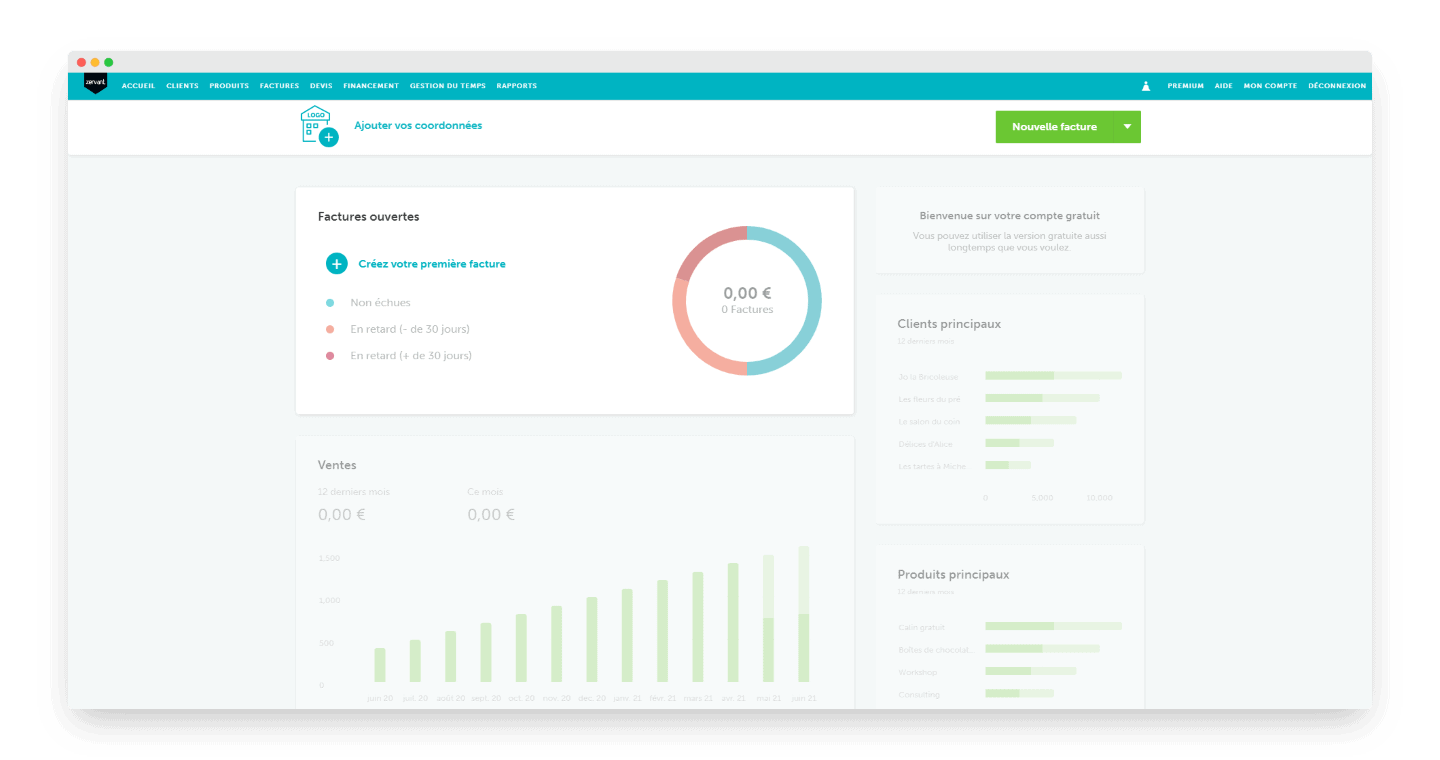
The various features are reached through dedicated tabs.
Plus point: the interface is the same from one feature to the next, so users find their way around easily.
As for the mobile app, the interface is broadly fine, but still lags behind other invoicing apps such as Henrri.
Zervant’s customer service
Very thorough documentation is available, split into 4 categories: invoicing, subscription, export and mobile.
A “Where to start?” section is dedicated to onboarding.
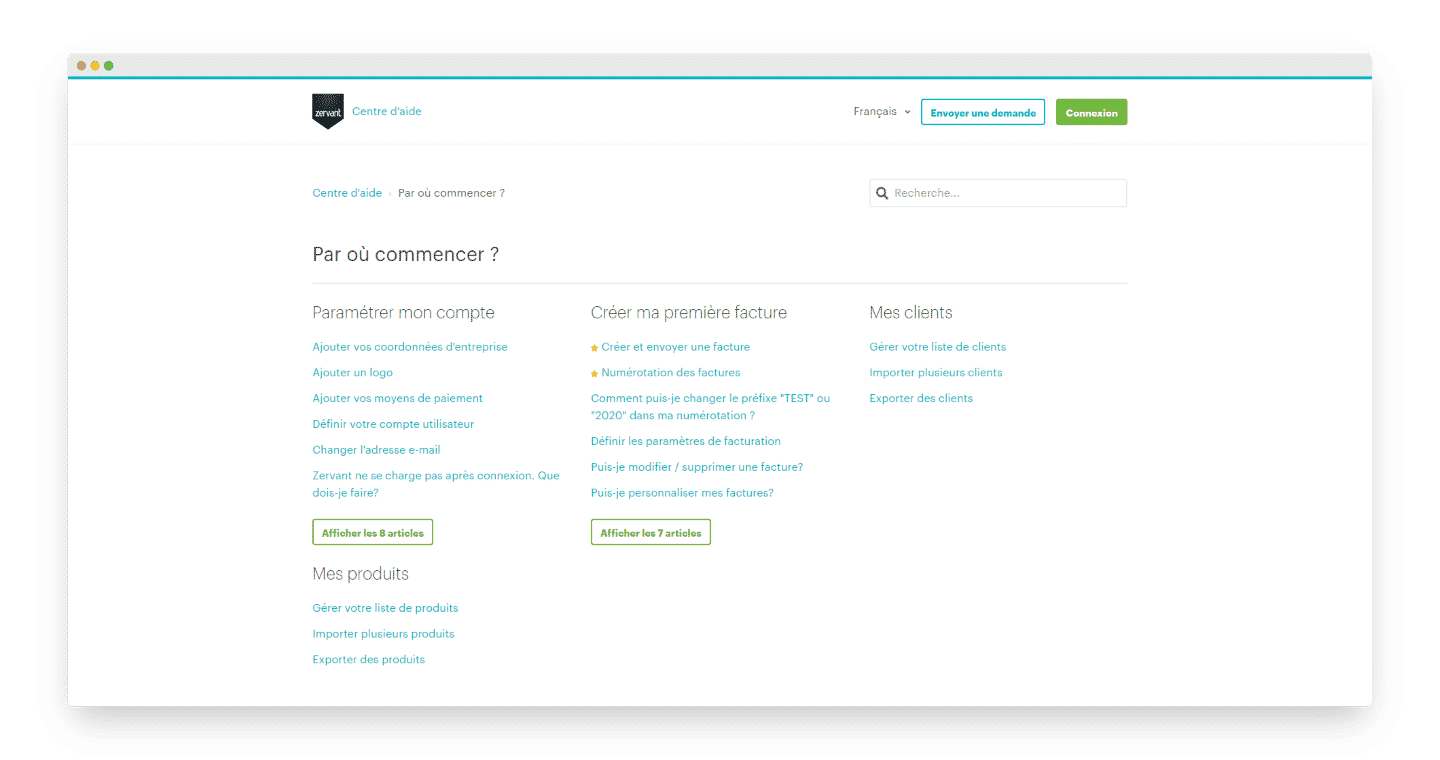
A complete FAQ is also available and answers the main problems a user may run into.
The platform also publishes many articles and guides on running a business. They cover topics such as invoicing, entrepreneurship, tools and templates.
If you cannot find your answer in the online resources, Zervant offers a customer service you can reach by chat and email, including on the free version.
Phone support is added from the Start plan onwards.
Salesdorado’s takeOnboarding documentation, FAQ, chat and email: Zervant offers all the tools needed to solve users’ problems. We like having access to customer service by chat and email even on the free version.
Zervant pricing
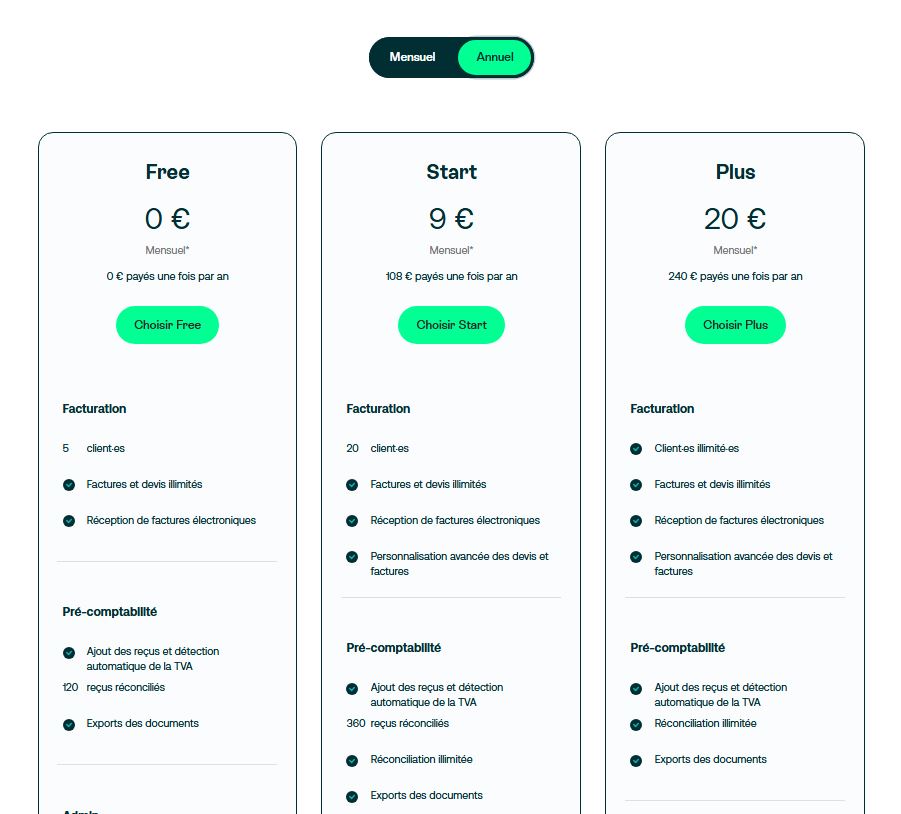
- On the French site, the free version, up to 5 clients: this plan lets you send unlimited invoices and quotes, receive e-invoices, add receipts with automatic VAT detection, and includes 1 bank connection, a dashboard and support by chat and email.
- Start version, €9/month billed annually (€11 monthly), up to 20 clients: this plan adds advanced customisation of quotes and invoices, 3 bank connections, more matched receipts and phone support.
- Plus version, €20/month billed annually (€25 monthly), unlimited clients: the full plan, with unlimited receipt matching and 5 bank connections.
Monthly paid subscriptions start with a 30-day free trial.
Salesdorado’s takeZervant offers good value for money, with prices in the lower half of the invoicing software market. On the other hand, unlimited clients now require the Plus plan, at €20 a month. The free version remains generous for a freelancer who is just starting out, but with the transition to Shine Facture, you had better check what will become of your subscription.