Every company uses dozens, if not hundreds, of SaaS tools. According to a recent study, large companies use an average of over 400 SaaS tools(source).
These figures are dizzying. The problem isn’t that each tool is expensive. Slack is €7/month, Trello is €5/month, which seems reasonable when you think about it. The problem is that nobody has ever asked the question: “Do we really need all this stuff?”. And when you add up the subscriptions, the phantom licenses, the time spent administering 7 tools and the cobbled-together integrations to make them communicate, the real bill is often twice what you imagine.
This article is not just another comparison. It’s a practical 5-step guide to auditing your SaaS stack, identifying waste and building a realistic consolidation plan. Take a spreadsheet, 30 minutes and follow the method. At the end, you’ll know exactly how much you can save and where to start.
Sommaire
Step 1: Map all your SaaS (yes, all of them)
The first step is the simplest and most revealing. List all the SaaS tools your company uses and pays for. Not the ones you think you use. All the ones that appear on your bank statements.
How to take a complete inventory
- Check your bank statements and credit cards. Filter out recurring payments over the last 3 months. You’ll come across subscriptions you’d forgotten about: the old video tool we replaced with Zoom but never cancelled, the Canva premium plan the intern had subscribed to, the Dropbox Business account that duplicates Google Drive.
- Interview each team. Ask each manager to list the tools his or her team uses on a daily basis. Emphasize free or freemium tools: they don’t cost anything to subscribe to, but they do cost time (maintenance, training, dissemination of information).
- Track down shadow IT. These are the tools your employees use on their own initiative, without validation. Shadow IT isn’t a disciplinary problem, it’s a symptom: if your teams are bypassing official tools, it’s because the latter don’t meet their needs.
The inventory table
Build a simple spreadsheet with these columns:
| Tool | Category | Cost/month | No. of users (license) | No. of actual users | Department | Indispensable? |
|---|---|---|---|---|---|---|
| Slack Pro | Communication | 145€ | 20 | 18 | All | ? |
| Zoom Pro | Visio | 267€ | 20 | 12 | All | ? |
| Pipedrive Advanced | CRM | 560€ | 20 | 6 | Commercial | ? |
| Etc. |
Salesdorado tip
The first surprise is the number of tools. The second is the total amount. We regularly talk to SMEs who discover that they’re spending €3,000 to €5,000/month on SaaS, when they thought they were spending €1,500. The most revealing column in the table is the gap between “licensed users” and “real users”. If a Pipedrive has 20 licenses, 6 of which are actually used, that’s 14 €28 licenses burning up every month for nothing.
Step 2: Measure the true cost of your stack
The cost shown on the invoice is just the tip of the iceberg. The real cost of a SaaS tool includes items that no one accounts for.
The 4 hidden costs of your SaaS stack
- Unused licenses. You know, the former intern who still has a Slack Pro account, the Pro plan we took out “just in case” when the Standard plan was enough, the CRM billed for 20 users when only the 6 salespeople use it, etc. According to LeanIX, companies waste an average of 40% of their SaaS expenditure on redundant or under-used tools. For an SME with €2,500/month SaaS, that’s potentially €1,000/month up in smoke.
- Integration and maintenance costs. To make your tools communicate with each other, you’ll probably pay a Make or Zapier (19 to 99€/month). Someone in the team spends time configuring and maintaining these automations. And when a Zapier scenario breaks on a Sunday evening, he’s the one we call.
- Context switching time. Each switch between two applications (Slack to CRM, CRM to Asana, Asana to Drive) takes 20 to 30 seconds and a cognitive cost measured at around 23 minutes to regain full concentration after an interruption(source). Multiply that by the dozens of daily toggles and you understand why your teams feel like they’re “running without moving forward”.
- Loss of information between silos. It’s the hardest cost to measure, but often the highest. It’s the deal lost because the sales rep didn’t have the context of a previous call, it’s the task forgotten because it was mentioned in a video but never created in the project tool, it’s the customer frustrated because information isn’t circulating between teams, and so on. These losses are invisible on the SaaS invoice, but very real in terms of sales.
Calculation for an SME with 20 employees
| Cost item | Monthly estimate |
|---|---|
| Visible SaaS subscriptions (7 tools) | 1 500 – 2 500€ |
| Unused licenses (~30-40% wastage) | 500 – 1 000€ |
| Integration tools (Zapier/Make) | 50 – 100€ |
| Administration time (4-8h/month at €50/hr) | 200 – 400€ |
| Context switching (30 min/day x 20 people at €25/h) | ~5 000€ |
| Estimated actual cost | 7,000 – €9,000/month |
Context switching is the biggest and most invisible item. You’ll never see it on an invoice, but it weighs 3 to 4 times more than the subscriptions themselves. It’s the item that drops the most when you consolidate tools.
Step 3: Identify duplication and under-utilized tools
The classic duplicates found in almost every SME
Review your inventory and look for these situations:
- Two communication tools: Slack AND Teams (one department uses one, another uses the other). Or Slack for interns and WhatsApp for emergencies.
- Two storage spaces: Google Drive AND Dropbox. Or Drive AND CRM or project tool integrated storage.
- Two video tools: Zoom AND Google Meet (already included in Google Workspace).
- Duplicate task management: Trello or Asana for project management, while CRM has its own task module that nobody uses.
- Duplicate emailing: Mailchimp for newsletters, while the CRM has an integrated email marketing module.
Zombie” tools
These are the tools that are always paid for, but hardly ever used. Signs to spot them: less than 50% of licenses connect at least once a week, the tool is not mentioned by anyone when you ask “what tools do you use on a daily basis?”, the last file shared in the tool was several months ago, etc.
Be ruthless: if a tool is only actively used by 2 people out of 20, the question isn’t “how do we get the rest of the team to adopt this tool?”. The question is “can these 2 people do the same thing in a tool that everyone is already using?”.
Core vs Edge sorting
Classify each tool into one of two categories:
- Core (basic functions): these are the tools that everyone in the company uses for day-to-day operations: internal communication, file storage, office automation, videoconferencing, task management, CRM. These are the best candidates for consolidation, because an all-in-one tool covers 80% of needs at a fraction of the price.
- Edge (specialized functions) These are tools used by a specific department for a high value-added function. Marketing automation advanced, advanced analytics, accounting, design, specialized business tools. Here, the specialized tool often does much better than the equivalent all-in-one module, and the ROI justifies the separate subscription.
Salesdorado’s opinion
The rule is simple: consolidate the “Core”, save the specialists for the “Edge”. For communication, standard CRM, basic project management and storage, an all-in-one tool does the job. On the other hand, if your marketing is based on HubSpot 15-step workflows, or your accounting on Pennylane, don’t try to replace them with a generic module. A specialized tool is justified when it gives you a competitive edge. Not when it just gives you a better UX on a basic function.
Step 4: Building the consolidation plan
You’ve got your inventory, your costs, your duplicates and your Core/Edge sort. Now let’s build the plan.
What you can almost always consolidate
Here are the “Core” functions that an all-in-one platform like Bitrix24 covers in a single subscription:
| Core function | Typical specialized tool | Cost/month (20 users) | Replaced by Bitrix24? |
|---|---|---|---|
| Internal chat | Slack Pro | 145€ | Yes (Messenger integrated) |
| Videoconferencing | Zoom Pro | 267€ | Yes (video + AI transcription) |
| Project management | Asana Premium | 220€ | Yes (tasks, Kanban, Gantt) |
| CRM | Pipedrive Advanced | 780€ | Yes (full CRM) |
| File storage | Dropbox Business | 240€ | Yes (integrated Drive) |
| Telephony | Aircall | 600€+ | Yes (SIP + IA transcription) |
| Integrations | Zapier | 50-100€ | No longer necessary (everything is native) |
| Total before | ~€2,300/month | ||
| Total after (Bitrix24 Standard) | 99/month |
We go from ~2,300€/month to 99€/month for Core functions. Even if we keep Google Workspace for office automation (240€/month) and a specialized business tool, we divide the bill by at least 3.
What you should probably keep separate
- Office automation: Google Workspace or Microsoft 365. It’s so ingrained in people’s habits that the benefits of consolidation don’t outweigh the cost of migration. And the Google/Microsoft suites are frankly excellent.
- Accounting/invoicing: Pennylane, specialized invoicing software, your accountant has his habits. Our advice: don’t touch it.
- Advanced marketing automation: if you’re using HubSpot Marketing Hub or ActiveCampaign workflows with complex scenarios, keep them. The marketing module of an all-in-one won’t compete.
- Specialized business tools: your CAD software, your site management tool, your e-commerce platform. These are “Edge” functions par excellence.
The typical scenario: from 7 tools to 3
| Before (7 tools) | After (3 tools) |
|---|---|
| Slack (communication) | Bitrix24 Standard – 99€/month (CRM + chat + visio + telephony + project + storage + AI) |
| Zoom (visio) | |
| Pipedrive (CRM) | |
| Asana (project) | |
| Dropbox (storage) | |
| Aircall (telephony) | |
| Google Workspace (office automation) | Google Workspace – €240/month |
| Pennylane (accounting) | Pennylane – unchanged |
| Total : ~2 500€+/month | Total : ~400€/month + accounting |
Beyond the gross savings on subscriptions, the real gain lies elsewhere: a single space where tasks are linked to CRM deals, where calls are transcribed and attached to contacts, where team conversations are contextualized by project. It’s the end of context switching and the loss of information between silos.
Try Bitrix24 for free
Bitrix24 offers a free plan with no user limit and a 15-day trial of premium features. Try it out: install Bitrix24 alongside your current stack for 2 weeks, and compare.
Step 5: Migrate without breaking the bank
The plan is ready. All that’s left is execution…and that’s where most SMBs fail. Not because the replacement tool is bad, but because the migration is poorly sequenced.
The right migration order
- Start with the easiest channel to migrate: chat. This is the tool we use most every day, and it’s the one where the switchover is quickest. Create the equivalent channels in the new tool, invite the team and start posting ads in the new chat. Within 1-2 weeks, the reflex changes.
- Follow with project management. Migrate active projects (not the complete history). Create current tasks in the new tool and start working on them. The old tool remains accessible for historical reference.
- Migrate CRM last (or first if that’s your priority). CRM is the most sensitive because it contains customer history. Most platforms offer CSV imports. Make a clean export from your old CRM, clean up the data (obsolete contacts, dead deals) and import into the new one. This is an opportunity to purge your database.
- Don’t migrate visio and telephony: switch over. There’s no history to transfer. On the day, we use the new tool’s visio. Point.
Fatal mistakes to avoid
- The “big bang”: migrate everything at once on a Monday morning. This is the best way to paralyze the team for a week. Migrate one module at a time, 2-3 weeks apart.
- No cut-off date: if you don’t set a specific date for deactivating the old tool, the two systems will coexist indefinitely. You’ll have more fragmentation than before, not less.
- Ignore resistance: there will always be someone who prefers “their” Slack or “their” Trello. Identify 2-3 internal champions (profiles comfortable with the tools) and make them your relays. Adoption by peers works much better than an email from management.
- Migrate dirty data: migration is the ideal opportunity to clean up. Don’t transfer the 3,000 dead contacts from your old CRM. Don’t recreate the 47 Slack channels, 40 of which are inactive. Migrate clean.
Measuring results after 1 month
After 30 days of using the new tool, measure three indicators:
- Total SaaS bill: compare with the month before migration. Savings should be visible immediately.
- Internal email volume: this should drop by 30-50% if chat and newsfeed are well adopted.
- The rate of documented CRM: if telephony is integrated with automatic transcription, the percentage of calls documented in the CRM should increase significantly.
Something to keep in mindDon’t measure team satisfaction in the first week. Any change of tool generates frustration at first, even when the new tool is objectively better. Allow 3-4 weeks of adaptation before asking for structured feedback. Feedback in the first week will always be negative, and that’s normal.
Consolidation platforms for SMEs
This article focuses on the method, not on a detailed comparison of tools.
Nevertheless, here are the three approaches that work best for SMEs.
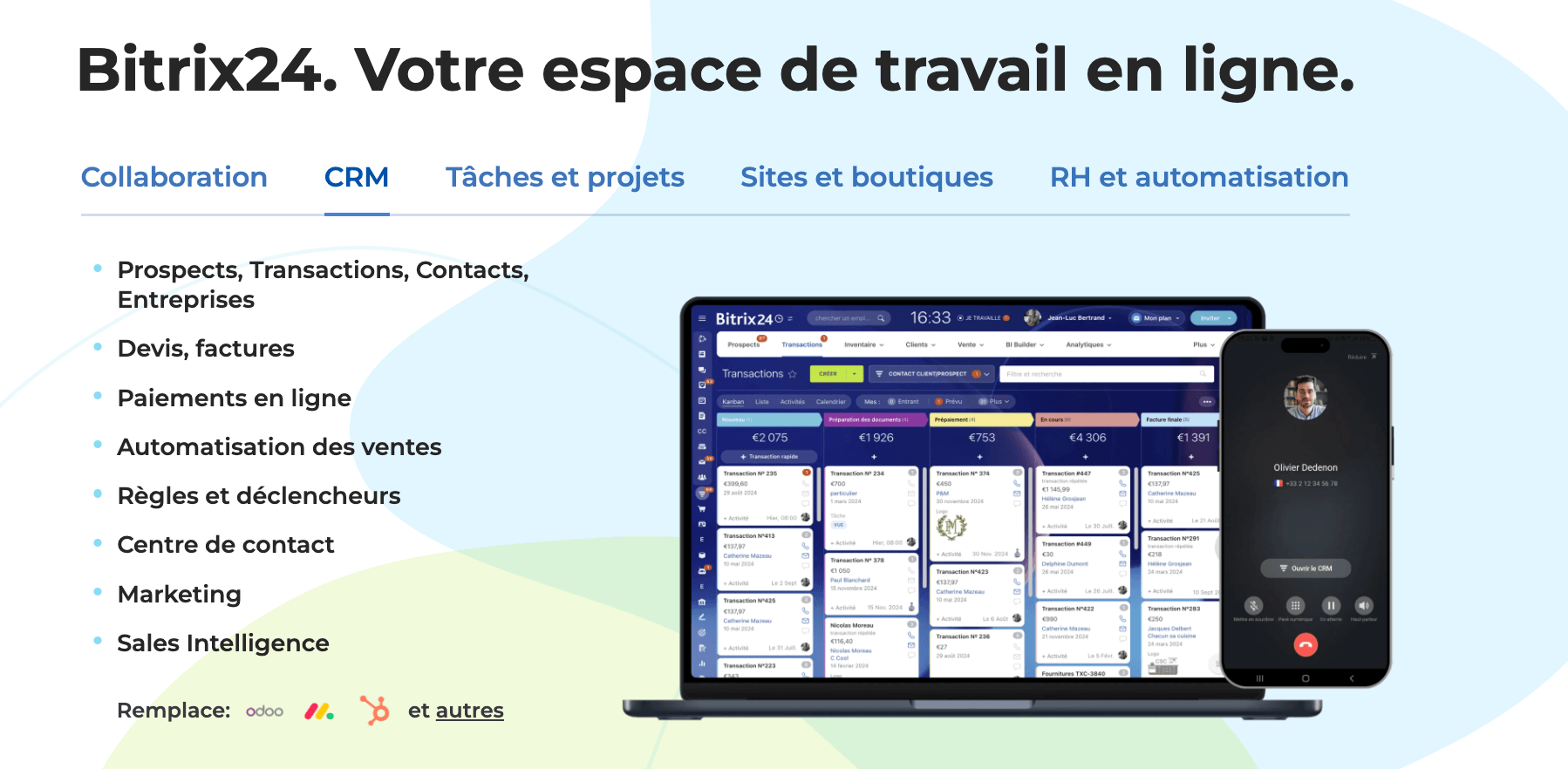
- Bitrix24: maximum consolidation. CRM + chat + visio + telephony + project management + storage + CoPilot AI in a single flat-rate subscription (€99/month for 50 users). This is the most radical option: it replaces 6-7 tools at once. The interface is dense and the learning curve is real, but the features/price ratio is unbeatable. This is our recommendation for SMEs that really want to simplify.
- Zoho One: the widest ecosystem. 40+ applications (CRM, Projects, Cliq, Meeting, WorkDrive, Books, Campaigns, Desk…) for €37/user/month. Very comprehensive, but the applications are distinct products with sometimes different interfaces. Less “unified” than Bitrix24, more “bundled”.
- Google Workspace + separate CRM: the classic compromise. You keep Google for office, storage and video (Google Meet), and add a CRM like HubSpot (free plan to get started) or Pipedrive. Less consolidated but more familiar, and it already reduces the stack from 7 to 3-4 tools.
Try Bitrix24 for free
Bitrix24 offers a free plan with no user limit. Install it alongside your current stack for 2 weeks, migrate a first module (chat, for example), and measure the difference.