In a B2B company, it’s not the designers who produce the most visual aids, it’s the others: the founder tinkering with his pitch deck on the eve of an investor meeting, the PM making a rough wireframe to explain a feature, the marketer putting together a campaign landing page, the sales person preparing a proposal support for a key account.
These people don’t open Figma. They don’t have the time or the reflexes. Instead, they make do with Canva or PowerPoint templates. The result is usually either media of approximate quality, or media delivered late.
Claude Design is a response to this. The dominant reading of the product, “the Figma killer”, completely misses the point. Claude Design doesn’t attack Figma on its own turf, but is aimed above all at all those who produce visuals without being designers, and who until now have done so in tools that weren’t made for them.
We spent a lot of time in the tool, testing B2B use cases. Read our full review of Claude Design.
Sommaire
Our opinion of Claude Design in brief
| Perimeter | Score | Our opinion |
|---|---|---|
| Overall rating | 4 / 5 | Claude Design is the first conversational visual generation tool that really takes non-designer users seriously. It’s a powerful tool for quickly producing pitch decks, landing pages and B2B prototypes. However, with its research preview status and separate weekly quota model, you’ll need to calibrate your use carefully. |
| Conversational generation | 4,5 / 5 | In use, the first rendering comes out in less than a minute, and it’s surprisingly consistent right from the start. Iteration using contextual sliders and inline comments is a real innovation compared with conventional UI generators, which require you to regenerate everything. |
| Understanding your brand | 4,5 / 5 | Automatic extraction of a design system from your codebase or existing files is the feature that really separates Claude Design from Lovable, v0 or Figma Make. Once the tool is calibrated, it reproduces your visual identity without having to re-prompter for each project. |
| Quality-price ratio | 3,5 / 5 | Included at no extra cost in Pro, Max, Team and Enterprise. But Claude Design runs on a weekly quota SEPARATE from your other Claude uses, and this quota quickly runs out. On the Pro plan, two or three serious projects a week are enough to hit the wall. |
| Exports and integrations | 3,5 / 5 | Clean exports to Canva, PPTX, PDF and HTML. Passing the baton to Claude Code to produce production code is a real killer. Two drawbacks: no Figma export, and no real-time collaboration between several users on the same canvas. |
| Learning curve | 4,5 / 5 | If you can write a prompt, you know how to use Claude Design. The interface is conversational, onboarding is as simple as asking a question (“What’s your role?”) and the first rendering comes out in a minute. No design or coding skills required. |
Claude Design is included at no extra cost in all Claude pay plans (Pro at €20/month, Max, Team, Enterprise). No dedicated free trial, but access is immediate as soon as you have an active subscription.
What exactly is Claude Design?
Claude Design is a product launched on April 17, 2026 by Anthropic Labs, the experimental laboratory of Claude’s publisher. It generates visual media such as interactive prototypes, slides, landing pages, one-pagers and mockups, based on natural language instructions.
The product is powered by Claude Opus 4.8, Anthropic’s most powerful vision model at the time of launch. This is the model that reads your files, understands your brand context and generates the final rendering in interactive HTML.
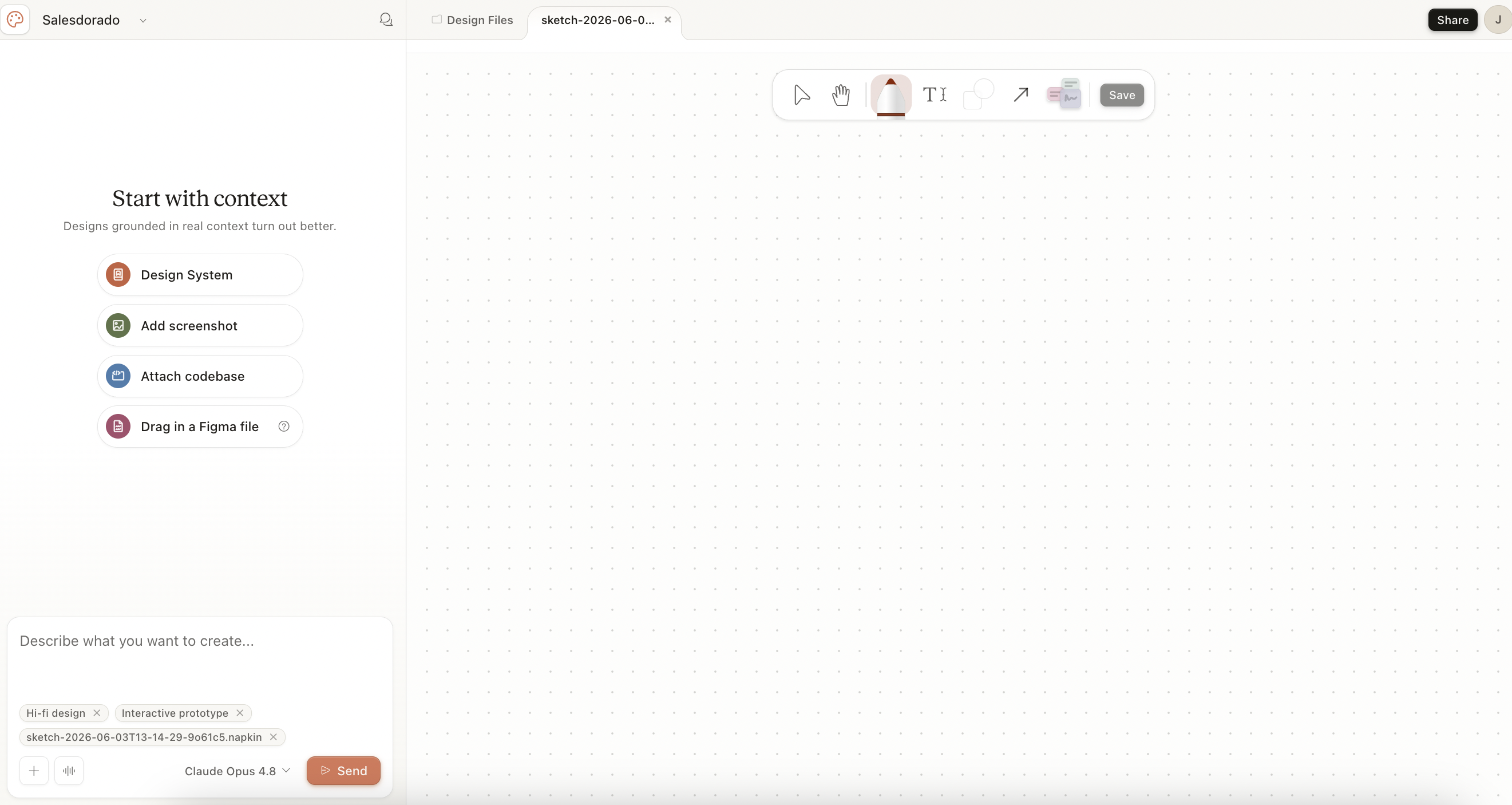
Anthropic’s official positioning is straightforward: the target is not the confirmed Figma designer, but founders, PMs, marketers and anyone else who has a visual idea but neither the time nor the skills to execute it in a traditional design tool. Anthropic also gives designers something to grind their teeth, but as a rapid exploration tool: generate a dozen or so directions in half an hour, then refine the best one in Figma.
Salesdorado’s opinion
The “research preview” status is not a communication formula. Anthropic’s documentation states in black and white that weekly limits and quotas are subject to change. In concrete terms, you’re testing a product that works today, but that may change pricing or limits overnight.
Positioning: why this product, why now?
The launch of Claude Design came three days after Mike Krieger, Anthropic’s CPO, resigned from Figma’s Board of Directors. Figma has officially stated that this departure was not due to any disagreement, but it’s hard to believe it was purely coincidental…
Anthropic wants to build an integrated “idea → design → code → production” stack, and Claude Design is the missing brick between Claude (text and reflection) and Claude Code (code generation).
The announcement immediately provoked a reaction from the market, which read the launch as a frontal attack. Not because Claude Design replaces Figma for its premium uses such as vector collaboration, managed design systems or dev mode, but because it attacks a real and broad segment: all those non-designers who were still producing artifacts in Figma for want of anything better.
More on AI applied to B2B
Claude Design’s key features
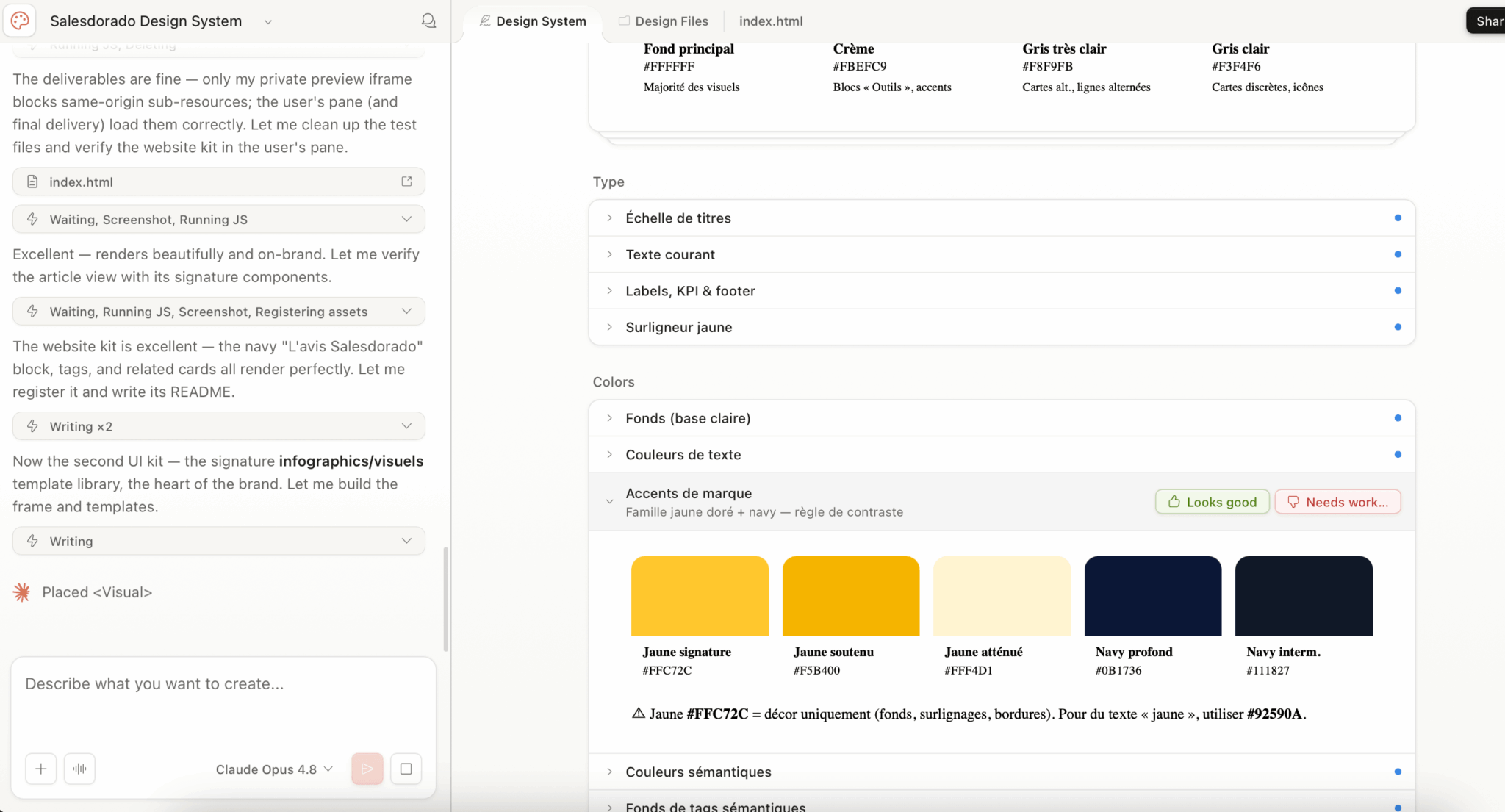
Automatic design system extraction from your codebase
This is the differentiating feature, the one that justifies looking at Claude Design rather than another UI generator.
During onboarding, Claude Design asks you to point to a reference source. You have several options:
- You can connect your GitHub repository.
- You can upload your design files (Figma export, screenshots, existing site captures).
- You can also import structured documents (DOCX, PPTX, XLSX) that already reflect your corporate identity, or even a brand book PDF.
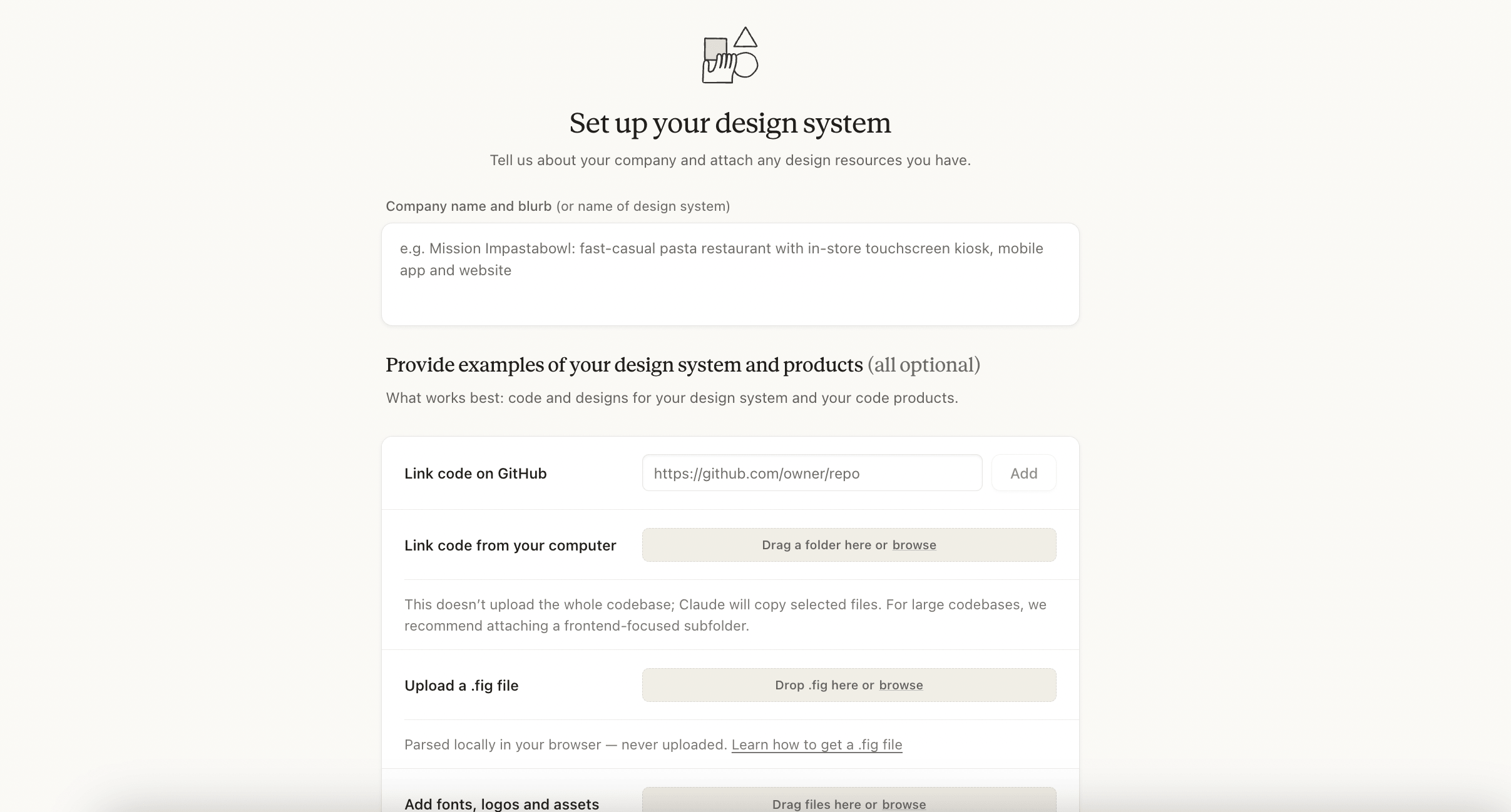
From these sources, Claude automatically extracts a design system :
- Color palette.
- Typography.
- Hierarchy.
- Recurring UI components (buttons, layout patterns, etc.).
All your subsequent projects automatically use this base without you having to re-specify it.
This is exactly what neither Lovable, v0 nor Figma Make can do so cleanly. Lovable and v0 import a one-off model, whereas Claude Design infers a coherent system from existing code.
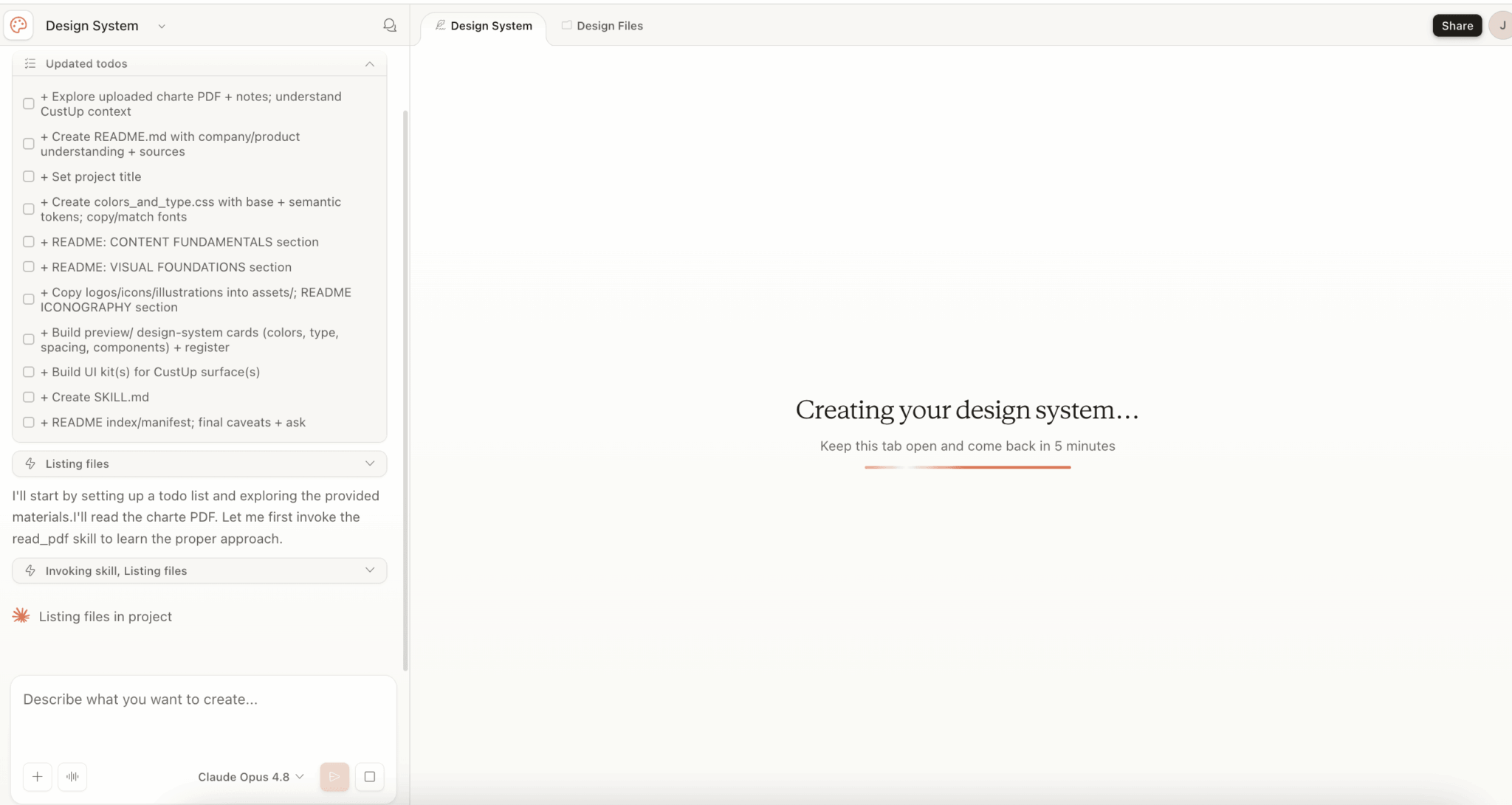
An important nuance in use: this consistency doesn’t fall from the sky. If you launch a new generation without having plugged in your design system, Claude Design invents its own charter. The result remains clean, but it doesn’t resemble your brand.
As long as colors, typography and components are not explicitly provided, the tool improvises a generic visual identity. Initial calibration is therefore not an option; it’s the prerequisite for the “consistent with your brand” promise to come true.
The conversational canvas and the tweaks panel
Once the first rendering has been generated, Claude Design offers you four channels for iterating: the classic conversation (you type “make the CTA more eye-catching”), inline comments directly on the element to be modified, live text editing on the layout and, above all, the tweaks panel.
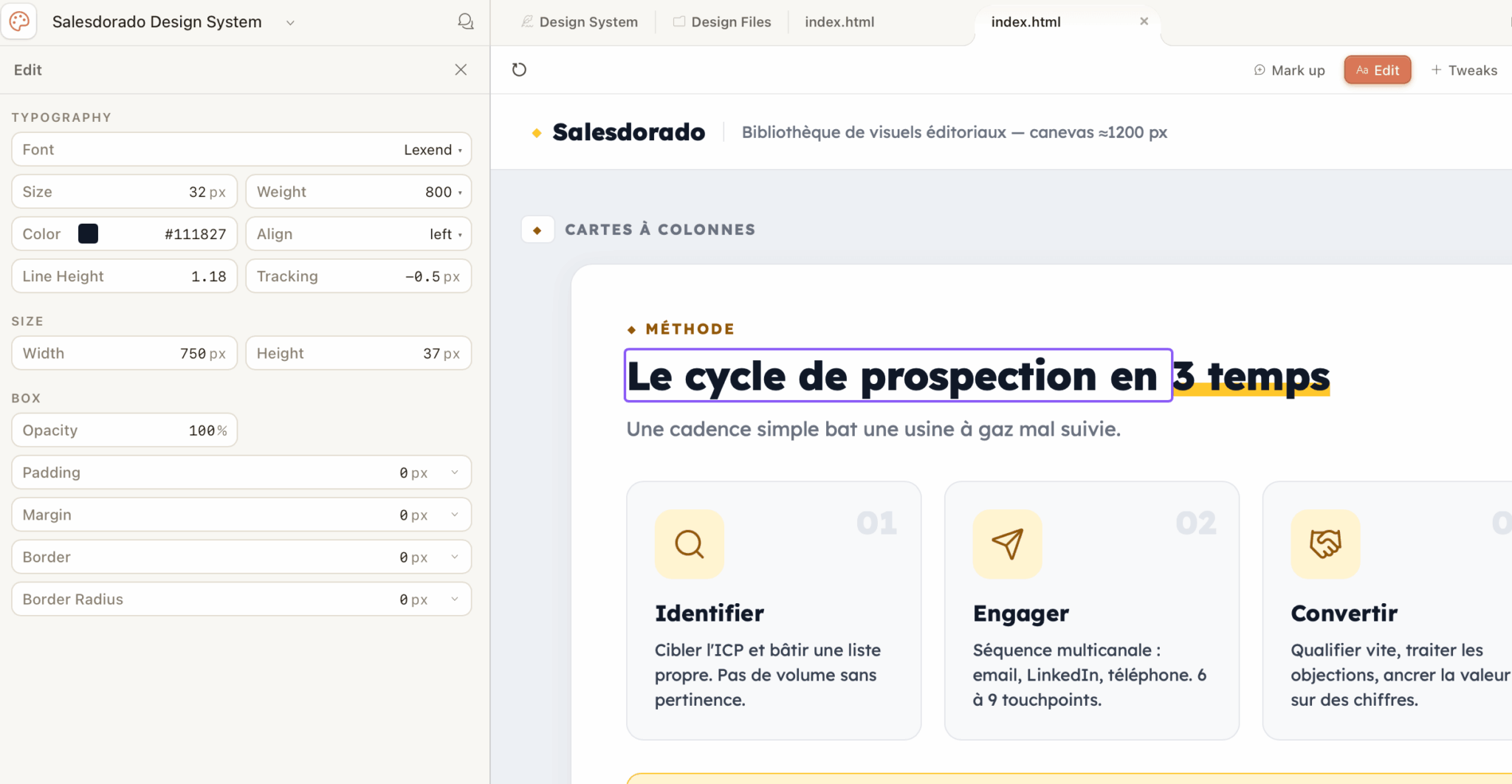
The panel tweaks are the real UX innovation of the product. For each project, Claude generates contextual sliders on the fly: interface density, palette aggressiveness, section height, typographic scale. You don’t re-prompter. You adjust directly, without complete regeneration, and the rendering updates itself.
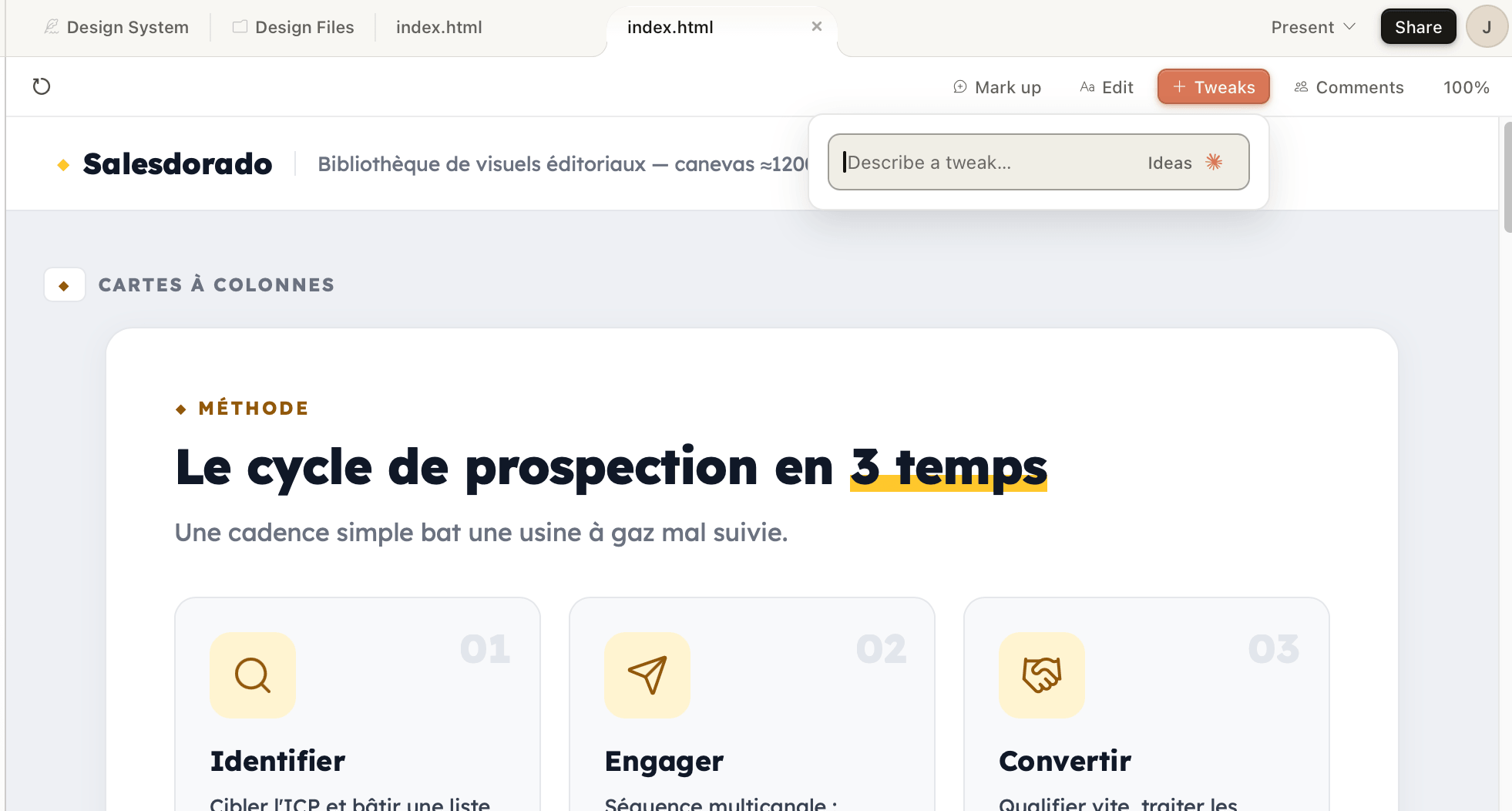
It’s this logic that transforms Claude Design from an “image generator” into a true design tool.
In use, you can feel it: on a mockup, adjusting density and spacing with the cursor takes ten seconds, whereas with any other tool, you’d have to re-prompter and wait for regeneration. Anthropic also highlights the example of Brilliant’s product team, who point out that complex pages requiring twenty prompts in competing tools required two in Claude Design.
This is consistent with what we’ve observed: the time saving comes less from the initial generation than from the adjustment phase.
Imports: everything becomes a source of design
Claude Design accepts an impressive variety of inputs to start a project:
- Prompt pure text: the basis. You describe what you want, Claude generates it.
- Images and screenshots: useful for showing a visual reference, a competitor’s site, a page you like, etc.
- Structured documents: DOCX for marketing briefs, PPTX for existing decks to be taken over, XLSX for data to be visualized.
- Codebase: to extract the design system from your existing product.
- Web capture tool: you point to a URL and Claude retrieves elements to use as references in the prototype.
Web capture is particularly useful if you want to prototype a redesign of your own site without having to export anything.
Exports: Canva yes, Figma no
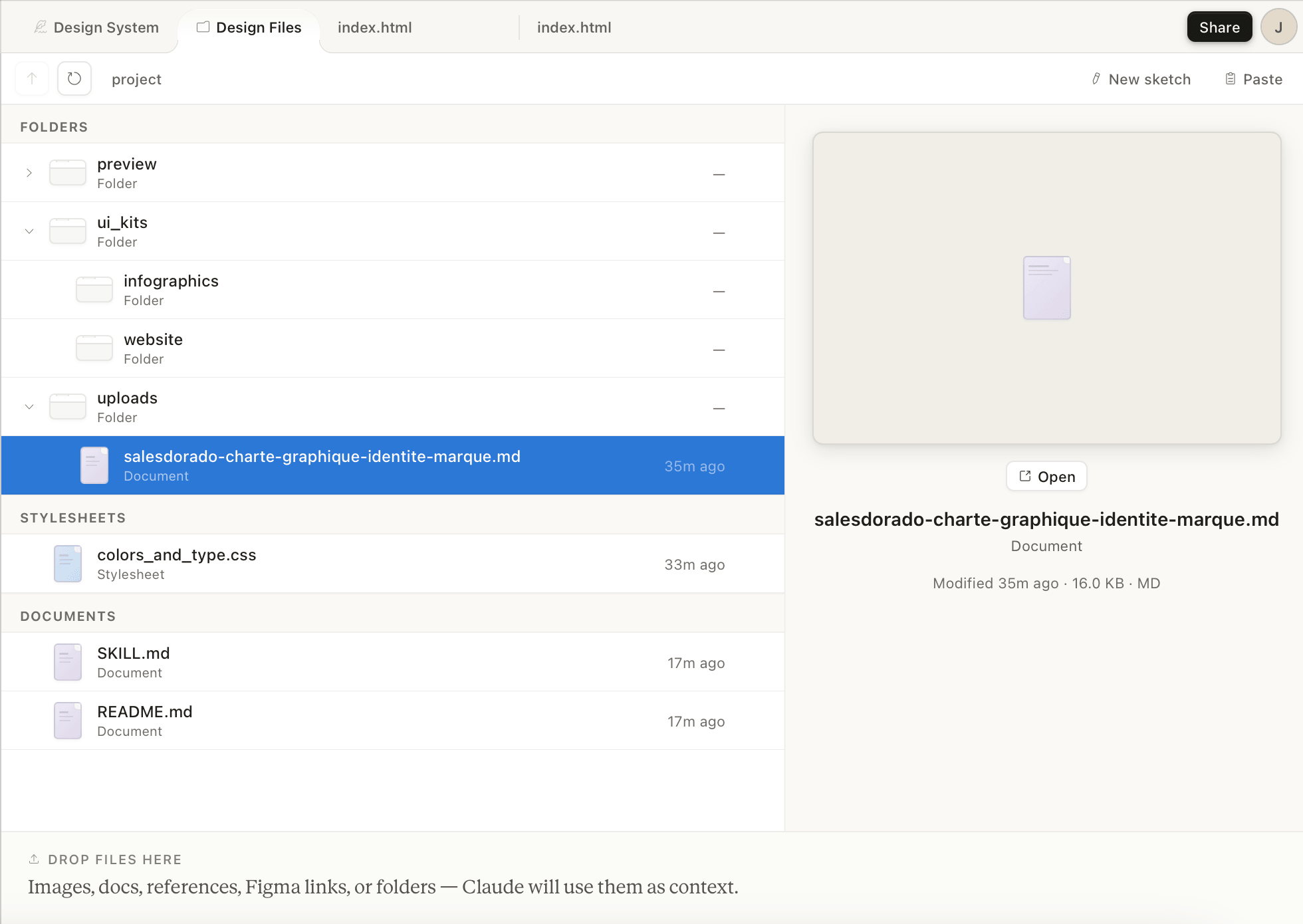
Once your design has been validated, Claude Design offers several export formats, but with one notable omission:
- Canva: direct export to Canva via a technical partnership between Anthropic and Canva. You get back an editable file that a non-technician can continue to work with in drag-and-drop.
- PPTX: to integrate your slides into an existing PowerPoint or Google Slides presentation.
- PDF: to freeze a deliverable for distribution.
- HTML standalone: to deploy the prototype as is, or pass it on to your dev team.
- ZIP with source code: useful for transferring the project to an IDE.
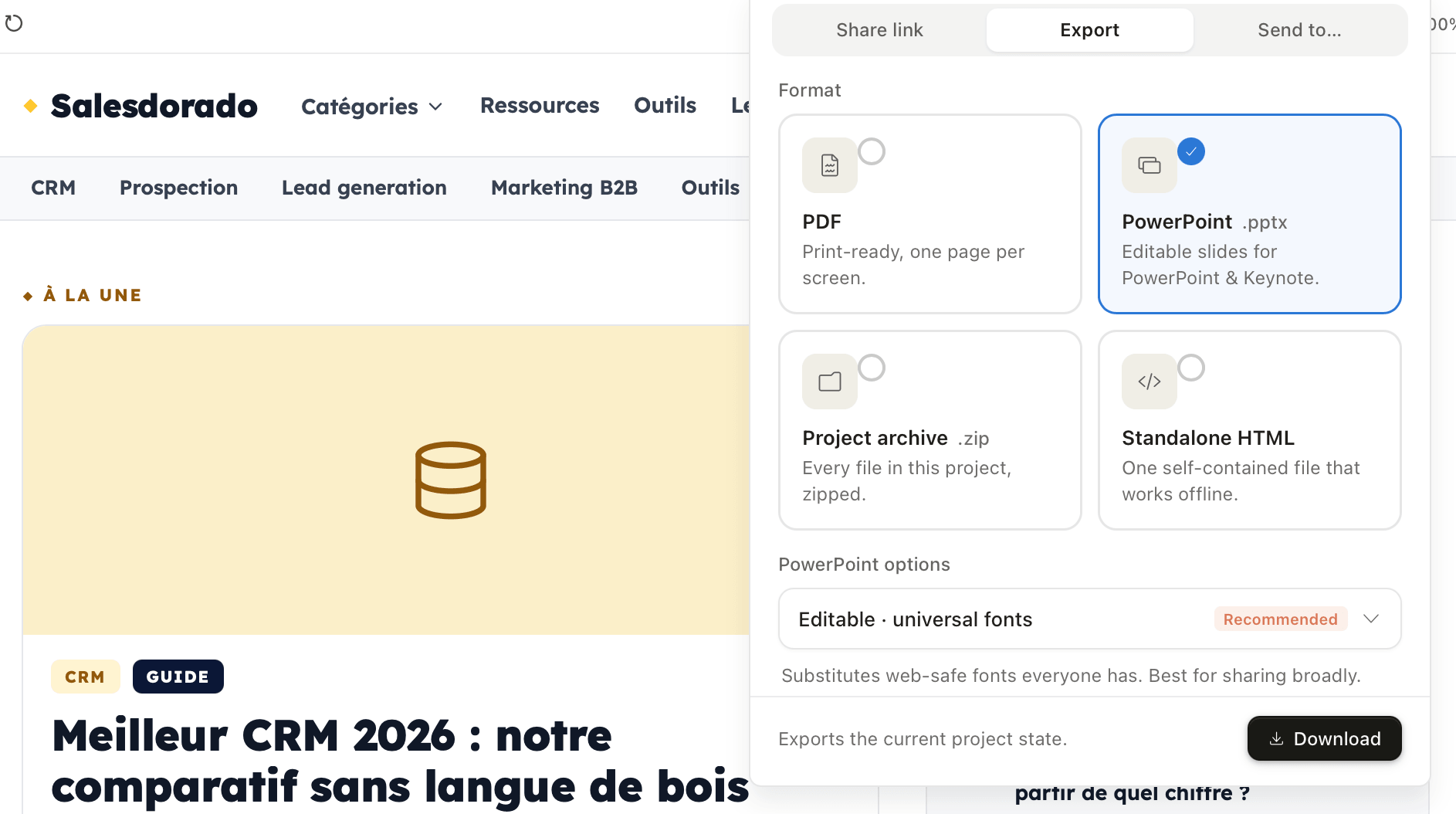
No Figma export, and this is deliberate. Anthropic clearly positions Claude Design as an alternative to Figma for non-designers, not as an upstream complement. If your process then goes through Figma for the finishing touches, you’ll have to manually recreate your design in Figma from the exported HTML…
The “all code” trap
Unlike Figma, which manipulates vectors, Claude Design writes HTML/CSS/JavaScript and renders it live. As a result, you can’t make pixel-perfect changes. You describe an intention, Claude interprets it. If your process requires pixel-perfect placement, typical of display campaigns or print media, Claude Design isn’t the right tool.
Passing the baton to Claude Code: the true design-to-code loop
This is the other game-changing feature. Once your design has been validated, a single click allows you to package everything (components, design system, structure, context) into a bundle that can be exploited by Claude Code, Anthropic’s agentic coding tool.
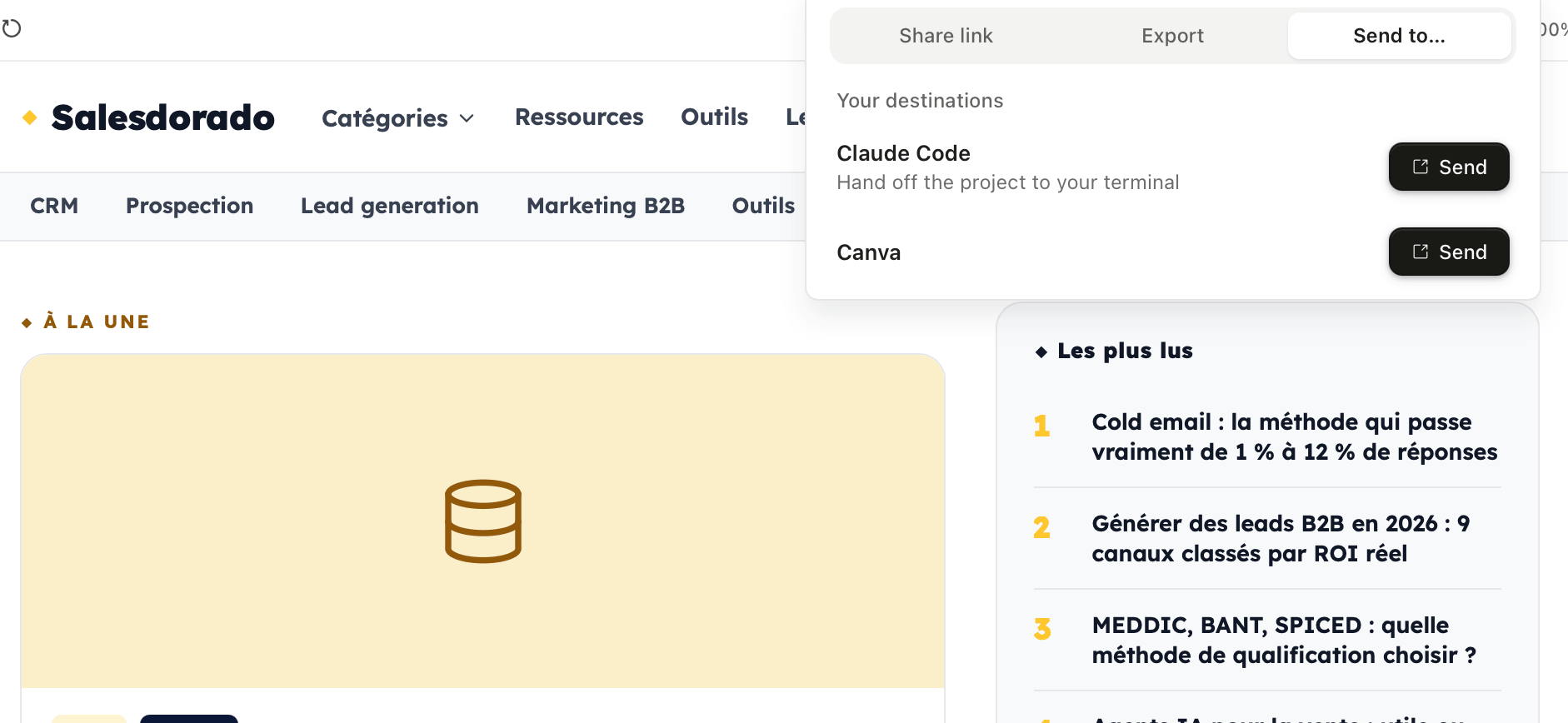
Claude Code reads this bundle, understands your design system and generates the corresponding front-end in the repository of your choice. On simple projects such as landing pages or dashboards, the generated code is usable almost as is. On complex projects, it serves as a very solid base that a developer can build on.
This handover is what makes Claude Design not just another prototyping toy. For the first time, there’s a direct path, in the same ecosystem, between “I have an idea” and “I deploy it in production”. And that’s a game-changer.
Rates: what you really need to know before signing up
Anthropic’s pricing page states that Claude Design is “included” in all paid plans. This is technically true, but it’s also a little misleading.
The plans that give access to Claude Design
| Plan | Awards | Best for Claude Design |
| Free | 0 € | No access to Claude Design |
| Pro | 20 € / month incl. VAT | Occasional exploration, tests, one-off projects |
| Max 5x | 100 € / month incl. VAT | Semi-regular use: PMs and marketers producing one or two projects per week |
| Max 20x | 200 € / month incl. VAT | Intensive use: designers, creatives, agencies |
| Team | 25-30 € / user / month | Collaborative teams, quota per user |
| Enterprise | On request | Large organizations (admin activation required) |
Separate weekly quotas: the real issue
Claude Design has its own weekly quota, totally independent of Claude’s other uses such as chat and Claude Code.
What this means in practice has two sides:
- First of all, the good news is that using Claude Design doesn’t eat into your Claude chat quota.
- Then there’s the bad news: this dedicated quota is managed separately…and it runs out fast.
What we’ve found in practice is that the most costly phase is not the generation of the projects themselves, but the initial stage of building the design system, which requires Claude to explore and read an entire codebase or set of files.
This pass alone consumes a substantial part of the weekly quota. Yes, you read that right…
Then add the building of a slightly ambitious prototype, with its iterations, and on the Pro plan you hit the wall after two or three projects in a week.
Anthropic offers a pay-as-you-go extra-use option at the standard API rate, but this obviously changes the product’s economic equation.
Salesdorado’s quota-saving tip
Reserve the heaviest model (Opus 4.8) for the initial generation, which requires the most power, then switch to a lighter model (Sonnet 4.6) for micro-iterations (moving a block, adjusting a color, reformulating a title). Most of the power consumption is for the first rendering and codebase analysis, not for retouching.
Salesdorado’s opinion on the plan
For serious B2B commercial use (a founder preparing a fund-raising campaign, a PM prototyping regularly, a marketer producing media every week), the €20 Pro plan is probably not enough. Rely instead on the Max 5x plan at €100/month for the necessary margin. If you only use it once in a while, stick to Pro, but expect to buy extra on busy weeks.
What we like, what we don’t like
- Extracting the design system from the codebase: the differentiating feature that alone justifies testing the tool for a B2B SaaS team with an established visual identity.
- Speed of first rendering: a credible prototype in less than a minute, whereas a Figma model can easily take an hour.
- Passing the baton to Claude Code: the most complete design-to-code loop on the market today, with no gaps between tools.
- Multi-import: web capture, codebase, documents, images, everything becomes a reference source for design.
- Included in existing plans: no additional subscription required if you are already on Claude Pro or Max.
- Clean Canva export: for non-technical marketers and sales people who want to finish the job in a familiar tool.
- Restrictive weekly quota: on Pro, two or three serious projects saturate the week. Extra pay-as-you-go usage quickly adds up.
- No real-time collaboration: impossible for two people to edit the same project simultaneously, shared only by URL with view or edit rights.
- Research preview status: a few bugs still present (exports crashing, imperfect reading of generated layout), moving features, no audit logs in Enterprise…
- No Figma export: if your process with a professional designer goes through Figma downstream, you’ll have to rebuild the design manually.
- The extracted design system remains an inference: on borderline cases such as rare variants or contextual tokens, the tool makes mistakes and requires a re-prompting phase.
- Not production-ready: the HTML/CSS code produced “works in demo” but requires the same review as any other AI-generated code, in terms of security, scaling and testing.
- No photorealistic image generation: for rich brand visuals, you need to combine with a dedicated image generation tool.
- A rendering that is sometimes too “signature IA”: without strong artistic direction, releases lean towards a recognizable aesthetic. In short, Claude Design generates good design, but rarely design that stands out from the crowd.
For whom does Claude Design really make sense in B2B?
A lot has been said so far about what Claude Design does. The really useful question is: for whom is it worthwhile?
#1 The founder preparing a fundraising or customer pitch
This is probably the profile for which Claude Design is most directly useful. A founder who has to produce a Series A pitch deck or a sales deck for a strategic account generally has neither the time nor the budget to brief a freelance designer.
With Claude Design, you describe your story, provide your existing site as a brand reference and get a clean deck in about 30 minutes. The PPTX export then allows you to finish the job in PowerPoint if required. It’s also a great way of putting together a structured sales pitch without relying on a creative team.
#2 The PM who wants to prototype a feature before the spec
Classic: you’ve got an idea for a feature, but before mobilizing the designer and dev team for three weeks, you’d like to know if it makes sense visually. Nowadays, you either make a rough Figma wireframe, or you write a text spec that nobody can really project. For PMs who manage these processes in a project management tool like Jira or Linear, this is precisely the moment when the “explore feature X” ticket gets stuck for weeks.
Claude Design enables you to generate a credible interactive prototype on which you can validate the intuition produced internally. If the feature is validated, the handover to Claude Code further accelerates the first implementation. If it isn’t, you’ve only wasted an hour.
#3 The B2B marketer who wants to quickly test several landing pages
You’re launching a LinkedIn Ads campaign on three different KPIs. Ideally, you’d like to test three dedicated landing pages with different angles, but asking your agency for three pages will take three weeks.
Claude Design enables you to produce all three variants in half a day, while maintaining brand consistency thanks to the design system extracted from your main site.
#4 AE or CSM to produce a summary document
You’re selling to a key account and your prospect has asked for a briefing on how your solution fits into their specific context. Two options:
- Do it in PowerPoint with an existing template.
- Describe the prospect, his or her sector and context to Claude Design, then retrieve a synthesis visually consistent with your brand in a quarter of an hour.
This is also a use where Canva export comes into its own: a sales rep who doesn’t want to touch the HTML can do the finishing touches in Canva. If you’re interested in this workflow, we talk about it in more detail in our guide to using Canva in sales communications.
Profiles for whom Claude Design is not relevant
To be honest, two types of profile have no interest in rushing to Claude Design:
- The design team looking for a replacement for Figma: real-time collaboration is missing, pixel-perfect is missing, the plugin ecosystem is missing. Claude Design is not a replacement for Figma in premium uses.
- The branding or motion design agency: Claude Design doesn’t generate photorealistic images, doesn’t do video animation and doesn’t have the vector tools for high-end creative work.
Claude Design vs Figma vs Canva vs Lovable
To clarify Claude Design’s real positioning in relation to the main tools on the market, here’s a practical guide.
| Tool | Who’s it for? | When to choose Claude Design |
|---|---|---|
| Claude Design | Founders, PMs, B2B marketers who want fast visuals with their brand identity | The reference for the “idea → prototype → code” loop, especially if you’re already in the Anthropic ecosystem |
| Figma | Professional designers, product design teams | When you need pixel-perfect, multiplayer collaboration, managed design systems or a complete dev mode |
| Canva | Non-designers who want to produce standard marketing materials | For repetitive materials such as LinkedIn posts, newsletters or flyers, with a limited budget and no need for custom system design |
| Lovable | Indie hackers, solo founders who want a full-stack MVP | When you also want the back-end (database, authentication, deployment), not just the front-end |
| v0 by Vercel | React/Next.js front-end developers | To generate React/Tailwind code that can be used directly in a Next.js project, especially if you’re already in the Vercel ecosystem. |
| Figma Make | Figma designers who want prompt-to-prototype | When your stack is already 100% Figma and you want generative AI without changing tools |
The real question is no longer “Figma or Claude Design?”. It’s “which tool for which problem, now?”. On fast B2B media, Claude Design has the upper hand. On collaborative design systems, Figma retains the advantage. These tools are not substitutes: they respond to different problems, and the right reflex is to know which one to open depending on the task.
The best way to get an idea is to try it out on a real project. If you already have a Claude Pro subscription, access is immediate at claude.ai/design.
Conclusion
Claude Design is the first visual generation tool to take the B2B non-designer segment seriously, without falling into the trap of the “ready-made template”.
The two real drawbacks remain the research preview status, with still a few bugs and moving features, and above all the separate weekly quota, which can sting on the Pro plan. It’s a must-try if you’re part of the Claude ecosystem, but assess it carefully before making it a central production tool.
Claude Design is probably the best tool today for B2B non-designers who want to quickly produce visuals consistent with their brand. Not a replacement for Figma, nor a direct competitor to Canva, but a new category of tool. Test it on a real project to make up your own mind.