


- The chatbot is included in the free version, with no conversation limit and the same drag-and-drop interface as the paid versions.
- Its value comes from the CRM integration: it recognizes a returning visitor and feeds their contact record with every answer.
- Each visitor answer can open a different branch, based on their answers, their CRM data or the channel they came from.
- To track: conversations started, qualification rate and conversion rate into meetings or forms.
- Below roughly 1,000 monthly visitors, the configuration effort is hard to justify.
Is the HubSpot chatbot the right solution to turn your website visitors into customers? The answer is a resounding YES for most B2B companies looking to optimize their digital presence. This smart messaging service widget, much more than a simple chat application, modernizes customer communication by automating up to 80% of first-level interactions. Available for free and deployable in under 30 minutes, it delivers measurable results within the first weeks of use. Here is what the HubSpot chatbot can concretely bring to your business:
- Automatic qualification of 100% of your visitors through personalized conversations
- Availability 24/7 on every channel: website, social networks (Facebook Messenger, WhatsApp)
- Native integration with the CRM to automatically enrich your contact records
- A 65% reduction in average response time to customer requests
- A 3x increase in conversion rate thanks to instant engagement
This application fits seamlessly into your existing digital ecosystem. Whether you want to use the chatbot on your website, add it to your Facebook page or deploy it on other communication channels, HubSpot centralizes every conversation in a single, easily accessible interface. More than a simple tool, it is a genuine digital transformation strategy open to every company, whatever its size, and we will walk you through it in this article.
Find HubSpot’s chatbot builderTry HubSpot’s chatbot builder for free
Understanding the strategic value of a chatbot
Adopting a chatbot is no longer a matter of technological innovation but of sales optimization. In a digital environment where 73% of B2B buyers expect an immediate answer to their questions, a chatbot becomes a competitive advantage. This application turns every visit to your site into an opportunity for a conversation available right away, collecting valuable data while guiding prospects through their buying journey. You can select different communication channels to deploy your chatbot: main website, specific landing pages, social networks, or even inside your mobile app. Smart automation of conversations through this widget frees your teams from repetitive tasks so they can focus on high-value interactions.
Why add a chatbot to your website?
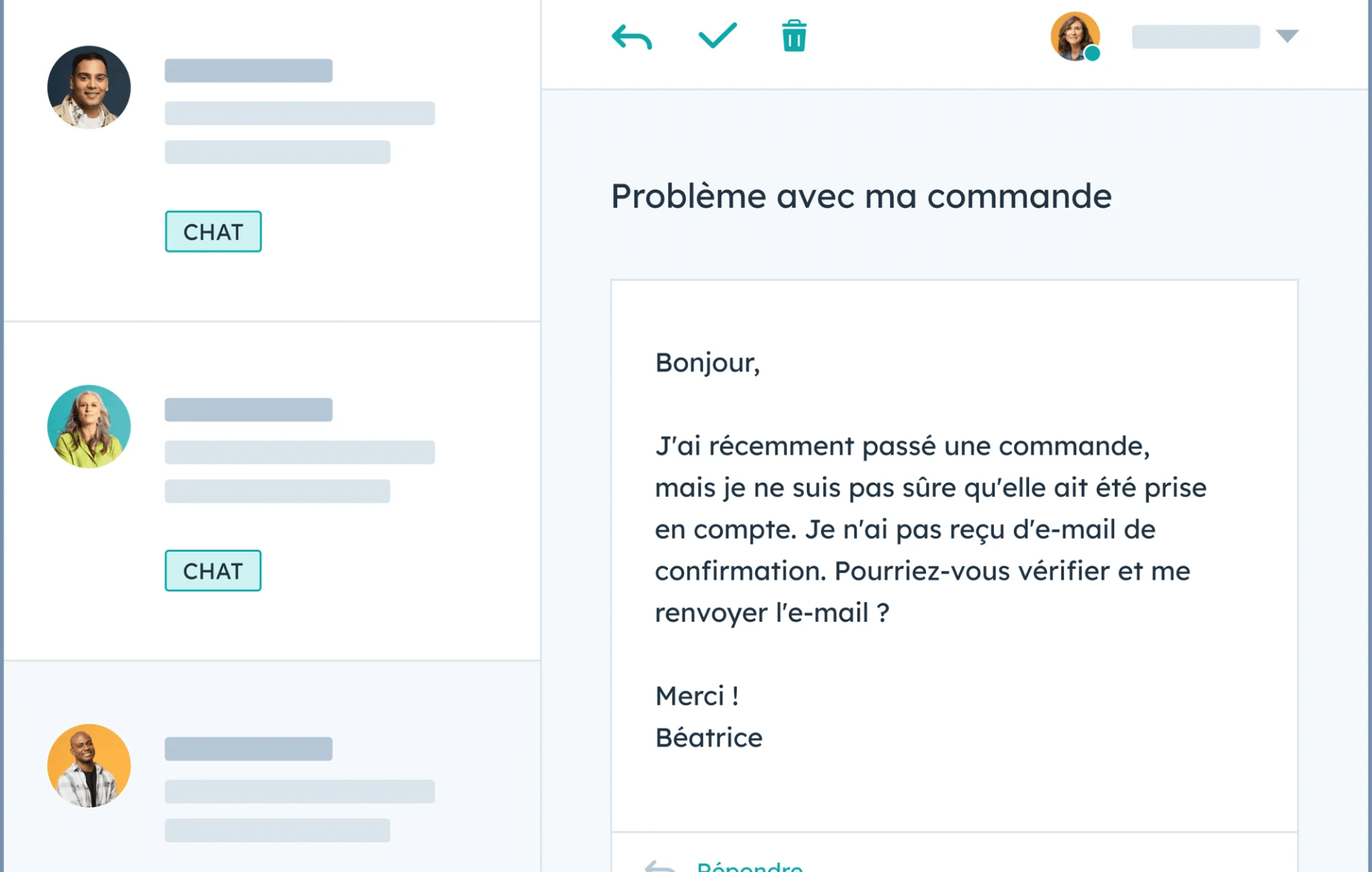
Adding a chatbot to your website answers a simple reality: visitors expect immediate, personalized answers, whatever the time or day. HubSpot’s messaging widget then becomes a virtual assistant that talks with your visitors in real time across different communication channels. You can use this feature to drastically cut response time while keeping the quality of interaction high. The application appears automatically according to your predefined rules, ensuring continuity of service even outside business hours. Whether your visitors arrive from social networks, an email campaign or organic search, the chatbot adapts its welcome message to maximize engagement.
Beyond simple responsiveness, the chatbot lightens the workload of your support and sales teams. By automating simple interactions through this instant messaging, it frees up time for your staff. Every automated conversation saves resources while guaranteeing systematic information collection. You can select the data to capture, add custom fields in the configuration tab, and display different messages depending on the visitor’s profile. This automatic enrichment of contact records in the HubSpot CRM turns every interaction into a sales opportunity.
Try HubSpot for freeHubSpot offers a free plan with no time limit. The free plan goes far enough to test one of the best CRMs on the market.
The central role of the CRM in personalization
The real strength of the HubSpot chatbot lies in its native integration with the CRM. Unlike standalone solutions that work in silos, it draws directly on your customer database to personalize every interaction. A visitor returning to your site is recognized instantly, and the bot adapts its message based on the history of previous exchanges, creating a genuinely personalized experience.
This two-way connection continuously enriches your CRM. Every answer collected, every question asked, every action taken by the visitor automatically feeds their contact record. Sales teams then have full context before the first human contact, multiplying the chances of conversion. Lead scoring can even be automated from the answers collected through the chatbot in HubSpot’s paid versions.
Features and customization options
The HubSpot platform offers flexibility in designing and deploying chatbots. From the intuitive interface to advanced customization options, every feature of the widget can be adapted to reflect your brand identity. You can select precisely where to display your chatbot, which communication channels to deploy it on, and how to use the data collected. In the application’s configuration tab, you access every messaging option: visual style, behavior, display rules on social networks. This adaptability ensures the chatbot blends smoothly into your existing digital ecosystem.
The types of chatbots available in HubSpot
HubSpot offers a range of preconfigured chatbot templates, each optimized for a specific goal and for different communication channels. The qualification bot uses a strategic evaluation function to score each visitor. The meeting booking bot syncs directly with your teams’ calendar application. For social networks, you can select a specific template that displays perfectly on Facebook Messenger or WhatsApp. In the support tab, the ticket creation bot collects all the information through the messaging widget before a human steps in. Each type can be customized to use different functions depending on your needs: automated FAQ, offline lead capture, or a custom bot built from scratch.
Conditional scenarios and conversation branches
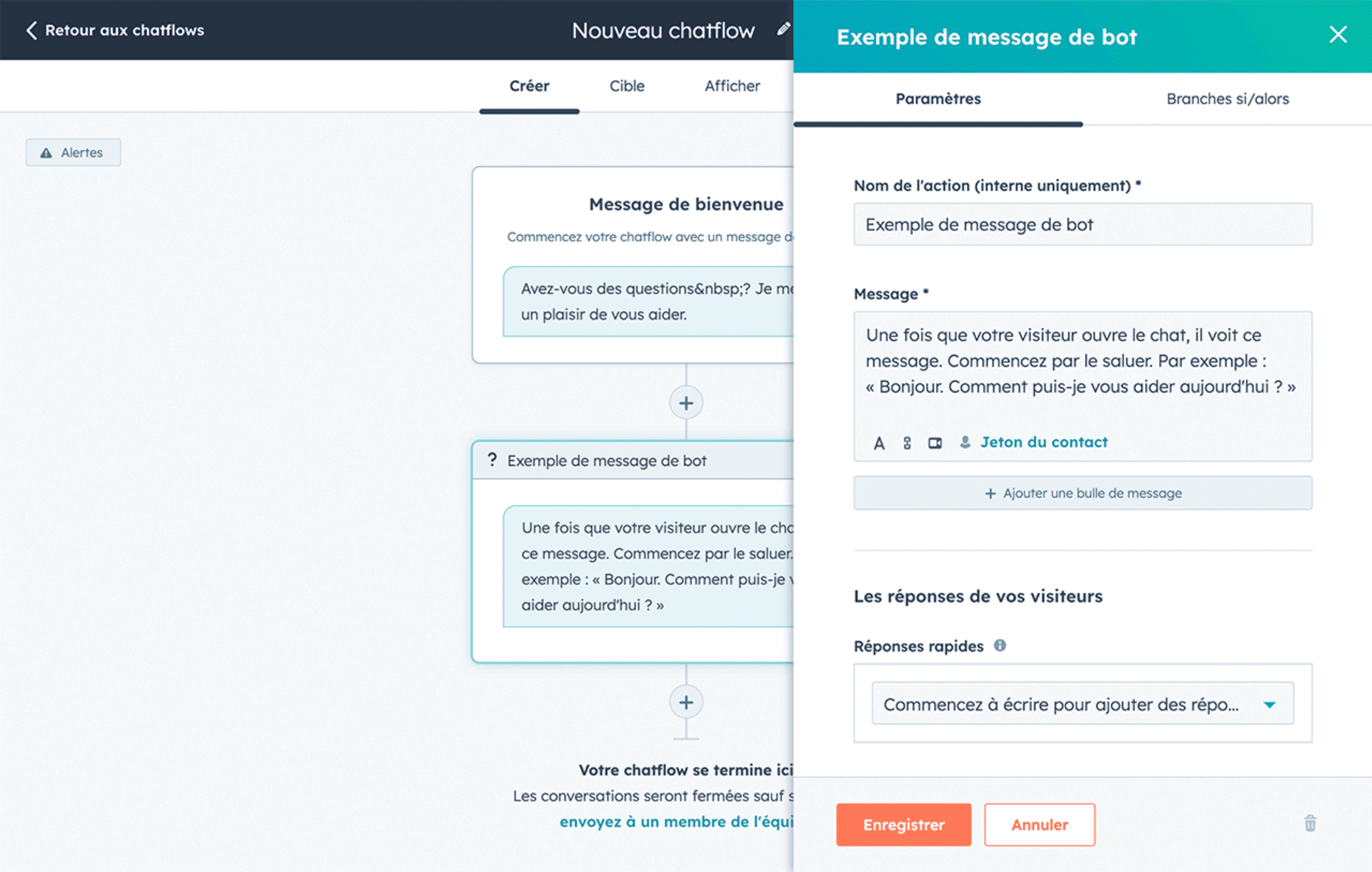
Building sophisticated chatflows relies on a system of conversation branches accessible from the application’s main tab. Each visitor answer can trigger a different function, creating thousands of possible scenarios. This flexibility lets you use the widget to create ultra-personalized experiences on all your communication channels. You can select the trigger criteria, display different messages depending on the social network of origin, and add complex conditions.
Conditional rules can rely on multiple criteria you can select in the interface: previous answers, CRM data, browsing behavior, acquisition channels (social networks, email, organic). A visitor coming from LinkedIn will see a professional B2B message in the widget, while a Facebook user will get a more casual tone. The visual interface of the HubSpot application makes it easy to add these scenarios in the “chatflows” tab without any technical skills.
Customization and design settings
The look of the HubSpot messaging widget is configured entirely in the application’s design tab. You can select colors, add your logo, and customize the display function for each communication channel. The widget automatically adapts to different formats: desktop, mobile, social networks. Behavior settings define how to use the chatbot to simulate a human presence. You can add delays between messages, select the tone of communication, and display different wording depending on the time or day.
Integration with other HubSpot modules
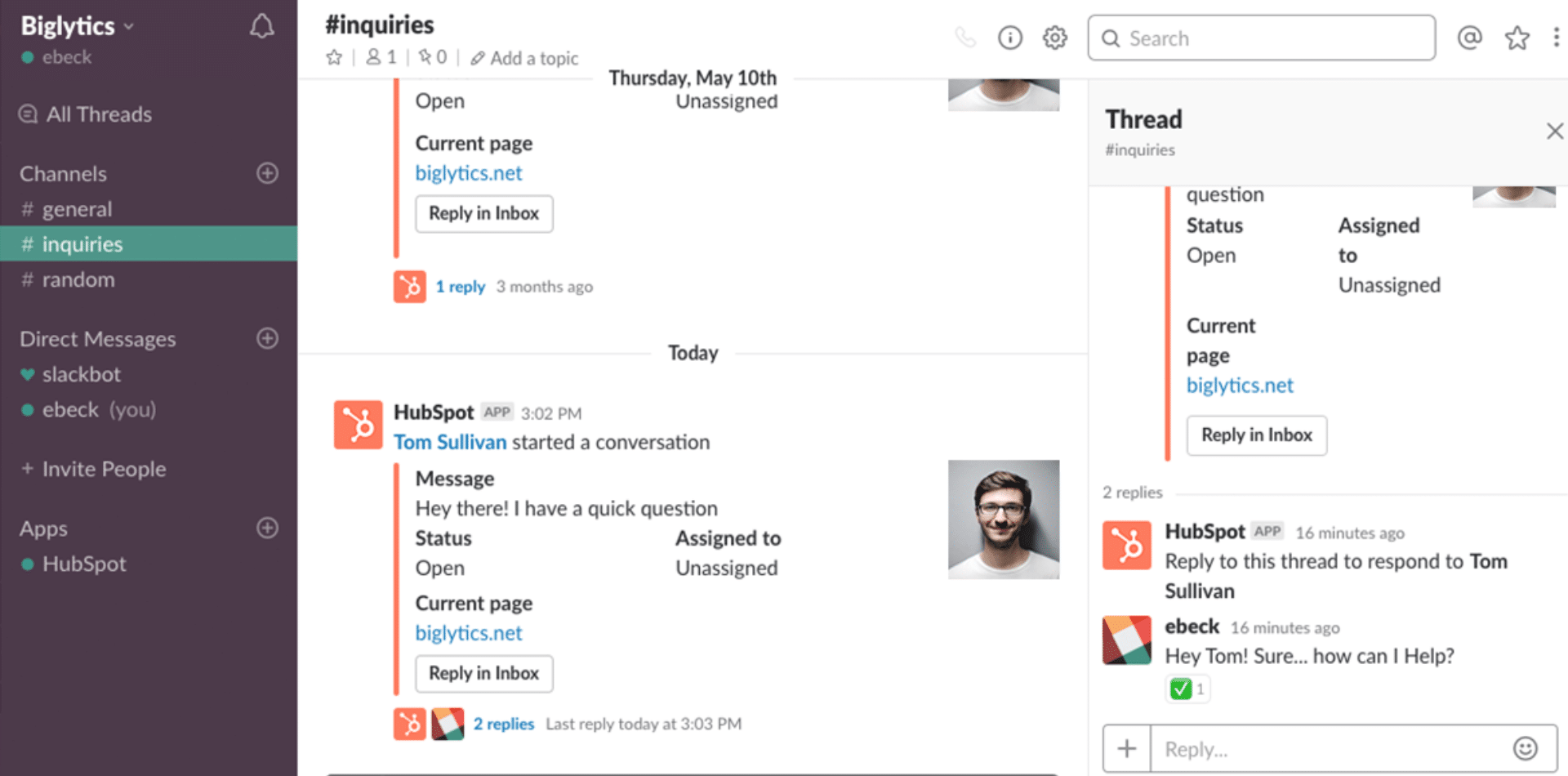
The HubSpot widget does not work in isolation: it integrates seamlessly with the whole platform and your other communication channels. The connection with marketing workflows lets you use the answers collected to trigger automated actions. You can add contacts to lists, select personalized email campaigns, or display notifications to teams. Integration with the knowledge base turns this messaging function into a smart assistant. The connection with the live chat module ensures a smooth handover between the automated application and human interaction on all your channels: website, social networks, or direct messaging.
Deployment and best practices
Setting up an effective chatbot requires a methodical approach to use this feature well on all your channels. Beyond the simple technical configuration in the application tab, success rests on a deep understanding of your audience on each communication channel. The best-performing companies constantly test how to display and use the widget, whether on their website or their social networks. You can select different approaches by channel, add message variants, and optimize the messaging function for each platform. This philosophy of continuous improvement ensures your chatbot evolves in step with your visitors’ changing needs.
The steps to set up an effective chatbot
Building an effective chatbot follows a structured methodology in six key steps.
- Step one: define the chatbot’s goal precisely. Is it to generate leads, provide support, or ease conversion? This initial clarification shapes the entire conversational strategy.
- Step two: create the chatflow by mapping the different possible conversation paths.
- Steps three and four: choose the right type of bot and configure the messages and conditional branches.
- Steps five and six: define targeting and customize the visual settings, including GDPR options to ensure legal compliance.
Salesdorado’s tip to maximize engagementEngagement starts with the very first message. A warm, personalized welcome message that adapts to the page visited or to browsing behavior triples the interaction rate. The length and pace of messages directly affect engagement: short messages with a 2-3 second delay between bubbles create a natural conversational rhythm.
Contextual personalization radically changes performance. A chatbot that greets a returning visitor by first name and refers to their previous interactions generates a conversion rate five times higher. This approach requires smart use of CRM data to create genuinely personalized experiences at scale.
Performance indicators to track
HubSpot provides a complete dashboard to analyze your chatbot’s impact. The number of conversations started shows how attractive your bot is and how relevant its display timing is. The qualification rate measures the chatbot’s ability to identify and qualify prospects, with optimal performance between 15% and 25% of conversations. The conversion rate is the ultimate metric: how many conversations turn into measurable actions such as booked meetings or completed forms?
Comparing HubSpot plans for chatbots
HubSpot offers a progressive pricing range that fits every budget and need. From the particularly generous free version up to the all-inclusive Enterprise plans, each tier brings extra features that justify the investment. This modular approach lets companies start small and scale up gradually as they grow and their needs evolve.
| Feature | Free | Starter (15€/month) | Pro (880€/month) | Enterprise (4200€/month) |
|---|---|---|---|---|
| Unlimited conversations | ✓ | ✓ | ✓ | ✓ |
| No HubSpot branding | ✗ | ✓ | ✓ | ✓ |
| Conditional branches | Basic | Simple | Multiple | Unlimited + AI |
| Knowledge base | ✗ | ✗ | ✓ | ✓ |
| Support | Community | Chat + Phone | Dedicated |
Free version
HubSpot’s free version already offers complete chatbot features. You can create a simple chatbot with no conversation limit, perfect for testing the solution and validating its potential for your business. The drag-and-drop interface is the same as in the paid versions, letting you build basic but functional chatflows with native integration with the free CRM.
Starter plan
From 15€/month, the Starter plan removes HubSpot branding and unlocks advanced customization options. You get access to more sophisticated chatbot templates and can create conversation branches based on simple rules. Integration with the other Starter modules multiplies the automation possibilities.
Pro plan
The Pro plan, from 880€/month, turns the chatbot into a true conversational intelligence platform. Multiple conditional logic lets you build highly sophisticated scenarios. Access to knowledge bases considerably expands the bot’s capabilities: it can now answer complex questions by drawing on your documentation.
Enterprise plan
From 4200€/month, the Enterprise plan meets the needs of large organizations with complex customization, reporting and integration requirements. The chatbot can be fully customized via API, fitting seamlessly into sophisticated IT architectures. Advanced reporting capabilities include predictive analytics and customizable dashboards.
Try HubSpot for freeHubSpot offers a free plan with no time limit. The free plan goes far enough to test one of the best CRMs on the market.
Challenges, limits and outlook
Implementing a chatbot raises strategic questions that go beyond the simple choice of technology. Success depends on many factors: traffic volume, the organization’s digital maturity, the quality of internal processes, and above all the ability to maintain and optimize the solution over time. The companies that succeed are those that see the chatbot not as a one-off project but as a continuous improvement process.
Points to watch
Using a chatbot mainly makes sense if your website receives enough qualified traffic each month. A minimum of 1000 monthly visitors seems necessary to generate enough interactions and justify the time invested in configuration. Escalation to a human is a critical step: a badly configured chatbot that cannot hand over creates frustration. Maintenance and continuous optimization require dedicated resources to reflect changes in your products and processes.
Toward smart automation with AI
The future of the HubSpot chatbot is being written with artificial intelligence. The gradual integration of natural language understanding already lets the bot understand freely worded requests. Machine learning analyzes conversation patterns to automatically identify the best-performing paths, ensuring automated continuous improvement. Emotion analysis is the next frontier, with chatbots able to detect frustration and adapt their approach instantly.
The chatbot as a pillar of the CRM/Marketing Automation architecture
The HubSpot chatbot is not an isolated tool but one piece of the overall architecture of your CRM/Marketing Automation system. It is the preferred entry point for first-party data, feeding your entire marketing and sales strategy. Strategic alignment between marketing, customer service and sales teams takes shape through the chatbot, with each department configuring its own scenarios while sharing a unified database.
How to get the most out of HubSpot’s chatbot?
Optimizing your HubSpot chatbot requires a holistic approach that combines strategy, technology and continuous improvement. The best-performing companies adopt a structured methodology, systematically measuring the impact of each change to identify growth levers. This analytical rigor, coupled with a fine understanding of customer expectations, ensures an optimal ROI on your investment.
- Start by deploying a simple bot on a high-traffic page to validate the concept
- Use CRM data to create precise segments and ultra-personalized messages
- Sync the chatbot’s messages with your omnichannel marketing campaigns
- Invest in training through HubSpot Academy to master the advanced features
- Analyze successful conversion paths to identify repeatable patterns
Coordinating with your marketing campaigns multiplies overall effectiveness. A chatbot synced with your email, social media and webinar efforts creates a consistent, memorable customer experience. Smart use of CRM data turns every interaction into an opportunity for personalization, multiplying conversion rates.
The HubSpot chatbot is therefore a particularly relevant solution for any company looking to automate and personalize its customer interactions. Available from the free version with already solid features, scalable to paid versions as your needs grow, natively integrated with the most popular CRM on the market: everything points to this solution being a profitable strategic investment. Whether you are a startup trying to make the most of limited resources or an established company aiming for operational excellence, the HubSpot chatbot adapts to your context and supports your growth. The question is no longer whether you should adopt a chatbot, but how to implement it quickly to get ahead of your competitors. Start today with a free HubSpot account, test the features, measure the impact on your conversions, then move up to a paid plan when your needs justify it.
The questions we get over and over.
Is the HubSpot chatbot free?
Yes. HubSpot's free version lets you create a simple chatbot with no conversation limit, with the same drag-and-drop interface as the paid versions and native integration with the free CRM. HubSpot branding stays visible.
What types of chatbots does HubSpot offer?
Preconfigured templates: qualification bot, meeting booking bot synced with the calendar, ticket creation bot for support, automated FAQ, offline lead capture, or a custom bot built from scratch.
How do you set up a HubSpot chatbot?
In six steps: define the chatbot's goal, create the chatflow by mapping the paths, choose the type of bot, configure the messages and conditional branches, define targeting, then customize the visual settings, GDPR options included.
Which metrics should you track for a HubSpot chatbot?
The number of conversations started, the prospect qualification rate and the conversion rate, meaning the conversations that end in a booked meeting or a completed form.
Is a chatbot useful on a low-traffic site?
Not much. A minimum of 1,000 monthly visitors seems necessary to generate enough interactions and justify the configuration time.



What the community says.