



- Avoid the “Welcome” subject line: center the email on the point of friction that blocks most new sign-ups, as Slack, Jira or Framer do.
- The new sign-up is at the peak of their engagement: this is the time to offer a discount or relevant products.
- No noreply address, a signature, a photo: the email should feel like it comes from a person.
- A welcome email often serves as a reference, one people reread later to find the key resources.
- Ready-made rules (a single CTA, always say thank you) are worth less than what you know about your customers.
The secret to making a good first impression on a prospect or a customer is to take care of your first contact. And the welcome message is a big part of that.
The welcome email is a very powerful and often underrated tool. Used well, and above all written well, it can turn many prospects into leads, build loyalty with your new customers and maximize your engagement rates.
But if you fall into the traps of automatic, impersonal emails with unengaging content, you risk damaging your brand image and weakening a customer relationship that has barely started.
In this article, we share all our best practices for successful welcome emails, with 12 example emails to back them up!
1. Show the product’s impact in the welcome email
Subject: Welcome to Loom! 🎥
From: Loom
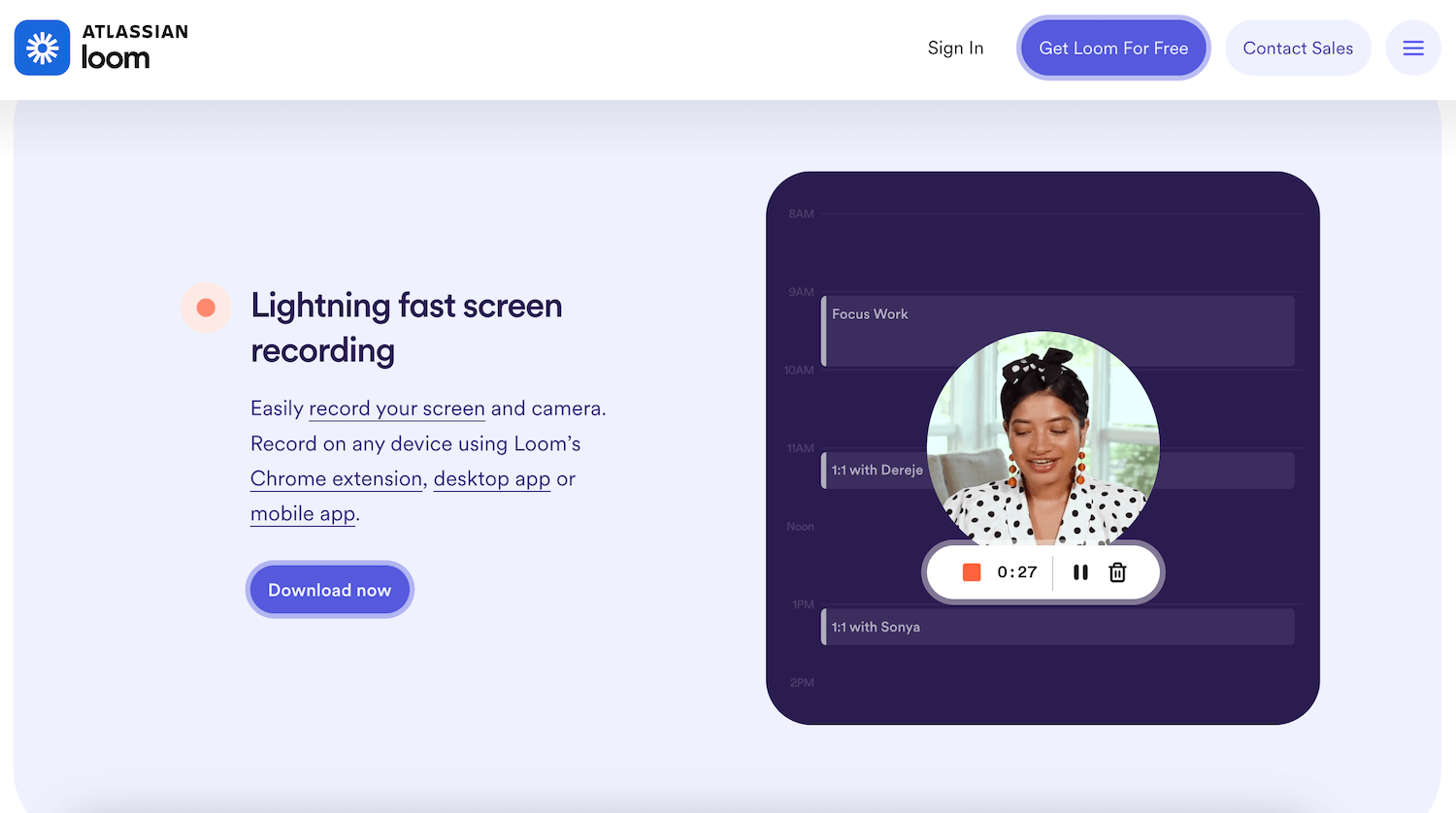
What we like
- The personalized video is quite powerful, especially since it shows the power of the tool right away (the video is made with Loom).
- The email is simple and effective. The call-to-actions may seem numerous, but they are measured and well suited: a first block to get started, a second to find inspiration and a last block to get help.
- We really like the personal signature (in line with the video), which humanizes the email, the brand, and the relationship created with this first email.
What we like less
- The subject line is literally the one used by 90% of welcome emails. It has the merit of being descriptive and clear, but the email could be all the more powerful with a bit of thought put into it.
Transcript
Hi Smiles Davis,
Welcome to our growing community of more than 9 million professionals who use Loom to share updates, feedback and ideas through video messages. I’m glad you’re here!
Start by downloading a recorder
To get started, you need a recorder. Download Loom’s desktop app for HD recordings and the Chrome extension to use Loom directly in Gmail, Jira, Github and other favorite platforms of yours. On iOS? Download the iPhone or iPad app.
See how other professionals use Loom
Loom is versatile: use it to send a message to a coworker or a video to thousands of customers. Check out our use cases or our customer stories if you need ideas to get the most out of video messaging. And if you’re in school, see how teachers use Loom in the classroom.
Need help getting started?
We’re here to help. Take a look at our getting-started video series on the basics, and explore the rest of our help center for more answers to your questions.
Happy recording!
Anique
VP of Product
2. Use new sign-ups’ engagement to push for conversion
Subject: Thanks for creating your account. Here’s a special offer just for you.
From: GoDaddy
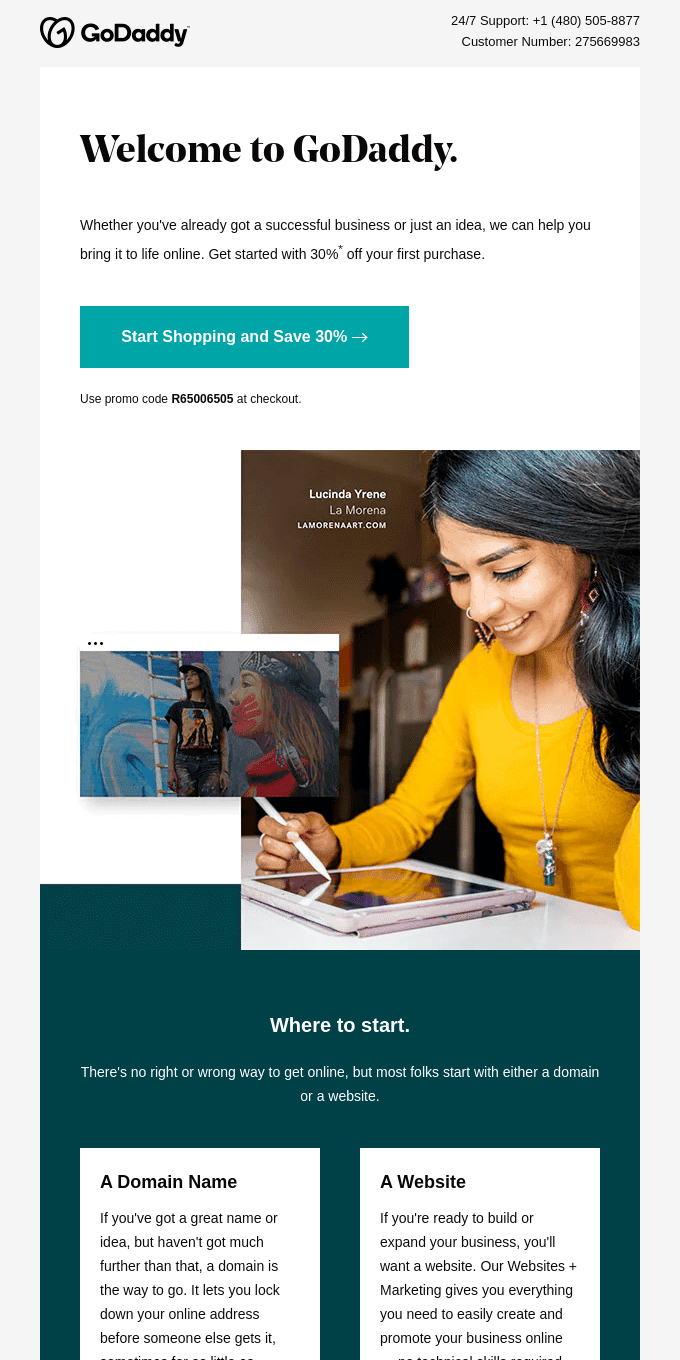
What we like
- We rather like the idea of catching the reader with a promotion at the moment they are most engaged. Still, it is worth pointing out that people usually create their GoDaddy account before becoming a customer.
- The second part of the email is quite clear too: 2 call-to-actions for GoDaddy’s two main offers, then a link to a resource center.
Salesdorado’s takeThe little extra: the phone number at the top of the email and the customer number reference are also excellent ways to simplify exchanges and to show that customer support is available!
Transcript
Welcome to GoDaddy
Whether you already have a thriving business or just an idea, we can help you bring it to life online. Get started with 30% off your first purchase.
Start shopping and save 30%.
Use promo code R65006505 at checkout.
Where to start
There’s no right or wrong way to get online, but most people start with a domain or a website.
A domain name
If you have a great name or idea but haven’t taken it any further than that, a domain name is the answer. It lets you lock in your online address before someone else gets it.
A website
If you’re ready to build or grow your business, you’ll need a website. Our Websites + Marketing service gives you everything you need to easily build and promote your business online.
3. Focus on the key feature for a new user
Subject: Slack 101: Knowing when to post where
From: Slack
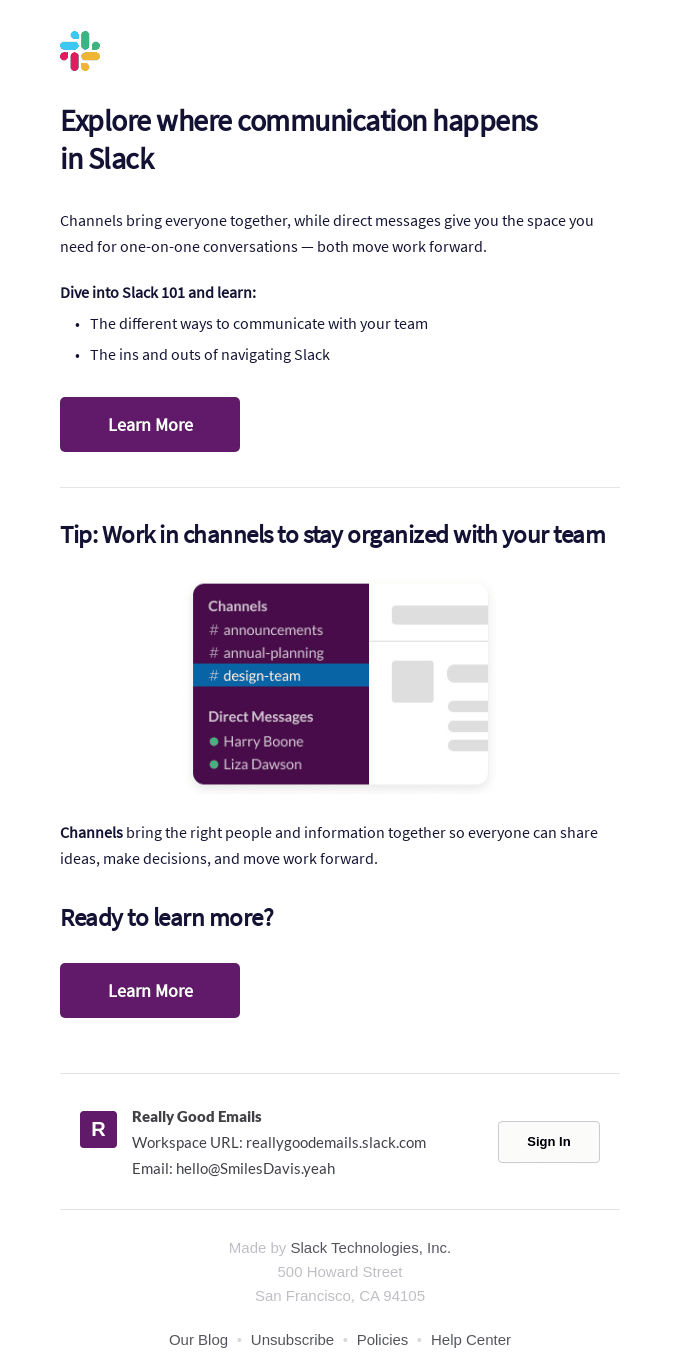
What we like
- Hard to be objective, because we are huge Slack fans at Salesdorado. The subject line is spot on. Not only is it far from the very generic “Welcome”, but Slack focuses on the aspect of the product that matters most to beginners, namely channels.
- The 2 call to actions point to a guide that explains how the tool works in detail, and at the end of the email they included a login link for anyone who lost or forgot their access.
- Every word in this email is weighed. A masterclass.
Transcript
Find out where communication happens in Slack
Channels bring everyone together, while direct messages give you the space you need for one-to-one conversations – both move work forward.
Dive into Slack 101 and learn:
– The different ways to communicate with your team
– The ins and outs of navigating Slack
Learn more
Tip: work in channels to stay organized with your team.
Channels bring the right people and the right information together so everyone can share ideas, make decisions and move work forward.
Ready to learn more?
Learn more
4. Help the customer get past the activation milestone
Subject: Hi there- here’s how to get started on your first prototype
From: Framer
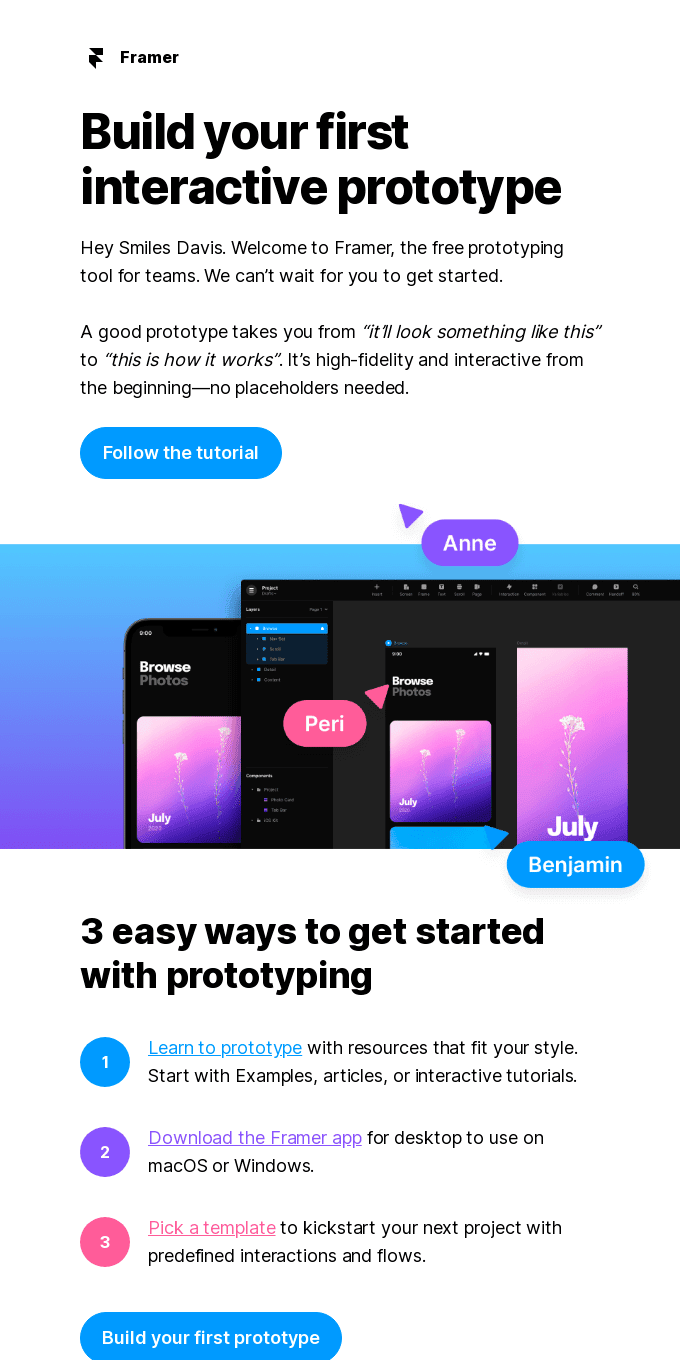
What we like
- We like the strength of the message. The Framer team has probably identified creating the first prototype as the critical point for new users to activate. And they offer 3 ways to help the user get to their first prototype: a tutorial, the MacOS & Windows app for those who prefer it, and a template gallery for those afraid of the blank page.
- It is not obvious at first, but the “Was this email helpful” at the end of the email is a smart touch: it is an effective way to get feedback on these automated emails, which we often work on far too little. Obviously, provided you don’t stop there: the Yes or No click should come with a free-text field to collect feedback.
It is all the smarter because users are at the top of the engagement curve at sign-up, so it maximizes response rates and lets you get in touch with the most engaged users.
Transcript
Create your first interactive prototype
Hi Smiles Davis. Welcome to Framer, the free prototyping tool for teams. We can’t wait for you to get started.
A good prototype takes you from “it’s going to look something like this” to “here’s how it works”. It is highly reliable and interactive from the start, no placeholder needed.
Follow the tutorial
3 easy ways to get started with prototyping
1: Learn to prototype with resources that match your style. Start with examples, articles or interactive tutorials.
2: Download the Framer desktop app for macOS or Windows.
3: Pick a template to kick off your next project with predefined interactions and flows.
Create your first prototype
5. Make the user self-sufficient by showing them where to find answers
Subject: Join the Atlassian Community to find help and support
From: Atlassian
What we like
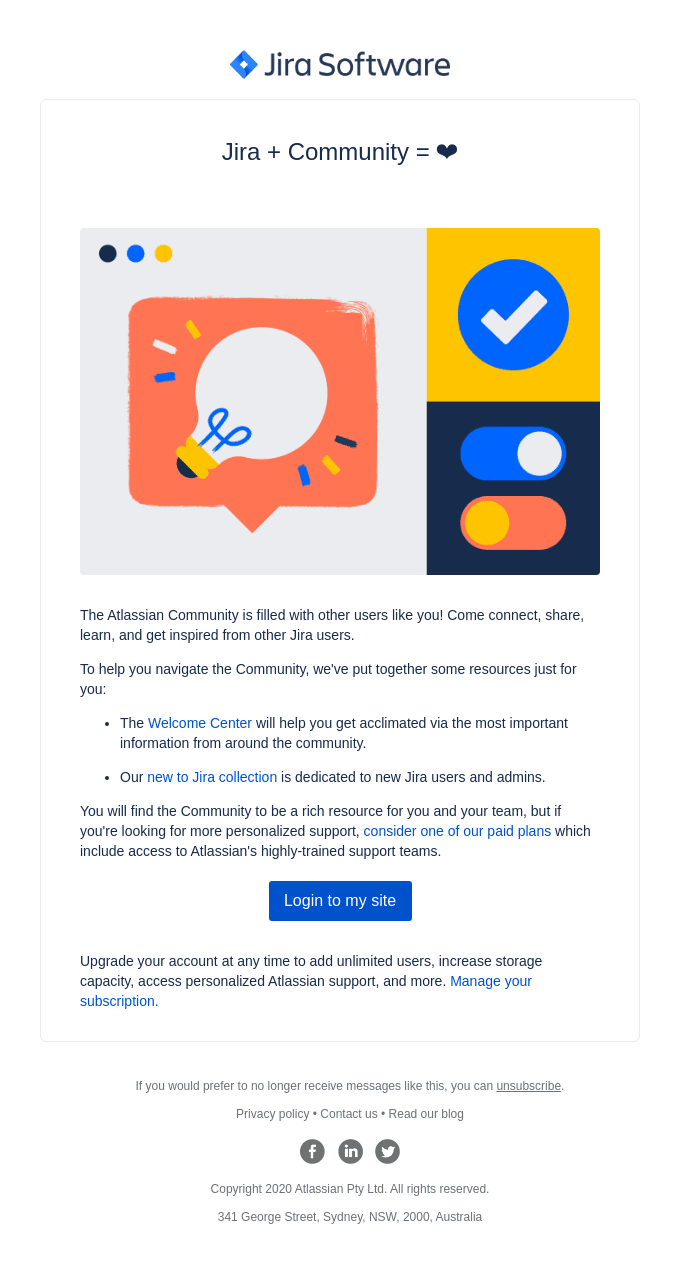
- This email is a very simple and effective way to explain to users where to find information and ask questions. And it must work well: the Jira community (and Atlassian in general) is surely one of the most powerful communities in software.
- On top of that, the subject line is simple, legitimate, and a little more interesting than a plain “Welcome”.
Go furtherRead our review of Jira, the leader in project management.
Transcript
Jira + Community = ❤
The Atlassian Community is full of other users like you! Come connect, share, learn and get inspired by other Jira users.
To help you find your way around the Community, we’ve gathered a few resources just for you:
– The welcome center will help you settle in with the Community’s most important information.
– Our “New to Jira” collection is dedicated to new Jira users and admins.
You’ll find plenty of resources for you and your team in the Community, but if you’re looking for more personalized support, consider one of our paid plans, which include access to Atlassian’s highly qualified support teams.
Log in to my site
Upgrade your account at any time to add unlimited users, increase storage, access Atlassian’s personalized support, and more. Manage your subscription.
6. Recommend relevant products
Subject: We’d like to welcome you to Domestika
From: Domestika
What we like
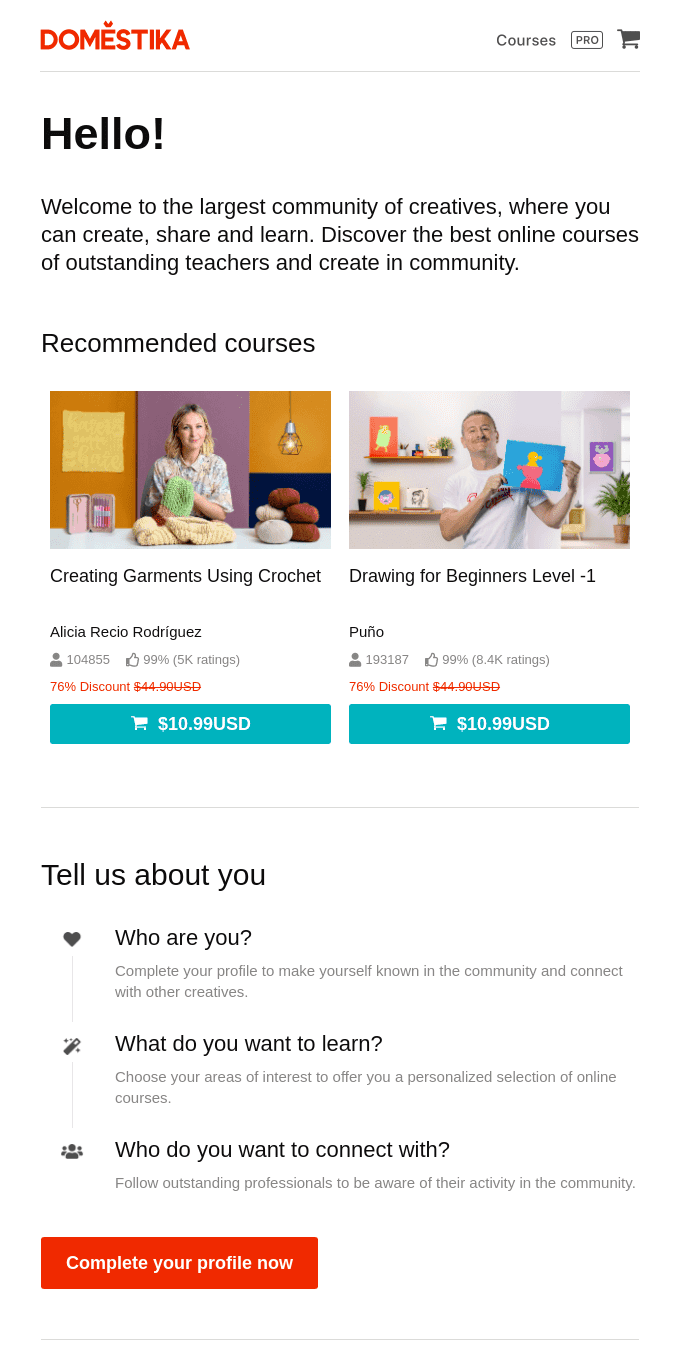
- We like the product recommendations – it’s smart at a time when the user is engaged (at sign-up) and it looks well done, with a promotion on offer.
- We also like the buttons at the bottom of the email to download the mobile app.
What we like less
- We are less sure about the “Tell us more about you” part. It is perfectly normal (and even rather good) to ask your sign-ups questions regularly, and to keep requalifying and better segmenting your contact base over time.
That said, it is hard to see the welcome email as the right moment. It is a bit odd: either you ask questions at sign-up, or you ask them later. But asking them right after sign-up, through the email, seems out of place to us.
Transcript
Hello!
Welcome to the largest community of creatives, where you can create, share and learn. Discover the best online courses from outstanding teachers and create as a community.
Recommended courses
Making clothes with crochet / Drawing for beginners level -1
Tell us about yourself
– Who are you?
Complete your profile to make yourself known in the community and connect with other creatives.
– What do you want to learn?
Choose your interests so we can offer you a personalized selection of online courses.
– Who do you want to connect with?
Follow outstanding professionals to keep up with their activity in the community.
Complete your profile now
7. Start by delivering as much value as possible
Subject: Welcome to Capiche! 🎉
From: Capiche
What we like
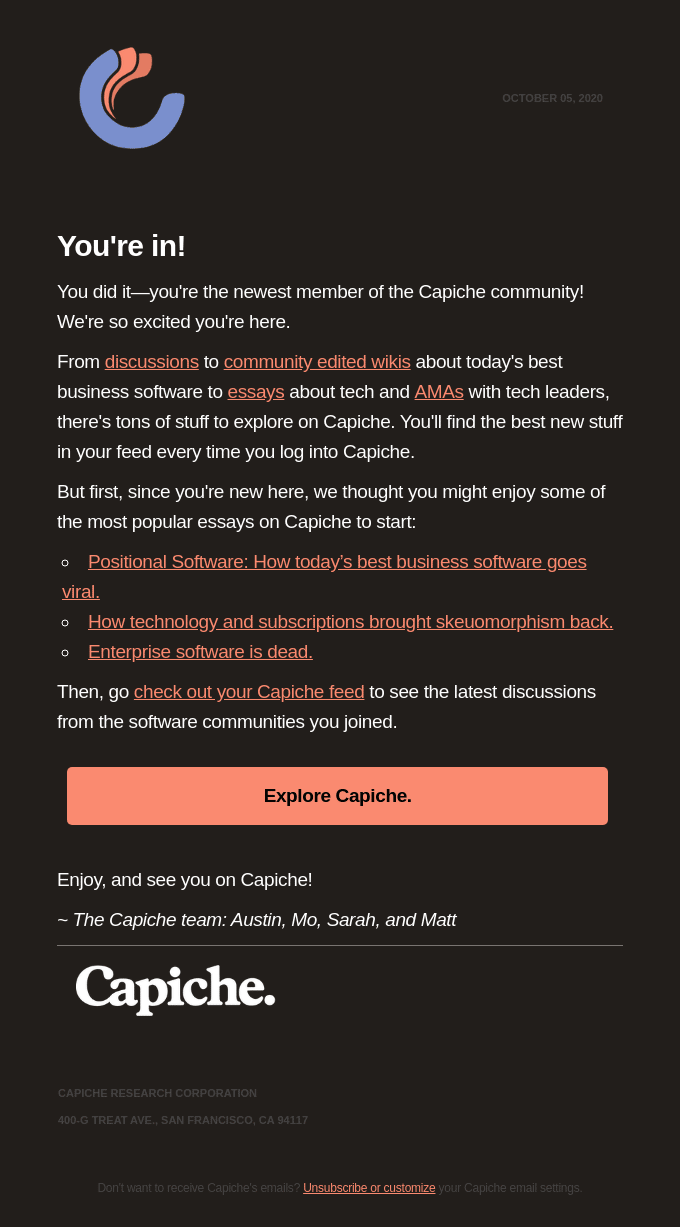
- Capiche, now part of Vendr, was a community built around business software. Its welcome email was very simple and effective. It presented how things worked, the rules of the game, and suggested 3 of its best articles to show newcomers the value of the community. The main goal was probably to bring the user back to the platform a second time, and that was quite clearly expressed and well executed.
Transcript
You’re in!
You made it, you’re the newest member of the Capiche community! We’re thrilled you’re here.
From discussions to community-edited wikis on today’s best business software, to essays on technology and AMAs with tech leaders, there are tons of things to explore on Capiche. You’ll find the best new stuff in your feed every time you log in to Capiche.
But first, since you’re new here, we thought you might enjoy some of the most popular essays on Capiche to get started:
– Positional Software: How today’s best business software goes viral.
– How technology and subscriptions brought back skeuomorphism.
– Business software is dead.
Then, check out your Capiche feed to see the latest discussions from the software communities you’ve joined.
Explore Capiche.
Happy reading and see you soon on Capiche!
– The Capiche team: Austin, Mo, Sarah, and Matt
8. Keep it simple, and authentic
Subject: Greetings From Otherland
From: Otherland
What we like
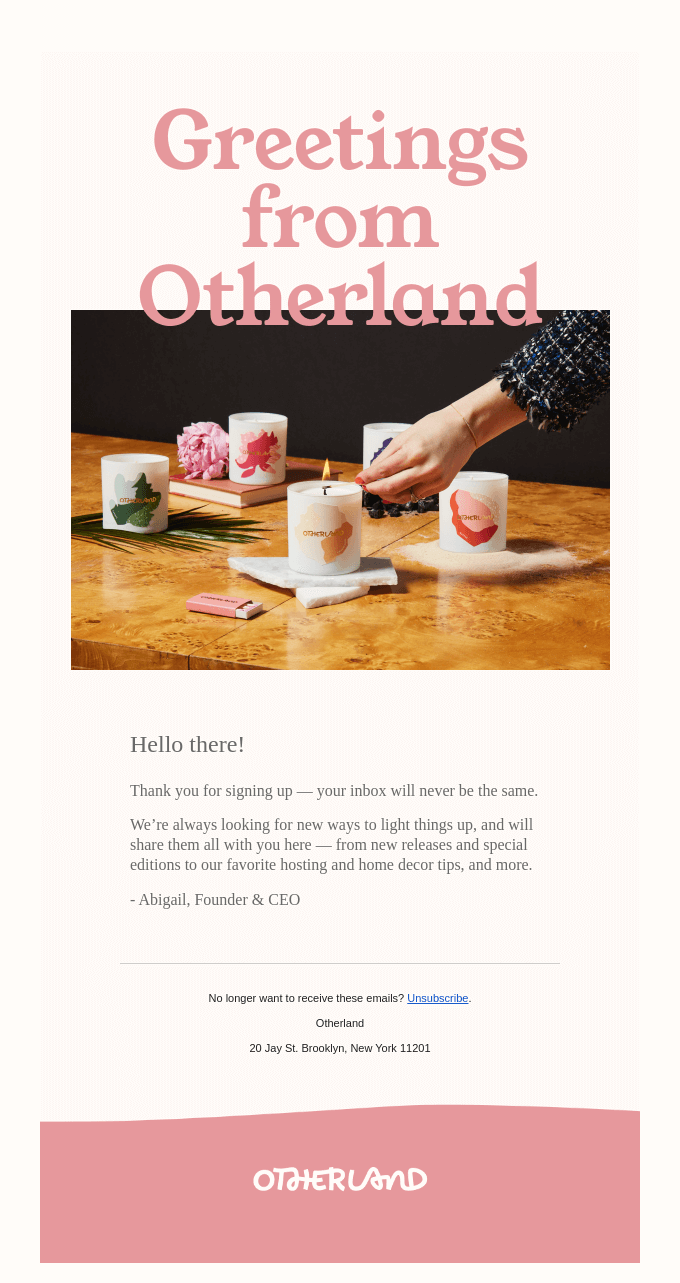
- It is light, but it is rather well done. The email is personally signed, and sums up in 3 lines what it is about and what to expect.
What we like less
- Even if you can appreciate how simple and effective it is, in the end very little is said. The email could probably have been put to better use while staying short and impactful.
Transcript
Greetings from Otherland
Hello everyone!
Thanks for signing up, your inbox will never be the same.
We’re always looking for new ways to light things up, and we’ll share them all with you here – from new releases and special editions to our favorite hosting and decorating tips, and more.
– Abigail, founder and CEO
9. Play with the role of the welcome email
Subject: The welcome email, a vastly underrated potential 👀
From: Upmynt
What we like
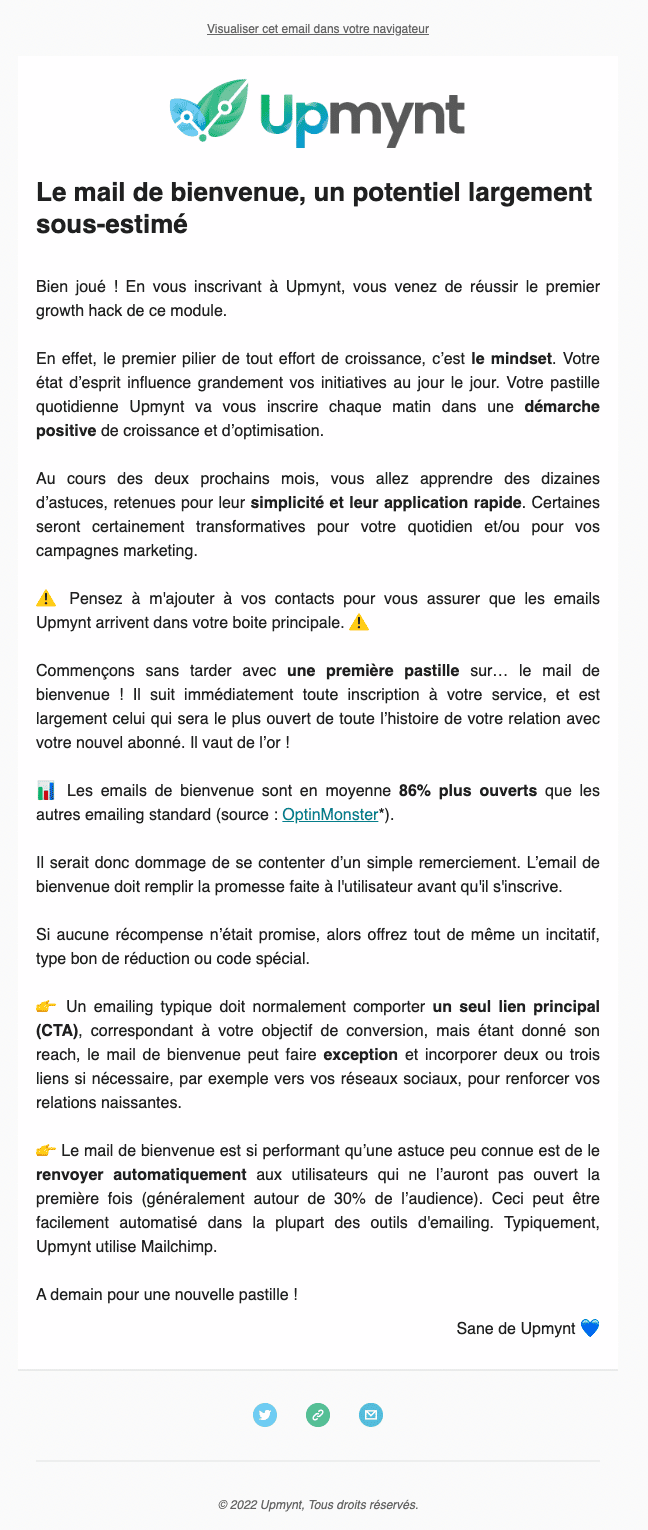
- It is the meta side of the email that we liked. Instead of sending a simple welcome email, Upmynt sends a welcome email that explains how and why to write a good welcome email. It is clever and it works.
Transcript
The welcome email, a vastly underrated potential
Well done! By signing up for Upmynt, you have just pulled off the first growth hack of this module.
Indeed, the first pillar of any growth effort is mindset. Your state of mind greatly influences your day-to-day initiatives. Your daily Upmynt nugget will set you up every morning in a positive approach to growth and optimization.
Over the next two months, you will learn dozens of tips, chosen for their simplicity and quick application. Some will surely be transformative for your daily work and/or for your marketing campaigns.
Remember to add me to your contacts to make sure Upmynt emails land in your main inbox.
Let’s get going right away with a first nugget on… the welcome email! It immediately follows any sign-up to your service, and it is by far the one that will be opened the most in the whole history of your relationship with your new subscriber. It is worth its weight in gold!
Welcome emails are opened on average 86% more than other standard email campaigns (source: OptinMonster*).
So it would be a shame to settle for a simple thank-you. The welcome email must fulfill the promise made to the user before they signed up.
If no reward was promised, then offer an incentive anyway, such as a discount voucher or a special code.
A typical email campaign should normally contain a single main link (CTA), matching your conversion goal, but given its reach, the welcome email can be an exception and include two or three links if needed, for example to your social networks, to strengthen your budding relationships.
The welcome email performs so well that a little-known trick is to automatically resend it to users who did not open it the first time (usually around 30% of the audience). This can easily be automated in most email marketing tools. Upmynt, for instance, uses Mailchimp.
See you tomorrow for a new nugget!
10. Take the user all the way to the “Aha moment”
Subject: Git your deploy on
From: Heroku
What we like
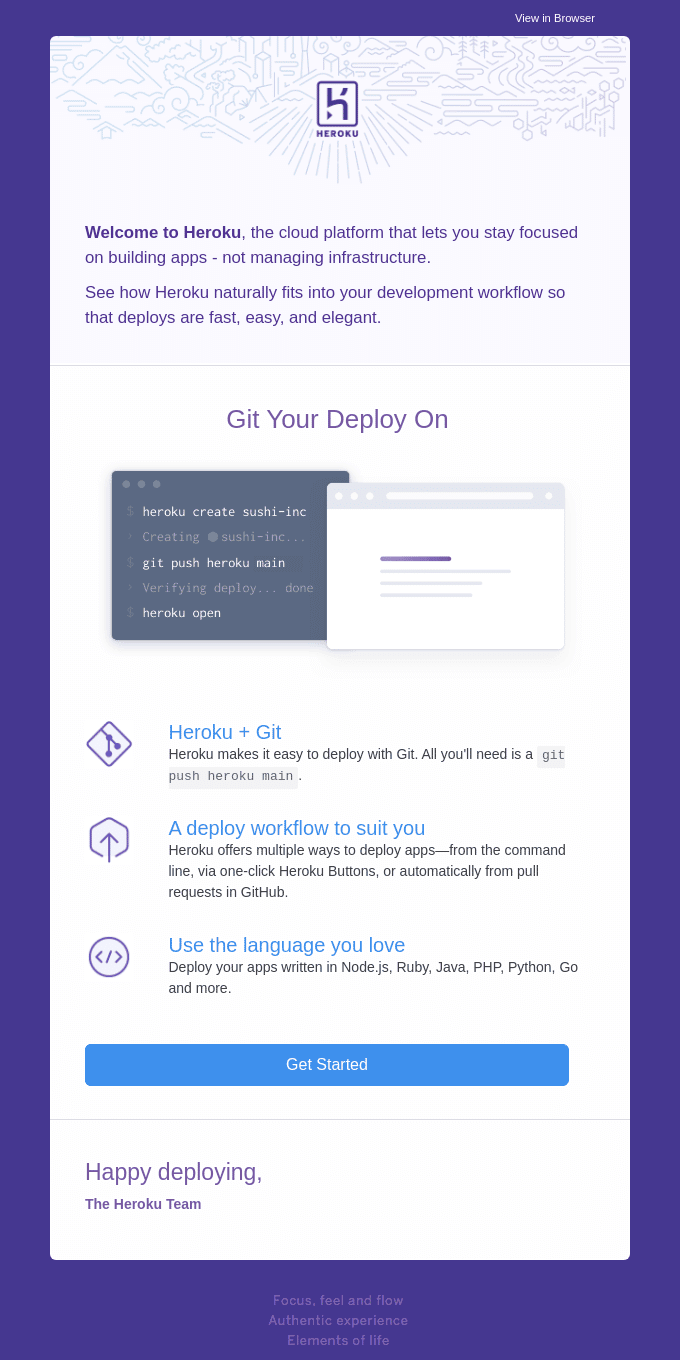
- This email plays on words a little to present a key Heroku feature: the Git integration. We won’t go into the details here, but it is both Heroku’s strength and probably the most important step for their new users.
The idea is that once a deployment is done, the user has chosen Heroku. Showing that it is simple and fast is therefore probably a very effective way to maximize their activation rates.
Transcript
Welcome to Heroku, the cloud platform that lets you stay focused on building apps, not on managing infrastructure.
Discover how Heroku fits naturally into your development flow so deployments are fast, easy and elegant.
Git Your Deploy On
Heroku + Git
Heroku makes deploying with Git easy. All you need is a git push heroku main.
A deployment workflow that suits you
Heroku offers several ways to deploy apps: from the command line, through one-click Heroku buttons, or automatically from pull requests in GitHub.
Use the language you love
Deploy your apps written in Node.js, Ruby, Java, PHP, Python, Go and more.
Get started
Happy deploying,
The Heroku team
11. Avoid the pointless email, and align your call to actions
Subject: Welcome to Wix
From: Wix
What we like less
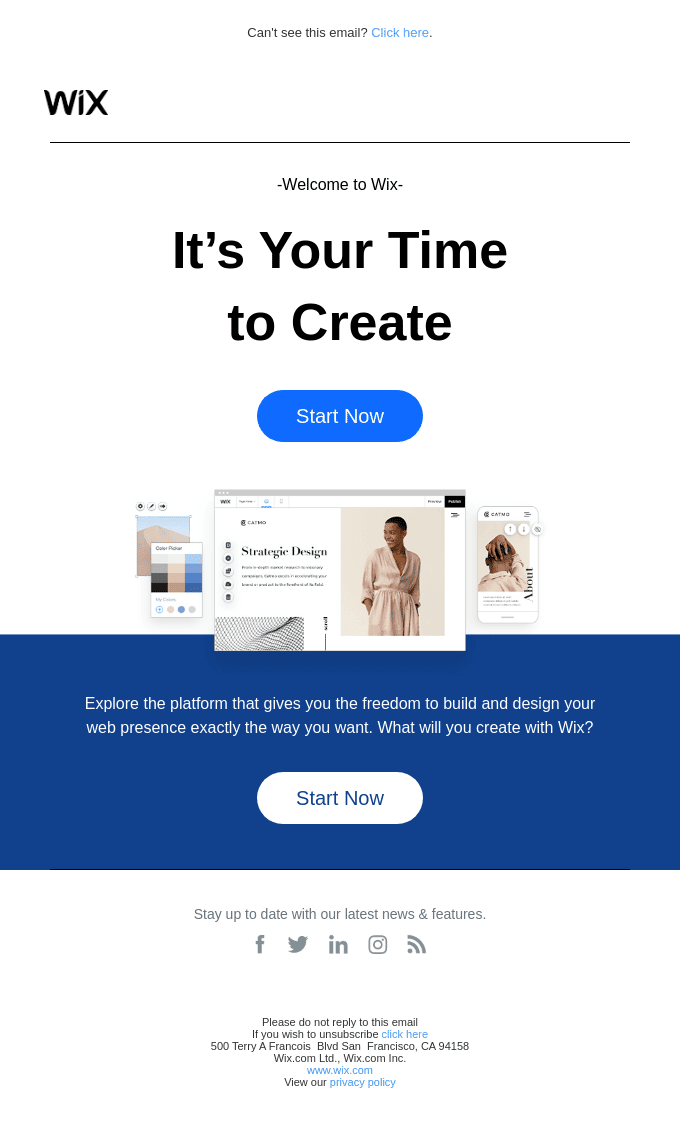
- This is the classic case of the welcome email that was only created because someone told someone else that one had to be made. The email has no value at all. It brings no information, and simply contains 2 buttons. “Start now” should not be the call to action of this email.
- The welcome email is sent when the account is created, but it is not read at that moment. It is meant to serve as a reference instead. You read it on your phone and tell yourself you will know where to find this information later if needed.
- That said, it is better to have a welcome email no matter what, if only to confirm that an account was created somewhere. But it needs a bit more work.
Transcript
Welcome to Wix
It’s your time to create
Explore the platform that gives you the freedom to build and design your web presence exactly the way you want. What will you create with Wix?
Start now
Subject: Welcome to monday.com 👋
From: Monday
What we like
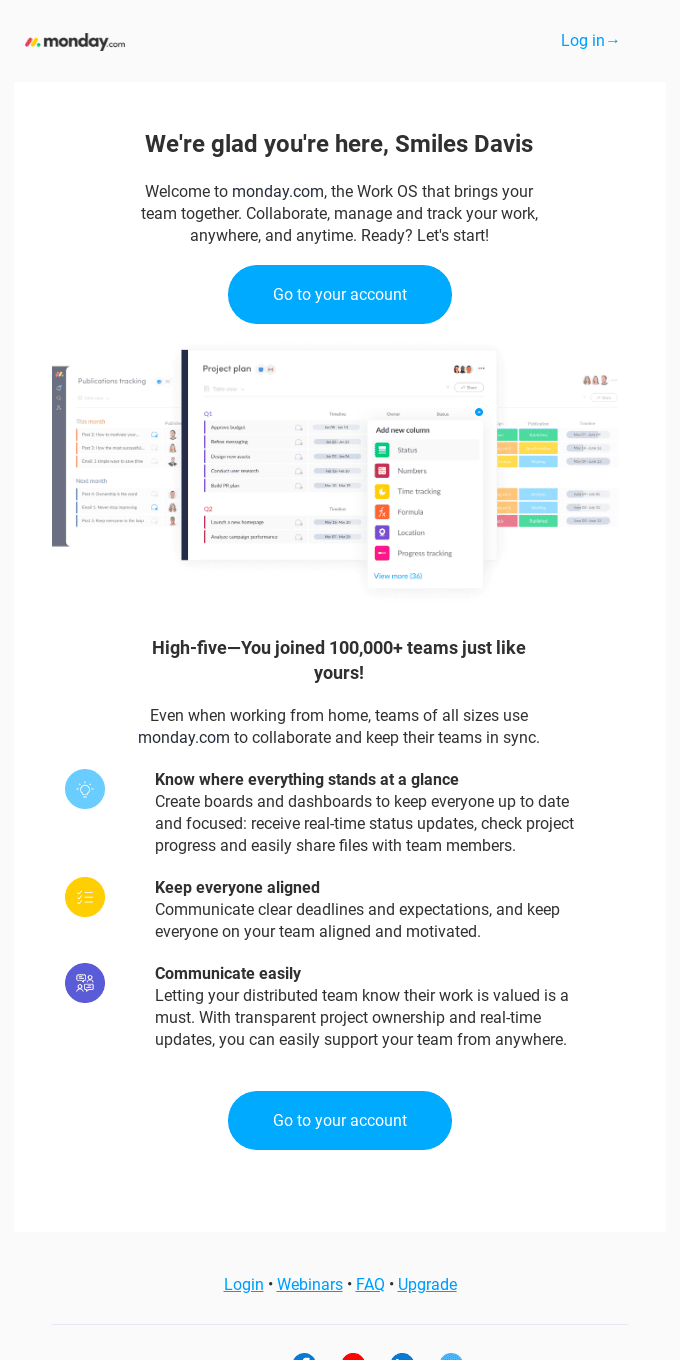
- The buttons to download the mobile app at the bottom of the email. Smart. Everyone reads a good share of their emails on their phone, and putting the link in every time probably generates a lot more value than the usual links you see in B2B (typically to a LinkedIn page that serves no purpose, or an X (formerly Twitter) account full of nothing but furious tweets from unhappy customers whenever the software runs into problems).
- The list of the tool’s 3 main value drivers is quite punchy, and above all it helps counter “buyer’s remorse”, meaning the regret a user may feel after signing up for a piece of software.
- The “Login” button at the top right of the email, as on every SaaS page, is a nice touch.
What we like less
- The core of the email is rather thin, and the call to actions are also poorly chosen here.
- We don’t much like the email’s structure, with useless buttons to Facebook & co, right above a huge footer with 2 addresses (and we don’t really see the point of that).
Go furtherRead our article on Monday, the all-in-one project management and CRM software.
Transcript
We’re happy you’re here, Smiles Davis
Welcome to monday.com, the Work OS that brings your team together. Collaborate, manage and track your work, anywhere, anytime. Ready? Let’s go!
Go to your account
Congrats, you’ve joined more than 100,000 teams like yours!
Even when working from home, teams of all sizes use monday.com to collaborate and keep their teams in sync.
Know where things stand at a glance
Create boards and dashboards so everyone stays informed and focused: get real-time status updates, check project progress and easily share files with team members.
Keep everyone on the same page
Communicate clear deadlines and expectations, and keep everyone on your team aligned and motivated.
Communicate easily
Letting your distributed team know their work is appreciated is essential. With transparent project ownership and real-time updates, you can easily support your team from anywhere.
Go to your account
What is the role of a welcome email?
The basic idea is to send a short email after someone has shown interest in your business (for example, by buying your product, subscribing to your service or signing up for your newsletter).
But they can be much more than that. With the right method, the welcome email can become a powerful tool to build customer loyalty, or to turn a prospect into a lead.
It is a key moment in building the customer relationship, because it lets you:
- Make the customer feel appreciated: The first goal is to give your customers or subscribers a warm welcome. They feel appreciated, and it contributes to their positive perception of your brand.
- Build anticipation: At this stage, customers know very little about you. They have the basic information that led to their purchase, but they know nothing about the user experience you offer. So it is the chance to show them what they can expect from your offers.
- Familiarize the customer with your business and your range of products/services: Tied to building anticipation, the welcome email can be a tool to describe your business, its goals, its approach…And you can start presenting your range of products and services. The welcome email can act as a natural showcase for your offer, both for prospects and for leads (newsletter subscribers in particular).
- Contribute to the brand’s customer experience: As soon as someone has shown interest in your business, the user experience and the customer relationship begin. The welcome email is therefore the first impression of what a regular customer can expect from your product/service.
- Serve as a reference for new users: Especially in SaaS, where there is a lot of information to pass on to new users. The welcome email can be the chance to list 3 or 4 key resources while making it clear that they are references for the future. This turns the welcome email into an email people come back to regularly to get familiar with the tool, and it is very reassuring.
4 tips for writing better welcome emails
1. Avoid the “Welcome” subject line everyone uses
It is a welcome email, but the idea is to go further, for example by building the email around one of the roles of the welcome email presented above.
You need to go further than the email’s subject line alone. A welcome email will have all the more impact if you question its purpose, what you want to do with it.
To do this, identify the most structural point of friction for new users, or the point that blocks most of your new sign-ups, or the question everyone asks you. The welcome email is the opportunity to answer it, so seize it. The Slack, Jira and Framer emails in this list illustrate this best practice very well.
2. Remind them of the benefits and what to expect
The idea is to spark interest by telling your customers what they can expect from you (content and frequency of the newsletter they subscribed to, quality of the service offered, other similar products available…).
It is both about spelling out your offer for people who are still unfamiliar with it, and about making them want to go further: subscribe to a paid plan, make a new purchase. The Domestika example here illustrates this well.
So the welcome email can be the chance to offer an attractive discount (as in the GoDaddy email), or to offer other benefits that make people want to stay.
3. Humanize the relationship, from the very first email
Personalization is the key to an effective welcome email, it is what raises its conversion, engagement and click rates. A generic email can make your recipient feel insignificant, and hurt your brand image. Never forget that it is the first step in the relationship with your prospect/customer.
Best practices to remember:
- Avoid “noreply@” emails
- Always sign the email: either with the name of a member of the team in charge of communication, or with the founder’s name.
- Add a photo: To give the feeling that there is a real person behind the screen.
- Use storytelling: Depending on the context, it can create an emotional bond between the recipient and your brand, and so work in your favor. Why not tell, in a few words, why you launched your business, created your newsletter, redesigned your product…
The recipient knows it is still an automatic email, of course. But the idea is for them to feel it as little as possible.
4. Be authentic, and ignore the bullsh*t rules
You will probably read all over the place that there are must-follow rules: a single CTA block per email, an obligation to introduce yourself, always say thank you…In reality, you don’t have to do any of it.
The welcome email is the first direct contact with a user, a reader or a customer. You move from a “One to many” model, where you send a mass message to more or less fine segments, to a “one to one” model.
It is a very important moment in the customer relationship, and it is easy to see why. Besides, what we presented here are automated emails, sent by brands with thousands of sign-ups. There is no shame at all in sending a personalized welcome email to each new sign-up, quite the opposite.
For example, for a while the founder of Datagma even sent a WhatsApp message to every new sign-up! You can copy and paste a lot so it doesn’t take all day, but a well-made email with 1 or 2 relevant, personalized points can prove very powerful.
The point here is to remind you that you know your customers better than all the consultants and bloggers on the planet. Make these rules your own in light of your business and your practices, and only write what matters to your customers. Because your customers are not everyone else’s.
The questions we get over and over.
What is the role of a welcome email?
To make the customer feel appreciated, build anticipation, familiarize them with your business and your range of products, contribute to the brand’s customer experience and serve as a reference for new users.
What subject line should you choose for a welcome email?
Something other than “Welcome”, which everyone uses. Identify the most structural point of friction for new users, or the question everyone asks you, and build the email around it, like Slack’s “Slack 101: Knowing when to post where”.
Can you put several call-to-actions in a welcome email?
Yes. Loom’s email has three blocks of them, measured and well suited: get started, find inspiration, get help. What matters is their relevance: at Wix or monday.com, the call-to-actions are judged poorly chosen.
How do you humanize an automatic welcome email?
By avoiding “noreply@” addresses, signing the email with the name of a team member or the founder, adding a photo and, depending on the context, telling the story of your business in a few words.
Should you ask the new sign-up questions in the welcome email?
The article doubts it, about Domestika’s email: either you ask the questions at sign-up, or later. Asking them right after sign-up, through the email, seems out of place to it.



What the community says.