




HubSpot first made its name with its marketing automation suite. Then with its free CRM. Today it also offers a full ticketing tool, built into the HubSpot ecosystem, that takes on the leader in this space quite seriously: Zendesk.
Zendesk took the exact opposite path. It started with ticketing and clearly became the go-to leader on the subject. In e-commerce, in SaaS, and even to run much sturdier contact centers. In 2018, it announced the acquisition of a fairly well-established sales CRM called Base. It was renamed Zendesk Sell, and Zendesk effectively became a customer relationship platform.
In this article, we compare the two solutions on their customer support side only. In particular, we evaluated ticket management (the core of a ticketing tool), collaboration tools, automation, live chat, and the CMS used to deploy a help center.
HubSpot Service Hub vs Zendesk at a glance
HubSpot Service Hub: our analysis in brief
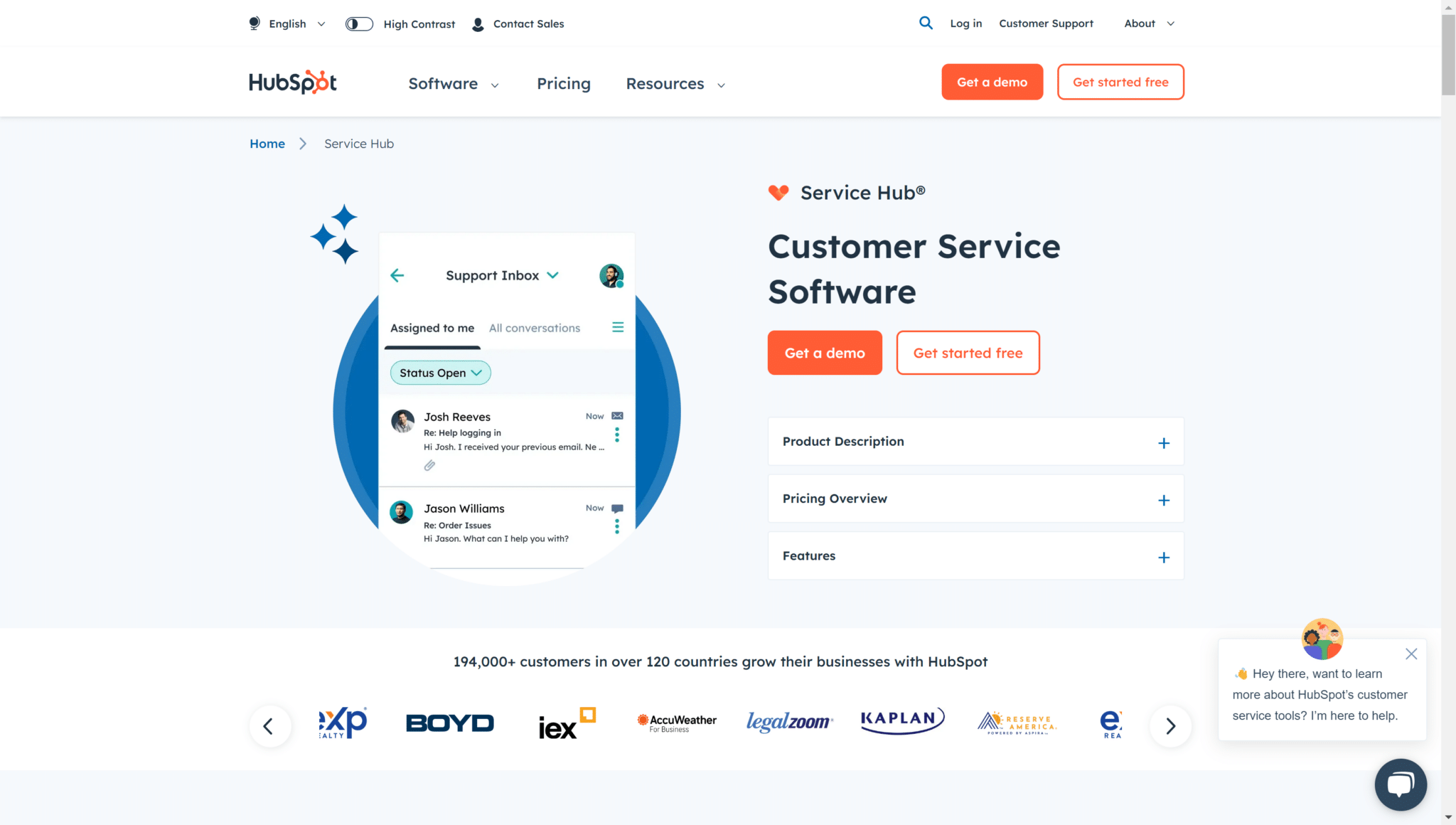
HubSpot lets you offer personalized customer follow-up by bringing marketing, sales and customer support tools together. Features such as Playbooks or Meetings strengthen collaboration between the departments involved.
Thanks to a single CRM database, Service Hub simplifies the tracking of customer interactions. You can define custom statuses for tickets, which makes handling requests more intuitive. With Service Analytics, the solution offers a complete reporting tool, key to tracking customer satisfaction and team performance.
Service Hub enriches the customer relationship with self-service customer portals, backed by VoC metrics and conversation intelligence. These tools make support easier to reach, promote self-service, and contribute to a better customer experience.
Zendesk: our analysis in brief
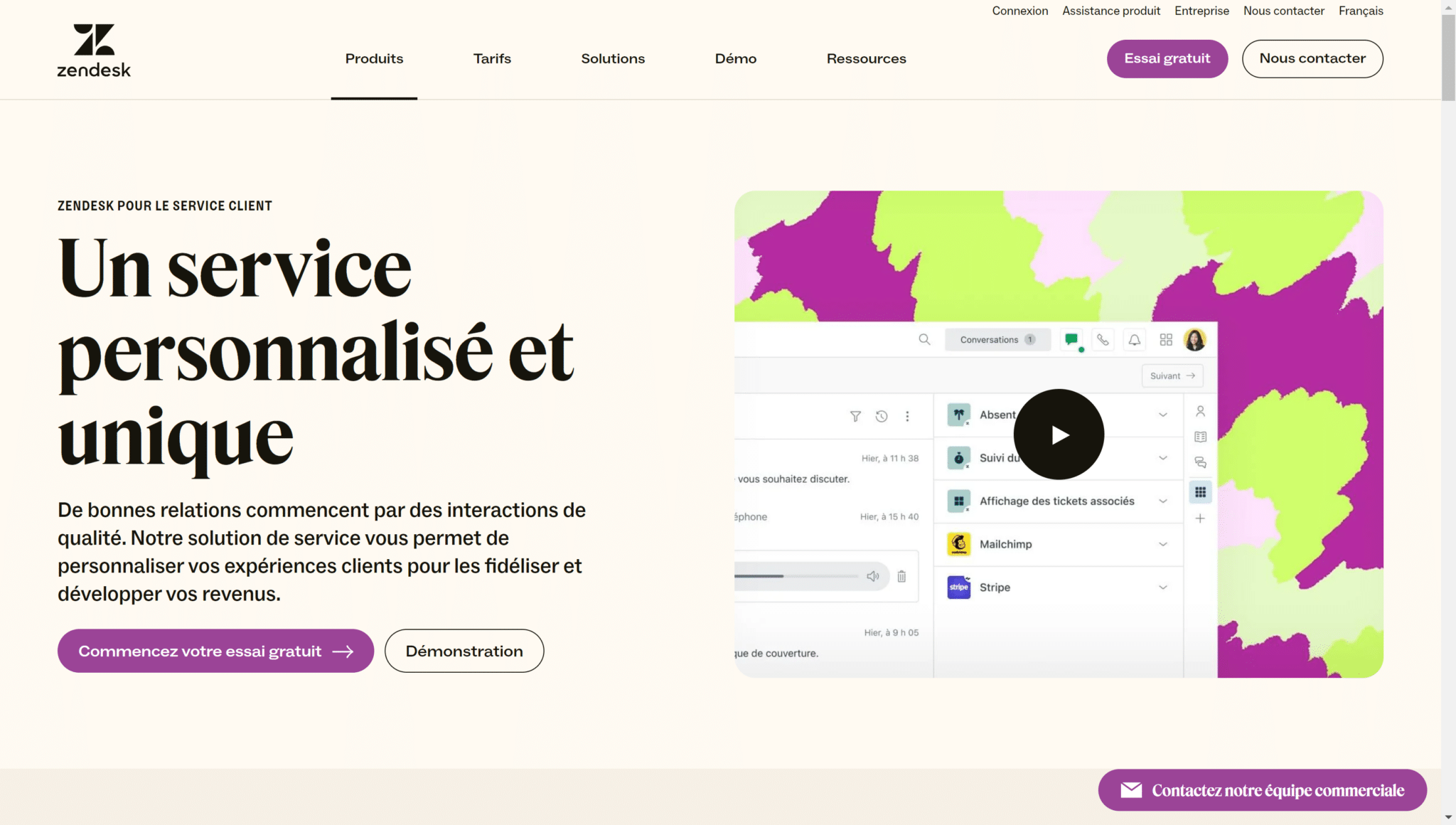
Zendesk stands out for its wealth of integrations, which makes the platform adaptable to different ways of working. Its integrations with Slack and Apple Messages for Business, for example, show how well it fits in with existing tools without major cost.
Called Zendesk Support or Zendesk Services, the tool handles tickets efficiently across a variety of channels. That includes email, but also social networks and instant messaging apps such as WhatsApp with an upgrade. For example, the « Views » feature organizes and prioritizes tickets to improve customer service responsiveness.
Zendesk’s help center, with its multichannel support and self-service portal, gives customers the resources they need to solve their problems on their own. AI agents are worth mentioning: they give instant answers to frequent questions, relieve the customer service team and improve overall satisfaction.
HubSpot Service Hub vs Zendesk: what their customers say
HubSpot Service Hub: what customers think
HubSpot Service Hub includes live chat and conversational bots. This feature lets companies offer real-time support and immediate assistance, significantly improving the customer experience.
Syncing with HubSpot CRM makes collaboration between service and sales teams easier. It ensures personalized service delivery and a consistent customer experience across all departments.
The feedback and customer survey tools included in the platform help companies collect opinions, measure satisfaction and spot areas for improvement in their customer service.
The platform’s multilingual support is limited and may not meet the needs of companies with international customers, or even international teams.
HubSpot Service Hub’s handling of support on social networks can seem restricted, a drawback for companies that rely heavily on these channels for customer service.
Despite the strength of its reporting features, some users may find the customization options and the level of detail in reports limited.
Zendesk: what customers think
Zendesk wins people over with its intuitive interface and functional depth.
Zendesk’s reputation rests on its ease of use, backed by positive reviews on various platforms.
But Zendesk’s own support can lack responsiveness, which is a problem for companies looking for immediate help to get the most out of the platform with teams less familiar with support tools.
Setting up Zendesk turns out to be complex and takes an investment in time and training for companies that are less mature on tooling.
HubSpot Service Hub vs Zendesk: feature scope
1. Support ticket management
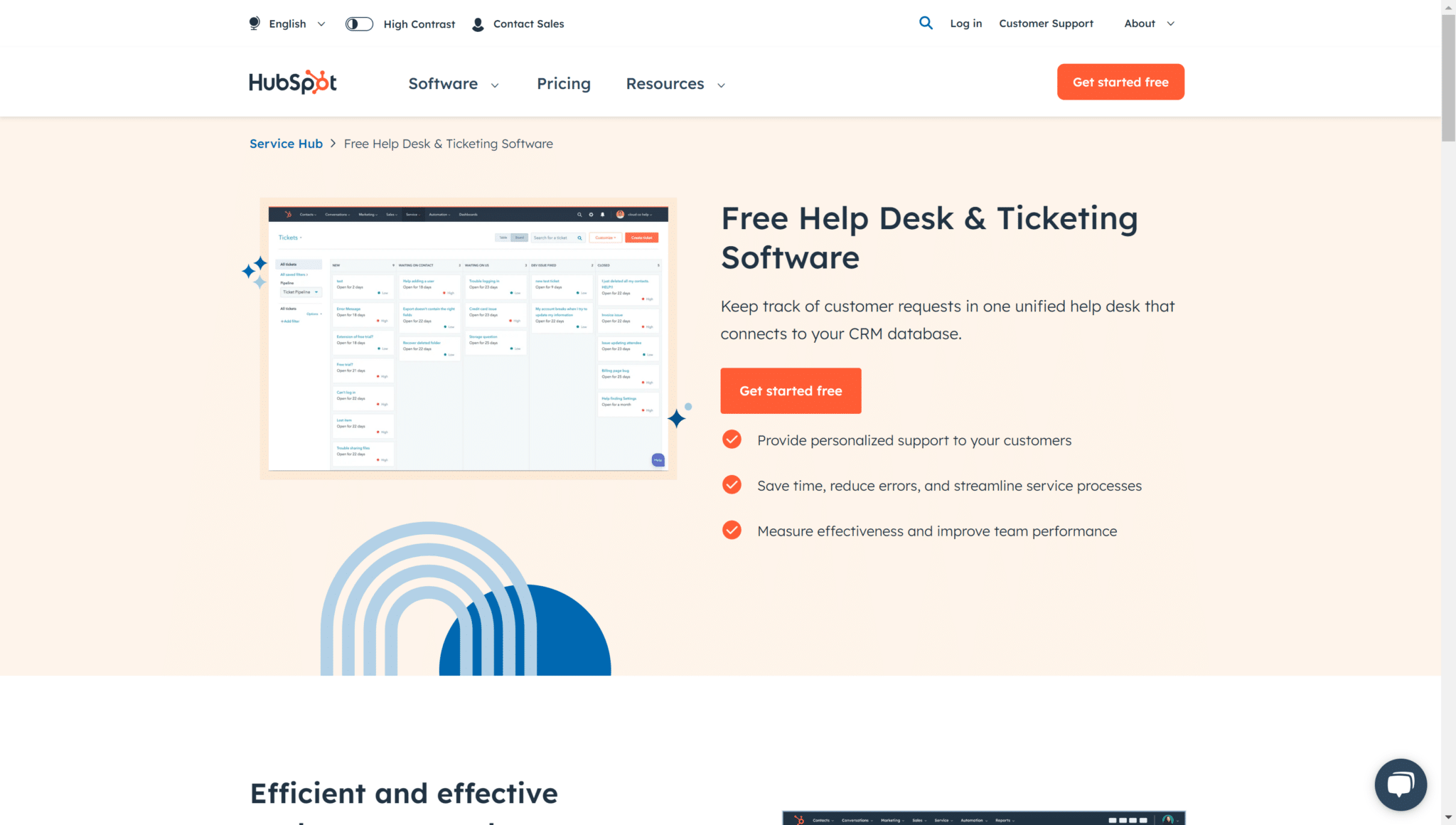
Zendesk makes it easy to create support tickets across various channels, such as social networks and messaging apps. This versatility allows efficient, omnichannel handling of customer requests.
The « Views » system organizes tickets according to specific criteria, which makes ticket management adaptable and efficient.
Zendesk enriches the user experience by integrating business messaging tools such as Slack and Apple Messages for Business for a personalized approach.
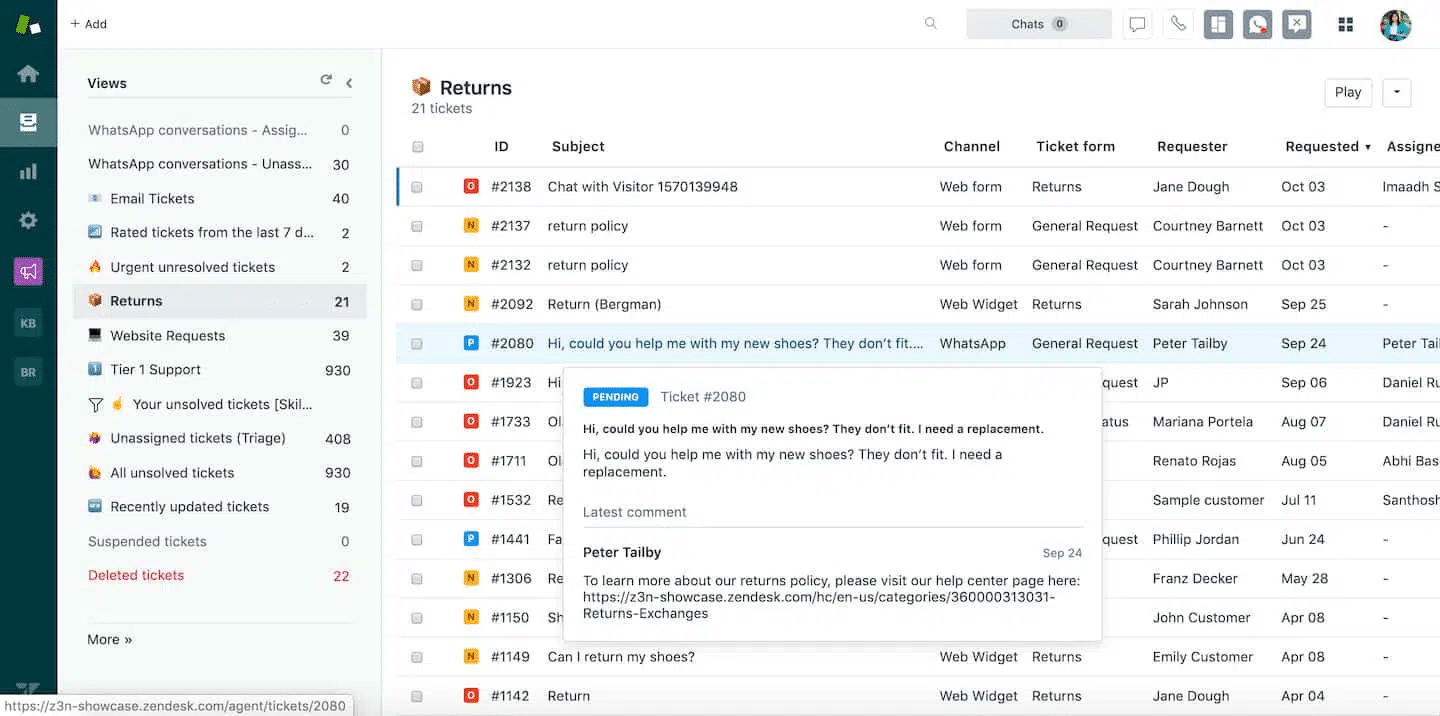
HubSpot Service Hub stands out less for the variety of its communication channels. On the other hand, the tool offers a high-performing ticketing system that allows optimal handling of customer requests. The ability to create, assign and track tickets precisely guarantees an appropriate response to every customer concern.
Thanks to ticket categorization and prioritization, HubSpot lets teams resolve requests efficiently.
2. Collaboration tools
Zendesk enriches omnichannel management with a collaboration and communication tool between teams. Agents can take on different roles and hold side conversations that don’t disrupt the main flow.
The help desk allows precise management of interactions, especially for international companies that need coordination across time zones. Permissions to edit and publish content, with approval workflows, optimize content management and updates for smooth, efficient collaboration within the team.
Likewise, HubSpot Service Hub puts the emphasis on team collaboration and automation, and offers very similar tools.
Thanks to the integration with HubSpot CRM, collaboration between service and sales teams becomes seamless. Agents get a unified view of customer interactions and history. This synergy ensures personalized, consistent service and support.
3. Automation tools
Zendesk builds artificial intelligence into its support team through its AI agents, available 24/7 to answer frequent questions and handle simple tickets. This automation increases availability for customers, cuts response times and raises satisfaction.
Zendesk’s pre-trained bot, able to recognize the customer’s sentiment, intent and language, improves the accuracy of interactions. When human intervention becomes necessary, the tool makes handoffs smooth by giving agents precise context.
Similarly, HubSpot Service Hub offers workflow automation features. They let companies automate routine tasks and optimize processes for better operational efficiency.
4. Live chat
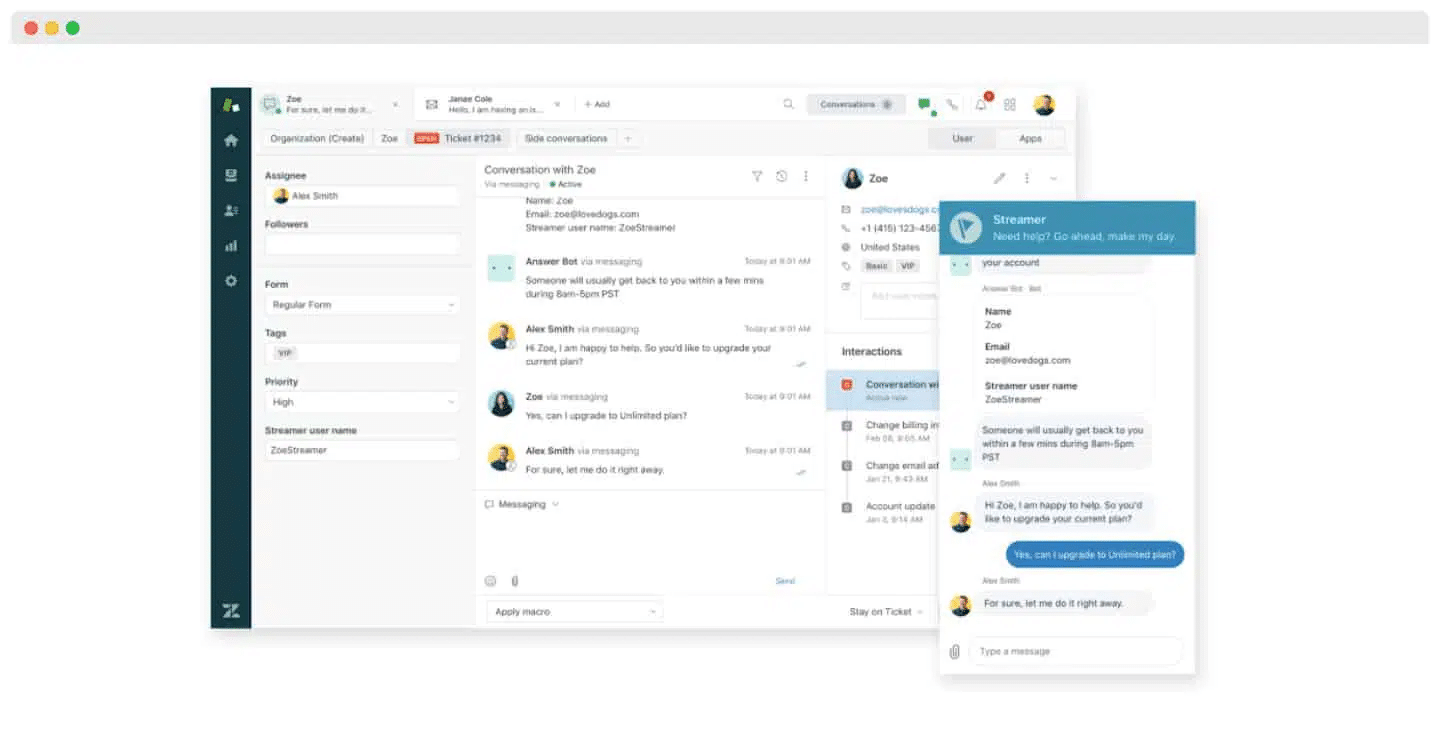
Zendesk enriches the customer experience with a live chat service built into all support channels. This unified approach simplifies ticket and customer interaction management by bringing all communications into a single, centralized workspace.
Chat customization lets companies adapt the tool to their specific needs, in both content and design. The AI agents integration provides immediate answers to customers for uninterrupted assistance, even when the teams are away.
HubSpot Service Hub also stresses the importance of real-time customer support with its live chat option. This feature lets companies communicate directly with their customers.
HubSpot’s conversational bots, which can be programmed to automate answers to frequent questions, complement live chat and make support more efficient.
5. The help center
Zendesk fosters customer autonomy through its self-service portal. The tool combines an extensive knowledge base with community features. AI integration automatically routes simple requests to this portal, freeing agents for requests that need particular attention, notably further down the line.
This help center improves customer service efficiency by letting users solve their problems themselves, while easing the agents’ workload.
HubSpot Service Hub optimizes customer service operations by centralizing request handling, ticket tracking and process automation. This unified platform guarantees fast, consistent answers.
Self-service tools and the knowledge base give customers instant access to the information they need to solve their problems.
HubSpot Service Hub vs Zendesk: integrations and philosophy
Zendesk is a highly customizable platform. It integrates with more than 1,000 popular apps that improve the customer experience. For example, Zendesk provides two-way integration with Salesforce, ActiveCampaign and even HubSpot.
The platform offers an open, flexible API to complement the apps in the Zendesk Marketplace.
For its part, HubSpot Service Hub offers more than 2,000 external integration options.
Deep integration with the other HubSpot solutions is the solution’s most striking feature. Thanks to the various HubSpot platforms such as Marketing or Sales, support teams get a full view of past interactions.
Like its competitor, HubSpot offers an open, flexible API. It makes it easier to connect with other tools and to adapt and optimize processes specific to the company, in line with its overall strategy.
HubSpot Service Hub vs Zendesk: pricing
Zendesk
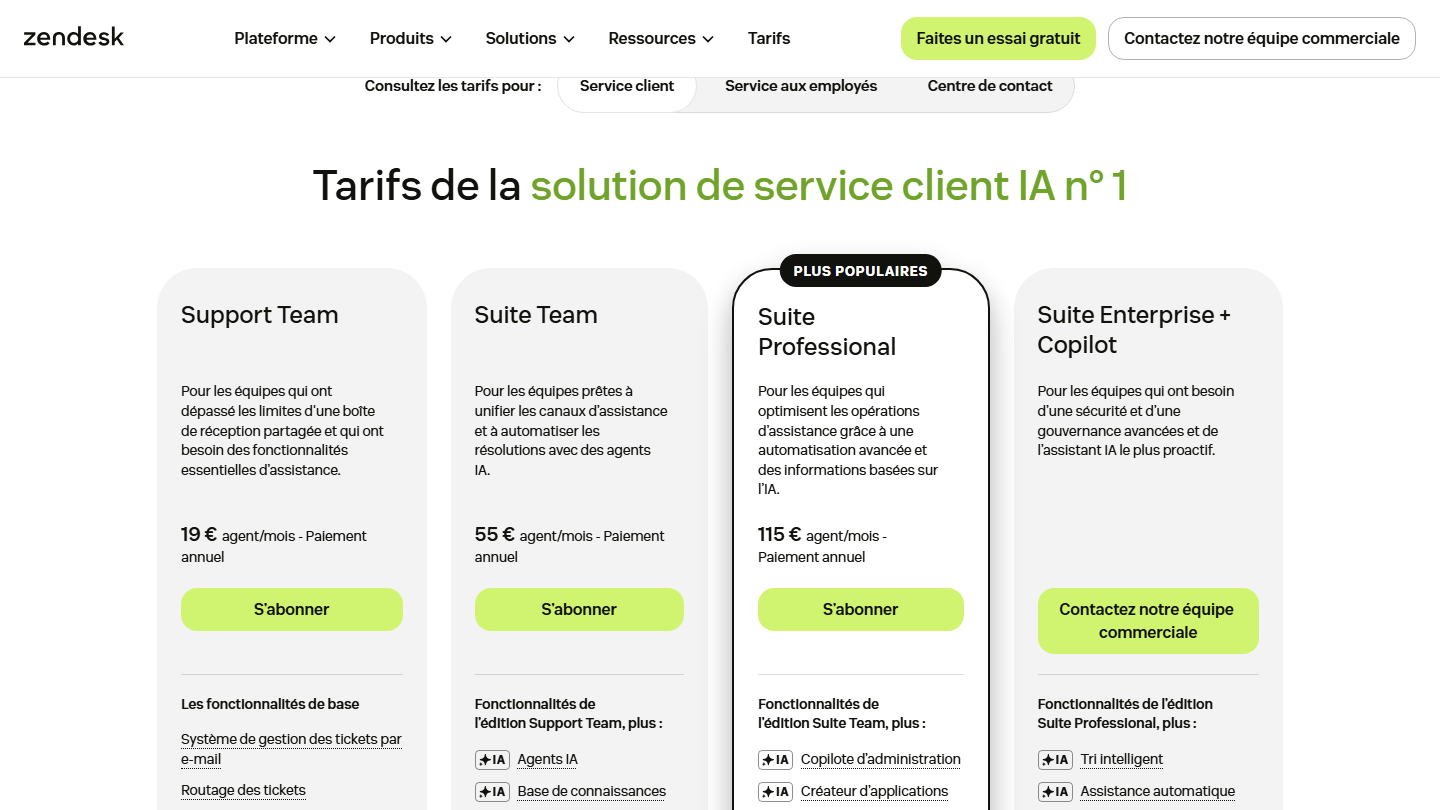
Zendesk splits its plans into two editions: the base edition and Zendesk Suite. The base edition is limited to email (though it already goes very far there), while the suite adds chat, telephony, artificial intelligence, automation features, and more.
Base edition
- Support Team: €19 per month per agent billed annually (€25 billed monthly). This plan includes an email ticketing system, ticket routing, canned replies, automations and out-of-the-box but fairly basic reporting.
Zendesk Suite editions
- Suite Team: €55 per month per agent billed annually (€69 billed monthly). This plan includes a ticketing system covering email, chat, calls and social networks, with omnichannel routing, plus a knowledge base and AI agents.
- Suite Professional: €115 per month per agent billed annually (€149 billed monthly). It adds skills-based routing, an IVR for telephony and AI-based writing tools to Suite Team.
- Suite Enterprise: on request, it is the most complete plan. It includes all the features of the previous plans and adds intelligent ticket triage, approval workflows, a sandbox environment and custom agent roles.
HubSpot Service Hub
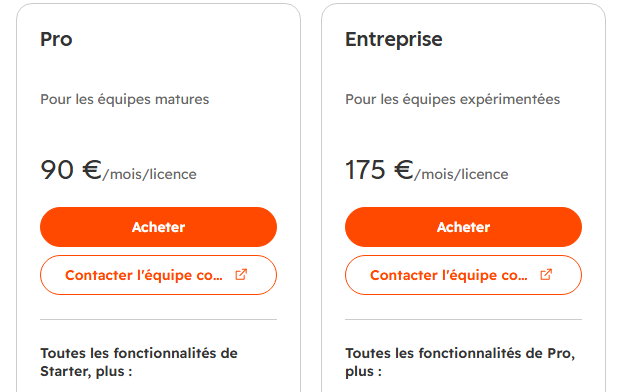
HubSpot has only 4 plans, one of them free.
Free
The free plan is limited to 2 users, but it gives access to tickets, routing of incoming tickets to the right team, website chat and a meeting booking link.
Starter
Available at €20 per month per seat, up to 10 users, this plan includes all the features of the free plan. It adds email and in-app chat support, inbound and outbound calls, and simple automations. However, you can’t set up customer satisfaction surveys.
Pro
This tier costs €90 per month per seat. It extends the Starter plan’s capabilities with customer feedback surveys, a support center, a knowledge base, SLAs, service analytics and advanced automations.
Enterprise
It costs €175 per month per seat. It adds to the Pro plan ticket routing based on agents’ skills, a sandbox account to test changes, user-level control over data access and editing, and the connection of several HubSpot accounts.