


- Your headline should say what you do, for whom and the result you get, not repeat your job title.
- A photo on a neutral background and a banner in the 1584 x 396 px format are your first levers of trust.
- The summary follows a simple logic: problem, solution, proof, opening.
- In your experience section, put quantified results at the top of each description.
- Comment rather than like: a comment exposes you to the person’s entire network.
Good news: you don’t need to rebuild your whole LinkedIn profile to get more visibility. In ten (well, ten-ish…) well-spent minutes, you can already sharpen your positioning, show up better in LinkedIn search and push up your share of qualified visits.
In this quick tutorial, we walk you through an approach that gets straight to the point, focused on results, with simple, measurable micro-actions, as you’re about to see.
Minutes 1–2: Work on your headline
Your headline shows up everywhere on LinkedIn: under your name, in search results, under your posts, in messages. It’s your promise squeezed into a few words. A good headline says what you do, for whom and the result you get, all in under two lines.
Whatever you do, don’t just copy your job title. Rookie mistake! LinkedIn is not a résumé (a long time ago, LinkedIn was a résumé database, but those days are gone…), it’s a shop window. Your headline should describe your value proposition.
Salesdorado’s tipBuild your headline on the target, action, result trio. For example: “I help industrial SMBs structure their sales pipeline with Pipedrive”. If you’re unsure, read your headline out loud, then cut every word that doesn’t pull its weight. Get to the point.
A few before / after examples:
- ❌ Account Manager at Salesforce > ✅ I help SMBs structure their sales pipeline with Salesforce
- ❌ Marketing Consultant > ✅ I help B2B brands launch profitable acquisition campaigns
- ❌ Data Analyst > ✅ I turn your customer data into sales opportunities you can act on.
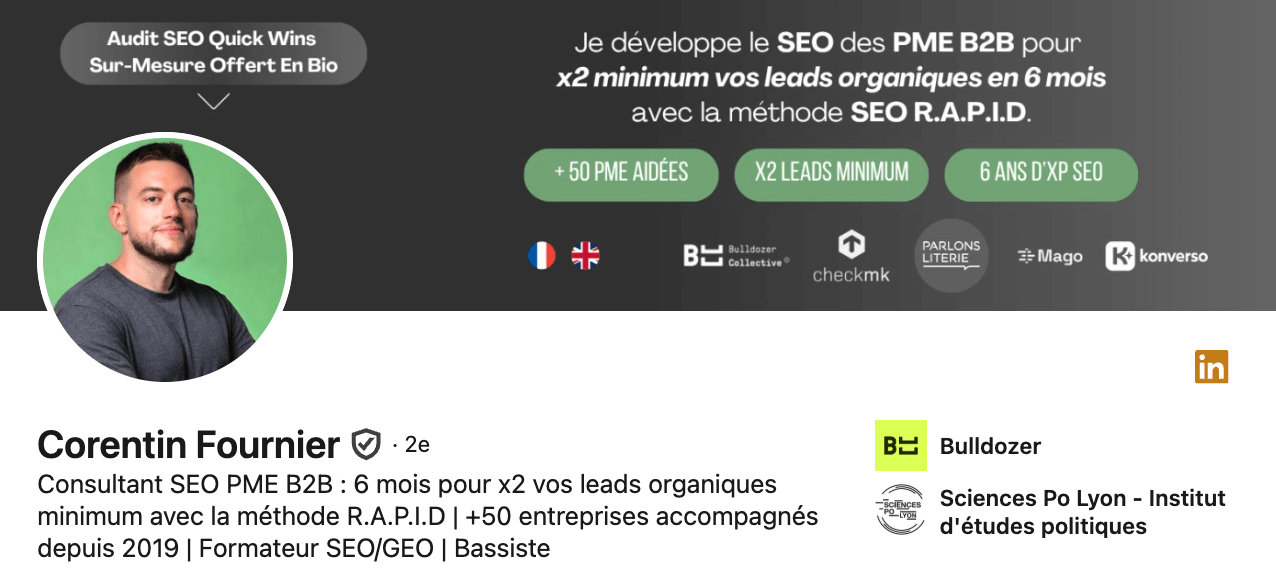
A few examples picked from the leading names of the French LinkedIn game:
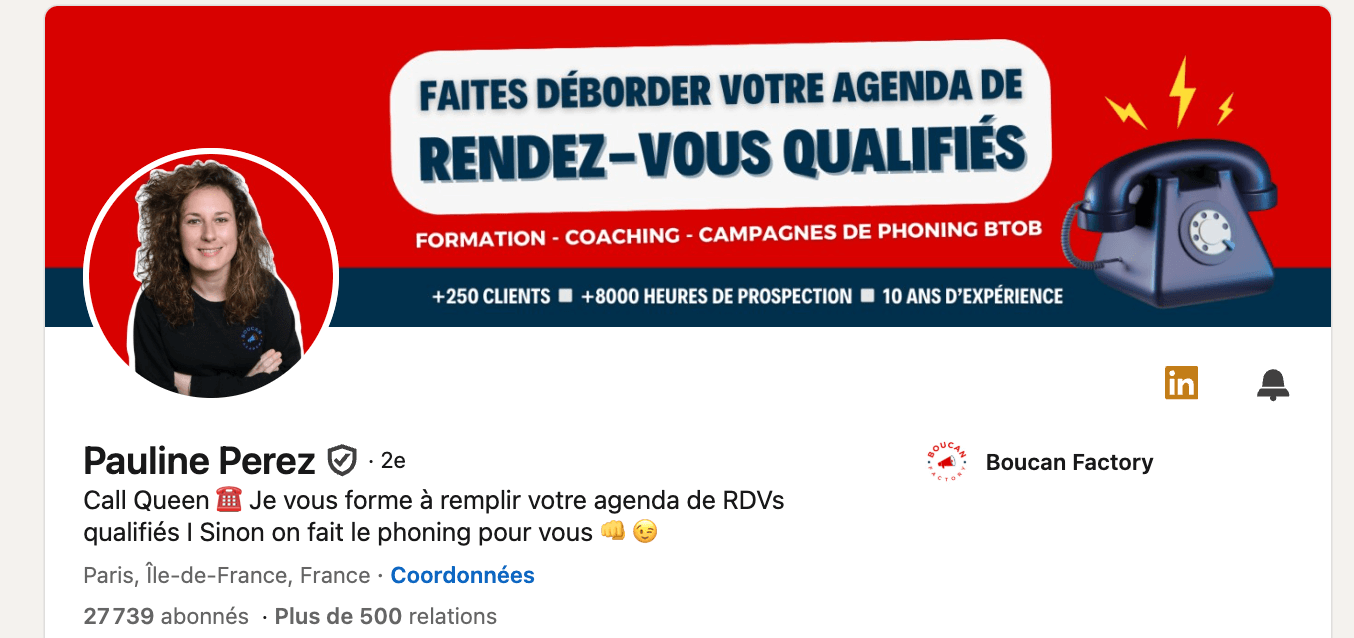
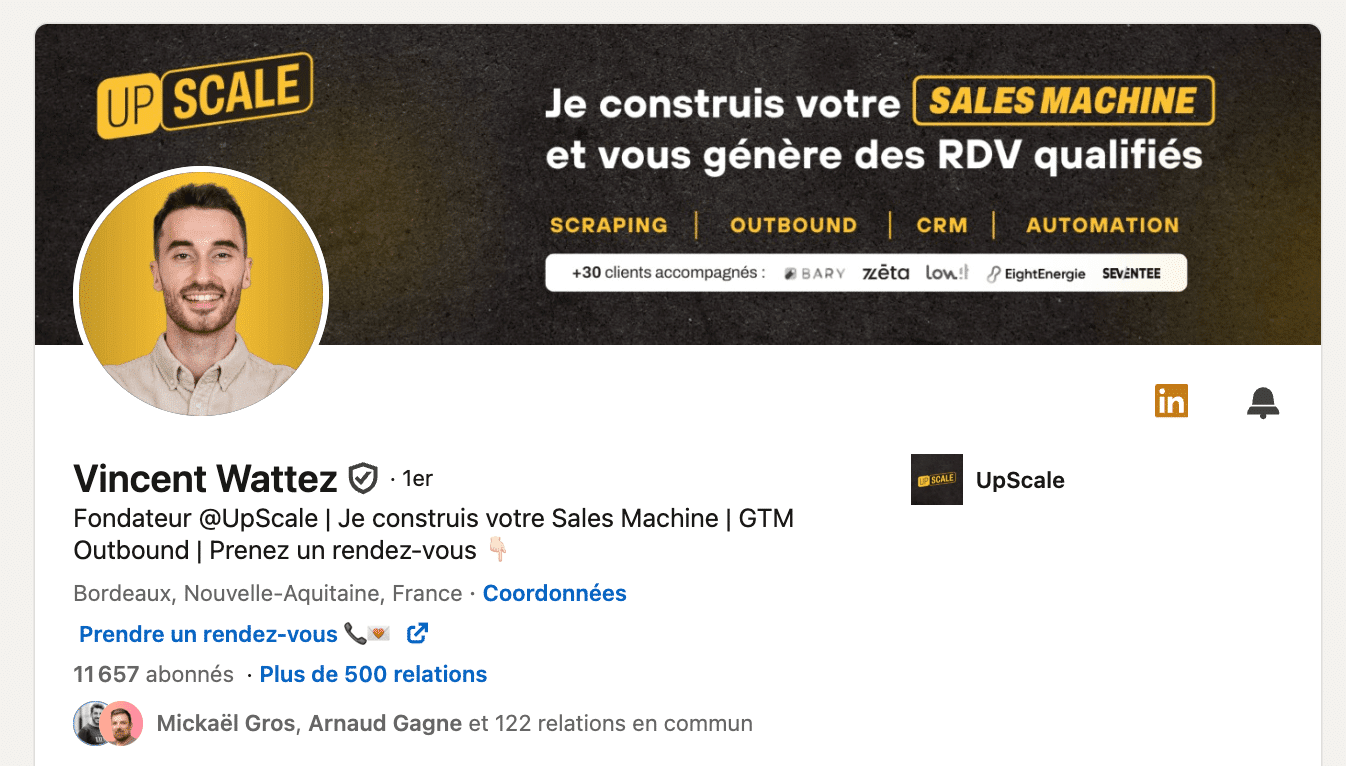
You can also use “we”:
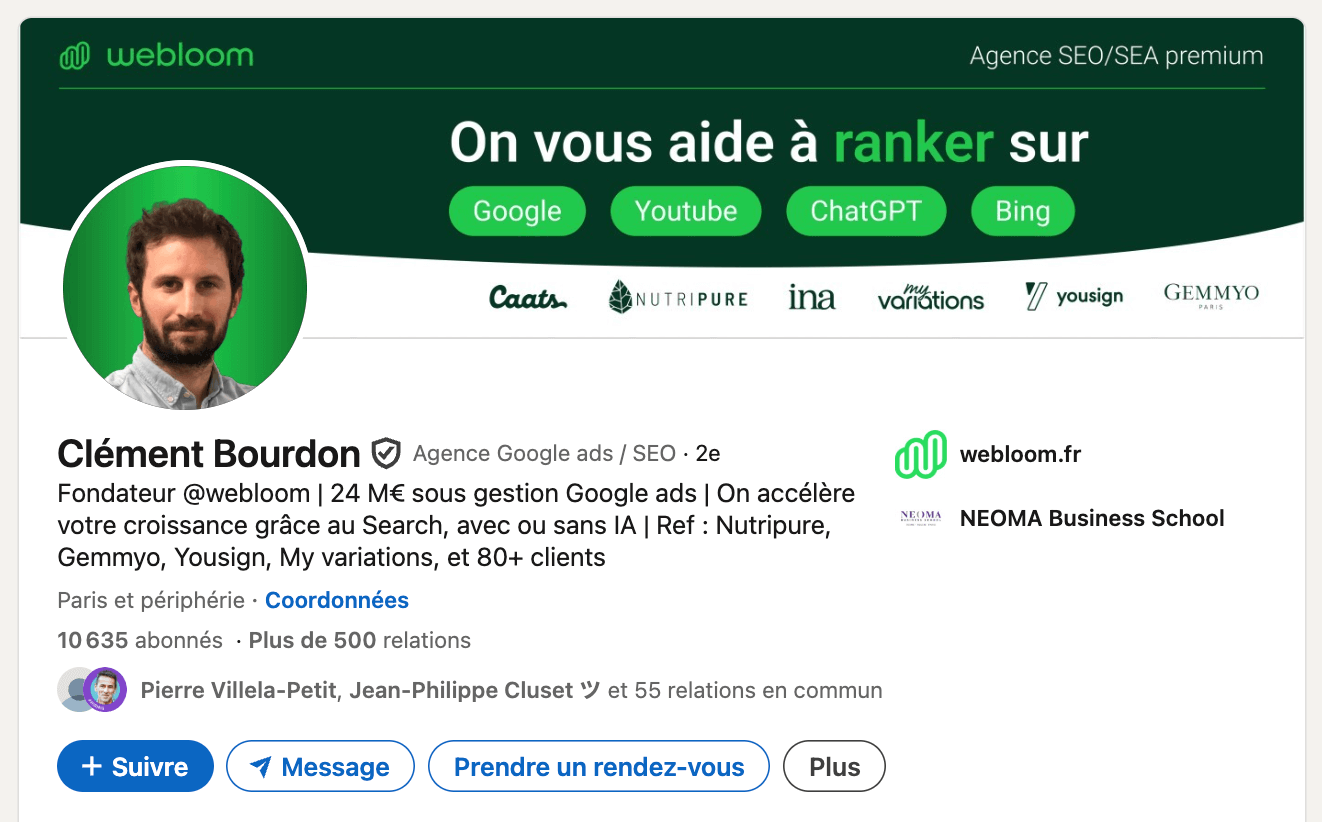
You can use neither “I” nor “we”, as long as you speak directly to your audience, the way Inès Sivignon does very well here:
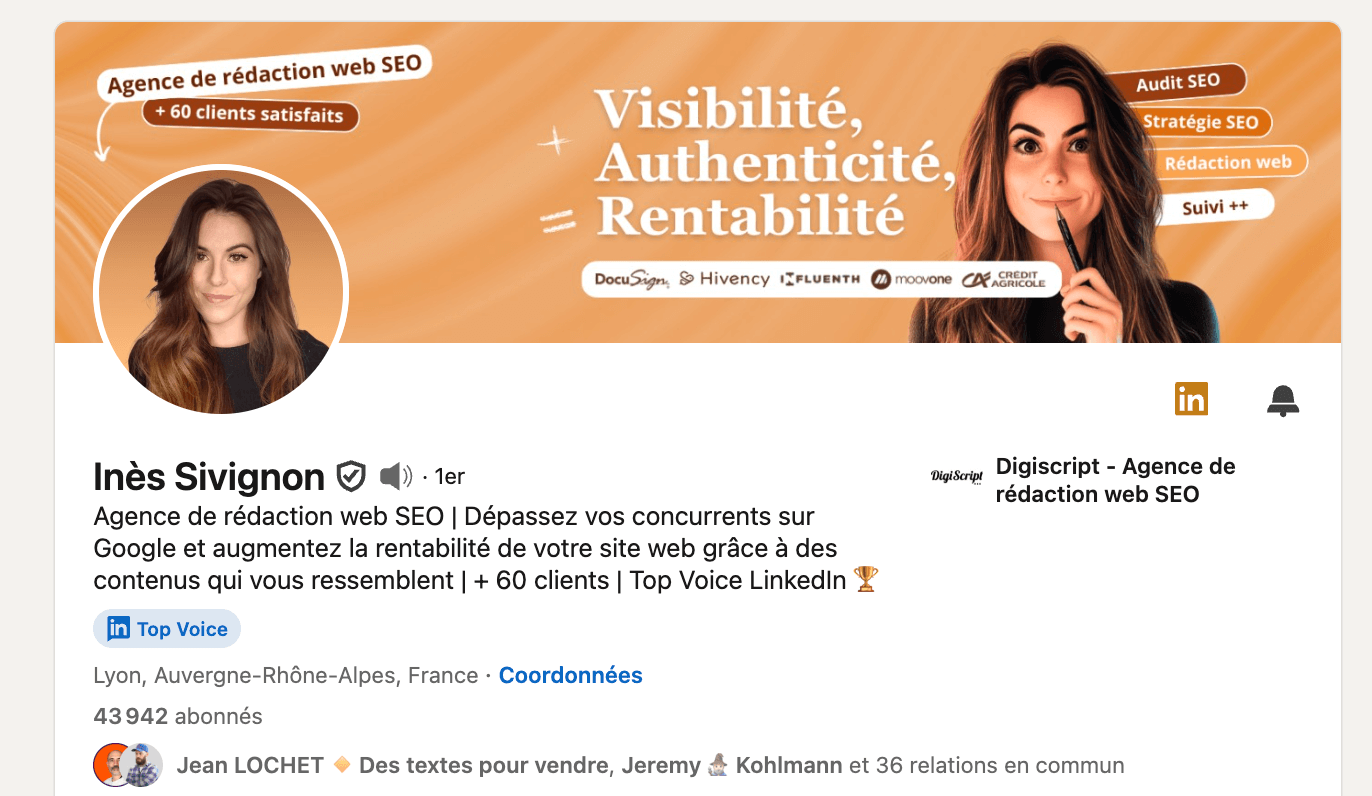
Here are a few good examples gathered on LinkedIn to give you ideas:
- I help you structure your prospecting to book more qualified meetings
- I design marketing strategies that turn your leads into loyal customers
- I train sales teams to get more out of their CRM every day
- We help SMBs set up a B2B acquisition strategy that performs
- We help startups move from makeshift prospecting to a real sales process
- I build profitable LinkedIn Ads campaigns for B2B companies
- We build simple, effective sales funnels to speed up growth
Two minutes is enough to go from a neutral job title to a value-driven hook. Between us, it’s often the most profitable tweak on your entire profile.
Minutes 3–4: Polish your photo and your banner
On LinkedIn, your photo and banner are your first levers of trust, because before reading a single line, that’s what visitors notice. A good photo reassures, and a clear banner makes your positioning credible. Together, they set the scene: who you are and what world you work in.
Profile photo: inspire trust!
We recommend a neutral background, natural light and framing centered on your face. Avoid photos that are too dark, selfies, or images cropped out of a group shot. The goal isn’t to look perfect, but professional and approachable.
A simple trick: compare your photo with those of your peers in your industry. If yours stands out for the wrong reasons, in style or quality, change it. There are free tools today like Remove.bg to cut out your photo and get a clean, consistent result in under two minutes. No more excuses :).
Salesdorado’s tipTest your photo on a colleague or an outside contact. If they recognize you right away and find you “professional”, you’re done. If they hesitate or find you “too distant”, change the picture. First impressions on LinkedIn are pure personal marketing.
The banner: assert your positioning
The banner is often left empty, even though it can say a lot at a glance. Use this space to anchor your expertise visually and strengthen your professional positioning.
Take another look at the LinkedIn profile examples above: you’ll see they all have one thing in common, a banner optimized down to the last detail.
A few ideas, in no particular order, to pimp your banner:
- A clear slogan that sums up your promise (“Speed up your B2B prospecting with the right tools”).
- Your company logo or a team photo.
- A colored background that matches your visual identity.
- A visual from your line of work (for example a dashboard, a tool screen, a modern office, etc.).
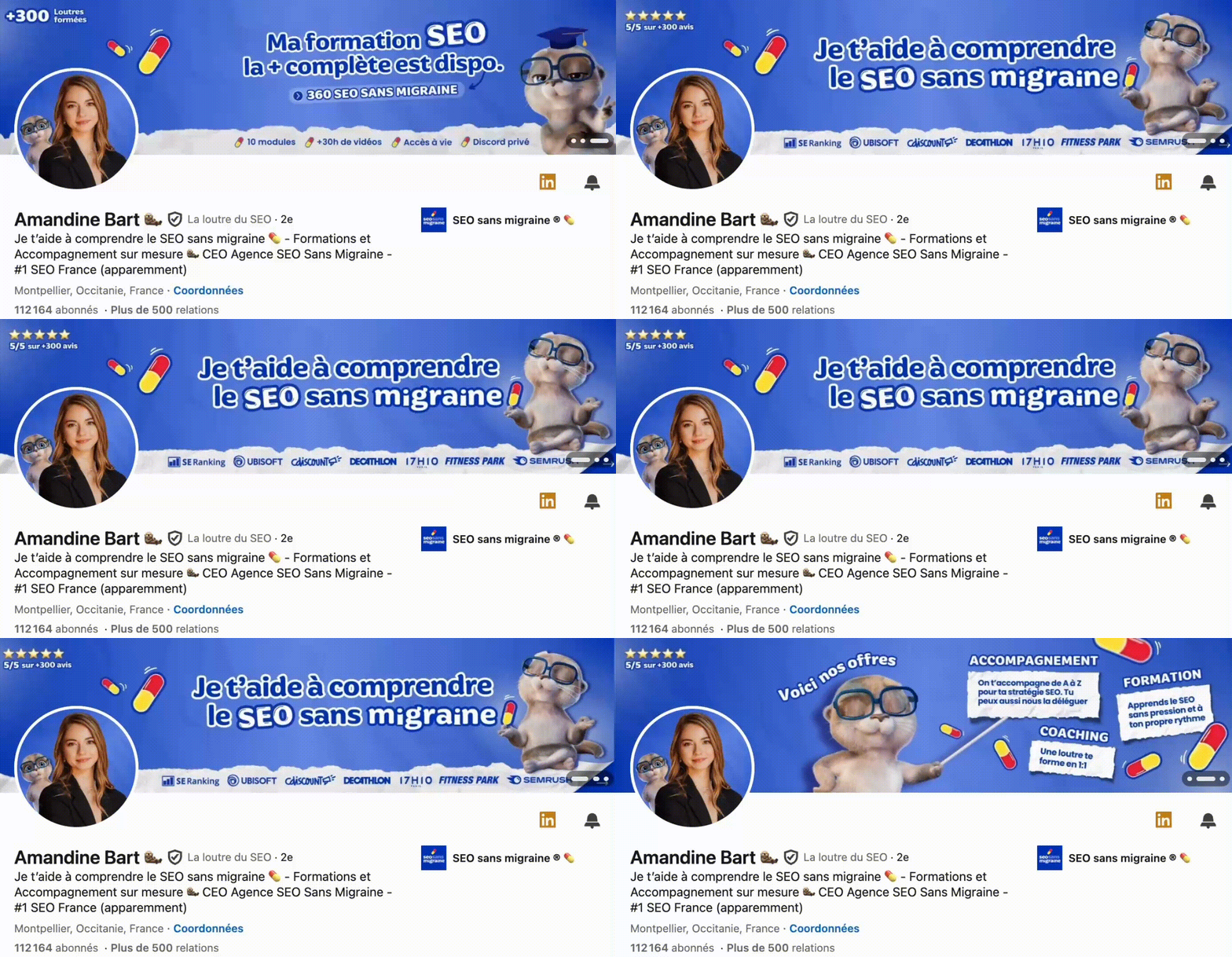
- A banner in carousel form, a feature reserved for some Premium plans. The format is fairly recent and catching on. Here’s a good example:
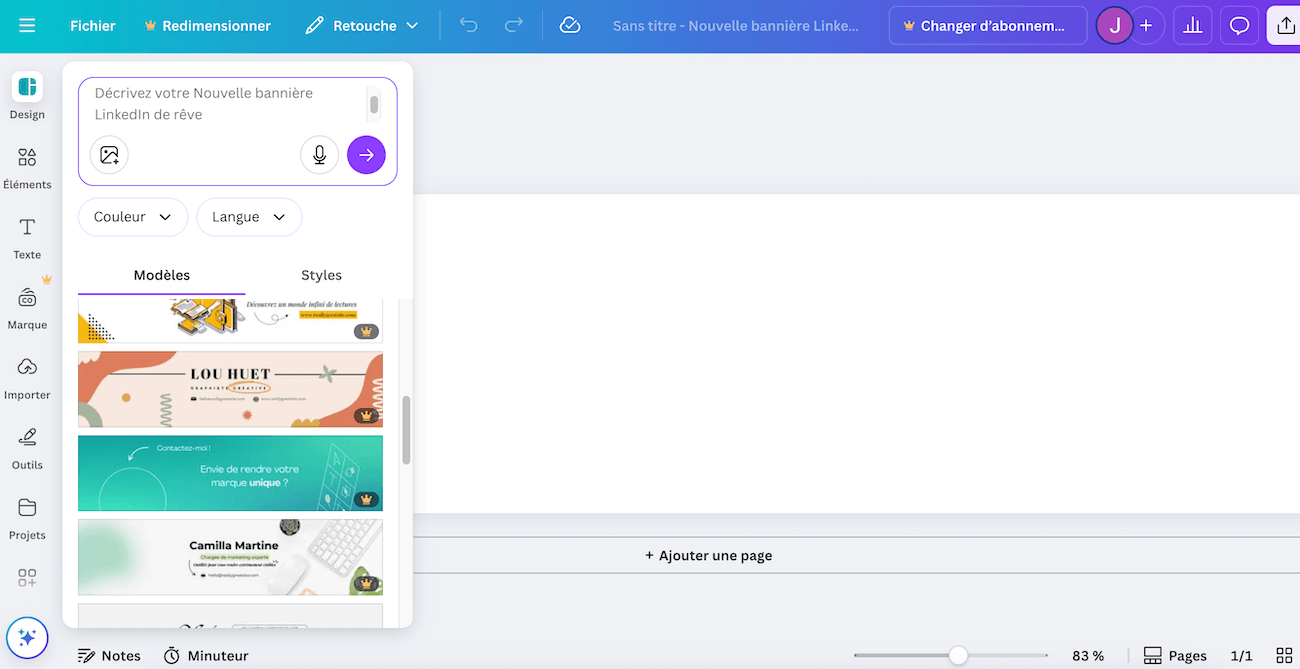
You can create your professional banner or carousel in a few clicks with Canva. The tool offers hundreds of customizable templates and it’s honestly the go-to tool for this kind of use case. Use the 1584 x 396 px format (recommended by LinkedIn), add your text or logo and leave some space around your photo to keep the visual balance.
In four minutes, you’ve just improved two elements that directly affect the click-through rate on your profile. These are simple adjustments, but they make all the difference between an anonymous profile and one that grabs attention.
Minutes 5–6: Rewrite your summary (“About”)
The “About” section is often neglected, even though it’s one of the few places where you can tell your story and make people want to contact you. The point of this section is to show your expertise without reciting your résumé.
Structure what you say
A good summary follows a logic. There are several frameworks (see the examples below), but this one works well:
- 1. The problem: you briefly describe the challenges your clients or your industry face.
- 2. The solution: you explain how you step in to address them.
- 3. The proof: you illustrate with concrete examples, results, references.
- 4. The opening: at the end, you invite the reader to contact you, simply and directly.
Rough example:
“Many B2B companies struggle to turn their leads into customers. For 5 years, I’ve been helping sales teams structure their pipeline and set up the right CRM tools. Together, we’ve doubled the conversion rate on inbound leads. If you’d like to talk about optimizing your sales cycle, I’d be happy to discuss it.”
A few examples from real life:
Example 1:
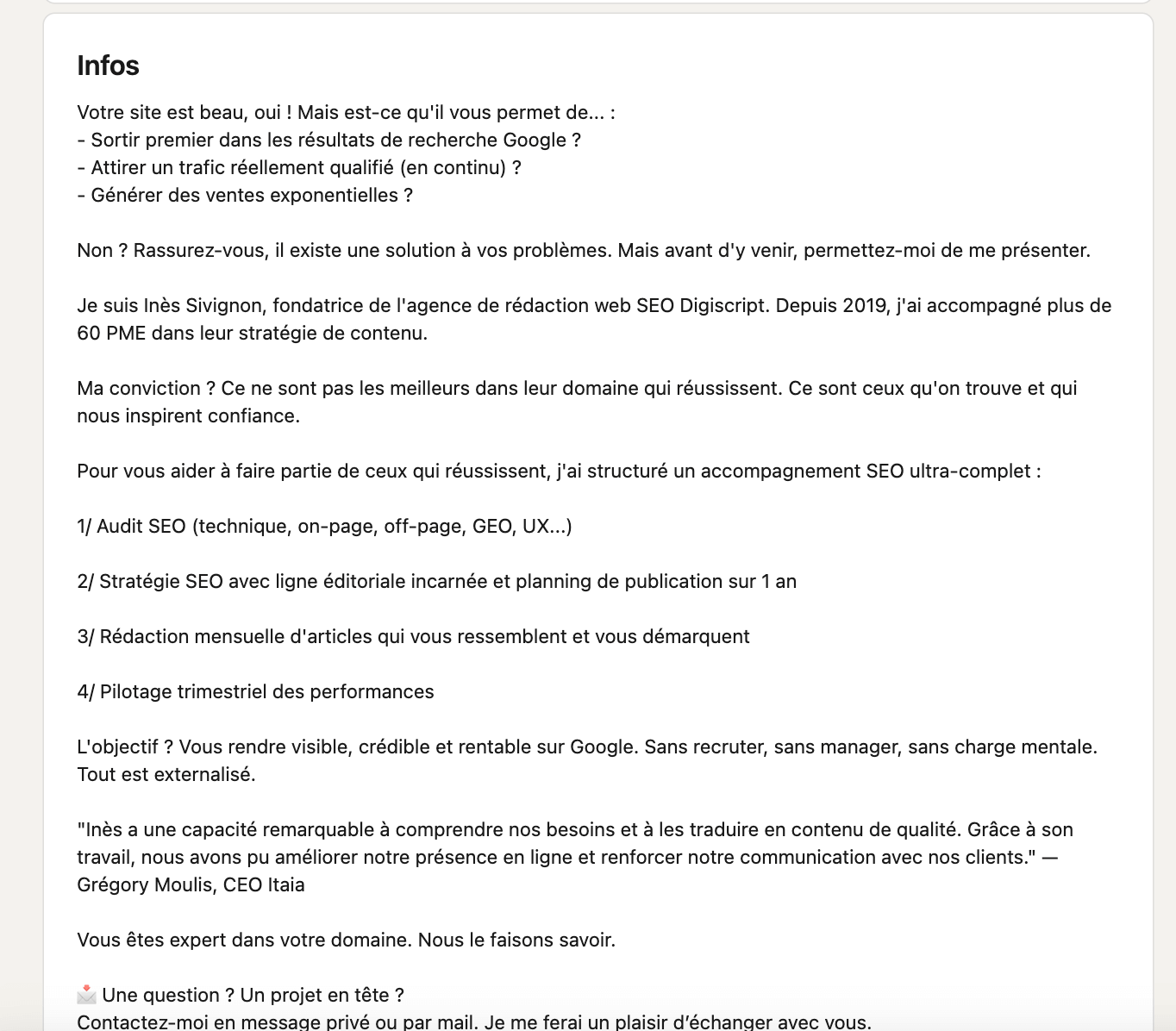
Example 2:
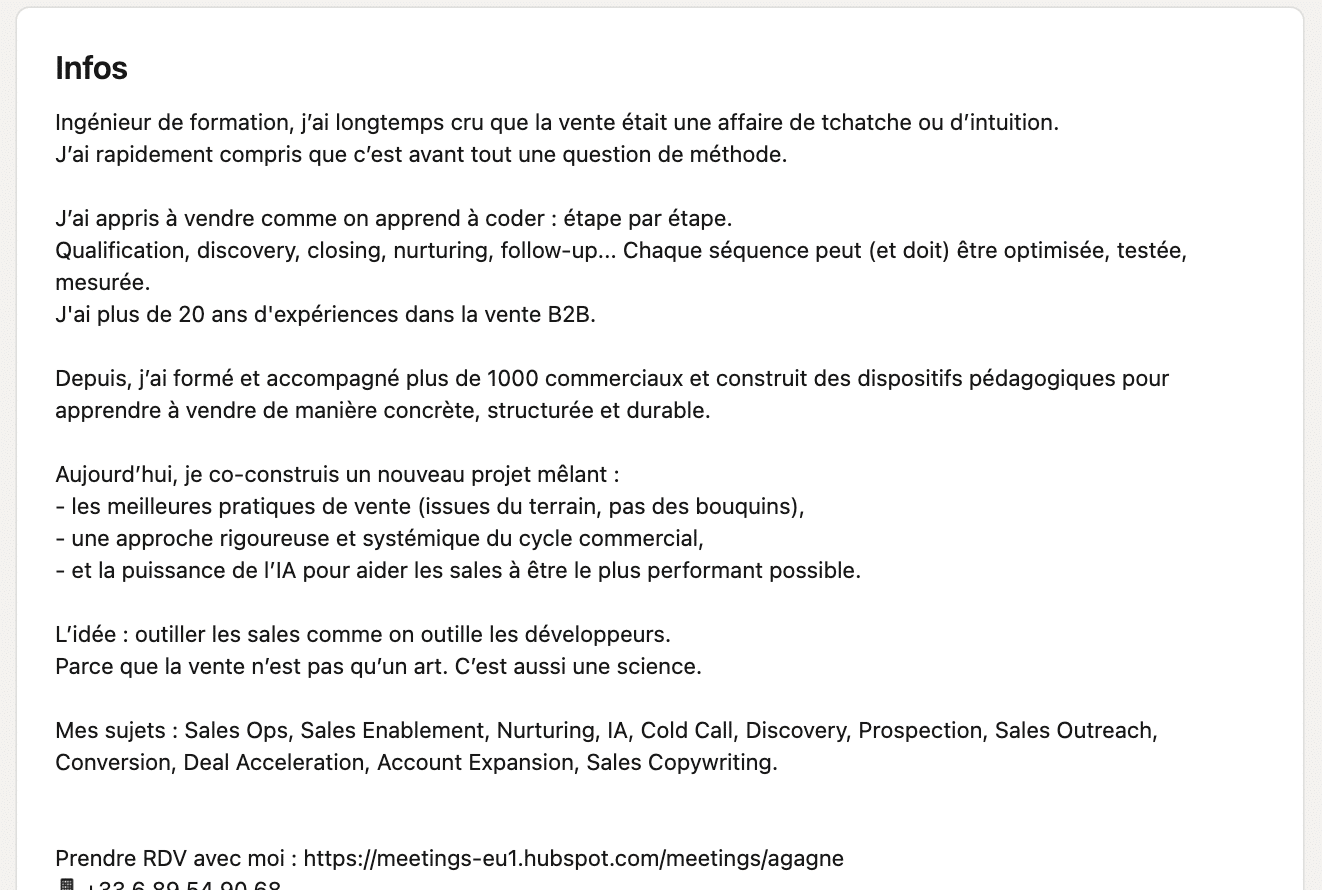
Example 3:
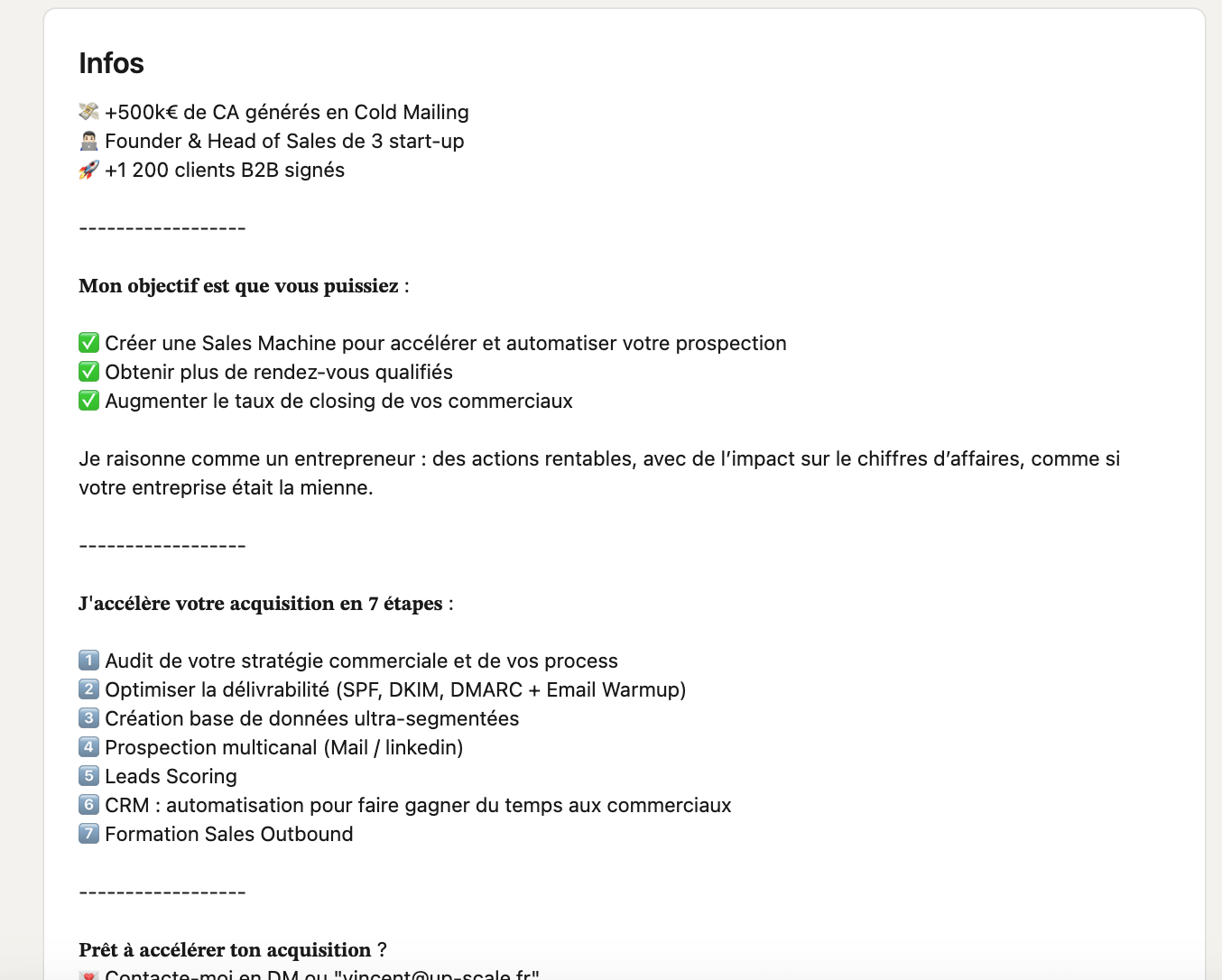
Make it easy to read
LinkedIn is not a Word document. You need to give your text room to breathe, with short sentences, well-spaced paragraphs and punchy keywords. Avoid jargon, capital letters and overly marketing turns of phrase. The idea is for the reader to understand right away what you bring.
There’s a small SEO angle to keep in mind: use 2 to 3 strategic keywords from your field (for example: “B2B prospecting”, “marketing automation”, “sales CRM”) to strengthen how you rank in LinkedIn search. Careful, no more than that: the algorithm favors clarity over density.
Salesdorado’s tipIf you’re unsure about the tone, picture a prospect who’s discovering you for the first time. Your text should make them want to call you, not google you to check whether you’re credible. Stay concrete and professional: it’s the best way to stand out.
Minutes 7–8: Optimize your experience
The “Experience” section is not just a history of the jobs you’ve held. Once again, LinkedIn shouldn’t be reduced to a résumé! The secret is to turn the “Experience” section into a showcase of your results, your wins. Every line should prove your impact (ideally…). On LinkedIn, recruiters and prospects read fast: they want to understand quickly what you can bring in concrete terms.
Focus on results
Forget job descriptions copied and pasted from your job posting. What gets attention are facts: figures, achievements, tangible results. Shift from a task mindset to a value-created mindset. Let’s be honest, few people apply this logic, even though it’s incredibly effective.
A few examples:
- ❌ Head of Business Development France > ✅ Led business development in France: +40% growth in the client portfolio in 12 months.
- ❌ Marketing Project Manager > ✅ Rolled out an automation strategy generating 25% more qualified leads.
- ❌ Customer Success Manager > ✅ Optimized the customer journey and cut churn by 18% across a portfolio of 200 active accounts.
Salesdorado’s tipLinkedIn limits the visible space on mobile to a few lines, which is why we advise you to put your figures at the very start of each description. They’re what catch the eye and make your expertise credible instantly.
Add visual context
LinkedIn lets you attach media to each experience: presentations, articles, videos, case studies. Make the most of it to illustrate your achievements.
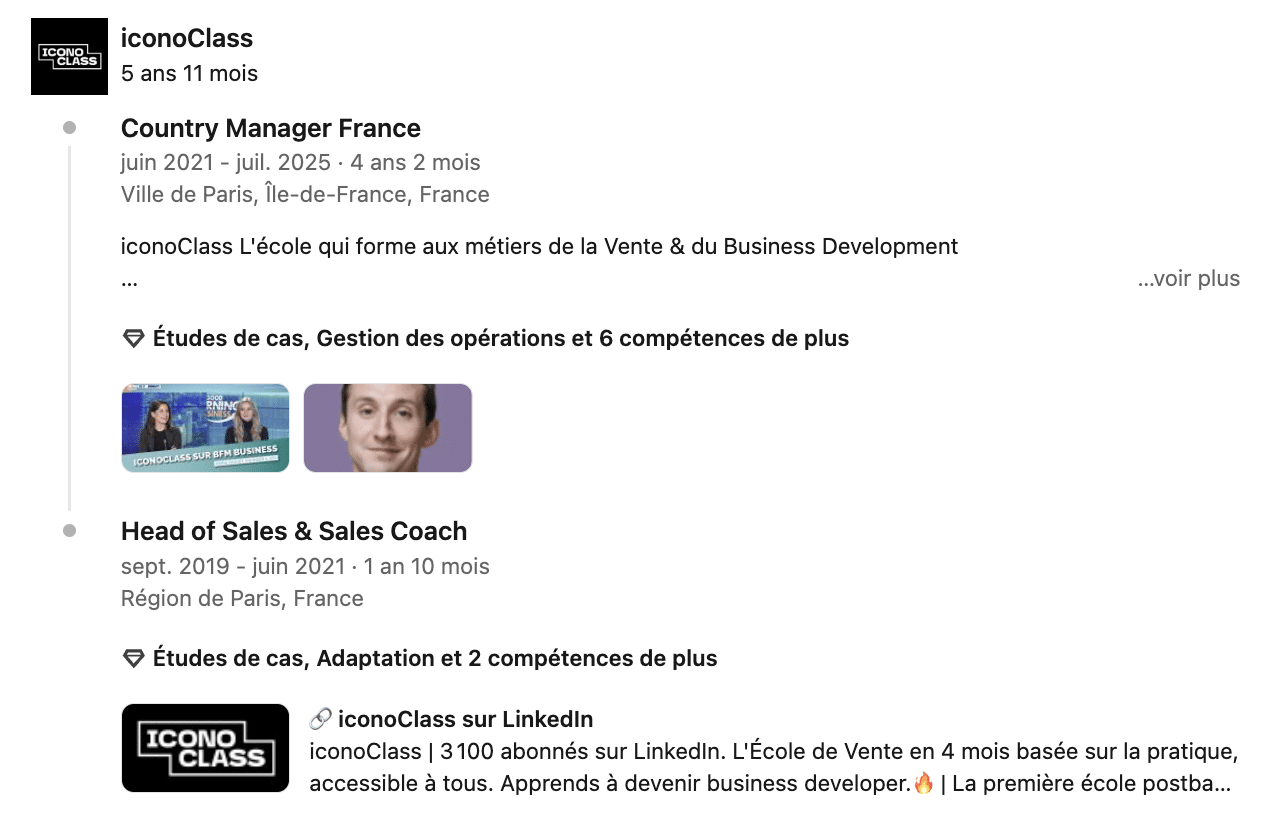
Salesdorado’s tipPick recent, relevant media. A deck or a campaign from five years ago hurts your image. Better two current, well-chosen examples than a gallery of dated archives.
Stick to the essentials
Don’t try to tell everything. Keep older or secondary experiences, but limit their description to one or two lines. Focus your efforts on your two most recent experiences: those are the ones that will actually be read.
Your goal isn’t to detail every assignment, but to give a clear reading of how you’ve progressed and specialized. A recruiter or a prospect should understand in a few seconds how your background leads you to solve the problems they face today.
In two minutes, your “Experience” section can go from an administrative inventory to a demonstration of skill. That’s what makes the difference between a profile that gets viewed and a profile that gets contacted.
Read alsoTop 10 best LinkedIn agencies
Minutes 9–10: Boost your network and your activity
A well-optimized profile is useless if it stays invisible. The last two minutes (yes, here we’re being optimistic!) are for bringing it to life. The LinkedIn algorithm rewards active profiles: the more you interact, the more you show up in feeds and searches. No need to post every day, a few simple moves are enough to get things going again.
Keep your network alive
Start by adding five relevant people: former colleagues, prospects, partners or experts in your industry. On the other hand, avoid mass invitations. LinkedIn values real connections, and you could get penalized. That’s not the point. We advise you to always add a short, contextual message to your request (one sentence is enough). It triples the acceptance rate.
Then take two minutes to interact: comment on an interesting post, share a useful resource or congratulate someone on an announcement. All these micro-actions keep your visibility up. They show that you follow the trends in your industry and that you’re active in your ecosystem.
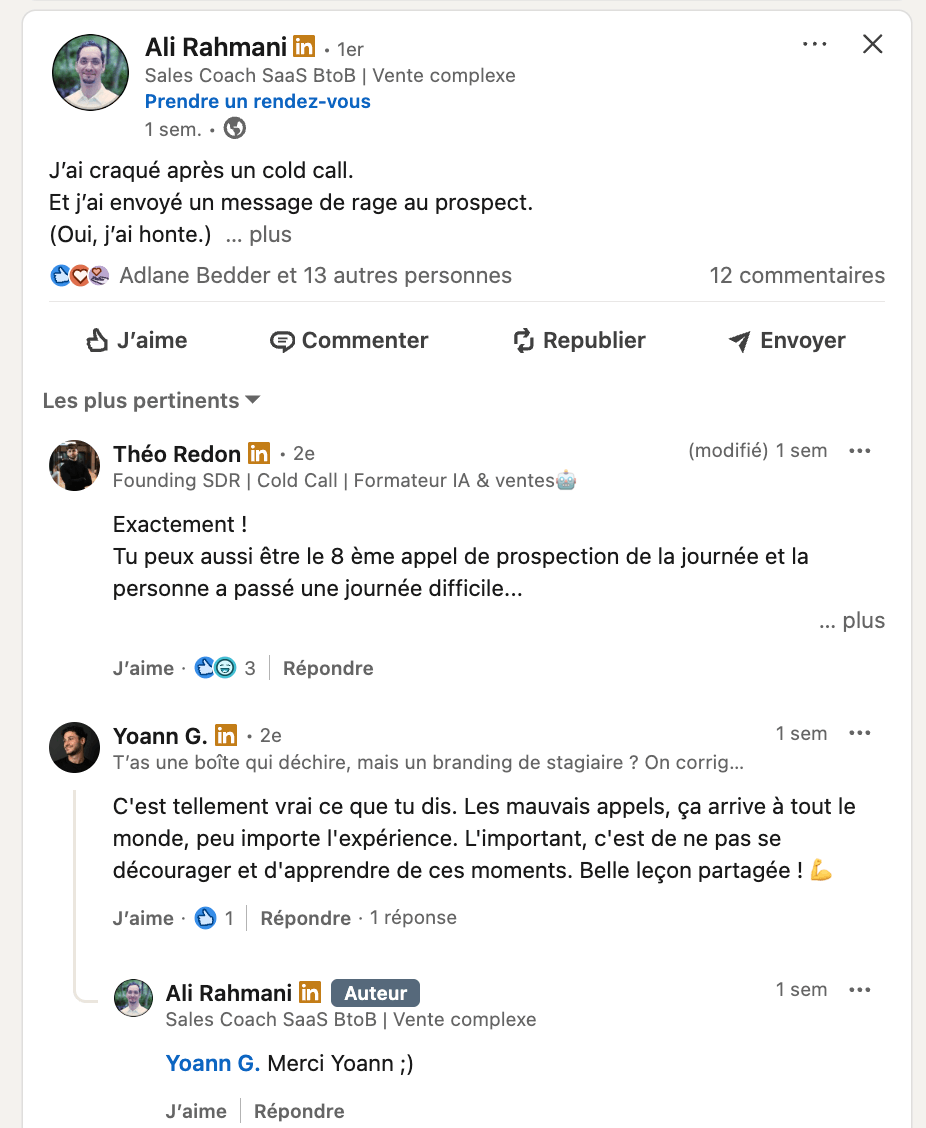
Salesdorado’s tipA like isn’t enough to exist, whereas a well-written comment exposes you to the person’s entire network. So comment! Take thirty seconds to add a point of view, a nuance, an example. It’s clearly the fastest way today to attract qualified views to your profile.
Optimize your contact points
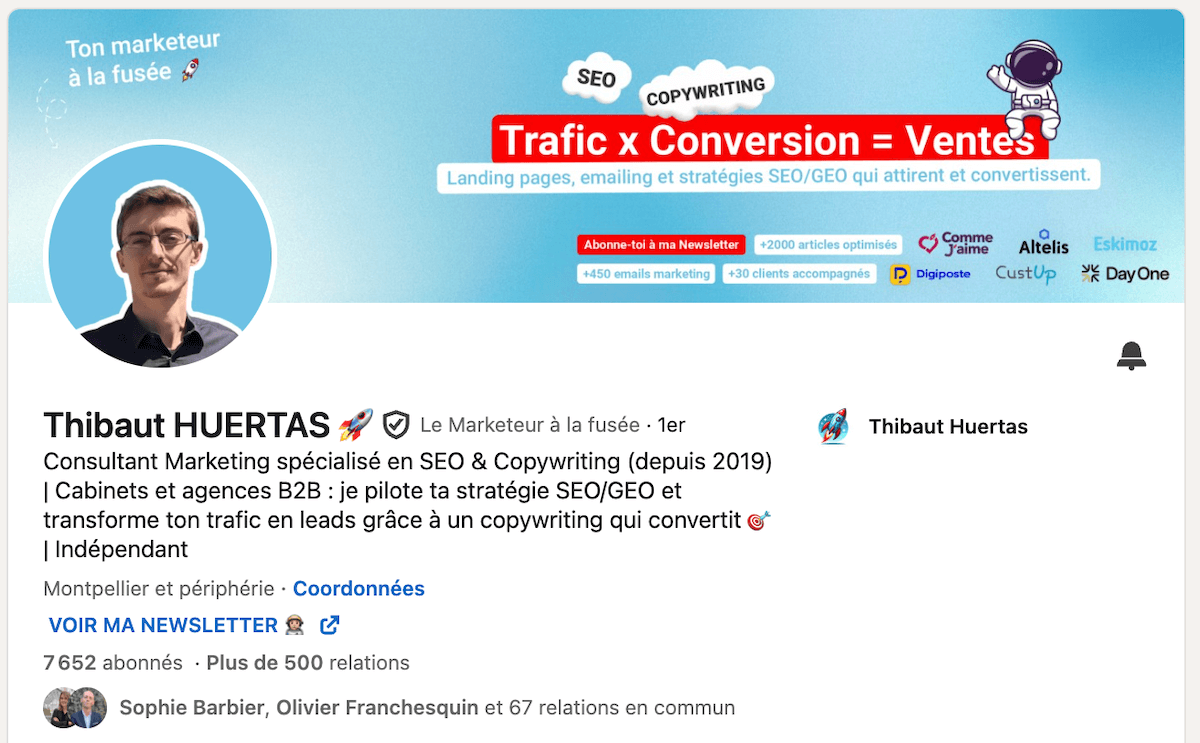
One last thing: don’t forget the “Contact info” section of your profile. It’s often the last step before a prospect writes to you. Check that your work email address, your website or a Calendly link are there. If you run a newsletter, a podcast or a blog, add them here too.
Conclusion
So yes, let’s be honest: ten minutes is a bit ambitious. Between choosing the right photo, finding a hook that doesn’t sound too “growth hacker 2018” and figuring out why LinkedIn always crops your banner, it usually takes a little longer.
What matters isn’t the clock, it’s the approach. By taking the time to adjust your headline, photo, banner, summary, experience and activity, you’ve already done the essential part: making your profile readable, consistent and credible.
The examples you’ve seen make it clear: some profiles don’t follow all the “rules”, and yet they work. There’s no universal recipe. A good LinkedIn profile is first and foremost a profile that looks like you and speaks to the people you deal with.
Keep the three fundamentals in mind: clarity, consistency and regularity. Say simply what you do, prove it and stay active. The rest will follow.
So if these ten minutes turn into thirty, or even an afternoon, don’t beat yourself up: it’s probably the best-invested time of your week. LinkedIn isn’t a speed exercise, it’s a space where consistency always ends up paying off. Over to you!
The questions we get over and over.
What should you put in your LinkedIn headline?
What you do, for whom and the result you get, in under two lines. Avoid simply copying your job title. An example: “I help industrial SMBs structure their sales pipeline with Pipedrive”.
What size should a LinkedIn banner be?
The 1584 x 396 px format, recommended by LinkedIn. Add your text or logo and leave some space around your photo to keep the visual balance.
How should you structure your LinkedIn summary?
In four parts: your clients’ or your industry’s problem, the solution you bring, proof through examples and results, then an invitation to contact you.
How many keywords should you put in your LinkedIn profile?
2 to 3 strategic keywords from your field, for example “B2B prospecting”, “marketing automation” or “sales CRM”. No more: the algorithm favors clarity over density.
How should you describe your experience on LinkedIn?
Through results rather than tasks: figures, achievements, tangible results. Put your figures at the start of each description, because LinkedIn limits the visible space on mobile to a few lines.



What the community says.