The tool in detail
Intercom after real-world use: feature scope, integrations, pricing and concrete limits.
Beyond its live chat features, Intercom is a very advanced conversational marketing tool. Automatically qualifying leads through chatbots, and feeding your prospects into multichannel message sequences that mix chatbots and email, are features that can take your sales organization up a level.
Expensive as it is, it remains software capable of meeting a very wide range of needs, and add-on modules can be layered on top to customize the tool and make it even more effective.
Intercom’s feature set
Intercom offers various live chat solutions, which let the support team talk to customers in real time, but also chatbots whose job is to help customers automatically when support is not available.
More than a support tool, these chatbots also qualify incoming prospects and feed them into multichannel message sequences that lead them toward conversion. These features, close to marketing automation, are the ones we review in detail.
Very powerful chatbots
The types of chatbots available
A chatbot is programmed to collect visitors’ details and contact information when customer service is not available. It guides the visitor by answering the most frequent questions.
Intercom’s old bots, Operator with its Task and Custom bots, have given way to two building blocks: Fin, an AI agent, and Workflows.
Fin answers customer questions directly from your content: help center articles, PDFs, web pages, internal documentation. When a request is beyond it, it hands over to your team. It is billed per outcome, from $0.99, and even works with another helpdesk such as Zendesk or Salesforce.
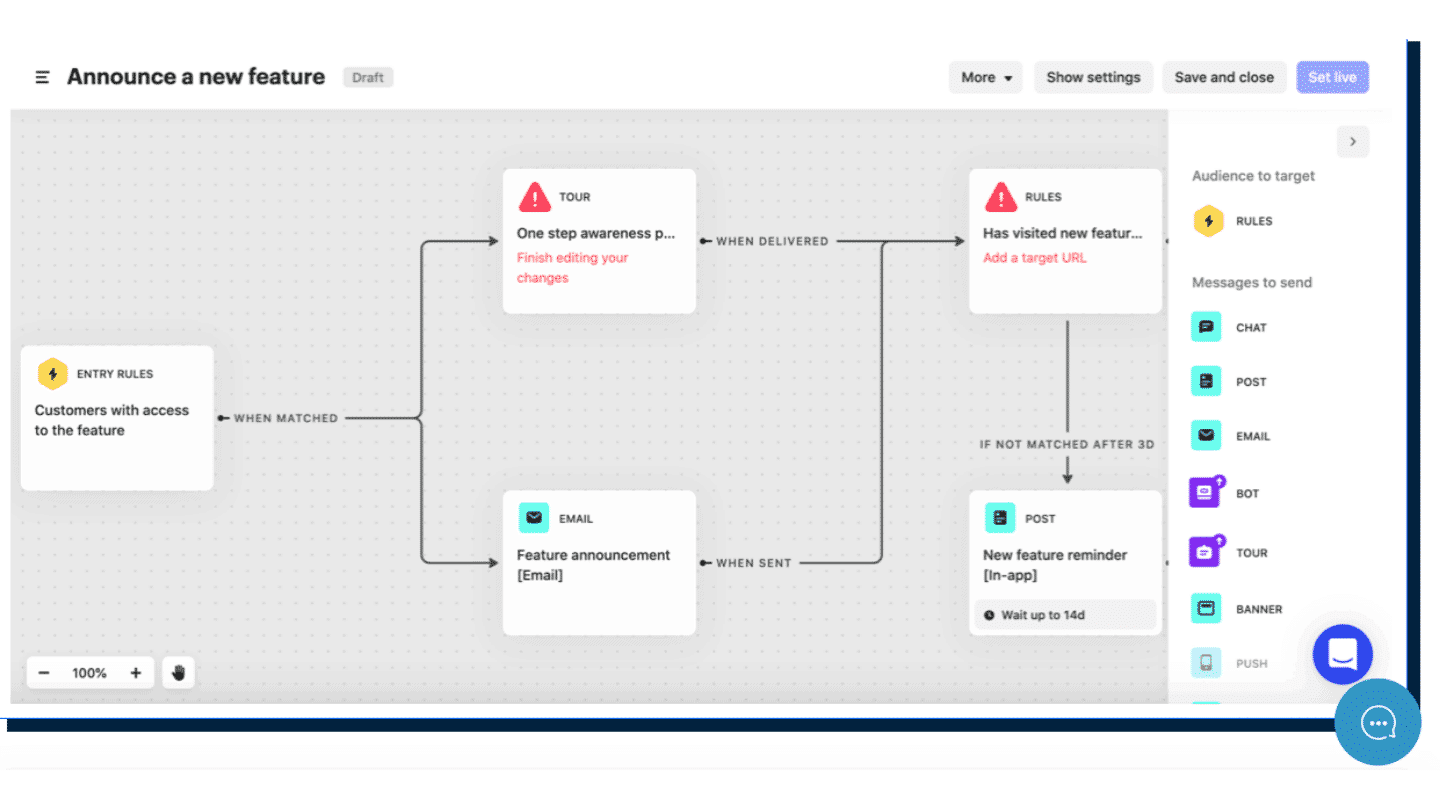
Workflows handle the more structured scenarios. You draw the flow on a visual canvas, with drag and drop: steps, branches, actions. Templates save you from starting from scratch, and a dedicated step lets Fin answer at any point in the flow.
Each workflow starts on a specific trigger, such as a conversation opening or a customer action, and shows its own figures: sent, engaged, goal reached. The builder is reserved for the Advanced and Expert plans.
Contact management
In Intercom, you get a complete overview of everyone who has chatted with your chatbot.
The tool lets you ask the user a question and save the answer directly in a custom field, or by assigning a tag. You can then filter all conversations based on this information.
When you click on one of your users, you see their custom fields, their tags and the pages of your site they recently viewed.

Channels
Intercom offers three channels on which to deploy the chatbot:
- Websites
- iOS apps
- Android apps
You can also set up live chat on some networks, such as Facebook, Twitter or Slack. This live chat will not, however, be connected to your chatbot.
Engagement
Multichannel message sequences
Intercom makes it easy to set up multichannel message sequences. You can send emails to prospects who add an item to their cart but leave the page before paying. You can reach them by chat, by email or through posts in which your company announces product updates. These messages can be sent once or on a predefined schedule, to specific customer segments.
The Series tool is where you set up these sequences. You can create the messages from scratch or use one of the twelve templates provided.
You can build many kinds of information into them, such as new users, new products or re-engaging users who have gone inactive. To create these series, you use the workflow builder, which lets you define the target and the channels you want to use.
Other features
Intercom also lets you engage your customers through:
- Product tours: a feature designed to guide users through products. You can include videos, highlight the most important points of the page being visited to drive engagement, or point the prospect toward another feature.
- Mobile carousels: building a carousel specifically for mobile lets you deploy swipe actions in the interface. Help, guides and other key information can easily be added to it.
- A/B testing: it lets you find out which element of your strategy is the most relevant, from mobile carousels to outbound messages. The options are fairly numerous and help optimize the user experience.
Customer knowledge
With Intercom, companies can not only collect and segment key data, but also send and store custom data attributes about users. Overall, Intercom’s customer data management is one of the most complex of any tool of this kind.
Data attributes are individual pieces of information about customers, rather than actions: an attribute might be the date and length of a customer’s subscription plan, while an action might be the number of site visits. With Intercom, you can create and upload custom attributes, which you can then use to segment your campaigns and your analyses.
Other types of customer data are also collected automatically:
- Name
- Email address
- User’s city and country
- Language spoken
- Browser version
The range of features Intercom offers is really very rich, for chatbots as much as for marketing automation. The tool lets you automate a large number of tasks, especially around prospect qualification and segmentation.
Reporting in Intercom
Intercom provides key metrics to study the performance of its live chat or its customer support. It updates very quickly, and the reporting is easy to read and understand, thanks to clear charts and a fair number of metrics:
- Lead generation: number of leads captured, average response time per lead, sales rate, and custom bot report.
- Customer engagement: number of messages sent, email open and click performance, message volume per user, and a full engagement analysis over the last 7, 28 and 90 days.
- Customer service: overview of conversations and overall performance, satisfaction rate, and indicators on how effective the service is, and the bots too when agents are not available.
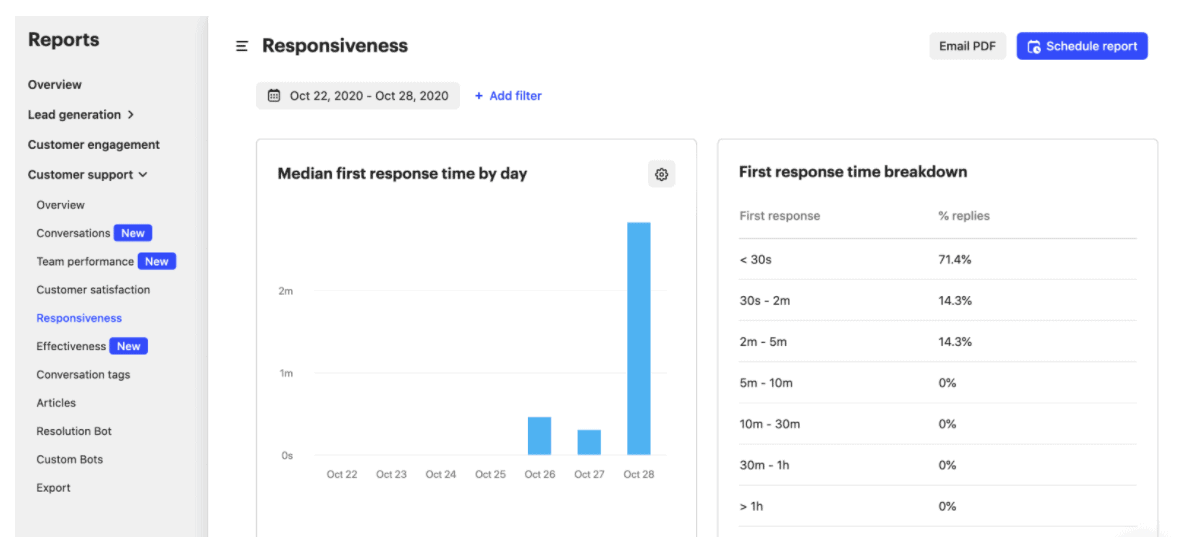
In the reporting section, Intercom makes it easy to sort and segment by country, by tag and by other criteria. You can also generate CSV reports daily, weekly or monthly.
Intercom’s reporting tool is one of its strengths. Very clear and detailed, it gives you access to a lot of information that will confirm your strategy, or not.
Intercom integrations
Intercom offers more than 200 integrations, which vary depending on the plan you choose. The Salesforce integration, for example, is reserved for the Advanced and Expert plans: the Essential plan does not include it.
Here are some of the integration categories:
- Analytics: Google Analytics, Heap, Blendo
- Conversation management: Facebook, WordPress, Zoho Desk, Shopify
- CRM: Salesforce, HubSpot, Square
- Data and enrichment: Stripe, Mailchimp, Census, DataHero
- Lead capture: Outlook Calendar, Google Calendar, Calendly, Chili Piper
- Marketing automation: Marketo, Autopilot, Troops
- Surveys and customer feedback: Upvoty, VideoAsk, Typeform
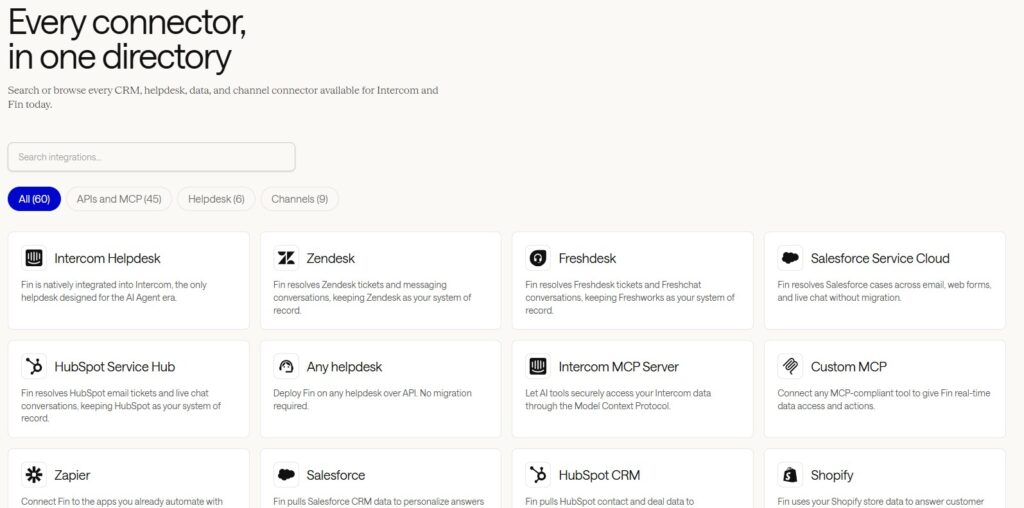
If these integrations are not enough or don’t fit, you can use tools like Zapier or Make to connect to virtually any existing application. You can also build your own webhooks with the Intercom API.
Intercom support
Whatever plan you choose, Intercom provides support by chat and email. Unfortunately, many users report a certain lack of responsiveness from the support teams.
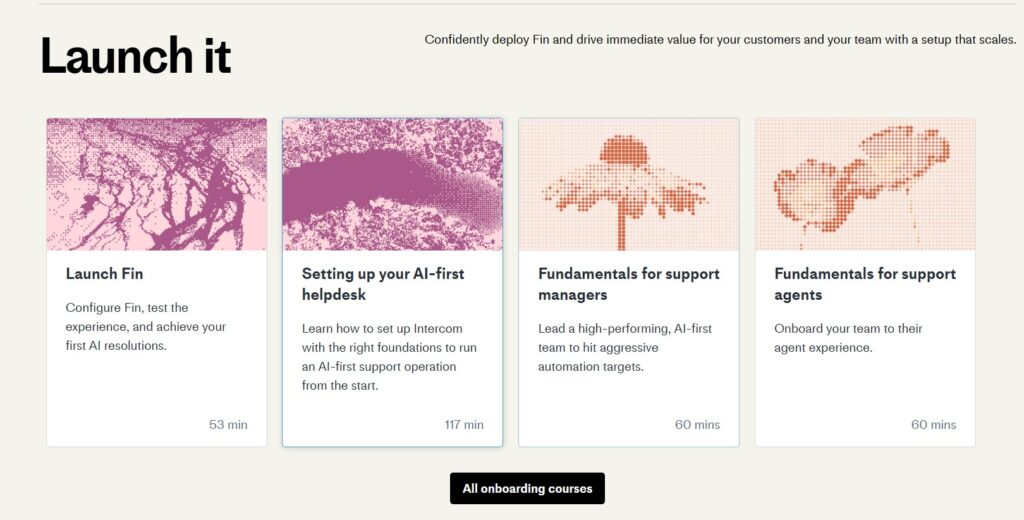
The tool’s functional depth is such that users need to be able to rely on self-service resources, and they can. There is an Intercom Academy, where very well-structured courses are available on any plan and lead to a certification.
Intercom also runs frequent webinars, and community members can share their tips on the forum, where the vendor puts the community side forward with a leaderboard of top contributors. Everything is done to reduce as much as possible the difficulties of the tool’s learning curve.
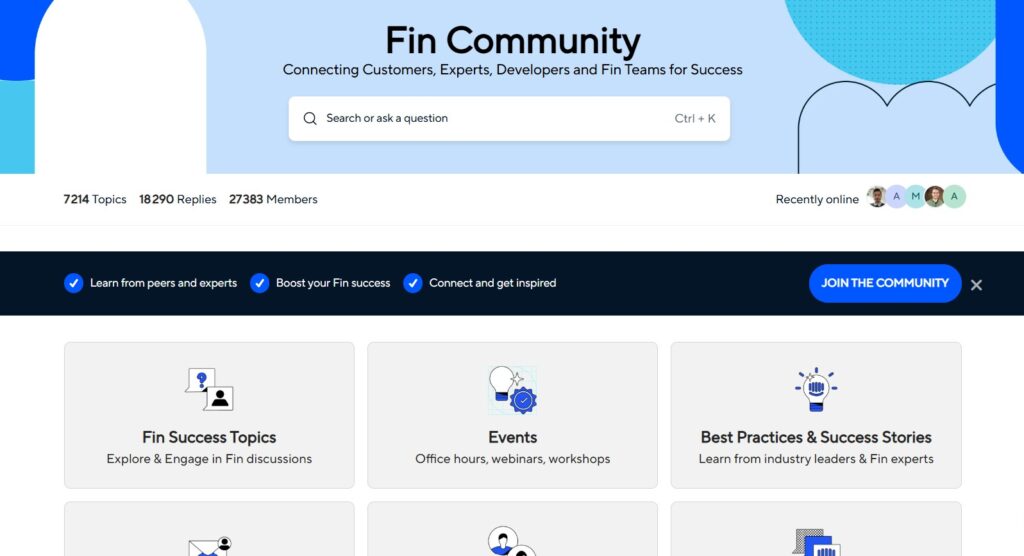
Intercom has clearly understood that its solutions are hard to use at first, and so provides very rich online resources to make getting started easier. It’s a pity, though, that the teams are not always available, a point raised several times in customer feedback.
Intercom pricing
Intercom has become more transparent: its prices are now displayed, and a free trial lets you test the tool, add-ons included. The bill, however, remains hard to predict, because it combines a per-seat price with AI billed on usage.
- Essential, at $29 per month per seat: to get started, with everything you need to talk to your customers and answer their requests, backed by the Fin AI agent.
- Advanced, at $85 per month per seat: for growing teams that want to automate more, route requests across several teams and offer a help center in several languages.
- Expert, at $132 per month per seat: for large organizations, with stronger security and compliance requirements and several brands to manage.
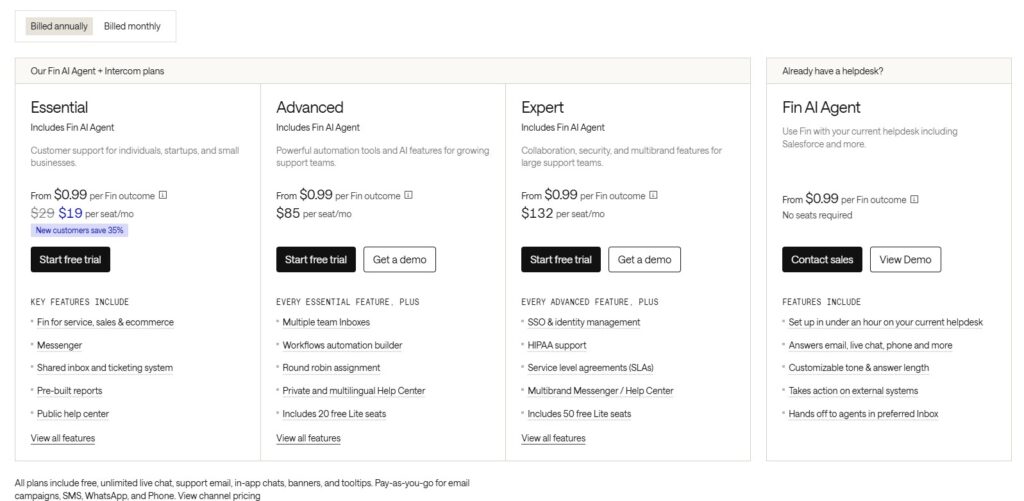
On top of the offer there is also Fin, Intercom’s AI agent, billed from $0.99 per resolved conversation. It can be used on its own, without a seat, with another helpdesk such as Salesforce or Zendesk. Several add-ons in turn round out the offer: Copilot, the AI assistant for agents, at $29 per agent per month, or Proactive Support Plus, for proactive messages, at $99 per month. Finally, eligible startups get 93% off the first year.
Considered fairly expensive, Intercom remains an extremely powerful tool. Is the investment worth it? That depends on the number of interactions between your users and your chatbot. If the volume of exchanges is high, it can save time, qualify leads automatically and therefore cut other cost items.
The entry price has dropped, but Intercom’s bill depends mostly on how much you use Fin. At $0.99 per resolution, 2,000 resolved conversations a month come to nearly $2,000, on top of seats. Estimate your volumes before committing.