The tool in detail
Crisp after real-world use: feature scope, integrations, pricing and concrete limits.
When you create your account, Crisp asks a question few customer support tools dare to ask so bluntly: do you want AI to handle most of your conversations, or would you rather keep control of each one?
The vendor’s whole repositioning comes down to that question. Since the launch of Hugo in February 2026, its AI agent ranked second product of the day on Product Hunt, Crisp is no longer just the simple, well-designed French live chat we used to know.
How does Hugo stack up against the AI agents of the American giants? Is the per-workspace flat fee still as attractive once AI is switched on? And how far can you actually steer your support with Crisp’s analytics?
Crisp or Hugo: the question asked at setup
Creating the account takes two minutes, and Crisp immediately puts a choice of philosophy in front of you:
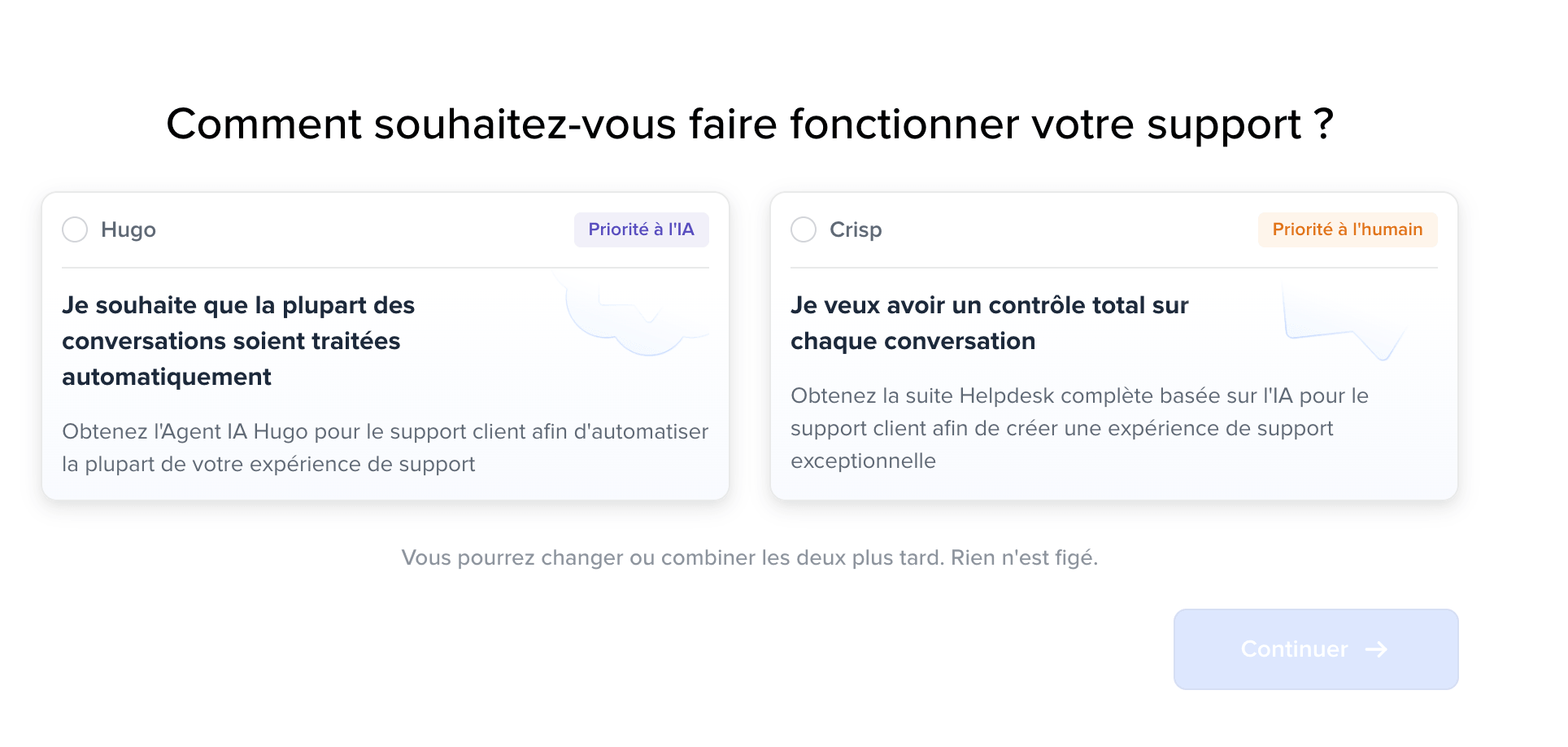
Two cards, two ways of working:
- Hugo, AI first, for teams that want most conversations handled automatically.
- Crisp, human first, for those that want to keep full control over every exchange.
With a line underneath that takes the pressure off: you can switch or combine the two later, nothing is set in stone.
Without looking like much, this question says a lot about the state of the market in 2026.
Support vendors today split between those pushing maximum automation and those defending the human relationship. Crisp refuses to decide for you and turns the slider into a setting, not a dogma.
Three promises frame the vendor’s pitch:
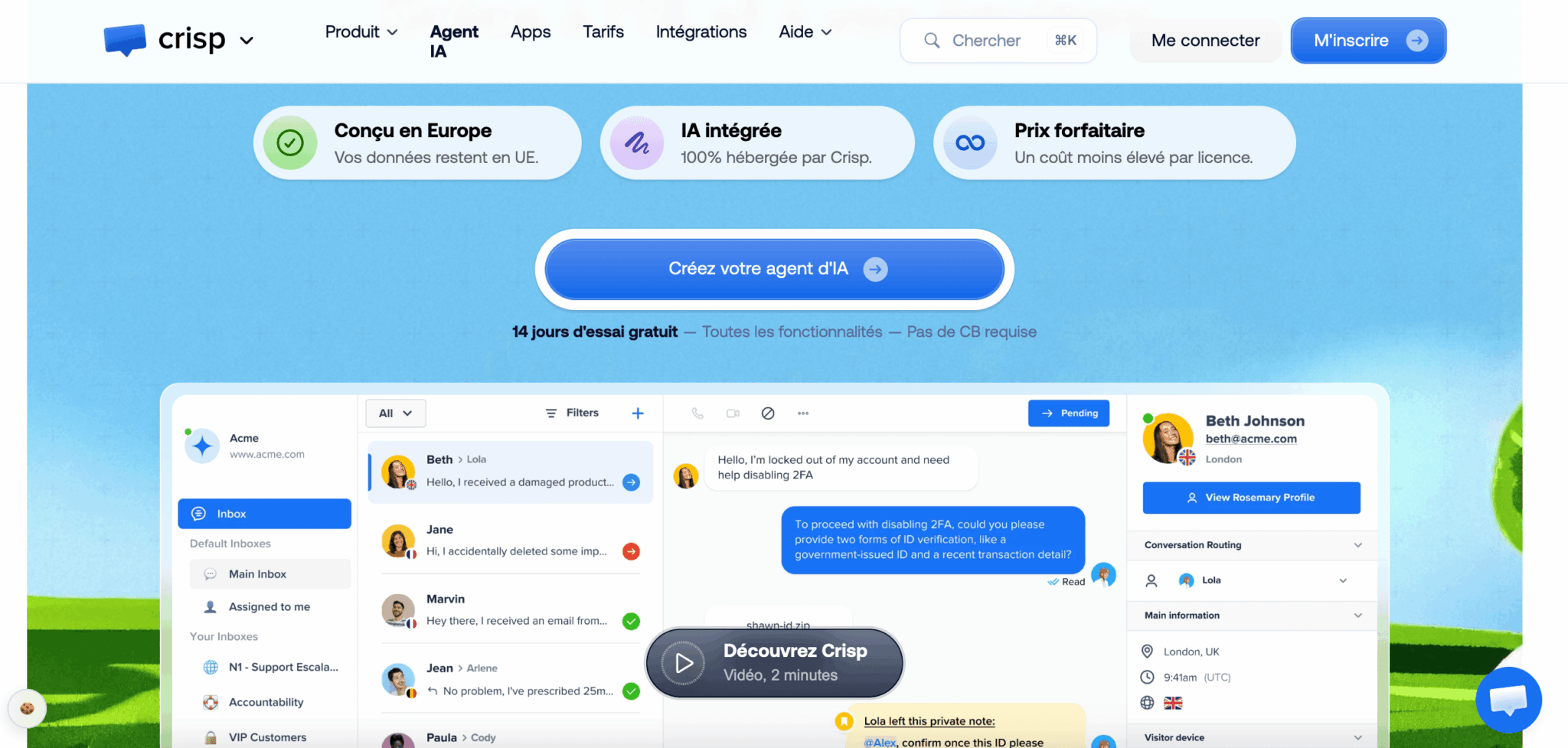
- Designed in Europe, with data that stays in the European Union.
- AI 100% hosted by Crisp.
- A flat price designed to bring down the cost per license.
Let’s check all three.
Hugo, the AI agent that tipped Crisp over in 2026
Hugo arrived in early February 2026, after a test phase that started in October 2025. The launch ranked second product of the day on Product Hunt, and Crisp presents it as its biggest shift in ten years, the vendor openly saying it rebuilt part of its platform for the occasion.
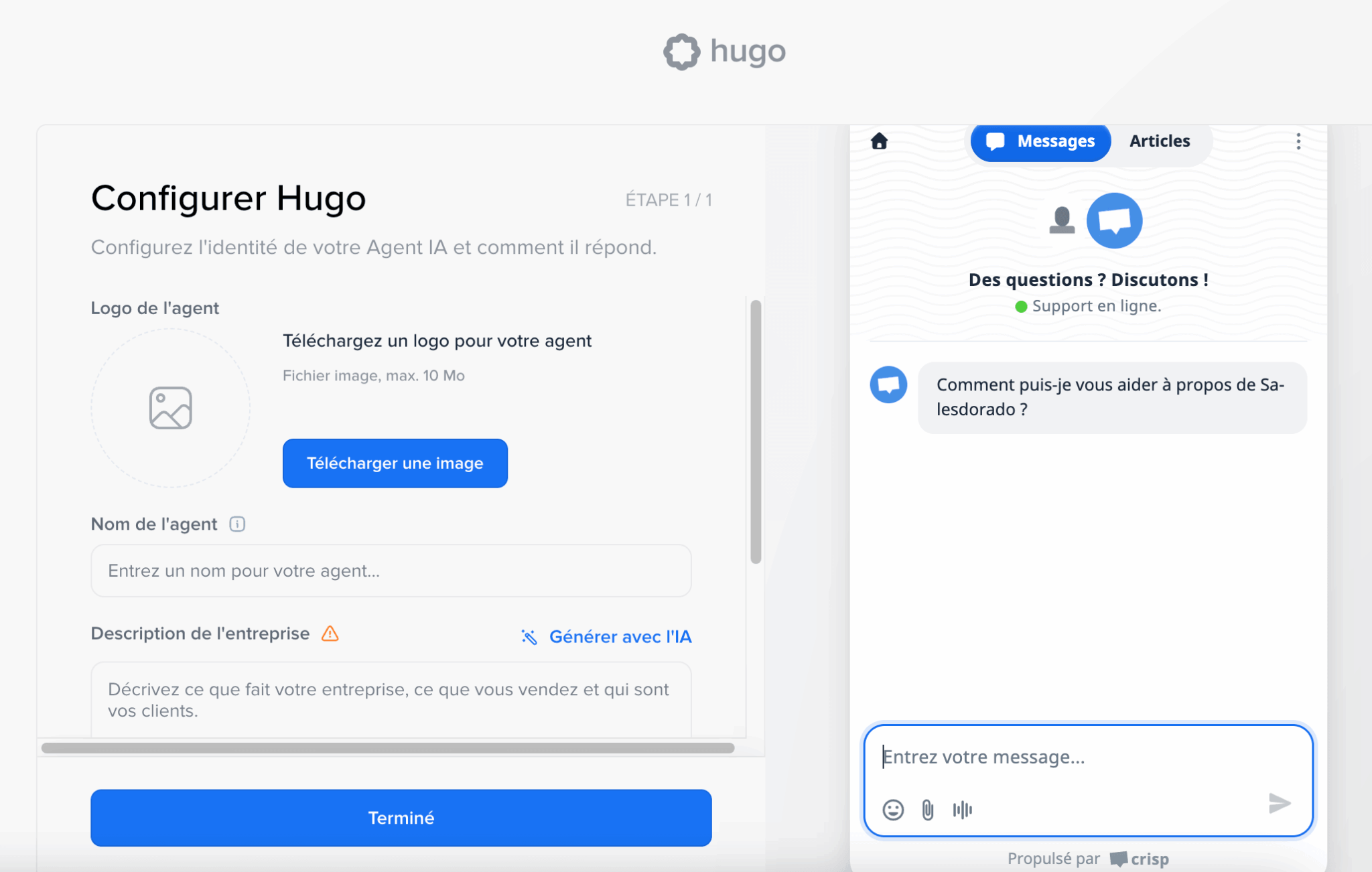
Configuration fits on a single screen: a logo, a name, a description of your company, which the AI can even write for you. On the right, the widget preview shows live what your visitors will see. Five minutes are enough to get a working agent plugged into your documentation.
What sets Hugo apart from a classic chatbot comes down to one word: it acts. Where a FAQ bot just points to an article, Hugo connects to your business tools through the MCP protocol to fetch an invoice, check an order status or update a profile, then write the answer. Baptiste Jamin, Crisp’s co-founder, sums up the intent by openly contrasting Hugo with the disappointing chatbots of the past.
The results reported by customers put automation between 40 and 60% of incoming requests. A marine equipment vendor mentions 60% of requests handled end to end, a wellness app and an automotive software vendor talk more about 40%. These orders of magnitude are consistent with each other, which is rather reassuring.
Two technical details deserve attention, because they’re rare on this market:
- The choice of model. Hugo works just as well with Claude, ChatGPT, Mistral or Gemini. You’re not tied to any provider, and the Mistral option lets you keep the whole chain in Europe.
- Escalation with context. When Hugo hits its limit, it hands the full conversation over to a human instead of making the customer repeat their problem. That’s what makes the difference between useful automation and automation you put up with.
On top of that comes an internal copilot, reserved for agents and deliberately less restricted than the customer-facing agent: contextual reply suggestions, conversation summaries, proofreading, rephrasing, voice message transcription and live translation in more than 50 languages.
Hugo’s performance depends directly on what you feed it. An agent plugged into an empty knowledge base won’t work miracles. Before judging the AI, spend a day structuring your help articles and importing your past conversations. That’s the real groundwork, and it pays off whichever tool you end up choosing.
Crisp’s collaborative inbox, day to day
The core of the product is still the shared inbox, and it’s still what Crisp does best.
All incoming messages land in the same place, whatever their channel: chat widget, email, WhatsApp, Instagram, Messenger, SMS, Telegram, X, Line, Viber and phone. About a dozen channels, with no per-unit surcharge, which is still unusual at this price level.
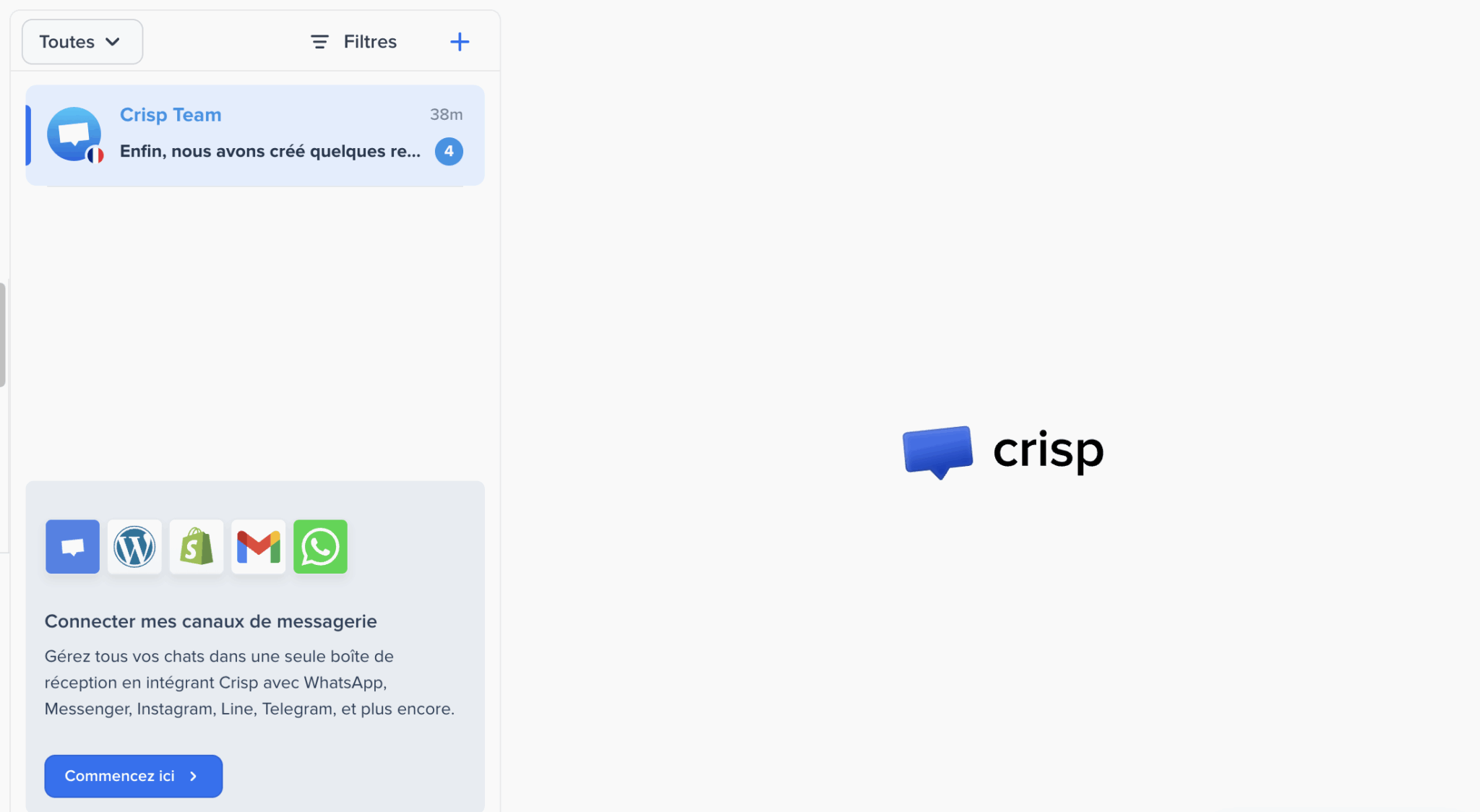
Internal organization follows the same logic of simplicity:
- You create sub-inboxes by team or by support tier.
- You assign conversations.
- You leave private notes for your colleagues.
- You mention the right person.
Routing rules automatically send each request to the right person based on your criteria.
Crisp support CRM: contacts, segments and visitors
Crisp includes a CRM.
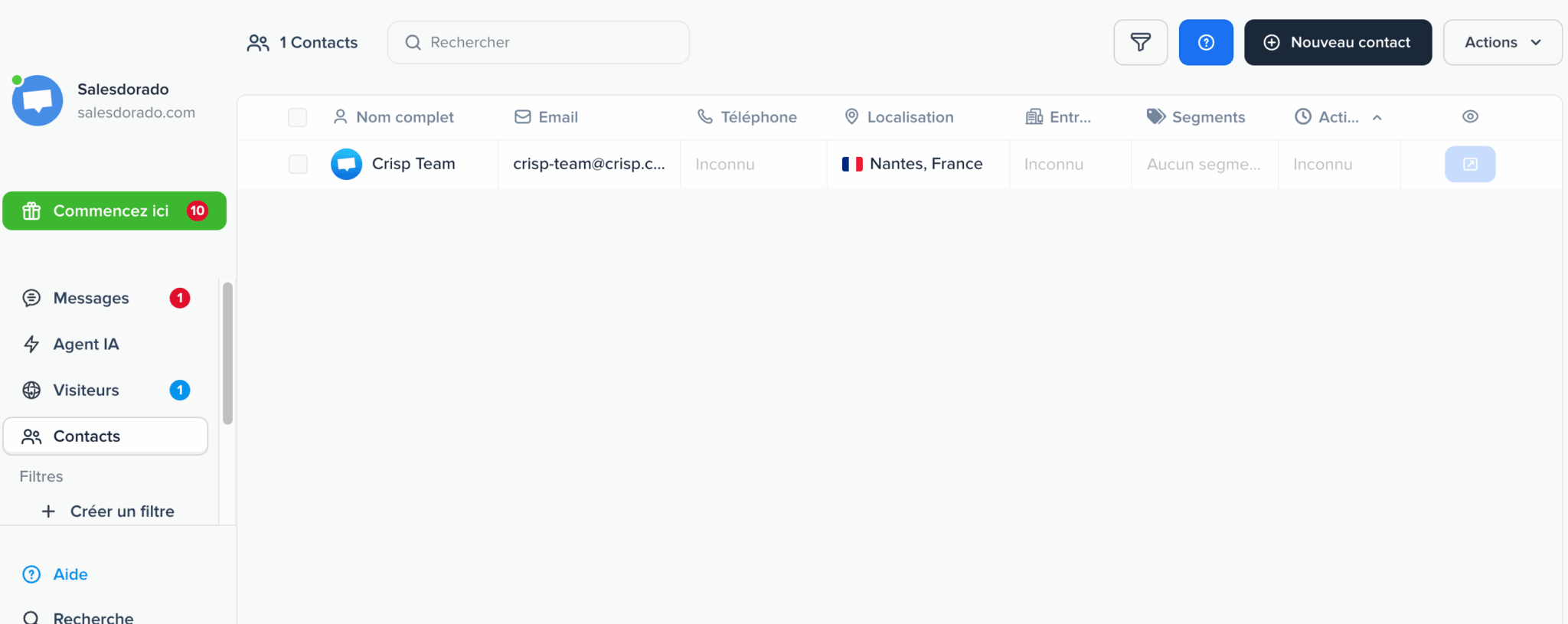
Each contact has a full profile with name, email, phone, location, company and segments, all viewable in a filterable view where you build your own saved filters. Segments work like actionable tags: you assign them, you export them, you trigger multichannel campaigns on them. Capacity is generous, with 50,000 customer profiles on the Essentials plan.
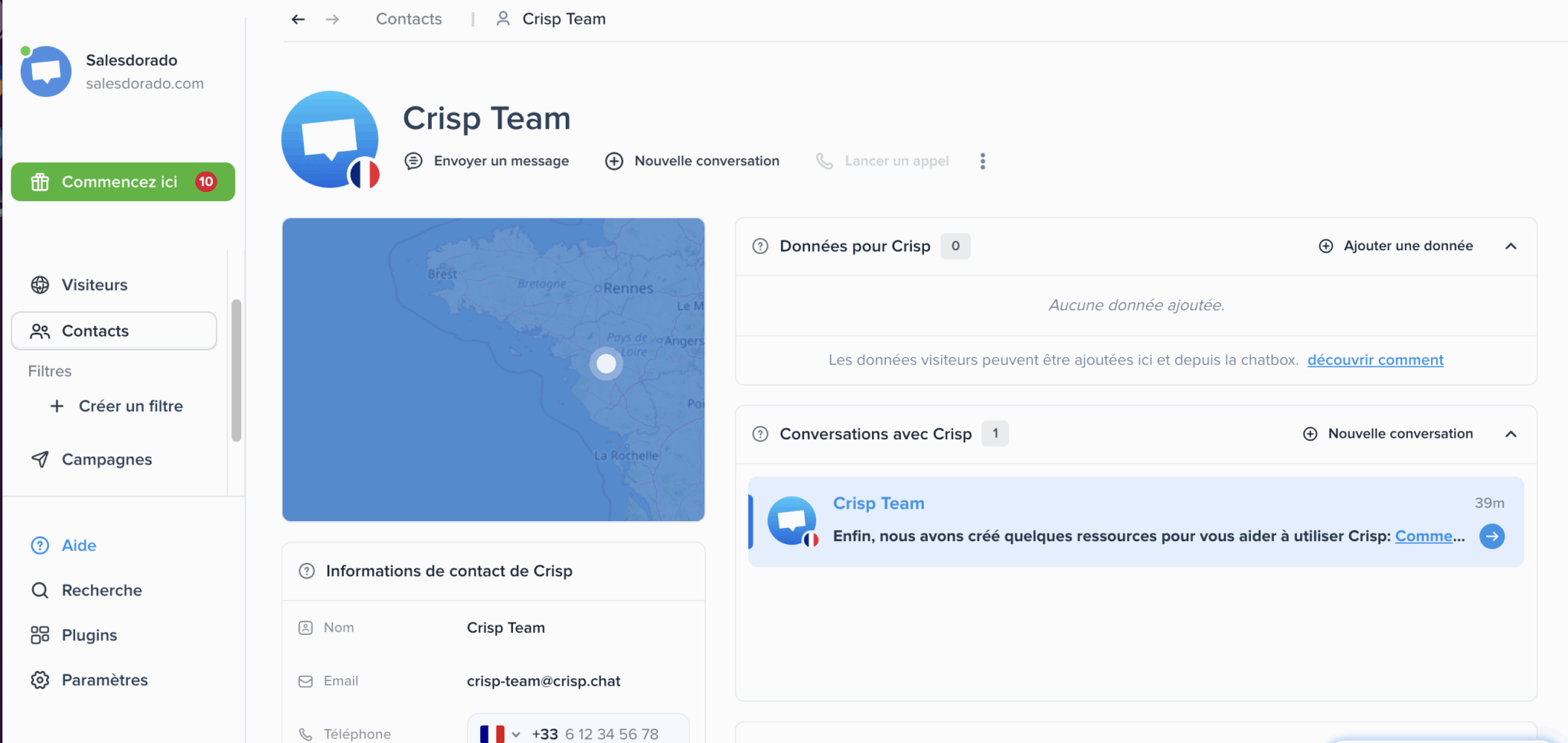
It’s a support CRM, not a sales CRM. You won’t find an opportunity pipeline, sales forecasts or deal cycle management. If you need those functions, they live in a dedicated CRM software that Crisp can feed through its connectors. For the job it sets itself, knowing immediately who you’re talking to and what happened before, it does the work very well.
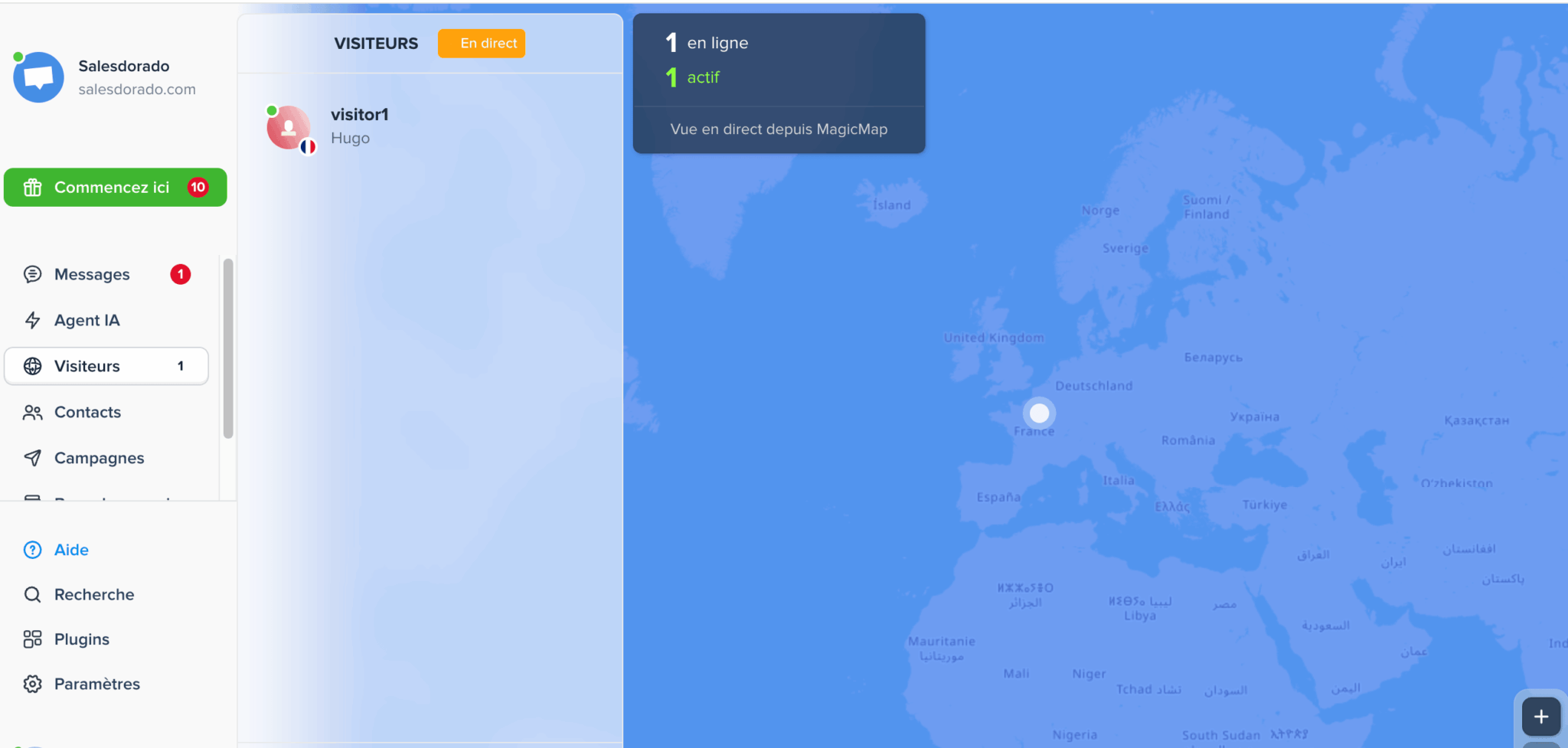
A word on live visitor tracking. MagicMap shows on a world map the visitors on your site in real time, with their location and activity status. You see who’s browsing, from where, and you can start the conversation at the right moment. It’s a legacy of Crisp’s live chat DNA, and it’s still just as effective at turning a visit into a conversation.
Crisp knowledge base: the foundation of the AI
The knowledge base serves two purposes at once.
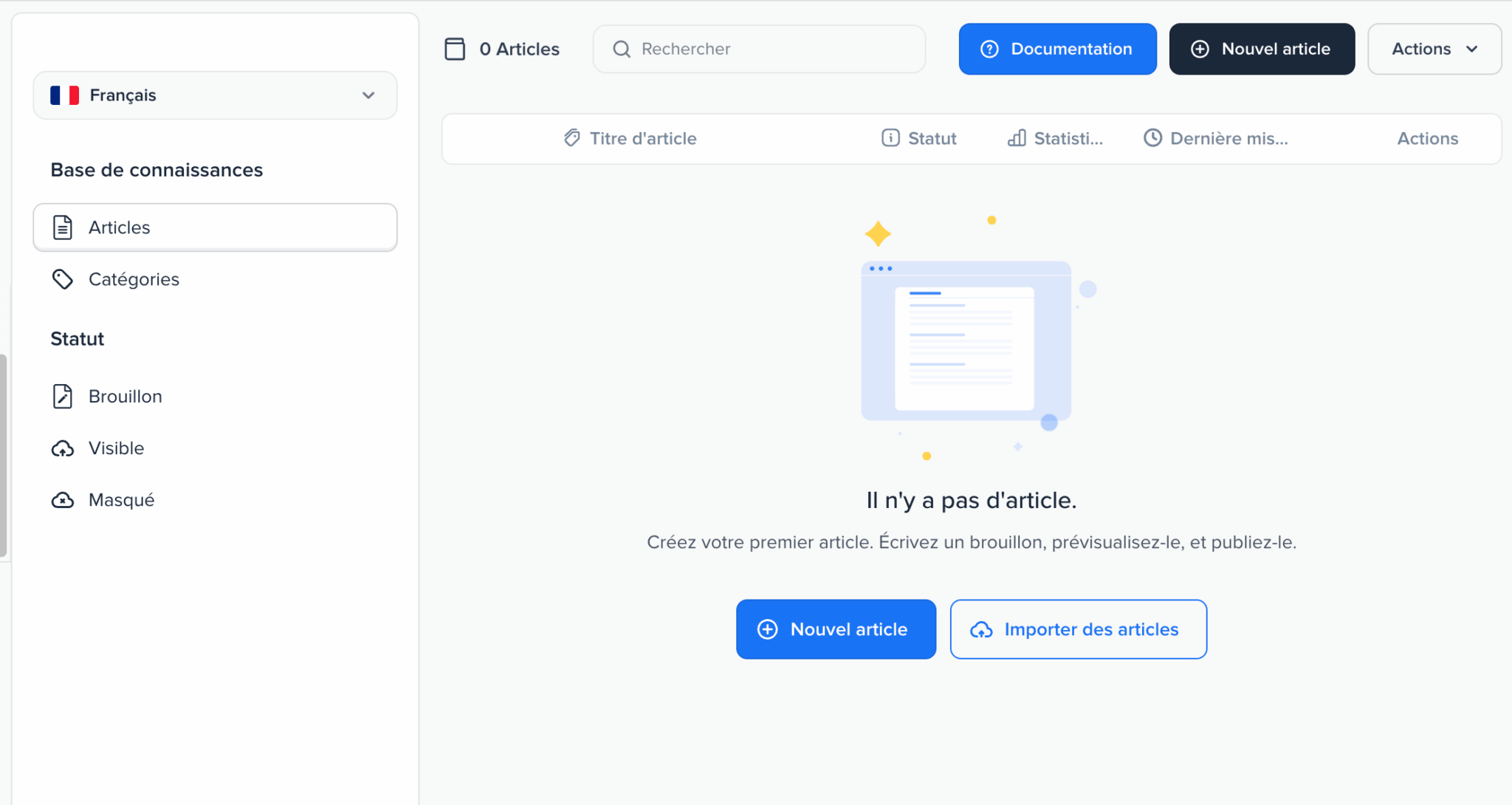
First purpose, the classic one: give your customers a self-service help center, organized in categories, with a publishing cycle from draft to visible or hidden. The language selector lets you manage several language versions of the same help center, and importing existing articles saves you from retyping everything.
Second purpose, the one that matters in the AI era: it’s Hugo’s fuel. Crisp says published articles are reindexed automatically after every edit, which means updating your documentation updates your AI agent right away. Other training sources come on top, from crawling your site to importing PDFs, through your past conversations and question-and-answer snippets.
Don’t neglect this building block thinking it’s only there for self-service. In a platform where the AI agent draws directly on your articles, an incomplete or outdated knowledge base mechanically turns into approximate AI answers in front of your customers. It’s the most often underestimated point in a rollout.
Crisp analytics: what can you really steer?
This is the area where Crisp has changed the most. Plenty of articles still describe basic reporting. The reality of the interface is quite different.
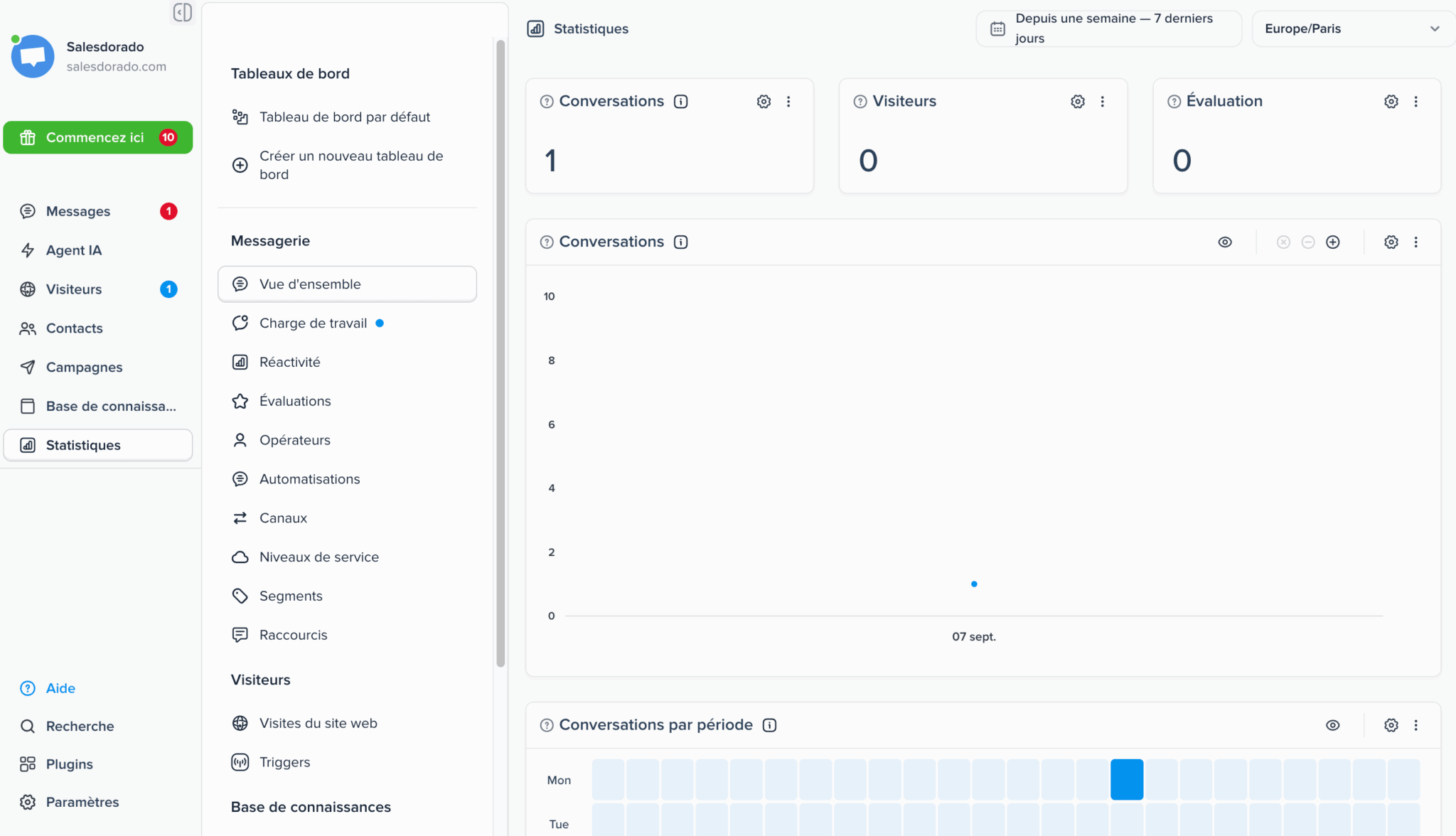
The Analytics menu gives access to about ten separate reports on the inbox side alone:
- Service levels, in other words tracking of response time commitments, which many think is missing from Crisp when it’s right there in the menu.
- Operators, for individual performance, and Workload, to allocate resources and anticipate hiring.
- Responsiveness and Ratings, which cover response times and customer satisfaction over time.
- Channels, Segments, Automations and Shortcuts, to understand where requests come from and what automation actually absorbs.
Add to that website visits, triggers and knowledge base analytics. You create as many dashboards as you need, you pick your time zone, you adjust the period, and the Conversations by period view shows a heat map that spots activity peaks at a glance. Exports are done by file or by API.
An SMB support team will find everything it needs here to run its operations seriously. The limit lies elsewhere, and it’s simple to state: analytics start from the Essentials plan, and highly structured organizations used to the analytics suites of enterprise platforms will find less finesse in data modeling. For everything else, it’s more than enough.
Crisp integrations: 118 plugins and an open API
The promise of 100-plus integrations holds up without difficulty.
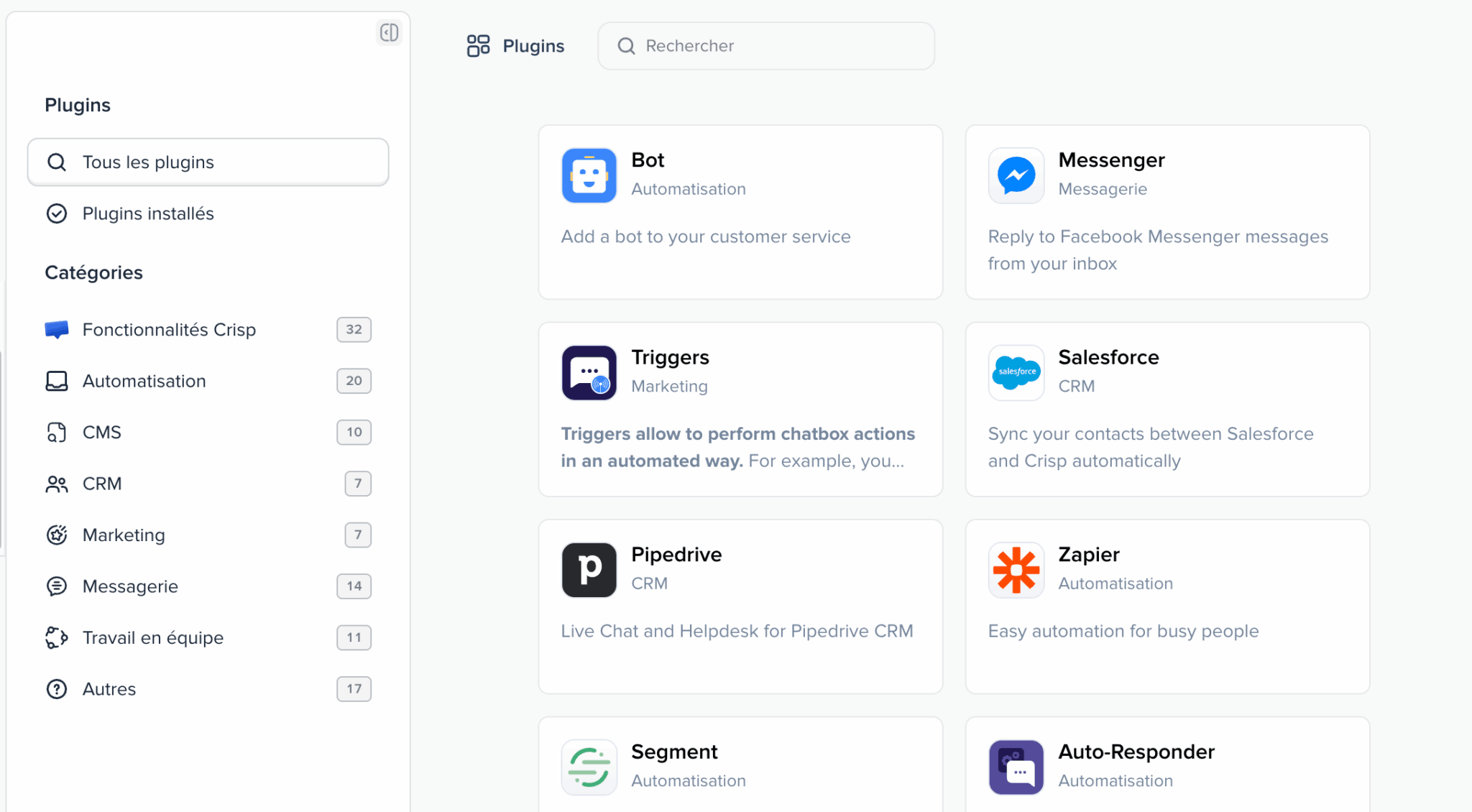
The plugin catalog lists 118 entries to date, spread over eight categories: Crisp features, automation, CMS, CRM, marketing, messaging, teamwork and miscellaneous. You’ll find most of what an SMB uses day to day, from Salesforce to Pipedrive on the CRM side, from Zapier to Segment on the automation side, not to mention e-commerce connectors and CMSs.
The API is the natural complement to this catalog.
Crisp pricing: how does the flat fee work?
Crisp bills per workspace, not per user. Adding an agent costs nothing as long as you stay under your plan’s cap, which fundamentally changes the equation compared with players that bill per seat.
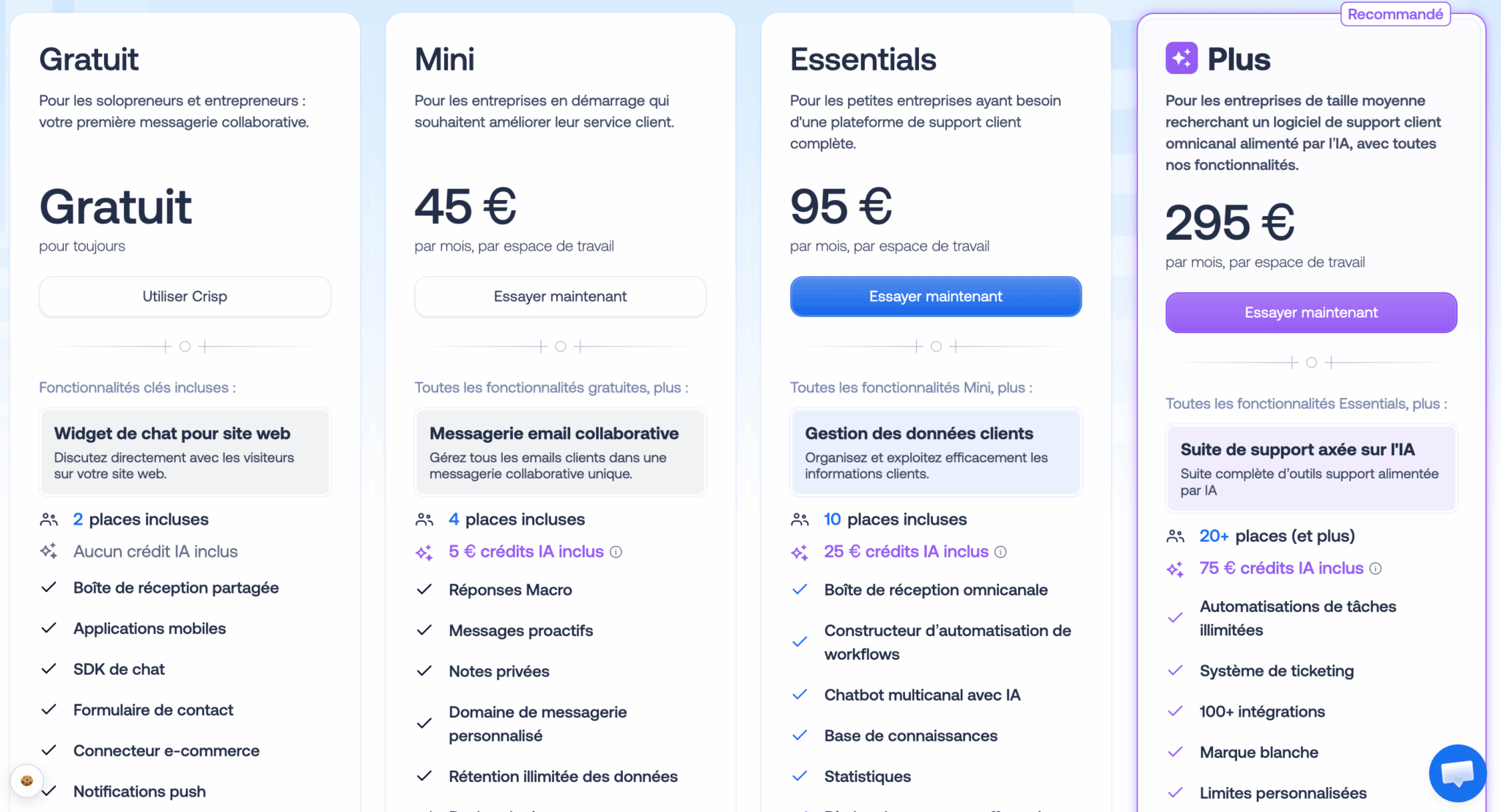
| Plan | Price per month | Seats | AI credits | What it brings |
|---|---|---|---|---|
| Free | €0 | 2 | None | Chat widget, shared inbox, mobile apps, SDK, contact form, e-commerce connector. A real production plan for a solo user. |
| Mini | €45 | 4 | €5 (about 90 conversations) | Collaborative email inbox, canned replies, proactive messages, private notes, custom sending domain, unlimited data retention. |
| Essentials | €95 | 10 | €25 (about 450 conversations) | Omnichannel inbox, customer data management, multichannel AI chatbot, workflow builder, knowledge base, analytics, routing rules. |
| Plus | €295 | 20, then €10 per extra seat | €75 (about 1,350 conversations) | Complete AI-first suite: ticketing, unlimited automations, more than 100 integrations, white labeling, advanced analytics, custom limits. |
Beyond that, an Enterprise plan on quote is aimed at large companies, with dedicated onboarding, an SLA and custom features.
That leaves the question of AI credits: they correspond to conversations handled by Hugo, Crisp’s AI agent, billed at a little over 5 euro cents each. The included allowance therefore represents about 90 automated conversations on Mini, 450 on Essentials and 1,350 on Plus. Beyond that, you pay for actual usage.
It’s a deliberate pricing model choice, and Crisp explicitly claims it against competitors that often bill per resolution, at rates that are in a different league. In other words: human conversations remain unlimited, and AI costs you what it really handles, with no oversized package and no surprise bill.
A few more points complete the picture:
- Annual billing lowers the bill.
- Nonprofits and students get a 50% discount.
- Running several workspaces gets you 20% off from the third one, starting with the Essentials plan.
- Some options remain paid extras, such as the Jira or Microsoft Dynamics integrations.
- A 14-day free trial gives access to all features, with no credit card.
The right benchmark for comparing is the Essentials plan at €95: ten agents, omnichannel inbox, AI chatbot, knowledge base and analytics included. Per agent, that’s far below the per-seat prices charged by American platforms, and the gap widens as the team grows. Just run the numbers on your AI conversation volumes before choosing your tier.
Quota transparency
One screen in the interface deserves a closer look, because it shows the vendor’s culture well.
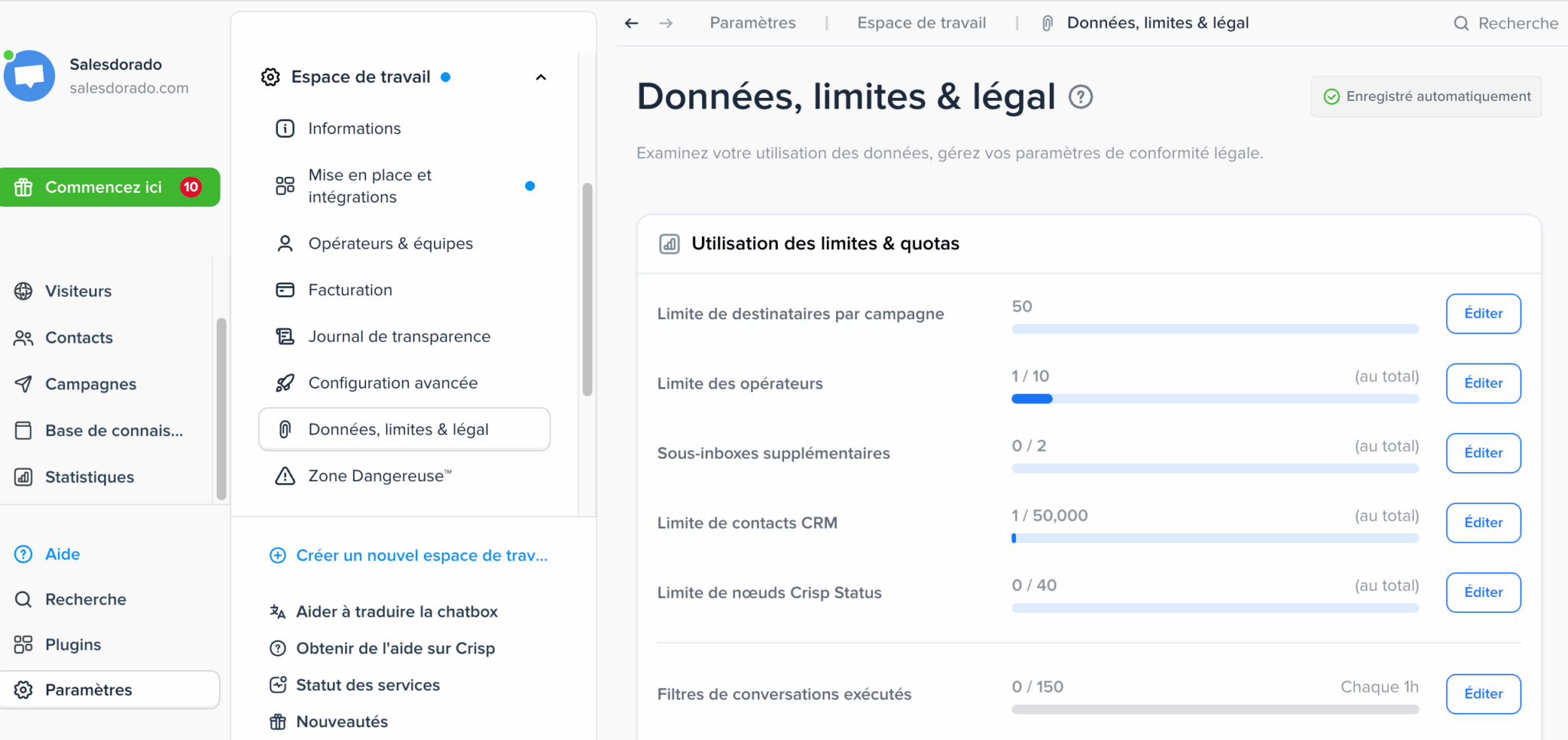
The Data, limits and legal section shows your usage against each quota in plain sight: operators used, CRM contacts, sub-inboxes, recipients per campaign, conversation filters run. Each line is editable and everything updates automatically.
Many vendors bury this information in technical documentation, or let the customer discover it the day they hit the limit. Here, it’s right in front of you in the settings. The neighboring menu even offers a transparency log, alongside the legal compliance settings. This kind of direct access saves real time for a company that has to document how it processes personal data.
Crisp vs Intercom: how to decide
The comparison is unavoidable, and Crisp largely defines itself against its American competitor.
| Criterion | Crisp | Intercom |
|---|---|---|
| Best for | European SMBs, e-commerce and SaaS | Scale-ups and well-funded large organizations |
| Pricing model | Flat fee per workspace, AI on usage | Per seat, with per-resolution billing for AI |
| Choice of AI model | Claude, ChatGPT, Mistral or Gemini, your choice | Model set by the vendor |
| Hosting | European Union | American player, Cloud Act analysis needed |
| Functional depth | Broad and consistent for an SMB | More advanced on behavioral segmentation |
The verdict depends on the size of your organization more than on the intrinsic quality of the two products:
- Below twenty or so agents, Crisp clearly wins on cost, speed of setup and data sovereignty.
- Beyond that, and when behavioral automation needs become very fine-grained, Intercom keeps the lead.
- If your need leans more toward a ticket-oriented helpdesk, Freshdesk and Help Scout are also worth a look.
Crisp offers a free-forever plan, 2 agents and unlimited conversations, and a 14-day trial of all features with no credit card. The trial can go up to 30 days if you configure the advanced features. Install the widget, set Hugo up on your documentation and judge the quality of the answers on your real conversations before choosing your plan.