On paper, the comparison between HubSpot and Zoho CRM seems like a foregone conclusion. Zoho offers an extremely comprehensive CRM at prices that put the competition to shame, whereas HubSpot charges higher prices per license. If the decision came down solely to list price, Zoho would win hands down.
Except that would be missing the point. Things aren’t that simple.
Both tools are excellent CRM systems, and both are supported by a broad ecosystem. The real difference, therefore, lies not in the number of features, but in two distinct philosophies:
- Zoho focuses on depth and price: a huge number of modules, very affordable, but setup that takes time and sometimes requires technical skills.
- HubSpot focuses on native integration and a unified experience: fewer modules, which are more expensive, but a cohesive platform that your teams can easily adopt.
The real question is how much each solution actually costs you once you factor in setup, training, maintenance, and actual adoption by your sales team. In this article, we’ll give you an honest comparison of the two tools and clearly explain when Zoho remains unbeatable and when HubSpot becomes the best choice.
Sommaire
HubSpot vs. Zoho CRM at a Glance: Comparison Chart
| Solution | HubSpot | Zoho CRM |
|---|---|---|
| Ideal for | Teams looking for an easy-to-adopt CRM that can scale to support marketing and customer service without technical complexity | Price-conscious microbusinesses and small and medium-sized enterprises that have the resources to take full advantage of its extensive functionality |
| Philosophy | A unified, all-in-one platform focused on the user experience | A very comprehensive all-in-one suite, focused on depth and price |
| Our opinion | A powerful sales CRM that’s remarkably easy to adopt. It’s more expensive per license, but the total cost is often more manageable once setup and training are factored in. | An iconic, ultra-comprehensive CRM system that’s unbeatable at list price. An excellent choice for those willing to invest the time needed to set it up. |
| Highlights |
|
|
| Weak points |
|
|
| Free Trial | Free tools for life, then a trial of paid features | Free plan for up to 3 users, 15-day trial of paid plans |
HubSpot offers free-for-life CRM tools to manage your contacts and pipeline. It’s the best way to see for yourself how easy the platform is to use.
HubSpot Sales Hub: our analysis in brief
HubSpot is a very comprehensive sales CRM, but its true strength lies elsewhere. The platform is built around a single principle: everything is based on a single contact database, and the experience remains consistent from start to finish. You start with the sales CRM, then add marketing, customer service, or content without ever having to reconcile your data.
It is this consistency that explains HubSpot’s greatest strength: adoption. The interface is considered one of the most user-friendly on the market, and your sales reps become self-sufficient very quickly. After all, a CRM that teams don’t use is useless, no matter how much it costs. In this specific regard, HubSpot has a real edge.
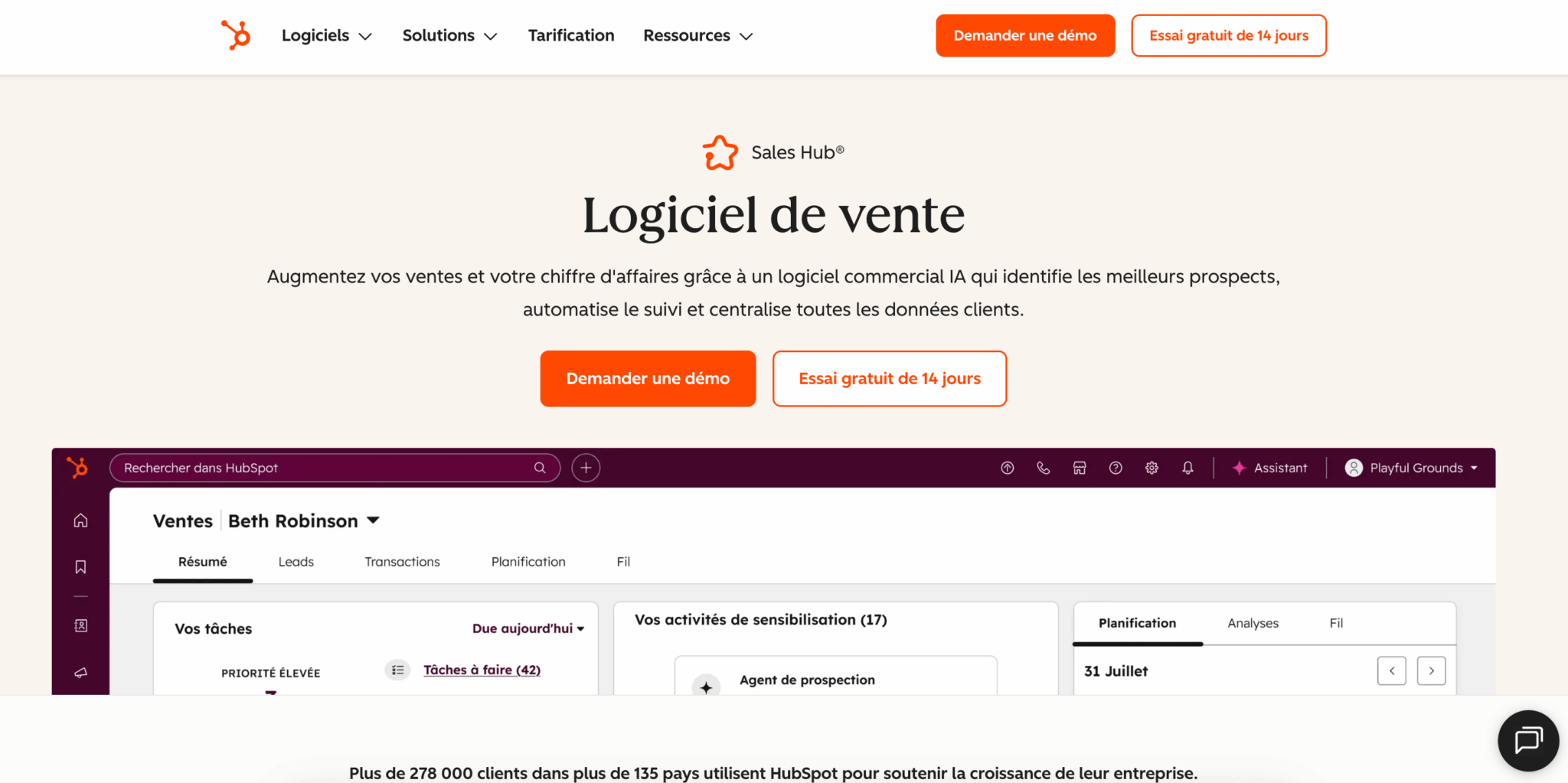
In terms of features, it has it all: custom pipelines, automated sequences, workflows, lead scoring, and cross-team reporting that brings together sales, marketing, and customer service in a single dashboard. Breeze AI is natively integrated and available starting with the basic plans, whereas many competitors reserve it for their most expensive plans.
Salesdorado’s advice: Thelong-standing criticism that HubSpot is rigid and difficult to customize is no longer really valid today. The custom objects in the Enterprise plan and the platform’s openness make it possible to manage complex sales processes. The real issue with HubSpot remains the budget, not flexibility.
Zoho CRM: Our Review at a Glance
Zoho CRM is one of the leading CRM software solutions in its category. It’s an extremely comprehensive solution with impressive depth of functionality and, above all, an unbeatable price-to-feature ratio. This is a real plus for a small business or SME that wants a wide range of tools without breaking the bank,
Its strength also lies in the Zoho ecosystem, which includes more than 45 interconnected business applications: CRM, as well as invoicing, projects, HR, support, accounting, and more. If you’re already using several Zoho apps, the internal integrations are seamless, and the value quickly becomes significant. Zoho has also made tremendous strides in user experience in recent years, particularly with Zoho Canvas, which lets you build your CRM interface using drag-and-drop.
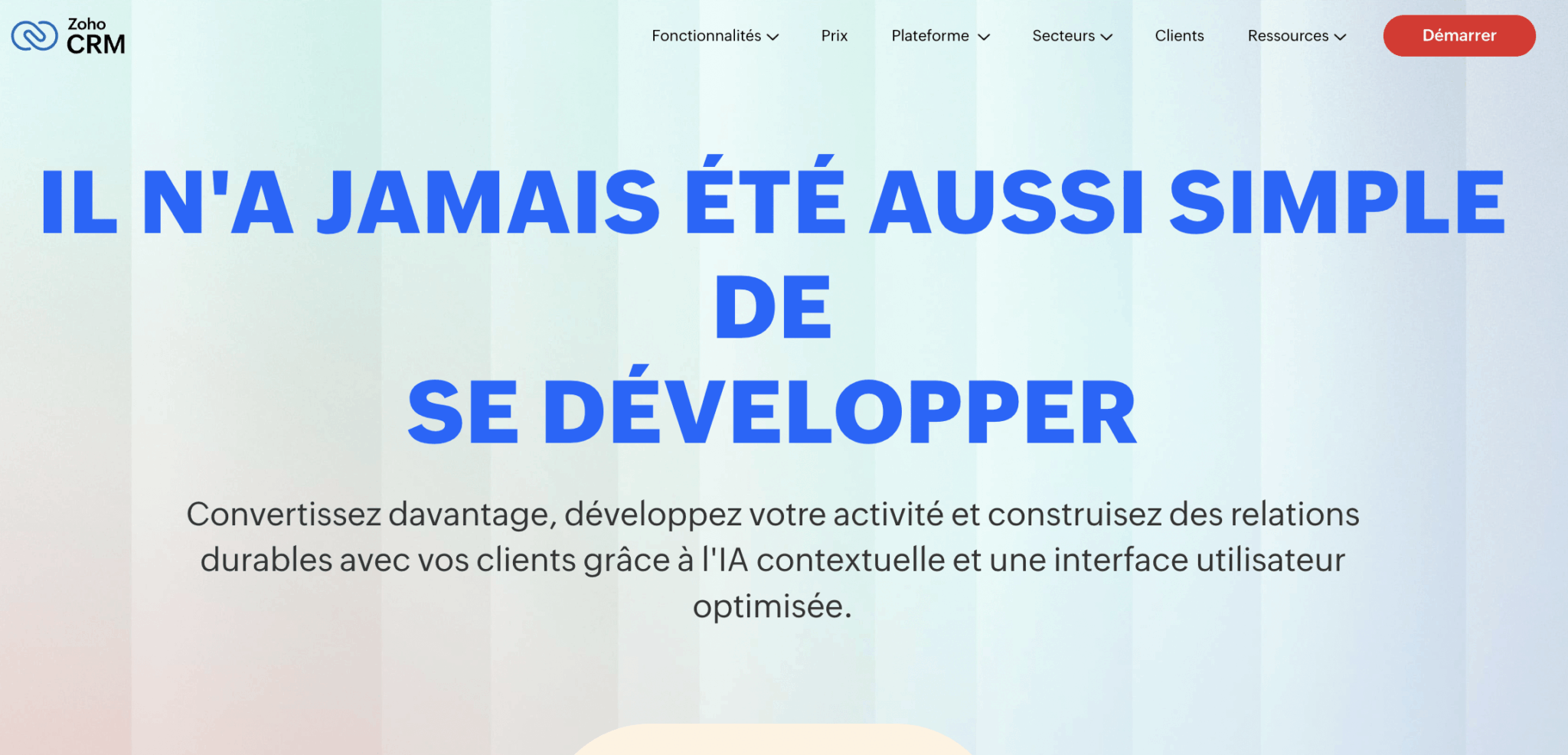
Where we need to be clear is about the trade-off for this richness. The more robust a tool is, the more time its configuration requires—and sometimes technical expertise—to get the most out of it. Commercial adoption of Zoho is often more difficult than expected. Finally, the Zia AI—which is good—is only included starting with the Enterprise plan at €40, whereas Breeze is available much earlier with HubSpot.
My advice
Zoho offers an ultra-lightweight version of its CRM, Zoho Bigin, starting at €9 per month per user. It’s an excellent starting point for a very small business that wants a pipeline-focused CRM without the complexity of Zoho CRM. If you’re hesitant because of the learning curve, start here.
The Real Point of Comparison: List Price vs. Total Cost
If you compare the two pricing plans side by side, Zoho wins hands down. Zoho’s Professional plan costs €23, while HubSpot’s Pro plan costs €90. With comparable features on paper, the difference is huge and very real.
But the listed price is never the price you actually pay. The total cost of a CRM includes four things that the price list doesn’t show:
- The time required for initial setup.
- Team training.
- Long-term maintenance.
- The actual adoption rate.
And on these four points, the gap is narrowing significantly:
- Zoho requires more configuration and, to take full advantage of its capabilities, often a dedicated administrator or a service provider. Its premium support is billed separately, and its licensing structure includes several overlapping models.
- HubSpot costs more per license, but its ease of use drastically reduces training time and the hidden costs of administration. Most importantly, a CRM that’s fully adopted creates value, whereas a powerful but underutilized CRM destroys it.
Our conclusion is therefore simple. If your top priority is licensing costs and you plan to run about ten business applications simultaneously, Zoho is probably the best choice. If your priority is streamlining your sales process, ensuring alignment among your teams, and having a CRM that your sales reps actually use, HubSpot has the edge despite its higher price.
Try both to see for yourself
The best way to decide is often to try it out. Both solutions offer free access to get started. Test them out with your teams, because it’s actual adoption—more than just the spec sheet—that will make the difference in your day-to-day work.
HubSpot vs. Zoho CRM: Scope of Features
Pipeline and sales task management
HubSpot offers a highly user-friendly sales funnel designed to encourage adoption. The interface guides sales representatives, common tasks flow smoothly, and getting started requires little training.
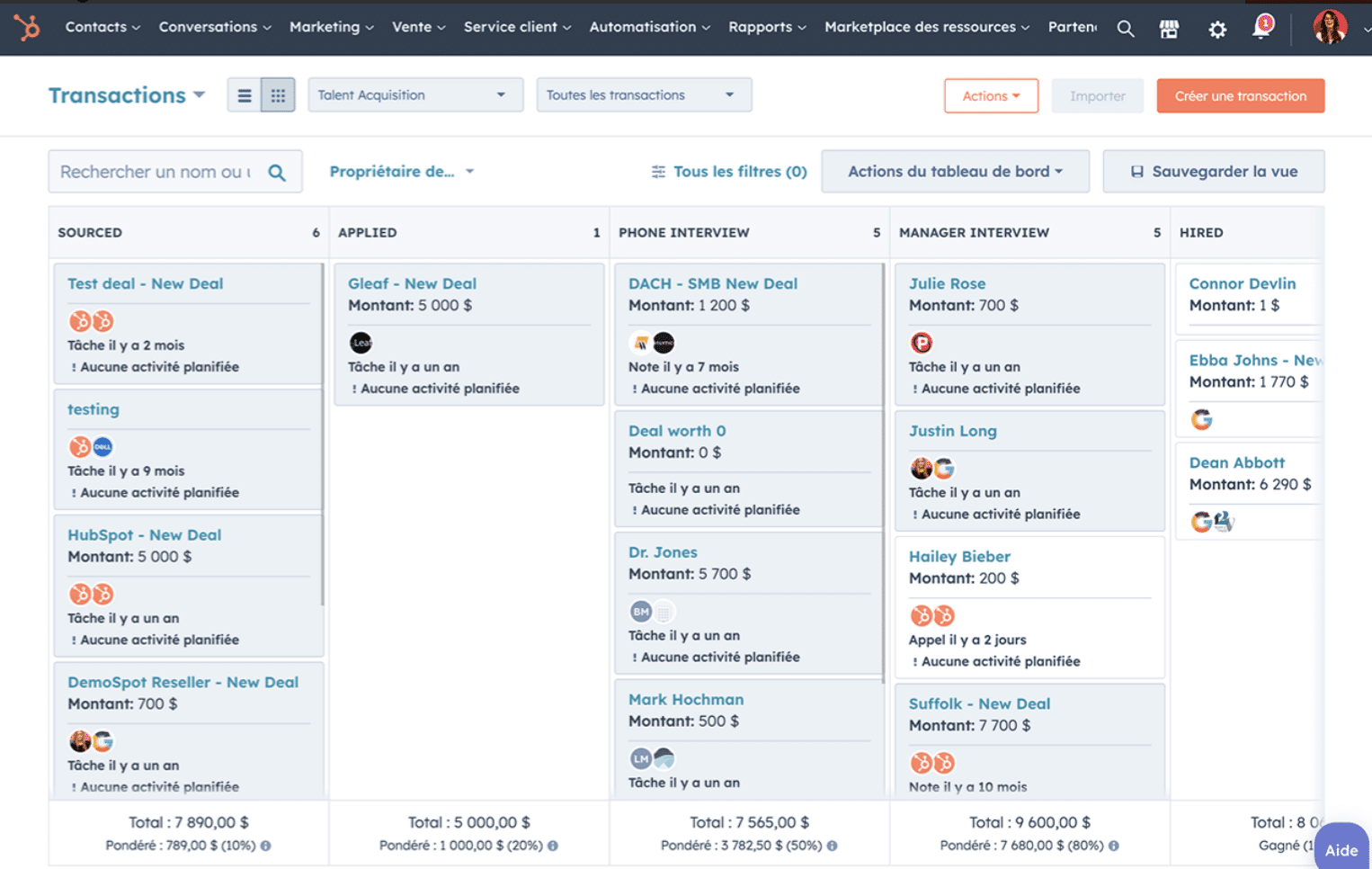
Zoho also offers robust pipeline management, with a clear Kanban view and the ability to create multiple pipelines. The tool has made significant strides in user experience and is now on par with HubSpot in day-to-day use. The main difference lies in immediate ease of use: HubSpot remains a step above for the most common tasks, while Zoho prioritizes a wealth of options.
Both tools handle a sales pipeline very well. Let’s just say that if rapid adoption by your teams is your priority, HubSpot has the edge. If you want to fine-tune your processes and have the technical capabilities to do so, Zoho offers more flexibility.
Contact management
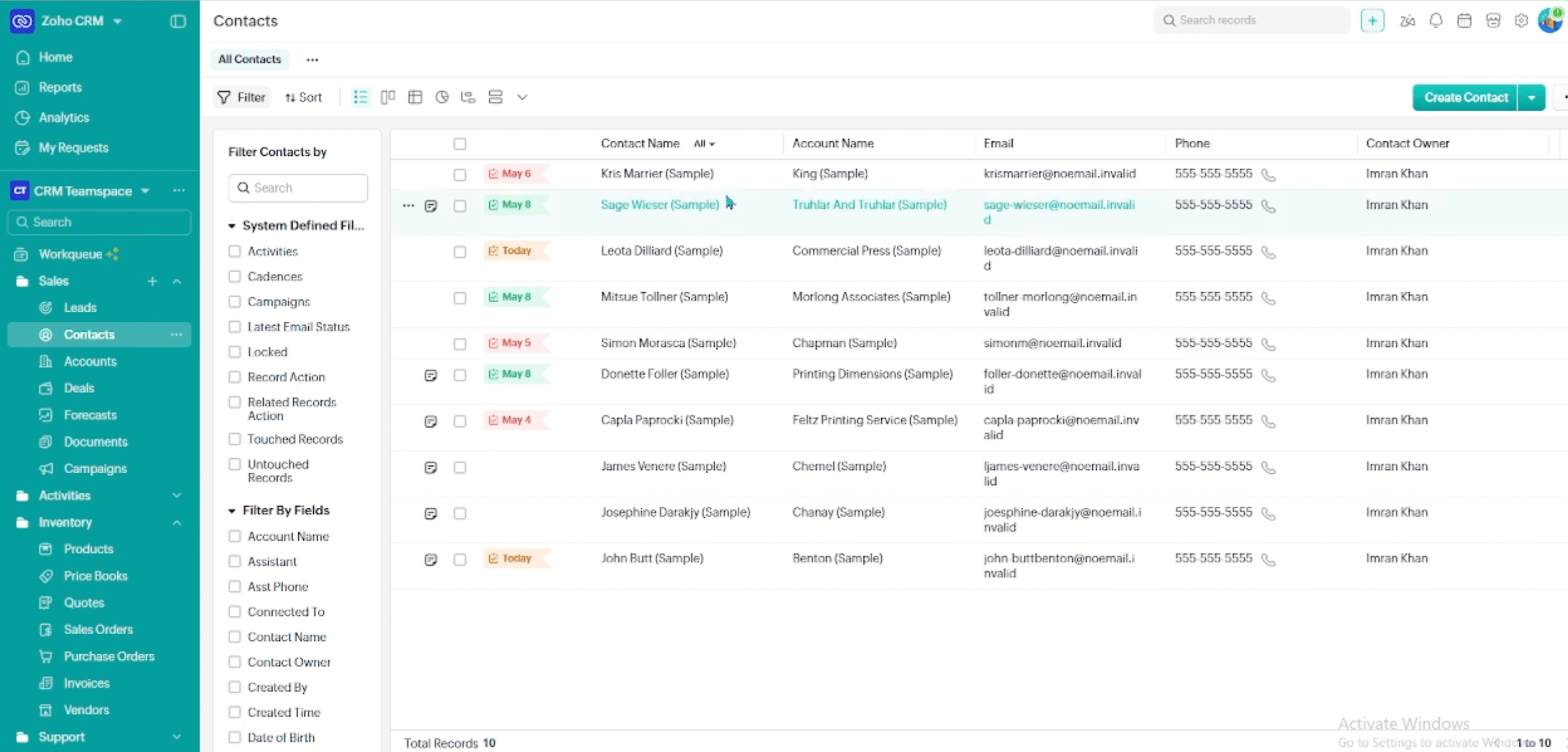
Zoho offers comprehensive, visual contact management with a timeline view that highlights priority leads. You can easily add, import, and categorize your contacts, and attach documents to individual contact records. It’s clear and efficient.
HubSpot offers comparable capabilities, with contact records that include more customizable fields and an automatically recorded activity history. You can store millions of contacts and build advanced segmentation strategies. Both tools are on par in this regard, though HubSpot has a slight edge once you scale up your lead generation efforts.
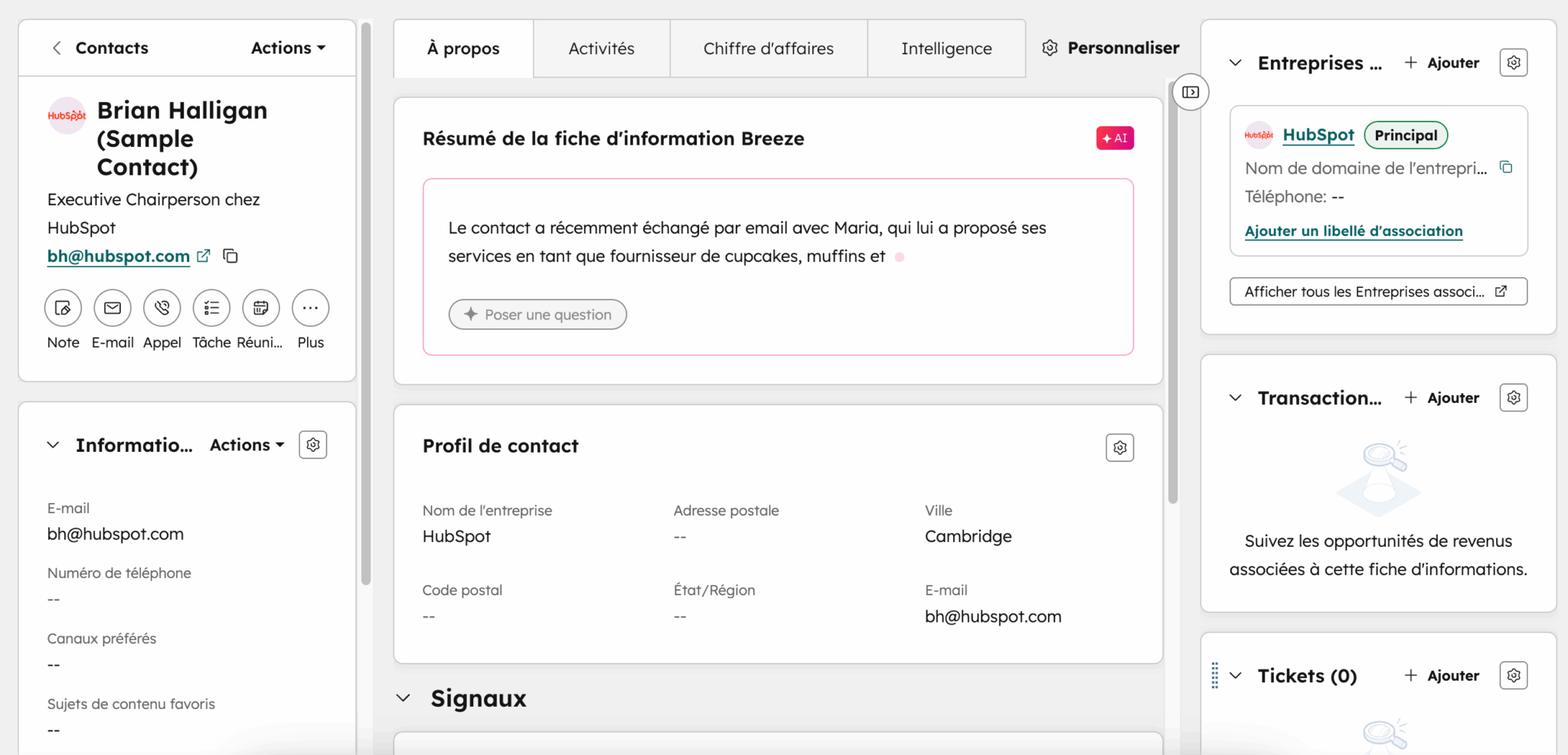
The difference is most evident in the enrichment and quality of the data:
- HubSpot automatically enriches some of your contacts’ firmographic information and keeps track of every interaction without your sales reps having to enter anything. This approach to clean data by default makes a huge difference over time, because a CRM is only as good as the data it contains.
- Zoho also allows you to enrich and deduplicate records, particularly through Zia, which identifies duplicates and invalid numbers, but setting it up requires a bit more configuration.
Automation, lead scoring, and marketing automation
This is one of HubSpot’s key differentiators. The platform allows you to build very powerful workflows, especially when the sales CRM is integrated with HubSpot’s marketing automation. A prospect fills out a form, receives a series of emails, is assigned a score, and is routed to the appropriate pipeline—all without any manual intervention. When it comes to native marketing automation, HubSpot is simply one of the best on the market.
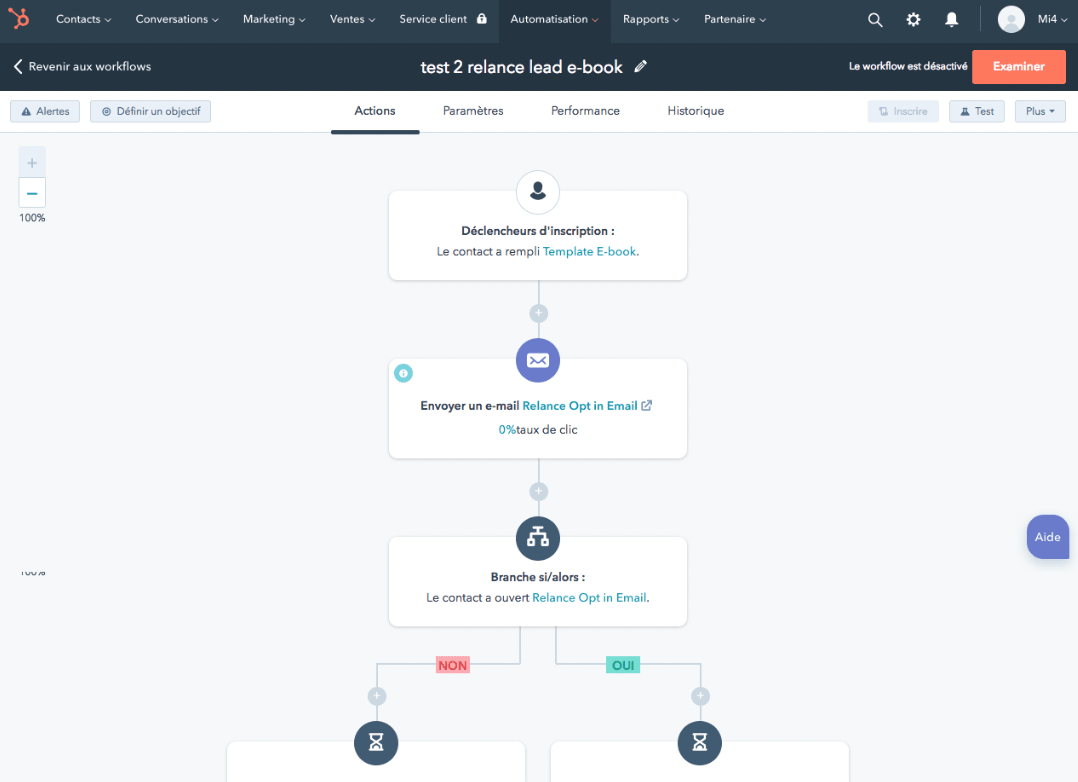
Zoho offers very solid sales automation and lead scoring features: email sequences, lead assignment rules, automated notifications, and module-based workflows. It’s robust, and the Blueprint tool for structuring processes is available starting with the Professional plan. However, when it comes to pure marketing automation, Zoho still lags behind HubSpot.
HubSpot offers a full suite of free tools to capture and nurture your leads directly in your CRM: forms, live chat, appointment scheduling, and basic workflows. Everything you need to fuel your pipeline without an initial budget.
Sales Reporting and Forecasting
Zoho CRM offers standard reports on all its plans and a number of custom reports that increases with the subscription tier. The Enterprise and Ultimate plans provide access to Zia’s predictions and advanced analytics tools, with Zoho Analytics included in the Ultimate plan. It’s a robust suite, but setting up cross-module reporting sometimes requires training.
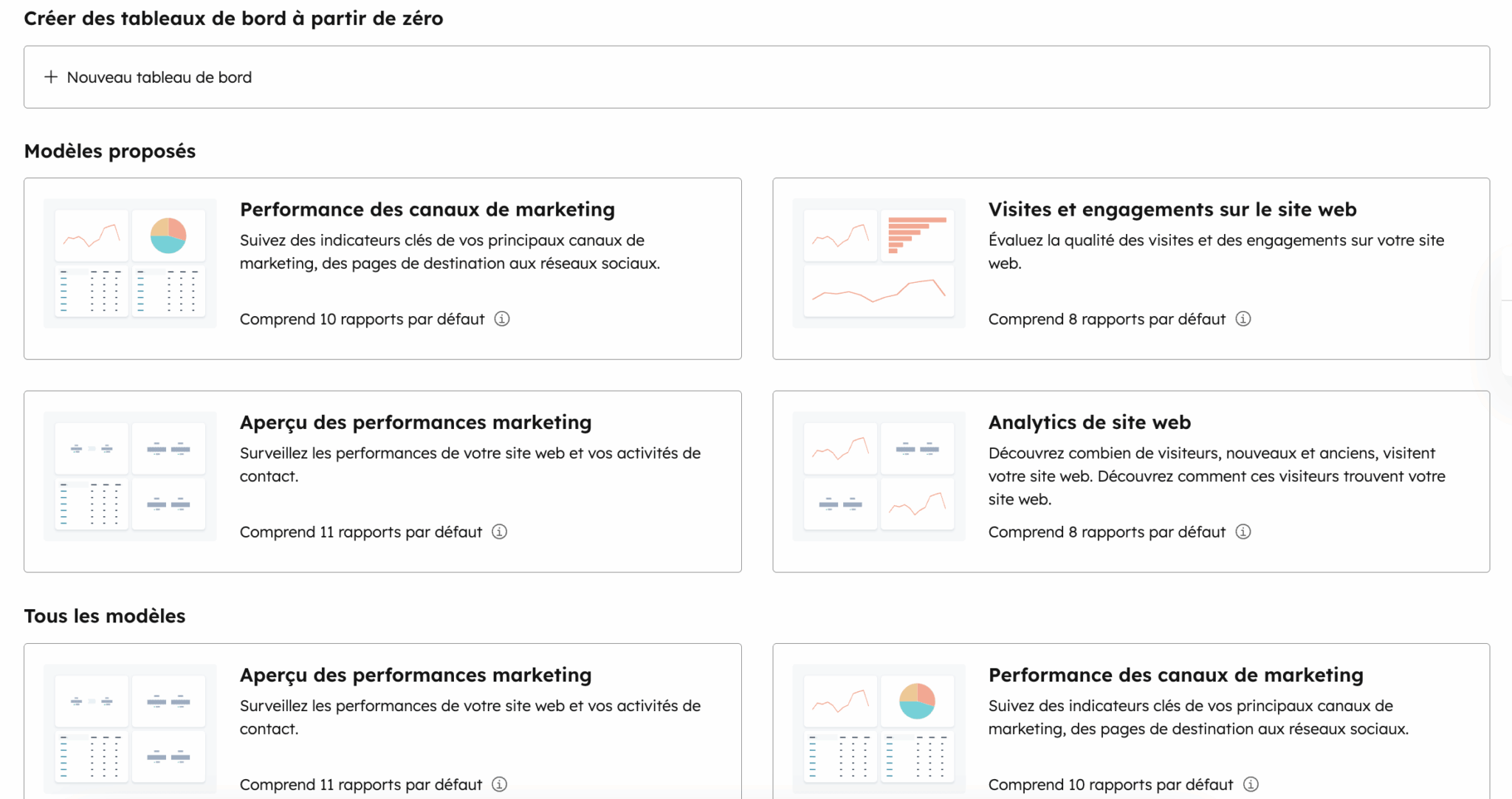
HubSpot offers particularly powerful cross-team reporting, especially if you’re using multiple components of the platform. You can track the entire customer journey with dashboards dedicated to sales, marketing, and customer service, and forecasting with automatic weighting is available starting with the Pro plan. This is one of the major advantages of a unified CRM: your forecasts are based on truly consistent data, without the need for manual reconciliation.
Artificial Intelligence: Breeze vs. Zia
HubSpot has consolidated its AI under the Breeze brand, which includes a conversational assistant and autonomous agents, including a lead generation agent. The major advantage is that Breeze draws directly from your CRM data and is available even on the basic plans, rather than reserving AI for the most expensive tiers.
Zia, Zoho’s AI, is mature and covers a wide range of areas: predictive scoring, anomaly detection, sentiment analysis, call transcription, forecasting, and more. It’s a real asset, but with two caveats:
- Zia is only included in the Enterprise plan and above, which costs €40.
- Many teams use only a fraction of these features because they don’t have enough time to learn how to use them.
Ecosystem, Integrations, and Scalability
This is often where the decision is truly made, and it is also where the two philosophies are most clearly revealed.
Both publishers have a rich ecosystem, but they approach it differently:
- Zoho focuses on internal integration. The company offers more than 45 business applications—ranging from invoicing to HR, projects, and support—and they all connect natively with one another. If you adopt multiple Zoho apps, you’ll benefit from a comprehensive system at an unbeatable price, without relying on third-party integrations. The trade-off is that Zoho’s external ecosystem, while extensive, is generally less polished and less robust than HubSpot’s. Many connectors are primarily links between Zoho apps.
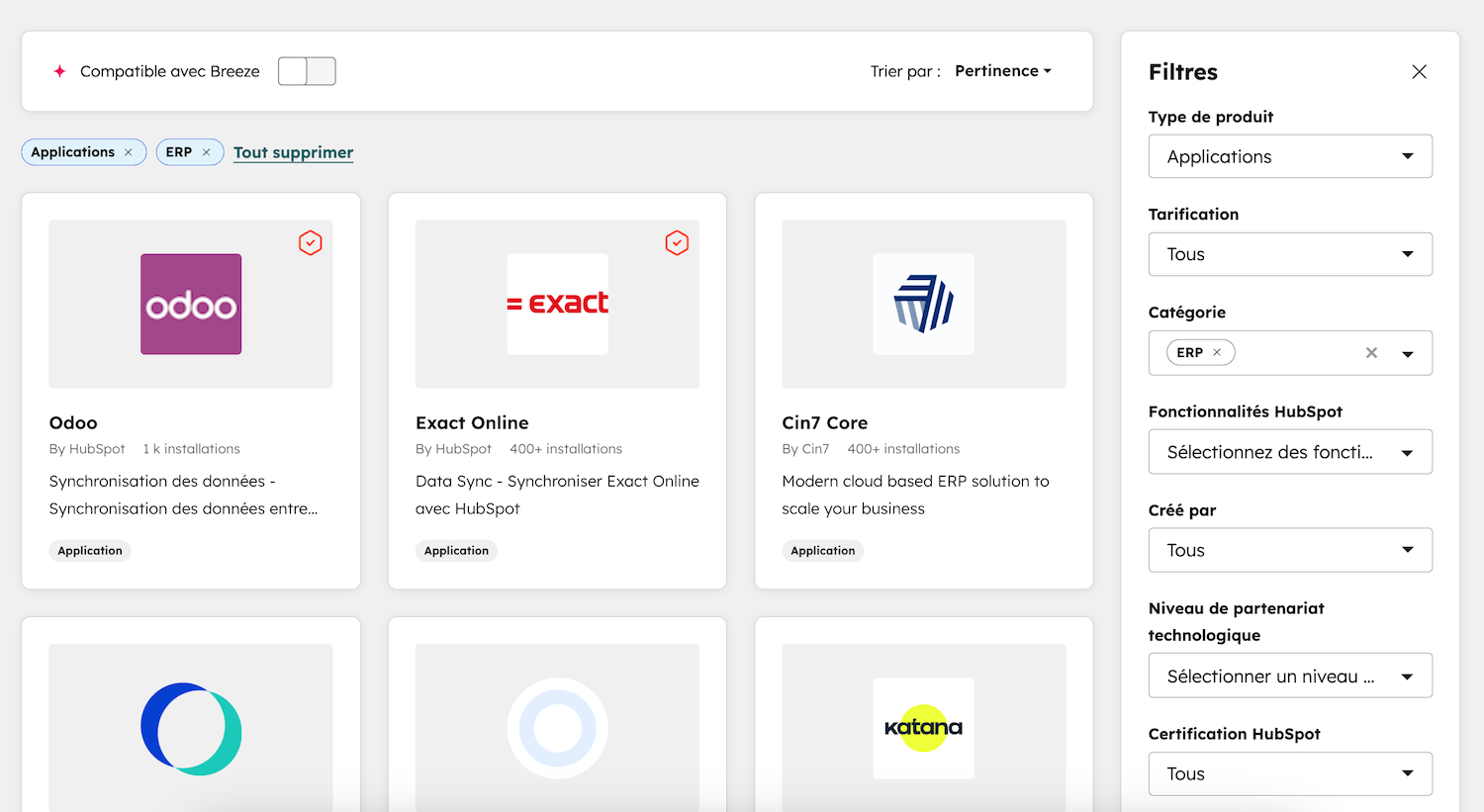
- HubSpot focuses on external integration and consistency. Its marketplace features more than 1,700 apps, and the quality of the connectors makes all the difference: data flows in both directions (a bidirectional approach), and the integrations are well maintained.
So, while Zoho encourages you to stay within its ecosystem as much as possible to take advantage of seamless integrations, HubSpot integrates seamlessly into an existing tech stack, working alongside the tools your teams already use.
My advice
Think about your tech stack three years from now, not just today. If you plan to base everything on the Zoho ecosystem, internal integration is a strong selling point. If you want to retain the freedom to connect the best tools on the market as you go (a “best-of-breed” approach), HubSpot’s deep integrations will prevent you from becoming locked into a single provider.
Scalability and Migration
Choosing a CRM is rarely a decision you make for just six months. It’s a fundamental decision that commits you for several years, and the tool’s ability to grow with you is just as important as its current features.
Zoho scales very well. As your needs evolve, you can activate new applications from the suite without switching providers, which is a major advantage for anyone looking to centralize as many tools as possible with a single vendor on a limited budget. The limitation lies in scaling the user experience: the more modules and customizations you add, the more technical the management becomes.
HubSpot scales very well within the same foundation. You start with the free CRM, move up to the Sales Hub, and then add marketing or customer service as the need arises—all without having to migrate your CRM or lose any data. That’s precisely the benefit of starting with a unified platform: you’ll never have to pay the cost of a reimplementation to take your business to the next level. For a company anticipating strong growth, this is a decisive factor, since migrating a CRM during rapid expansion is one of the most painful projects imaginable…
HubSpot vs. Zoho CRM: Pricing
| Solution | HubSpot Sales Hub | Zoho CRM |
|---|---|---|
| Pricing | Free tools for life, then Starter at €7/month/license | Free plan for up to 3 users, then Standard at €14 per user per month |
| Intermediate Plan | Professional at €90/month/license (automation, sequences, forecasting) | Professional at €23 and Enterprise at €40 per user per month |
| Advanced Plan | Enterprise at €150/month/license (custom objects, granular permissions) | Ultimate at €52 per user per month (Zoho Analytics included) |
| Additional costs to expect | Mandatory onboarding for the Pro plan (approximately €1,500 in the first year) | Setup, optional premium support, and sometimes a dedicated administrator |
The difference in list prices is undeniable and works largely in Zoho’s favor. Starting at €14 and going up to €23 for the most popular plan, Zoho remains one of the most competitive offerings on the market, with Zia AI included starting with the Enterprise plan at €40 and advanced analytics on the Ultimate plan at €52.
HubSpot takes a different approach. Its free-for-life CRM tools let you get started without spending a dime; the €7 Starter plan helps you organize your sales; and the real leap comes with the €90 Pro plan, which unlocks automation features and advanced reporting (sales forecasts). You have to factor in the mandatory onboarding during the first year. But Zoho’s actual bill also goes up once you add configuration, premium support, and—often—a technical specialist to manage the platform. That’s why it’s crucial to look at the total cost, not just the listed price. For more information, see our article on HubSpot’s costs.
Salesdorado’s opinion
Basing your decision solely on license costs automatically favors Zoho, and that’s perfectly reasonable if your budget is your primary constraint. But a cheaper CRM that your teams only use half the time ends up costing more than a CRM that’s fully adopted. Before deciding based solely on price, ask yourself whether your sales team will actually adopt it. That’s what determines the return on investment.
Who should use HubSpot, and who should use Zoho CRM?
Choose Zoho CRM if:
- The cost of the license is your primary constraint
- Do you plan to use several Zoho business applications at the same time?
- You have the technical expertise to configure and use the tool depth
- Are you looking for as many features as possible while staying within a reasonable budget?
Choose HubSpot if :
- Adoption by your teams is a key factor
- Marketing automation and customer acquisition are at the heart of your growth
- Do you want unified reporting that combines sales, marketing, and customer service?
- Do you prefer a simple platform that’s easy to maintain rather than a feature-rich but demanding tool?
Both tools are excellent CRMs. Zoho remains unbeatable in terms of value for money and is a great fit for organizations looking for a comprehensive suite on a tight budget. HubSpot costs more per license, but its unified experience and adoption rate make it the best choice for teams that want a CRM that will actually be used and can support their growth. .
Frequently Asked Questions About HubSpot and Zoho CRM
HubSpot or Zoho CRM—which one is cheaper?
In terms of list price, Zoho CRM is significantly cheaper: its Standard plan starts at €14 per user per month, compared to €90 for HubSpot Sales Hub’s Pro plan. But the total cost also includes setup, training, and maintenance—areas where HubSpot narrows the gap thanks to its ease of use. The cheapest option to buy isn’t always the cheapest to use.
Is HubSpot really easier to use than Zoho CRM?
Yes, that’s one of the points on which there’s the most agreement. HubSpot’s interface is one of the most user-friendly on the market, and your sales reps quickly become self-sufficient. Zoho has made significant strides in user experience, but its depth of functionality comes at the cost of a steeper learning curve and more complex setup.
Is it easy to migrate from Zoho CRM to HubSpot?
Migrating between Zoho CRM and HubSpot is a standard process supported by import tools and specialized partners. The challenge lies not so much in technical feasibility as in data preparation and process reconfiguration. It’s better to plan for this project in advance rather than have to deal with it in the midst of growth—which is one of the reasons to choose a scalable platform from the start.
Does HubSpot offer a free plan like Zoho?
Yes. HubSpot offers CRM tools that are free for life, with no time limit, allowing you to manage your contacts and your pipeline. Zoho, on the other hand, offers a free plan limited to three users. Both are good starting points for testing the tool before upgrading to a paid plan.
HubSpot offers CRM tools that are free for life—with no time limits and no credit card required. It’s the best way to see for yourself if the platform’s simplicity is a good fit for your teams and your goals.