
The tool in detail
Customer.io after real-world use: feature scope, integrations, pricing and concrete limits.
Customer.io is a multichannel marketing automation platform used by Notion, Buffer and Cursor, no less. The tool is aimed at companies whose product generates usage data, SaaS vendors and mobile apps first among them.
In practice, with Customer.io you can trigger a workflow for users who drop out of signup at step 3, or send a push notification to those nearing their quota without ever having invited a colleague. Where Brevo or Mailchimp segment a contact list, Customer.io reacts to the events your product sends it continuously. Count on $100 per month to get started.
Customer.io: what exactly is it?
Customer.io was founded in 2012 by Colin Nederkoorn and John Allison. Its financial history deserves a word, because it explains the product.
For ten years, the company funded itself through its customers. It closed 2021 profitable, with $29.9 million in annual recurring revenue growing 78%. Only then, in March 2022, did it raise a Series A from Spectrum Equity, a private equity firm whose managing director joined the board. Nederkoorn calls it fundstrapping: taking the time to fix your mistakes before accelerating.
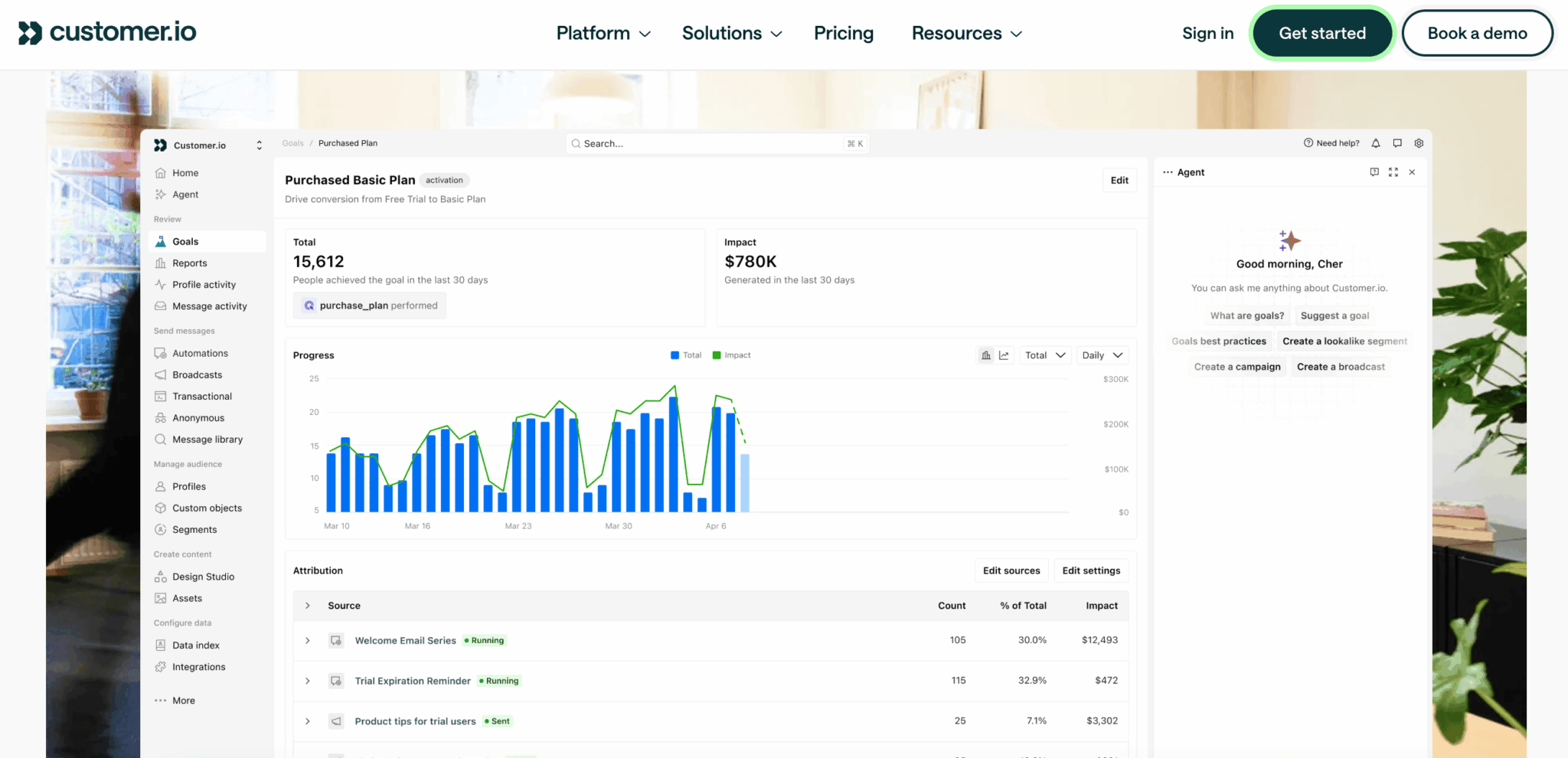
The $100 million annual revenue mark was crossed in September 2025, with more than 8,000 customers and 64 billion messages sent over twelve months. The team numbers around 350 people spread across more than thirty countries, with no office.
Two acquisitions shaped the product as you see it today: Parcel, an email development tool bought in 2022, which powers Design Studio, then Gist the same year, which brought the entire in-app messaging layer.
The list of featured customers sets the tone: Notion, Cursor, Buffer, Attio, Lovable. Software vendors whose growth runs through the product itself, almost no classic B2B. That’s no accident.
The data model, the thing that justifies everything else
This is the feature to understand before comparing anything.
The model rests on three building blocks:
- Profiles represent your users with their attributes.
- Events describe what they do, timestamped, with their own properties.
- Objects represent everything that isn’t a person: an account, a subscription, an order, a webinar, a job posting.
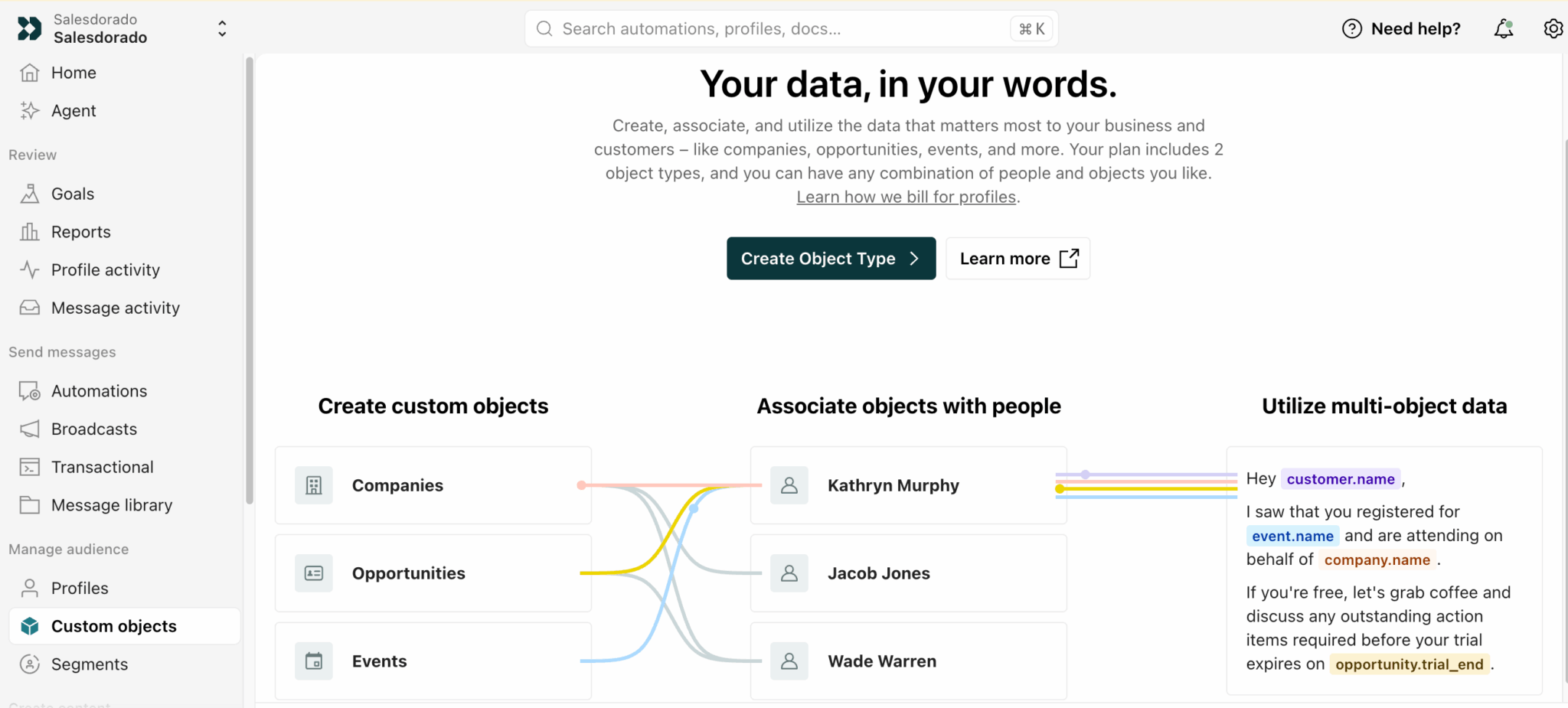
An object has its own attributes and links to several people. The example shown by the tool speaks for itself: a message that pulls the recipient’s first name, the name of an event they registered for, the company they represent and the end date of their trial. Four different entities in a single email.
No classic email platform can do that cleanly. You’d have to duplicate the information on every contact record, then maintain it by hand.
Segmentation follows the same logic. It’s retroactive and real-time: when you define a segment, the platform immediately calculates who falls into it based on history, without waiting for the next run.
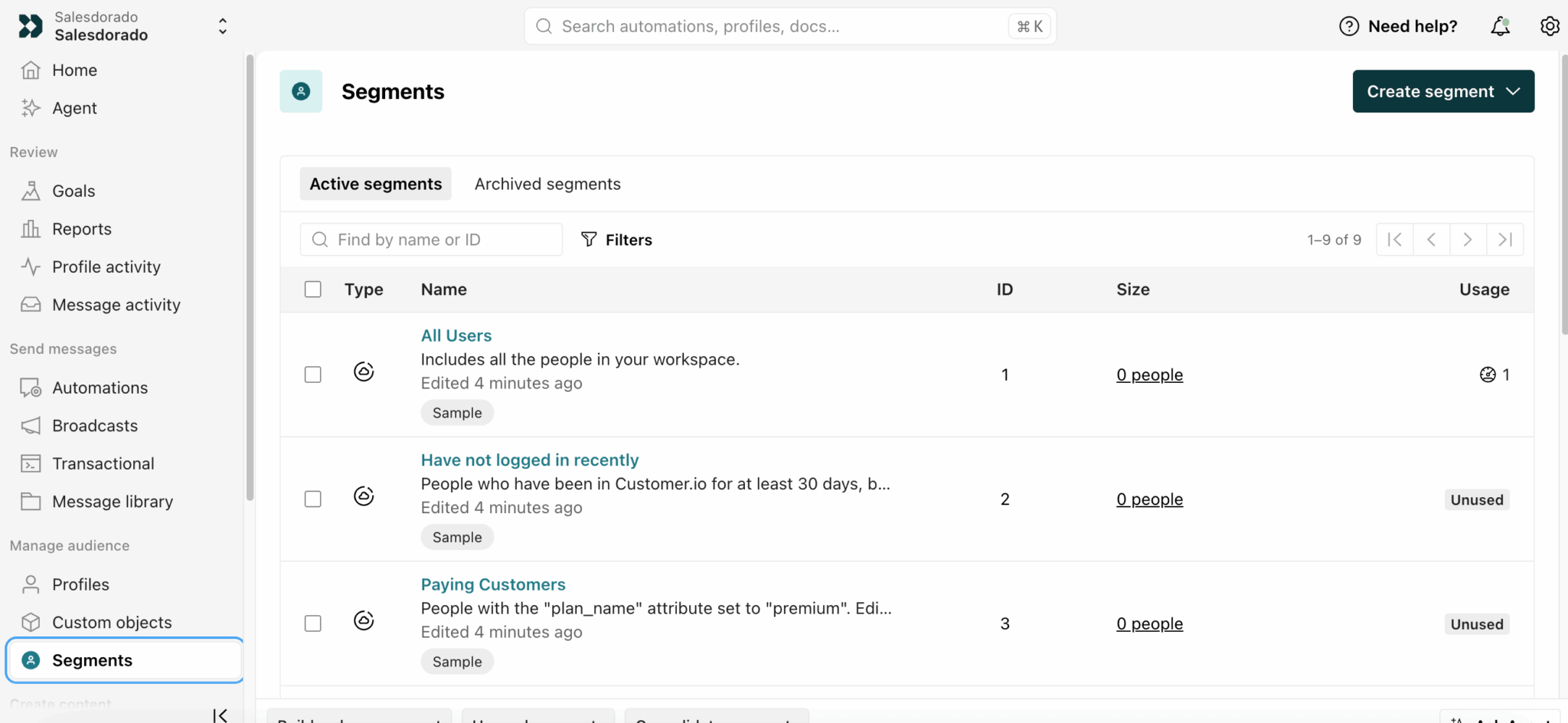
We expected a harsh syntax, given the depth of the data model. It’s the opposite: conditions are written in plain language, along the lines of « has not viewed a page in the last 30 days ». A button even lets you describe your changes in words and translates them into rules. On this front, Customer.io has nothing to envy a Brevo.
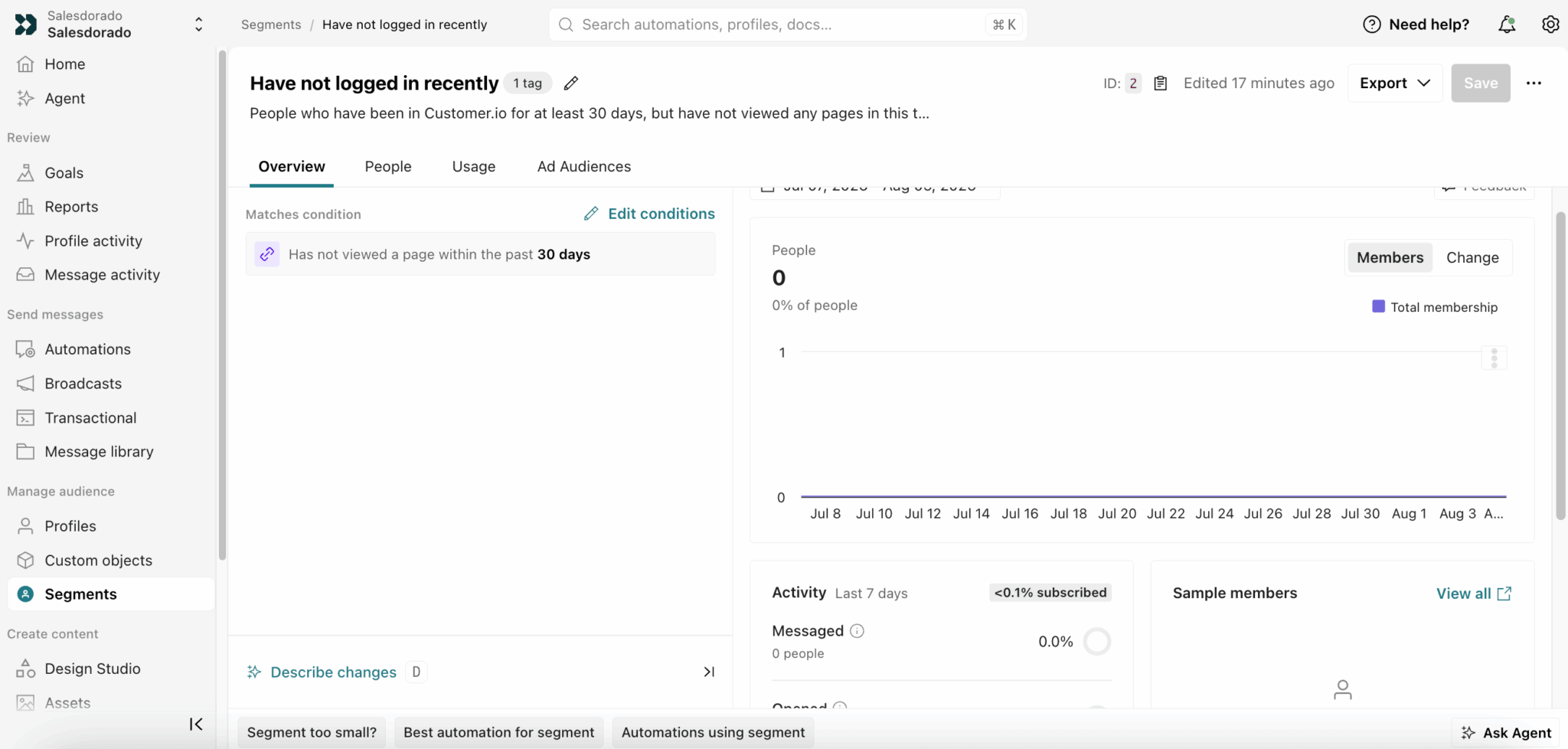
A governance detail we appreciate: each segment shows how many automations use it, and the ones that serve no purpose carry an Unused label.
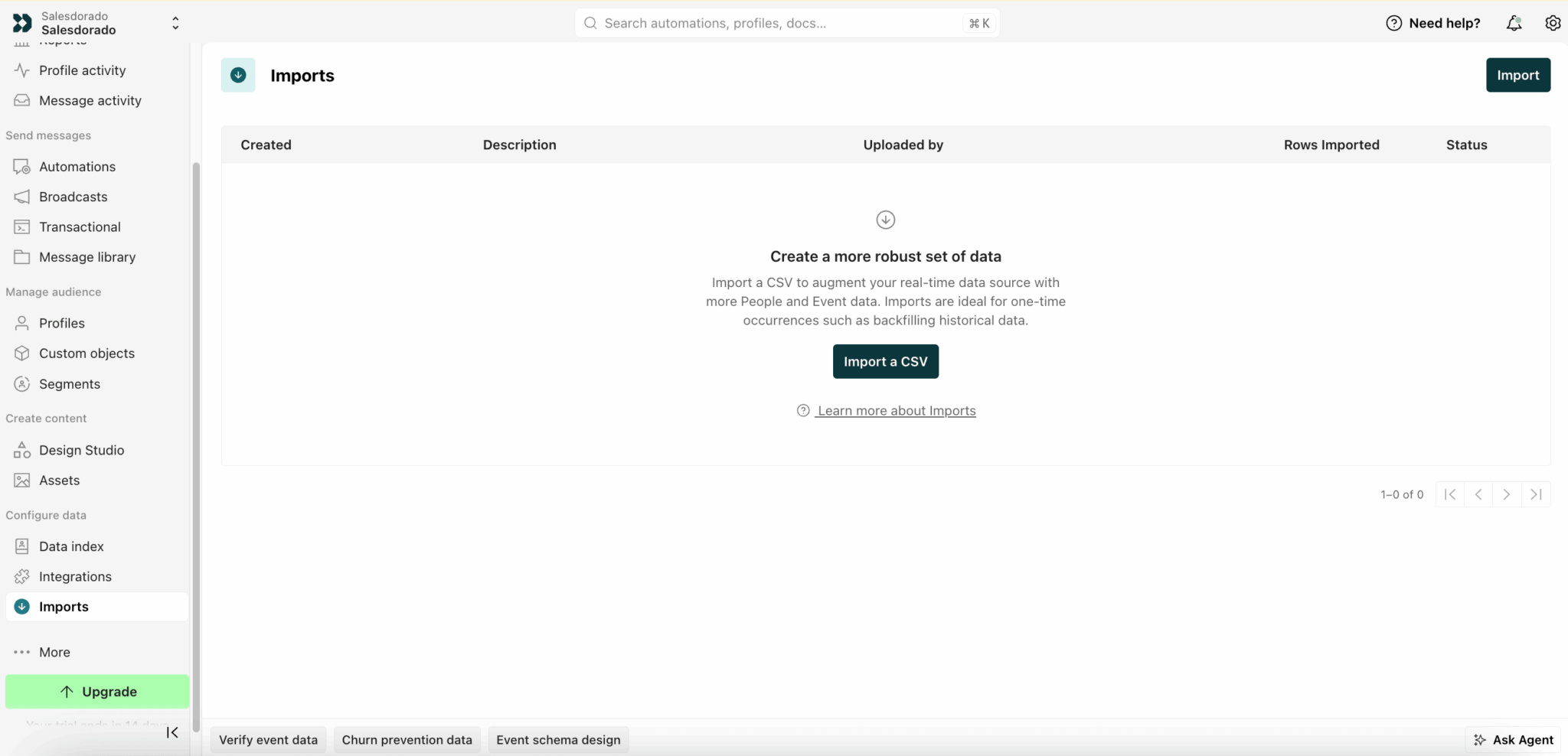
A word on file imports: Customer.io presents it as a tool for historical backfill, useful for one-off operations. It’s not the main way data comes in. Data arrives continuously, via API or from your warehouses.
The prerequisite for succeeding with Customer.io isn’t budgetary, it’s organizational. Someone on your side has to own the event schema, document it and maintain it over time. If nobody has that role, you’ve just bought an expensive, complicated email tool. Settle this question before comparing price grids.
The journey engine put to the test
This is the heart of the product.
A journey starts on entering a segment, a behavioral event, a date, an incoming webhook or a relationship with an object. That last option opens up scenarios the competition doesn’t allow: triggering on a change in a subscription’s status rather than on a user action.
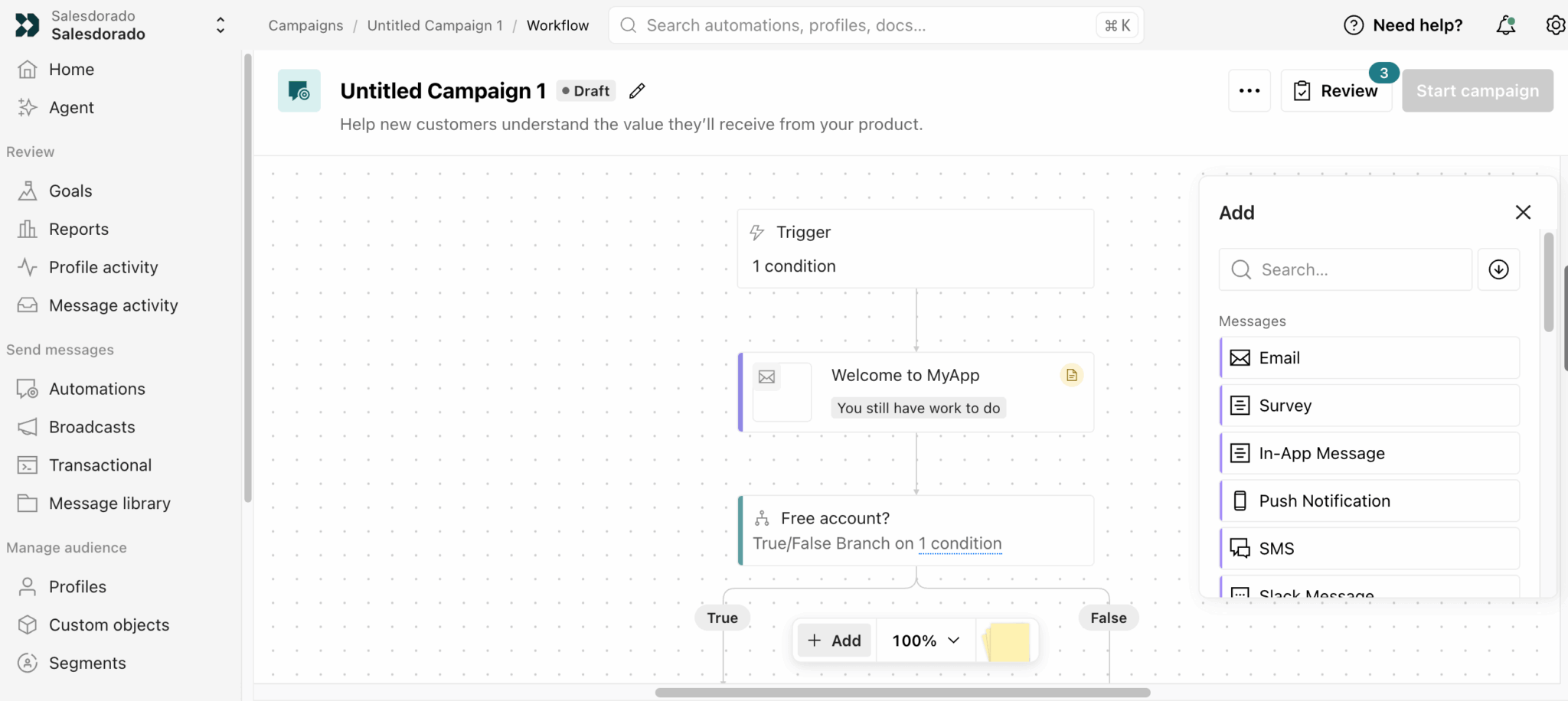
The most underrated feature is called Wait Until. Most tools let you write « wait three days ». Customer.io pauses the journey until a condition is met, with a maximum delay as a safety net. You no longer write « wait three days then follow up » but « wait until the user has activated the feature and, if nothing happens after seven days, send the follow-up ». Your messages follow the customer’s pace, not the marketer’s calendar.
Add to that time windows, which hold messages so they only go out during business hours, in the recipient’s time zone. In B2B, that avoids the 2 a.m. Saturday email that drags down your open rates.
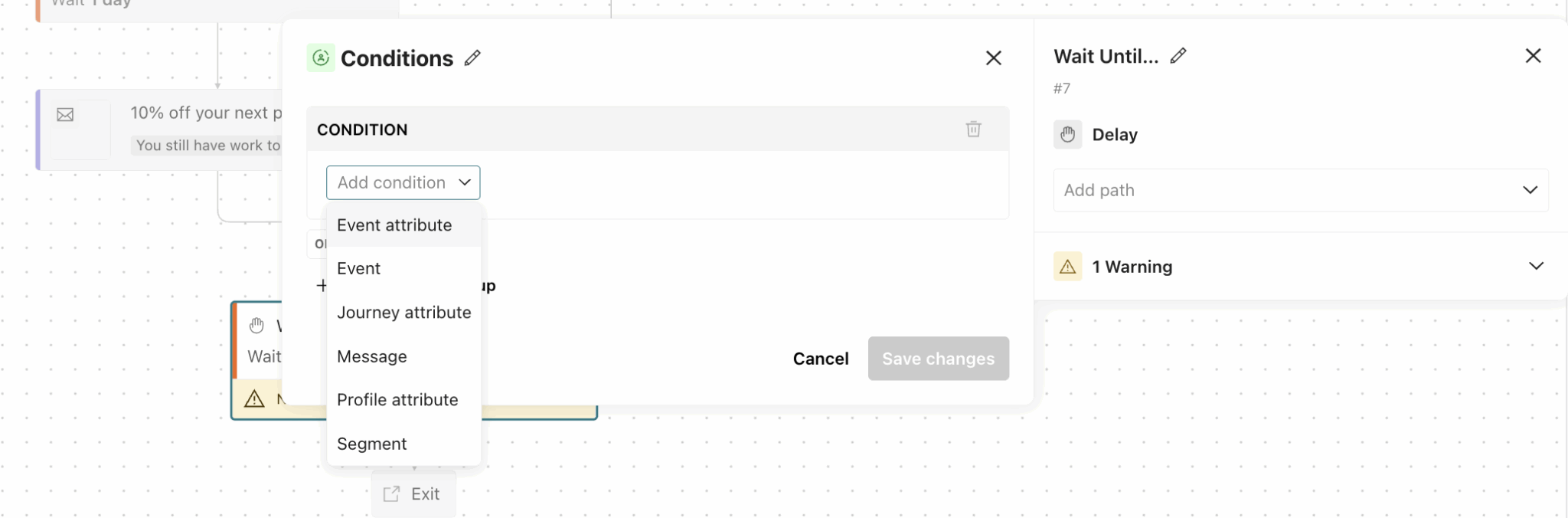
The builder accepts conditional branches, multi-way splits and random cohorts. That last option lets you test entire journeys rather than just email subject lines: half your users follow the current sequence, the other half a variant that replaces the second email with a push notification.
You can also update an attribute along the way, call an outgoing webhook and leave sticky notes on the canvas to document the logic. That last point looks trivial. On a fifteen-branch journey picked up by a colleague six months later, it isn’t.
Note too that surveys and Slack messages are first-class blocks, on a par with email or push. Enough to seriously equip your lead nurturing sequences as well as your customer onboarding workflows.
The latest addition, released in April 2026: LLM actions. You call a language model directly within a step, with real customer data in context. The result is then stored as an attribute: generating a personalized summary of the month’s usage, or classifying an open-ended answer to steer the rest of the journey. Credits are billed separately, $10 per 100,000.
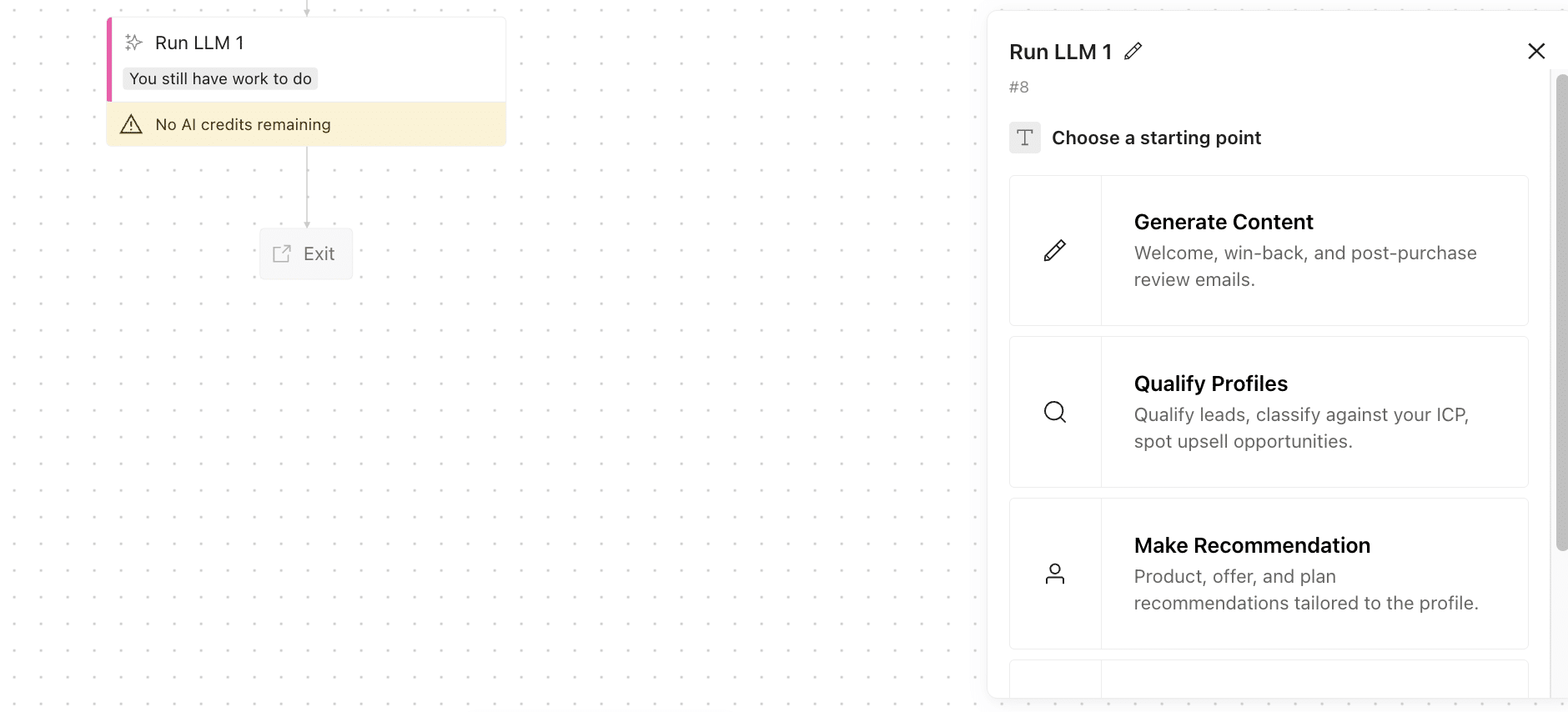
An honest caveat on this feature: Customer.io itself advises, in its documentation, against sending model-generated content without review on sensitive topics. A vendor that tempers its own AI pitch is rare enough to be worth pointing out.
Goals: measuring outcomes rather than opens
You define a goal at the company level, not the campaign level. The platform then maps every journey that contributes to it, with real-time attribution from day one. Ready-made templates cover the classic cases, from converting a trial into a paid subscription to activating new users.
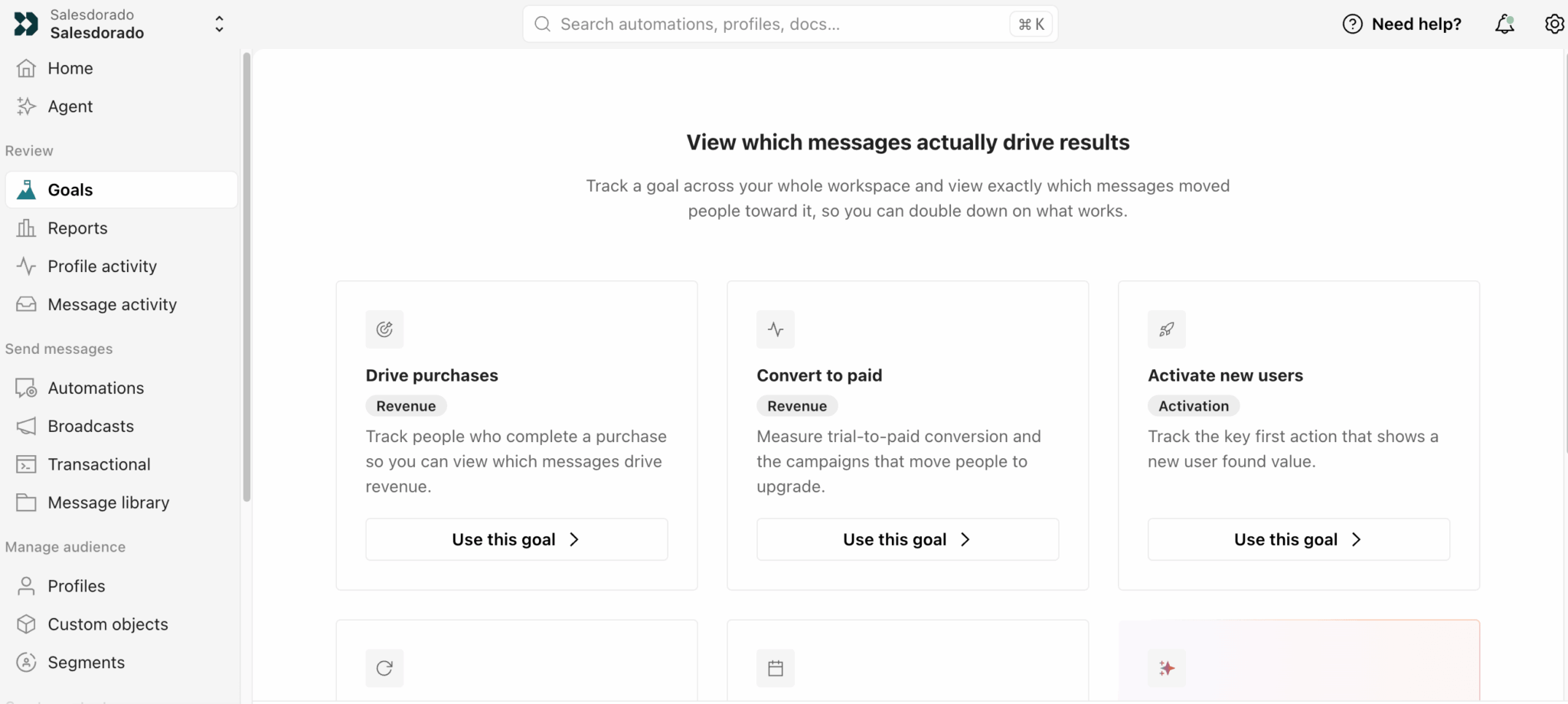
The value shows once the goal has data. You no longer read « this email got a 12% open rate » but « these seven journeys contributed this much revenue », with the breakdown by source and without double-counting the customer who received four messages. Attribution reasons per person, not per send.
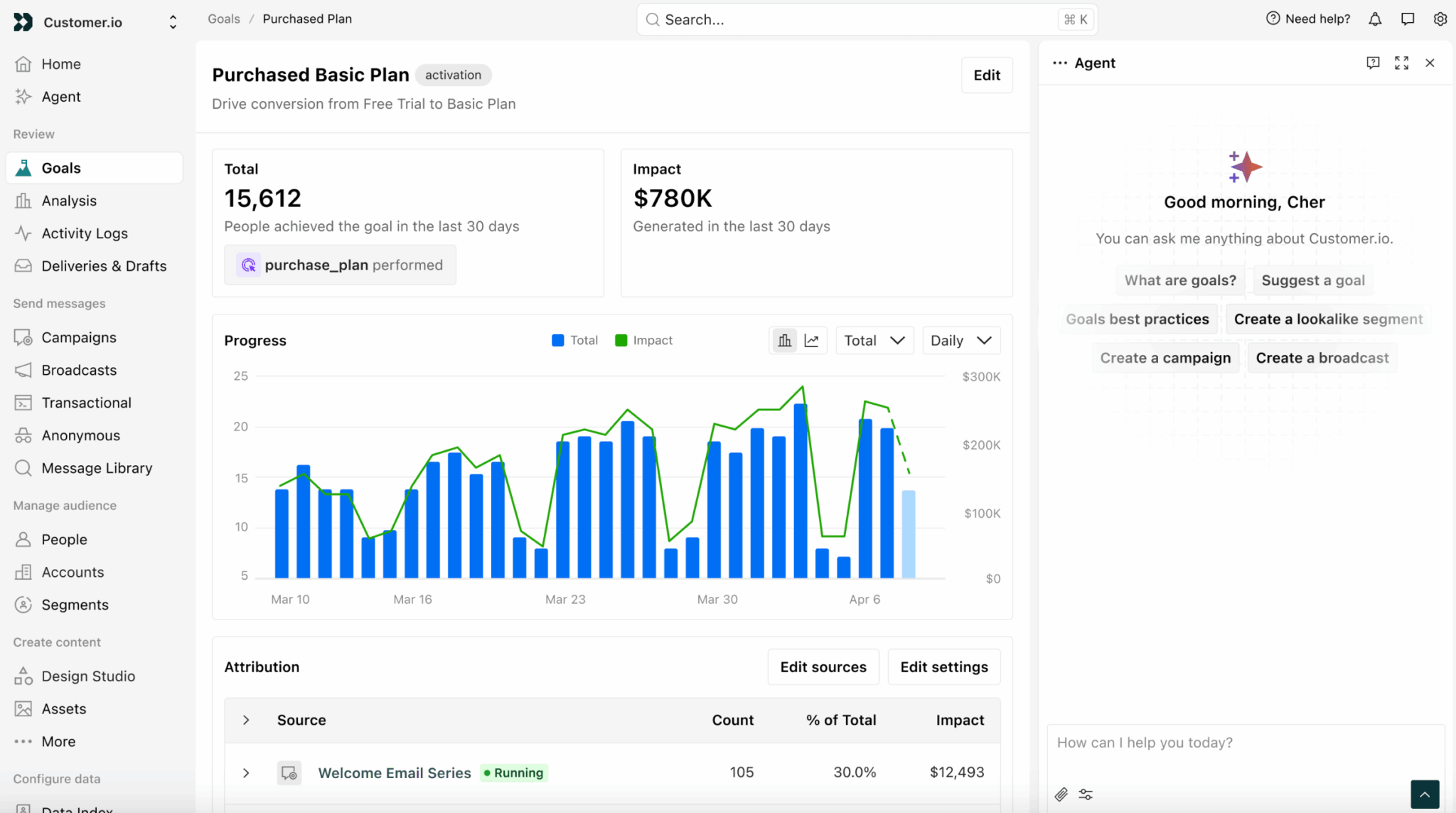
The Livestorm case shows well what this looks like in practice. The Paris-based platform ran its lifecycles with Customer.io when it had only ten people. Over the two-week window of its onboarding sequence, 3.5% of users on average moved from trial to paid subscription, and up to 4% in the French market.
Even more telling was their billing campaign. The team noticed that the account owner, the only recipient of the reminders, was often no longer an active user: they had created the workspace and then handed over. By widening the message to every teammate in the workspace, they reached a 68% open rate and 36% conversion. That’s exactly what objects make possible: targeting an organization, not a contact.
Channels and deliverability: eight exit doors
As of August 2026, Customer.io’s integration catalog lists 247 tools. Look at the split: 104 for data in, 123 for data out and 8 messaging channels.
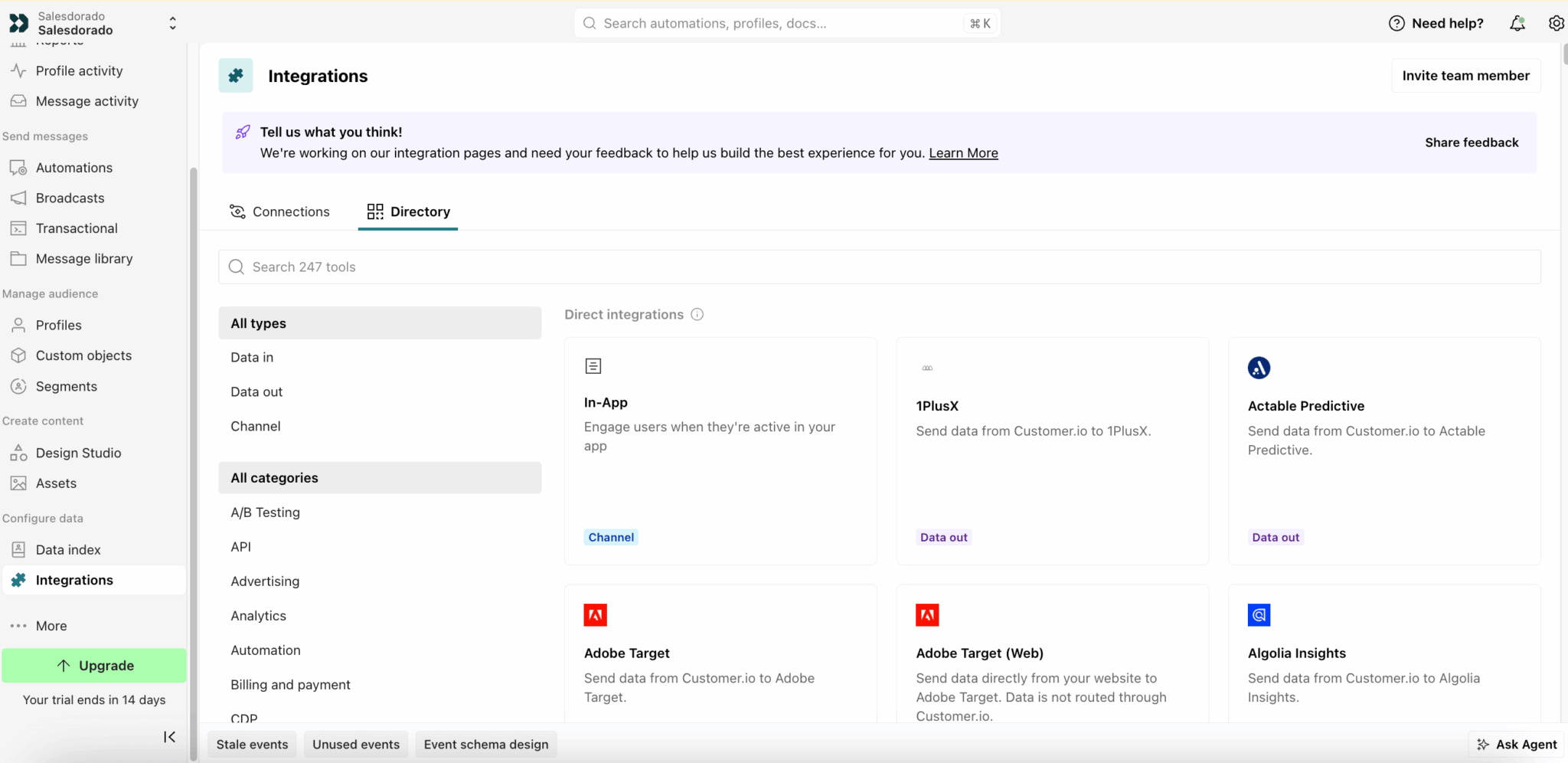
Two hundred twenty-seven pipes to move data around, eight ways to send a message. That ratio sums up the product better than any marketing page, and it corrects a common misreading along the way: don’t expect a HubSpot-style app marketplace. It’s a data plumbing catalog.
The eight channels, then:
- In-app
- Mobile push
- SMS
- WhatsApp direct
- WhatsApp via Twilio
- LINE
- Slack
SDKs exist for iOS, Android, React Native, Expo and Flutter.
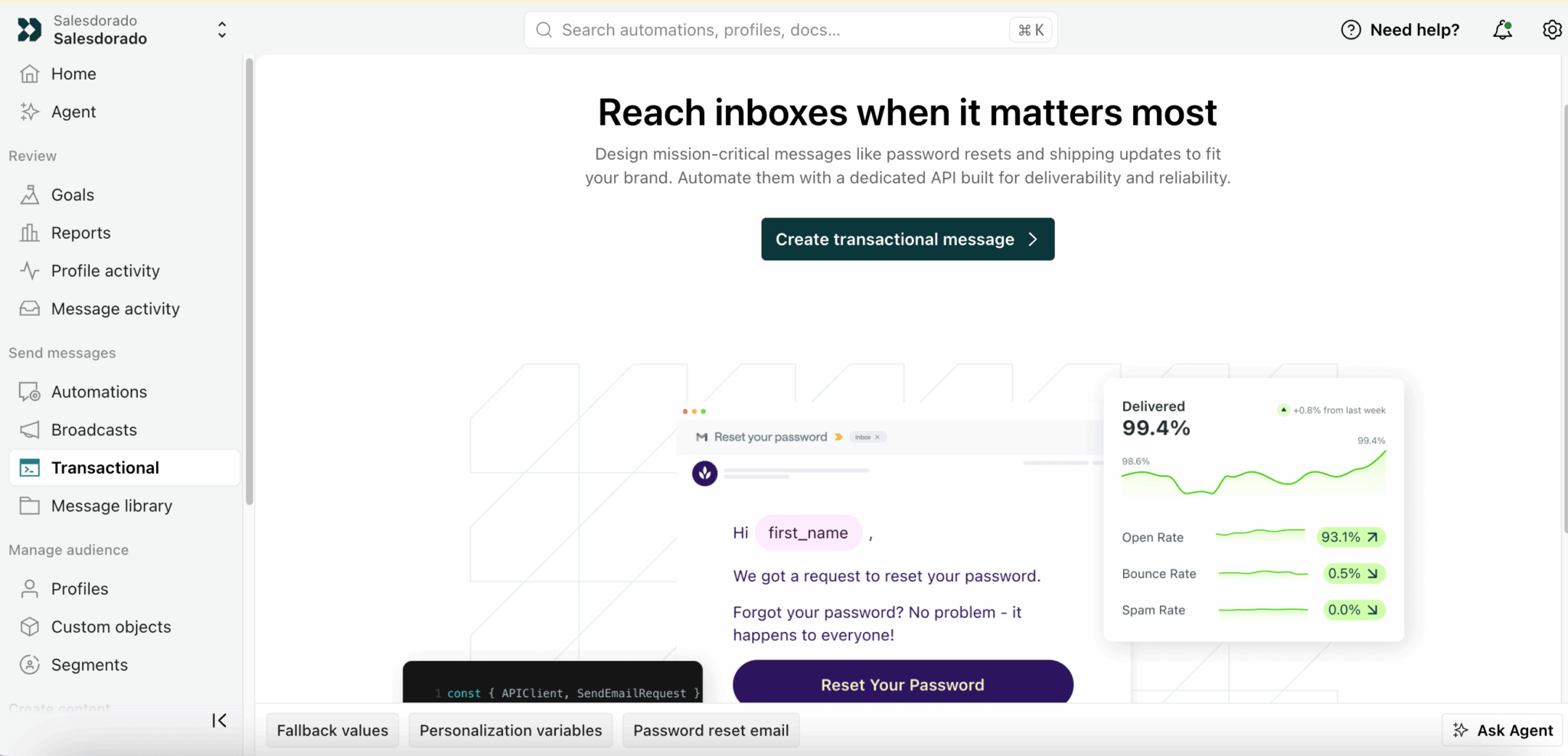
The point that deserves attention is that Customer.io sends its emails itself. You don’t need to plug in a third-party sending service, unlike what several workflow platforms require. The company manages its own IP pools, provisions and warms dedicated IPs on your behalf, monitors blocklistings and takes care of getting your domains removed from them.
A detail technical teams will appreciate: transactional messages go through a separate IP pool, subject to stricter bounce thresholds than the marketing pool. Your password reset emails therefore don’t suffer from your campaigns’ reputation.
If you’d rather keep your own infrastructure, you can: the tool accepts your SMTP server, or your SendGrid, Mailgun, Postmark and a few other accounts. Our email deliverability guide details the settings to check before any migration.
On the SMS side, the editor shows in real time the encoding used and the number of billed segments. It’s the kind of detail missing elsewhere that avoids nasty surprises on the bill.
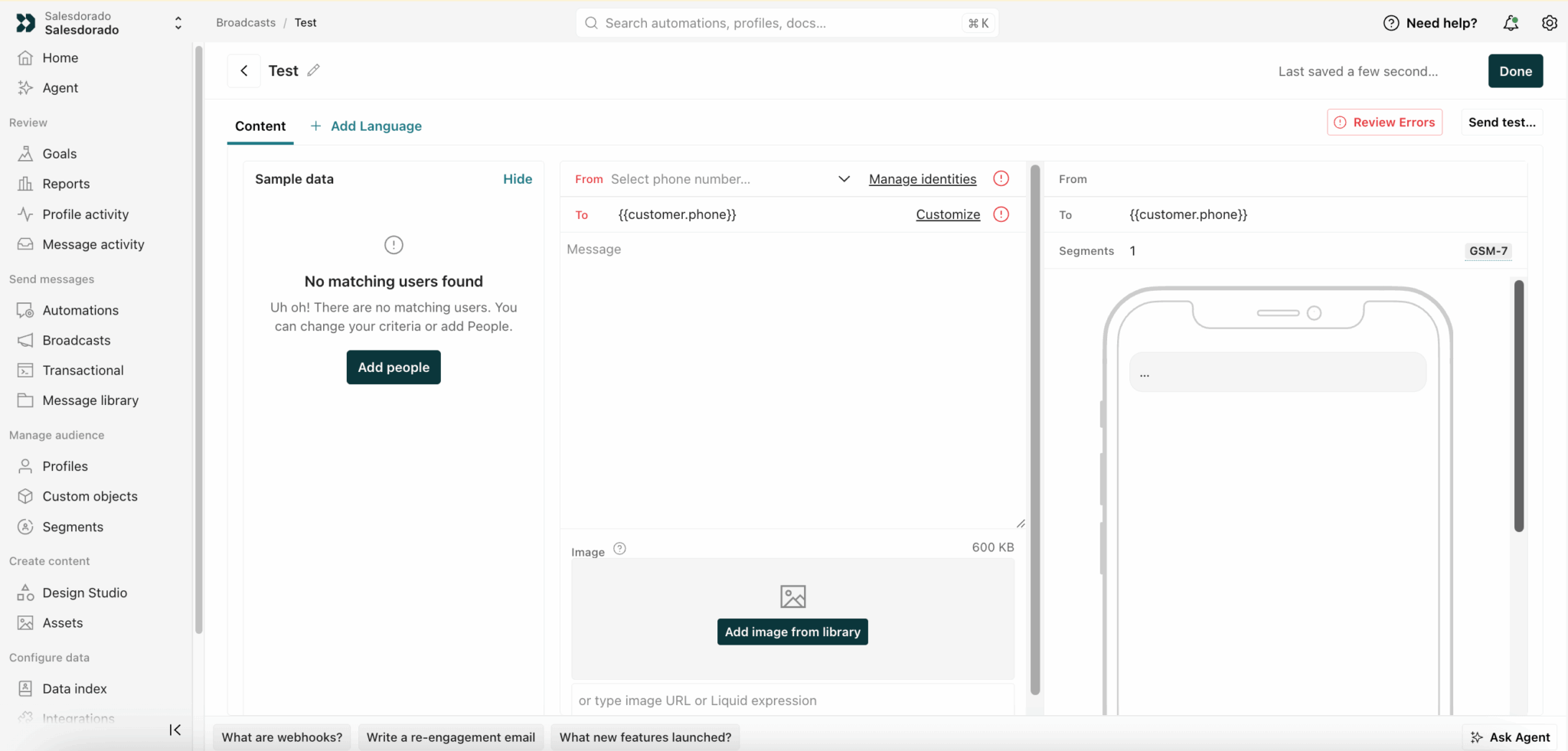
Customer.io lets you limit the number of messages a person receives over a given period, with a retry window of up to 48 hours. An excellent feature, available on every plan. But it applies neither to SMS managed by Customer.io nor to WhatsApp managed by Meta: you have to go through Twilio to benefit from it. Check this point if you rely on these caps to meet your regulatory commitments.
Creating messages: two editors and a studio in beta
You get a classic drag-and-drop editor, with its gallery of ready-to-use templates, and a second environment called Design Studio, still labeled beta. The two coexist. A user coming from Mailchimp will take a while to understand which one to use and why.
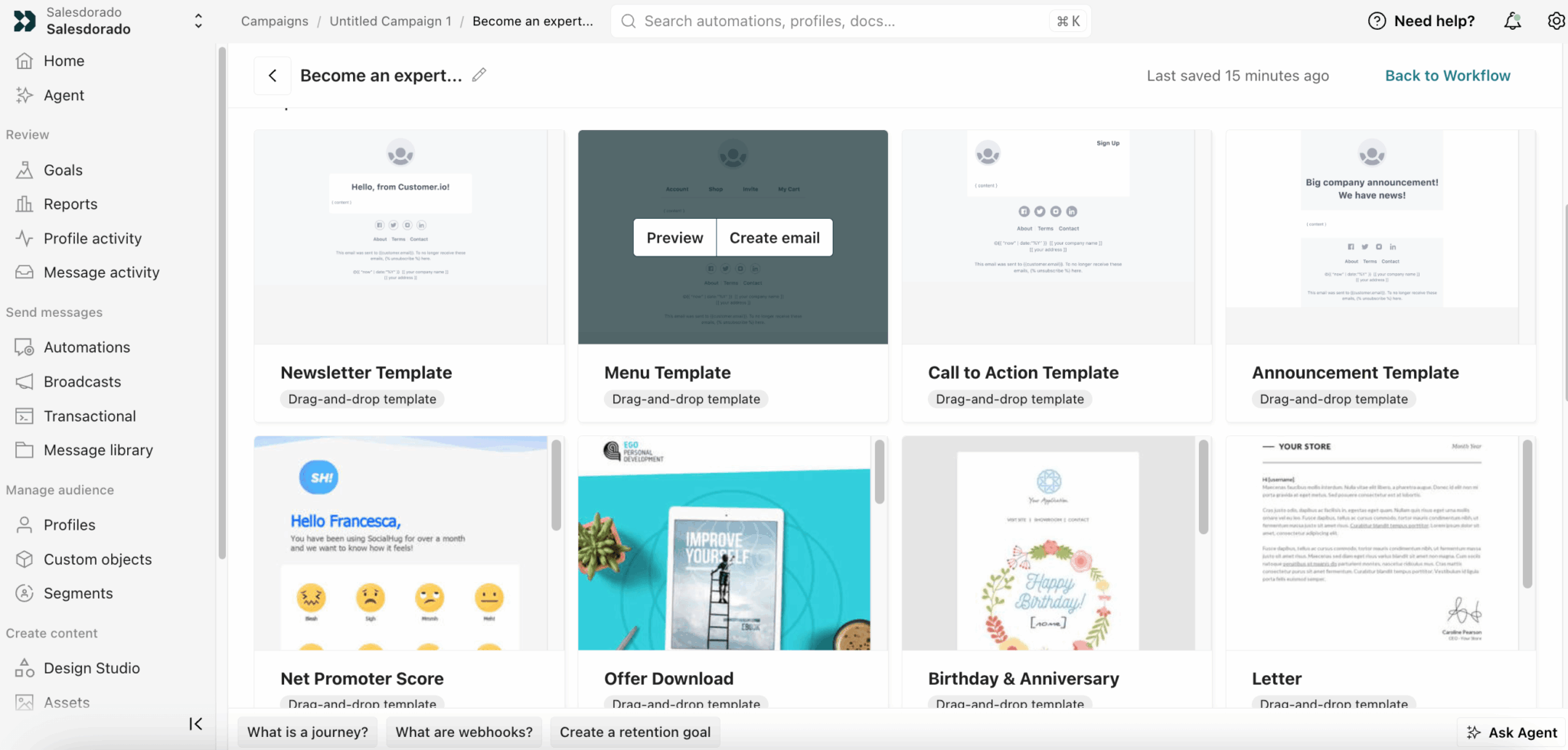
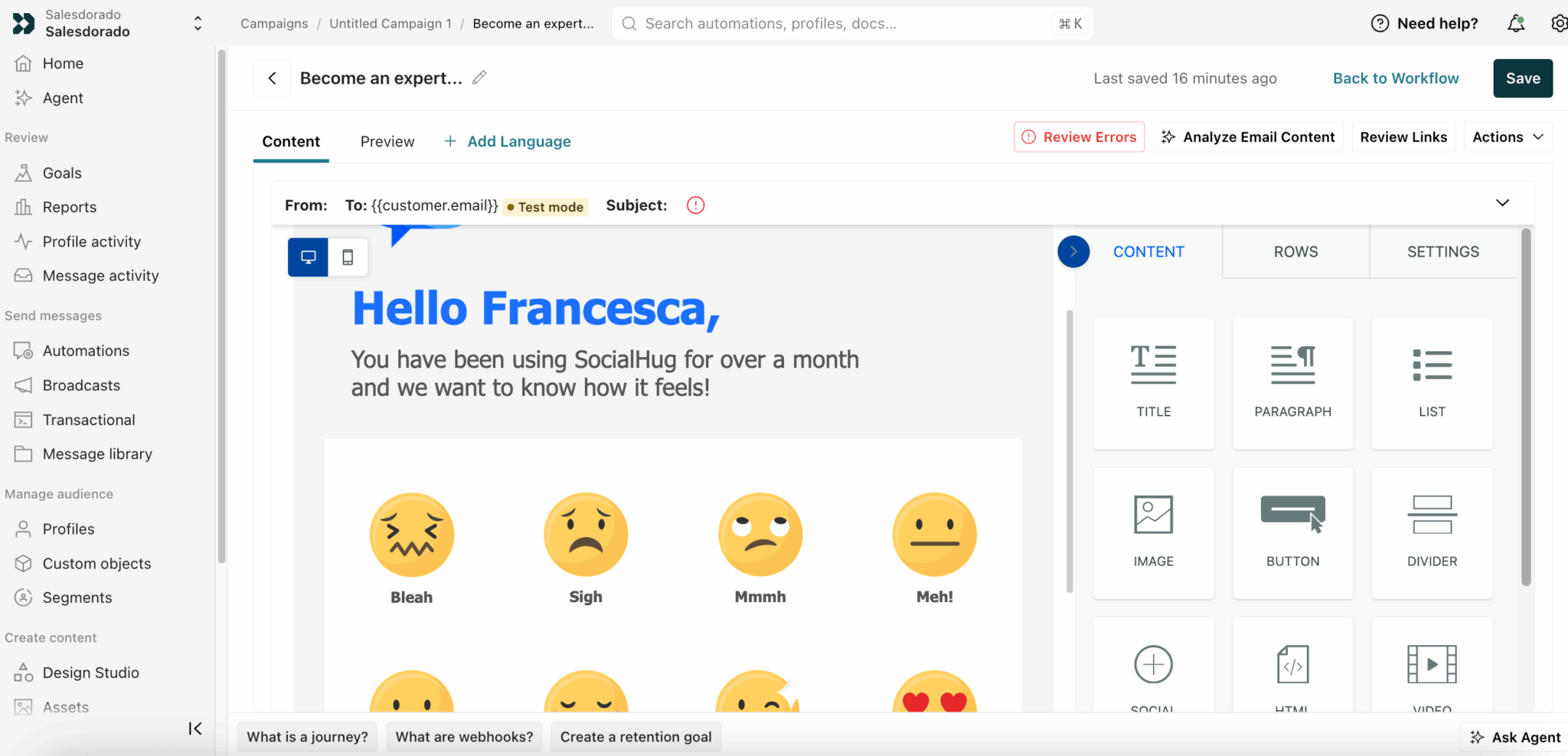
The classic editor does the job: content blocks, mobile preview, adding languages directly within the message and AI content analysis before sending.
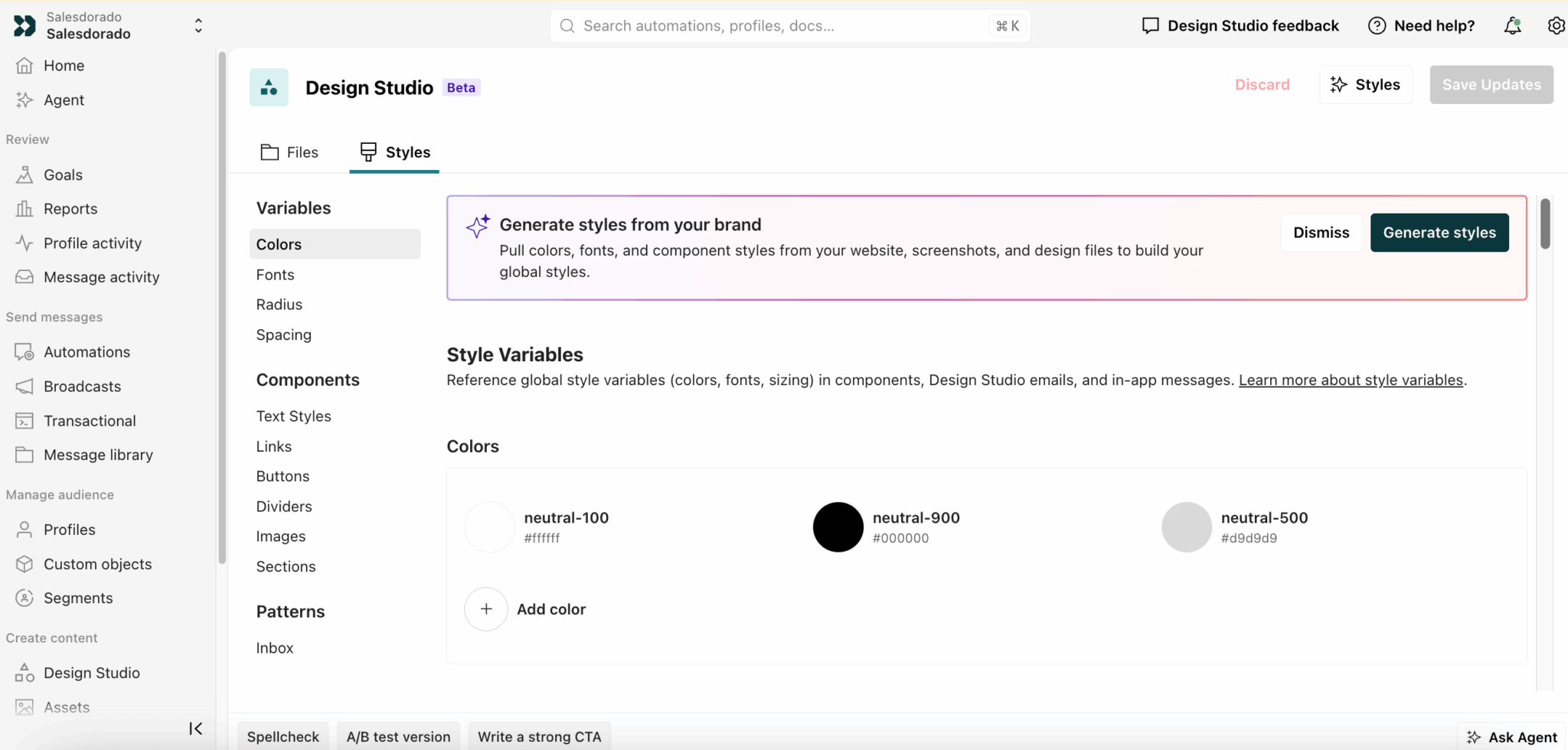
Design Studio, for its part, aims higher. It relies on a system of style variables shared between your emails and your in-app messages: colors, fonts, radii, spacing. Define once, apply everywhere.
Its cleverest feature generates these styles automatically from your website. The AI analyzes your workspace’s sending domain or a URL you provide, then suggests colors and components. Nothing is applied without your approval, and suggestions are added to your existing variables and flagged with a dedicated icon.
The rest is expert comfort: dark mode emulation, autocompletion, accessibility rule checks from Deque University, official MJML support, built-in spam checking and versioning with rollback. On that last point, be careful not to get it wrong. Versioning exists in the email editor, not on journeys.
AI at Customer.io: serious, and honest about its limits
The built-in agent builds a complete journey from a natural language prompt. It also analyzes an automation’s performance and remembers your preferences from one session to the next. It comes with an MCP server that lets you drive the platform from Claude or Cursor, and a command line interface.
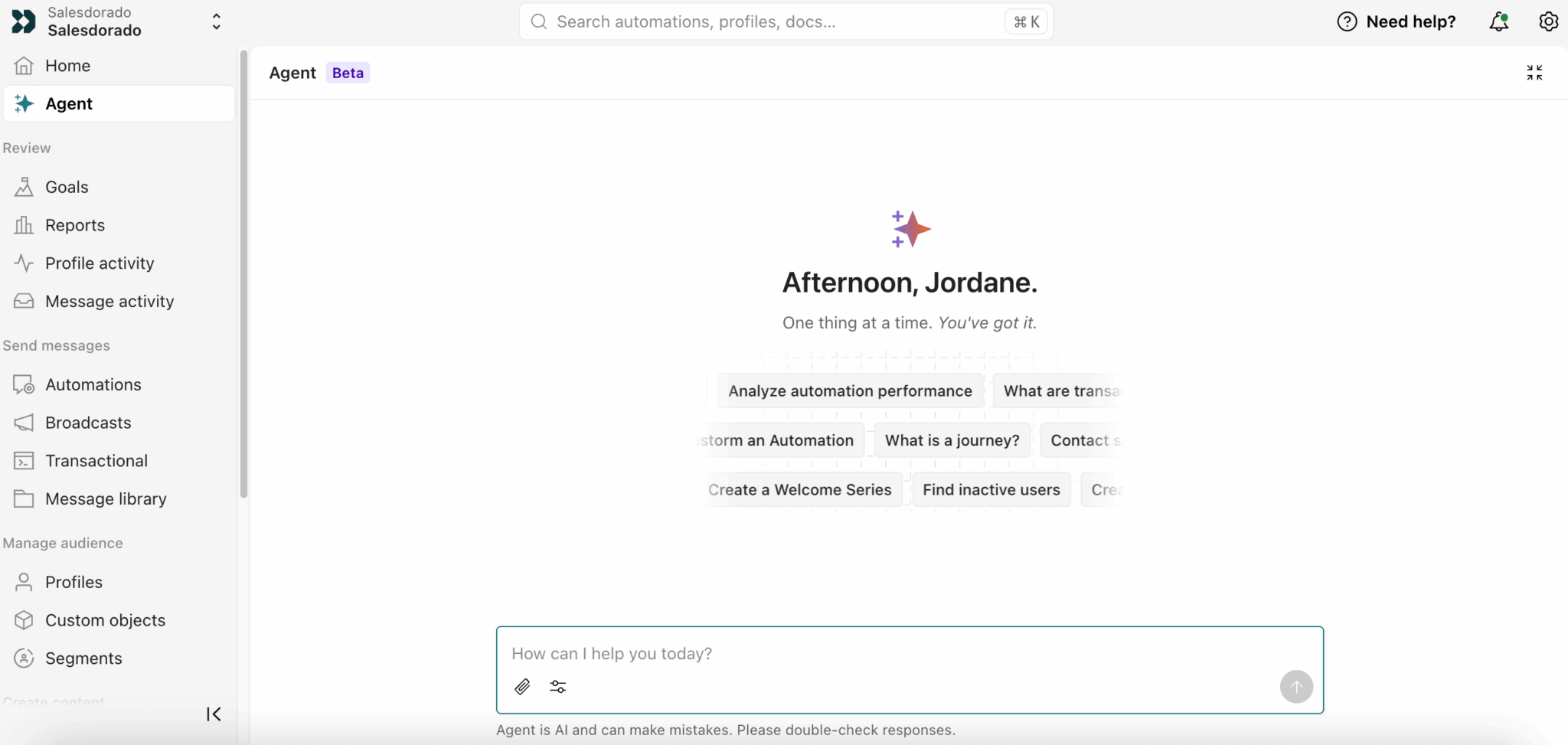
Two things we like about this approach:
- The agent constantly displays that it can be wrong and invites you to check its answers, which is a break from the usual promises.
- You control independently whether MCP connections can modify production data and access sensitive attributes. It’s the kind of setting often missing from competitors rushing to tick the AI box.
That leaves the heart of the matter. An agent that builds a journey on poorly instrumented data will produce a useless journey, just faster. The prerequisite mentioned above doesn’t go away.
How much does Customer.io cost?
Customer.io offers three plans:
| Plan | Starting price | What you get |
|---|---|---|
| Essentials | $100 / month, no commitment | 5,000 profiles, 1 million emails, 2 object types, 2 workspaces, unlimited users. |
| Premium | $1,000 / month, annual commitment | Negotiated volumes, 10 object types, unlimited workspaces, managed deliverability, data warehouse export, custom roles. |
| Enterprise | Custom quote | Dedicated infrastructure, audit logging, dedicated account manager, migration support. |
Overages are billed at $0.009 per profile on Essentials and $0.12 per block of 1,000 emails, on every plan. On Premium and Enterprise, the price of additional profiles is negotiated. Additional AI credits cost $10 per 100,000.
A profile is not a contact
Here’s the point the price grid doesn’t explain, and it weighs heavily on your real bill. People and objects share the same billable quota, which the interface itself acknowledges by displaying the number of object types included in your plan next to a link to the billing rules.
The more you use the feature that makes the tool valuable, the more you pay.
A company with 25,000 contacts that models 8,000 customer accounts as objects and maintains a staging environment of 2,000 profiles ends up with 35,000 billed profiles. Its monthly bill goes from $280 to $370, without a single extra customer.
Three mechanics amplify the effect. The count keeps the highest level reached in the month, including profiles deleted in the meantime. All workspaces add up, including the ones you named staging or sandbox, and the same profile present in two workspaces counts twice. Finally, bounced emails are billed like any others.
You delete 20,000 inactive profiles to save money. The next day, your sync recreates them. Result: 120,000 billed profiles instead of 100,000, or $180 in extra cost in a month when you thought you were saving. Switch off the integrations feeding the profiles concerned before any mass cleanup.
The $1,000 wall
A factor of ten separates Essentials from Premium, with no intermediate tier. Your Essentials bill reaches $1,000 from 105,000 profiles: beyond that, you pay the price of Premium without its benefits, while the price of additional profiles is negotiated there.
Volume isn’t the only trigger, either. Going beyond two object types, exporting to a data warehouse or opening a third workspace will tip you over well before that.
An escape hatch French comparison articles overlook: the startup program, which offers a full year to companies that have raised less than $10 million.