



- Get sales reps involved to find topics: they know the prospects’ pain points.
- The audience’s status (prospects, leads, customers) largely determines the format: case study, expert discussion or tutorial.
- One idea per slide and about one minute per slide to keep the pace.
- The pitch lasts 1 to 10 minutes; the rest of the webinar must remain educational content.
- Send an email right after registration, another 24 h before and a last one 1 h before the webinar.
There’s no better technique for educating your leads and showcasing the benefits of your solution than running webinars. They’re very high-value content, and B2B customers particularly appreciate them. Webinars let you position yourself as an expert and show your leads that you’re the right person to solve their problems and help them reach their goals.
How do you get the full potential out of webinars and acquire as many leads as possible? The answer is in this complete guide.
How to choose the topic of your webinars
Webinars (short for web seminars) are in fashion. More and more B2B companies use this format to present their services – software publishers selling SaaS in particular. If you want to stand out, you need to find a rock-solid topic, one that can captivate your leads.
To do that, you need to identify your target’s main challenges. You won’t find THE topic that fascinates your target by thinking it over on your own. You need to listen to the expectations and needs of your target customers.
Creating webinars is the marketers’ job. But to find the right webinar topics, we strongly recommend getting the sales reps involved and asking them about the prospects’ main pain points. To find a good topic, ask yourself these questions:
- What would you like to teach your prospects?
- Which topics do we know best and can shed relevant light on?
- In 50 minutes, on which topic can we deliver the most value?
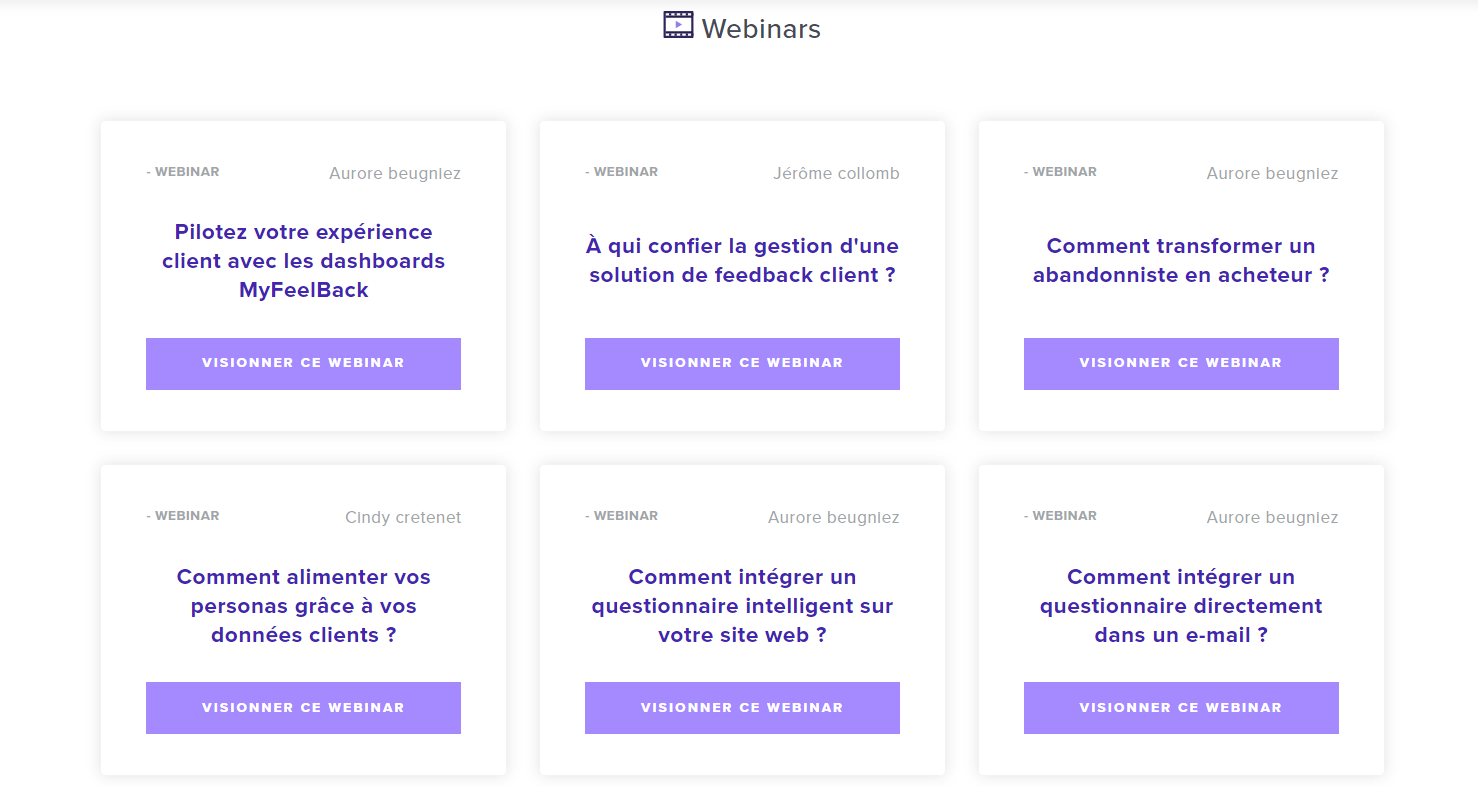
You can choose broad topics, provided you split the webinar into sub-parts, or focus on a very specific topic. MyFeelBack (illustration above) alternates between general webinars (“How do you turn a cart abandoner into a buyer?”) and very technical webinars (“How do you embed a questionnaire directly in an email?”).
To identify specific and/or technical topics, start by identifying broad themes, then list every sub-topic you can think of.
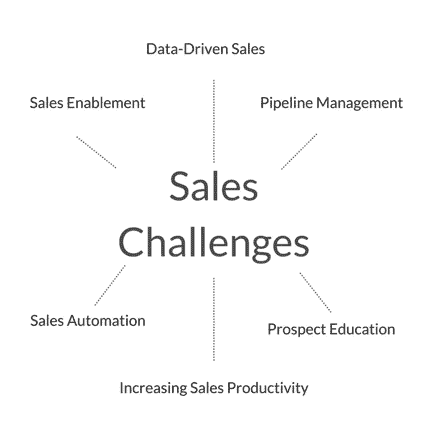
To find good webinar topic ideas, we also advise you to:
- Ask your best customers. They know what your solution brings and the problems it solves. Ask them why they decided to choose you rather than another company.
- Ask your most engaged leads, that is, the ones who open your emails, read the resources you share with them, download your ebooks, etc., but haven’t yet taken the next step: buying and becoming customers.
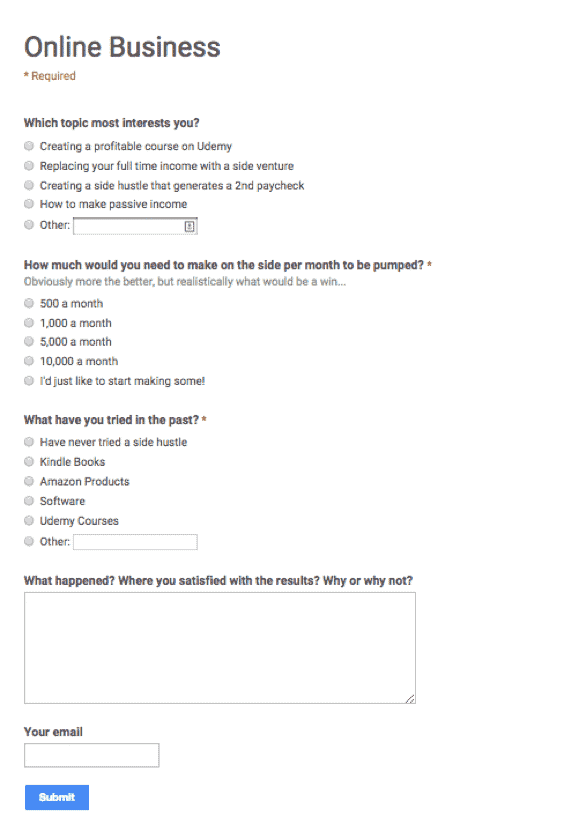
- Run questionnaire campaigns to get feedback from all your contact or subscriber lists. Ask them multiple-choice questions, and one or two open questions to let them express themselves.
How to choose the right format for your webinars
Now that you have your topic, you need to choose the webinar format. There are several types of webinars you can imagine. Here are a few examples of formats.
1. Case studies
Your prospects will always want to know how their competitors or peers managed to deal with the challenges they’re currently facing. They want to know what they did, what they put in place and the results they got.
Case studies are a very effective format for moving your prospects down the conversion funnel.
Your existing customers’ “Success Stories” help you gain credibility – especially when your customers themselves speak up to advocate for your company.
2. Expert discussions
Another option: ask expert partners to take part in your webinar. In this case, the webinar takes the form of a discussion that you take part in, of course, but where people from outside your company give their insight and opinion.
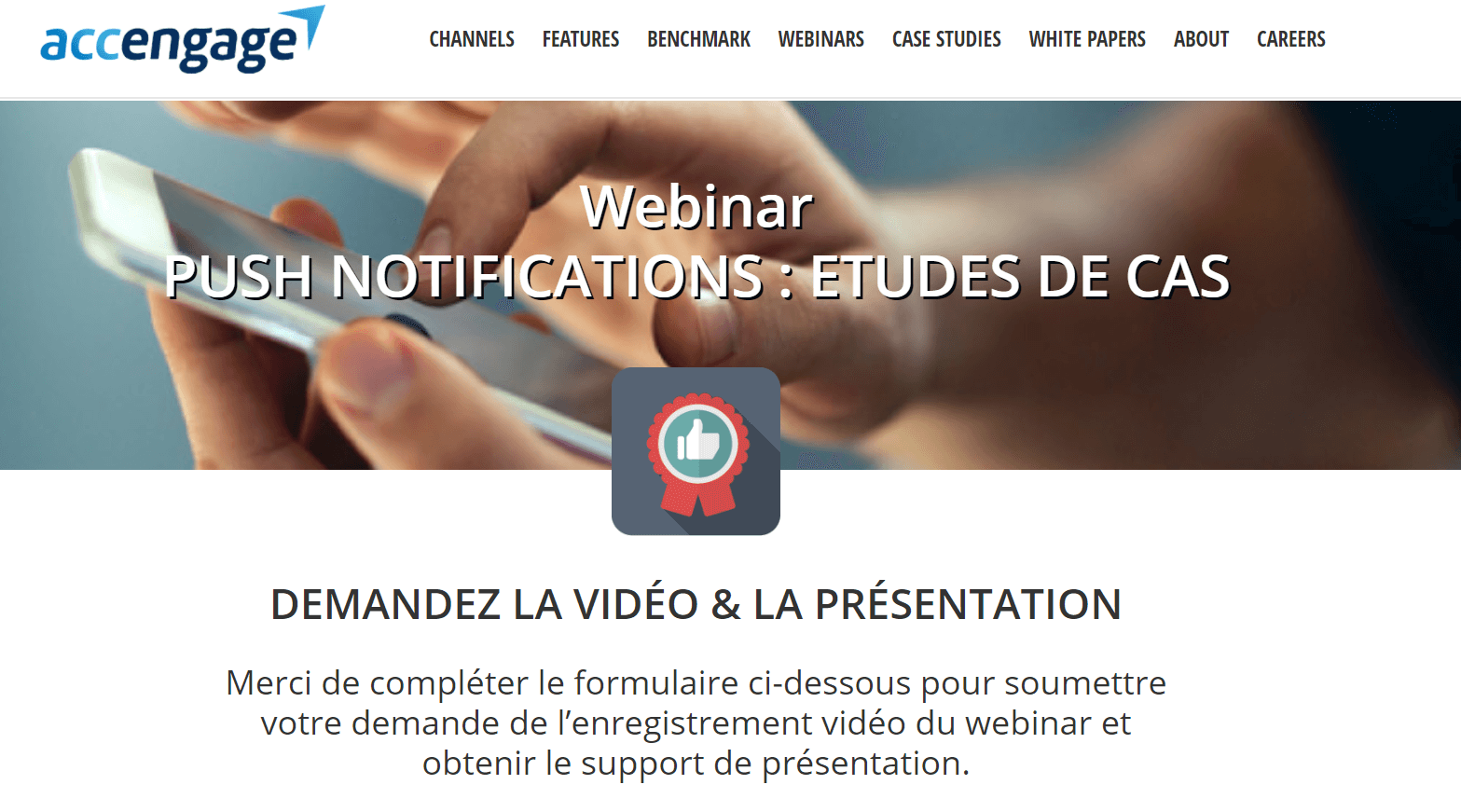
Highlighting third-party opinions makes your offer more credible. For example, the webinar below was co-hosted by Pipedrive and Sales Hacker.
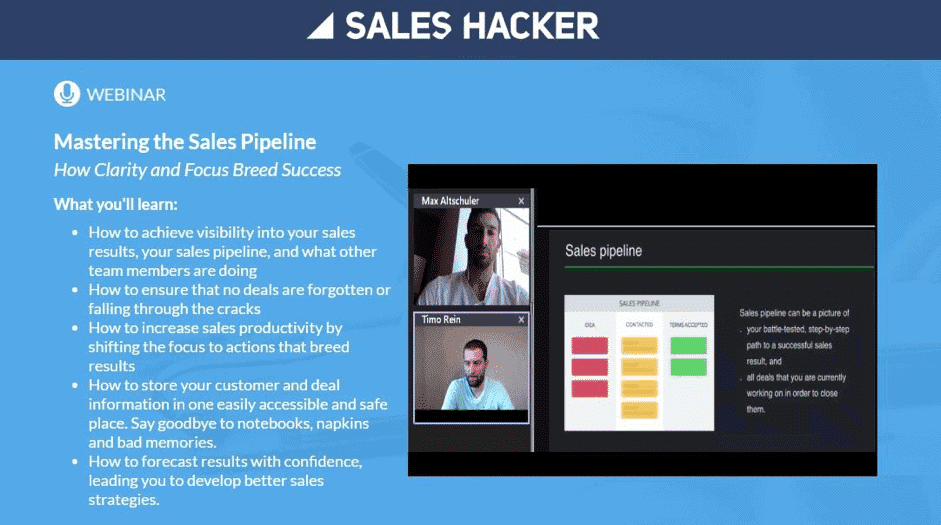
These webinars also let you reach a wider audience. All the webinar partners come out winners, benefiting from each other’s audiences and reputation.
If you manage to convince an influencer to take part in your webinar, even better. But you’ll have a much better chance of convincing lesser-known players in your industry with a complementary offer.
Read alsoFind out which B2B lead generation strategies work best.
3. “Educational”, “tutorial” and “demo” webinars
This format is particularly relevant if you offer a freemium version of your product or a “technical” solution that requires training.
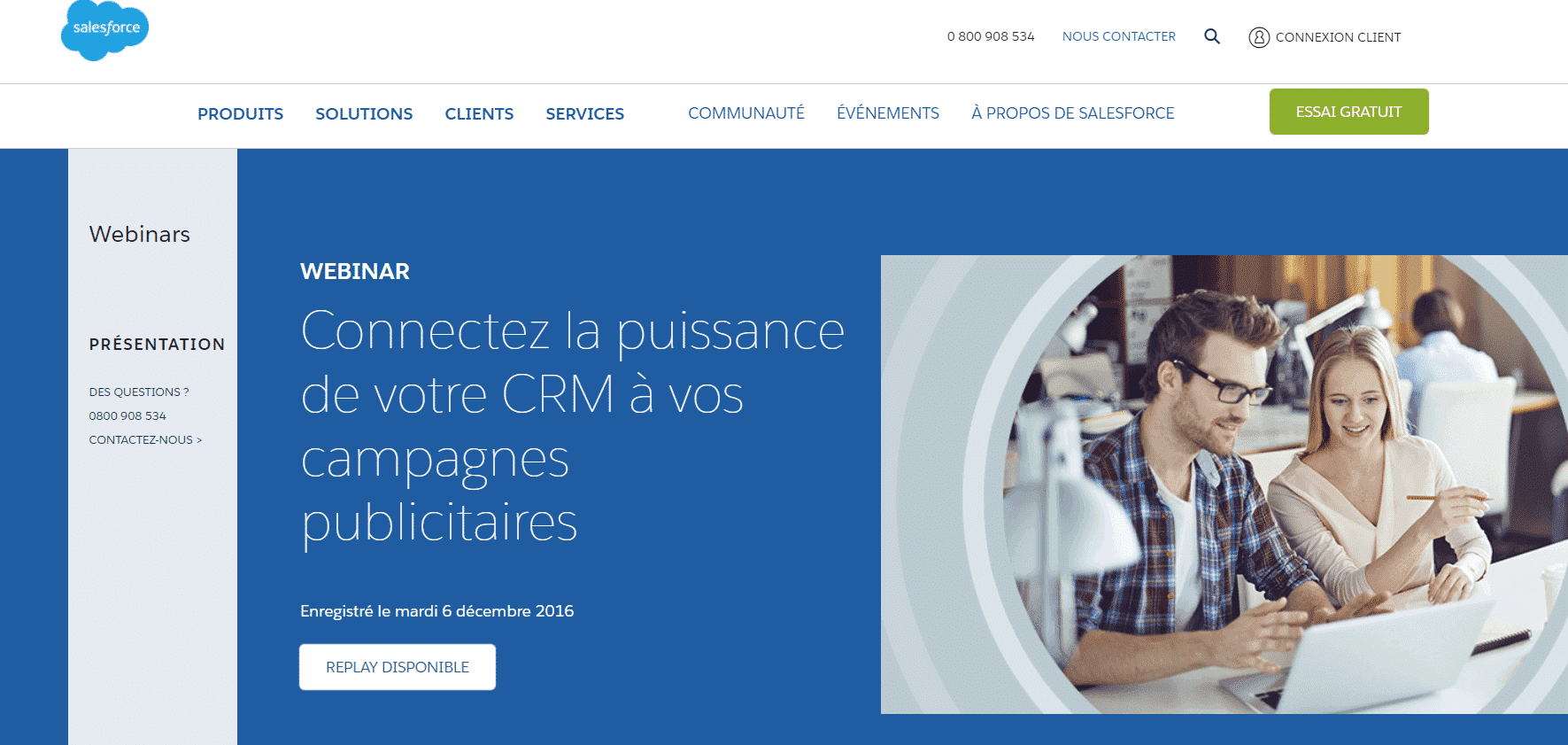
Players like BuzzSumo or ActiveCampaign produce a webinar every time a new feature is developed. This type of webinar helps increase retention and reduce churn.
Reuse these webinars for all your prospects and customers as part of an onboarding approach: your sales reps can send each webinar on a given feature to their prospects so they can dig deeper.
A tutorial webinar is aimed at people who are already customers of your company, unlike most case study webinars. The status of the people you’re addressing in the webinar (prospects, leads, customers…) largely determines the choice of format.
4. Webinars by use case or by persona
A webinar devoted to a single use case (competitive analysis, crisis management, online monitoring…) or to a single persona lets you offer precise content with a very clear promise. The topic chosen at registration already tells you what the lead is interested in: you pre-qualify all your attendees.
5. Voice-over presentation
The host doesn’t appear on screen: you only hear their voice over their presentation. You set up webinars quickly and easily, with no equipment and no lighting worries. A simple webinar platform is enough for a very professional result, and you can easily switch speakers depending on everyone’s availability, which matters in smaller teams.
6. The live audit
Registrants submit their website (or their case) when they sign up, and your experts audit a few of them live during the webinar. It’s a very strong way to establish your expertise, and a good way to finish convincing a prospect: choose who gets your audit carefully!
7. The recurring series
A fixed-format slot, for example 30 minutes on the last 30 days in your industry. It’s an effective, memorable and regular framework that focuses on a very current trend, and a good way to generate repeat attendance (with the right marketing automation sequences).
The downside: each episode goes out of date very quickly, and you have to manage to build an identity around the format fast so that attendees come back for the next one.
How to engage your audience
Getting people to register for a webinar is clearly not easy. Getting registrants to watch the webinar to the end is even harder. It’s unlikely that every webinar attendee will turn into a customer…
But you need to make sure attendees remember you and become fans of your content. How? Here are 3 tips.
1. Hook attendees with storytelling
The best content is catchy content, in the good sense of the word. That’s true of all content, and so of webinars too. You need to tell a story. You need to do it from the start of the webinar, to grab attendees’ attention, captivate them and encourage them to stay to the end.
Don’t go straight to the heart of the topic, start by setting the scene.
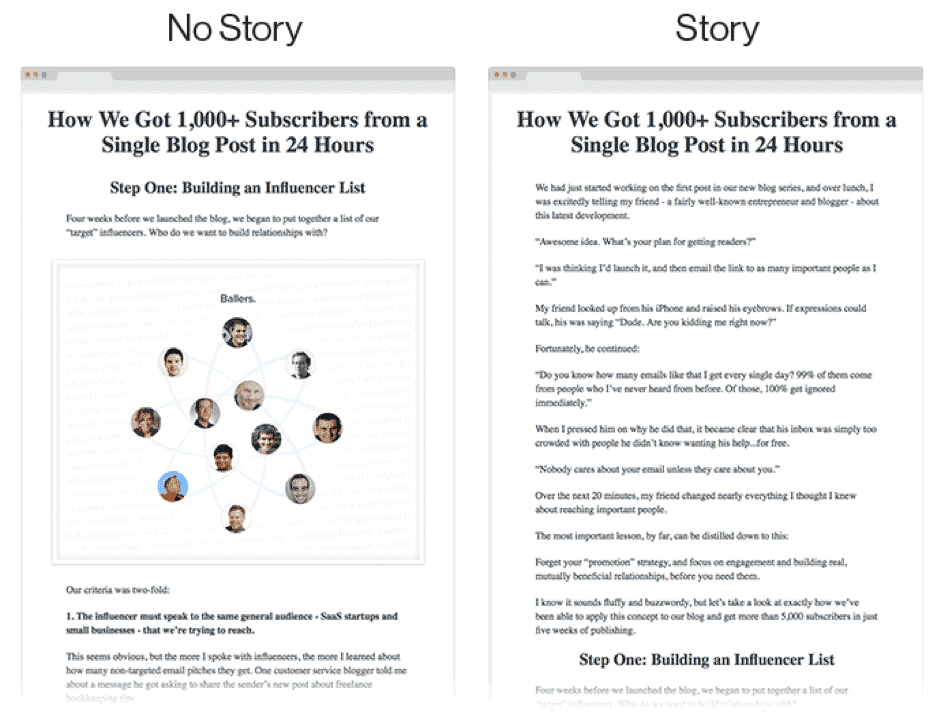
Alex Turnbull, the CEO of Groove, published two versions of the same blog post. In the first version, you go straight to the point. In the second, he starts by telling a story.
Unsurprisingly, the second version (with the story) recorded a full read rate (from the first line to the last) 3 times higher than the first version. The second version recorded a reading time 5 times longer.
2. Get the audience involved
However talented a speaker you are, nobody likes listening to a monologue for an hour. You need to get the webinar attendees involved.
You can plan a “Q&A” part at the end, or, even better, between the different parts of the webinar.
You could bring in a moderator to pass the questions on to you, which avoids slowdowns. Even better, use a chat box so attendees can interact in real time.
Why not offer a questionnaire or a poll about the webinar… during the webinar, through the instant messaging? Find ways to engage attendees as much as possible.
3. Take care of the visuals
Your webinar needs to be visually pleasing. You don’t need to be a design pro to offer content that’s nice to look at. Tools like Canva let you create content of very high visual quality.
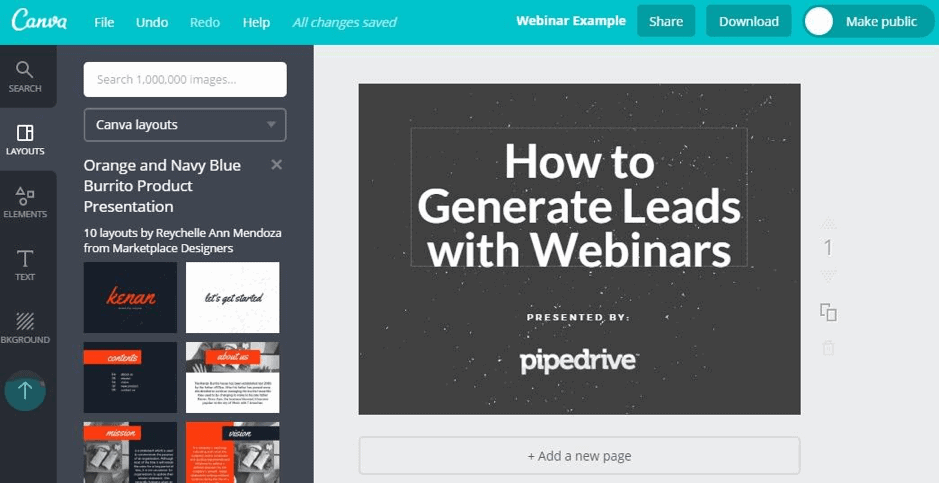
One tip: avoid overloading your slides with text. On the other hand, use strong visuals, ones that can captivate your audience and help them better understand what you want to explain.
Don’t hesitate to use GIFs to add a touch of humor to your presentation, when it’s justified of course. Use charts, tables, screenshots, etc.
For each slide, you need:
- A “claim”: the point you want to put forward. For example: “You need to take care of your visuals”.
- A “reason why”: the argument that supports your point. For example: “Visuals help learning”.
- A “reason to believe”: what is more often called “social proof”. For example: “Pipedrive does it”. Or else “A study of 1,300 webinars showed that when attendees rate the visuals as higher quality, the conversion rate is on average 2X higher”.
4. Keep up the pace
During a webinar, you’re delivering a monologue to an audience that isn’t socially bound to listen to you (no social pressure without physical presence). Pace is all the more important to hold your audience’s attention.
A good way to keep a fast pace is to limit each slide to a single idea (a “claim”) that’s very easy to explain. That lets you build your argument over several slides, one idea at a time.
Count on about 1 min per slide at the very most.
How to create the webinar content
You now know which topic to cover and which format to use for your next webinar. Now it’s time to create the webinar content. As we’ve just pointed out, your webinar needs to be visually engaging. That’s why we advise you to use a tool like Canva to create it, or to hire a designer.
The skeleton and the script
Before writing the webinar script, make a draft listing all the topics to cover in the webinar. That will help you bring out the structure of the webinar. Here’s an example of a structure that works well:
- A short 30-second introduction.
- A short story to hook your audience.
- Between 3 and 5 sub-topic sections.
- A call to action, to encourage attendees to discover and buy your solution.
- A Q&A session.
Once you have the skeleton, you can start writing the script. Note down and organize all the points you want to cover. Obviously, don’t write down word for word what you’re going to say. That would make no sense. Instead, list the key points to cover as bullet points, for example.
The offer and the call to action
The ultimate goal of your webinar is to sell. So it makes sense for part of the webinar to be devoted to promoting yourself.
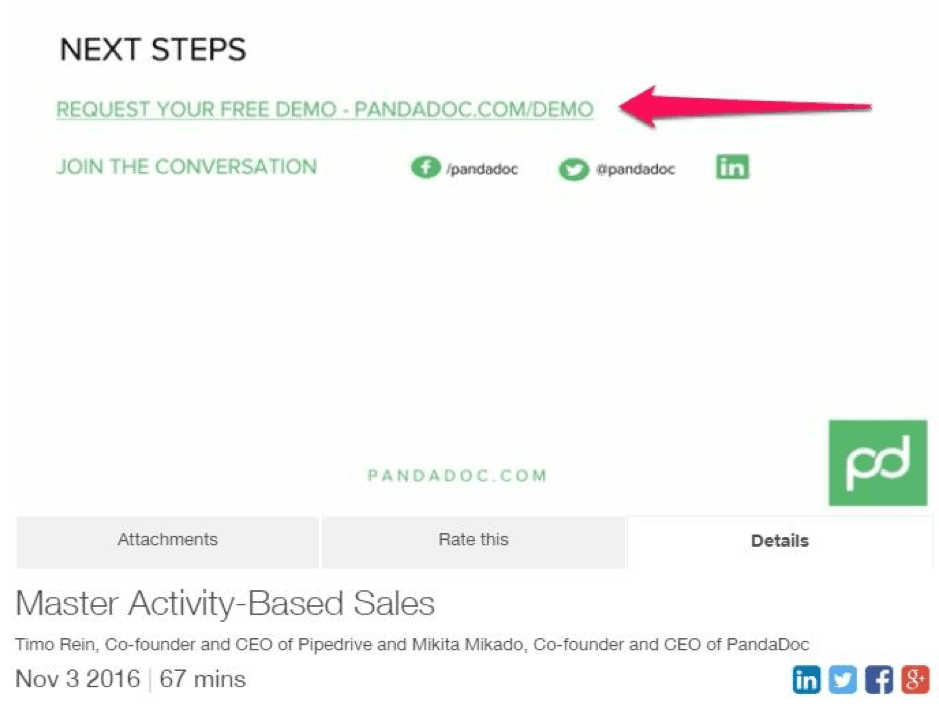
The length of the pitch depends on the type of product or service you sell and on your audience. It can last between 1 minute and 10 minutes. We advise you to offer the people attending your webinar an exclusive offer, to thank them for taking the trouble to listen to you and to encourage them to buy.
For example, you can offer them a discount on your product or service, or an extended trial period. If you make an exclusive offer, make sure it’s limited in time to create a sense of urgency and encourage your attendees to grab the offer right away.
But be careful, never lose sight of the fact that most of your webinar must be devoted to “educational content”.
Read alsoCheck out our complete guide to lead qualification.
How to promote your webinar
In content marketing, as a general rule, creating the content is only half the work. The other half goes into promoting it. You can offer the best content in the world, but if it isn’t promoted effectively, nobody will discover it.
How do you get as many people as possible to register for and attend your webinar? Here’s our advice.
1. Create a landing page
You need a landing page to attract traffic and generate registrations for your webinar. This landing page must present the content of the webinar and include a registration form, in which you ask for name, job title, email address…
Resources to browse
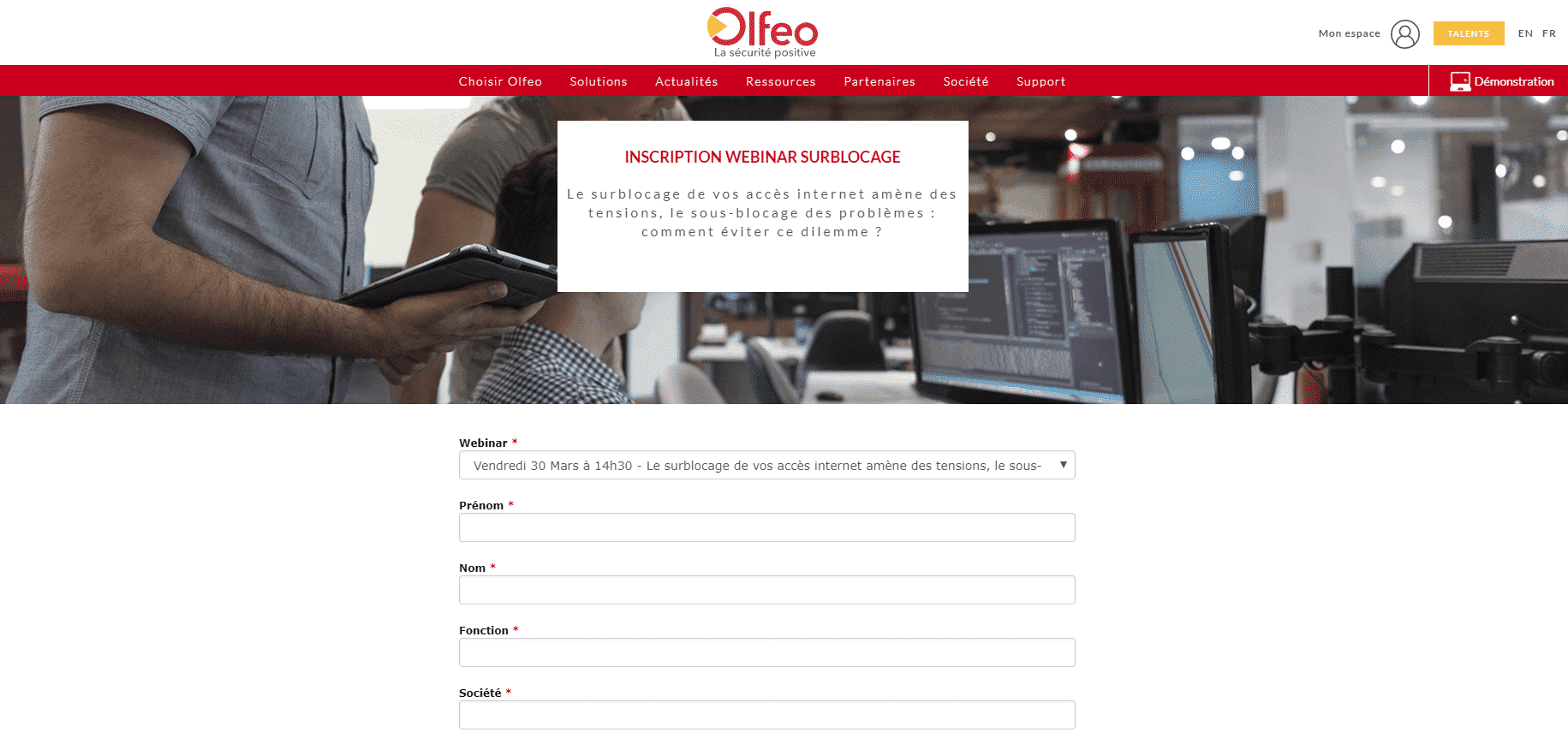
In the form, avoid including unnecessary fields. A form that’s too long is the best way to lose registrants… You could run A/B tests to identify the most effective landing page and form format.
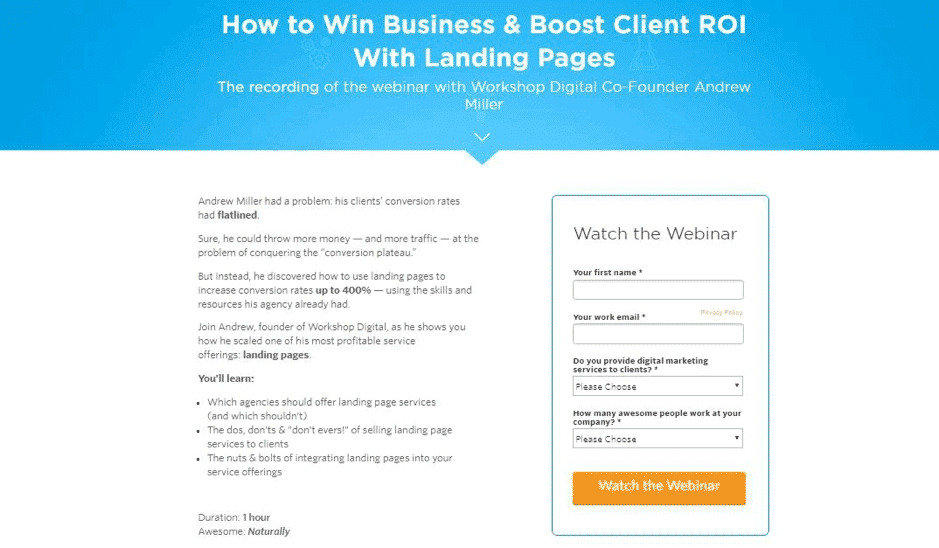
Your webinar landing page must include all of the following elements:
- A title and a subtitle that sum up your webinar and its value in a few words. The title and subtitle are very important: they’re what will first catch, or fail to catch, the attention of your potential attendees.
- A description of the speakers.
- A description of the topic covered in the webinar in a few sentences, focusing on what the people attending will learn.
- A value proposition, phrased for example as a “What you’ll learn” or “Key points covered in this webinar” block.
- The date and time of the webinar. Ideally, put a countdown on the page to create a sense of urgency.
- The instructions and links to access the webinar.
For the more advanced, a good way to avoid asking too many questions is to use an automated lead enrichment solution. If you’re not there yet, we strongly recommend trying Livestorm: this webinar platform enriches leads for you.
2. Recruit manually
A webinar is also an opportunity for a service provider to show off its expertise in its field.
It can be an excellent way to train your sales teams by sharing it with them. It’s also an effective way to establish your expertise, or your product’s, in order to close a sale with your prospects.
So it’s important to share your webinar with your customers, prospects and teams yourself, through direct, personalized communications.
3. Create email sequences
We strongly advise you to set up a marketing automation scenario. The idea is simple: it consists of sending the people who register for the webinar a sequence of emails to remind them of the webinar date and build their engagement.
If you only send one email, after they fill in the form, chances are high that some registrants will forget the webinar and be conspicuously absent on the day. We recommend sending one email right after registration, another 24 h before and a last one 1 h before the webinar date.
Good to knowSome webinar platforms like Livestorm make it very easy to set up these email sequences. If you don’t have marketing automation tools yet, we strongly recommend trying Livestorm.
We also advise you to send emails to the attendees of your previous webinars to invite them to your new webinars.
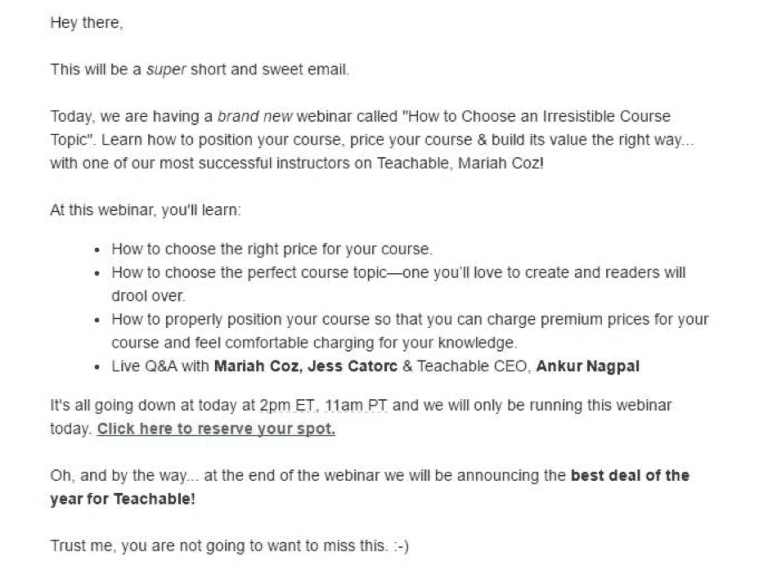
Also send a sequence of emails to your attendees right after the webinar, to thank them for attending and to push your calls to action. In these emails, you can share the resources mentioned and/or used during the webinar.
If you made a time-limited exclusive offer to the webinar attendees, remind them of the deadline. Remember to segment your database, so you don’t send these email sequences to registrants who didn’t end up attending the webinar…
4. Partner with a complementary provider
Building partnerships with complementary service providers lets you offer richer content to your audience. By developing joint content, you can each bring your expertise to the webinar.
You can then reach a wider audience and capture more leads on each side of the partnership. Your partner’s customers are your leads, and your customers are your partner’s leads.
Building a strong partnership is a powerful, free way to generate leads.
5. Tap into a qualified audience interested in certain webinars
On top of hosting your webinars, some tools offer to promote them themselves, like Webikeo.
This solution has the advantage of giving you access to a qualified audience that’s already receptive to webinars or to your area of expertise.
We recommend it if you want to start strong and have a certain budget but little experience on the subject and little time to devote to it.
6. Spread your announcements on your other channels
Don’t settle for emails. Promote your webinars on all your channels: your website, your blog, your social networks, search engines, your mobile app if you have one, etc. If you have a blog, we strongly encourage you to use it for teasing.
You can also advertise, on search engines (Google Ads, Microsoft Advertising, etc.) or social networks (Facebook, X, LinkedIn…). If you do, remember to state the day and time of the webinar in your ads, to create a sense of urgency and encourage people to click.
This guide is coming to an end. We left out one very simple question: which platform should you use to broadcast your webinars? As you probably suspect, there are quite a lot of platforms dedicated to this. We’ve written a complete guide on the subject in which we compare the 10 best platforms on the market (in our opinion, and many others’).
Read the webinar platform comparison
Well designed, webinars can generate impressive results. It’s no coincidence that more and more B2B companies are taking up this format. We hope this guide will help you create high-performing webinars that generate leads and new customers. Over to you now!
The questions we get over and over.
How do you find a good webinar topic?
By identifying your target’s main challenges: ask sales reps about prospects’ pain points, talk to your best customers and your most engaged leads, and run questionnaire campaigns across your contact lists.
Which webinar formats should you use to generate leads?
Case studies, which move prospects down the conversion funnel, expert discussions, which make the offer more credible and widen the audience, and educational webinars, tutorials or demos, aimed rather at people who are already customers.
How do you structure a webinar?
A short 30-second introduction, a short story to hook the audience, between 3 and 5 sub-topic sections, a call to action, then a Q&A session.
Which emails should you send to webinar registrants?
One email right after registration, another 24 h before and a last one 1 h before the webinar date. After the webinar, a sequence to thank attendees, share the resources and remind them of the deadline of any exclusive offer.
What should a webinar landing page contain?
A title and a subtitle that sum up the webinar and its value, a description of the speakers and the topic, a value proposition, the date and time (ideally with a countdown), the access instructions and a registration form with no unnecessary fields.



What the community says.