



- The cost of a SaaS stack is not limited to subscriptions: makeshift integrations, onboarding and scattered information weigh just as much.
- A unified workspace covers at minimum four pillars: real-time communication, project management, CRM and file storage.
- Native all-in-one, multi-product ecosystem or API-integrated stack: three very different levels of integration.
- Consolidate if the team has fewer than 50 people with standard needs; keep a specialized tool for a highly specific need.
- Migrate module by module, starting with the CRM, with a set switchover date.
Do the math: Slack at €6.75/user/month, Asana at $10.99, Google Workspace at €13.60, Zoom at $14.16, a CRM like Pipedrive at €14. For a team of 20, that comes to more than €1,000 per month in SaaS subscriptions alone. And that doesn’t count Aircall for telephony or Notion for the knowledge base.
But the real cost, to be honest, is not the invoice, it is the time your team spends every day navigating between 5 tabs, looking for information in the wrong tool, copy-pasting a video call summary into the CRM or asking “which Slack was that in again?”.
The promise of the digital workplace for SMBs is to end this fragmentation: a single online workspace that brings together communication, project management, CRM, file storage and video. One login, one invoice and above all data that flows between modules without anyone having to move it manually.
But does it really work? And above all, is all-in-one a good idea when each specialized tool does “better” in its own area? In this article, we give you a straight answer.
The typical SaaS stack of an SMB (and what it really costs)
The 5 to 7 tools found in every SMB
If you run an SMB of 10 to 50 people, chances are your stack looks like this:
- Internal communication: Slack, Microsoft Teams or Google Chat for day-to-day exchanges.
- Video conferencing: Zoom, Google Meet or Teams for meetings.
- Project management: Trello, Asana, Monday or ClickUp to track tasks and projects.
- CRM: HubSpot, Pipedrive, Zoho CRM or Sellsy to manage customer relationships.
- Storage and documents: Google Drive, Dropbox or OneDrive to share files.
- Telephony: Aircall, Ringover or a traditional PBX for calls.
- Knowledge base: Notion, Confluence or an internal wiki to capture know-how.
Taken individually, each of these tools is good. Some are even excellent. The problem is not the quality of the tools, it is their proliferation.
The real cost: subscriptions + hidden costs
Here is what a classic SaaS stack costs for an SMB of 20 people:
| Tool | Function | Cost/user/month | Total for 20 users |
|---|---|---|---|
| Slack Pro | Chat, communication | €6.75 | €135/month |
| Zoom Workplace Pro | Video conferencing | $14.16 | $283/month |
| Asana Starter | Project management | $10.99 | $220/month |
| Pipedrive Growth | CRM | €39 | €780/month |
| Google Workspace Business Standard | Email, Drive, Docs | €13.60 | €272/month |
| Total | ~€85 | ~€1,700/month |
Vendors’ listed prices excl. VAT, on annual billing (Google Workspace: no-commitment rate). Zoom and Asana only list prices in dollars: the total counts them as euros.
That is the visible part. But there are also the costs nobody ever puts in the table:
- Context-switching time: switching between 5 applications is productivity lost every day, for every person on the team.
- Onboarding new hires: when you recruit someone, you have to create an account on each tool, train them on each interface, invite them to the right Slack channels, the right Asana projects, the right Drive folders. Easily allow 2 to 3 days of tool onboarding.
- Makeshift integrations: to get the CRM talking to project management, you end up paying for Zapier (from $19.99/month) or Make to patch together bridges. Bridges that break, that have to be maintained, and that never replace a true native integration.
- Information loss: the decision made in a Zoom meeting never reaches the CRM. The brief shared in Slack is not linked to the Asana task. The final document is in Drive but the link is nowhere. The information exists, but it is scattered.
Salesdorado’s takeIf your team spends more time looking for information across 5 tools than working on it, you don’t have a tool problem. You have a fragmentation problem (and, spoiler, the solution is not a 6th tool to connect the first 5).
The real problem: data in silos
When each function of the company lives in its own tool, nobody has the full picture:
- Your sales rep sees their deals in the CRM but doesn’t know whether the associated project is going well in Asana.
- Your project manager tracks tasks in Monday but doesn’t see client exchanges in the CRM.
- Your CEO has to open 4 different dashboards to get an accurate picture of the business.
This is exactly the problem the digital workplace promises to solve.
Digital workplace for SMBs: what it actually means
1. Forget the corporate intranet, think unified workspace
When you type “digital workplace” into Google, you land on articles about employee experience, data governance and digital transformation. That is the jargon of large groups rolling out intranets for 10,000 employees.
For an SMB, the digital workplace is much simpler than that: it is a single online workspace where your team can communicate (chat and video), manage tasks and projects, track clients (CRM), store files and make calls. Without changing tabs, without copy-pasting from one app to another and without paying 5 separate subscriptions.
The central idea: when a sales rep finishes a client call, the summary is automatically added to the CRM deal, the follow-up task is created in the project module and their manager gets a notification in chat. All with no manual intervention, because everything lives in the same system.
2. Three approaches, three levels of integration
Not all “digital workplaces” are equal. There are three approaches to distinguish:
- Native all-in-one (e.g. Bitrix24). One vendor, one product, all modules built together. The CRM “talks” natively to chat, the task module, video. Integration is deep, pricing is single. This is the simplest approach for an SMB, but each module taken on its own is not necessarily the best on the market.
- The multi-product ecosystem (e.g. Google Workspace, Microsoft 365, Zoho One). Several products from the same vendor that work together. Integration is good (sometimes very good), but these are distinct products with sometimes different interfaces and logic. And some pieces are missing (Google has no CRM, Microsoft requires Dynamics 365 for CRM, etc.).
- The API-integrated stack (e.g. Slack + Asana + Pipedrive + Zapier). Specialized “best-of-breed” tools connected through integrations. Each tool is excellent in its own area, but the integration is superficial, fragile and requires maintenance.
Watch outMany vendors claim to be “all-in-one” when they cover only part of the need. A project management tool that adds a chat does not become a digital workplace. Nor does a CRM with a task module. For a workspace to be truly unified, it must cover at minimum: real-time communication (chat + video), project/task management, CRM and file storage. If one of these four pillars is missing, you will always need a complementary tool.
3. Why SMBs are the ideal profile for all-in-one
Large accounts have highly specialized needs by function: marketing wants the best automation tool, sales wants the most capable CRM, IT wants granular control. Each department imposes “its” tool and you end up with 50 SaaS products.
An SMB of 20 people is the opposite. Teams are versatile, processes are simple and the CEO mostly wants things to work together without headaches. The sales rep who also does project management, the founder who tracks both the sales pipeline and the team’s tasks, the office manager who handles calls and documents: all these people need information to flow, not for each tool to be number 1 in its category.
That is exactly the all-in-one niche: doing 80% of the job on each function, but with 100% integration between modules. For an SMB, it is almost always the best compromise.
Your current tools vs. a unified workspace: the comparison
Here is what a unified workspace like Bitrix24 covers compared with your current stack:
| Function | Typical specialized tool | Cost/user/month | Bitrix24 equivalent |
|---|---|---|---|
| Chat & internal messaging | Slack | €6.75 | Bitrix24 Messenger (chat, channels, threads) |
| Video conferencing | Zoom | $14.16 | Built-in video calls + CoPilot (AI transcription) |
| Project management | Asana / Monday | $10.99 / €12 | Tasks & projects (Kanban, Gantt, dependencies, time tracking) |
| CRM | Pipedrive | €14-39 | Full CRM (pipeline, contacts, deals, quotes, invoices) |
| Storage & documents | Google Drive / Dropbox | €6.80 (Google Workspace Starter) / €12 (Dropbox Standard) | Bitrix24 Drive (cloud storage, online editing, sharing) |
| Telephony | Aircall / Ringover | $30-50 (Aircall) / €19-49 (Ringover) | Built-in telephony (SIP, recording, AI transcription) |
| Knowledge base | Notion | €9.50 | Bitrix24 Knowledge Base |
| Total (20 users) | ~€1,600-2,900/month | €99 per month, billed annually (€144/month with no commitment), Standard plan, 50 users included |
On paper, the verdict is final: Bitrix24’s Standard plan at €99 per month, billed annually (€144/month with no commitment), covers up to 50 users and includes all these features. That is more than 15 times cheaper than the equivalent specialized stack.
Of course, there are important nuances. We are coming to those.
Our selection of unified workspaces for SMBs
1. Bitrix24: the most complete workspace for SMBs
Bitrix24 is the tool that comes closest to the promise of “one workspace for everything”. It is the only one in this selection that natively covers the 7 functions in the table above in a single platform, with a single flat-rate subscription.
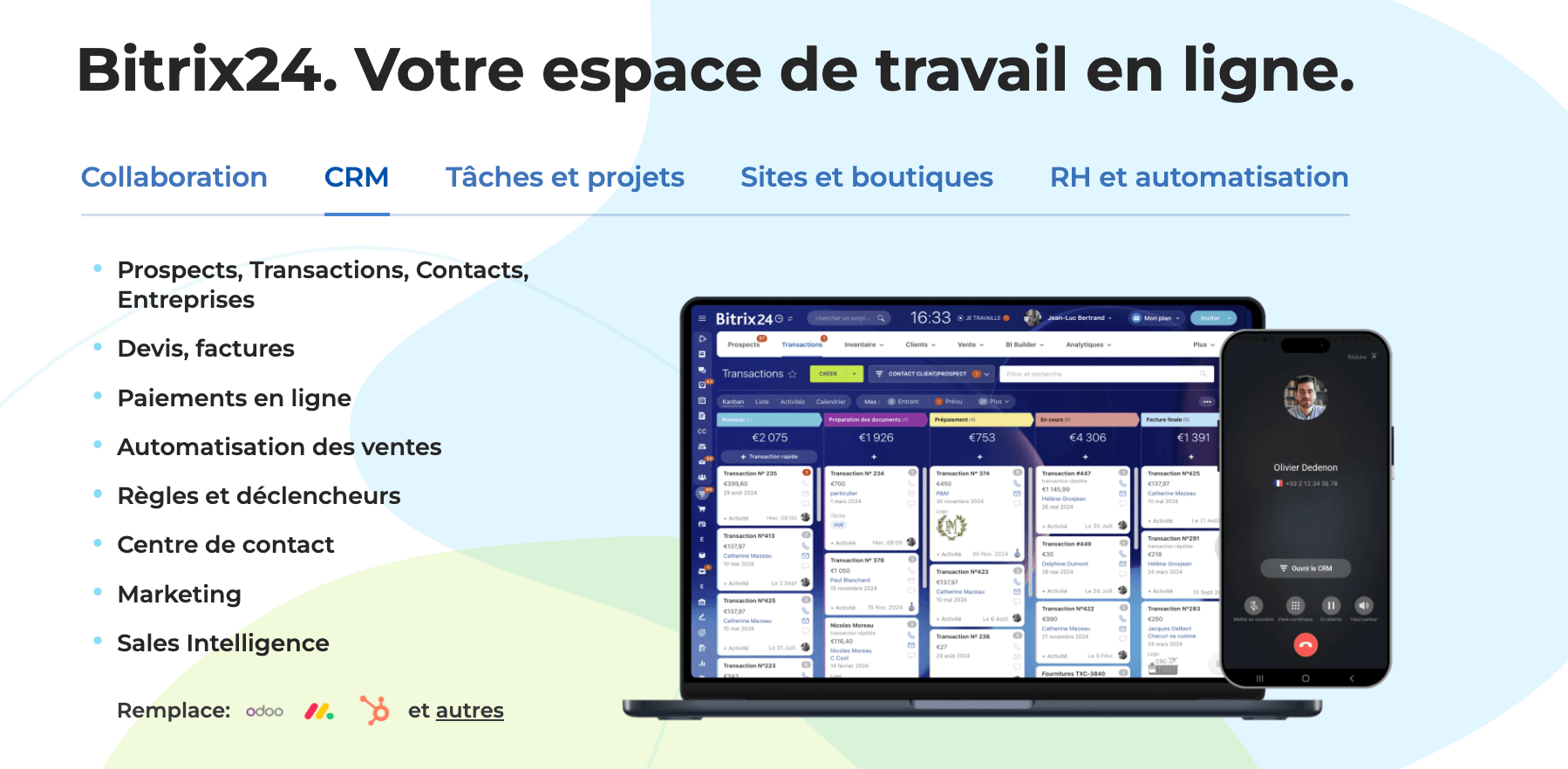
What Bitrix24 actually covers:
- Communication: instant messaging (channels, groups, private discussions), built-in video and audio calls, company news feed (an internal social network). CoPilot AI summarizes discussion threads and video calls.
- Full CRM: contact management, sales pipeline, quotes and invoices, sales funnel automation, built-in telephony with AI call transcription. It is a real CRM, not a basic module bolted on afterwards.
- Project management: tasks with Kanban and Gantt views, dependencies, subtasks, time tracking, workgroups per project. Less rich than Asana or Monday on advanced features, but more than enough for 90% of SMBs.
- File storage: built-in drive with online document editing (compatible with Office and Google Docs), file sharing with external contacts.
- Telephony: built-in SIP, call recording, routing, AI transcription and conversation analysis by CoPilot.
- Sites & forms: website builder, landing pages, contact forms linked directly to the CRM.
- Basic HR: directory, leave management, org chart, time clock.
The deciding factor: flat-rate pricing. Bitrix24 does not charge per user but per organization. The Standard plan at €99 per month, billed annually (€144/month with no commitment), includes 50 users. For an SMB of 20 people, that works out to €5/user/month. The price of a single specialized tool.
Pros
- Broadest functional coverage: the only tool that really covers CRM + chat + video + telephony + projects + storage in one subscription.
- Unbeatable flat-rate pricing: no per-user cost, on any plan. The price stays the same whether you have 5 or 50 users.
- AI built in everywhere: CoPilot is available in the CRM (call transcription, auto-fill), in chat, in tasks, in video calls. Usage is limited on classic plans, unlimited on Vibe+ plans.
- Deep native integration: a client call automatically generates a CRM activity, a task can be linked to a deal, a file shared in chat attaches to the project. Everything is connected without Zapier.
Cons
- Dense interface: Bitrix24 does so many things that the interface can be intimidating at first. The learning curve is real, allow 1 to 2 weeks for the team to get comfortable.
- Each module taken alone lags behind: the chat is not as smooth as Slack, project management is not as rich as Asana, the CRM is not as elegant as Pipedrive. That is the all-in-one trade-off.
- Uneven support: very good on premium plans, more limited on the free and Basic plans.
Bitrix24’s free planBitrix24 offers a free plan for 1 to 2 users. Enough to explore the modules and compare with your current stack before moving to a paid plan.
2. Google Workspace: the universal office ecosystem
Google Workspace (Gmail, Drive, Docs, Sheets, Calendar, Meet, Chat) is probably the most widely used workspace in the world among SMBs. And for good reason: integration between Google products is excellent, the interface is intuitive and real-time collaboration on documents is the best on the market.
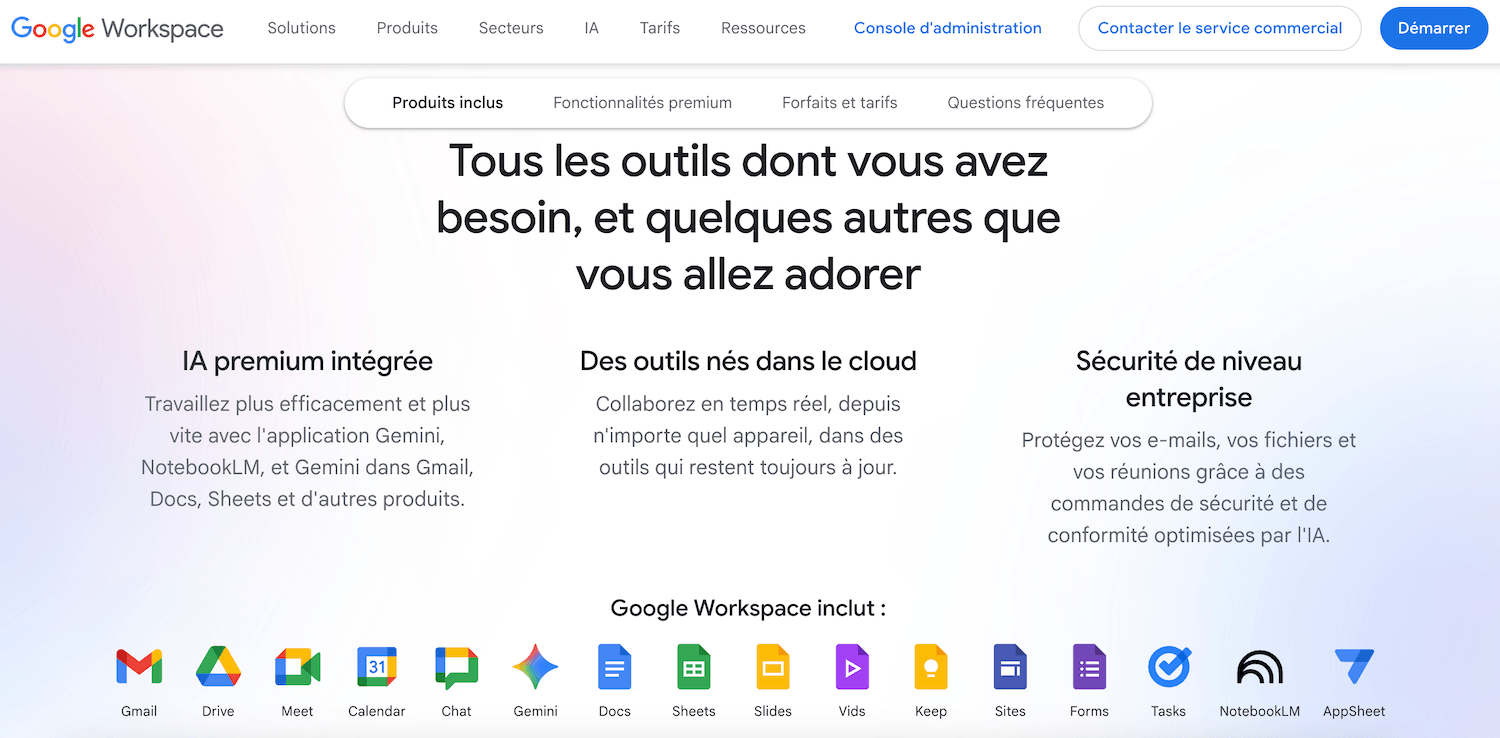
What Google Workspace covers: professional email, file storage (Drive), office suite (Docs, Sheets, Slides), video conferencing (Meet), messaging (Chat), shared calendar and AI features via Gemini (email summaries, assisted writing, presentation creation), complete from Business Standard up.
What’s missing: no CRM, no advanced project management (Google Tasks is very basic), no built-in telephony. Google Workspace is an excellent office foundation, but it does not replace your CRM or your project management tool. You will always need 2-3 complementary tools.
Pricing: from €6.80/user/month (Business Starter) to €21.10/user/month (Business Plus), with no commitment. For 20 users on the Business Standard plan (€13.60/user), expect €272/month.
The verdict: Google Workspace is the ideal solution if your main need is office productivity and document sharing, and you are ready to add a separate CRM and project management tool. It is not a complete digital workplace, but it is an excellent starting point.
3. Microsoft 365 and Teams: the option for SMBs already in the Microsoft ecosystem
Microsoft 365 combines the Office suite (Word, Excel, PowerPoint), storage (OneDrive, SharePoint), communication (Teams for chat and video) and task management (Planner, To Do). Teams has established itself as the collaboration hub for millions of SMBs worldwide.
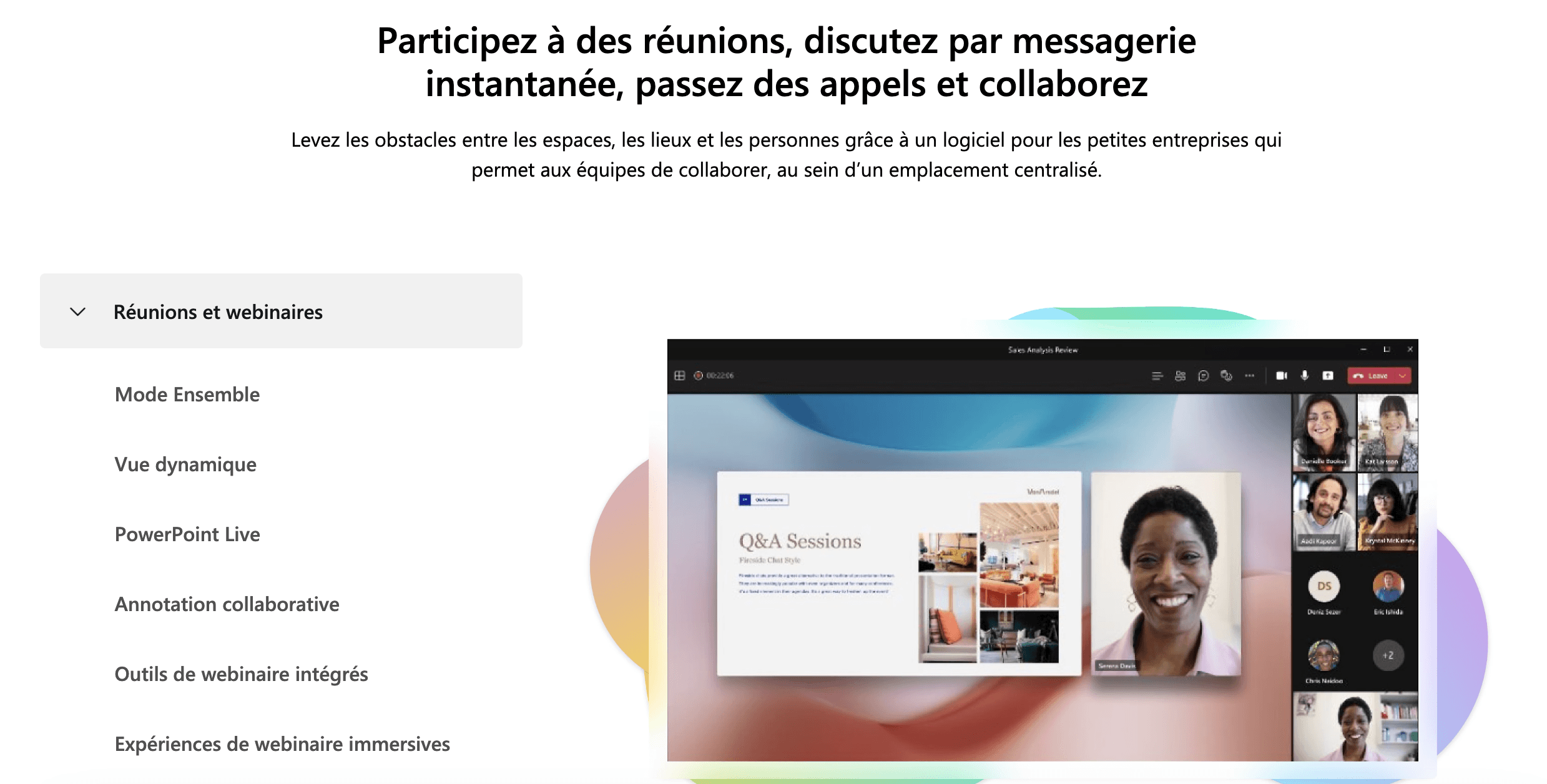
Strengths: Teams is an excellent communication tool (chat + video + file sharing in the same space). Integration with the Office suite is perfect. Planner and To Do cover basic task management needs. And the third-party app ecosystem is very rich.
Limits for an SMB: for CRM, Microsoft offers Dynamics 365, but it is expensive (from €56.30/user/month for Dynamics 365 Sales Professional) and complex to deploy for an SMB. The Planner included in Microsoft 365 remains basic for real project management: task dependencies and timelines require Planner Plan 1, at €8.70/user/month extra. As for the Teams interface, for all its capabilities it can become confusing when channels and integrated apps multiply.
Pricing: from €6.07/user/month (Microsoft 365 Business Basic) to €27.73/user/month (Business Premium, with Copilot Business), on annual billing. Not counting Dynamics 365 if you want a CRM.
The verdict: if your SMB already uses Word, Excel and Outlook every day, staying in the Microsoft ecosystem makes sense, but Microsoft 365 alone covers neither CRM nor advanced project management and adding Dynamics 365 blows up the bill.
4. Zoho One: the alternative with more than 40 integrated applications
Zoho One is Zoho’s most ambitious offer: a bundle of more than 40 applications covering CRM, project management (Zoho Projects), internal messaging (Zoho Cliq), video conferencing (Zoho Meeting), storage (Zoho WorkDrive), accounting (Zoho Books), marketing (Zoho Campaigns), customer support (Zoho Desk) and much more.
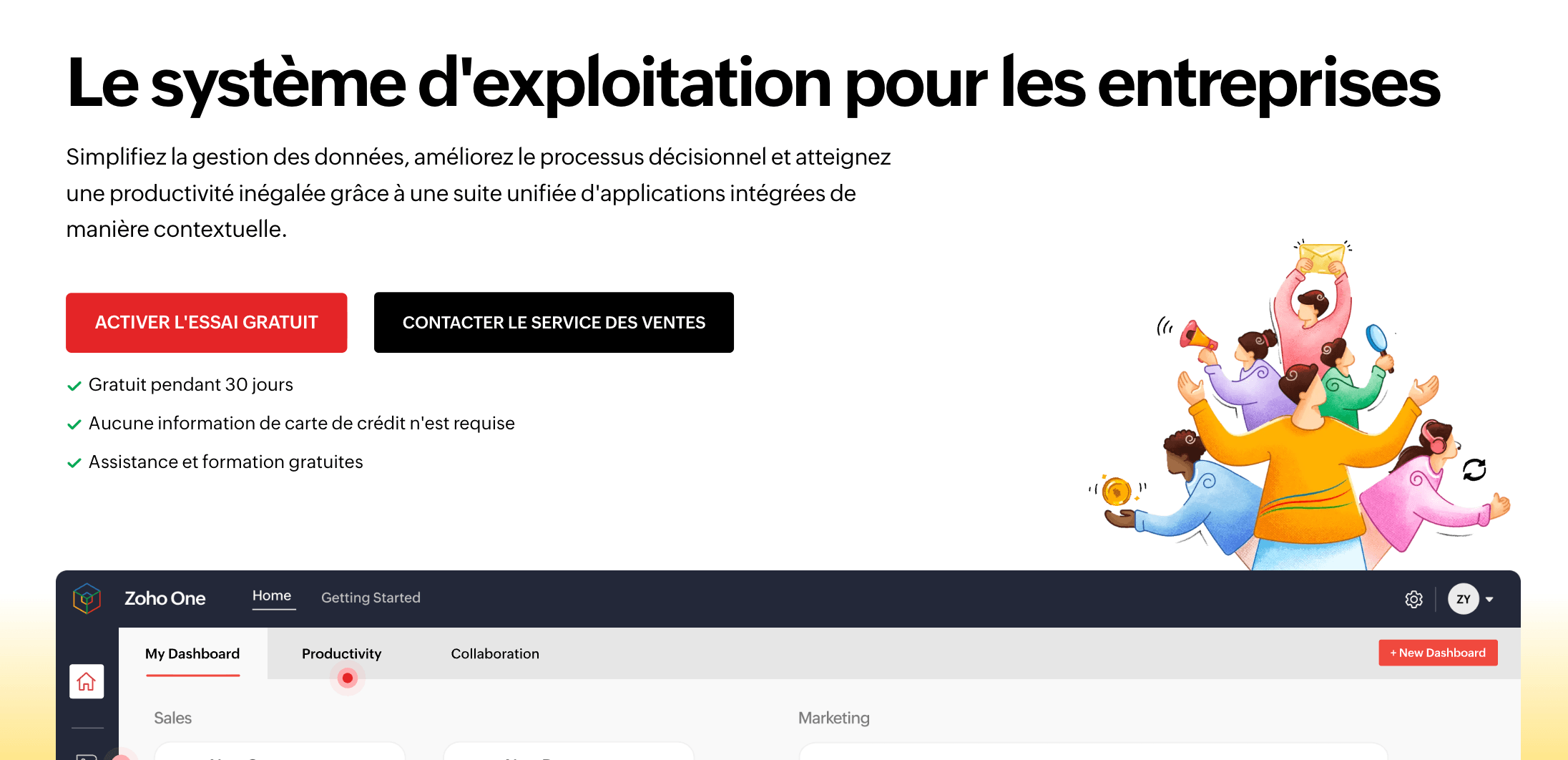
Strengths: the functional coverage is immense. For an SMB that wants a single vendor for everything (including invoicing, accounting and HR), Zoho One is probably the most complete offer on the market. The price is competitive: €37/employee/month for the whole suite (annual billing, a license for all employees), or €90/user/month on the flexible plan.
Limits: integration between Zoho applications is not always smooth. You move from one app to another (Zoho CRM, Zoho Projects, Zoho Cliq are distinct products with different interfaces), which sometimes creates the same fragmentation as with separate tools. The UX varies from one application to the next.
The verdict: Zoho One is an excellent option for SMBs that want a very complete ecosystem from a single vendor, provided they accept that the applications do not form a workspace as unified as Bitrix24. It is more of a “bundle” than an “all-in-one”.
5. Notion: the modular workspace (but not all-in-one)
Notion deserves a mention because it is the tool many SMBs use as the “center of gravity” of their organization. Internal wiki, project management, databases, meeting notes, documented processes: Notion excels at structuring and capturing information.
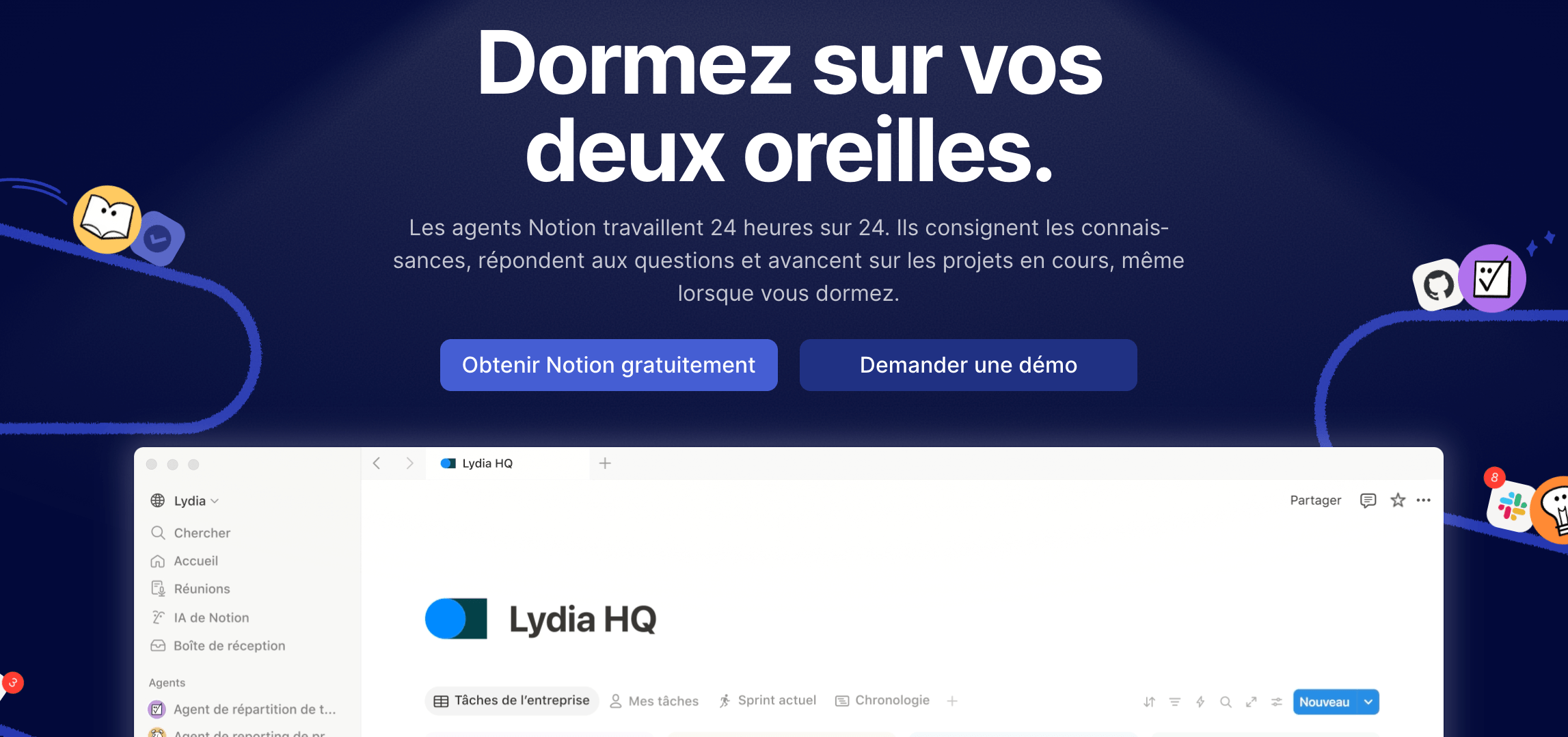
Strengths: the flexibility is unmatched. Notion adapts to almost every use case thanks to its databases, templates and views. The built-in AI (Notion AI, complete on the Business plan) is useful for writing and summarizing. And the community is very active.
Limits: Notion is not a digital workplace. There is no real-time chat, no video conferencing, no CRM, no telephony. Notion is an excellent organization and documentation tool, but it replaces neither Slack, nor Zoom, nor your CRM. It is a complement, not a substitute.
The verdict: Notion is an excellent “brain” for your SMB (knowledge base, documentation, processes), but it cannot be your only workspace. You will always need to add at least 3-4 other tools.
Summary table
| Criterion | Bitrix24 | Google Workspace | Microsoft 365 | Zoho One | Notion |
|---|---|---|---|---|---|
| Internal chat | Yes (native) | Google Chat | Teams | Zoho Cliq | No |
| Video conferencing | Yes (native + AI) | Google Meet | Teams | Zoho Meeting | No |
| Project management | Yes (Kanban, Gantt) | Google Tasks (basic) | Planner (basic) | Zoho Projects | Yes (flexible) |
| CRM | Yes (complete) | No | Dynamics 365 (paid) | Zoho CRM | No |
| Storage / Docs | Yes (built-in Drive) | Google Drive (excellent) | OneDrive / SharePoint | Zoho WorkDrive | Built-in docs |
| Telephony | Yes (built-in SIP) | No | Teams Phone (add-on, €8.70/user) | Not native | No |
| Built-in AI | CoPilot (everywhere) | Gemini | Copilot | Zia | Notion AI |
| Price (20 users) | €99 per month, billed annually (€144/month with no commitment), flat rate | €272/month (Business Standard) | €120-555/month | €740/month | €190-390/month (Plus or Business) |
| Complete digital workplace? | Yes | Partial (no CRM) | Partial (CRM optional) | Yes (but fragmented) | No (documentation only) |
When to consolidate (and when to keep your specialized tools)
We won’t lie to you: all-in-one is not the right answer for every situation. Here is how to decide.
Consolidate if…
- Your team has fewer than 50 people and your needs per function are “standard” (classic project management, simple CRM, basic communication).
- Your SaaS budget exceeds €1,000/month and you feel you are paying for features nobody uses.
- Information gets lost between your tools: decisions made in meetings never reach the CRM, project tasks are not linked to deals, documents are scattered across 3 storage services.
- Onboarding new hires is a nightmare: setting up 7 accounts, training on 7 interfaces, inviting to 7 spaces. If it takes more than 2 days, that is a signal.
- You have no “ops” or “IT” profile in-house to maintain the integrations between your tools. Zapier is great, but when it breaks on a Sunday night, someone has to fix it.
Keep specialized “best of breed” tools if…
- You have a highly specific need on one function. If your marketing relies on advanced automation (scoring, multi-step workflows, advanced A/B testing), HubSpot Marketing Hub will do infinitely better than an all-in-one’s marketing module.
- Your project management is complex (multi-project dependencies, portfolios, workload, advanced reporting). Asana or Monday will remain superior.
- You need advanced telephony (intelligent routing, interactive voice response, advanced CTI integrations). Aircall or Ringover will be better suited.
- Your team is already trained and productive on its current stack. The cost of migrating (time, training, temporary loss of productivity) can cancel out the subscription savings, at least in the short term.
Salesdorado’s tipThe right question is not “does Bitrix24 do project management as well as Asana?”. The answer is no, and that’s fine. The right question is: “is Bitrix24’s project management good enough for my needs, given that, as a bonus, my tasks are natively linked to my CRM deals, my client calls and my team conversations?”. For 90% of SMBs, this integration is worth far more than the advanced feature of a specialized tool living in its silo.
How to migrate without breaking everything
If you decide to consolidate, here is the approach we recommend:
- Start with one module, not everything at once. The CRM is often the best starting point because it is the module that benefits most from integration with the rest (calls, tasks, communication). Migrate your CRM to Bitrix24, test for 1 month, then add project management, then communication.
- Run the old and the new side by side during the transition. Don’t cut off Slack the day you activate Bitrix24 chat. Allow 2 to 4 weeks of overlap so the team can get used to it.
- Identify your “power users”. In each team, identify 1 to 2 people comfortable with tools and make them your ambassadors. They will train the rest of the team far more effectively than generic training.
- Document your processes before migrating. Migration is the ideal opportunity to clean up: delete dead Slack channels, archive finished projects, purge the CRM. Don’t carry the mess from one tool to the next.
- Set a definitive switchover date. Without a deadline, the two systems coexist indefinitely and you double the problems instead of solving them.
The questions we get over and over.
What is a digital workplace for an SMB?
It is a single online workspace where the team can communicate (chat and video), manage tasks and projects, track clients (CRM), store files and make calls, without changing tabs or paying 5 separate subscriptions.
What functions should a unified workspace cover?
At minimum real-time communication (chat and video), project and task management, CRM and file storage. If one of these four pillars is missing, a complementary tool is still needed.
Is Google Workspace a complete digital workplace?
No. Google Workspace covers email, storage, office productivity, video and messaging, but has no CRM, no advanced project management and no built-in telephony.
When is it better to keep specialized tools?
When a need is highly specific (advanced marketing automation, multi-project management, advanced telephony) or when the team is already trained and productive on its stack: the cost of migrating can cancel out the subscription savings in the short term.
Which module should you start with when migrating to an all-in-one?
The CRM, often the module that benefits most from integration with the rest (calls, tasks, communication). Test for a month, then add project management, then communication.



What the community says.