The tool in detail
Dropcontact after real-world use: feature scope, integrations, pricing and concrete limits.
Enriching your B2B database without breaching GDPR is the headache of every Sales and Growth team in Europe. American giants like Apollo or Lusha offer impressive contact databases, but they rely on pre-scraped data stored on servers subject to the Cloud Act.
If the CNIL audits you, good luck justifying where your emails came from.
This is precisely the ground on which Dropcontact has built its value proposition. This French startup, founded in 2016, claims a radically different approach: zero database, emails generated in real time by proprietary algorithms, GDPR compliance built into the architecture.
In plain terms, it is probably the only enrichment tool your DPO will sign off with their eyes closed.
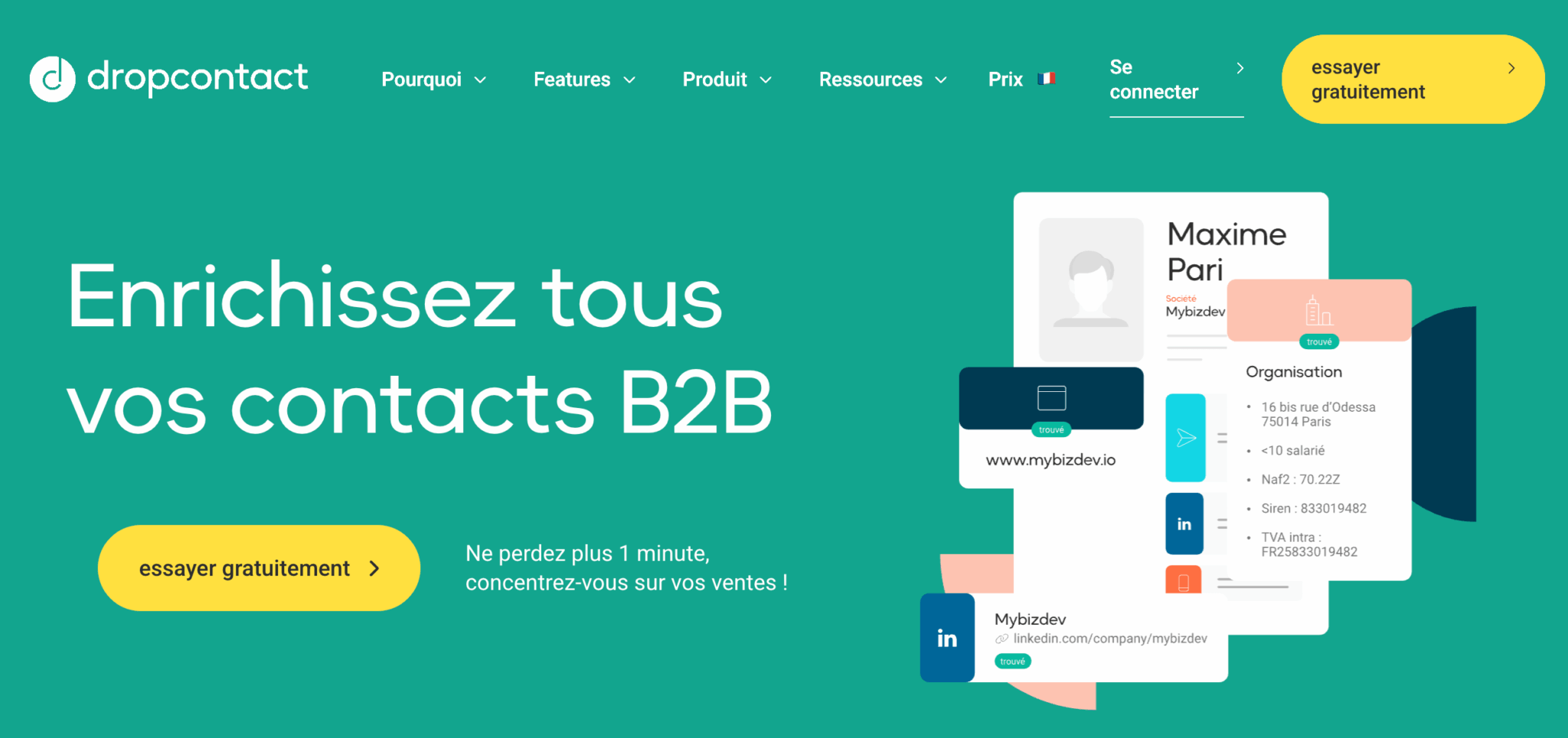
But this “GDPR first” approach comes at a price… and with limits: no mobile numbers in the Email Finder offer, a higher cost per credit at low volumes and performance that degrades noticeably as soon as you leave Europe.
We analyzed the tool in depth to give you an honest opinion and help you decide whether Dropcontact is right for you. Read our Dropcontact review.
What exactly is Dropcontact?
Dropcontact is a French B2B data enrichment and data cleaning solution founded in 2016. The tool generates named professional emails, enriches contact & company records and keeps a CRM clean through automatic deduplication.
What sets Dropcontact apart from the competition is its technical architecture. Where Apollo, Lusha or ZoomInfo rely on huge pre-scraped databases (with the GDPR risks that implies), Dropcontact stores no data. The tool generates and verifies emails in real time using proprietary algorithms and SMTP test servers.
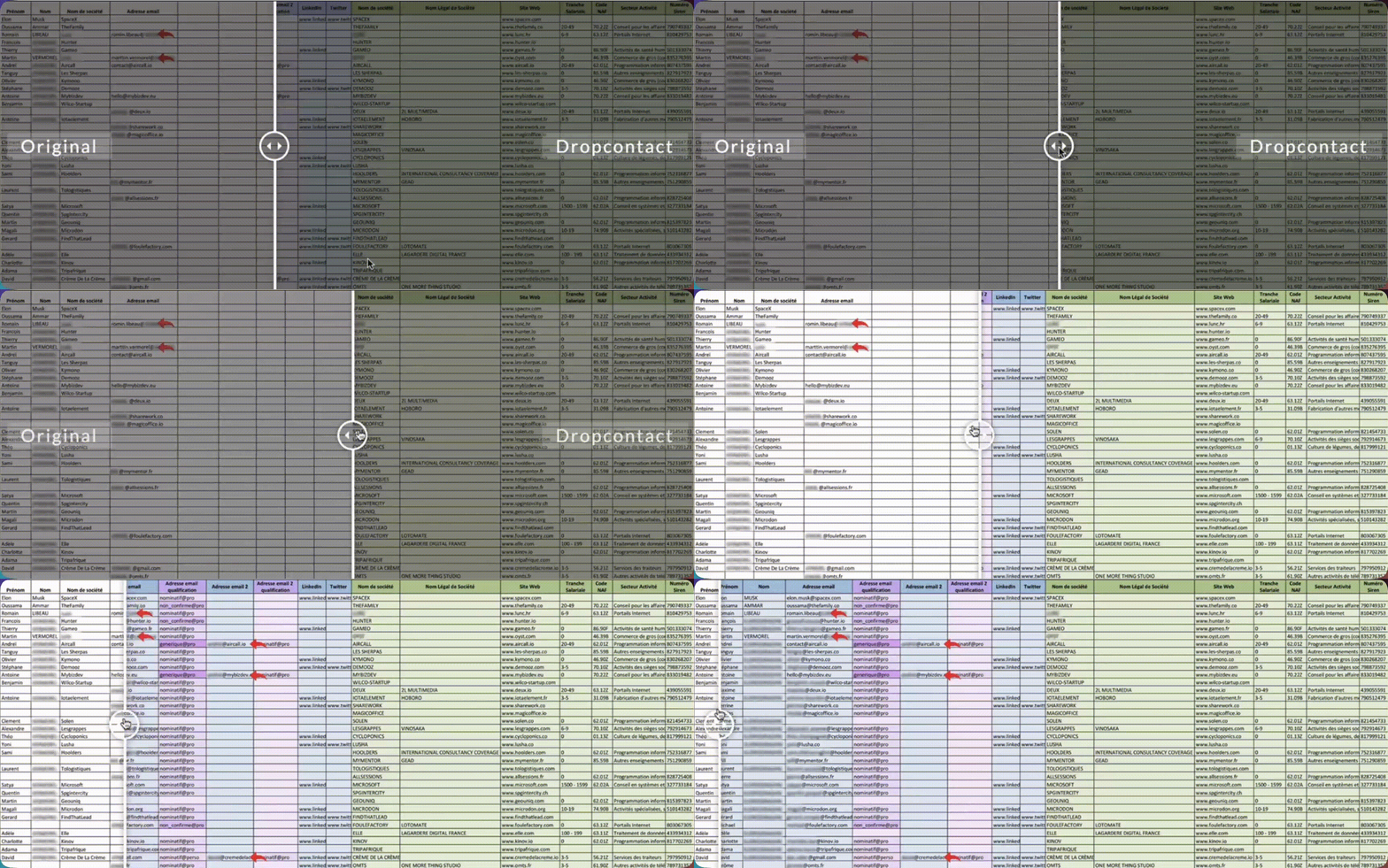
In practice, you provide a first name, a last name and a website (or a company name) and Dropcontact works out the professional email address by testing different patterns (firstname.lastname@, f.lastname@, firstname@…), then instantly checks deliverability.
Key features of Dropcontact
Email Finder & Email Verifier
This is Dropcontact’s core business. The tool generates named professional emails from minimal information: a first name, a last name and a website (or, failing that, a company name).
All you have to do is upload your Excel file with these three columns to Dropcontact.
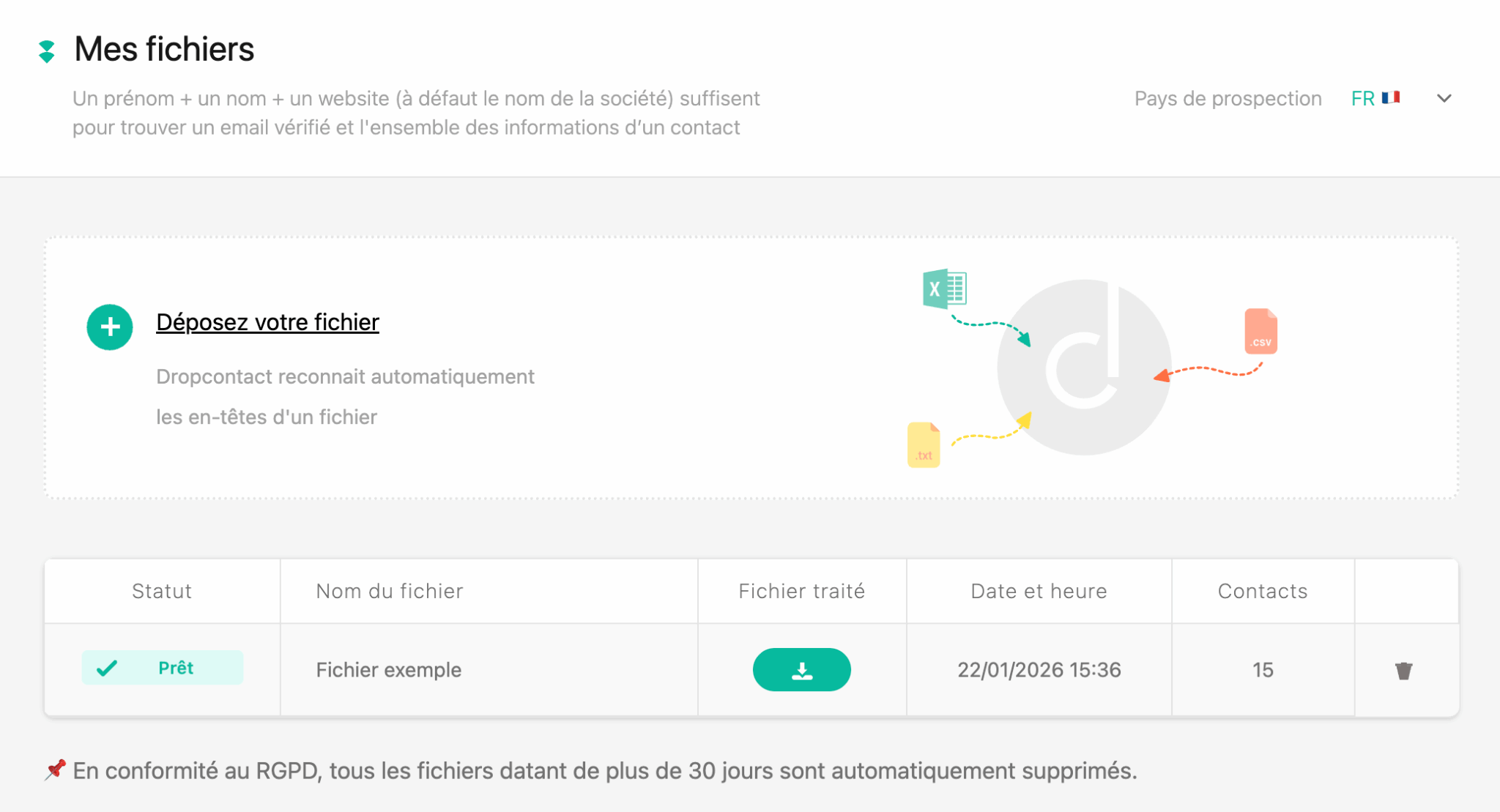
The process is fully automated. Dropcontact tests different email patterns (firstname.lastname@domain.com, f.lastname@domain.com, firstname@domain.com…) using proprietary algorithms, then checks deliverability in real time through SMTP servers.
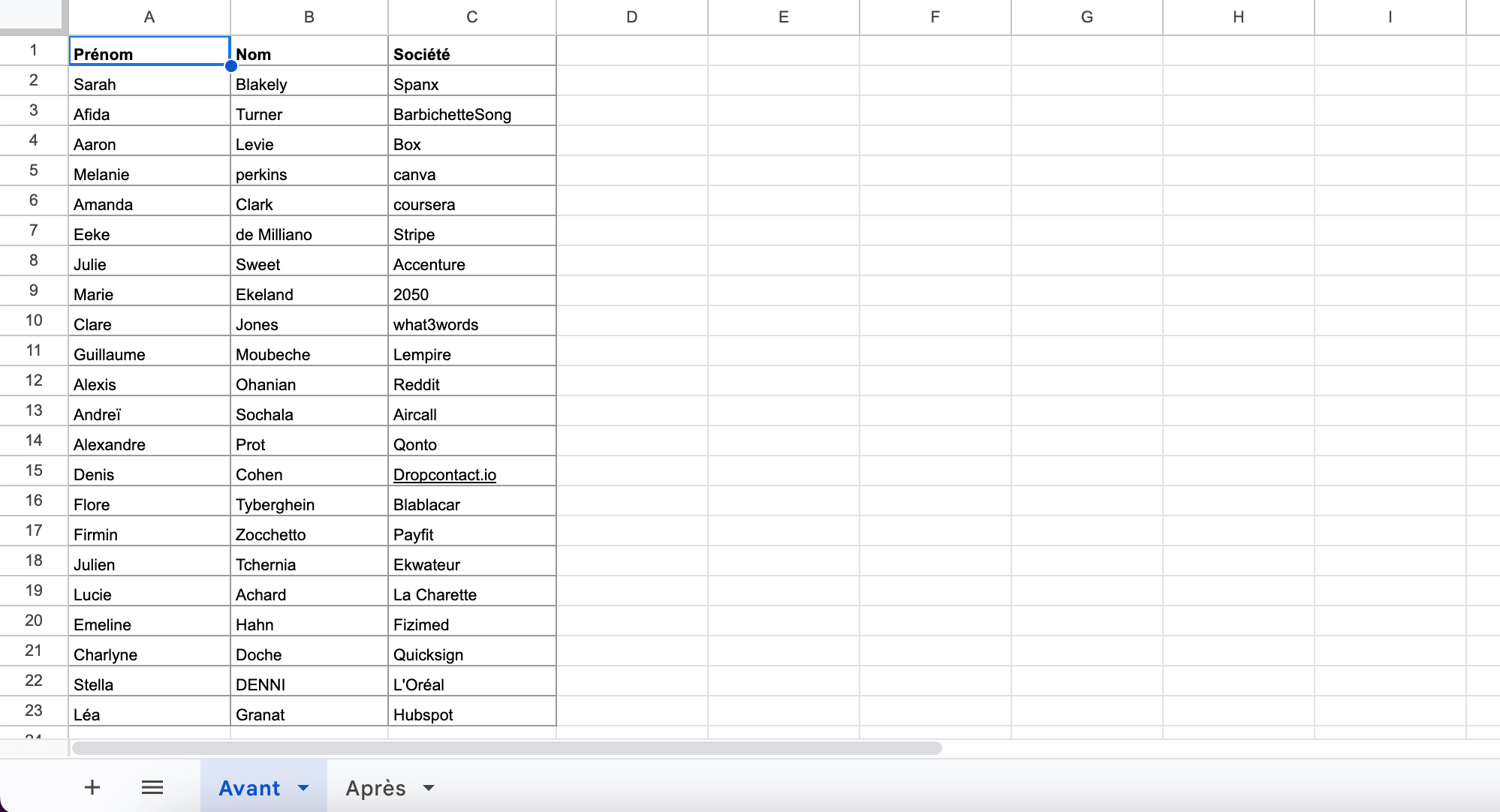
The advertised guarantees are solid: 99% validity on named emails and 97% for catch-all domains (those servers that accept every email, even invalid ones, and that traditionally cause problems for verification tools…).
Beyond generation, Dropcontact can also be used to qualify and normalize existing emails. The tool can tell professional emails from personal ones and named emails from generic ones (such as contact@ or info@), detect domain typos and correct them automatically. This is very useful for cleaning an existing database before a campaign, for example.
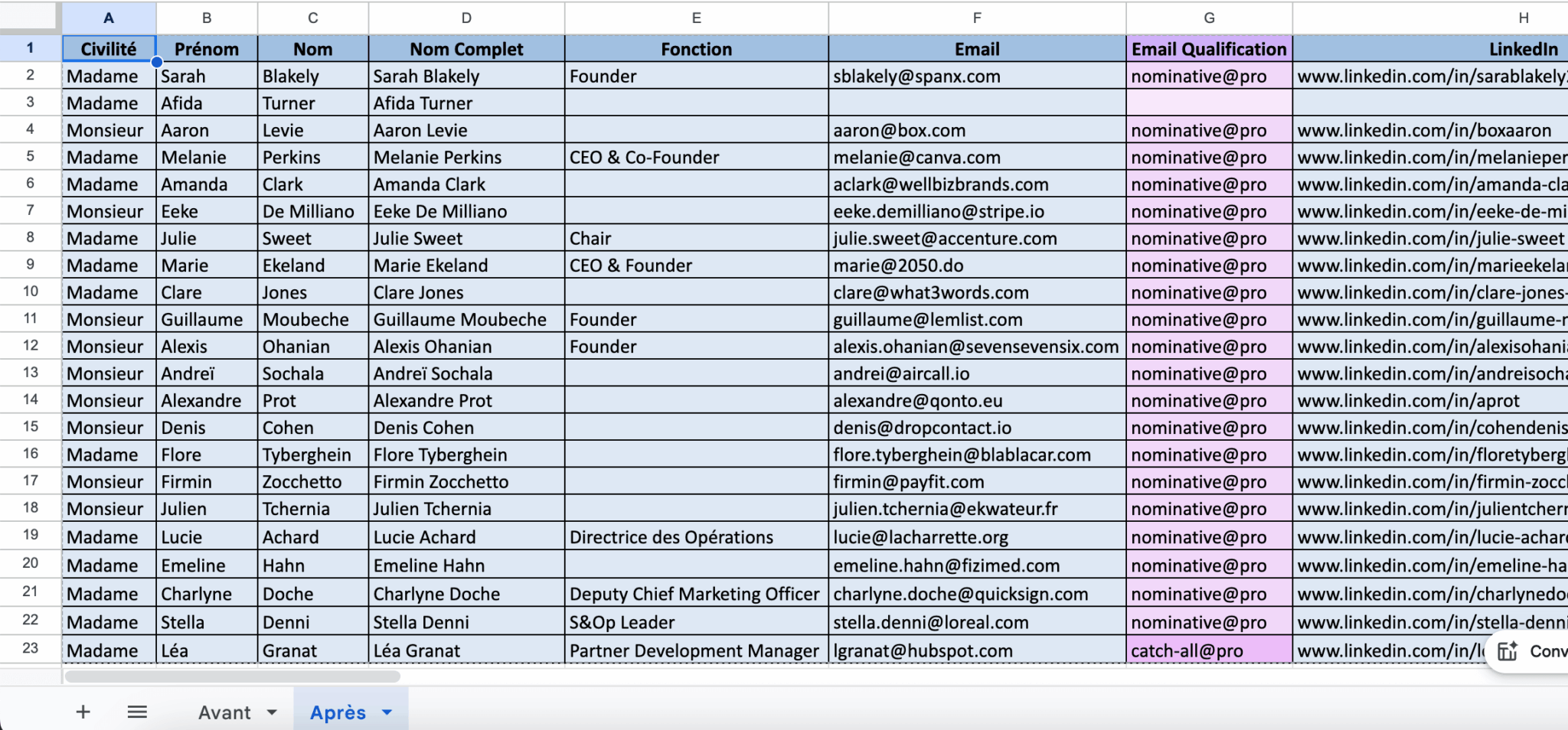
Contact enrichment
Dropcontact doesn’t stop at the email. For each contact, the tool can enrich several additional fields:
- The professional phone number is added when available, in international format (E.164 standard). Be careful though: as a GDPR compliance choice, Dropcontact only provides professional landlines, no mobiles in the Email Finder offer. It’s an assumed limitation, but one that can be a dealbreaker if your strategy relies on cold calling.
- The contact’s role and position are enriched when the information can be found. The LinkedIn profile is also added, with an advertised fill rate of around 85% (hard to verify…).
- Dropcontact also adds the title (Mr./Ms.) and automatically corrects misspelled first names or first name/last name inversions. It sounds trivial, but when you process thousands of contacts, these automatic corrections save a huge amount of time.
- Finally, the tool detects company changes (Growth plan or CRM integration). When a contact has moved to another company, Dropcontact updates the email, phone number, position and legal information.
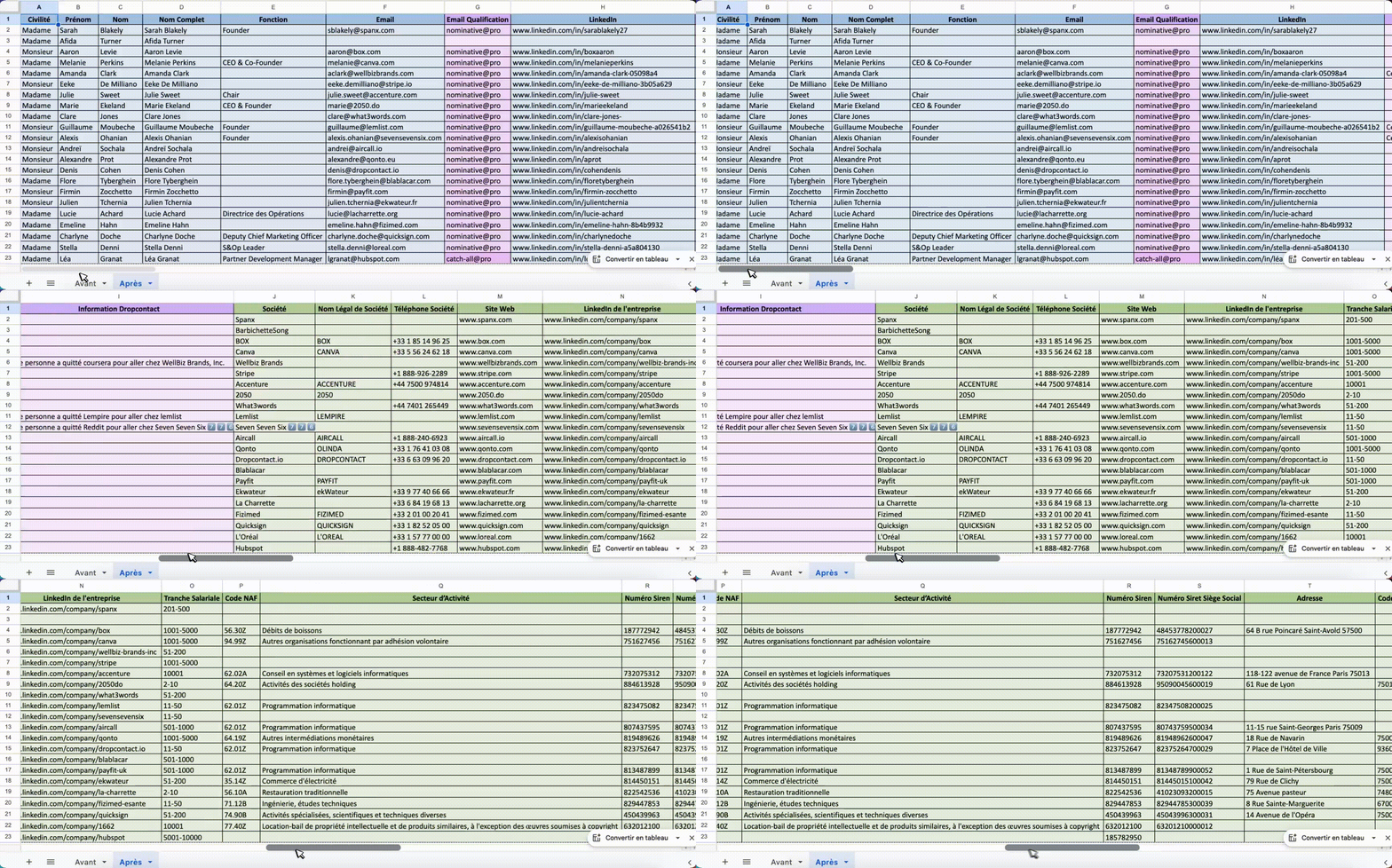
Company enrichment: the strong point on France
This is where Dropcontact really stands out from the international competition, but it is reserved for the Growth plan. On French companies, the tool enriches with a level of detail rarely matched.
The legal data is particularly complete: SIREN and SIRET numbers, intra-EU VAT number, NAF code (business sector), headcount bracket, postal address normalized to the AFNOR standard.
The company website is found from the name or the email, and the company phone number is added in international format.
Salesdorado’s takeDropcontact’s company enrichment is clearly calibrated for the French market. If you prospect French SMEs and mid-sized companies, you will get a level of legal and firmographic data that American tools simply don’t offer. On foreign companies, however, enrichment will be much more limited.
Deduplication and CRM cleaning
Beyond enrichment, Dropcontact offers database cleaning features that address a real problem: the gradual decline in CRM data quality.
The deduplication engine is particularly clever. It detects and merges duplicates even without shared fields, by cross-referencing name, email, company and other weak signals. The merge intelligently handles conflicting information (for example, two different job titles for the same contact) by consolidating the most relevant data.
This is very handy if you work with Pipedrive, HubSpot or Salesforce. No more manually cleaning duplicates or chasing incomplete records: Dropcontact does it automatically and continuously.
Integrations
Native CRM integrations
Dropcontact integrates natively with the main CRMs on the market: Pipedrive (the most mature integration) and HubSpot. On the Salesforce side, the vendor has a page dedicated to the integration, but its pricing page still lists it as “coming soon”: confirm with them if that is your CRM. The Zoho integration has been announced (at the time of writing, that is, January 2026).
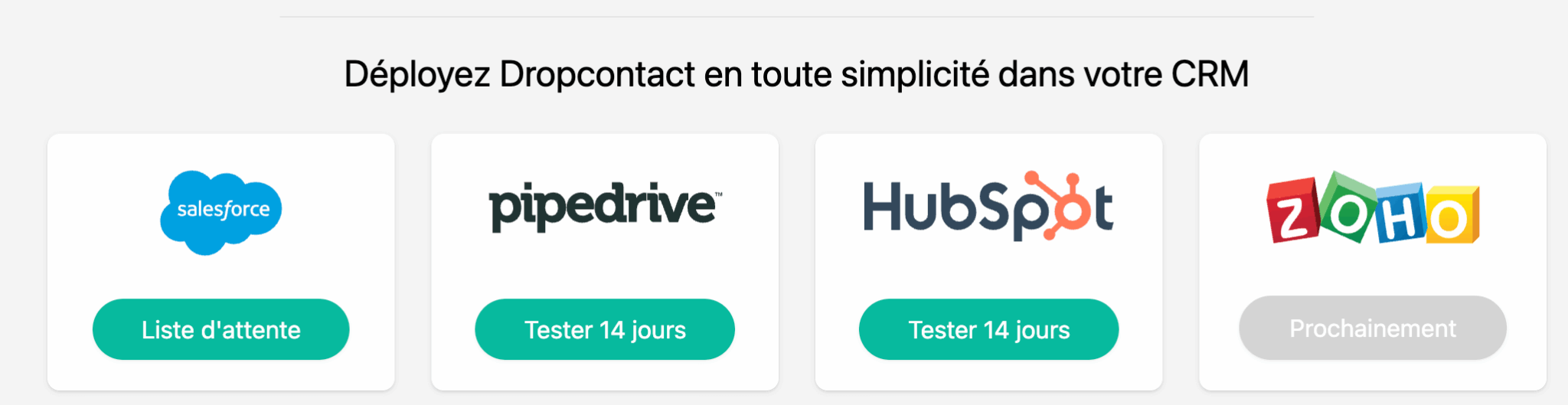
In this “CRM integration” mode, Dropcontact automatically enriches contacts, leads and organizations as soon as they enter the CRM. The tool detects and merges duplicates in real time, continuously updates data (position, email, legal information) and keeps the database clean with no manual intervention.
Setup is presented as “plug & play in under 5 minutes”, with no IT department involved, provided you have admin rights on the CRM. In practice, we recommend monitoring credit consumption during the first weeks (enrichment loop bugs can occur…).
API and no-code
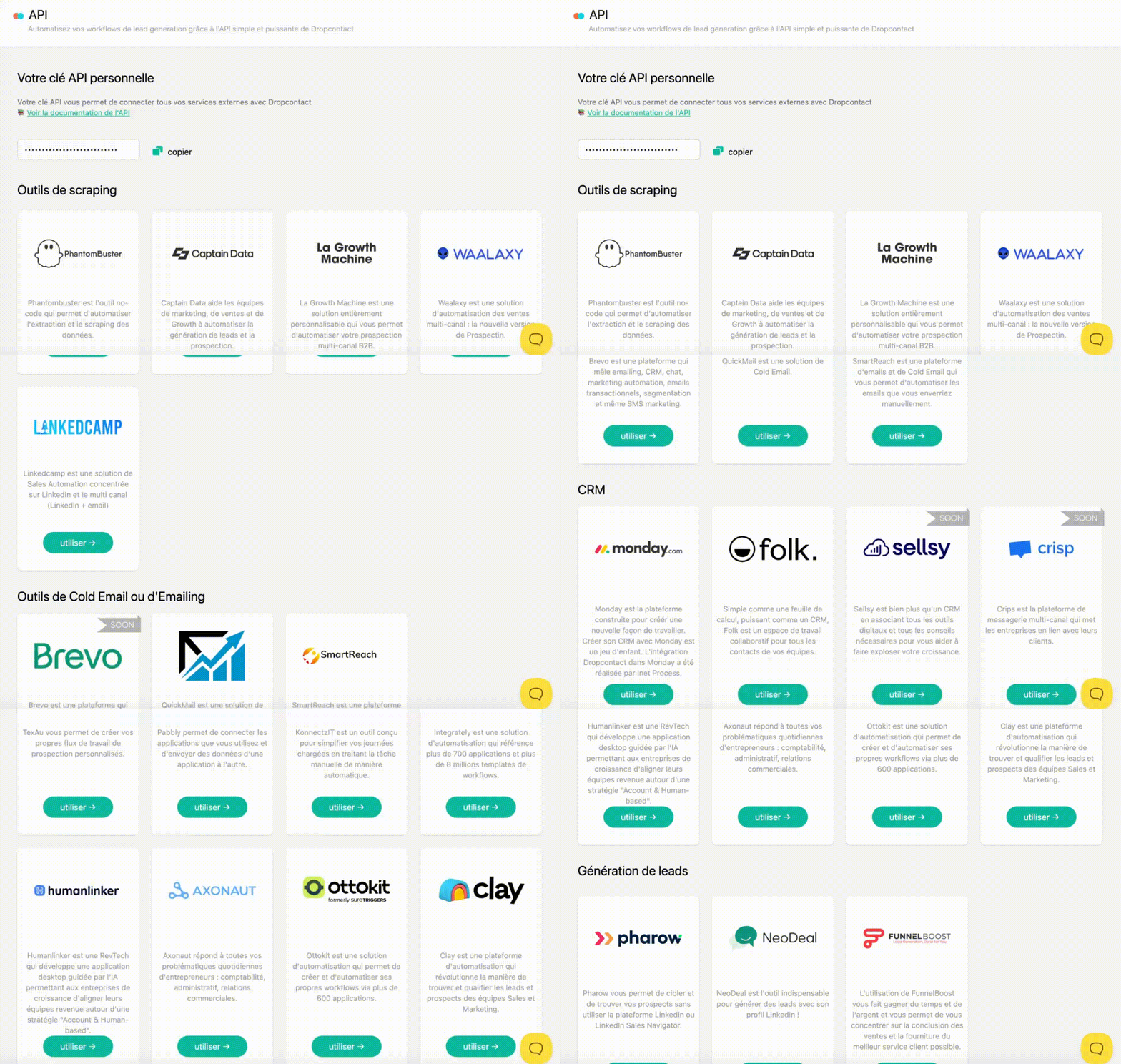
For technical teams or automation workflows, Dropcontact offers an API geared towards lead generation. It can be consumed directly or through the usual no-code platforms: Zapier, Make, n8n.
The no-code integration ecosystem lets you connect Dropcontact to a nice range of prospecting tools: Lemlist, La Growth Machine, Waalaxy, Phantombuster… This makes it possible to build complete workflows such as “LinkedIn scraping > Dropcontact enrichment > push to CRM > trigger email sequence”.
Drag & drop and Google Sheets
For users without a CRM or for one-off operations, Dropcontact offers a very easy-to-use “drag & drop” mode:
- You upload a CSV, Excel or TXT file containing at least first name, last name and website (or company name)
- You map the columns
- The tool enriches the file in batch.
The interface is genuinely well made.
There is also a Google Sheets extension to enrich spreadsheet rows directly with Dropcontact data (email, job title, company data), without leaving the Workspace interface.
Dropcontact pricing: how much does it really cost?
The Email Finder model (credits)
The first pricing model is based on a credit system. One credit corresponds to one email found, verified and enriched. Credits are included in a monthly or annual subscription, with no commitment: you can cancel right after processing your file.
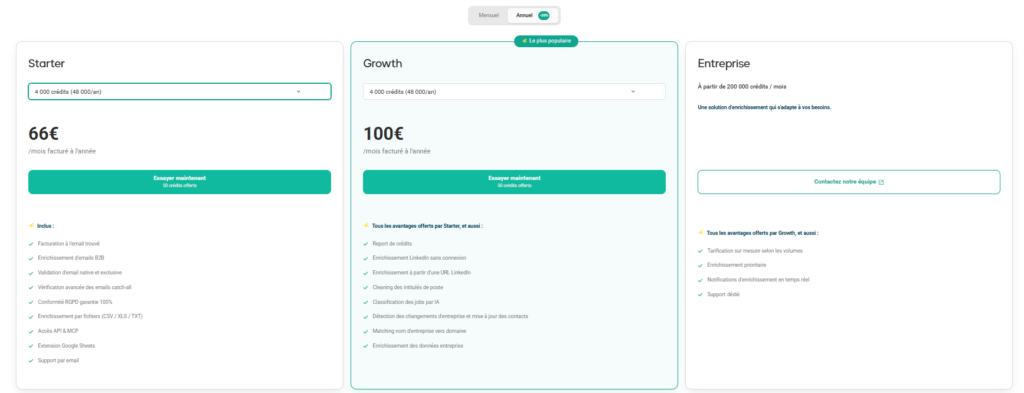
Dropcontact offers three plans:
- Starter: from €29 per month for 500 credits (€24 on annual billing). It covers the basics: B2B email enrichment, validation and catch-all verification, file enrichment, API and MCP access, Google Sheets extension.
- Growth: from €35 per month for 500 credits (€29 on annual billing). It adds rollover of unused credits, enrichment from LinkedIn, AI cleaning and classification of job titles, company change detection and company data enrichment.
- Enterprise: on quote, from 200,000 credits per month, with priority enrichment and dedicated support.
| Monthly volume | Starter (monthly / annual) | Growth (monthly / annual) | Cost per credit (Starter monthly) |
|---|---|---|---|
| 500 credits | €29 / €24 | €35 / €29 | €0.058 |
| 1,500 credits | €59 / €49 | €72 / €60 | €0.039 |
| 4,000 credits | €79 / €66 | €120 / €100 | €0.020 |
| 11,000 credits | €199 / €166 | €303 / €253 | €0.018 |
The cost per credit falls sharply with volume: from nearly 6 cents at low volume to under 2 cents beyond 10,000 credits. Tiers go up to 150,000 credits per month, with an advertised 20% discount on annual billing, closer to 17% once calculated (€24 instead of €29 per month on Starter), and 50 credits are free to test the tool.
The CRM Integration model
The second model is for companies that want to connect Dropcontact directly to their CRM (HubSpot, Pipedrive, Salesforce announced). Dropcontact enriches, deduplicates and updates records in real time, and detects company changes among your contacts.
Pricing is customized and available on quote, based on the number of contacts in your CRM. A free audit of your database is included in the demo.
Important point: Email Finder subscription credits cannot be used to enrich your CRM. These are two separate plans with separate uses.
A model now billed on results
This was our main criticism of Dropcontact: every search was billed, even with no result. That is no longer the case. If the algorithm doesn’t find the email, the credit is refunded. With the credit rollover option on the Growth plan, you even keep unused credits from one month to the next, as long as your subscription is active.
Salesdorado’s takeDropcontact excels with its core audience: European Sales/Growth teams, email prospecting, GDPR compliance. Billing on results removes our main reservation. Just watch out for small volumes, which cost more per credit, and for out-of-scope uses (cold calling, the US market).