The tool in detail
Fathom after real-world use: feature scope, integrations, pricing and concrete limits.
The real pain for sales teams isn’t taking bad notes in meetings, it’s the 20 minutes after every call: re-entering into HubSpot or Salesforce what was just said, digging up the objections that came up, filling in the next-step fields, copy-pasting the action items into Slack or Asana. At five calls a day, that’s almost two hours lost to manual data entry for every sales rep.
Fathom goes straight at this problem. Not by taking notes for you, the usual pitch of every AI notetaker, but by automatically syncing everything that was said into your CRM, with the right fields, the right contacts, the right opportunities. The summary is ready 30 seconds after the meeting ends. The CRM is updated with no human involvement.
It’s this precise positioning, a sales productivity tool that goes after CRM data entry and not just note-taking, that explains why Fathom is today the most installed AI notetaker on the Zoom Marketplace and the HubSpot Marketplace.
Fathom: what is it exactly?
Fathom is an AI meeting assistant launched in 2020 by Richard White, an entrepreneur who had already founded UserVoice, a product feedback platform well known in the SaaS world. The starting idea is simple: let participants be fully present in a conversation without spending half the time taking notes or staring at their screen.
The company’s growth has been spectacular. Between 2022 and 2024, its revenue grew 90-fold and its usage 20-fold. In September 2024, Fathom raised a 17 million dollar Series A, including 2 million from its own users through the Wefunder platform, a sign of a particularly committed fan base.
The company also has strategic backing from Zoom through the Zoom Apps Fund, which partly explains its status as the most installed tool on the Zoom Marketplace.
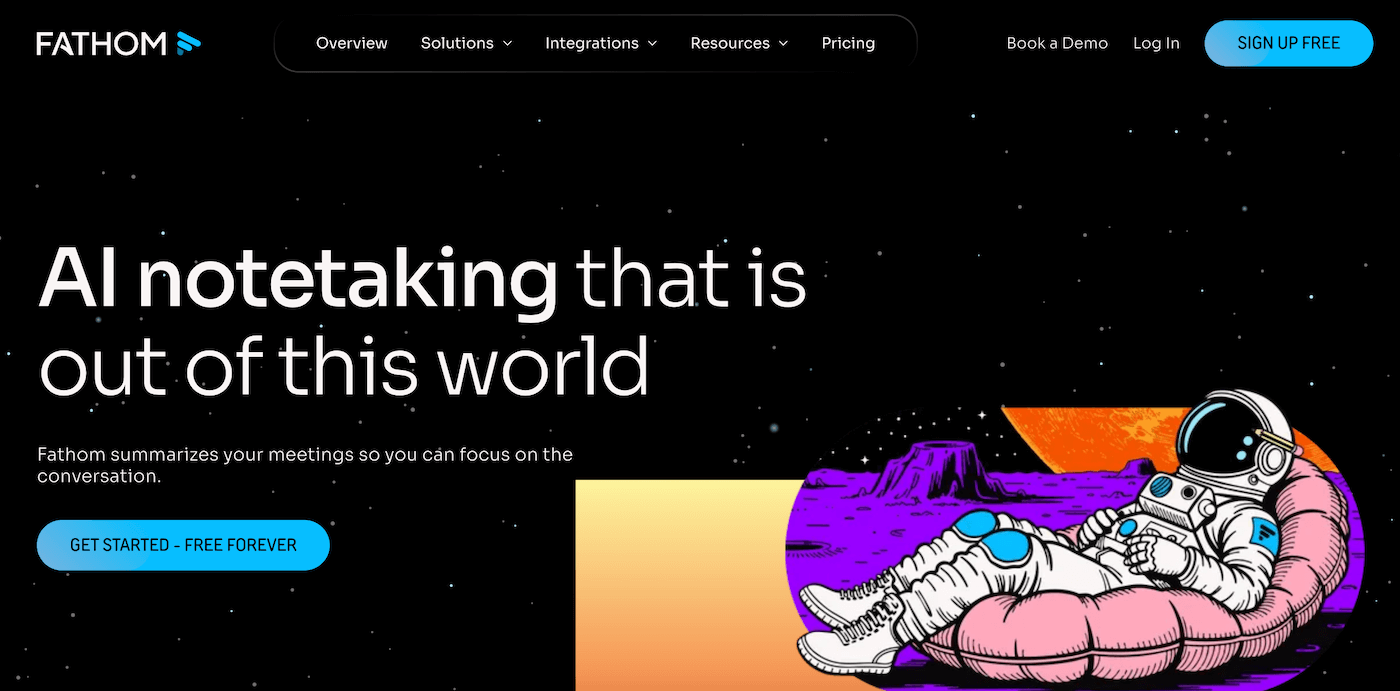
Today, Fathom means more than 500,000 users and the number 1 spot for product satisfaction awarded by G2 in 2024. These figures are exceptional, even allowing for the fact that very satisfied users of a free tool naturally tend to leave good reviews.
Fathom’s strategy is clearly Product-Led Growth: offer a free plan generous enough to drive individual adoption, then monetize on team, coaching and CRM integration features. It’s the model behind the success of HubSpot, Notion and plenty of other SaaS products, and Fathom applies it very well in its category.
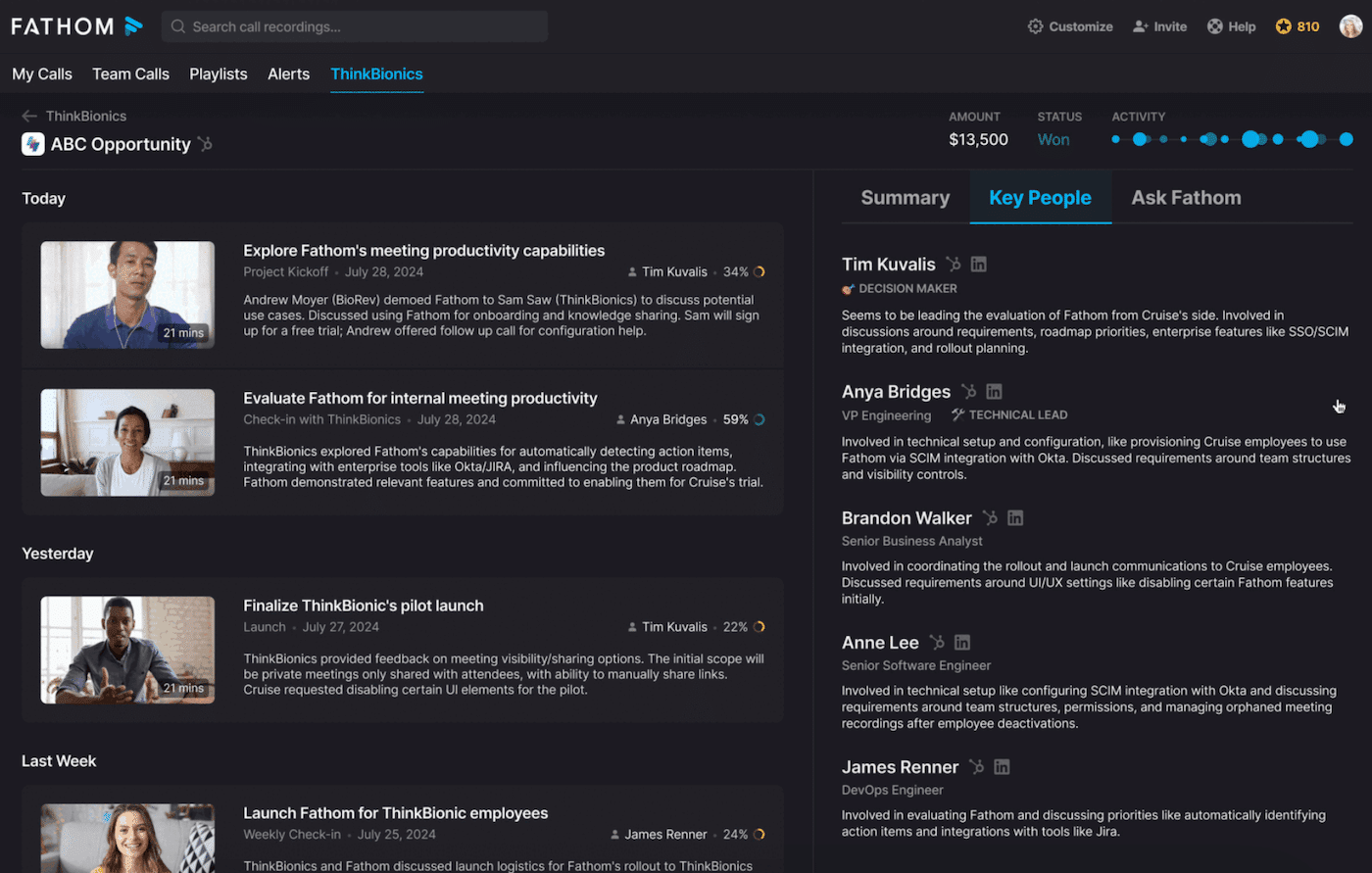
Fathom’s key features
Recording and transcription: the foundation
Fathom works on the three video conferencing platforms that matter: Zoom, Google Meet and Microsoft Teams. But the detail that makes the difference is that Fathom integrates with the desktop apps as well as the browser versions. Most AI note-taking tools only work in the browser. Fathom runs directly inside the Zoom or Teams app installed on your computer, which makes for a noticeably more stable experience.
Transcription supports 38 languages, with an estimated accuracy of 90 to 95% depending on audio quality and accents. In practice, the output is clean on standard meetings in French or English. We did notice a few errors with very strong accents or in noisy environments, but nothing that calls for a systematic second pass.
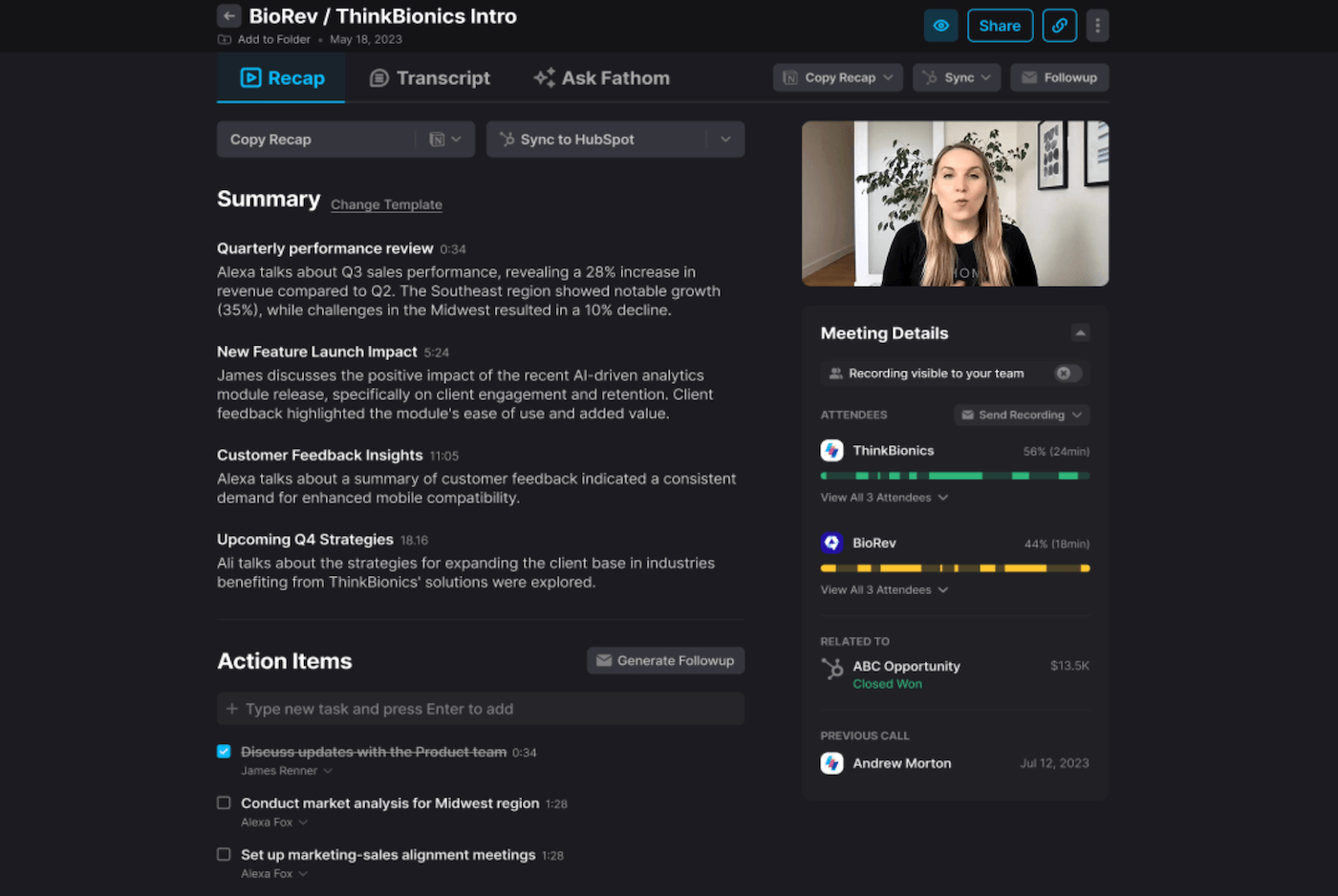
What really sets Fathom’s transcription apart is that it’s fully clickable. Every sentence in the transcript links straight to the exact moment in the video recording. If something in the summary escapes you, you click and you’re instantly at the right second. It’s simple, but it’s remarkably effective for finding a specific point without scrolling through 45 minutes of recording.
Recordings and transcriptions are unlimited even on the free plan. That’s a real differentiator compared with Otter, capped at 300 minutes a month on the free tier, or Fireflies, which limits storage. For a sales rep doing 4 to 6 calls a day, this is fundamental.
Transcription is the foundation, but it’s not where Fathom really makes the difference. Every serious AI notetaker transcribes correctly these days, let’s be honest. Fathom’s real value lies in what happens after the transcription: the structured summaries and above all the automatic CRM sync.
AI summaries and templates: 30 seconds after the meeting ends
This is one of the tool’s main strengths: the summary is available less than 30 seconds after the last participant hangs up. Not 5 minutes, not 15 minutes, 30 seconds.
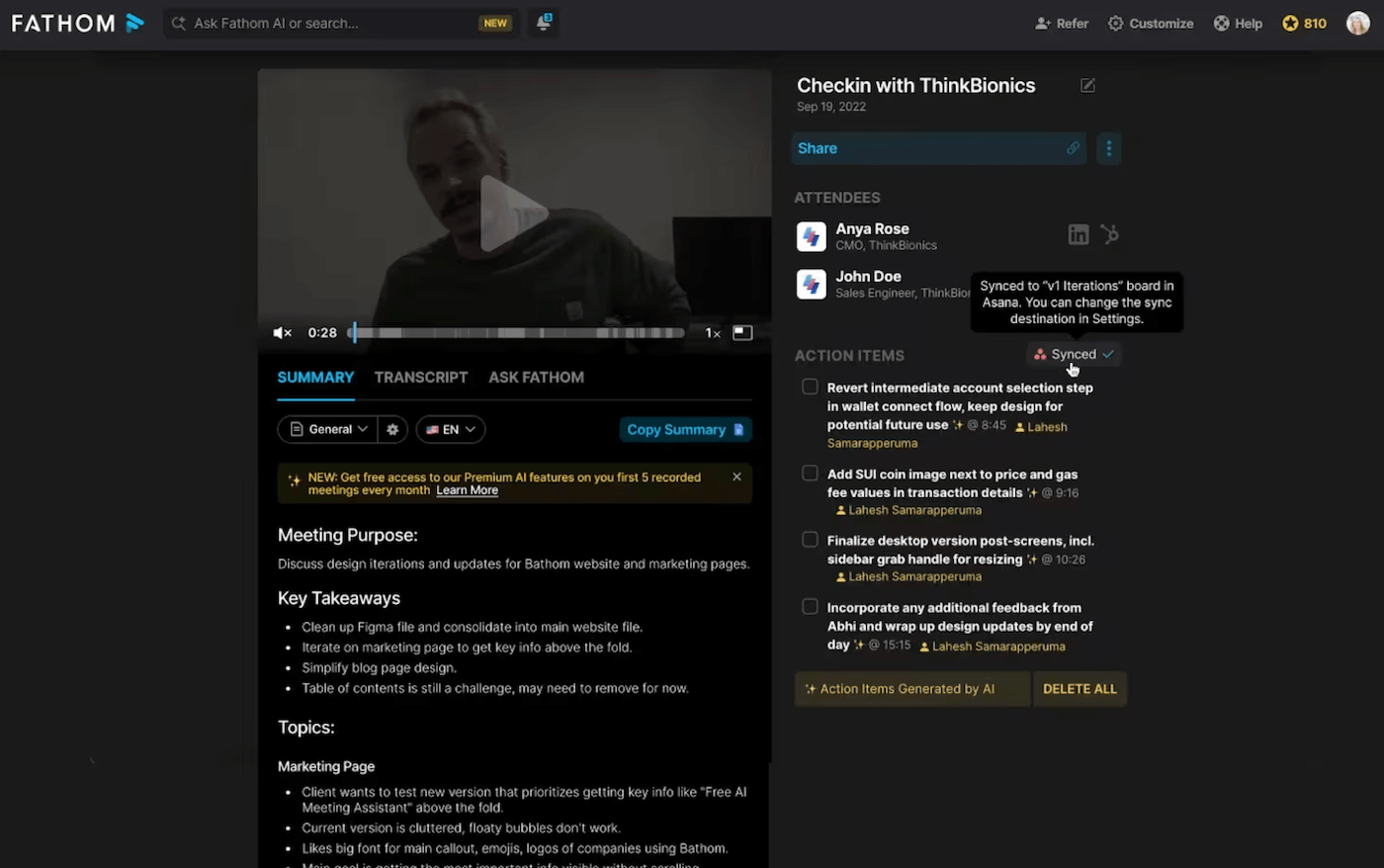
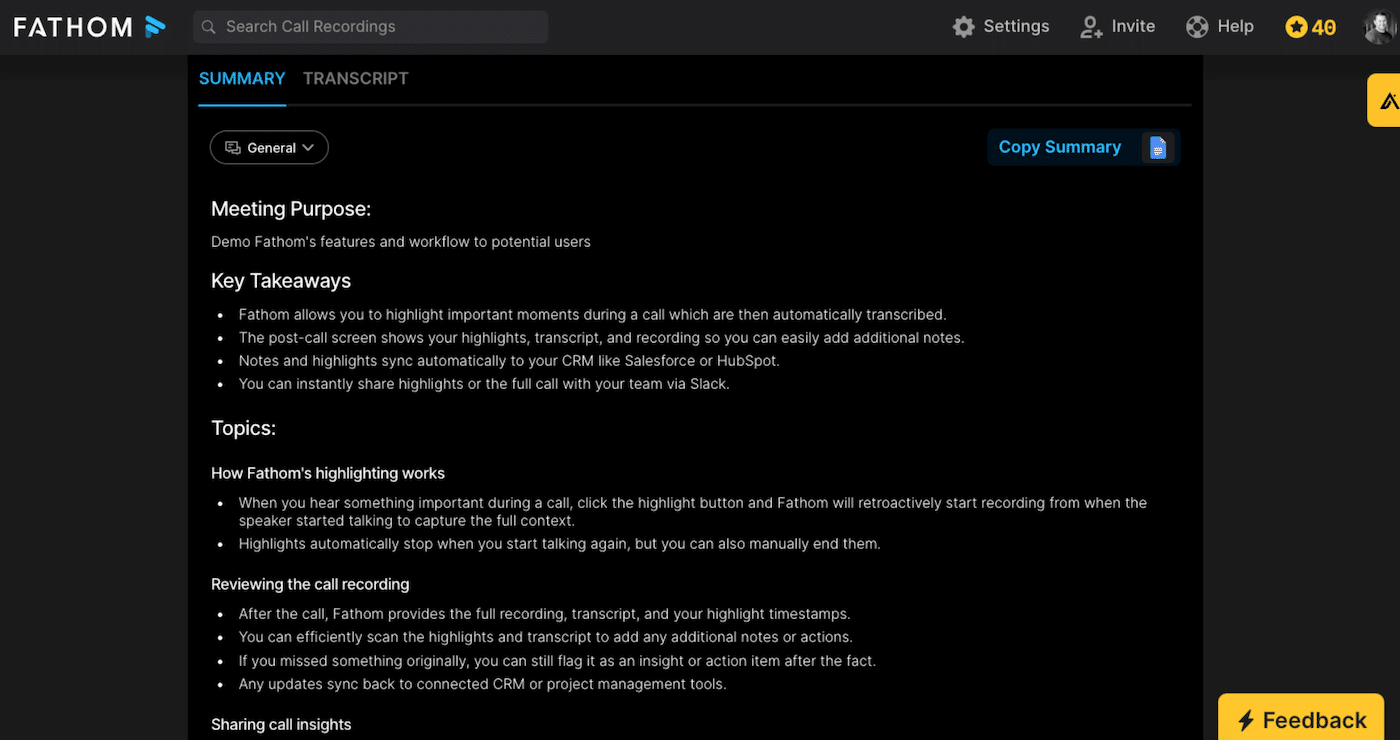
The summary includes the key points, the decisions made, the action items and a TL;DR for quick reviews. But what sets Fathom apart is its library of templates built for specific methodologies:
- Sales: SPICED, MEDDPICC, BANT, Demo format, Discovery format
- Customer Success: templates for QBRs, renewals, incident follow-up
- HR: templates for candidate interviews, onboarding, 360° feedback
- General: chronological format, Q&A, general summary, action items only
If no template fits your use case, you can create your own: define the sections you want, the level of detail, the tone. That template becomes your standard for all future meetings of the same type.
The Ask Fathom feature (still in beta) rounds it all off: you can ask questions in natural language about the content of a meeting, such as what the pricing objections were, or what the prospect said about the project timing. On the Business plan, this feature extends to all of the team’s meetings: you can search for trends or mentions of a competitor across all your recorded calls.
Highlights: capturing the important moments without interrupting the conversation
This is the feature advanced users praise the most, and it’s worth pausing on for a moment.
During a call, when someone says something important, whether it’s a key objection, a strong buying signal or strategic information, you click the Highlight button in the Fathom panel. The tool automatically captures the moment, going back slightly so as not to cut off the start of the sentence.
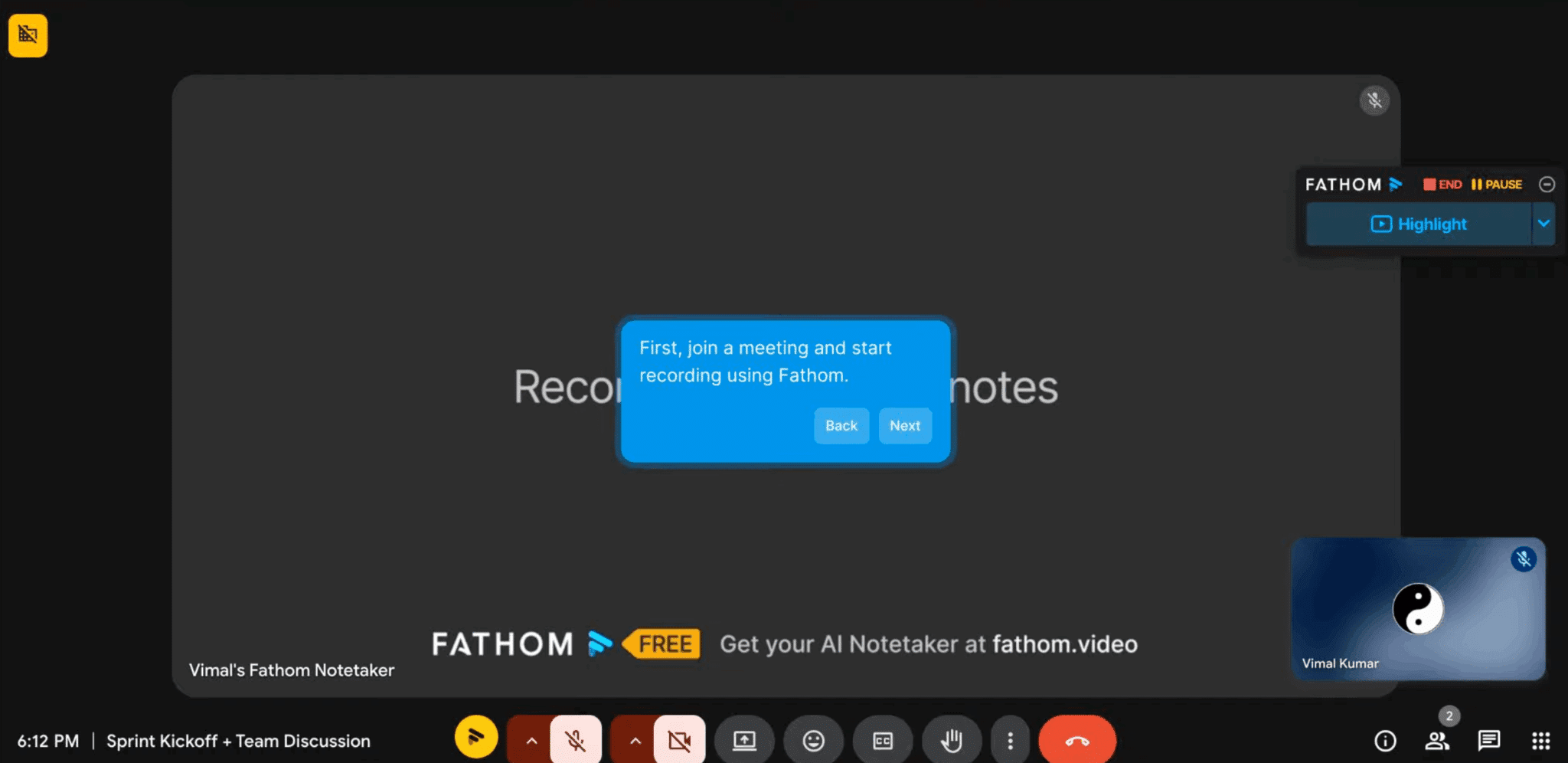
These highlights can be named manually or auto-named by the AI. They can be compiled into playlists to easily share the voice of the customer with the product or marketing team, without sending a 45-minute recording and hoping someone takes the time to listen to it.
Highlights can be marked as internal, so external participants don’t see them in the shared summary. You can freely annotate whatever struck you as important, without it getting back to the prospect or the client. All of this is rather well thought out.
Automatic CRM sync: the real game-changer for sales teams
This is where Fathom takes on a different dimension from all its competitors positioned on AI note-taking. From the Team plan up, Fathom syncs bidirectionally with HubSpot and Salesforce, for a maximum of 3 users per domain. The Business plan lifts that limit.
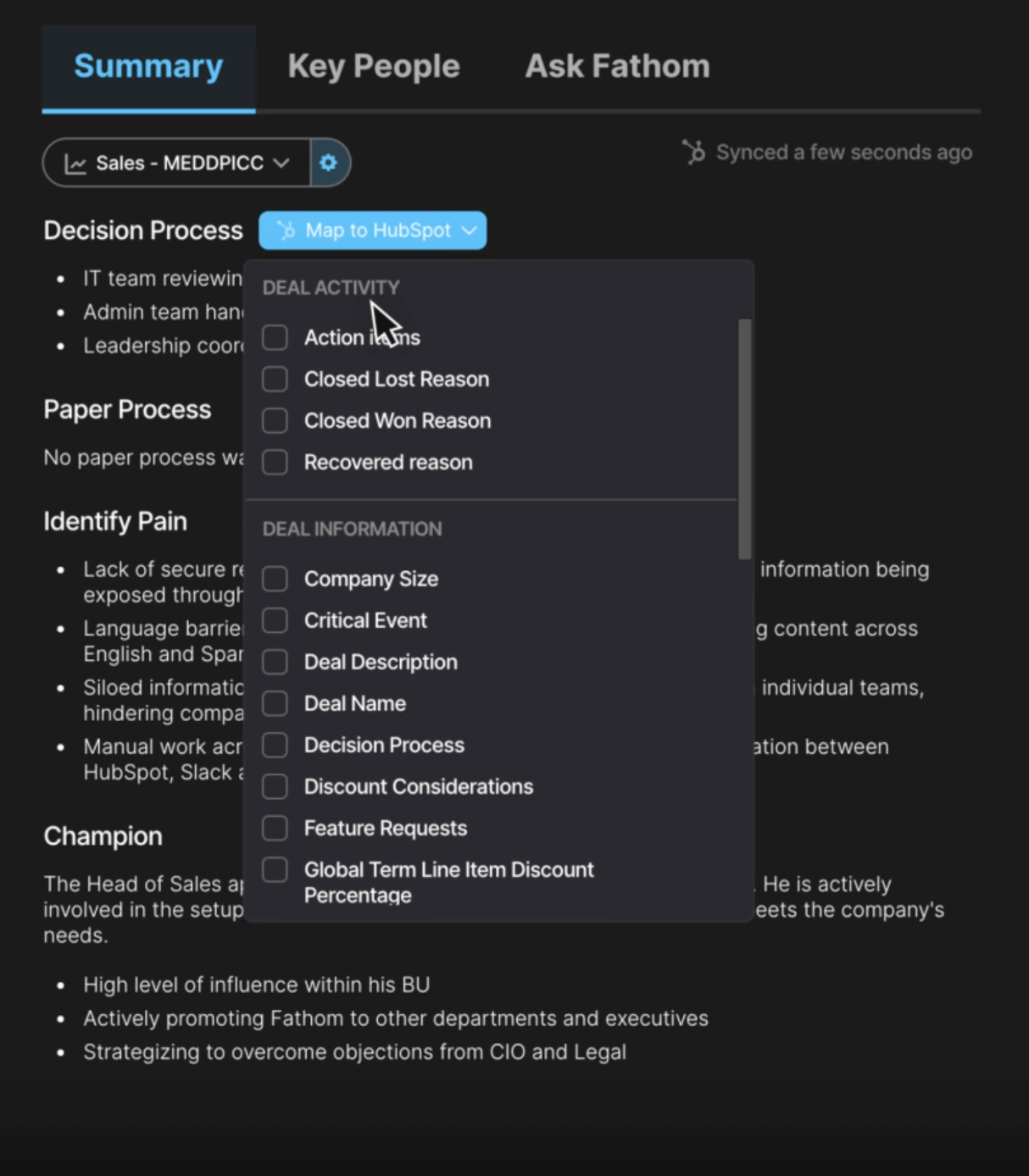
In practice, after a discovery call with a prospect:
- The summary and the transcript are automatically attached to the contact record in HubSpot or Salesforce.
- Action items are created in the CRM with the right owners.
- Custom fields, identified budget, decision-makers, timeline, objections, are filled in automatically based on the information extracted from the call.
- The deal moves to the right pipeline stage if a decision was made.
For teams doing SDR or account executive work with several calls a day, the time savings are immediately visible. A team of 30 sales reps saving 20 minutes of CRM data entry per meeting adds up to about 10 hours saved per day across the team. That’s the calculation Fathom puts forward in its sales pitch against Gong, and frankly it’s an honest one.
Note that Fathom also connects natively to Slack, with automatic sharing of the summary in a dedicated channel, as well as to Notion, Asana and Zapier, available on all plans since September 2025, which opens up access to more than 5,000 apps.
If you have a sales team doing 5 calls a day or more on Zoom or Teams and using HubSpot or Salesforce, the return on investment works out from the Business plan. Manual post-call CRM data entry is one of the most time-consuming and least valued activities of sales teams. Fathom gets rid of it.
Deal View and AI Scorecards: the features for managers and RevOps
On the Business plan, Fathom goes beyond individual assistance to offer team management tools.
Deal View consolidates all the conversations and interactions linked to a sales opportunity. A manager sees at a glance every time a deal was discussed, the decisions made at each stage, the promises made to the prospect. It’s a lightweight alternative to Revenue Intelligence platforms like Gong or Clari. Less powerful, admittedly, but far more accessible.

AI Scorecards automatically assess sales reps’ performance against predefined criteria: talk time, number of monologues, questions asked, active listening. A manager can quickly spot who talks too much, who doesn’t ask enough questions, who has mastered the sales methodologies being taught. It’s a concrete coaching tool, without having to listen to hours of recordings.
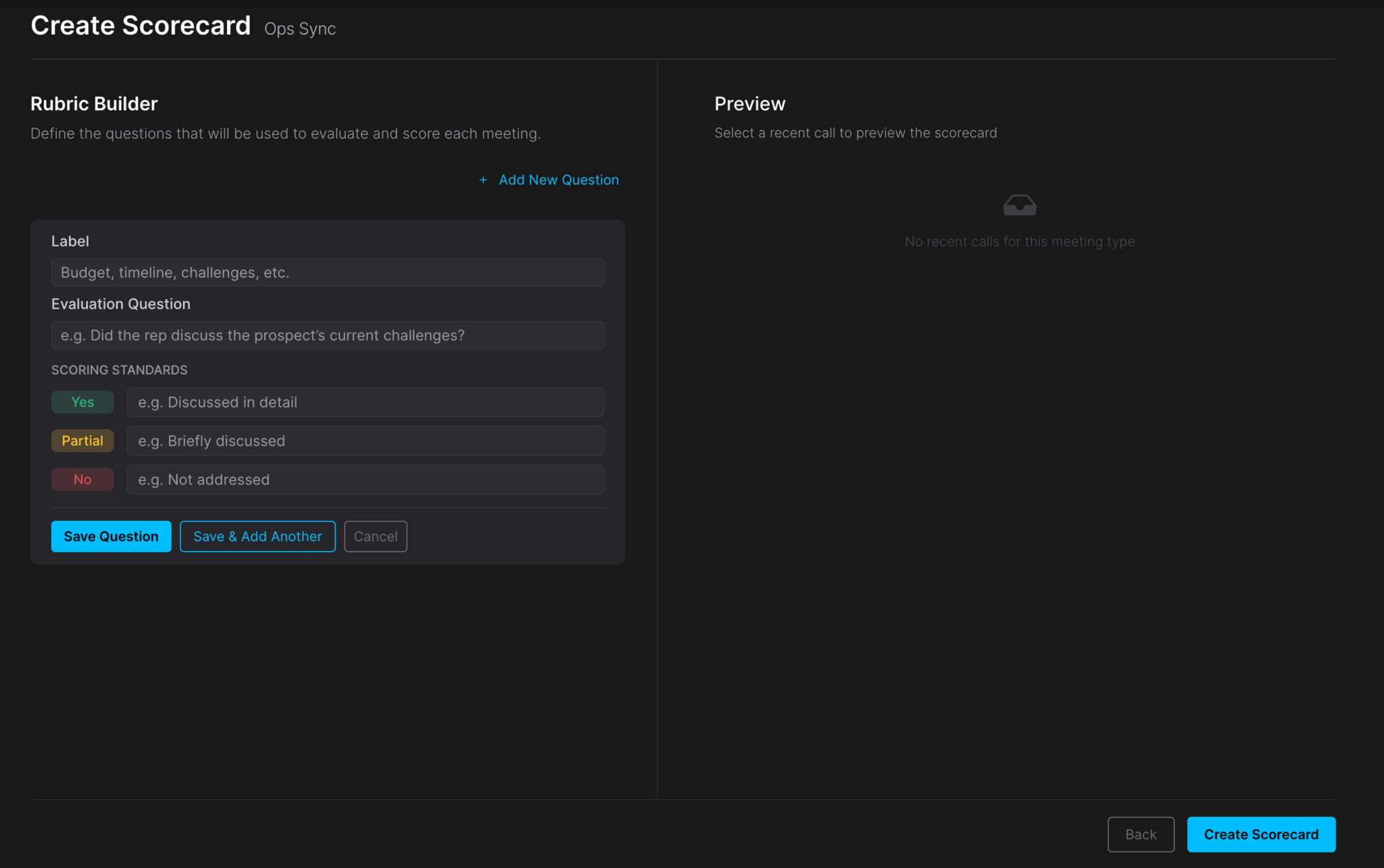
These features compete head-on with Gong and Chorus in the RevOps segment. Fathom doesn’t yet have the analytical depth of these platforms, but the price gap is considerable, and Fathom even offers a migration deal to Gong customers, with the Business plan free until the end of their existing Gong contract.
Fathom pricing: how much does it really cost?
| Plan | Price (annual / monthly) | What’s included | Who it’s for |
|---|---|---|---|
| Free | $0 | Unlimited recordings, transcriptions and AI summaries, clips, playlists, call search | Freelancers, light use, trying out the tool |
| Premium | $16 / $20 per user per month | Advanced summaries, Ask Fathom, custom bot | Solo professionals with heavy use |
| Team | $15 / $19 per user per month (2 users minimum) | Everything in Premium, plus search across the team’s calls, folders, comments, keyword alerts, and CRM field sync for a maximum of 3 users | Teams that want to share recordings between colleagues |
| Business | $25 / $34 per user per month (2 users minimum) | Everything in Team, plus CRM sync with no user limit, Deal View, AI Scorecards, coaching metrics, custom summaries | Sales teams on HubSpot or Salesforce |
| Enterprise | Custom quote | Everything in Business, plus SSO and SCIM, security controls, custom data retention, deployment support, dedicated manager | Large teams with security requirements |
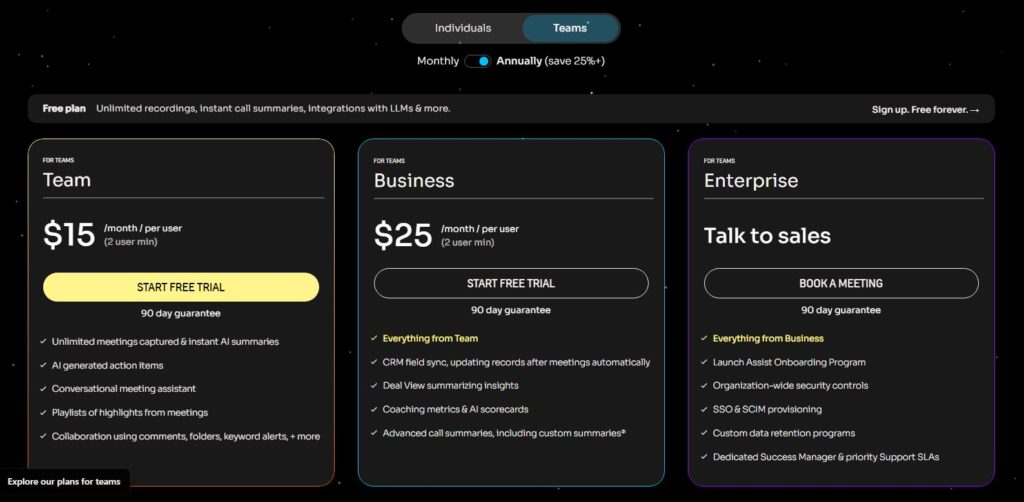
Paid plans can be tried for free and are covered by a 90-day money-back guarantee.
The free plan is genuinely usable for individual use, and it’s the right starting point to make up your mind. For a small team, the Team plan is enough: it already syncs CRM fields, but for a maximum of 3 users per domain. Beyond that, or if you want the coaching tools and Deal View, the Business plan is the right choice.