




On paper, the HubSpot vs Zoho CRM comparison looks settled before it starts. Zoho offers an extremely complete CRM at prices that embarrass the competition, while HubSpot lists higher per-seat prices. If the decision came down to list price, Zoho would win without a discussion.
Except that would miss the point. Things aren’t that simple.
Both tools are excellent CRMs and both rest on a broad ecosystem. So the real difference isn’t the number of features, it’s two distinct philosophies:
- Zoho bets on depth and price: a huge number of modules, very cheap, but a setup that takes time and sometimes technical skills.
- HubSpot bets on native integration and a unified experience: fewer modules, more expensive, but a coherent platform your teams adopt easily.
The right question is what each solution really costs you once you count setup, training, maintenance and actual adoption by your sales reps. In this article, we compare the two tools honestly and tell you plainly when Zoho remains unbeatable and when HubSpot becomes the smarter choice.
HubSpot vs Zoho CRM: our analysis in brief
HubSpot Sales Hub
HubSpot is a very complete sales CRM, but its real strength lies elsewhere. The platform is built around one principle: everything rests on a single contact database and the experience stays consistent from end to end. You start with the sales CRM, then add marketing, service or content without ever having to reconcile your data.
That consistency explains HubSpot’s biggest asset: adoption. The interface is considered one of the most accessible on the market and your reps become self-sufficient very quickly. A CRM your teams don’t use is worthless, whatever its price. On this specific point, HubSpot has a real lead.
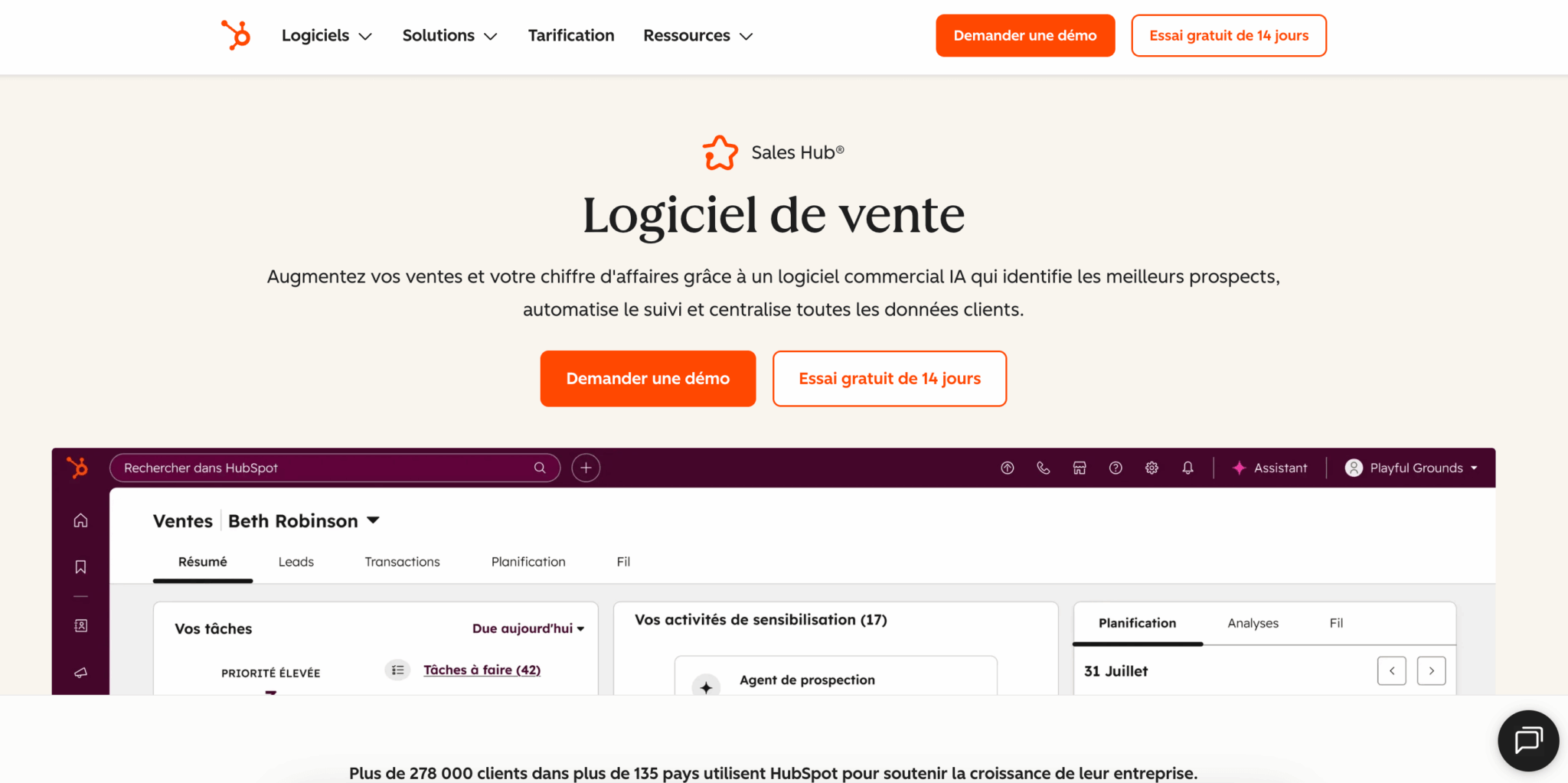
On features, it delivers: custom pipelines, automated sequences, workflows, lead scoring and cross-team reporting that combines sales, marketing and service in a single dashboard. Breeze AI is built in natively and available from the entry-level plans, where many competitors keep it for their most expensive tiers.
Salesdorado tipThe old criticism of HubSpot as rigid and hard to customize no longer really holds. Custom objects on the Enterprise plan and the platform’s openness let you handle complex sales processes. The real issue with HubSpot is budget, not flexibility.
Zoho CRM
Zoho CRM is one of the emblematic CRM software products in the category. It’s an extremely complete solution, with impressive functional depth and, above all, an unbeatable features-to-price ratio. That’s a real plus for a very small business or an SME that wants a lot of tools without blowing its budget.
Its strength also comes from the Zoho ecosystem, which includes more than 45 connected business applications: CRM, but also invoicing, projects, HR, support, accounting and more. If you already use several Zoho apps, the internal connections are smooth and the value quickly becomes considerable. Zoho has also made huge progress on user experience in recent years, notably with Zoho Canvas, which lets you build your CRM interface by drag and drop.
Where you need to be clear-eyed is on the flip side of all this richness. The deeper a tool is, the more time its setup takes, and sometimes a technical profile is needed to get the most out of it. Sales adoption of Zoho is often harder than expected. And Zia AI, which is good, is only included for the most part (predictions, scoring, call transcription) from the Enterprise plan, at €40 per user per month, whereas Breeze arrives much earlier at HubSpot.
Salesdorado tipZoho offers an ultra-light version of its CRM, Zoho Bigin, from €7 per user per month billed annually (€9 monthly). It’s an excellent entry point for a very small organization that wants a pipeline-focused CRM without the complexity of Zoho CRM. If the learning curve is what’s holding you back, start there.
The real comparison: list price vs total cost
If you put the two price lists side by side, Zoho wins hands down. Zoho’s Professional plan costs €23 per user per month while HubSpot’s Pro costs €90 per seat, billed annually in both cases. For features that look comparable on paper, the gap is huge and entirely real.
But the displayed price is never the price you actually pay. The total cost of a CRM includes four things the price list doesn’t show:
- Initial setup time.
- Team training.
- Long-term maintenance.
- The actual adoption rate.
And on these four points, the gap narrows sharply:
- Zoho requires more setup and, to exploit its depth, often a dedicated administrator or an outside provider. Its premium support is billed as an extra and its licensing structure has several overlapping models.
- HubSpot costs more per seat, but its ease of use drastically cuts training time and the hidden cost of admin. Above all, a well-adopted CRM creates value, while a powerful but underused CRM destroys it.
Our conviction is simple. If your absolute priority is license cost and you plan to run a dozen business applications in parallel, Zoho is probably the best choice. If your priority is industrializing your acquisition, aligning your teams and having a CRM your reps really use, HubSpot takes the lead despite its higher price.
HubSpot vs Zoho CRM: functional scope
Pipeline and sales task management
HubSpot offers a very ergonomic sales funnel, designed for adoption. The interface guides the rep, common actions are smooth and getting started takes little training.
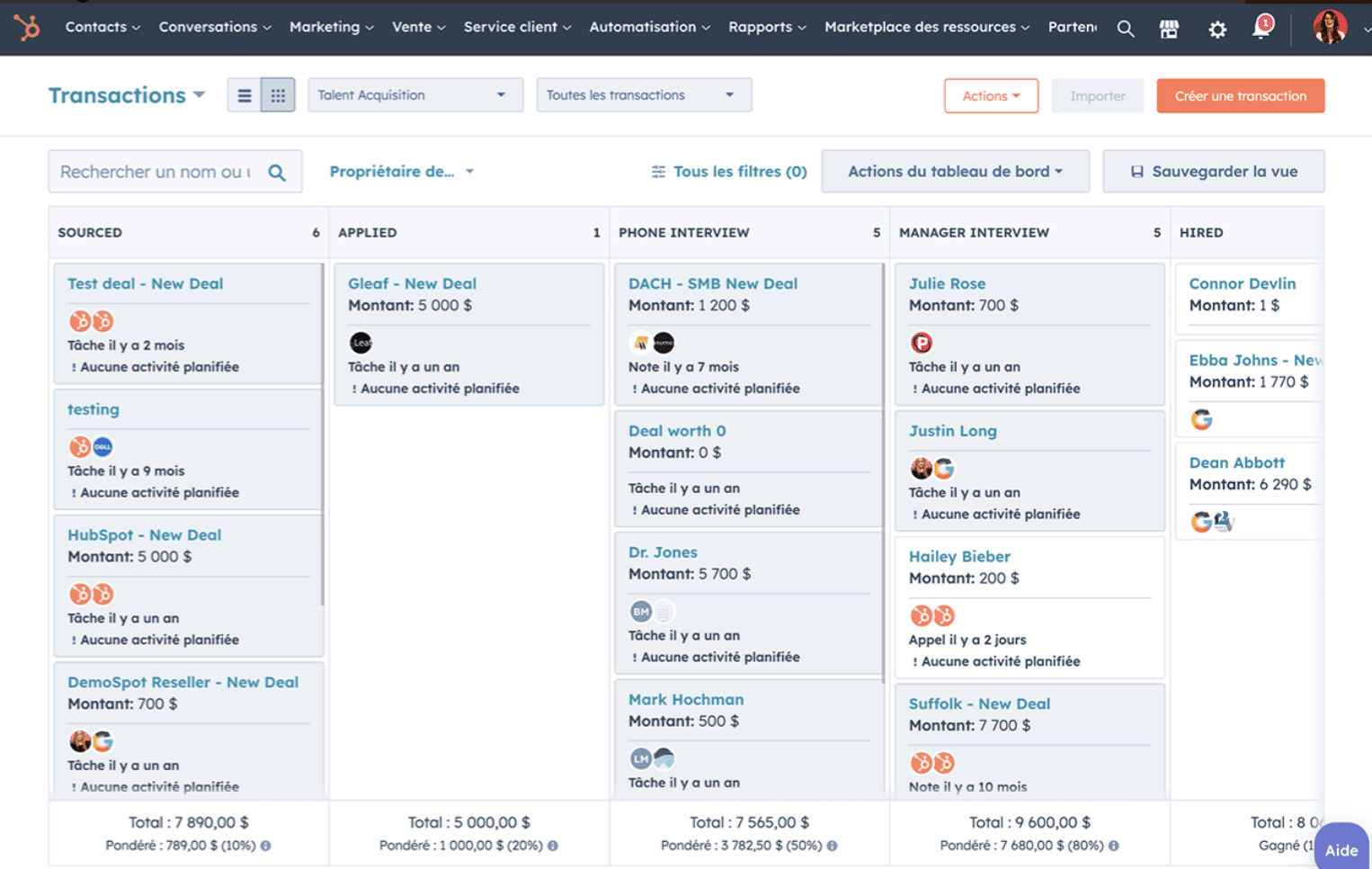
Zoho also offers solid pipeline management, with a clear Kanban view and the ability to create several pipelines. The tool has improved a lot on user experience and has little left to envy HubSpot for in daily use. The difference comes down mainly to immediate simplicity: HubSpot stays a notch above for the most common actions, while Zoho favors richness of options.
Both tools handle a pipeline very well. Let’s say that if rapid adoption by your teams is your priority, HubSpot has the edge. If you want to fine-tune your processes and have the technical means to do it, Zoho gives you more levers.
Contact management
Zoho offers complete, visual contact management, with a timeline view that surfaces priority prospects. You add, import and categorize your contacts easily and attach documents to individual records. It’s clear and effective.
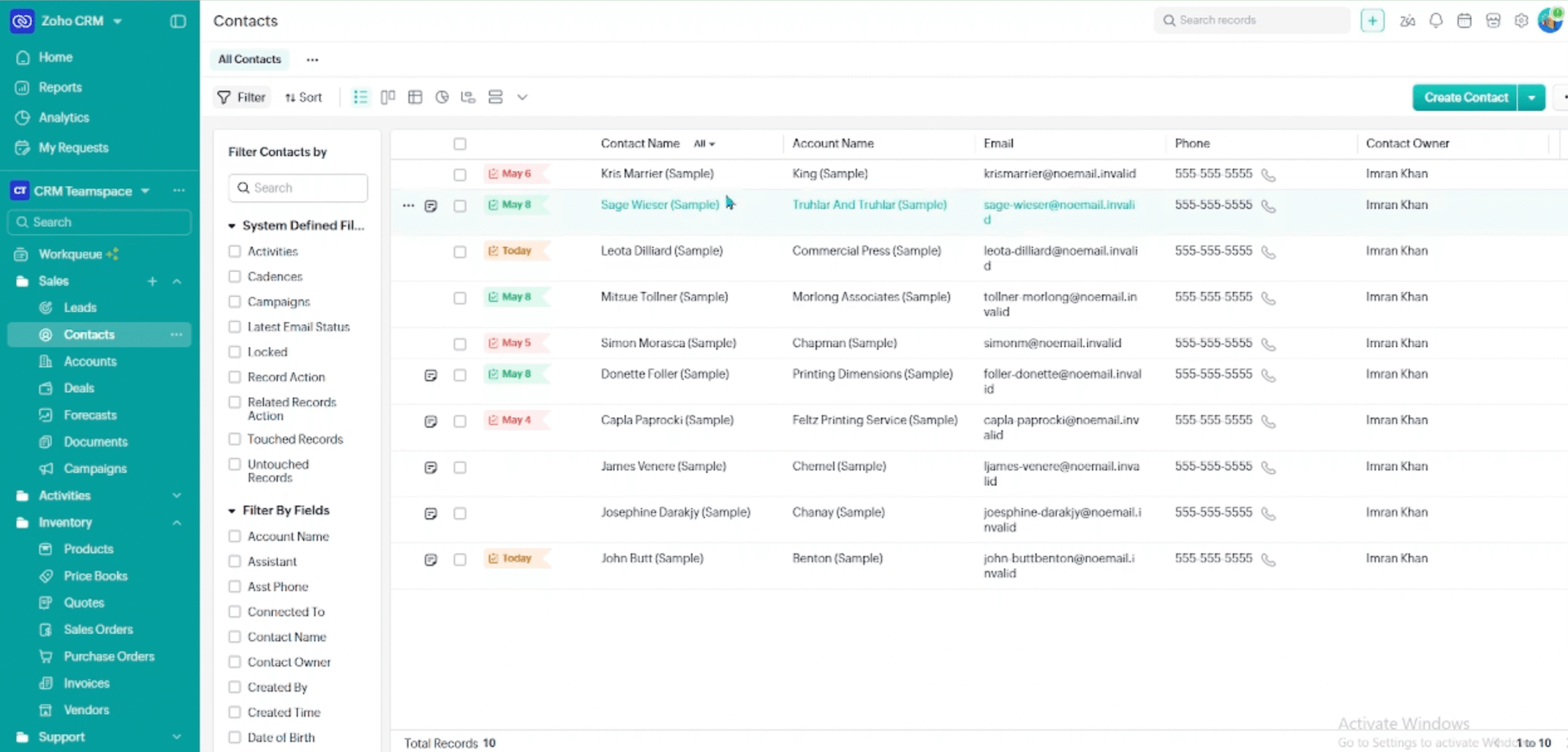
HubSpot offers comparable capabilities, with contact records richer in custom fields and an automatically recorded activity history. You can store a very large contact database and build advanced segmentation strategies. Both tools are up to standard here, with a slight advantage to HubSpot as soon as you industrialize your prospecting.
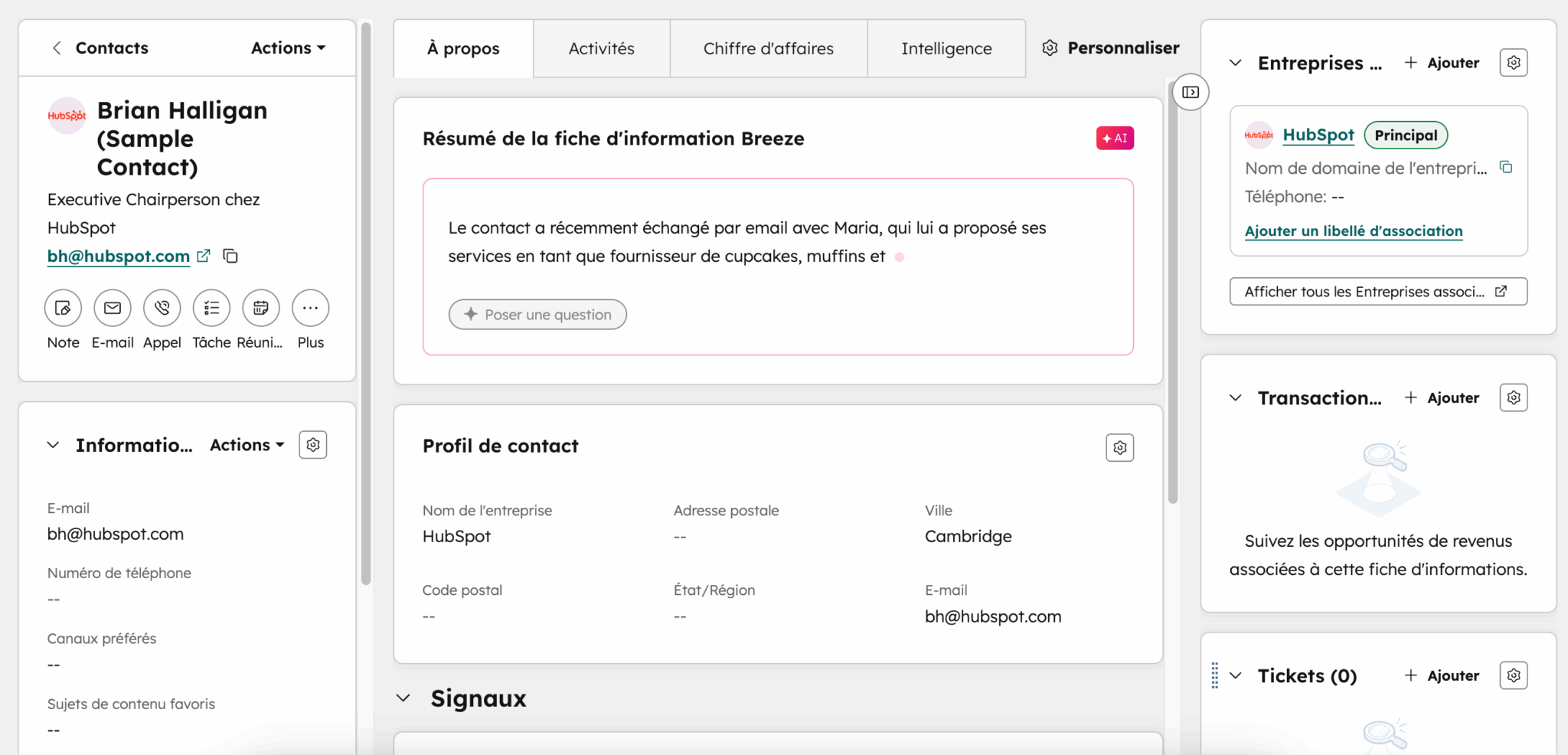
The difference shows mostly in enrichment and data quality:
- HubSpot automatically enriches part of your contacts’ firmographic information and keeps a record of every interaction without your reps having to enter anything. This clean-by-default approach to data matters enormously over time, because a CRM is only worth the data it contains.
- Zoho can also deduplicate records (from the Professional plan) and enrich them with Zia (from Enterprise), but setting this up takes a bit more configuration.
Automation, lead scoring and marketing automation
This is one of HubSpot’s big differentiators. The platform lets you build very powerful workflows, especially when the sales CRM is paired with HubSpot’s marketing automation. A prospect fills in a form, receives an email sequence, gets a score and lands in the right queue, with no manual intervention. On native marketing automation, HubSpot is simply one of the best references on the market.
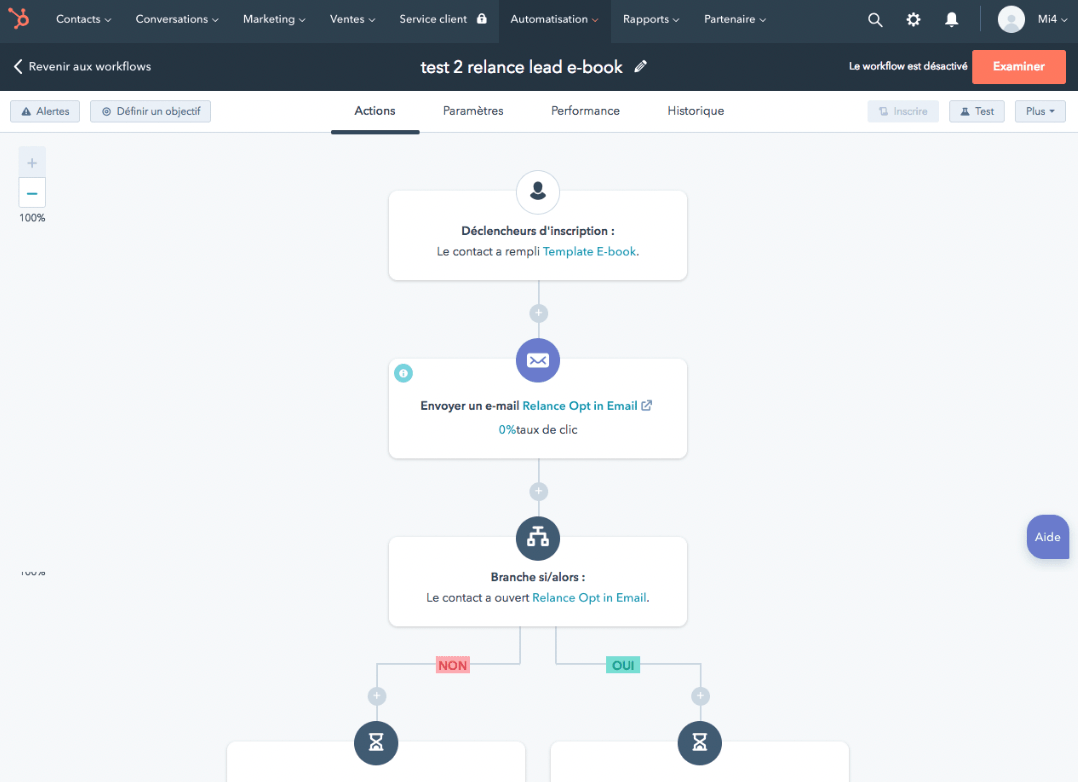
Zoho offers very decent sales automation and lead scoring features: email sequences, lead assignment rules, automated notifications, workflows per module. It’s solid, and the Blueprint tool for structuring processes is available from the Professional plan. On pure marketing automation, however, Zoho trails HubSpot.
Reporting and sales forecasting
Zoho CRM provides standard reports on all its plans, 100 custom reports with Standard and an unlimited number from Professional. The Enterprise and Ultimate plans open up access to Zia predictions and advanced analytics tools, with the Premium edition of Zoho Analytics included on the Ultimate plan. It’s rich, but setting up multi-module reporting sometimes takes training.
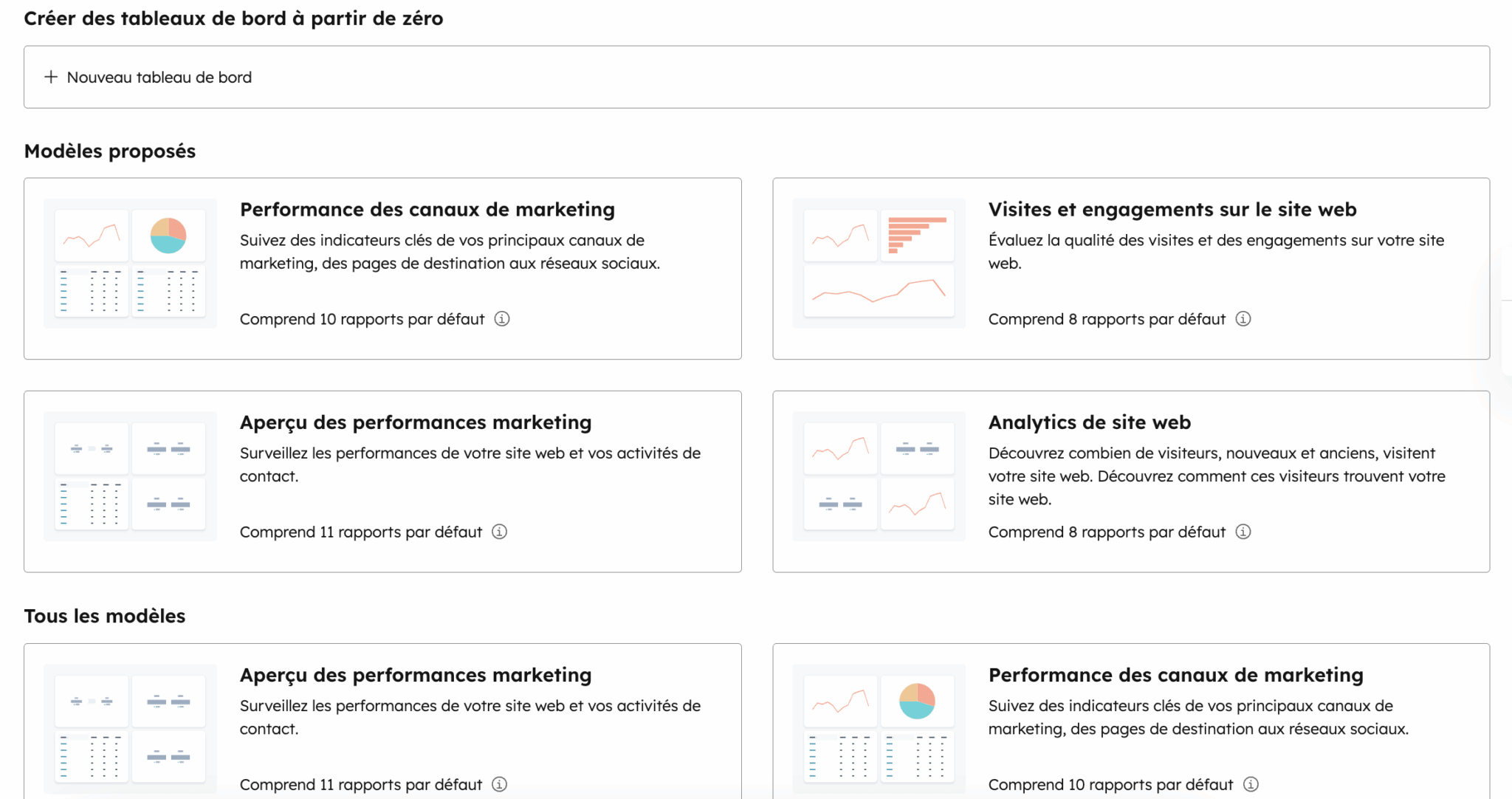
HubSpot offers particularly powerful cross-team reporting, especially if you use several parts of the platform. You trace the entire customer journey with dashboards dedicated to sales, marketing and service, and forecasting with automatic weighting starts on the Pro plan. This is one of the big advantages of a unified CRM: your forecasts rest on genuinely consistent data, with no manual reconciliation.
Artificial intelligence: Breeze vs Zia
HubSpot has unified its AI under the Breeze brand, which comes as a conversational assistant and autonomous agents, including a prospecting agent. The major asset is that Breeze draws directly on your CRM data and is available from the entry-level plans, without reserving AI for the most expensive tiers.
Zia, Zoho’s AI, is mature and covers a lot of ground: predictive scoring, anomaly detection, sentiment analysis, call transcription, forecasting and more. It’s a real asset, but with two caveats:
- Zia’s predictive scoring, forecasting and call transcription are only included from the Enterprise plan, at €40.
- Many teams use only a fraction of it, for lack of time to learn it.
Ecosystem, integrations and scalability
This is often where the decision is really made, and also where the two philosophies show most clearly.
Both vendors have a rich ecosystem, but they don’t approach it the same way:
- Zoho bets on internal integration. The vendor owns more than 45 business applications, from invoicing to HR, projects and support, and they all connect natively with one another. If you adopt several Zoho apps, you get a complete system at an unbeatable cost, without depending on third-party integrations. The trade-off is that Zoho’s external ecosystem, while well stocked, is generally less polished and less deep than HubSpot’s. Many connectors are primarily links between Zoho apps.
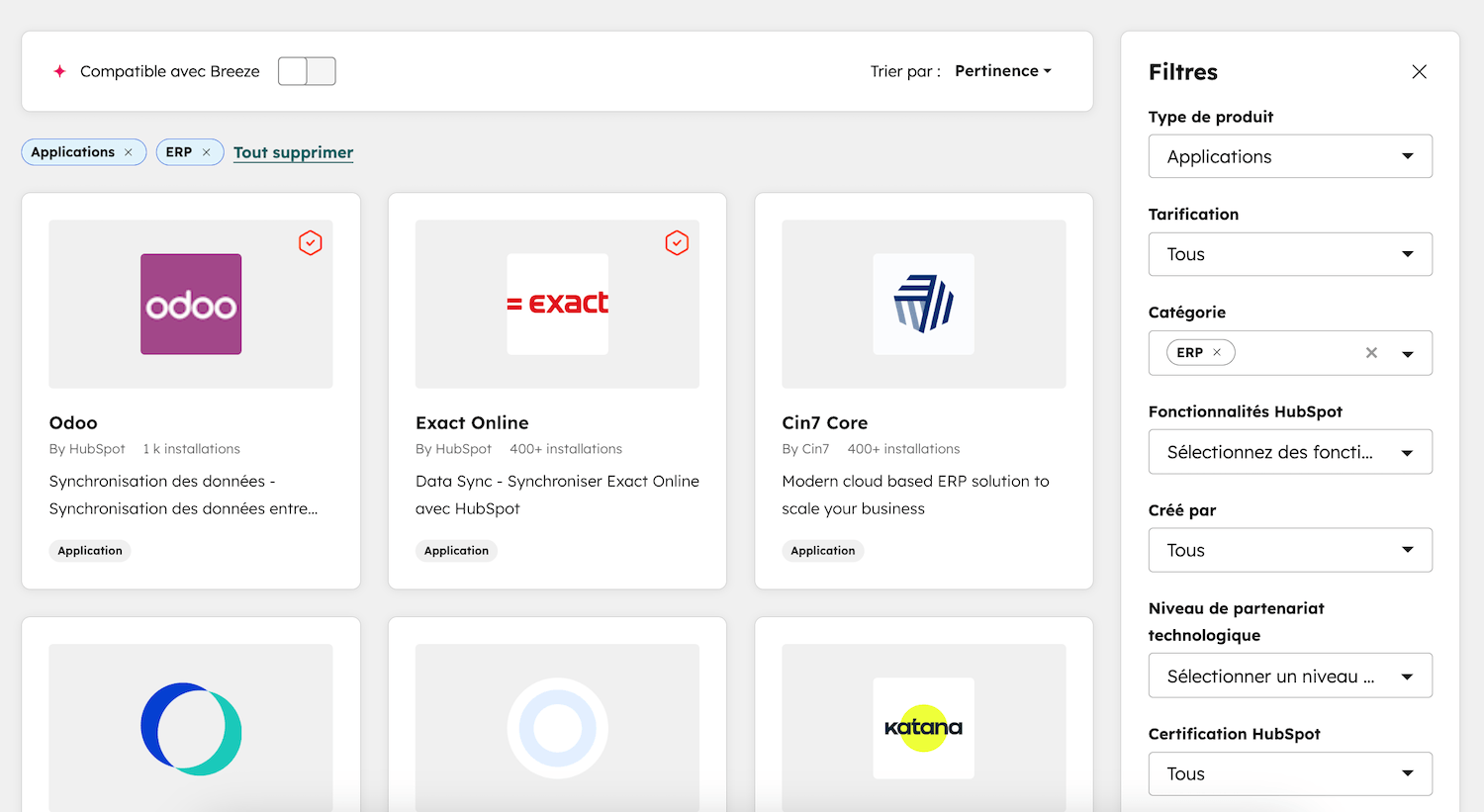
- HubSpot bets on external integration and consistency. Its marketplace exceeds 2,000 applications and the quality of the connectors makes the difference: data flows both ways (a bidirectional approach) and the integrations are well maintained.
So where Zoho asks you to stay inside its universe as much as possible to benefit from smooth connections, HubSpot slots cleanly into an existing stack, alongside the tools your teams already use.
Salesdorado tipThink about your stack three years out, not just today. If you plan to build everything on the Zoho universe, internal integration is a strong argument. If you want to keep the freedom to plug in the best tools on the market as you go (a best-of-breed approach), the depth of HubSpot’s integrations will keep you from getting locked in with a single vendor.
Scalability and migration
Choosing a CRM is rarely a six-month choice. It’s a structuring decision that commits you for several years, and the tool’s ability to grow with you matters as much as its current features.
Zoho scales very well in breadth. As your needs diversify, you activate new applications from the suite without changing vendors, which is a strength if you want to centralize as many tools as possible with one vendor on a contained budget. The limit lies in how the experience holds up under load: the more modules and customizations you add, the more technical the management becomes.
HubSpot scales very well in depth on a single foundation. You start with the free CRM, step up on Sales Hub, then add marketing or service when the need arises, all without a CRM migration or a break in your data. That is precisely the point of starting on a unified platform: you will never pay the cost of a reimplementation to move up a level. For a company anticipating strong growth, this is a decisive argument, because migrating a CRM in the middle of an expansion is one of the most painful projects there is…
HubSpot vs Zoho CRM: pricing
The list-price gap is undeniable and heavily favors Zoho. At €14 per user per month to start and €23 for Professional, billed annually (€20 and €35 monthly), Zoho remains one of the most aggressive offers on the market, with Zia AI included from Enterprise at €40 and advanced analytics on Ultimate at €52. The free plan covers up to 3 users.
HubSpot plays a different tune. The free-forever CRM tools let you get started without spending anything, for up to 2 users, the Starter plan at €20 per seat per month structures your sales, and the real jump comes with Pro at €90 per seat per month billed annually (€100 monthly), which unlocks advanced automation, sequences and advanced reporting (sales forecasts). The Enterprise plan is €175 per seat per month. You also have to factor in paid onboarding, mandatory on the Pro and Enterprise plans. But Zoho’s real bill goes up too once you add setup, premium support and, often, a technical profile to run the platform. That’s the whole point of looking at total cost, not just the displayed price. To go further, see our article on HubSpot costs.
Salesdorado’s takeReasoning on license cost alone automatically favors Zoho, and that’s legitimate if budget is your first constraint. But a cheaper CRM your teams half use ends up costing more than a well-adopted CRM. Before deciding on price alone, ask yourself how much your reps will really adopt it. That’s what determines the return on investment.