




In this article, we compare two giants of CRM software: Pipedrive and Salesforce.
Pipedrive ranks among the best CRMs for small and mid-sized businesses that have stable sales processes, simple needs in account management and Account Based Marketing, but major stakes in prospecting and lead management.
Salesforce is the leader in sales CRM. It offers excellent feature depth and many integrations. It is fairly complex software that suits well-established sales teams, but it is more focused on customer account management than Pipedrive.
Pipedrive vs Salesforce: our quick take
Salesforce
Salesforce is the global reference in CRM software. Its strength lies in the tool’s feature depth and the richness of its ecosystem of applications and integrations.
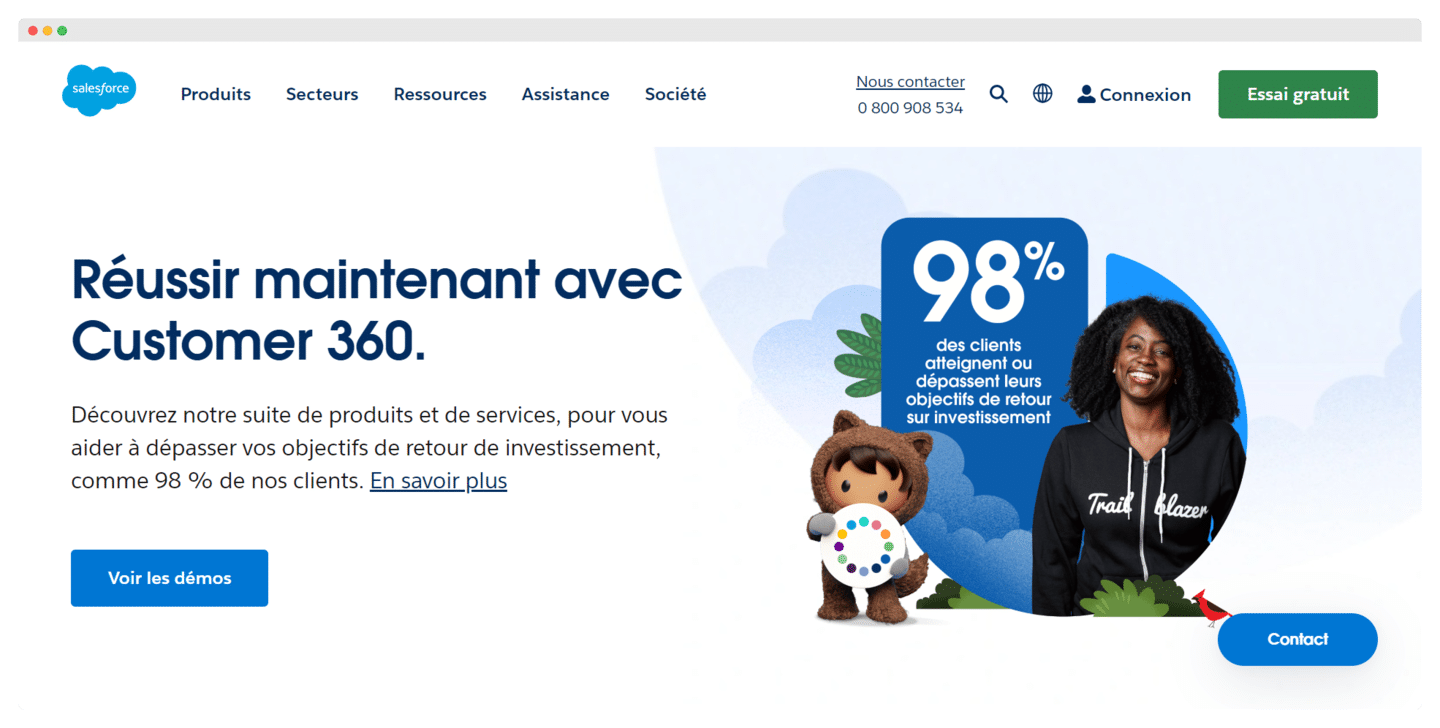
It is a product salespeople know well, so the learning curve is not too steep despite its complexity. If you know the tool less well, you may need to call on a Salesforce consultant or integrator. We therefore recommend it for those with advanced needs and a well-established CRM project.
Pipedrive
Like Salesforce, Pipedrive is one of the best CRMs on the market, and the deal-centric tool par excellence. It is perfectly suited to small teams with high sales volumes who want an inexpensive, easy-to-use product.
Pipedrive offers an excellent user experience, notably thanks to its highly polished Kanban view, which lets you follow all your sales processes at the same time.
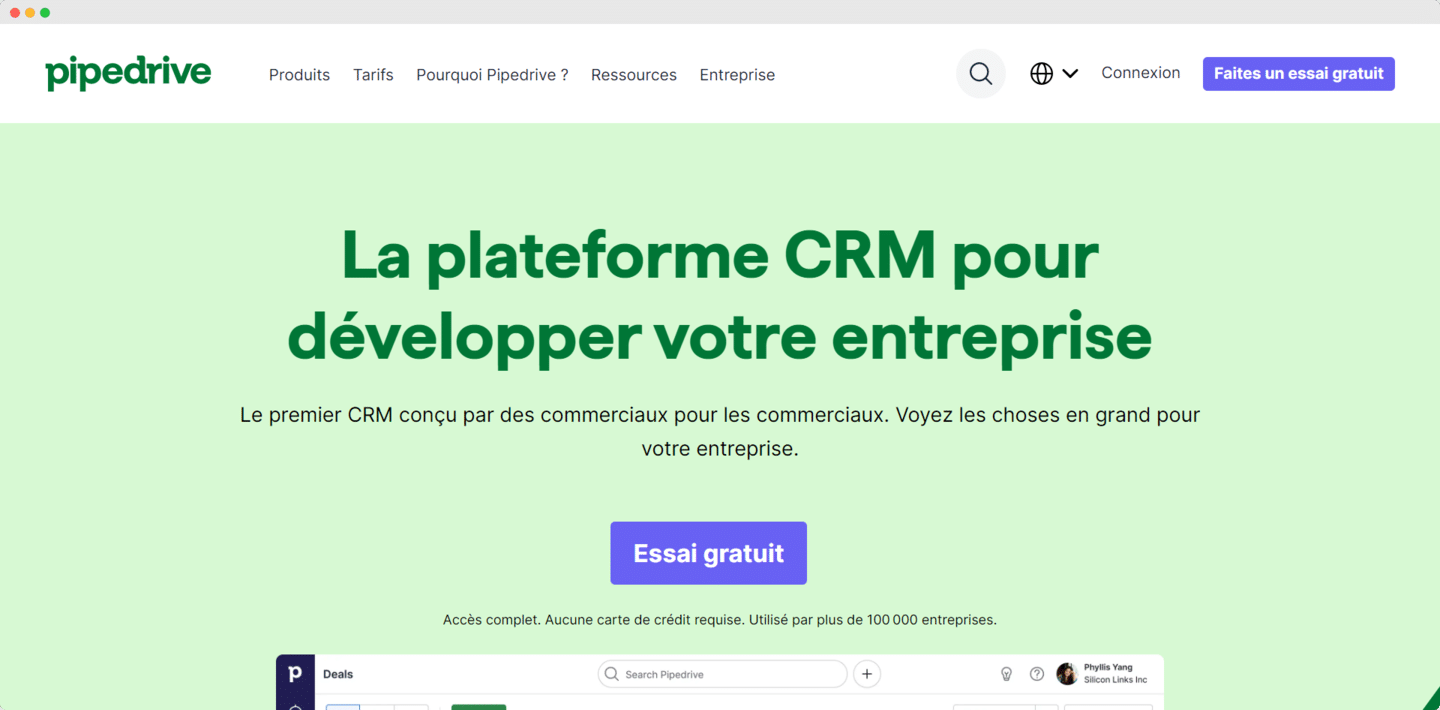
The very easy-to-learn interface lets you add every type of action (call, email, meeting, task) in record time compared with other tools, and the sales pipelines are far more ergonomic than Salesforce’s.
But Pipedrive’s features are more limited than Salesforce’s, and its automation, lead scoring and integration capabilities are less advanced. It is therefore the perfect tool for SMBs looking for an intuitive, affordable CRM to structure their sales processes.
Pipedrive vs Salesforce: what their customers say
Both tools are well rated by their users on review sites (Salesforce reviews, Pipedrive reviews). Here is what comes out of their feedback.
Salesforce: what customers think
What they like:
- Overall, users appreciate Salesforce’s feature depth and the strength of its reporting.
What they dislike:
- Some customers are not very happy with how hard the tool is to learn, which is fairly complex and time-consuming, or with the availability of customer support, only included in the most expensive plans.
Pipedrive: what customers think
What they like:
- The vast majority of Pipedrive users appreciate its ease of use and its very intuitive interface.
What they dislike:
- Some users find the reporting features a little light, especially compared with Salesforce’s.
Pipedrive vs Salesforce: feature scope
Sales pipeline and sales task management
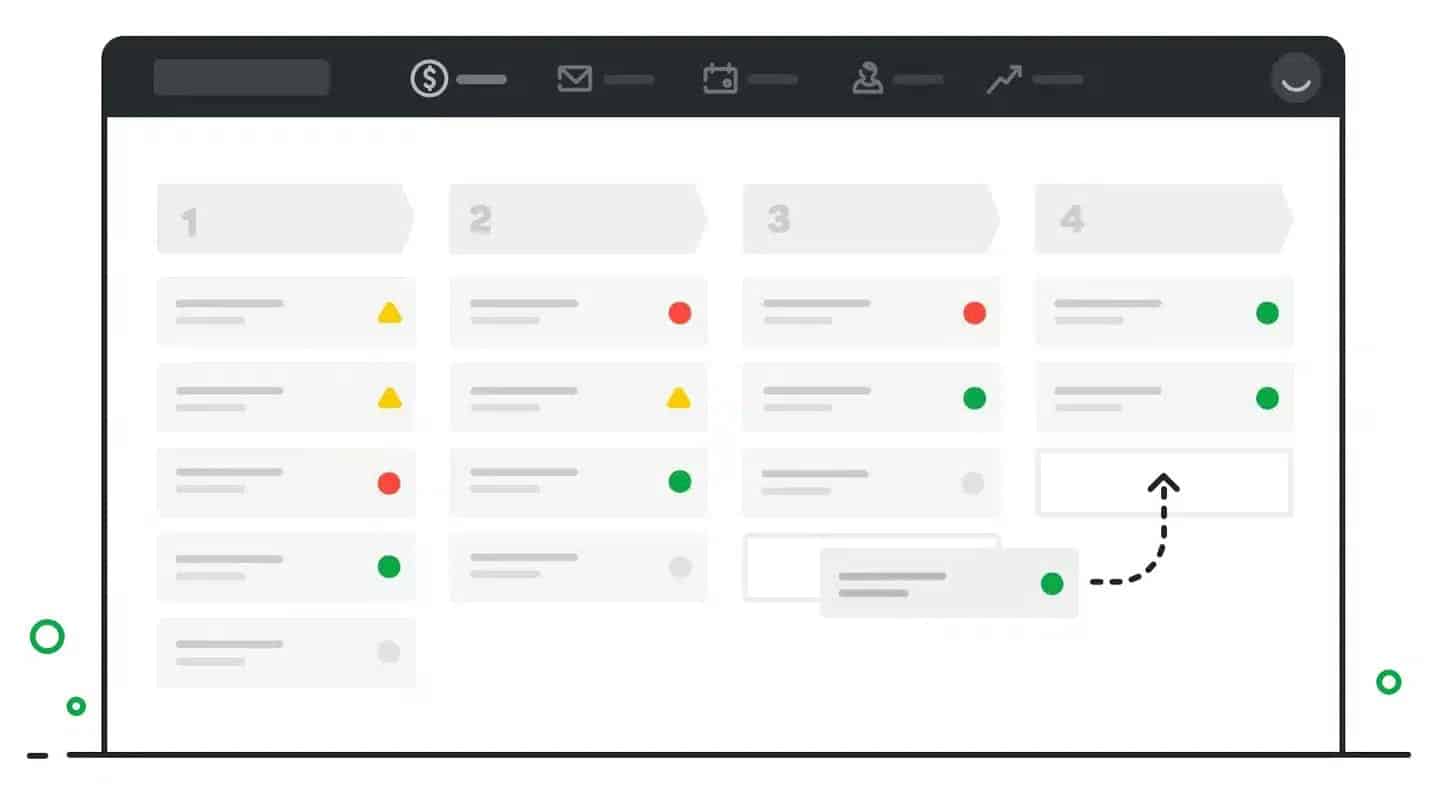
Pipedrive’s interface is excellent, very visual, and gives you an overview of your sales funnels. It is one of Pipedrive’s greatest strengths, particularly for adjusting your sales strategy.
The pipeline is built around deals that move from opportunity to success (or failure) with a simple drag and drop. This gives you a continuous, holistic view of your pipeline. Pipedrive offers standard pipelines to get started, but you can also create your own custom pipeline.
The very visual interface lets you spot at a glance which part of the sales funnel to work on first: for example, if you lack lead volume at the top of the funnel, you need to step up prospecting, and you can see that at a glance.
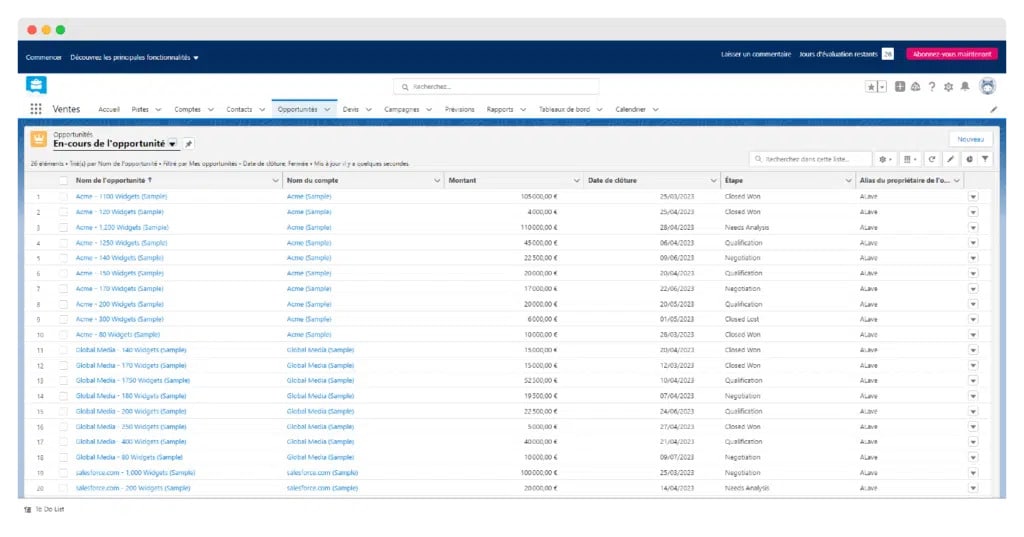
In Salesforce, tracking sales pipelines and lead progress is also fairly simple. You can follow sales opportunities throughout their life cycle, along with the amount of your potential revenue and the number of your sales at a glance. The interface is less intuitive than Pipedrive’s, but Salesforce offers other, more advanced features, such as automating certain stages of the sales cycle.
Contact management in Pipedrive and Salesforce
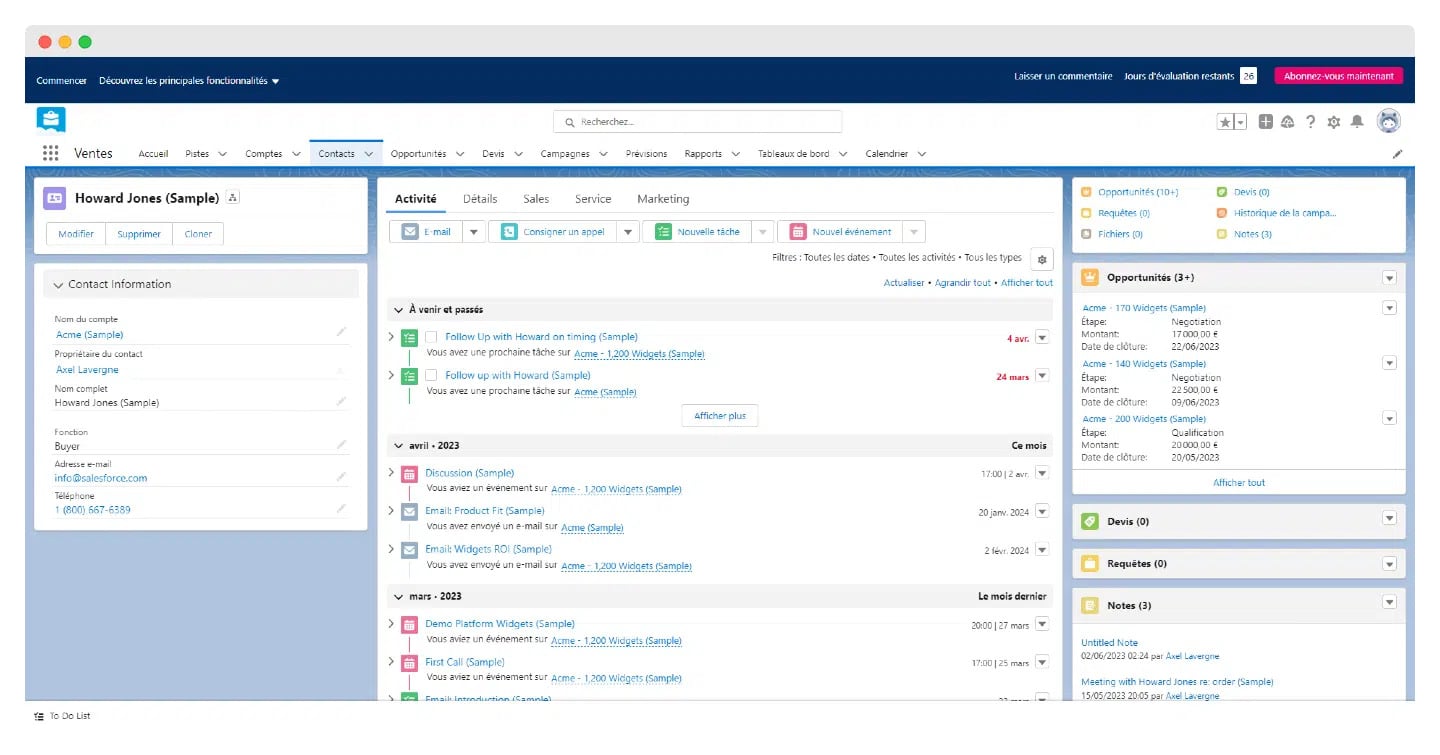
Salesforce is an account-centric CRM that lets you follow each of your customers throughout the entire sales process. The tool delivers excellent, personalized customer follow-up, which is particularly effective when you work with an Account Based Marketing (ABM) approach.
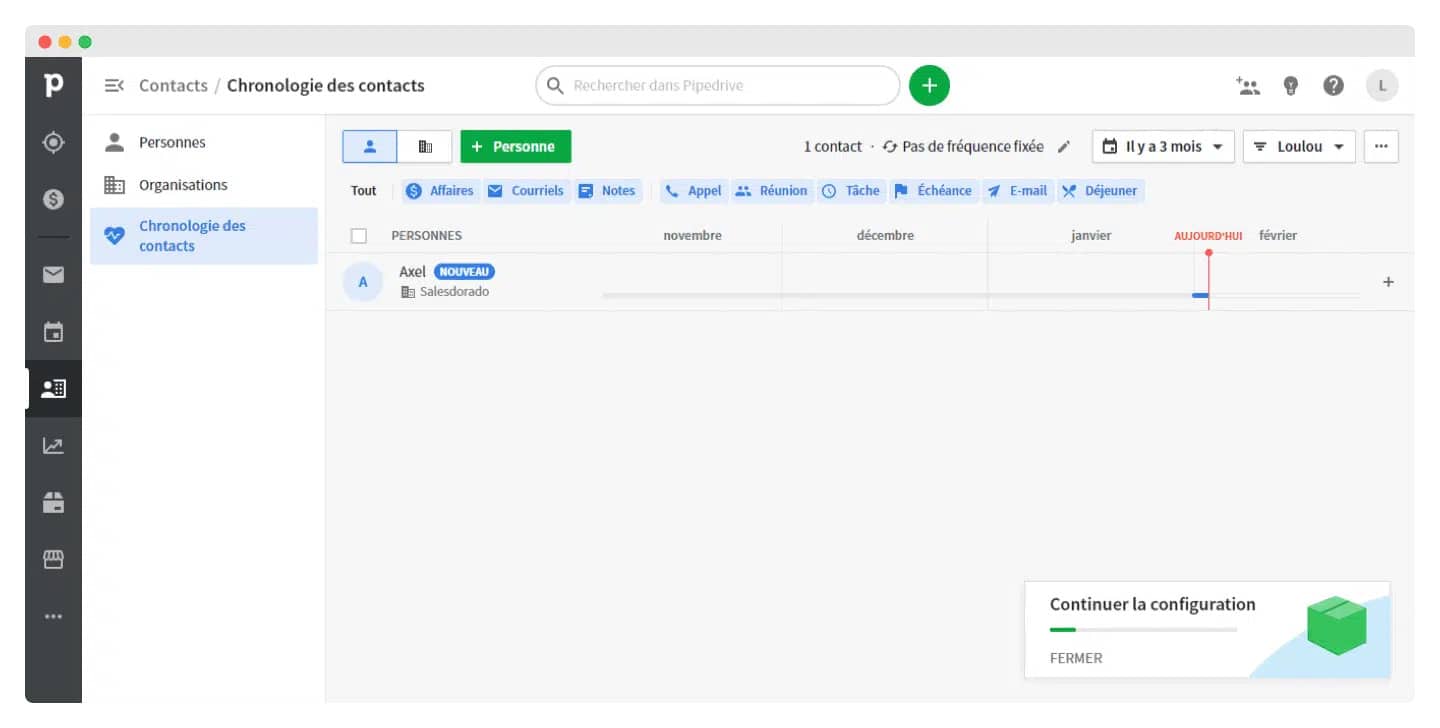
Pipedrive lets users organize their contacts in several ways, for example by identifying the people to contact first with the “Contacts Timeline” screen. Customer and company records are clear. The LeadBooster add-on (from €32.50 per month, included in the Premium plan) lets you add web forms, a chatbot and live chat to your website. With Prospector, it also gives you access to a database of 400 million profiles worldwide, ideal for companies that prospect heavily.
Lead scoring and automation
On lead scoring and automation, Salesforce is far ahead of Pipedrive. One of its major assets is its AI, long sold under the name Einstein and now brought together under the Agentforce brand, which offers lead and opportunity scoring, activity detection and deal insights. Lead scoring is available as an option on the Core edition and included from the Advanced edition.
Salesforce can also automate complex document flows and act as a cloud storage drive. The tool offers 10 GB of data storage per organization on the first editions, then 1 GB per user on the Advanced and Max editions. To make document management easier, you can also download a dedicated application from the Salesforce AppExchange.
The automated quote generator, Salesforce CPQ (now part of Revenue Cloud), lets you configure products and prices for cross-selling, upselling, contract and proposal generation, and invoice and payment processing.
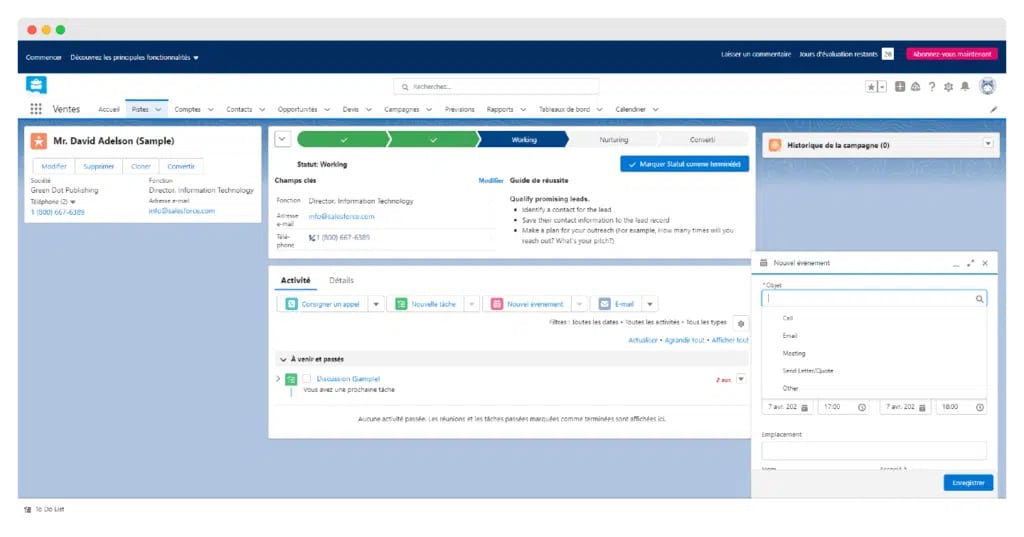
Pipedrive is less powerful on automation and lead scoring, but it still offers a few useful, easy-to-use features through simple-to-configure templates, from the Growth plan. These include sending emails, but also adding products to a deal or moving a deal to another stage of the sales process.
Pipedrive also offers a Campaigns add-on, from €13.33 per month, which lets you create and send personalized email campaigns, use easy-to-configure templates and simply move a deal to another stage of the sales process. If your needs are greater, you can easily connect Pipedrive to a marketing automation tool.
Reporting and forecasting
Here again, Salesforce goes much further than Pipedrive, but Pipedrive is more accessible and affordable. One of Salesforce’s major assets on reporting is the same as on lead scoring: its AI tool.
Its customizable reports and dashboards, present in all editions, make it very easy to track quarterly or annual performance. From the Core edition, pipeline analysis and built-in forecasting tables also deliver fairly detailed forecasts, predictive with the Advanced edition.
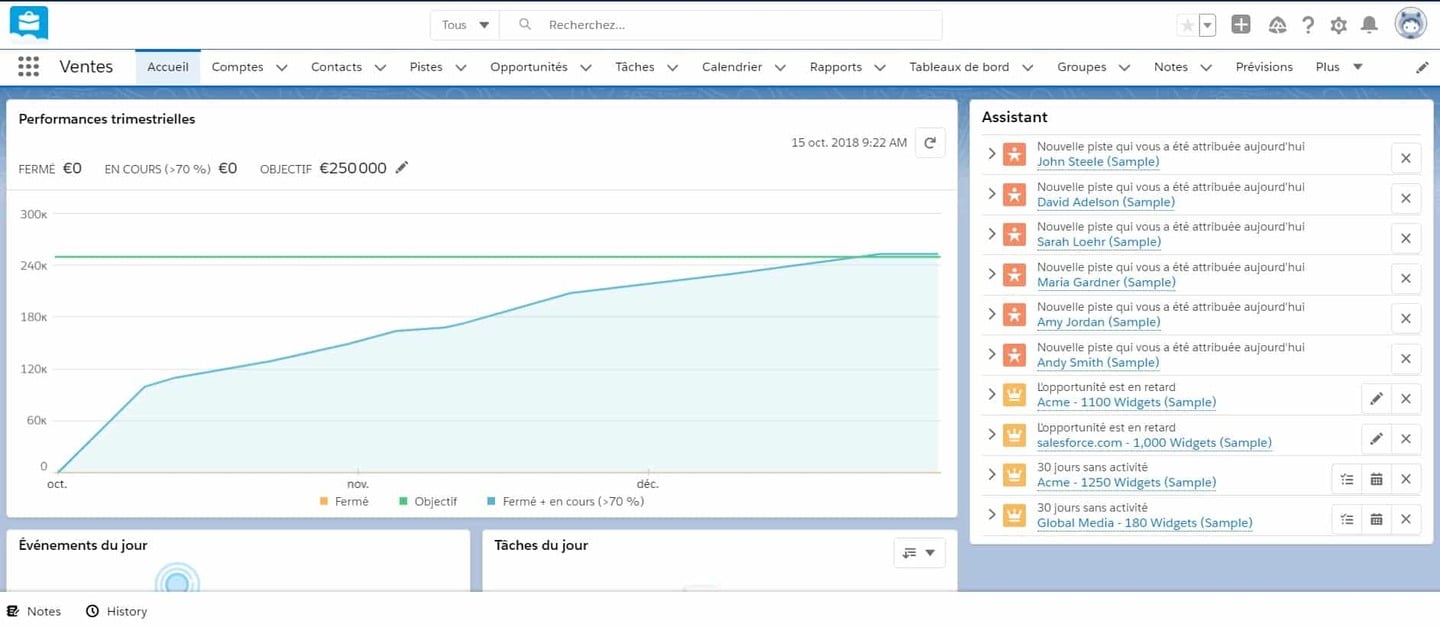
Pipedrive’s reporting is less advanced than Salesforce’s but more accessible and easier to learn. You just click each statistics card to access all the data it contains. The dashboard also shows data on the number of opportunities started, won or lost by product.
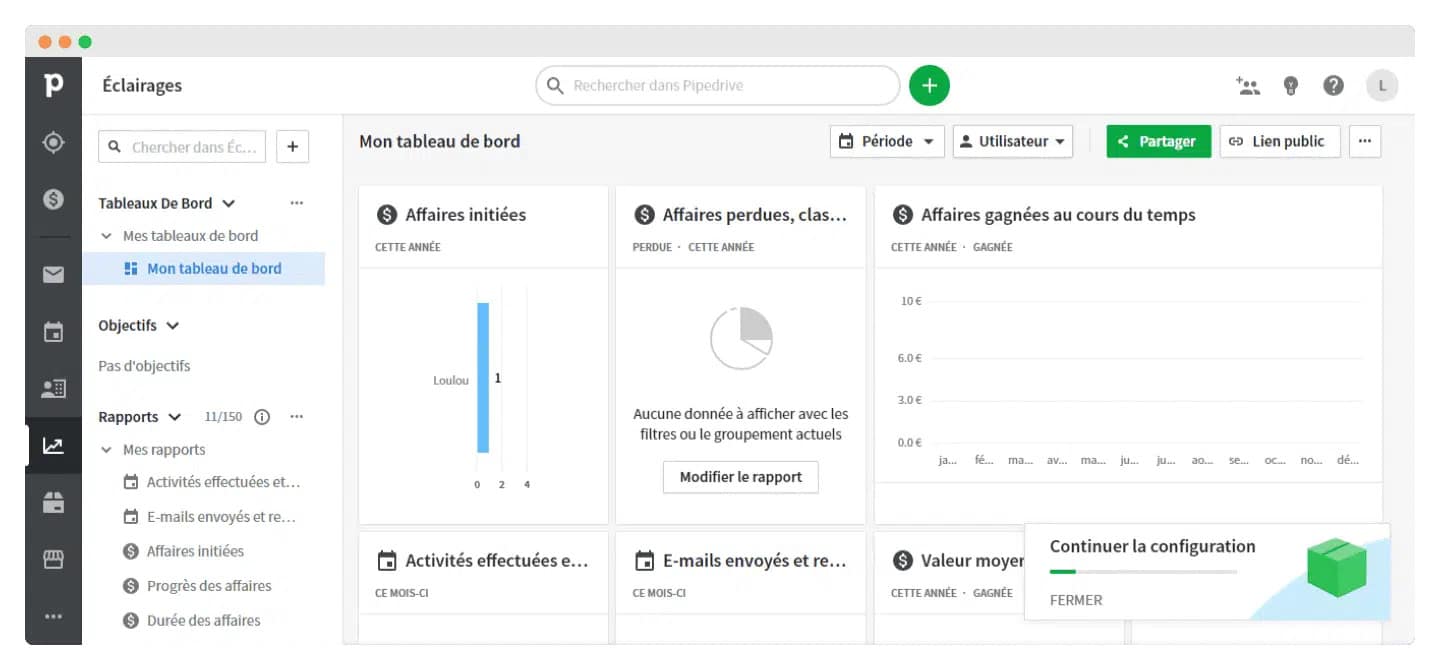
Reporting is also very affordable, since it is available from the Lite plan, at €14 per seat per month billed annually. So if your reporting needs are not very advanced and you do not want to spend too much time on it, Pipedrive is the better fit for you.
Pipedrive vs Salesforce: integrations and philosophy
On integrations, Salesforce is unbeatable. It is one of the largest third-party application marketplaces: the Salesforce AppExchange platform has existed since 2005 and gives you access to thousands of applications, from the best known such as Gmail, Aircall and DocuSign to more specialized applications less often integrated with other CRMs.
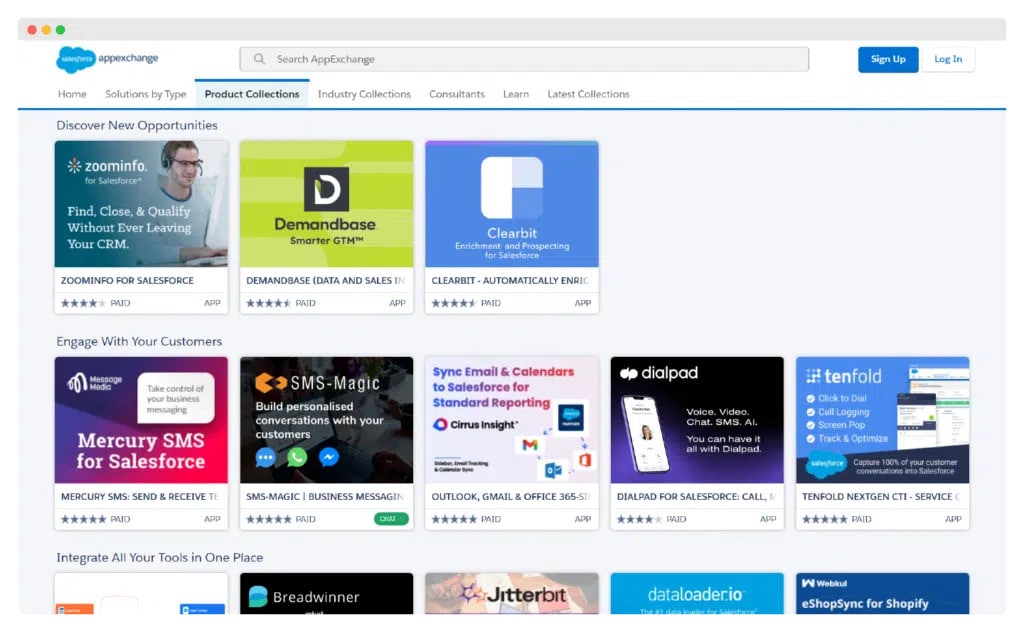
The AppExchange is available from the Pro Suite, and each edition can be extended with a wide range of add-on modules, sold separately, that bring additional features.
Pipedrive integrates with many applications but cannot compete with Salesforce on this point. It offers many integrations (more than 500 applications), notably with most newsletter tools and lead generation tools, as well as with Zapier. The open API is very easy to work with, very complete, and makes organizing information very simple.
Pipedrive also has a very capable mobile application.
The Salesdorado tipPipedrive lets you create up to 40 webhooks per user. From a webhook, Pipedrive automatically sends a notification to the relevant tools about data changes as soon as they occur. For example, you can schedule an automatic email when a customer’s payment fails. You can find the webhooks guide here, go take a look!
Pipedrive vs Salesforce: pricing
Pipedrive offers very good value for money for strongly sales-driven teams with only a small marketing team, or none at all.
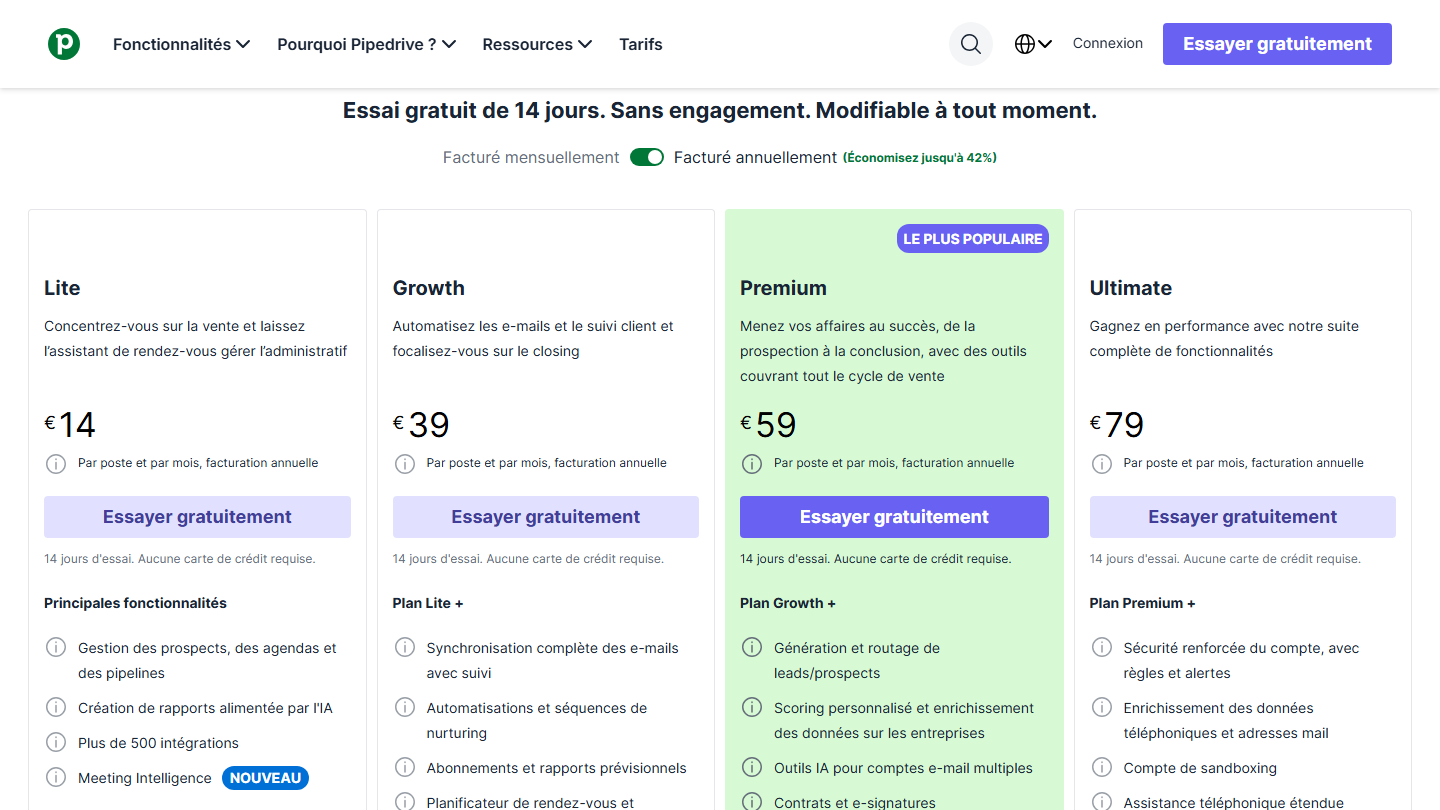
The tool has no free plan, but offers very competitive pricing and a 14-day free trial with no credit card (30 days through our link). The first plan, Lite, at €14 per seat per month billed annually (€24 billed monthly), gives access to lead and pipeline management, reports and more than 500 integrations, but not automations, which come with Growth, at €39 (€49 billed monthly). Premium, at €59 (€79 billed monthly), adds LeadBooster and scoring. The most expensive plan, Ultimate, at €79 per seat per month billed annually (€99 billed monthly), gives access to all features, including contact enrichment and phone support with extended hours. You can also add extensions, billed per company, such as LeadBooster on plans that do not include it, from €32.50 per month (€39 billed monthly).
Salesforce’s pricing is more complex and can vary enormously depending on your profile and the options you choose. After a free suite limited to 2 users, there are five paid editions, from €25 to €550 per user per month: the Starter Suite at €25 (billed monthly or annually), then, billed annually, the Pro Suite at €100, Core at €195, Advanced at €395 and Max at €550.
The Advanced and Max editions are the most complete and are aimed at large sales organizations. Details of the different editions are available on the Salesforce pricing page.
The first two paid editions can suit SMBs, but their pricing makes them fairly unattractive. Conversely, for large companies and the more expensive plans, Salesforce is flexible on price as the number of users grows.
But be careful and take into account, beyond the license cost, the other costs we detail in this article. The price list is very complex, but expect at least €6,000 in licenses in the first year for a team of 5 on the Pro Suite, before deployment costs.