



- Involve end users from the start: demos, lunches, and questions about the software they use every day.
- Appoint a CRM champion, ideally a team lead who can show how the tool makes the team more productive without adding to its workload.
- Duplicates or inaccurate information quickly erode trust in the platform.
- Restrict access to old data sources and require salespeople to enter prospects into the new CRM from the first call.
- Executives lead by example by using the platform themselves.
Adoption rate is behind 70% of CRM project failures. So maximizing software adoption across your company is fundamental if you want a satisfactory ROI. In this article: ten concrete, proven tips to maximize adoption of your new CRM software.
1. Involve the CRM’s end users as early as possible
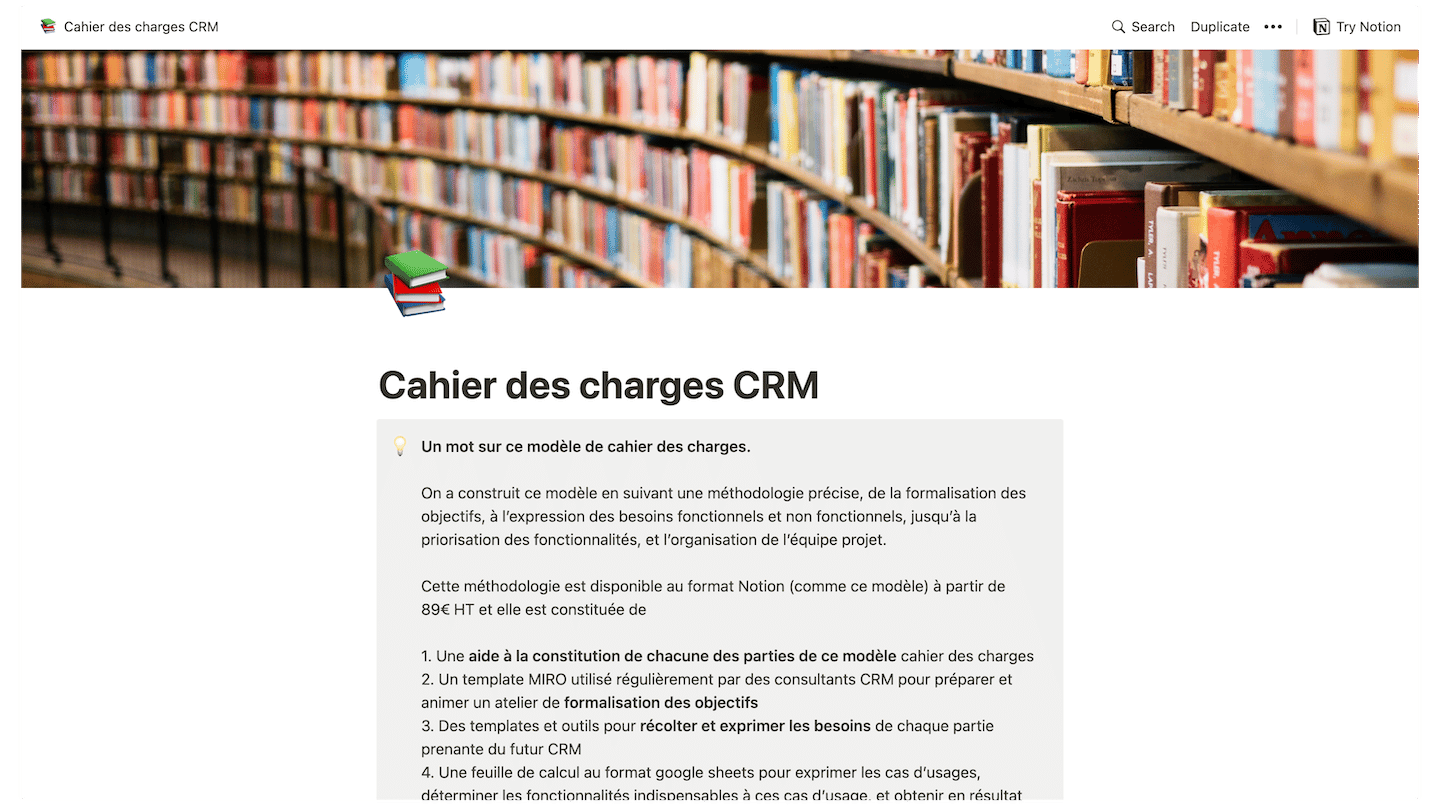
CRM requirements document templateWe’ve prepared a complete CRM requirements document template with a detailed example. The template has 6 parts:
- Context overview
- Overview of the current CRM setup
- Overview of the project’s objectives
- Functional requirements grid
- Details of non-functional needs
- Project organization
It’s free, and it’s right here 👇
People naturally tend to resist change, especially if they don’t see clear benefits for themselves. It’s almost a cliché to say so, but it’s essential to involve them very early to eliminate every form of resistance.
For example, you could organize lunches and meetings where you demo your new software.
Once you’ve got their attention, ask yourself this: how do they interact with the apps and software they use every day?
- Do they find them easy to use? Where do they get stuck?
- Do they waste time waiting for systems to respond?
- How can you leverage the new software to eliminate the interruptions that keep you from selling, solving problems and satisfying customers?
This is the first step to follow to choose the right CRM solution for your company.
2. Communicate clearly and in stages
Once you’ve involved the end users, you now need a plan and a clear message for the rollout. Plan your message to be as clear and consistent as possible, and make sure you cover all the key points, including:
- Why the new software is needed,
- Why keeping the same one is impossible,
- What’s going to happen,
- Where the project stands,
- A realistic deadline,
- How your project’s success will be measured,
- etc.
As you’ve gathered, clear communication means precise deadlines tied to stages that are, again, very precise. What matters is communicating about that.
3. Create champions
You’ll also need ways to « sell » your solution to your team. If your new « CRM » becomes synonymous with overtime for your salespeople, and it keeps them from calling their prospects, then whatever your efforts, your team won’t want to use it.
Appointing a dedicated CRM « champion » can help you bridge the gap. Ideally, your CRM champion is a team lead who understands how your solution will help your team become more productive without increasing the workload.
They’ll also be able to communicate the benefits of your new system in terms the team will appreciate.
4. Train your teams on the new CRM
Even with the most intuitive interfaces, a CRM platform will only perform as well as the people who use it. Hire an experienced trainer who can help you build a customized, hands-on training program.
That way your employees will be comfortable and have answers to their questions before they start using the tool.
Choose the right CRM softwareCheck out our CRM benchmark: more than 50 CRM software products tested, the best ones selected and gone over with a fine-tooth comb.
5. Work on data quality
Users will quickly lose patience with, and trust in, the platform if they run into duplicate records or inaccurate information. Make sure every user knows clearly what kind of information to enter, where, and how to save it.
6. Make the new system indispensable
You’ll also need to get rid of the old ways of working as soon as your new CRM is up and running. Consider doing the following:
- Restrict access to duplicate data sources and systems,
- Require your salespeople to enter key prospect information into the new CRM during their first sales call,
- Ask salespeople to close their opportunities directly in the new CRM.
7. Think about the right integrations
Before making your final choice, shortlist CRM software that connects easily to your other strategic applications. That way, if your marketing team wants to keep working with familiar marketing apps, like HubSpot, it can keep doing so!
Meanwhile, you can automatically pass prospect information to your sales team working in your CRM so they can take effective action later in the buyer’s journey.
A solution that comes with an app directory containing the right integrations can be a huge advantage.
8. Customize the user interface

Slow or poorly built interfaces only make things worse. That’s sometimes the case with CRM solutions that walk you through their own workflow, forcing you to consider more coercive, longer or more expensive measures to guarantee adoption.
Instead, consider easing your transition and reducing CRM project costs with a more flexible solution. One that takes a universal approach and doesn’t expect you to adapt to its workflow, but can be adapted to the way you work.
You can start with a CRM with a free version to see whether it fits your day-to-day work.
CRM requirements document templateWe’ve prepared a complete CRM requirements document template with a detailed example. The template has 6 parts:
- Context overview
- Overview of the current CRM setup
- Overview of the project’s objectives
- Functional requirements grid
- Details of non-functional needs
- Project organization
It’s free, and it’s right here 👇
9. Put your new CRM at the heart of every team
Your sales team will want to see its prospects, opportunities, contacts and accounts in one place. Consider aligning sales, marketing and customer service so they can collaborate on a shared 360-degree view of your customer.
10. Lead by example
The CRM initiatives that deliver the best ROI have the full commitment of the company, starting at the top. Executives must back the initiative and voice their commitment to adopting the selected platform.
You have to lead by example! Make a consistent effort by using the platform to manage different aspects of the business.
Finally, communicate clear usage expectations across the organization.
The questions we get over and over.
Why is CRM adoption decisive?
Adoption rate is behind 70% of CRM project failures. Maximizing software adoption across the company is the condition for a satisfactory ROI.
What should you communicate to teams when rolling out a CRM?
Why the new software is needed, why keeping the same one is impossible, what's going to happen, where the project stands, a realistic deadline and how the project's success will be measured. Clear communication ties precise deadlines to precise stages.
What is a CRM champion?
A person dedicated to the CRM, ideally a team lead who understands how the solution will help the team become more productive without increasing the workload. They communicate the new system's benefits in terms the team will appreciate.
How do you train teams on a new CRM?
By hiring an experienced trainer who helps build a customized, hands-on training program. Employees are then comfortable and have answers to their questions before they start using the tool.
How do you make a new CRM indispensable?
By getting rid of the old ways of working as soon as the CRM is up and running: restrict access to duplicate data sources and systems, require salespeople to enter key prospect information from the first call and to close their opportunities directly in the CRM.



What the community says.