



- The prospect profile is a sales tool, not a marketing one: it is about an individual prospect, not a segment.
- Every piece of data in the profile must inform a behavior or an action; drowning salespeople in unusable data is counterproductive.
- Standardize the information, for example revenue ranges rather than the exact figure.
- The GDPR has regulated personal data since 2018: keep only what you need to sell.
- Start by asking: it is the simplest and cheapest way to get a piece of information.
The prospect profile is the main working tool of your sales teams. Designing a good prospect profile that makes key information easy to reach and speeds up sales interactions brings a considerable performance gain across an organization.
It may seem a bit long and complex, but by choosing the right information and using the right tools, building good prospect profiles can make your sales strategy take off.
What is a prospect profile? What data should feed it and where do you find it? What tools should you use to build and manage your prospect profiles?
We explain everything in this article.
Find the right providerNeed to outsource your prospecting? Find the provider that matches your real needs.
Find a provider
Prospect profile: definition and uses

Prospect profile: a simple definition
DefinitionIn its most common use, the prospect profile is a document that contains all the information useful to sales teams about a prospect. The goal is to offer an overview of all the available and actionable information about a given prospect during sales conversations.
Prospect profile vs prospect file
The prospect profile is the information about a single prospect, whereas in a prospect (or customer) file, you have a list of information about several customers that you have sorted by criteria.
The important point is that there is a notion of visualization and direct use of the data in the case of the profile (and not the file). So the prospect profile is:
- The data from the prospect file for a single prospect
- But also the formatting of that data on a document (usually a web page in your CRM software) to reach the information quickly and easily.
Watch outThose who tell you the prospect profile is a marketing tool have most likely understood nothing about the notion of data visualization.
In marketing, you almost never work at the level of an individual prospect or customer, you only work with segments (groups of customers or prospects). Yet the notion of prospect profile very clearly refers to an individual prospect. So it is a sales tool, and not a marketing tool at all. The distinction is fundamental.
What makes a good prospect profile?
Of course, every organization has its own criteria for judging a good prospect profile, but there are still a few must-haves to respect:
- Data accessibility: It is not simply about listing all your prospects’ interactions with your company without any hierarchy, that would be completely sterile. The data must be structured, organized, and ranked so that readers (SDRs & Account Managers) can reach the information quickly and easily.
- Data usefulness: It may seem obvious, but the prospect profile is used by your salespeople who chain calls and emails, and drowning them in a mass of unusable data is counterproductive. The data included in the prospect profile must be selected carefully, and must all inform a behavior or an action.
- Data quality: data quality refers to a company’s ability to have and maintain viable data. More broadly, quality data must in particular be complete, accurate, consistent, valid and available. We tell you more here: Data quality: a practical guide
- Ease of updating: Even with the best data quality and CRM enrichment processes, you will necessarily have problems keeping data up to date. Letting your sales teams update a prospect’s profile simply is how you make sure that manually collected information doesn’t get lost.
Prospect profile: what data should feed it?
CRM specification templateWe have prepared a complete CRM specification template with a detailed example. The template has 6 parts:
- Presentation of the context
- Presentation of the current CRM setup
- Presentation of the project objectives
- Functional requirements grid
- Details of non-functional needs
- Project organization
It’s free, and it’s this way 👇
The first fundamental distinction to make is between the prospect themselves – the person, the human being – and the company he or she represents.
Then, prospect data can be sorted into 4 main families:
1. Company qualification information
The point is to determine whether the company belongs to your ICP (Ideal Customer Profile), meaning whether it is the type of organization you want to invest your sales and marketing efforts in, over a given period.
Go furtherWe tell you all about How to create an ICP (Ideal Customer Profile) and also about the difference between ICP and Buyer Persona in B2B marketing.
This is fairly classic qualification information such as:
- Number of employees
- Revenue and earnings
- Number of locations and/or franchises
- Location and size of offices
- Known competitors, suppliers, customers, partners etc. and their status relative to you.
You can also add more specific information or business signals such as:
- Tools used – for example the CRM, or the CMS in use
- Capital transactions (mergers, acquisitions, fundraising, etc.)
- Team composition
- Relative team growth
And you can even define your ICP around a very particular data point, for example whether or not there is an international expansion project, or the presence of a phone number on the website, or the hiring of more than 10 different technical profiles, etc.
This qualification data can be binary (Yes/No) or more linear. For example:
- Less than €1M in revenue,
- Between €1M and €10M in revenue,
- Between €10M and €50M in revenue,
- More than €50M in revenue
In every case, it is important for the customer profile to show standardized information as much as possible, so it is easy to read. For revenue, for example, use ranges to place the company rather than the exact figure.
2. Transactional information
The sales history of a target organization is fundamental to help your sales teams spot the right opportunities.
If it has been a customer account for several years, the prospect (or customer) profile can include the history of all purchases made by the company, but above all the different elements that help structure the conversation:
- Category of products or services purchased
- Promotions or discounts applied to purchases
- Exchanges with the customer support team
No need to include every email, phone, chat communication, etc. The point is to provide actionable information. For example,
- Date and nature of the last interaction with customer support. A quick glance will let your sales teams check that the problem was solved (or not)
- Active commitments (subscriptions, ongoing contracts, etc.)
- Date and nature of the last order
3. Personal and contact information
Watch outPersonal data has been strictly regulated by the GDPR since 2018, so be careful to keep only the personal data you absolutely need.
Your prospects’ gender, religious orientation, last trip, number of children, marital status or hobbies have absolutely no sales value.
Focus on (business) contact data, and on whatever can help you sell.
Also, in complex sales, a target company has several prospects (buying committee). The position and role of each prospect in the buying committee is obviously a fundamental element of the prospect profile. Take the time to study the following information:
- Job title and position in the company
- Elements such as seniority, (supposed) weight in the organization, etc. can also be very valuable, even if they are necessarily left to each person’s qualitative judgment…
- Mutual connections and things in common – alumni of the same school, from the same town, etc. This is what is generally called an “icebreaker” in prospecting
- Personal history with the company (worked there, was a customer at another company, etc.)
4. Behavioral information
Here we mean the behavior of your prospect as an individual (and not necessarily on behalf of their company).
This is where you can include all the information about responsiveness to your prospecting campaigns, to your email marketing campaigns, the web pages visited on your website, declared interests, white papers or resources downloaded, etc.
Where to find the data to feed your prospect profile?
1. Start with the data your prospects give you willingly
Two reasons for this:
- In principle, if the sales relationship is serious, it will be accurate, and considered useful to the sales relationship by the prospect – so it is fundamental for you.
- The simplest and cheapest way to get a piece of information is always to ask.
Forget all the pseudo growth hacker tricks that teach you how to get the marital status of your prospects’ grandfather. It’s useless, it’s invasive, and it often costs more than asking for a mobile phone number.
To get data on your prospects, start by connecting your collection forms to your CRM software.
But above all, you should see data collection as a recurring process, and not only at the creation of a new lead. Nothing stops you from offering an update of the resource your prospects downloaded in exchange for a few extra pieces of information, for example.
2. Use publicly available data
Here too, we are not telling you to become an expert in cyberstalking. Simple tools like LinkedIn are hugely rich sources of information:
- Take a look at your prospect’s career history. Where did he (or she) work before, in what types of teams? What DNA? More large groups or more small companies? More operational or strategic? More sales or more engineering?
- Scroll through your prospect’s activity feed: the last three posts and the last three interactions will tell you a great deal about your prospect’s current interests.
You can also run a simple Google search on your prospect’s name (with the company name if the name is too common) to dig up press mentions or an independent consultant profile, for example. All elements that really help you understand your prospect better.
3. Enrich your data with external data sources
We won’t dwell too long here on this (vast) topic. Just know that (almost) anything can be obtained, but it always has a cost.
So the point is not only to get the right information, but above all to get it at the right time.
For example, getting the list of tools used for all your prospect databases would cost you far too much, but it is only really useful to qualify 10% of your prospects.
The biggest topic in data enrichment really lies in building a progressive enrichment flow so you only invest in the right prospect profiles.
Go further
Tools to build your prospect profile
CRM software designed for salespeople
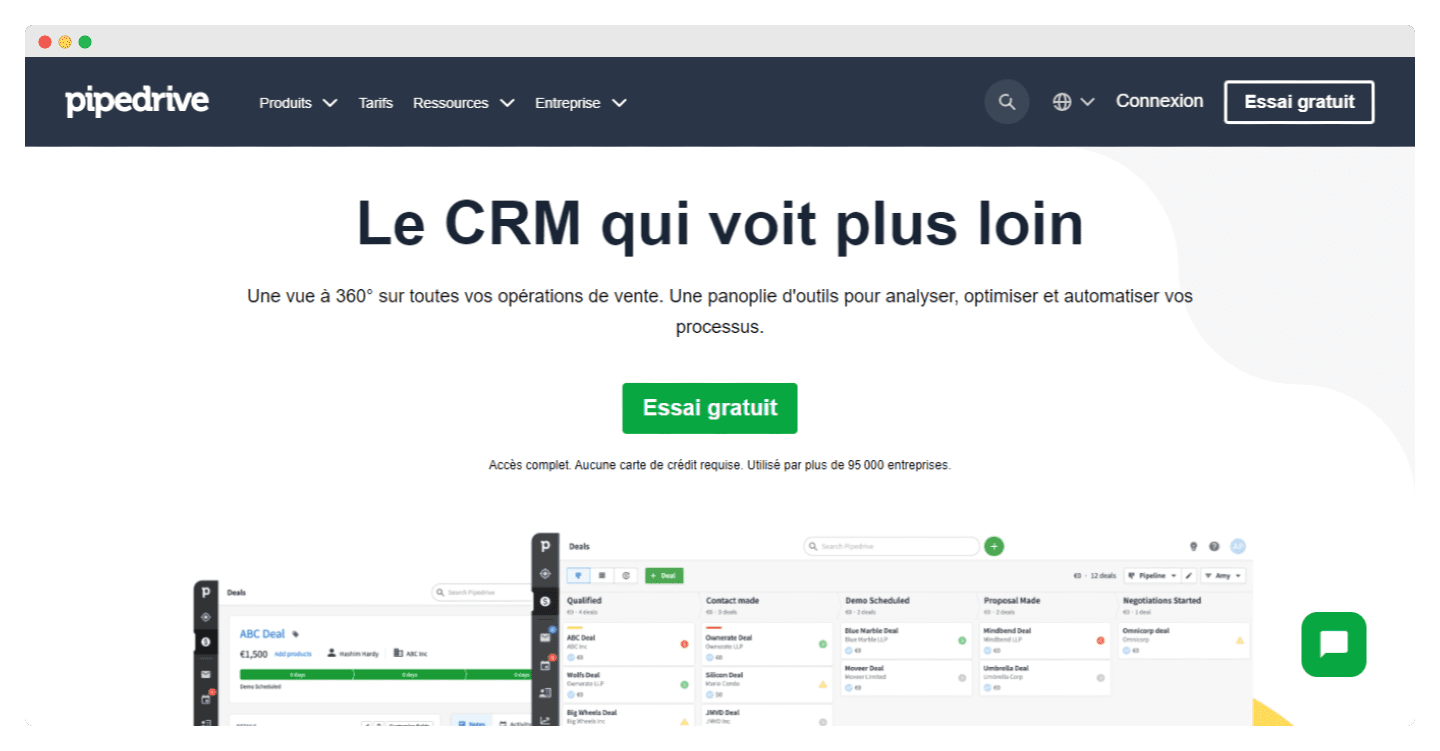
Go for an option that puts access to information first for your salespeople.
If your sales team has fewer than 20 people, avoid the heavier options with a far less polished user experience, such as HubSpot or Salesforce.
At Salesdorado, we generally recommend Pipedrive for sales cycles longer than 3 months and noCRM for sales cycles shorter than 3 months.
Zoho CRM has also developed a feature specifically to optimize the prospect profile (or customer profile): Zoho Canvas
Lead capture tools
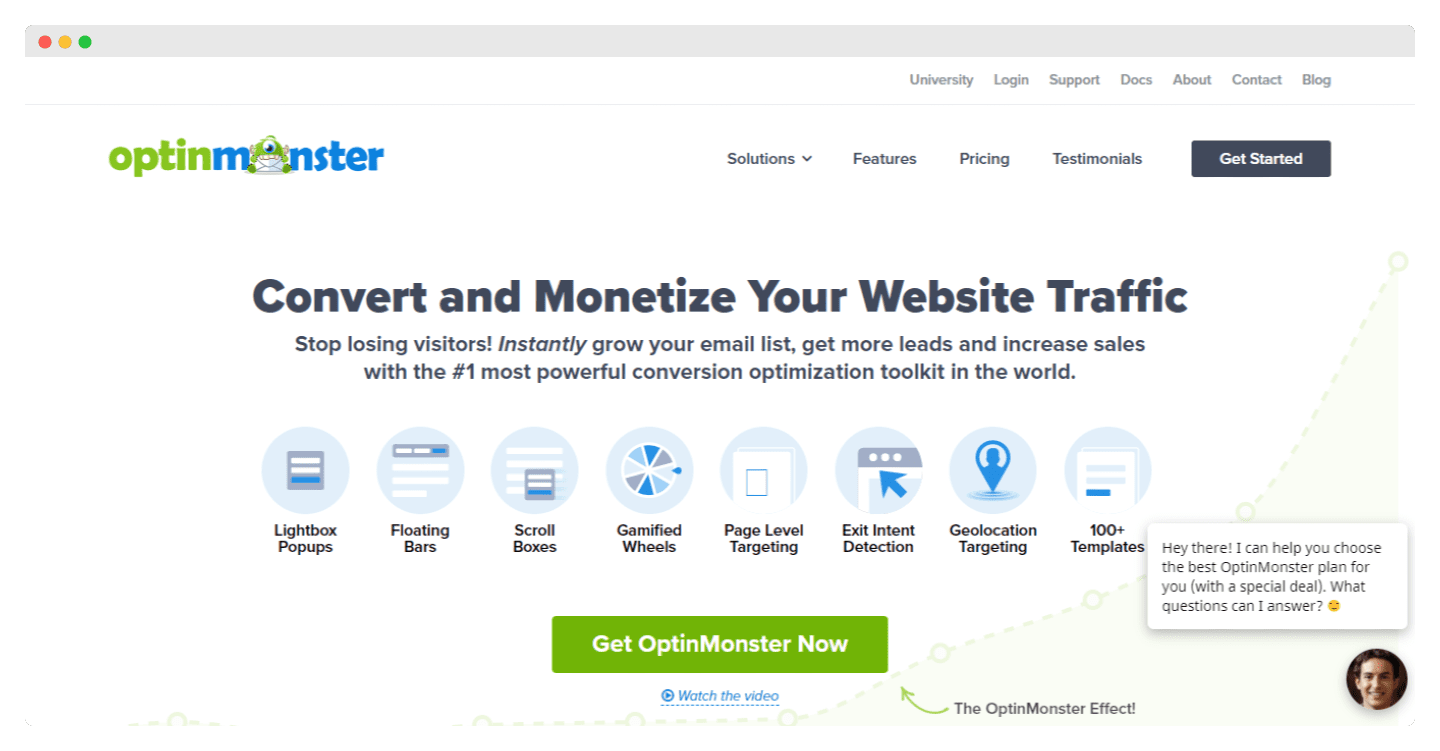
Most CRM software lets you set up fairly advanced lead collection forms and handles it rather well.
But you may have more specific or more advanced needs, and turn to tools specifically designed to collect data. Here are a few examples:
- Typeform: To design collection forms with a professional look and conditional questions in a few minutes. Some prefer Jotform, which we find a bit more complex, and not really more effective.
- Intercom: Live chat is a powerful way to collect leads directly from your website.
Salesdorado’s takeWe recommended Papercups for a long time, but the project is no longer maintained. Intercom is still the leader on the topic, with a leader’s price: check first whether your CRM or your support tool already offers live chat.
- Optinmonster: To set up pop-up campaigns and other lead capture devices on a website. There are many tools on the market, Optinmonster is the leader, by quite a margin.
- Outgrow: You can use tools like Outgrow to build quizzes, or estimation tools that let you collect leads. Fairly effective, and very easy to get a high-quality result.
Tools to handle the plumbing
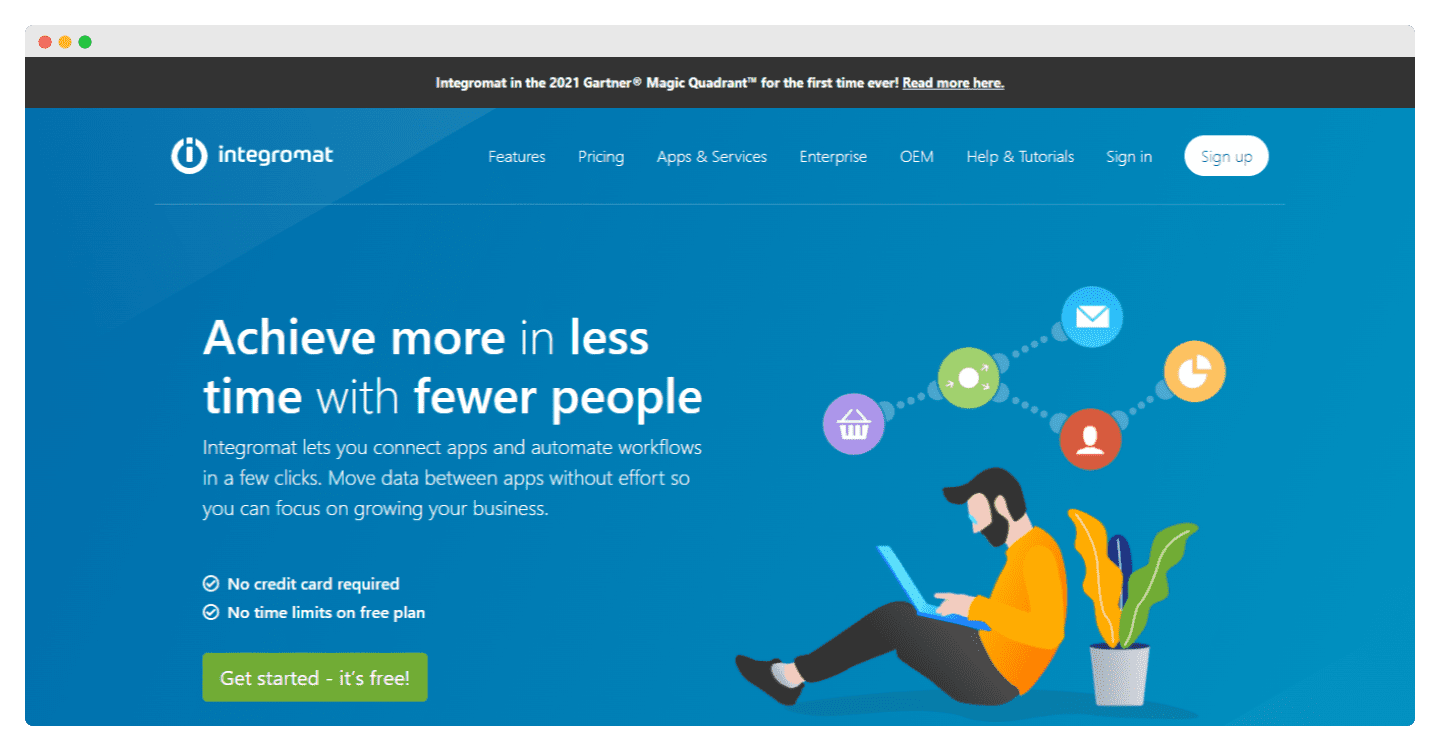
You will need a tool to handle the plumbing between all these tools and your CRM software.
Make (ex-Integromat) is a (much more powerful) alternative to Zapier to manage all your data flows.
There are much more advanced tools like Segment or Octolis on this topic, but they are generally reserved for more complex sales and marketing operations.
Data enrichment tools
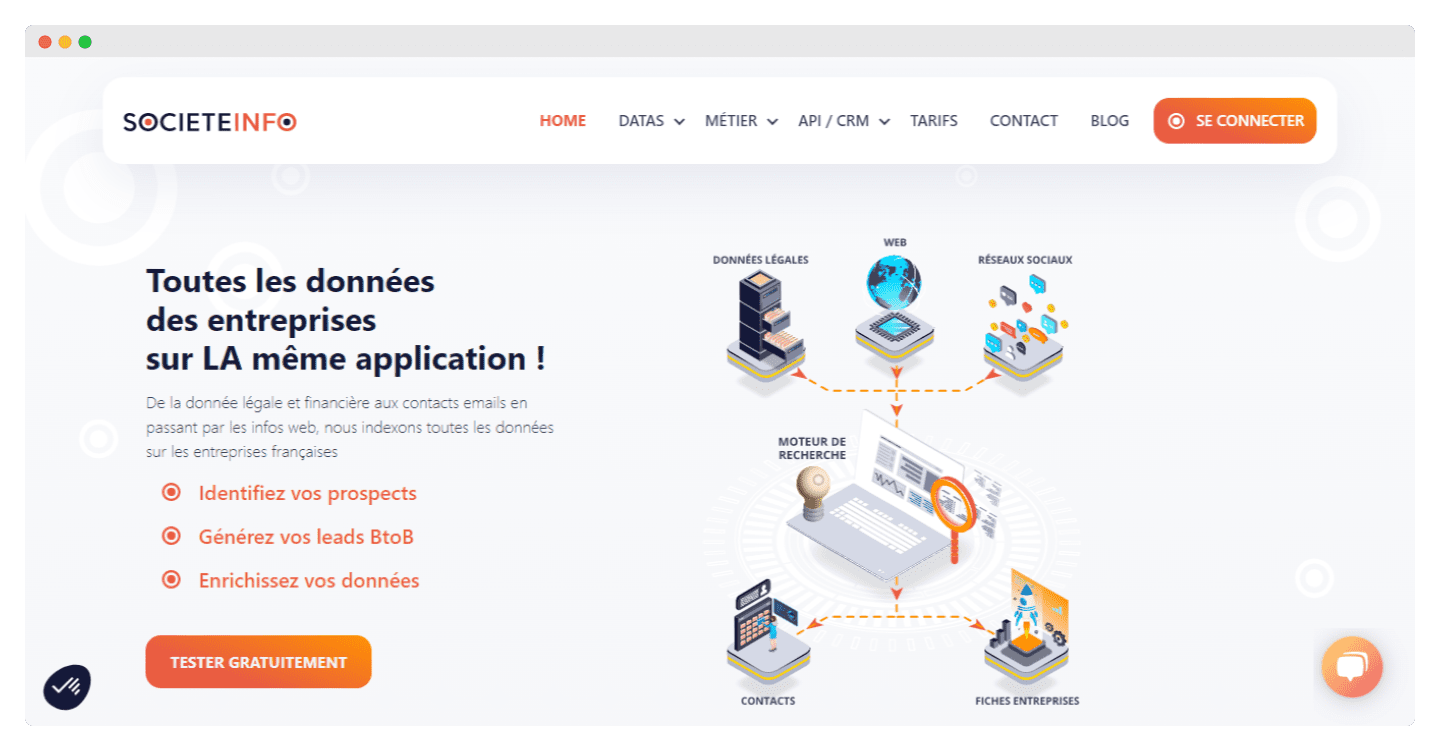
Here there are two main types of tools:
- Some tools let you get data you could otherwise get manually, by going to your prospects’ websites, to LinkedIn, etc.
That is the case of Captain Data for example, which is a very complete tool to collect lots of data and send it to your CRM software (or elsewhere). PhantomBuster lets you do the same kind of things, but rather more slowly, and it is more expensive.
- Other tools like Societeinfo give you access to a set of harder-to-reach data (infogreffe, SIREN, etc.) and to direct contact data. You can also look at Apollo.io or Clearbit (now part of HubSpot) for non-French-speaking markets.
5 examples of prospect profiles in the leading CRM software on the market
CRM specification templateWe have prepared a complete CRM specification template with a detailed example. The template has 6 parts:
- Presentation of the context
- Presentation of the current CRM setup
- Presentation of the project objectives
- Functional requirements grid
- Details of non-functional needs
- Project organization
It’s free, and it’s this way 👇
Example of a complete prospect profile in Pipedrive
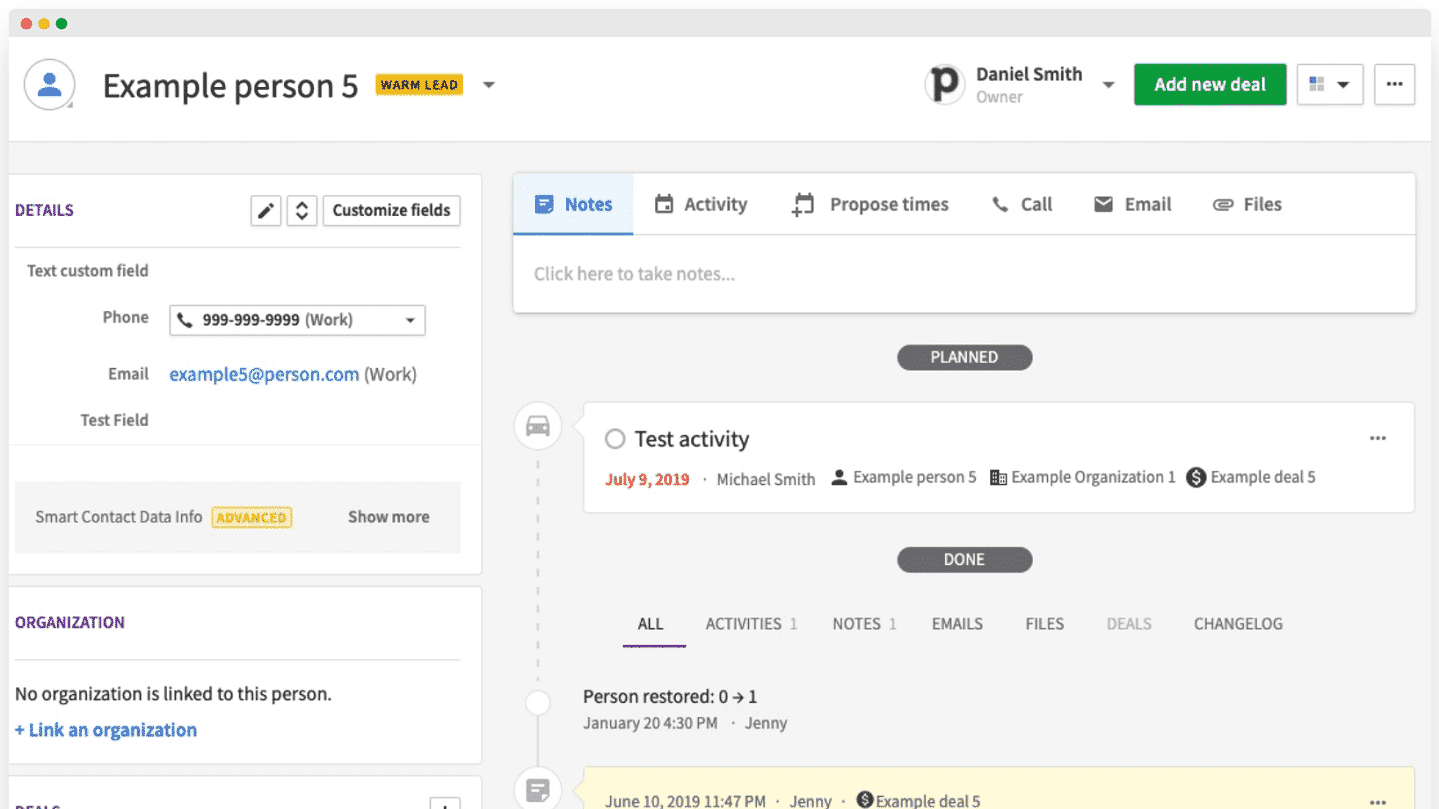
In Pipedrive, the interface lets you see your custom fields at a glance in the left sidebar. At the top, you can add a note, a reminder, or send an email in a flash, and you have the list of all past events just below.
Example of a complete prospect profile in HubSpot
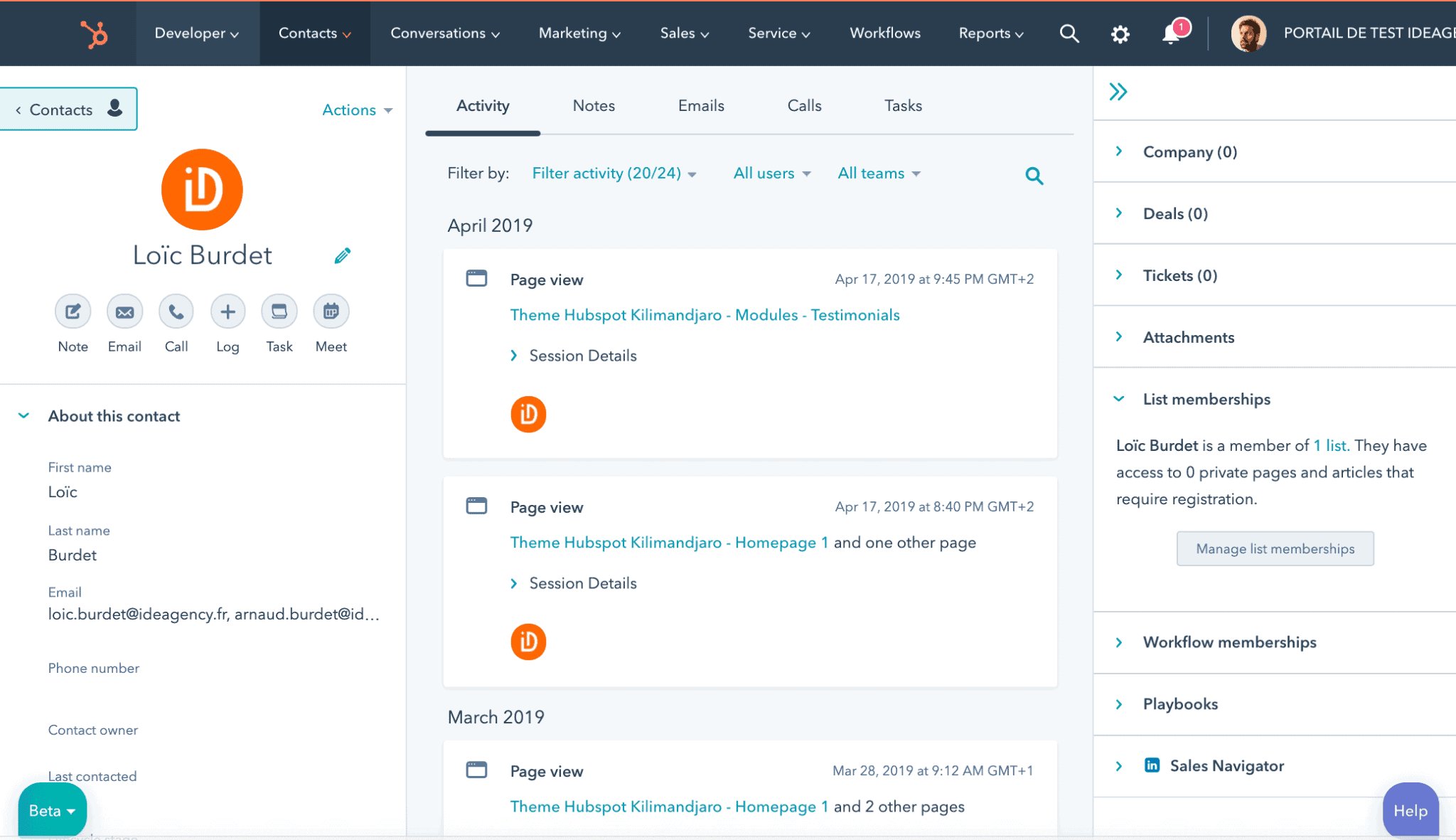
The customer profile is roughly the same, with all the information in the left column, and the summary of your interactions with the customer available from the top bar. Its profile icon at the top left lets you schedule meetings, calls, or send emails.
Example of a custom prospect profile with Zoho Canvas
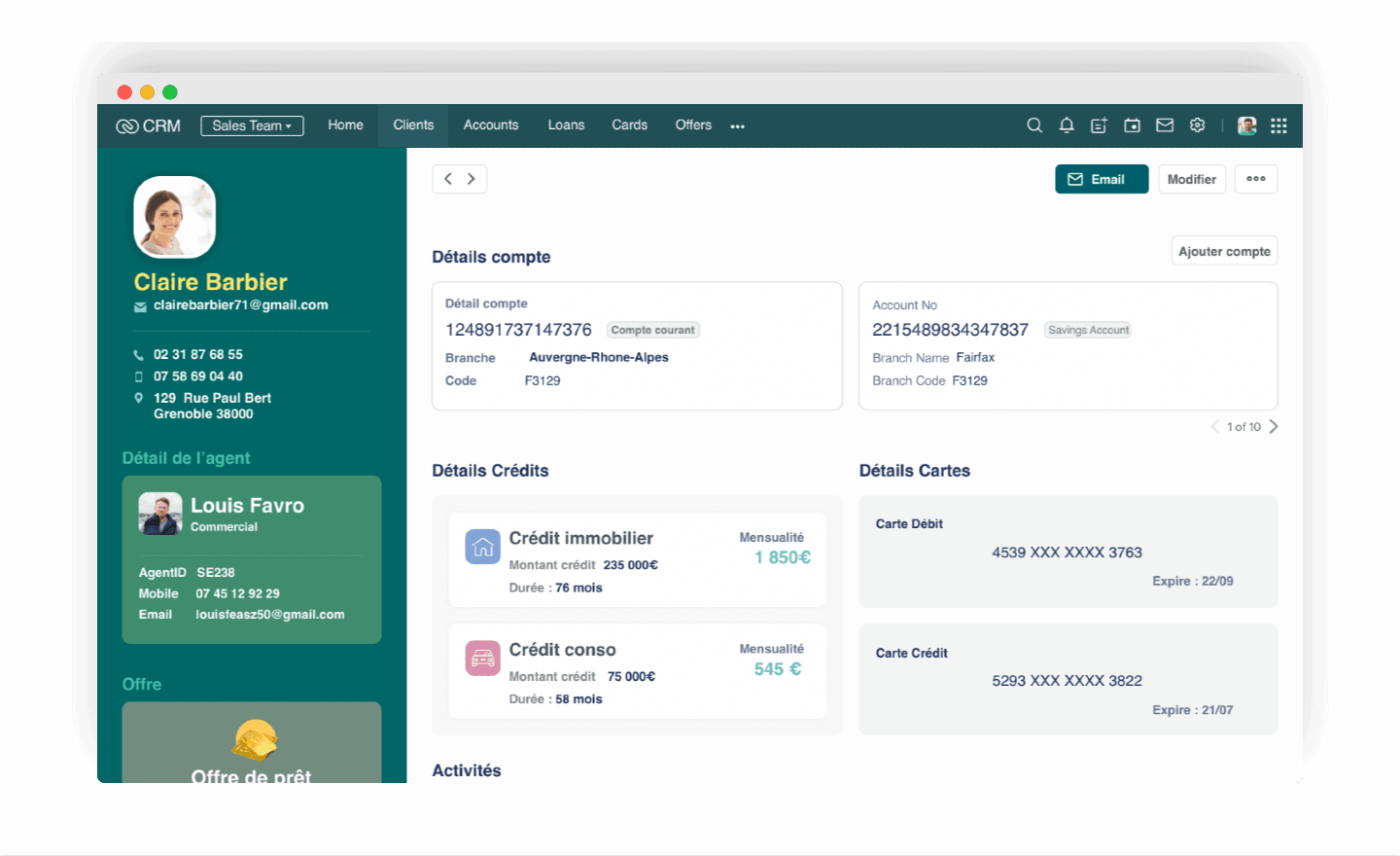
In Zoho Canvas, you also find all the customer information on the left, but also that of the agent in charge of it. The fairly intuitive interface puts the emphasis on the customer’s key information rather than on the interactions.
A prospect profile in Salesforce
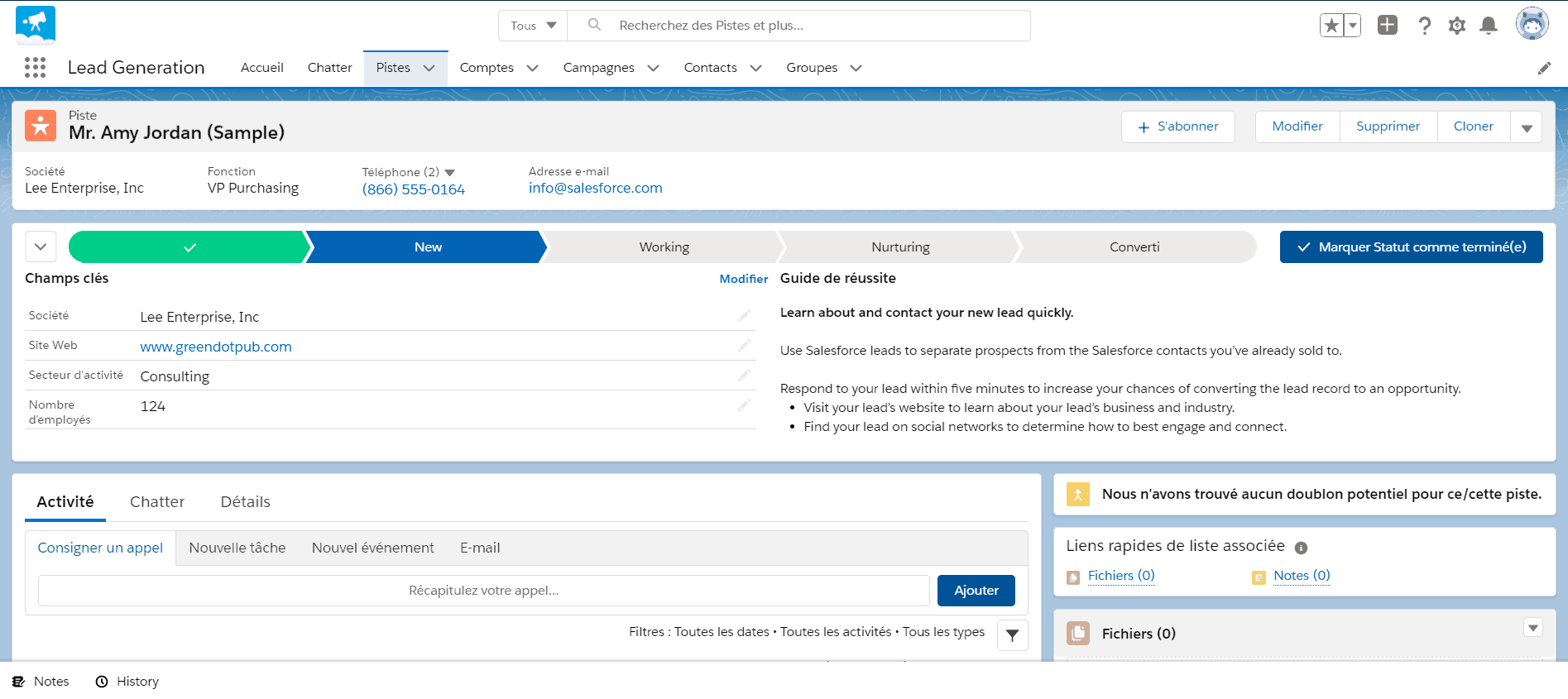
The prospect profile in Salesforce may look harder to read at first sight, but thanks to a timeline it lets you place the customer in your sales cycle, from prospecting to conversion. From top to bottom, you also find all the information about the customer as well as all their activity.
A prospect profile in Freshsales (Freshworks)
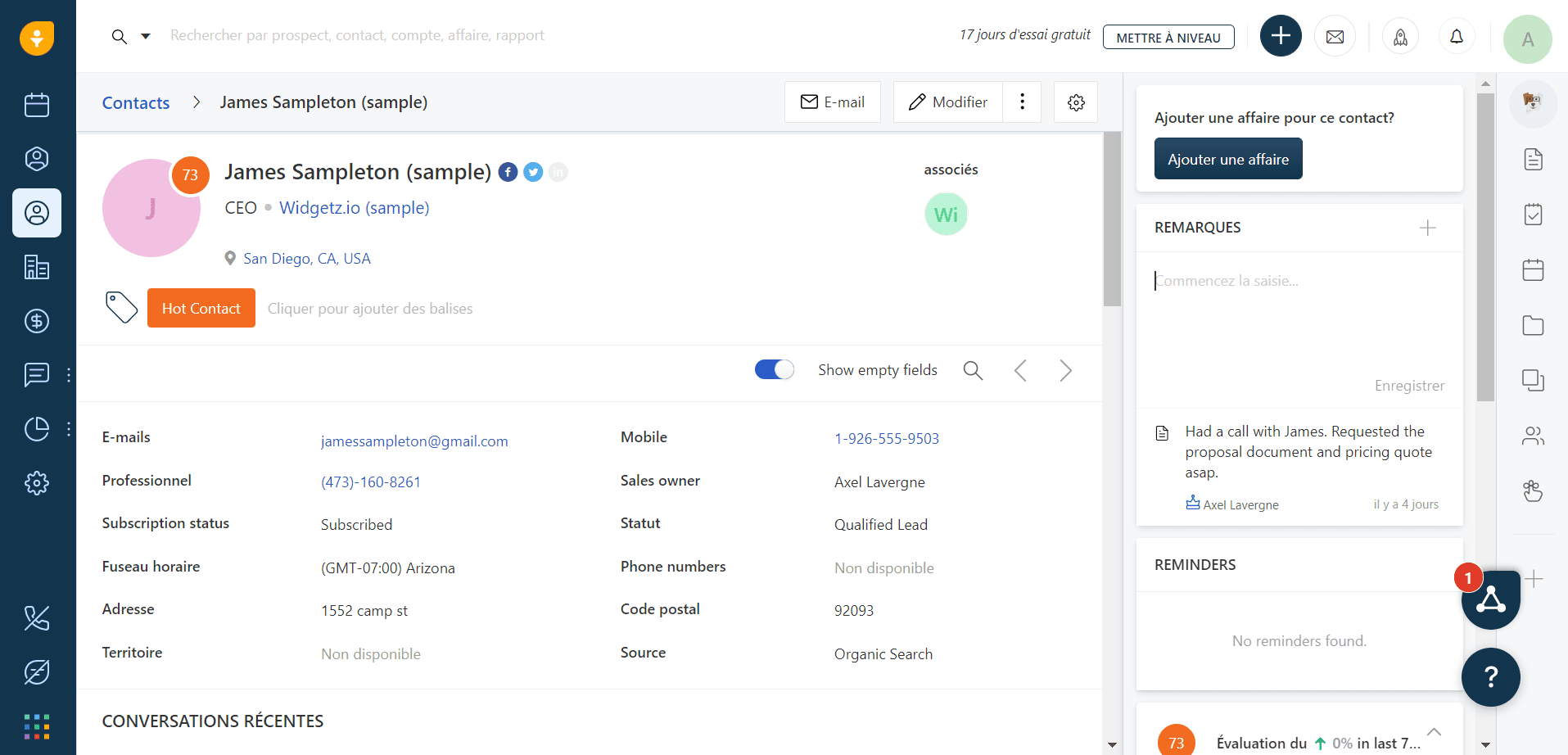
In Freshsales, you have all the customer information in the center, followed by your recent conversations with them. It is the right column that lets you add notes or reminders.
Go further
The questions we get over and over.
What is a prospect profile?
In its most common use, it is a document that contains all the information useful to sales teams about a prospect. The goal is to offer an overview of all the available and actionable information about that prospect during sales conversations.
What is the difference between a prospect profile and a prospect file?
The prospect profile is about a single prospect, whereas the prospect file lists information about several customers sorted by criteria. The profile adds the formatting of the data, usually on a page in the CRM software, to reach the information quickly.
What data should go into a prospect profile?
Four main families: company qualification information (size, revenue, business signals), transactional information (purchases, active commitments, latest interactions with support), personal and contact information (job title, role in the buying committee) and behavioral information (reactions to campaigns, pages visited, resources downloaded).
Where do you find the data to feed a prospect profile?
First from the prospects themselves, by connecting your collection forms to the CRM. Then from public sources like LinkedIn or a Google search. Finally from external data sources, by building a progressive enrichment flow so you only invest in the right profiles.
What tools should you use to build a prospect profile?
CRM software designed for salespeople, lead capture tools (forms, live chat, pop-ups, quizzes), a tool to connect these tools to the CRM such as Make (ex-Integromat) or Zapier, and data enrichment tools.
Is the prospect profile a marketing tool?
No. In marketing, you work with segments, almost never at the level of an individual prospect. The prospect profile refers to an individual prospect: it is a sales tool.



What the community says.