



- Scraping only retrieves data already made available in a structured way on websites, just like search engines do.
- To build a prospecting file, start with an actionable ICP: it is what dictates which data source to choose.
- LinkedIn is only useful if your target is active there; for shopkeepers, tradespeople and barely digitalized services, go through Google Maps.
- A campaign on 200 hyper-personalized leads beats a mass campaign on thousands of unqualified leads.
- Scraping regularly keeps data up to date and surfaces decision-maker changes or funding rounds.
Web scraping means automatically extracting the data displayed on a website. So far, pretty much everyone agrees.
But in practice, how does it work? What is it for? And why are we hearing more and more about it in business contexts?
This data on your customers, prospects and competitors lets you:
- Build an ultra-targeted list of companies;
- Identify the profiles you care about within your key accounts, with an ABM approach;
- Prioritize your opportunities in your CRM (lead scoring, etc.);
- Automatically detect signals from your prospects so you act at the right moment. That’s called EBM: Event Based Marketing.
To do justice to a topic that seems to us one of the key aspects of the “digitalization” of the sales function, we talked with our friends at Captain Data. Absolute experts on the subject, who have been working with the most advanced sales teams for years. The cutting edge of the cutting edge.
In this article, everything you need to know about the sales applications of web scraping to become unbeatable on the subject 👇
What is web scraping?
First things first, let’s lay the foundations of this article with a definition of web scraping.
Web scraping: definition
Concretely, web scraping (French writers like to translate it as “raking the web”) is the process of extracting data from a website.
It lets you collect a wide range of valuable information, such as an email address, a phone number, a postal address, etc. and gather it in a database.
There are two ways to scrape: manually or automatically.
- Manual scraping means copying and pasting information/data in order to build a database. It is very time-consuming work, generally used for small amounts of data.
- Automatic scraping: there are loads of scraping tools that let you crawl websites and extract information from them.
Going furtherThe fundamental thing to understand about scraping is that you are only retrieving data that is already made available, in a highly structured way, on websites. Google and every other search engine do it too. And if you have a website, you do everything you can so that Google can “scrape” you super easily and index you.
Methods that are becoming more and more accessible
For a few years now, SDRs have been “taking back” the entire sales funnel. We see it more and more in content generation, but also in pure lead generation, especially with methods like scraping. Chris Gerretsen talks about it quite well in his book “The augmented salesperson : B2B Sales in the digital age”.
The growing use of automation and the need for data within companies have accelerated the popularity of scraping. For a sales team, scraping lets you:
- Automate the data collection process at scale,
- Unlock data sources that bring added value to the company,
- Make informed, data-driven decisions.
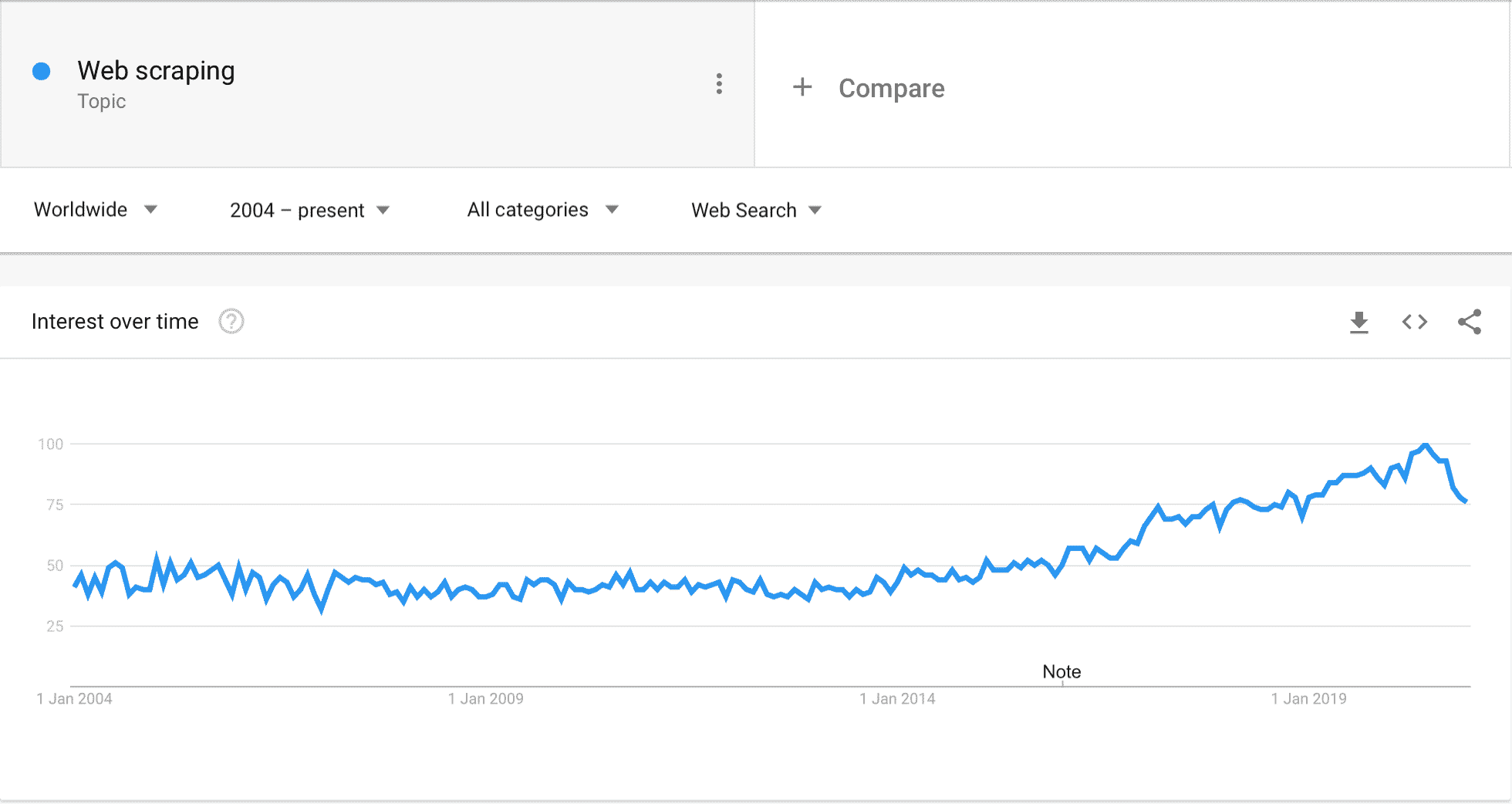
At the same time, no-code scraping tools have emerged to democratize these methods, which were traditionally reserved for experienced developers. Today, this kind of tool lets you focus on the business thinking, on choosing the sites & the information to get, and retrieve, without any technical knowledge, LinkedIn profiles, results from Leboncoin or the Pages Jaunes (French classifieds and yellow pages), or lists of companies & contacts on Google Maps.
Going furtherEven venture capitalists increasingly use scraping to identify newly created companies with high potential. That says a lot about how quickly the subject is becoming mainstream, well beyond a few obscure growth hackers / gurus.
1. Using web scraping to build a list of target companies
In this part, we walk you through the main techniques to build a list of companies to target and enrich it with the right contacts. A near-foolproof method to create a lead generation machine, whatever your business:
- Define your ICP (Ideal Customer Profile) – we won’t dwell on the definition here, but we have a pretty neat article on the subject
- Operationalize your ICP – find the structuring data points to identify your ICP.
- Select the right data source – depending on the data points you are looking for and on the industry
- Apply the right method to retrieve the data and enrich your list of companies.
Big program, so let’s go!
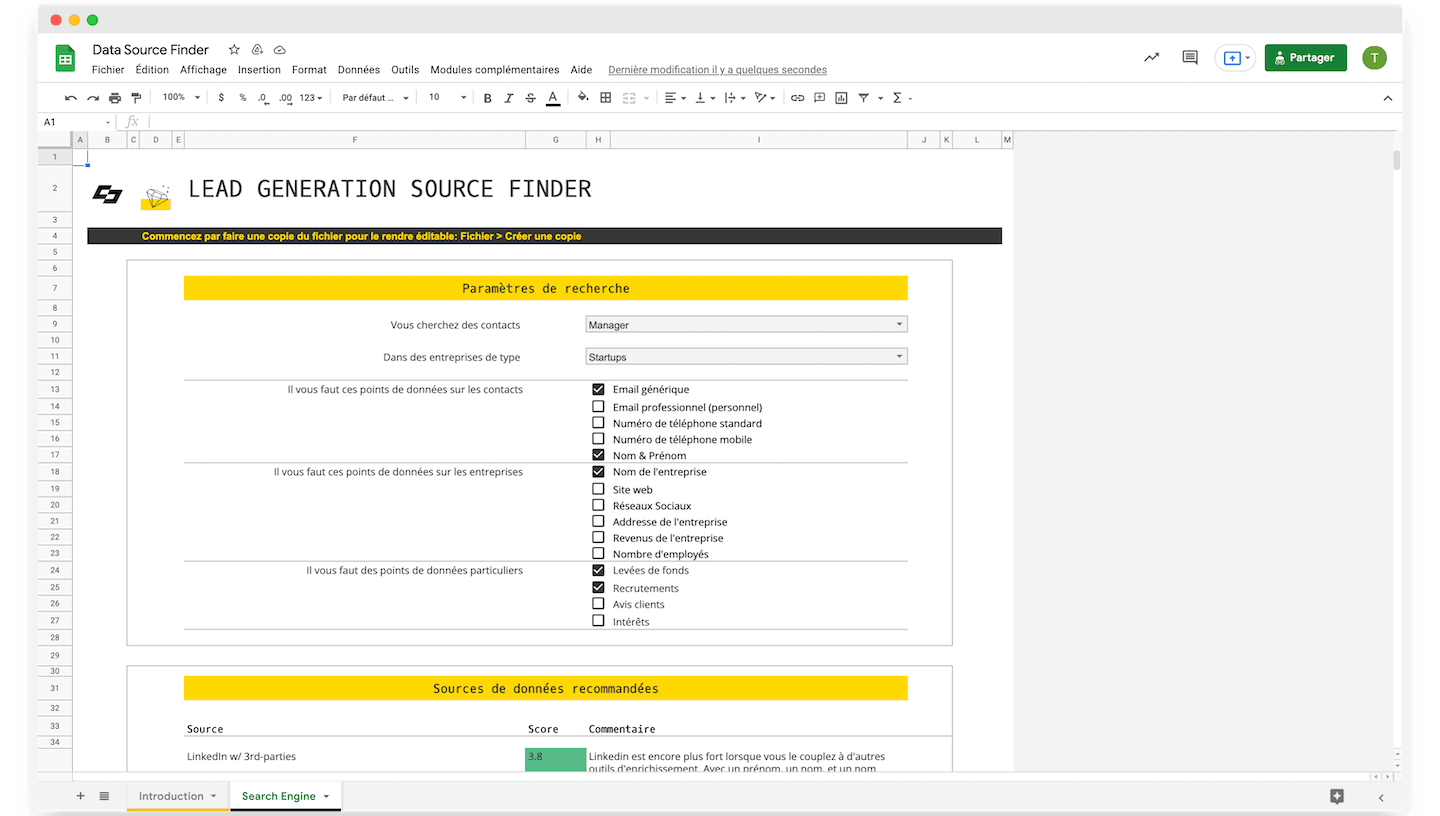
Defining an actionable ICP
The process of identifying the right data sources to create the best possible prospecting file is admittedly quite complicated, but it matters.
Once this process is in place, it is much less difficult to find the right tools to scrape the data that is useful to you. We will explain all the necessary steps throughout this part.
Defining your ICP
The ICP (ideal customer profile) is the typical profile of the customers you want to win, and the model of customer who wants to buy your products or services. This notion changes depending on your company’s sales objectives at any given time.
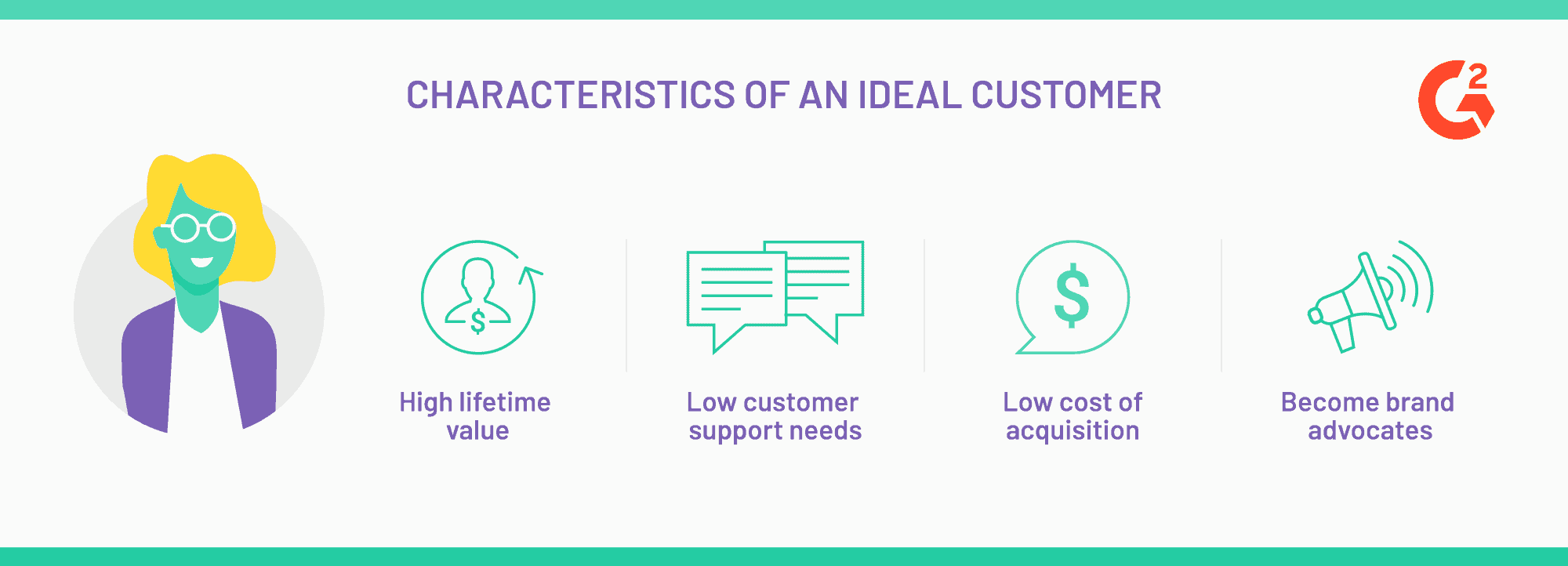
Your ICP must be as precise as possible. You need to determine the type of companies you target: their line of business, their size, their geographic area, etc… Identify all the data likely to be taken into account to sell your products or services, and to reach your end goal.
It is indeed important to identify this target in order to steer your marketing and sales strategy.
Salesdorado’s tipA good campaign relies 90% on your ability to define the audience well, and the message you are going to send it. A good ICP is the sine qua non of a successful prospecting campaign.
Translating your ICP into operations
Ideally, you start your campaign with a very precise definition of your ICP.
You will then need to find a “proxy-ICP”, that is, the data point or points that are as easy to access as possible and that will let you identify your target precisely.
For example, at Aircall (and at their competitors too), they are looking for companies that use the phone a lot.
Unfortunately, there is no database of companies that use the phone a lot. Unless you resort to very illegal methods to access your competitors’ customer files, granted.
But there are a few fairly solid signals to identify these companies.
- The number of employees, for example, can be an indicator. Except that in practice, you realize there are many large companies with comparatively very few phones in-house. Telephony is therefore not an issue for these companies, and selling to these organizations is no easier for all that, since the complexity of the sale depends mainly on the size of the company.
- You can do better: for example, if a phone number is listed on the website, you have two options:
- You are dealing with a freelancer (or a very small business) who will pick up your call on the way to a meeting. In most cases, he or she will have put a mobile number right on the website.
- You are dealing with a company that has set up a phone line staffed during business hours. That takes at least 4 or 5 full-time employees to answer the calls: now that is interesting for a company like Aircall.
The phone number on the website, cross-referenced with the number of employees, will be indicators that telephony is an important issue. It also lets you considerably lower the sales complexity, by targeting smaller companies for which telephony is a very important issue.
- But you can do even better: Who makes phone calls? Generally, those who deal with customers, so customer support, and salespeople in B2B.
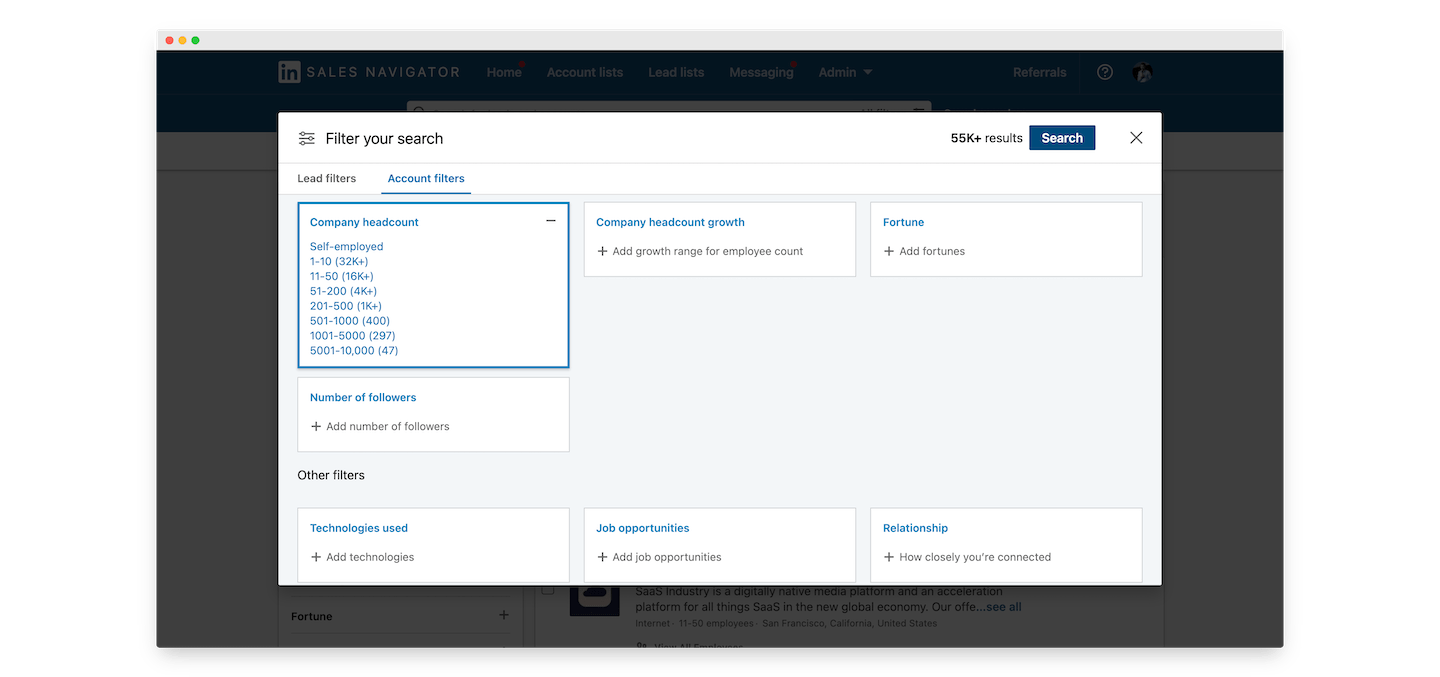
LinkedIn Sales Navigator offers a fairly fine-grained feature to filter data by team size and by team growth.
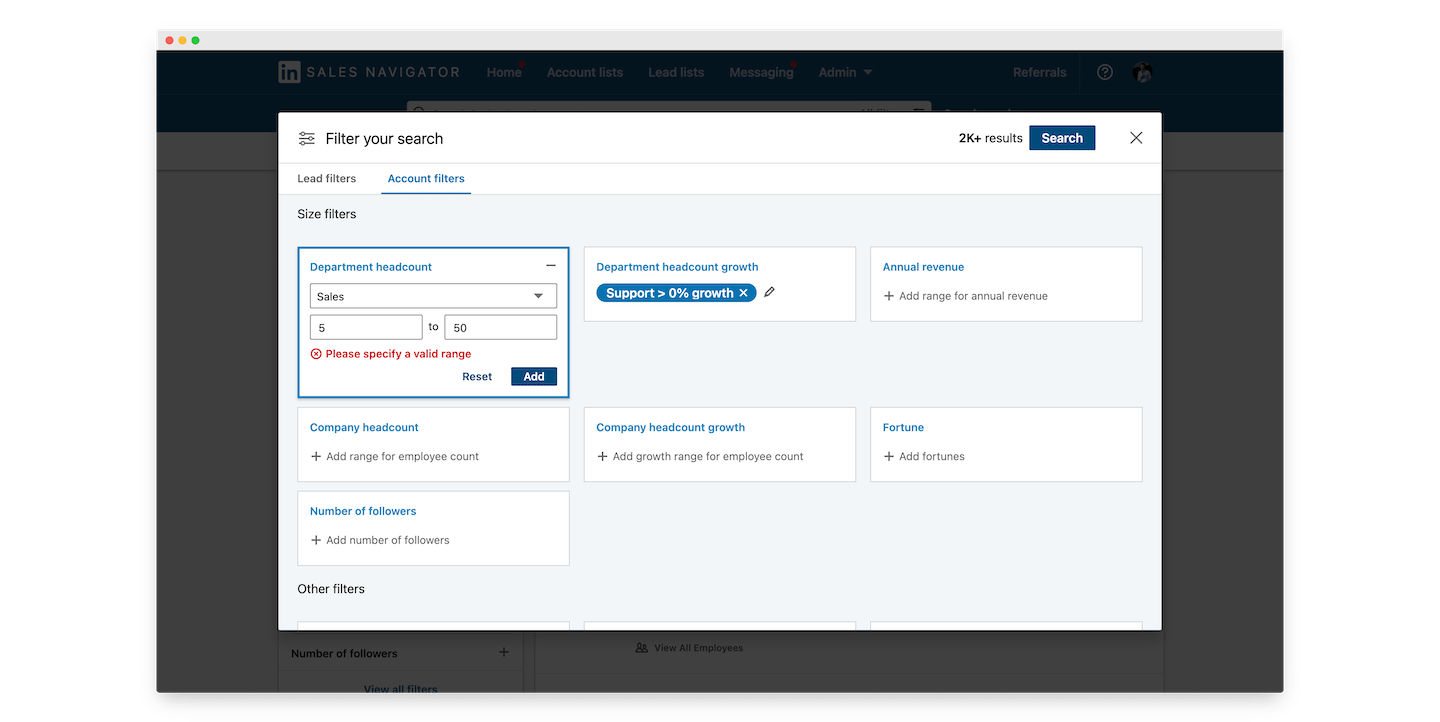
If you sell to a potential target that doubles its sales force every year, when your name is Aircall, that’s the jackpot. It also tells you that this is probably a fairly recurring pain point: you have to onboard, install, connect the telephony to Salesforce, etc.
The Aircall exampleWe started from a fairly vague ICP: those who make a lot of calls. Fleshing it out a little, we added a few conditions: ideally not too big (because smaller is easier), and growing fast in sales and customer-facing positions (because you bill per seat).
And we ended up with three data points:
- Number of employees (especially in the sales and support teams)
- Growth in the number of employees (same)
- Phone number on the website (or not)
You can surely find much more relevant points (especially when you know the subject and the business a bit better), but the approach will always be the same: first describe your target as finely as possible.
But this approach assumes you know a bit about what is possible, which data points are easy to obtain, and which are not.
For example, we could have looked at job postings to identify companies that hire a lot in sales & support teams.
In real life, it is a fairly distant proxy, the postings are not very consistent, so hard to process automatically, and above all they are rarely updated. Overall a pretty bad idea, then, unless you have exhausted every other solution…
Salesdorado’s tipKeep it simple. Many will be tempted to dream up ultra convoluted stuff for the beauty of it. Especially if you pay them by the hour. The real difficulty is managing to keep it simple.
| Criterion | Proxy | Data point | Data source |
|---|---|---|---|
| Lots of phone lines | Lots of employees in support & sales functions | Number of employees in support and sales functions | LinkedIn Sales Navigator |
| Lots of phone lines | Existence of a phone line staffed during business hours | Existence of a phone number on the website | Website |
| Lots of phone lines | Existence of several offices around the world | Number of offices around the world | Website |
| Growth in the number of phone lines | Growth in the number of employees in support & sales functions | Growth in the number of employees in support & sales functions | LinkedIn Sales Navigator |
| Growth in the number of phone lines | Hiring in support & sales functions | Existence of job postings for support & sales functions | Job boards |
In our Aircall example, we are lucky: LinkedIn provides 2 data points out of 3, and the third is very easy to get from LinkedIn, especially with an enrichment API like Captain Data, which returns a company’s data (headcount, domain, firmographics) from its LinkedIn URL.
But if you are looking for bricklayers or self-employed nurses, LinkedIn is going to be tricky, since they are barely there. Which is not the case for many SMBs.
For example: for a bakery with a 2000s website and poor search rankings, you get little information online. The only accessible data will be a contact email or a phone number, at best, and there is a one-in-two chance they are no longer up to date.
In the rest of this part, we present the main techniques to build a usable company file, with or without LinkedIn.
The website: the keystone of lead generation
From a company’s website you can enrich the data of all its social media profiles, and add a huge amount of context about the targeted company. You can also find your targets’ LinkedIn page, and as we have seen, if you can use LinkedIn, it’s open bar.
Otherwise, a scraping tool run on the website makes it easy to retrieve the links to Facebook, Instagram and other social media profiles, to refine your contextual data. For example, the number of fans or followers on a Facebook or Instagram account can be valuable to identify fast-growing B2C products.
You can also extract a generic contact very easily from a website. If you target very small businesses, the mobile number and the contact@ email addresses displayed on the website are generally the best ways to reach your targets.
For larger companies, tools like Societeinfo or Dropcontact can also let you dig up, from the website URL, the emails and direct business contact details of some employees. Particularly useful if, for example, you want to contact an area manager to present your offers.
LinkedIn: a godsend if your target is active there
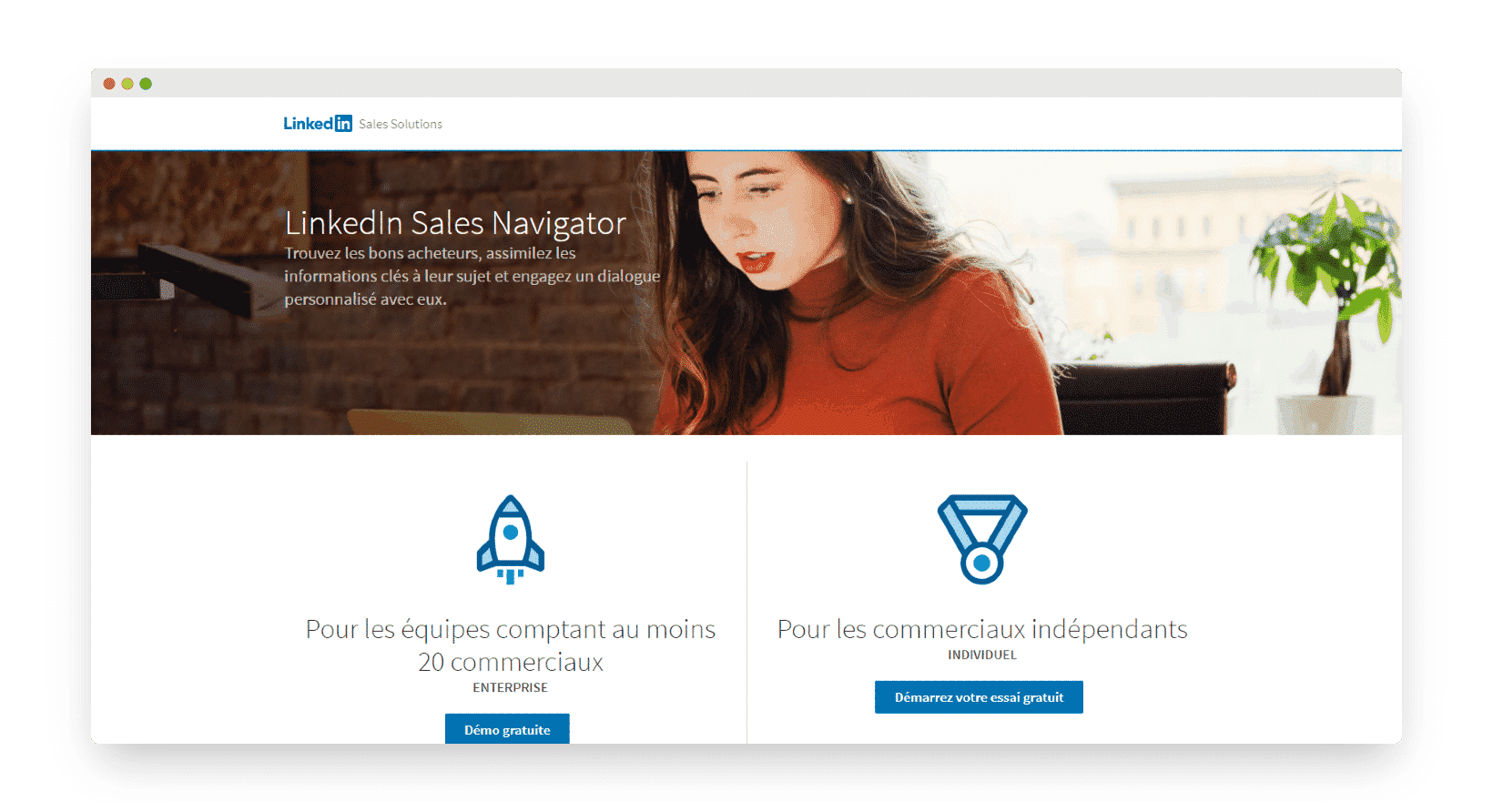
Before getting into the thick of it, the word “active” matters. You will probably find most French doctors on LinkedIn. Yet the majority of them are not active there at all, which makes it a very uninteresting channel.
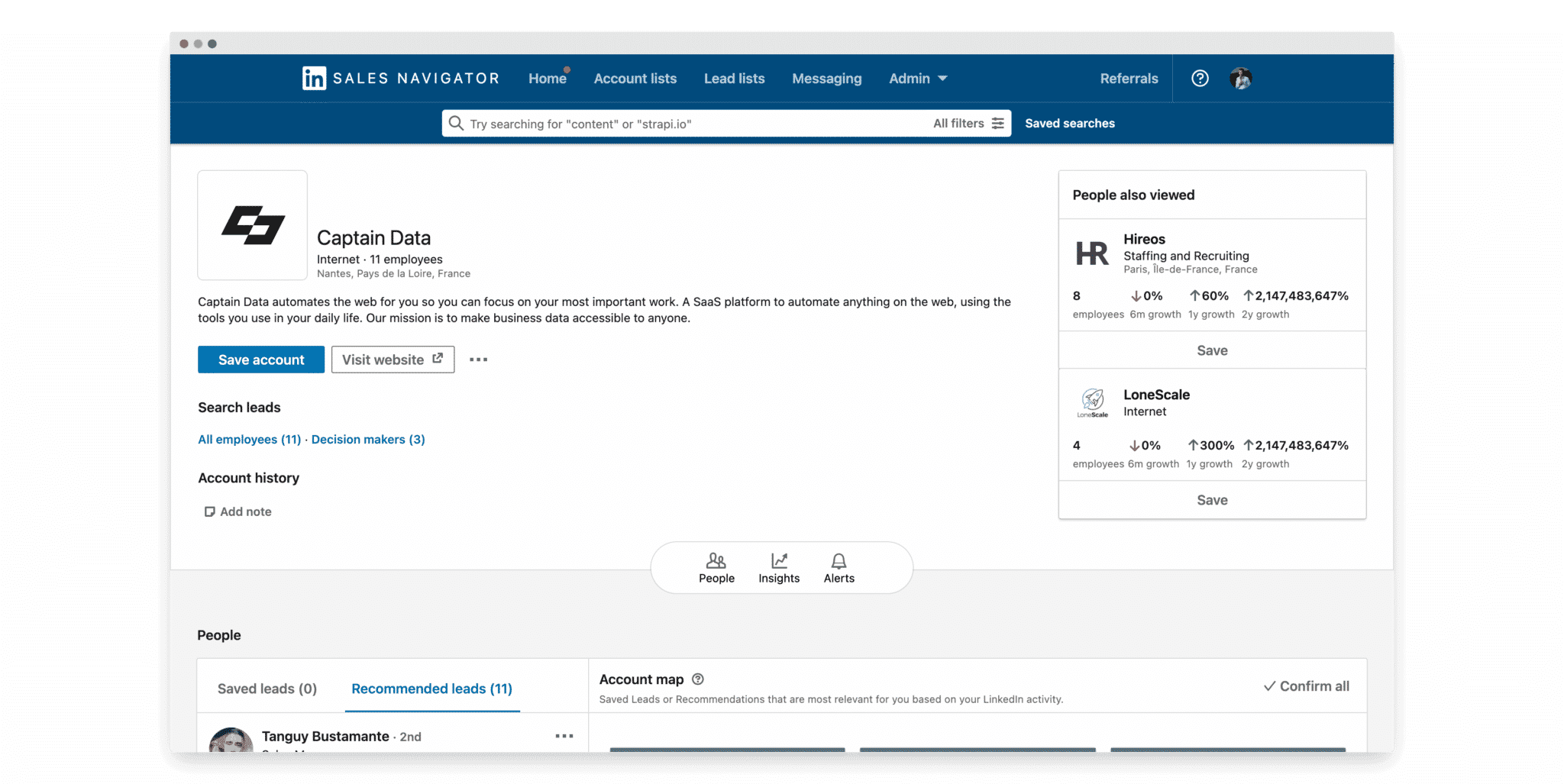
Sales Navigator filters let you refine your search results on LinkedIn.
- For example, you can sort prospect contacts on one side and company profiles on the other. This option lets you keep only the individuals who hold a position in a company you target, and not the company profiles, which are often less interesting for a prospecting file.
- You can also enter a keyword and browse the potential prospects LinkedIn suggests based on your search.
- Finally, you can remove saved, already viewed or already contacted profiles from the results. You can also run a search only within saved profiles.
LinkedIn also gives you Boolean filters that are often underrated. Here is how to use them:
- Type NOT (in capitals) just before a search term to exclude it from the results. For example, you can type Illustrator NOT Web to see Illustrators who work for media other than the web.
- Type OR (in capitals) to get results that contain one term or others. For example, type “communication OR advertising OR marketing” to find communication, advertising or marketing agencies.
- Type AND (still in capitals) for results that include all the listed terms. For example, enter “accountant AND chartered” to see only results containing chartered accountants.
- You can use parentheses to search on several criteria. For example, “accountant AND chartered NOT (finance OR executive)”.
- You can also use quotation marks to search for a complete phrase such as “web project manager”.
Captain Data has also prepared a video that we warmly recommend for your LinkedIn searches. It lasts two minutes, and it is full of good advice.
Salesdorado’s tipLinkedIn is a really powerful tool if you segment enough. Build ultra-targeted lists of 100 to 300 leads, and tailor your outreach strategies to the target. We’ve said it, we’ll say it again: 90% of your success will come from the target-message pair.
Another option is to do targeted ABM to filter employees. The idea: start from the company, then pull up every type of person who works there. On the tooling side, Captain Data’s API, for example, returns the list of employees of a given company. You get more precise data.
In a mid-size company or a large group, it will be fairly hard to reach decision-makers through the switchboard or the front desk, especially without a minimum of information about these people (names, positions…). In that case, general contact details are not enough, you are better off getting direct contact details.
For example, a typical scenario chains the following steps:
- 1. Retrieve social media and contextual information from a website
- 2. Find the targeted company’s LinkedIn URL via Google. You can do it manually with queries like site : linkedin.com/company [Company name]
- 3. Retrieve information about the company from its LinkedIn page (including its sales navigator ID)
- 4. Run a Sales Navigator search (Leads – that is, a people search) for this company’s employees
- 5. Get a contact email with Dropcontact or Societeinfo.
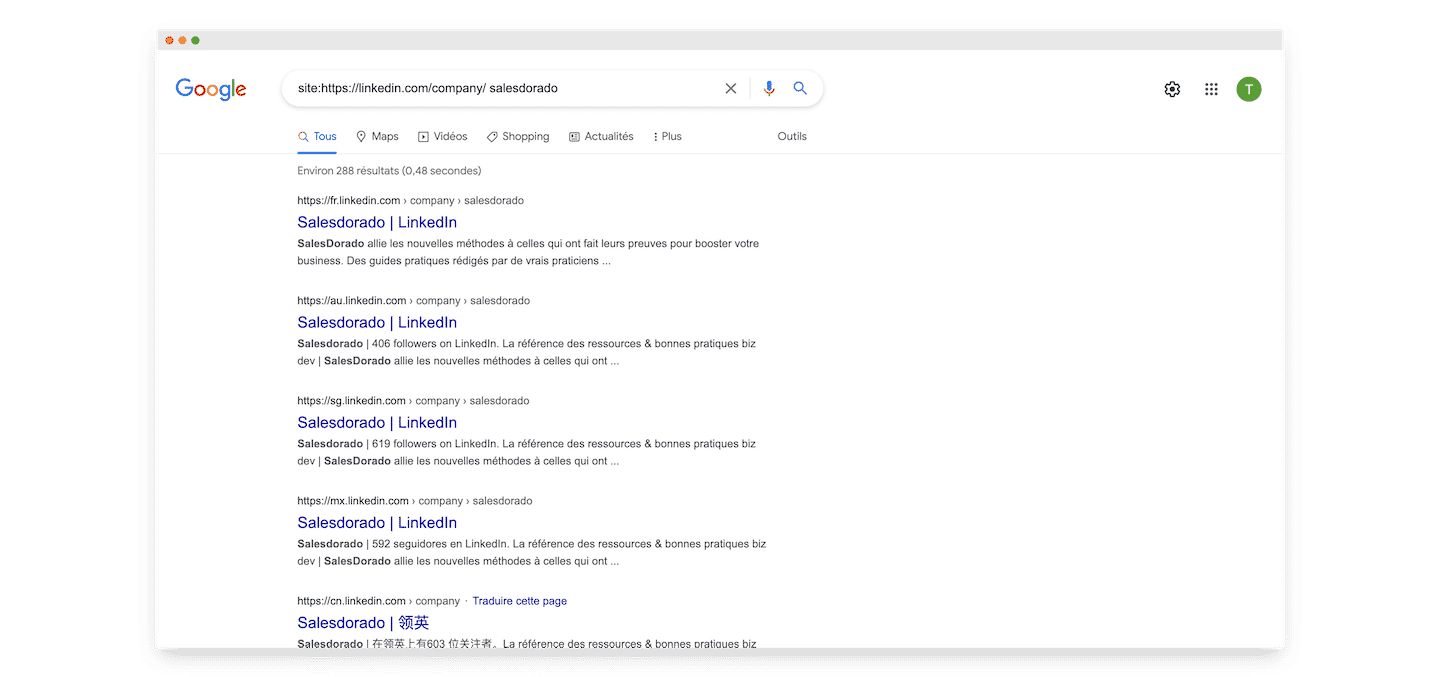
The example is quite telling. Conceptually, it is fairly simple. You look up the company on LinkedIn, then you look up its employees, then you find a contact.
Automatically, it quickly gets fairly complex, with several services to manage, and quite significant data quality issues.
You can see a bit better why scraping was shunned for so long…!
Today, part of the chain fits in two API calls: Captain Data, for example, finds the company from its name or domain, then lists its employees. You still have to plug in email enrichment, and know a bit of code.
By getting their direct contact details, you will be able to meet the right people directly, the ones who will let you close your deals. Your presence with these managers will be more effective than with any other employee of the company.
Google Maps: a gold mine for markets that are still barely digitalized
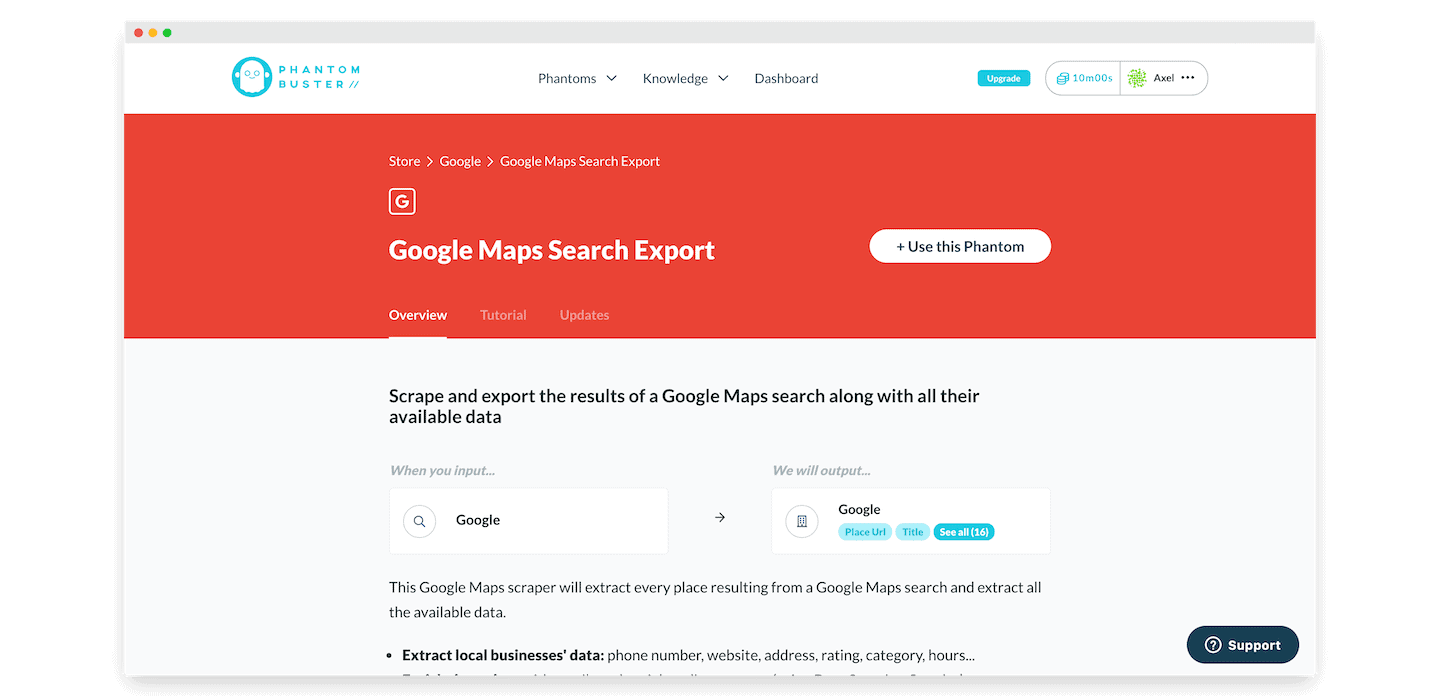
Google has been doing a massive job for a few years, a job LinkedIn has never done: they sent armies of salespeople door to door to convince every shopkeeper and every tradesperson in France to create a profile on “Google My Business“ (now Google Business Profile). Not to mention the army of “local SEO” and “image management” consultants doing the same job.
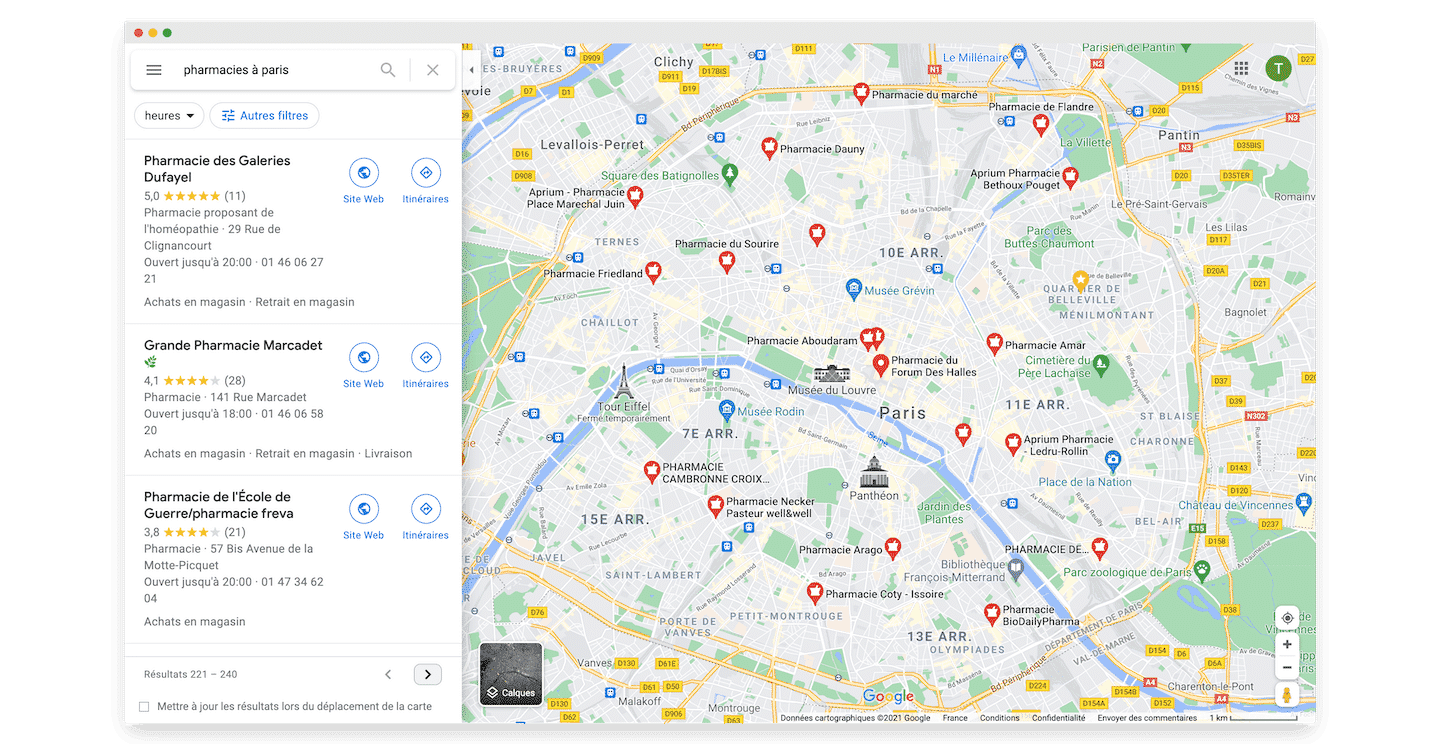
Google does it to sell its advertising solution Google Ads, and consultants do it for the same reason.
The result is super interesting, especially for more specific profiles such as:
- shopkeepers,
- tradespeople,
- barely digitalized services such as hair salons, accountants, etc…
You can complete your databases with the information available on Google Maps. Running a local search on this platform can be very effective to find the phone numbers or websites of small local businesses.
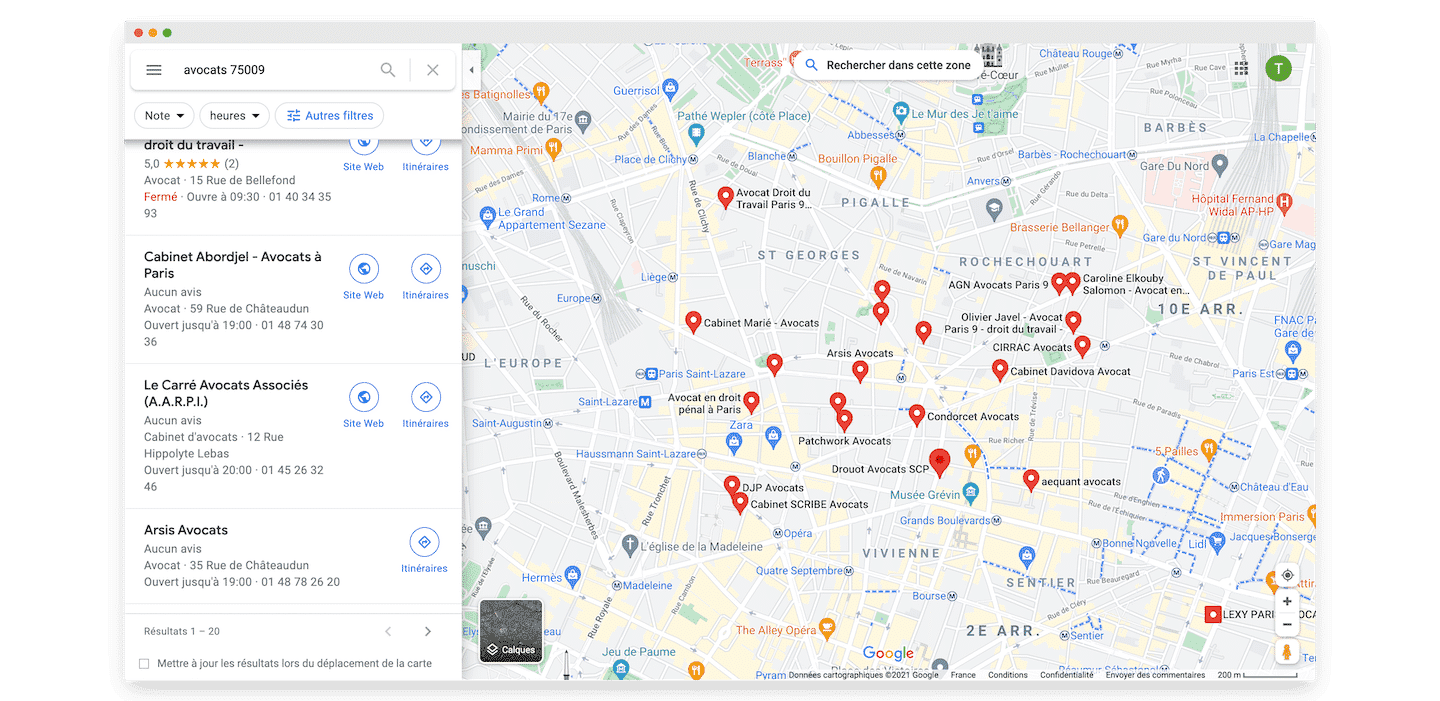
Google Maps is a gold mine. It is also fairly easy to “sirenize” a database (match it against SIRENE, the French official business register) from the address and company name found on the listing. To access much more “standard” data, you can also use sites that gather official company data, such as Societeinfo.
Salesdorado’s tipThe Pages Jaunes and Tripadvisor also make very nice address databases in France, although a bit more specialized. In the case of the Pages Jaunes, it is still very up to date on some topics, but not at all on others. For Tripadvisor, the advantage of a very “marketing” platform is precisely that it is fairly often updated by those listed on it.
The SIRENE database: open data at the service of sales prospecting
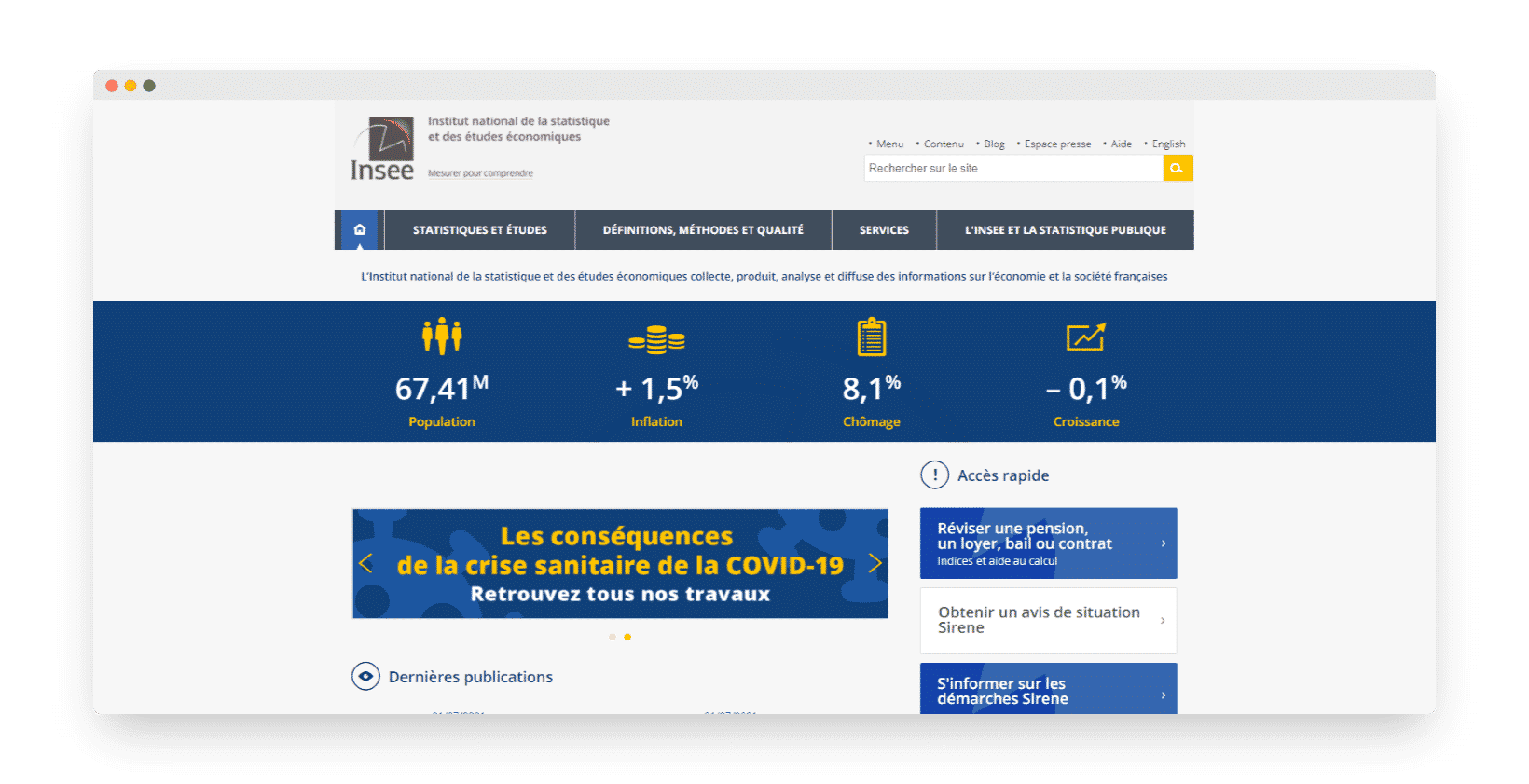
For those who don’t know it, INSEE (the French national statistics institute) lists every French company in a file that is freely available at no cost through what is called the SIRENE database. You can download it for free, or download one of our ready-made files.
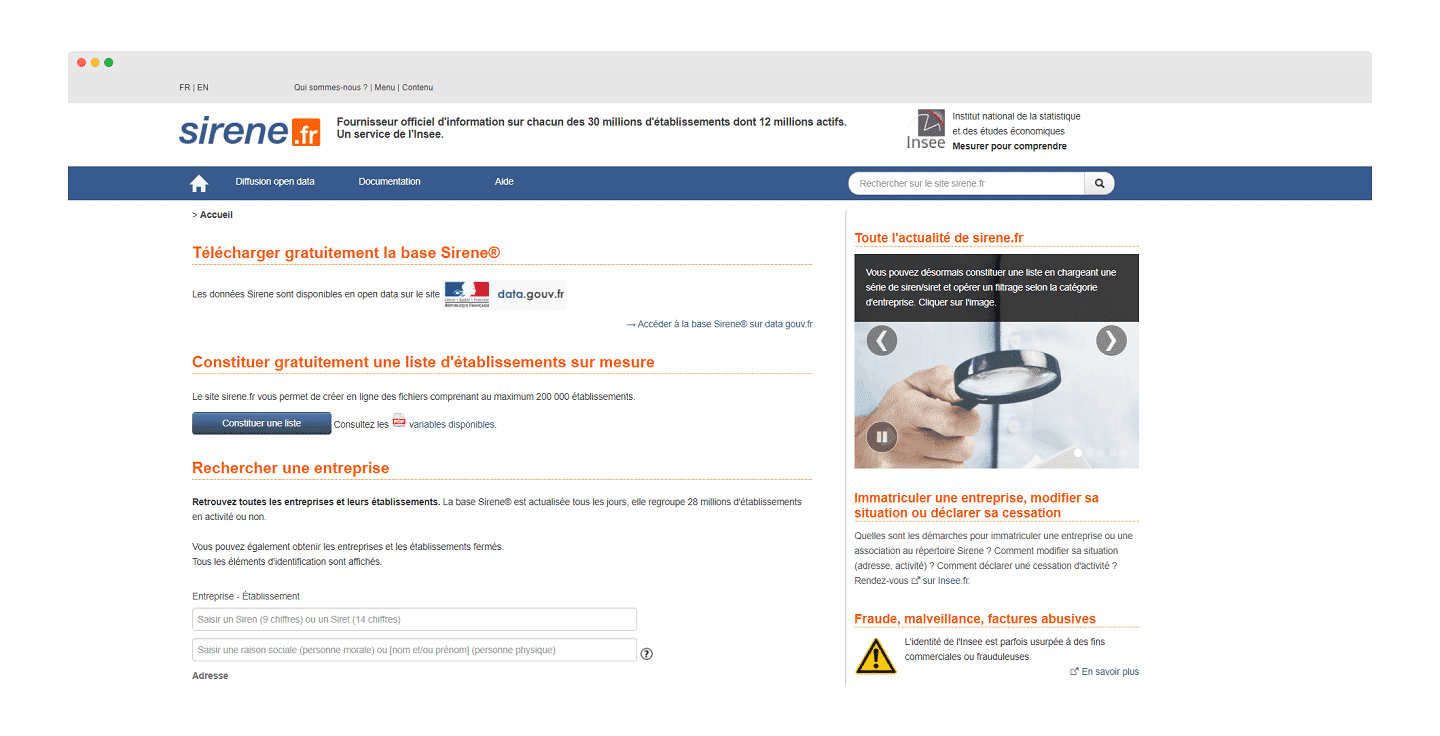
You can also use open data to identify companies at scale. Every company opened each year is listed in the SIRENE file. You can identify all companies by activity (NAF code, the French activity classification), legal form, address of the head office or of an establishment, etc.
But the data collected for free is not that easy to use. In particular, contact information and the website are not in it. And on databases like Infogreffe (Revenue, Balance sheets, …) the information remains self-declared, and is often incomplete or outdated.
Segmenting your searches with NAF codes lets you get information on the companies of a precise line of business. The NAF grid is fairly complex, but the small entry cost is really worth it to get very precise results.
Knowing your targets’ NAF codes is an excellent free entry point to design your prospecting file.
You then get two important data points:
- Company name (legal name): which can differ from the company name on LinkedIn, for example the legal name can be “Captain Data SAS” and the name on LinkedIn can be “Captain data”
- The exact address of the head office, and of the various establishments
Then you need to combine the names and addresses found to get a unique result in Google Maps, and find the website and phone number of the right companies. Finally, you can refine your database with social media.
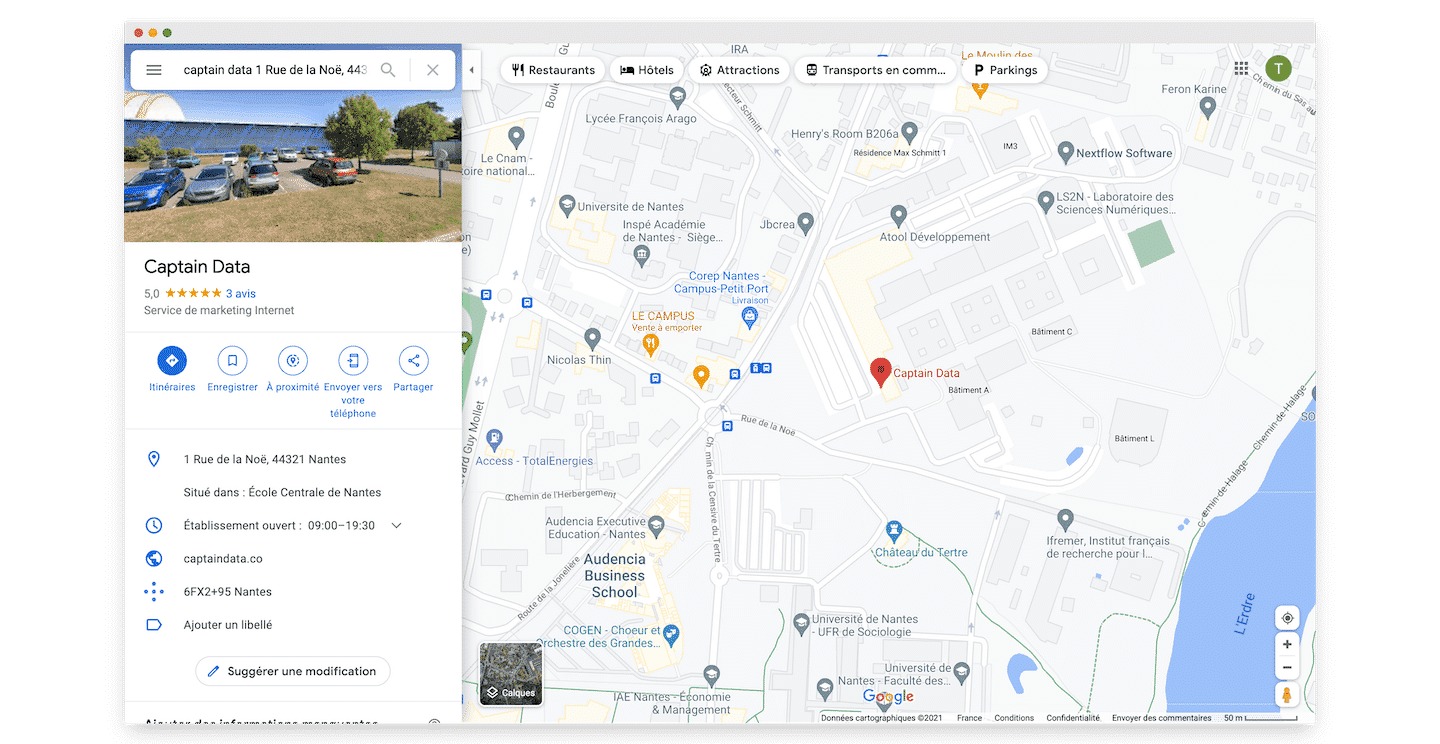
Salesdorado’s tipSocieteinfo is by far the best solution to enrich SIRENE files or find SIRENE data from other sources, websites (“Sirenizing” to insiders). It is a small investment (light…) but it is so much faster & more solid that it is really worth it.
Professional directories and other “custom” entry points
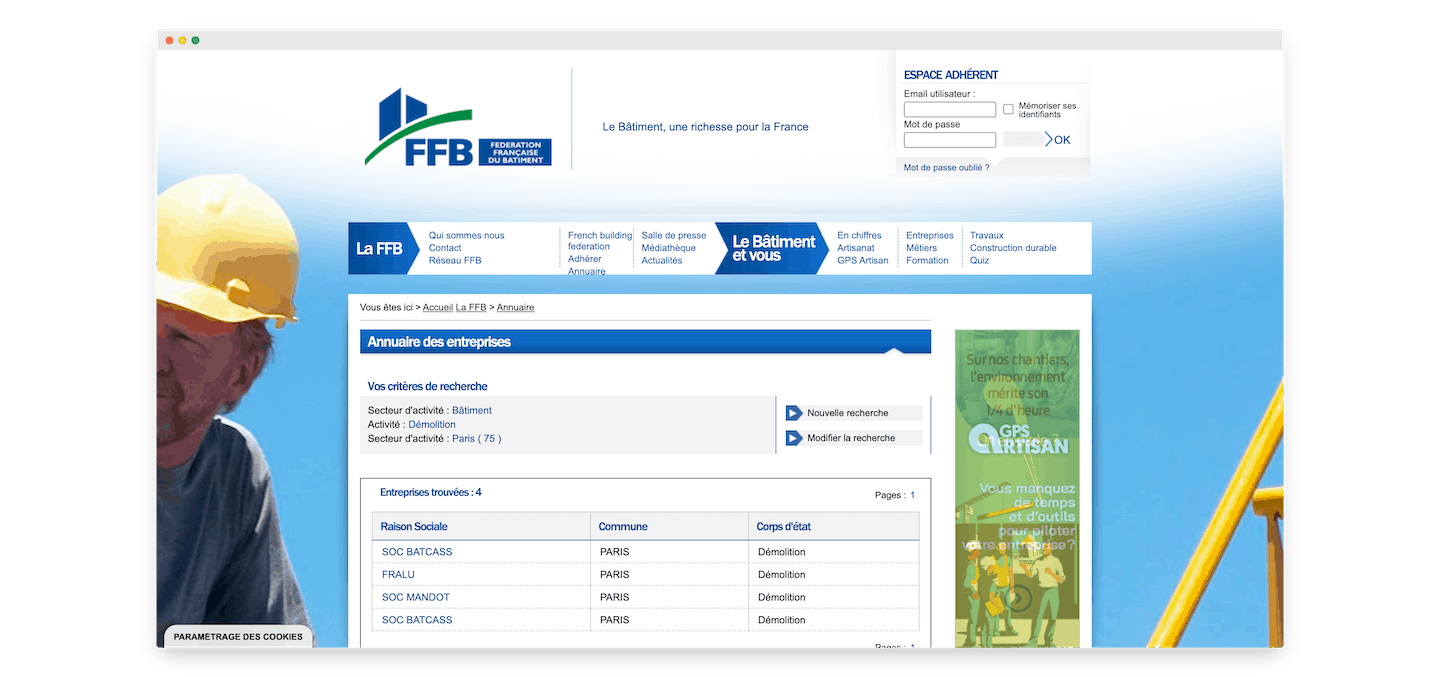
Depending on the type of companies you target, directories can be a good source to find your prospects.
You can fairly easily find very specialized directories for specific sectors, for example: construction professionals, French Tech companies, or works councils, there is no shortage of examples.
You can extract this data with web scraping tools such as Webscraper or Dataminer.
This approach is generally meant for one-off use. Once the data is retrieved, sorted and enriched, it only serves for the duration of a specific campaign.
Enriching the database you obtain is probably the biggest challenge in getting a usable, complete prospecting file.
A specialized directory generally has the merit of being fairly exhaustive, usually fairly easy to use, and cheap to scrape.
But it all depends on the data available, and on its quality. This data is sometimes very hard to enrich because it can be very old. Some of these directories have not been updated in years… So be careful!
Before launching a project like this, the best thing is really to validate the value of the available data manually. For example by spending a day or two of manual qualification to “test” the data in the directory.
2. Identifying the right contacts in each target account
Several options are available to identify the right contacts in each account. First, you can enrich your B2B data with LinkedIn. Visit the profiles you are interested in and use an external tool to save time.
By using the best B2B data enrichment solutions, such as Societeinfo or Dropcontact, the data is enriched automatically.
Other tools, like Captain Data, work through an API: you send a profile’s LinkedIn URL, or a name and a company, and you get the full profile back, ready to feed into your tools.
Second option: run cross-channel sequences combining emails and LinkedIn messages on very targeted audiences. Tools like Waalaxy let you automate the whole process.
Going furtherA campaign on 200 hyper-personalized leads is always better than a mass campaign on thousands of unqualified leads. Scraping is not necessarily meant to let you handle more volume. Automating means gaining quality (fewer errors), and it also lets you work in a continuous flow, with ultra-fresh data, rather than on a 10,000-row file that ages as you work through it…
3. Detecting weak signals
Event-based marketing is a marketing technique where internet users receive personalized communications based on their actions/behavior. It relies on measuring the interactions between the user and a company’s website.
Here, the keyword is “event”: an event is the recording of a behavior on a website. It is tied to the user’s identity and attributes can be stored on it.
Event-based marketing considerably improves the capacity, speed and quality of marketing. Thanks to technology, new tools and techniques are emerging, designed specifically for EBM.
Scraping lets you monitor and detect signals related to the activity of a prospect/competitor in order to spot business opportunities based on different signals.
Here are a few tips to identify companies according to your needs:
- If you want to identify growing companies, use the corresponding filters, for example employee growth on Sales Navigator.
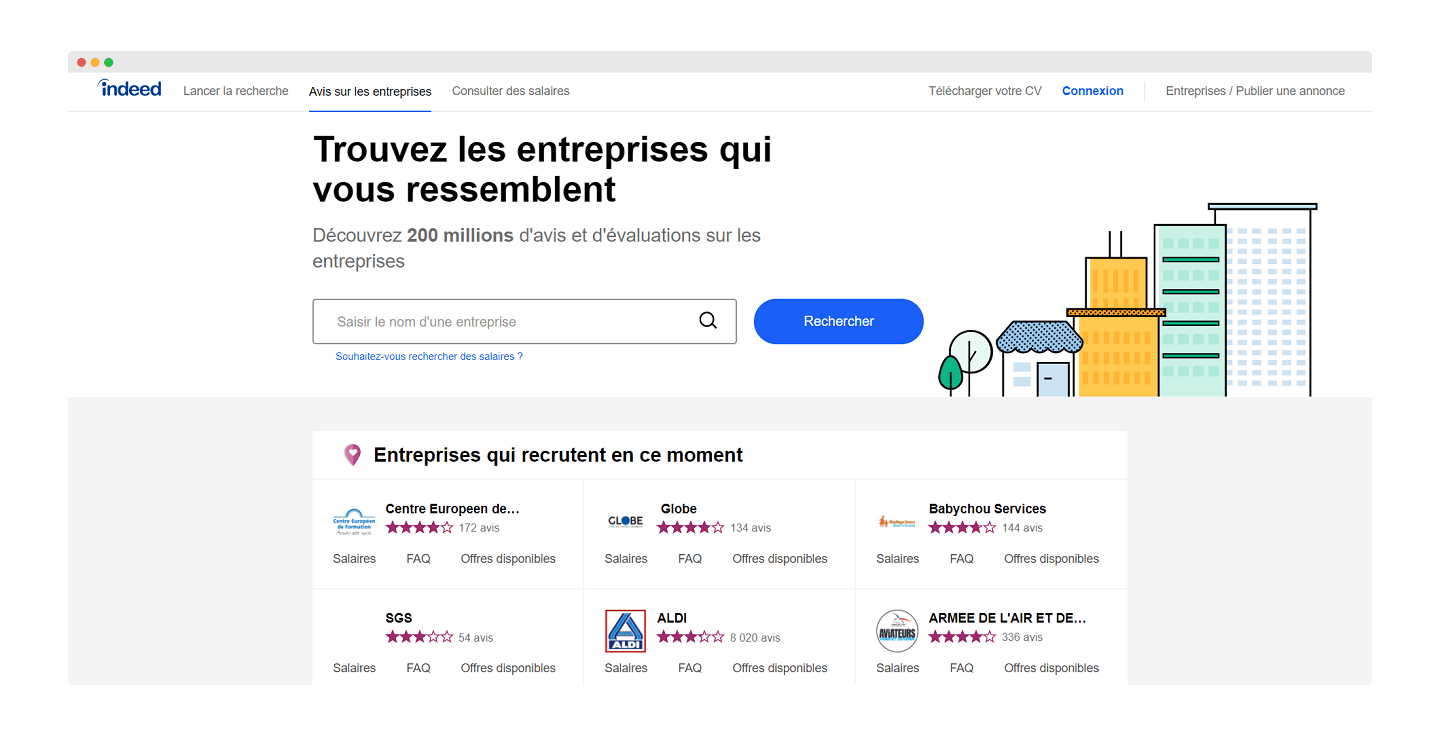
- If you want to identify companies hiring for a specific position, use, for example, the “job search” section on Indeed and enrich the data already collected. Also go to LinkedIn to identify companies that are hiring through the job postings they publish.
- Negative reviews are excellent sources to “win back” your competitor’s unhappy customers. A tool like ReviewFlowz notifies you directly in Slack when a review is published on the profile of one or more competitors.
- Detect the latest funding rounds to improve the timing of a sale (a company that raises a lot of money will very probably hire and equip certain positions).
4. Scoring your CRM
Scraping can also be used to qualify your market and identify your ICPs. Here again, identifying a company’s website has a lot of value, because it lets you, among other things:
- Add much more context about the targeted company, thanks to social media, legal data, the address, or easily identifiable information: several languages available, links available in the navigation – to identify whether there is a blog, for example – phone number available or not, etc.
- Create patterns to find employees’ emails. A pattern is the structure of an email address. Most of the time, business addresses are built like this: firstname.lastname@companyname.com. By finding the pattern, you can find the email addresses of all the employees of a company. A tool to find the right prospects, like Hunter, can help you with this task.

- Automatically identify the traffic on a site or even the company’s line of business (by scraping the titles, for example).
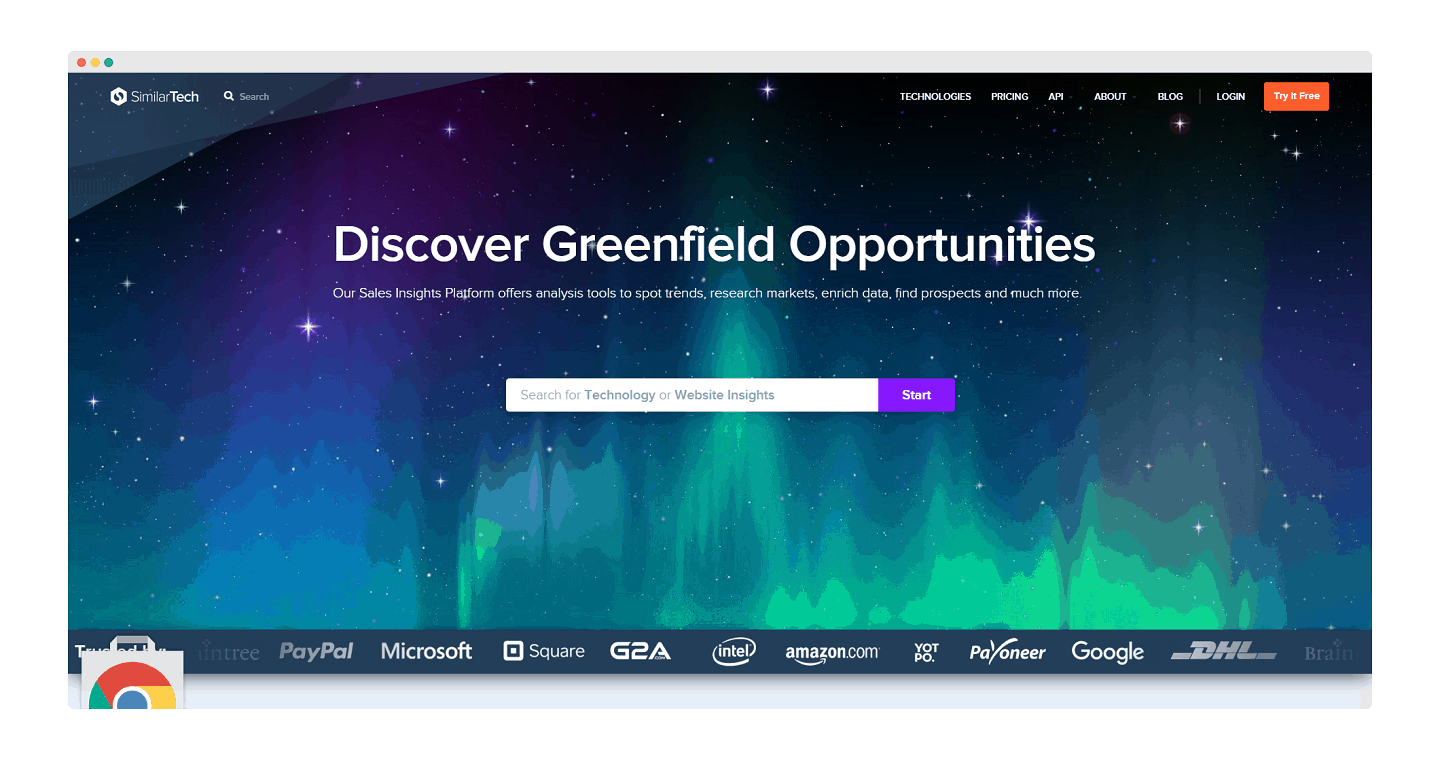
- By combining your scraping tool with a solution like Builtwith or Similartech, you can find the tools companies use and deduce business opportunities from them. This lets you score your prospects to assess the potential of each of them and update your CRM software accordingly.
Salesdorado’s tipThe Sirene open data database is also an excellent resource to find a lot of information about a French company (number of employees, revenue, etc.), all elements to use to prioritize your business opportunities. You can use their APIs directly, or look at Societeinfo for Sirenization & automatic enrichment services.
5. Getting data that is always up to date
Here, let’s talk about data quality. Data quality is a company’s ability to keep its data up to date over time. That data can then be used for marketing and sales operations.
The average time an employee stays in a position is two years. After one month, a file of 1,000 rows will therefore have about 4% outdated rows (one in 24). After two months, this figure will rise to 8%, and so on.
Data goes stale super fast. To keep your data up to date, either you have to cover the whole market in less than a month, or the database has to be updated regularly.
Here too, scraping helps fight data obsolescence.
- Thanks to scraping, you can identify a change of CMO or CTO and anticipate churn. Conversely, a change of decision-maker often leads to a change of tool, which can be an opportunity for your business.
- By using scraping regularly, you can also get regular signals over the long term (a funding round, for example) and therefore identify new opportunities.
6. Making the data operational
As we explained just before, data quality keeps the data collected by companies up to date. But data is only useful when it is available in the tools you use every day and when it is identical across all these systems: CRM software, marketing automation software, operational back office, reporting tools, accounting tools, etc. etc.
To be usable, data must be accessible and actionable, and not only available in reporting tools that let you adapt your strategy after the fact.
In practice, you should not stop at the CRM alone, but go as far as spreading the data across the company’s entire “data” ecosystem. An approach that is, in our opinion, indispensable today.
Salesdorado’s tipWatch out: the point is not to retrieve as much data as you can (even if it is pretty exhilarating). What matters is making the data accessible.
The advantages of web scraping in a nutshell
Many reasons push B2B salespeople to use web scraping solutions:
- Automation: copying and pasting large amounts of data is tedious work. Fortunately, web scraping tools now make extracting large volumes of data both simple and fast.
- Cost-effectiveness: extracting data manually is a long and costly task. Web scraping has solved this problem by collecting large amounts of data with minimal effort.
- Easy setup: No-code scraping tools have democratized access to many very valuable data sources such as LinkedIn, Google Maps, the Pages Jaunes, etc.
- Low maintenance: the cost of maintenance is often overlooked when installing new tools. Fortunately, web scraping technologies require little or no maintenance over time.
- Speed: the speed at which web scraping tools perform the desired actions is another advantage.
- Data accuracy: web scraping tools are not only fast, they are also very accurate. Human error is often a factor to take into account when performing a task manually. As a result, extracting data with a dedicated tool gives much higher quality.
- Efficient data management: Web scraping lets you choose the data you want to collect and then use the right tools to do it properly. Using software and automated programs to store the data also guarantees the security of your information.
Which web scraping tool should you choose?
Several types of tools exist to do web scraping:
- Open source tools, which make web scraping less costly and easier to run. The most widely used are Scrapy, Selenium, BeautifulSoup and Puppeteer.
- Proprietary solutions, split into two types: solutions with a programming interface, where an API key is provided to access the data; and solutions where no programming skills are needed, which aim to democratize scraping.
- SaaS solutions that use a diverse set of IP addresses and digital fingerprints, acting like a group of users browsing a website rather than like an automated bot.
- Managed services, also called data-as-a-service (DaaS), are easier to use for companies that need data at scale. Yipitdata, PromptCloud and ScrapeHero are concrete examples.
- “In-house” solutions. As long as the company has technical staff capable of handling the task, and the scraping is meant for a strategic project, building an in-house solution is the best option.
Going furtherTo choose your tool before scraping a site, start by checking whether an API already provides the data: for profiles and companies, Captain Data offers one, and it is often more reliable than scraping yourself 😉 For more custom needs, we recommend browsing our article on web scraping tools. We ranked a dozen of our favorite tools by order of simplicity so you can avoid bloated tools whenever possible.
The questions we get over and over.
What is web scraping?
It is the process of extracting data from a website. It lets you collect information such as an email address, a phone number or a postal address and gather it in a database. You can do it manually, by copy-pasting, or automatically with scraping tools.
Which sources should you use to build a list of target companies?
The company's website, LinkedIn and Sales Navigator if your target is active there, Google Maps for markets that are still barely digitalized, INSEE's SIRENE database (the French business register) and specialized professional directories. The choice depends on the data points you are looking for and on the industry.
What is a proxy-ICP?
It is the data point or points that are as easy to access as possible and that let you identify your target precisely. For Aircall, which looks for companies that make a lot of calls, they are the number of employees in the sales and support teams, the growth of these teams and the presence of a phone number on the website.
How does scraping help detect weak signals?
It lets you monitor a prospect's or a competitor's activity: headcount growth on Sales Navigator, job postings on Indeed or LinkedIn, negative reviews published about a competitor, latest funding rounds.
Why scrape your data regularly?
Because data goes stale fast: with an average time in position of two years, a 1,000-row file has about 4% outdated rows (one in 24) after one month. Regular scraping also lets you spot a change of decision-maker or a funding round.
What types of web scraping tools exist?
Open source tools such as Scrapy, Selenium, BeautifulSoup and Puppeteer, proprietary solutions with or without programming, SaaS solutions, managed services or data-as-a-service, and in-house solutions when the company has the technical staff to build them.



What the community says.