



In this article, we look at two leaders in the CRM and marketing automation software market: Salesforce and Zoho CRM.
Salesforce is the leader in sales CRM. It offers a functional depth that is hard to find elsewhere, and an extremely complete ecosystem of integrations and applications. It is a complex tool to use, but it fully meets the needs of well-established sales teams.
Zoho is also among the best CRM software on the market. The tool offers a very large number of features, is easy to use and gives a good view of the sales pipeline.
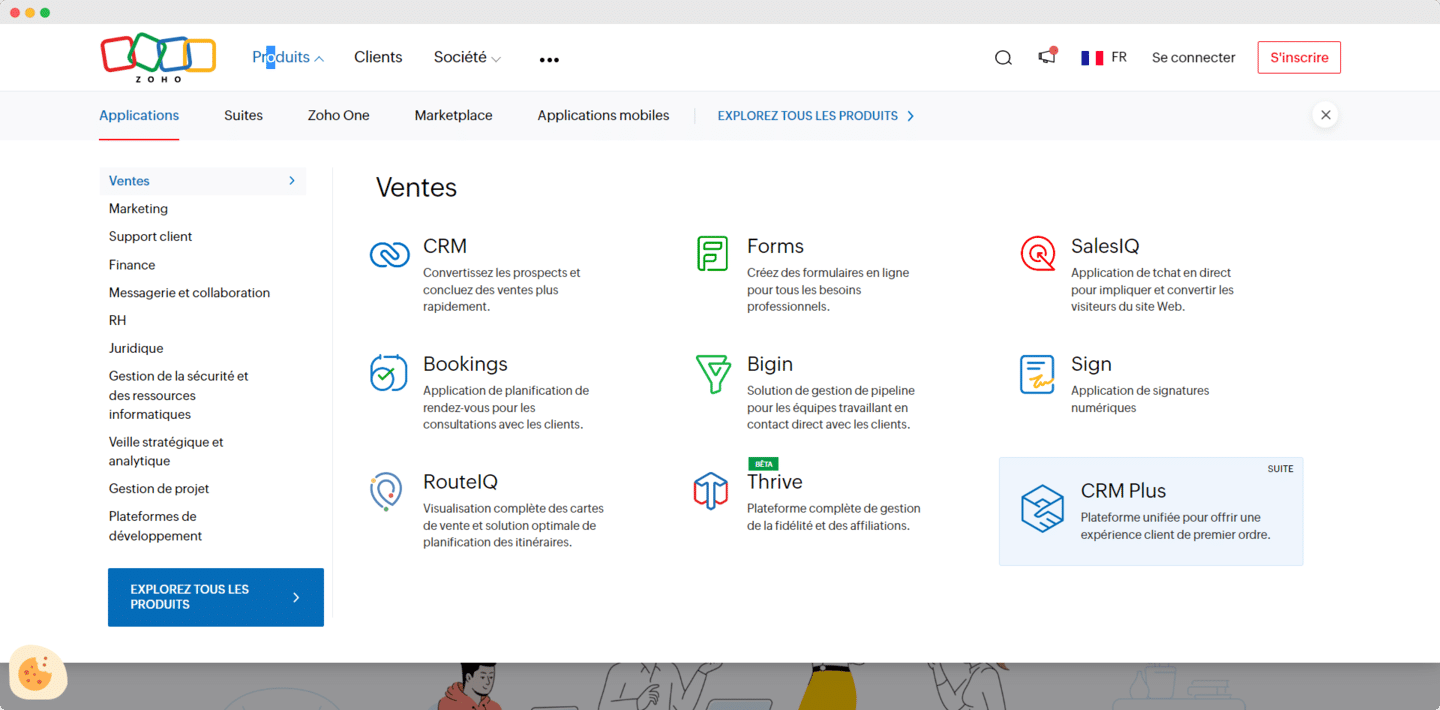
Above all, Zoho CRM is part of a complete ecosystem, Zoho, and offers third-party integrations with the most widely used business applications through the Zoho Marketplace. That makes it one of the only credible Work OS options on the market.
In this article, we mainly focus on the CRM features to compare these two solutions, because they matter most, but both tools offer many other features.
Salesforce vs Zoho CRM: our analysis in brief
Zoho is a solution known for its excellent value for money, its many features and its easy-to-use task management.
Zoho has a reputation for a very raw, unergonomic interface, but over the past year or two, major efforts have been made to make the software more pleasant to use. It fully meets the needs of very small businesses and SMBs looking for an affordable, functional CRM.
Salesforce is also among the leaders in sales CRM. Its prices are much higher than Zoho’s, but the features on offer are more sophisticated. The learning curve is fairly steep and calls for implementation and team training capabilities.
It is a solution often chosen for its reliability and scalability, and adopted by well-established sales teams.
Zoho vs Salesforce: what customers say
Both tools are well rated by their users on review sites (Zoho CRM reviews, Salesforce reviews). Here is what stands out from their feedback.
Zoho
What they like:
- Overall, users find Zoho affordable and ideal for small and medium-sized businesses. The solution offers a wide range of features. The Zoho ecosystem covers most needs through products from the same suite that are integrated with each other.
What they dislike:
- Some users point out that the learning curve can be fairly steep. Others regret that the software lacks integrations with niche software and that reporting options are limited.
Salesforce
What they like:
- A large number of users appreciate the sales pipeline customization features and the many integration options.
What they dislike:
- For other customers, Salesforce is an expensive tool for small businesses and can be complex to use.
Salesforce vs Zoho: functional scope
Sales pipeline and sales activities
Zoho offers a very simple interface and fairly basic CRM features, but they are enough to put good marketing strategies in place and move your leads through your sales funnel.
Zoho lets you manage your B2B email campaigns, capture leads, use B2B prospecting tools, set up lead nurturing strategies and more. You can see all your tasks in a Kanban view.
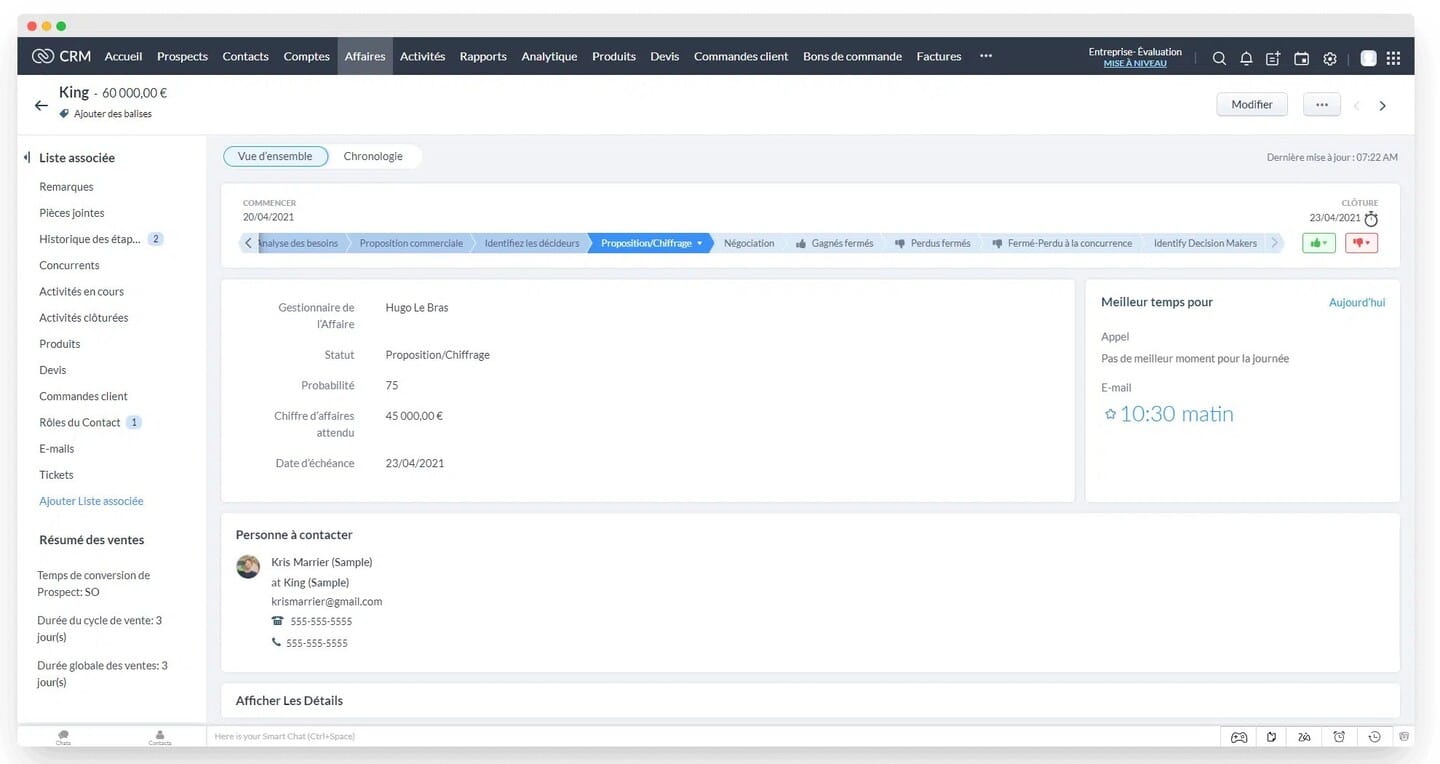
At Salesforce, tracking sales pipelines and lead progress is also fairly simple. You can follow sales opportunities throughout their life cycle, and see the amount of your potential revenue and your number of sales at a glance.
The interface is less intuitive than Pipedrive’s, but Salesforce offers other, more advanced features, such as automating certain stages of the sales cycle.
In short, Zoho and Salesforce both offer fully customizable pipelines. The number of possible features can make the learning curve difficult. But overall, Zoho remains less complex than Salesforce, and also less flexible.
Contact management
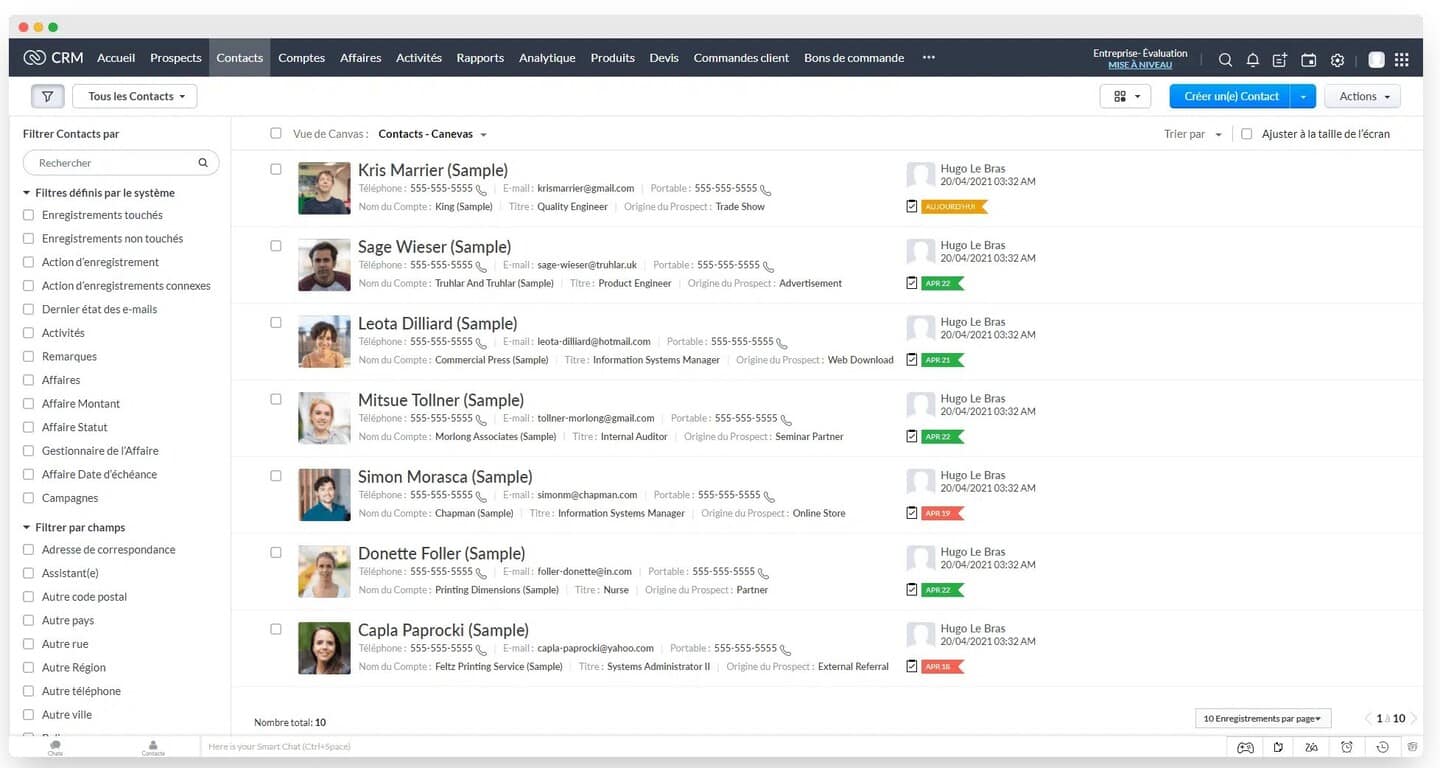
Zoho leans more toward project management than Salesforce, and that shows in contact management. Zoho lets you simply add, import or edit contacts.
Zoho offers a timeline view that surfaces priority prospects or customers through a very visual, pleasant interface. All your contacts fit easily into Zoho’s predefined reports and can be synchronized with automated workflows.
Zoho also lets you assign different classification categories to each contact and attach documents to individual contact records.
With Salesforce, you can follow each of your customers throughout the entire sales process. It is the account-centric CRM par excellence. The tool ensures excellent, personalized customer follow-up, which is particularly effective when you work with Account Based Marketing (ABM).
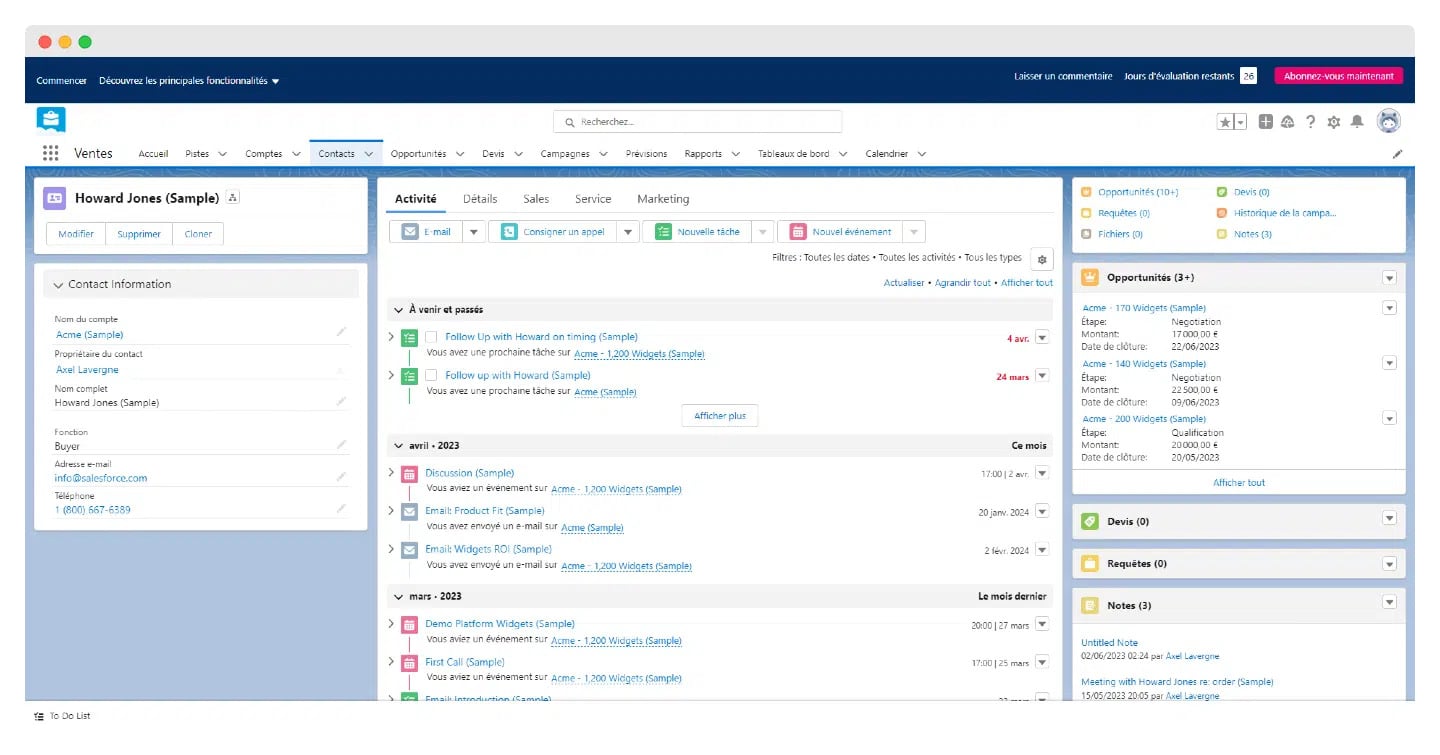
In short, Zoho is therefore not as intuitive as Salesforce, which offers more options with a clearer layout.
Reporting and forecasting
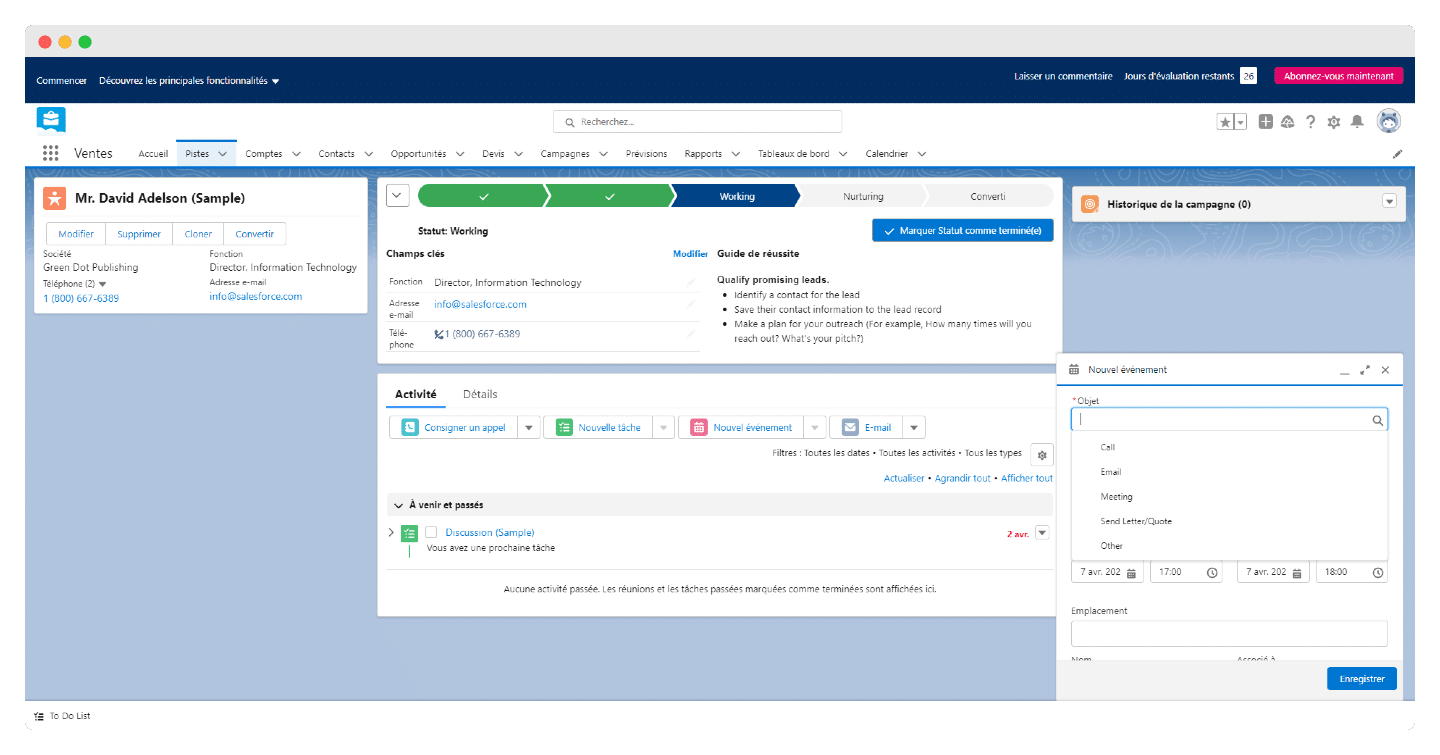
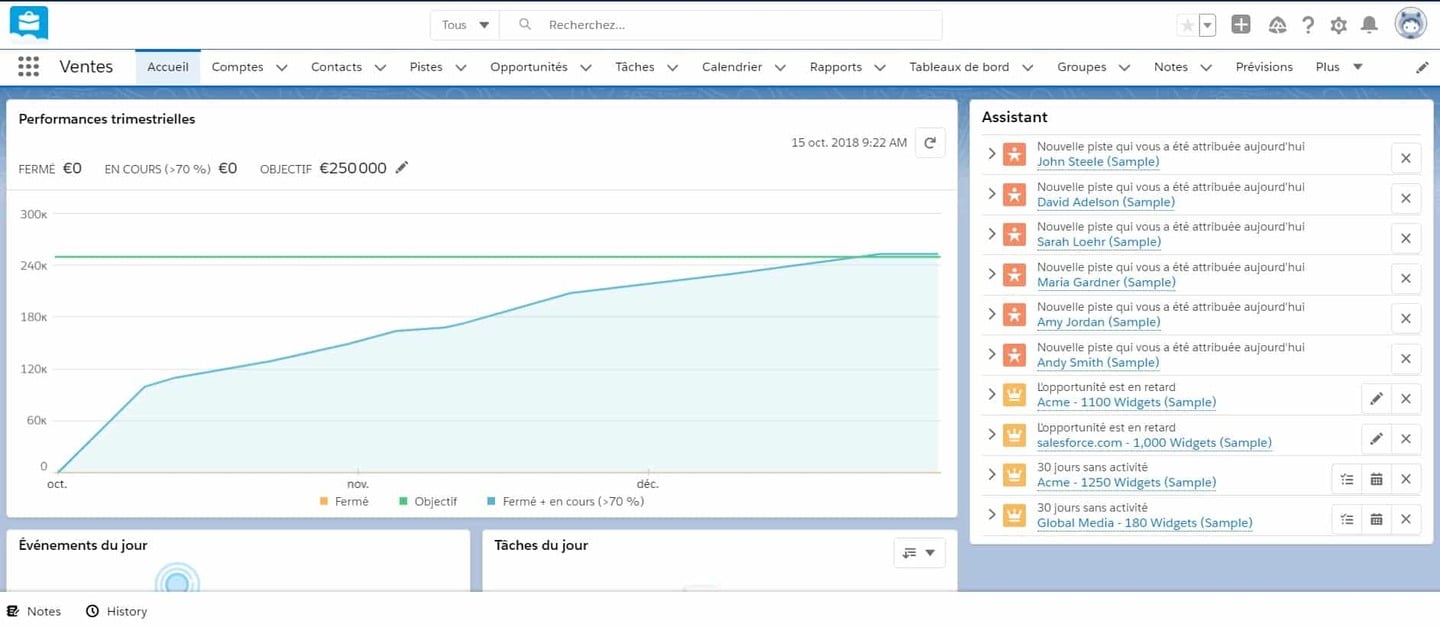
Salesforce offers very effective reporting features, notably through agentic analytics with Tableau Next, included from the Core edition. Salesforce also uses AI to analyze your revenue and the opportunities to follow based on pipeline trends, with its Revenue Intelligence tool.
The tool offers customizable dashboards that make it simple to track quarterly or annual performance, as well as detailed forecasts thanks to its pipeline trend tracking feature.
Built-in forecast tables and advanced report-building features only come with the Core edition: the Starter and Pro Suites make do with customizable reports and dashboards.
On all of its paid plans, Zoho CRM offers standard customer reports and sales forecasts. The Zoho Standard plan includes 100 custom reports, and the Professional, Enterprise and Ultimate plans offer an unlimited number of reports.
You can schedule them and use them whenever you want.
The Enterprise and Ultimate plans have access to the Zia prediction builder and artificial intelligence (AI) tools, which offer several sales management tools, including prediction models.
The Zoho bonusZoho also lets you customize your CRM experience with Zoho Canvas. Canvas by Zoho lets you “build” your own CRM interface with a drag-and-drop tool. The tool offers a wide variety of templates and lets you tailor the experience to your company’s industry.
Lead management and sales automation
For basic automation, Zoho beats Salesforce. The automation is functional, even on the Standard plan. The tool lets you set up very powerful processes, such as sending automated email sequences, defining assignment rules for your leads (lead routing) or setting up automated email notifications. Zoho also lets you create workflows for each CRM module.
When it comes to lead management and automation, one of Salesforce’s major assets is its AI layer, which offers lead scoring, automatic activity detection and deal insights. Lead scoring is included in the Advanced and Max editions, and is an option on Core.
But automation options are limited in the lower versions: the Starter Suite has no access to Flow Builder, and the Pro Suite is limited to 5 flows per organization.
Salesforce also lets you automate complex document flows and act as a cloud storage drive. On the data side, the price list provides 10 GB of storage per organization on the first suites and 1 GB per user on the Advanced and Max editions.
To make document management easier, you can also download a dedicated application from the Salesforce AppExchange.
Quotes are included from the Pro Suite. The automated quote generator, Salesforce CPQ, now built into Revenue Cloud, lets you configure products and prices for cross-selling and upselling, generate contracts and proposals, and process invoices and payments.
Salesforce vs Zoho: integrations and philosophy
Zoho is very focused on all-in-one, and its integration with the other tools in the Zoho suite makes it a very powerful solution. If you use other applications, Zoho CRM integrates natively with the main business applications. In total, Zoho announces more than 1,100 ready-to-use integrations, telephony included.
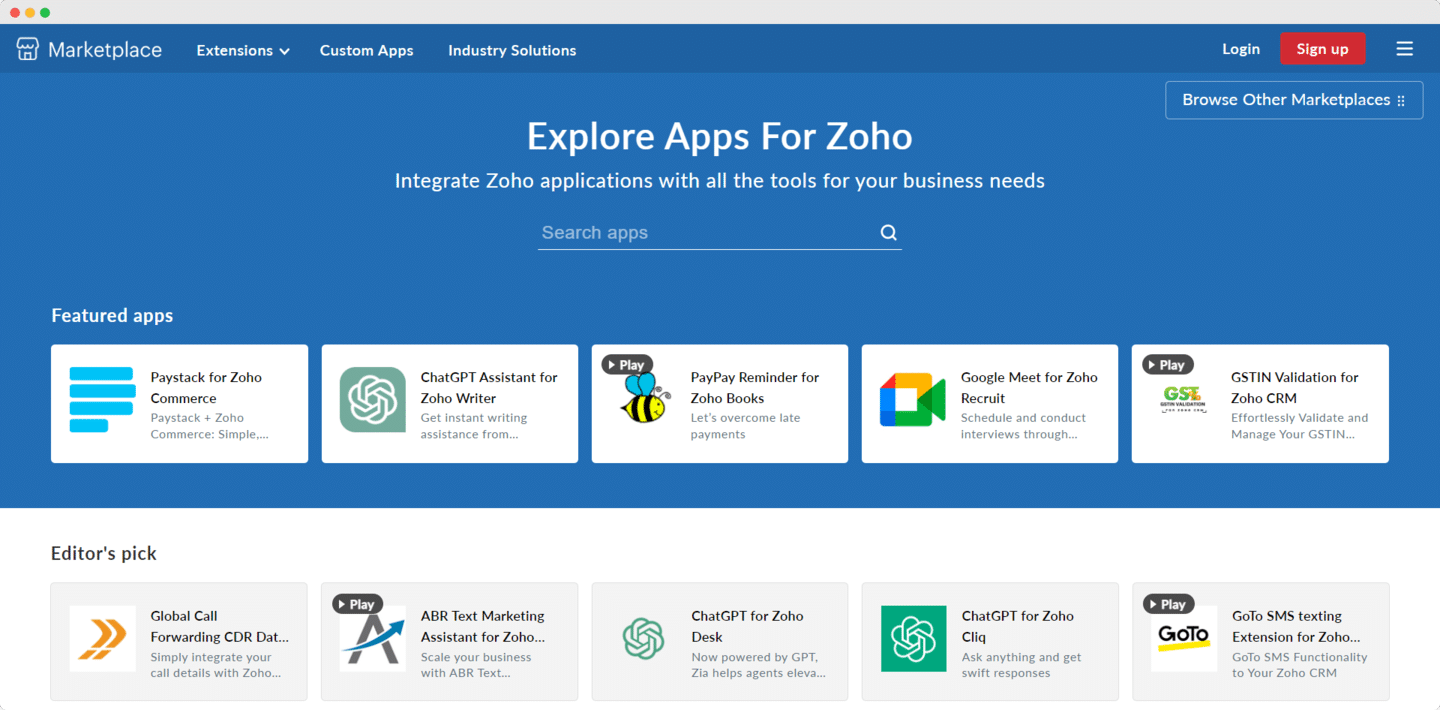
Zoho also offers low-code tools such as Zoho Creator and Zoho Catalyst, which let you create and deploy serverless applications (at a lower cost than comparable Salesforce applications).
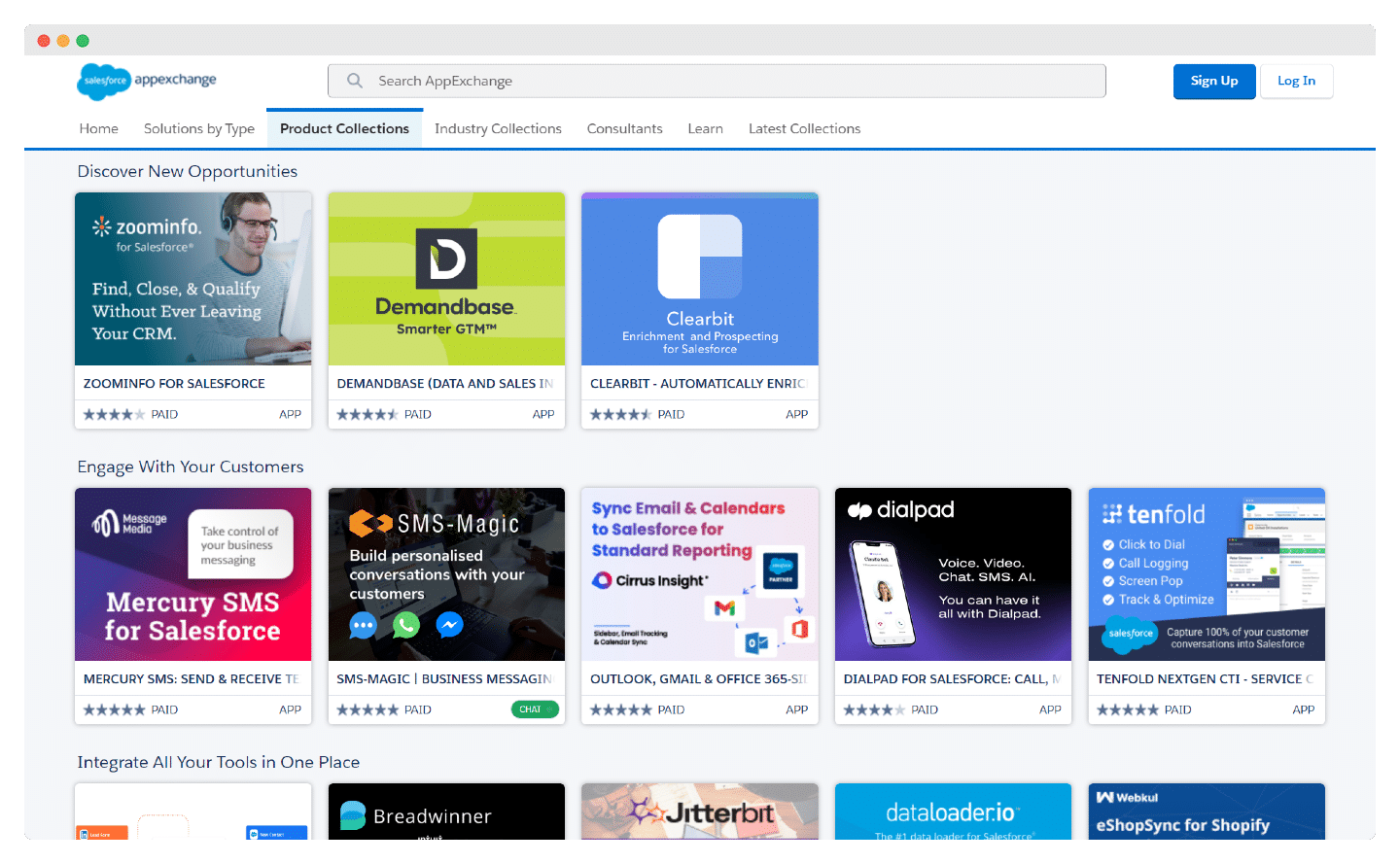
On integrations, Salesforce is unbeatable. It is one of the largest third-party application marketplaces: the Salesforce AppExchange platform has existed since 2005 and gives you access to thousands of applications, the best known such as Gmail, Aircall and DocuSign, but also more specialized applications that are less often integrated with other CRMs.
In short, there is a multitude of products to meet companies’ different needs.
Salesforce has even developed Salesforce+, a streaming platform on which it broadcasts its events.
On the paid suites, you also have a multitude of add-on modules for extra features. For example, Salesforce Billing lets you renew subscriptions and contracts and set up flexible invoicing.
Zoho vs Salesforce: pricing
To let you get the measure of the tool and test the different features, Zoho offers a free version for up to three users, with access to the essentials: management of leads, accounts and deals.
Zoho offers an ultra-light version of its CRM product: Zoho Bigin. This is a small pipeline-oriented CRM dedicated to small organizations. Zoho Bigin has a free edition for one user, then starts at €7 per user per month billed annually (€9 billed monthly).
The tool lets you set up no-code web forms, integrate your email inbox and create custom dashboards.
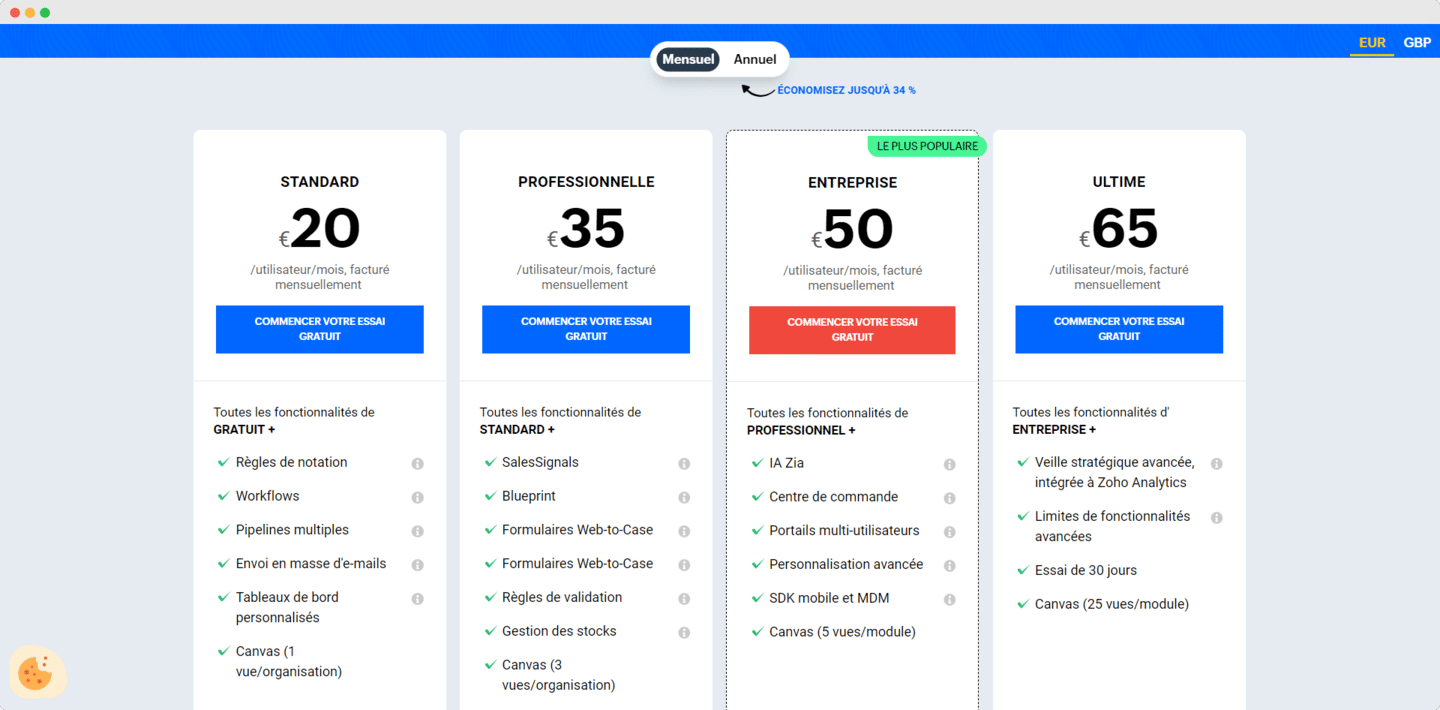
Beyond Zoho Bigin, Zoho CRM offers four paid plans. The Standard plan starts at €14 per user per month billed annually (€20 billed monthly). The Professional plan, at €23 per user per month billed annually (€35 billed monthly), includes reporting and customization features.
This tier includes the SalesSignals tool for tracking your prospects’ activity, form integration and the built-in inventory management solution. This plan does not allow multiple scoring, sandboxes or segmentation.
The Enterprise plan, at €40 per user per month billed annually (€50 billed monthly), opens up most of Zia AI, custom buttons and data encryption. The Ultimate plan, at €52 per user per month billed annually (€65 billed monthly), mainly adds Zoho’s advanced business intelligence solution, with the Premium edition of Zoho Analytics included.
Salesforce’s pricing is more complex and can vary enormously depending on your profile and the options you choose. Sales Cloud comes in six offers: a free suite for 2 users, the Starter Suite at €25 per user per month, the Pro Suite at €100, then the Core editions at €195, Advanced at €395 and Max at €550, billed annually. You can find the details of the different offers on the Salesforce pricing page.
The Advanced and Max editions are the most complete and are aimed at large sales organizations.
The first two paid suites can suit SMBs. For example, the Starter Suite, at €25 per month per user, does not offer advanced forecasting, lead scoring, quotes or a web services API.
The Pro Suite, at €100 per month per user billed annually, does not give access to lead scoring or advanced reporting, and the API costs an extra €25 per user per month.
Despite some attractive features, the prices make them not very attractive. Conversely, for large companies and the more expensive plans, Salesforce is flexible on price as the number of users grows.
Above all, you need to be careful and take into account, beyond the cost of licenses, the other costs we detail in this article. The price list is very complex: for a team of 5 on the Pro Suite, the licenses alone already come to €6,000 in the first year, before setup costs.