Logo Kit

Our review of Our Kit (formerly ConvertKit) review: the email marketing software built by a creator for creators

The email marketing software built by a creator for creators.

Salesdorado
4.6 /5
1 test
Capterra
4.6 /5
244 reviews
G2
4.2 /5
322 reviews
Trustpilot
4.0 /5
160 reviews
Weighted average 4.40/5 4 combined reviews
Price
Free up to 10,000 subscribers, then $89 per month for 5,000 subscribers

The verdict in 30 seconds

Kit (formerly ConvertKit) is a solid, easy-to-use tool designed for content marketing: lead capture, courses, downloadable resources, all the way to payment. Its strength is simplicity. On the other hand, reporting remains light and the paid plans are hard to justify against MailerLite or Brevo. If you sell content to an audience that reads you, Kit is hard to fault.

+ What we liked
  • Easy to pick up, with a design and features built for newsletter creators. The user experience is very good, especially for beginners.
  • The tool is wired end to end for content marketing: the lead generation features are excellent, you can build a sequence or a campaign without difficulty, and the reporting focuses on audience growth with very transparent data on your contact list, something few platforms offer at this level.
  • Online payments with Stripe are built in. Kit was one of the first email marketing tools to offer custom payment links, and selling a course there is much simpler than elsewhere.
  • Four types of capture forms, customizable templates, triggers based on scroll or time on page, and forms that adapt to the blog category.
  • More than 40 landing page templates, varied and suited to specific use cases: ebook, newsletter, podcast.
  • The free plan covers 10,000 subscribers with unlimited landing pages and forms, which is more than enough to get started.
  • An email editor that has come a long way: more than 40 templates, images from Canva or Unsplash, videos, polls and countdown timers, for illustrated newsletters without any effort.
− The downsides
  • Reporting is disappointing on the free and Creator plans. For campaigns, we would have liked more precise data: heatmaps, click locations, geographic data. You have to move to the Pro plan to access engagement analytics and deliverability reporting.
  • Value for money is average. Against MailerLite, Moosend or Brevo, Kit's pricing is hard to justify.
  • The scope remains narrow: automation is limited to email and SMS, with no WhatsApp, and the integrations catalog is heavily geared toward digital products and courses, very thin on the CRM and CMS side.
  • Support and the community are in English only.
  • Tags quickly become unmanageable once you've created a few, and the quality of your segments depends entirely on them.

Who it is for

★ Go for it if...

Content creators, bloggers and course sellers, for whom Kit (formerly ConvertKit) is wired end to end: very polished lead capture, sequences that are simple to build, and online payments through Stripe without leaving the tool. The free plan, which covers 10,000 subscribers with unlimited landing pages and forms, also makes it an excellent starting point for a newsletter that's just getting off the ground.

⌘ Skip it if...

Skip it if reporting matters and you're not aiming for the Pro plan, if your budget is tight, since the paid plans are expensive for what they offer, and if you need multichannel beyond email and SMS or support in French.

Scores per criterion

  • Overall score 4.6
  • Feature scope 4.7
  • Reporting 4.3
  • Onboarding/Support 4.6
  • Integrations 4.7
  • Value for money 4.5

The tool in detail

Let's take a closer look at the features of Kit (formerly ConvertKit), from the email editor to landing page creation and contact management, then its customer support, its integrations marketplace, its pricing and its alternatives.

Kit (formerly ConvertKit) is very easy to pick up. It lets you quickly set up email campaigns, marketing automation sequences, and even take payments.

The tool is a bit expensive compared to the market, but it is particularly well suited to bloggers and to creators of content or online courses.

In this article, we go through all of the software’s features to help you decide whether it fits the way you plan to use it.

Kit: feature overview

Email marketing: editing and automation

Kit provides an email editor that is easy to use and customizable. Long limited to plain text, it now offers more than 40 templates, image import from Canva or Unsplash, and embedded videos, polls and countdown timers.
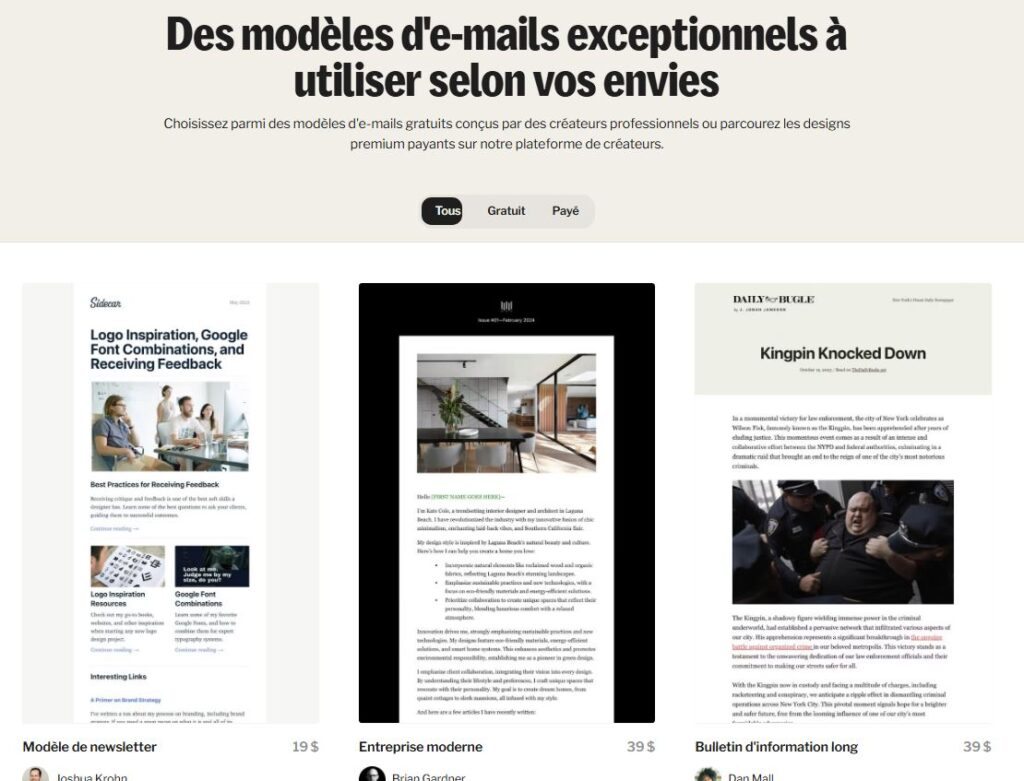
Marketing email template in Kit

The software stays true to its philosophy: substance over form. But it now lets you design illustrated newsletters, like MailerLite or Brevo (formerly Sendinblue).
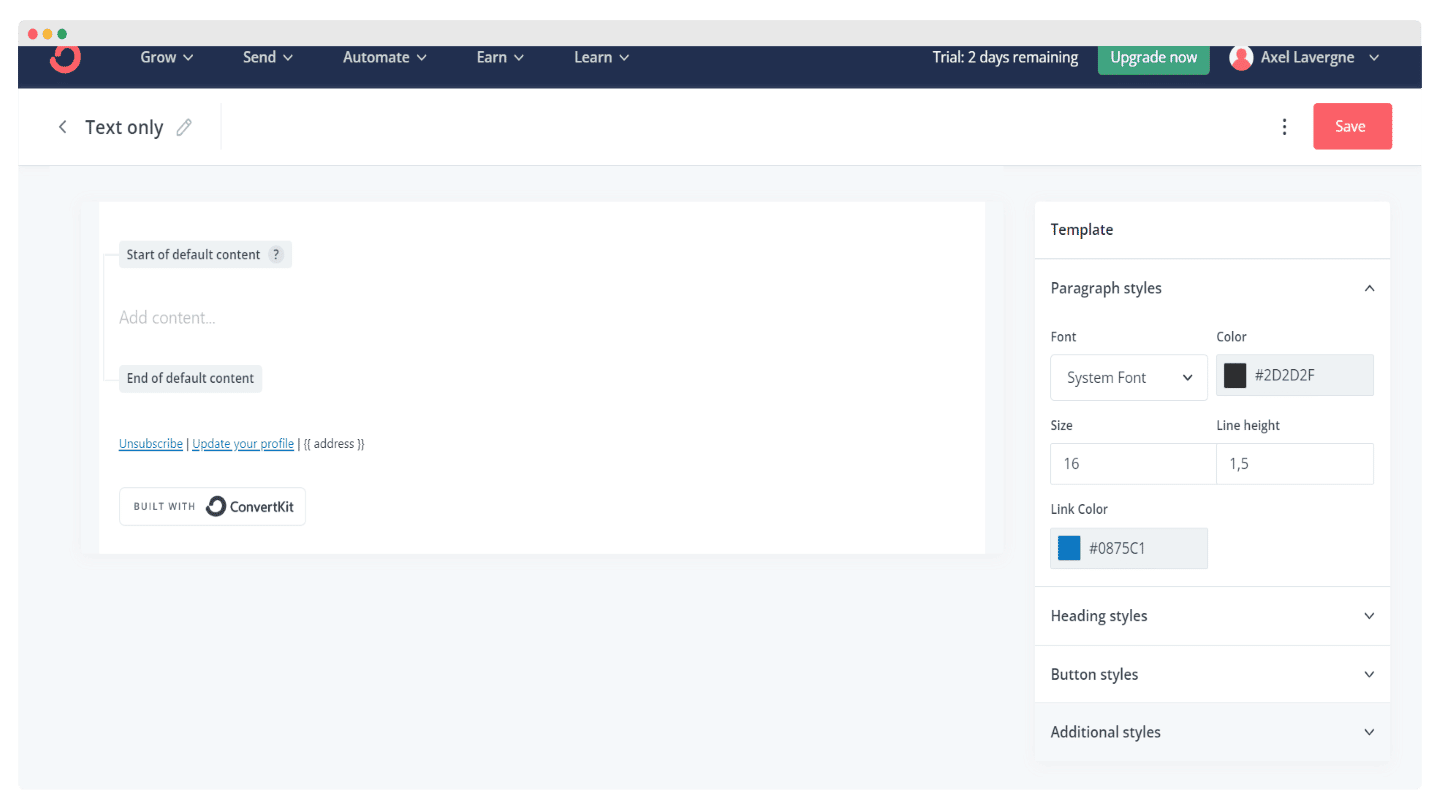
Layout options for an email campaign in Kit

It’s much simpler, but a bit limiting compared to tools like MailerLite or Brevo (formerly Sendinblue), which let you design more complex email marketing campaigns.

Kit (formerly ConvertKit) offers a few automation features, and here too simplicity is at the heart of the offer.
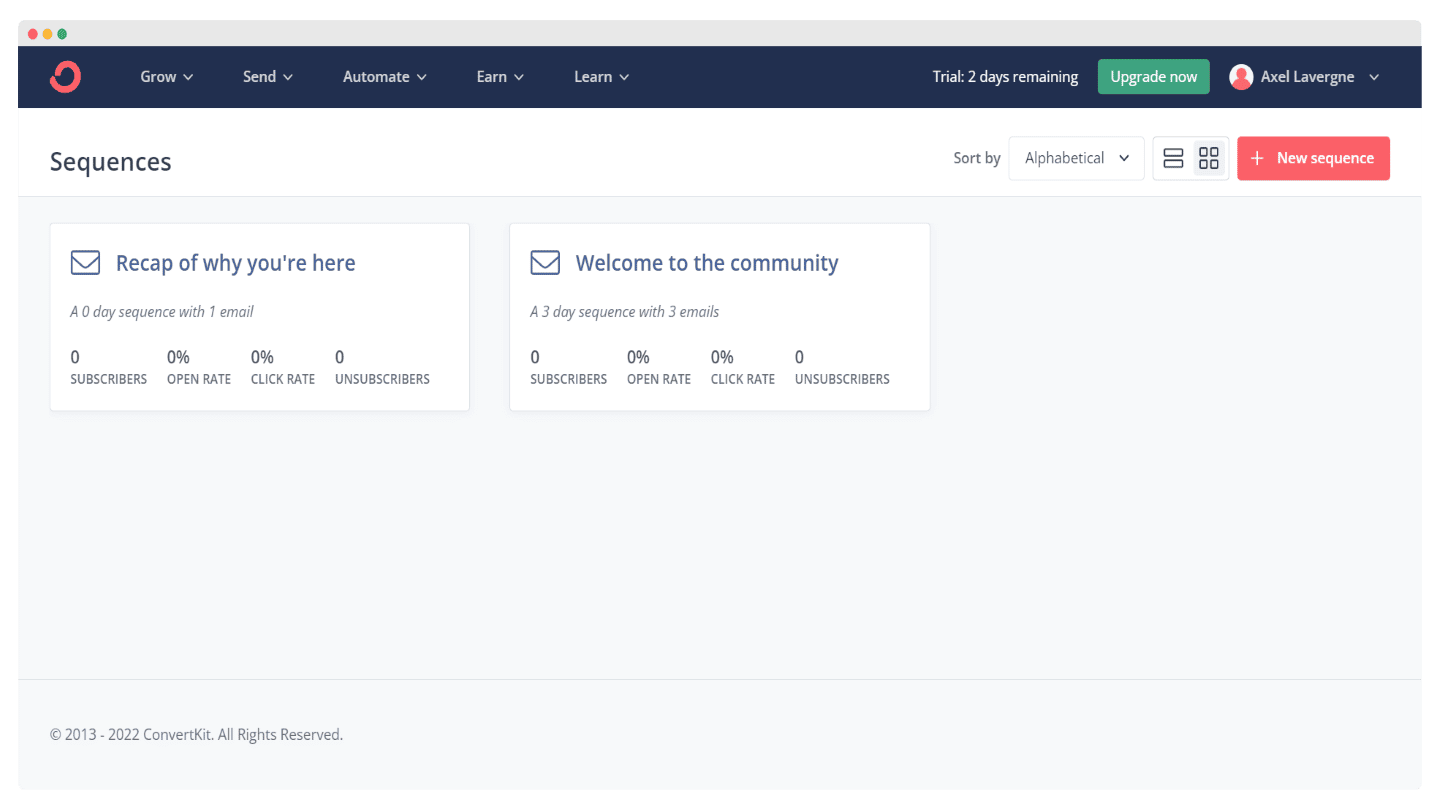
Kit automation interface with the list of running sequences

The software offers prebuilt automation sequences, and also lets you design your own with a full editor.
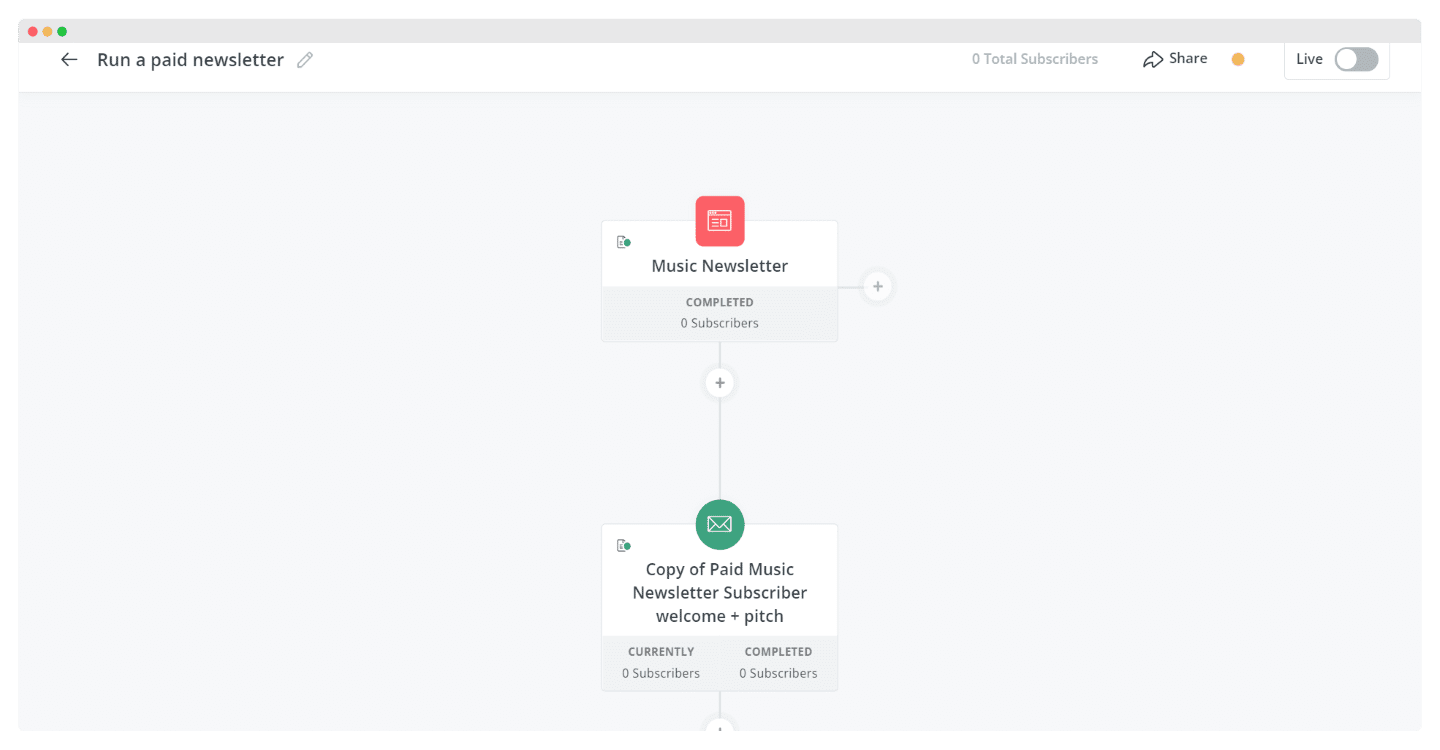
Kit automation sequence editor, with steps linked to one another

But it remains a bit light compared to tools like Brevo or ActiveCampaign, which are more flexible, even though Kit can now send SMS.

Contact management and segmentation

To manage your contacts, Kit gives you two approaches:

  • Organizing contacts with tags: very flexible labels that you define yourself and fill in by hand or through the automation platform. It’s handy and simple to use, but once you’ve created a few, it very quickly turns into a mess.
  • Creating contact segments: Kit provides an interface to group contacts based on one or more tags with logical operators (include, exclude, AND, OR). It lets you build fairly precise audiences, provided your tags make sense.
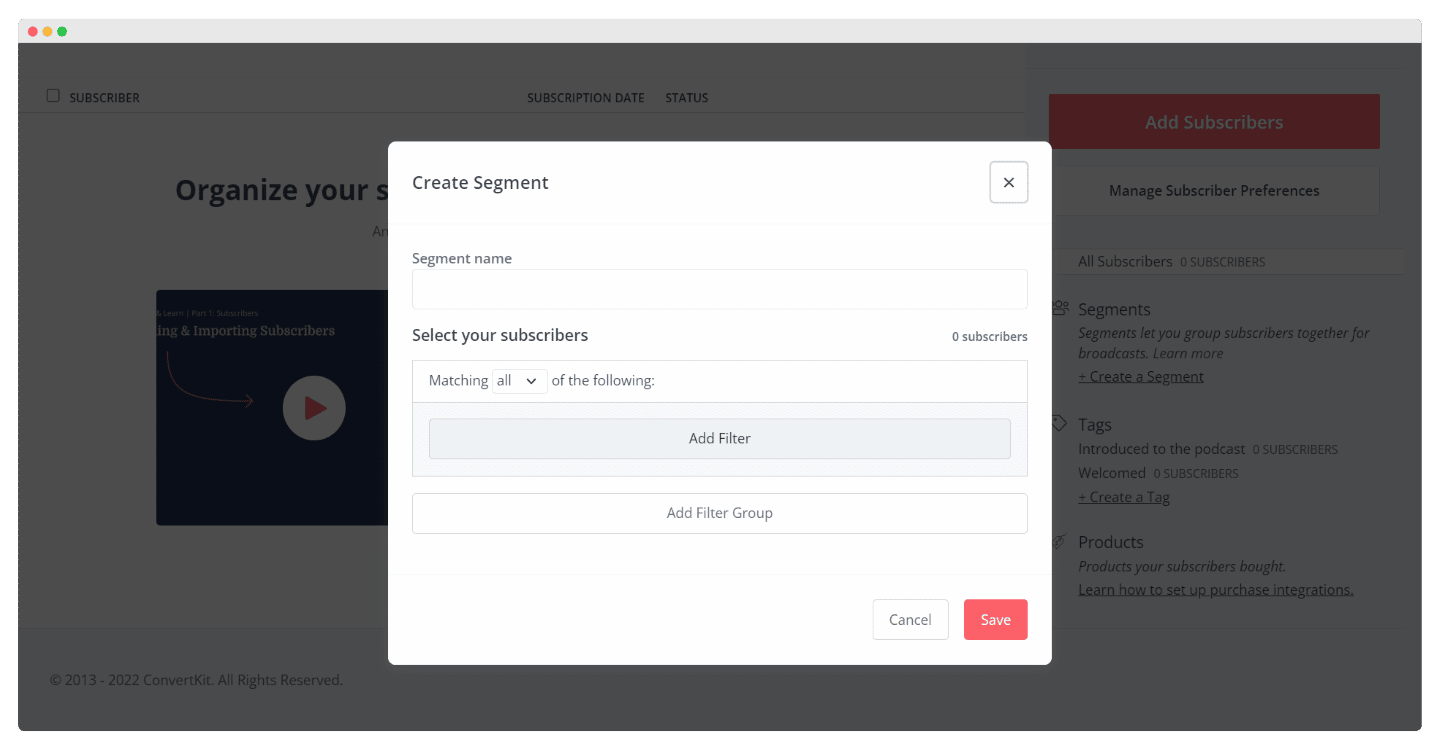
Kit segment builder, with logical conditions applied to tags

The software also lets you group contact segments by similar interests.

Kit is one of the only platforms to provide such transparent data on the growth of your contact list, which is very effective for growing your subscriber count easily.

Website and landing page creation

Kit offers four types of email capture forms:

  • Inline: appears within your blog content.
  • Popup: displays a window asking a visitor for their email address, based on the settings you define.
  • Slide in: appears at the bottom of the web page to catch the visitor’s attention.
  • Sticky bar: appears at the top of the web page.
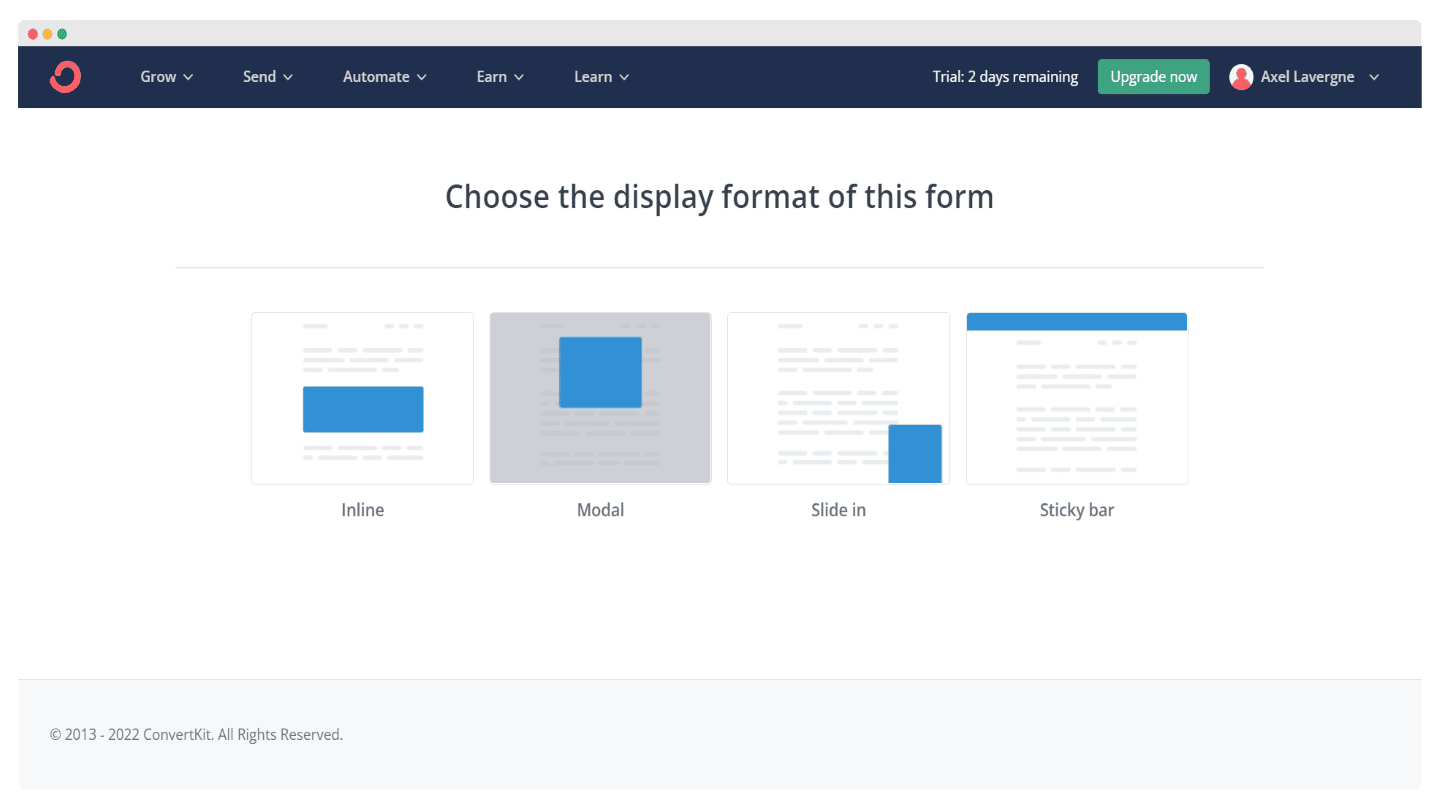
Choosing the capture form type in Kit: inline, popup, slide in and sticky bar

Several customizable form templates are available. You can make a form appear automatically, for example based on scroll percentage or time spent on the page.
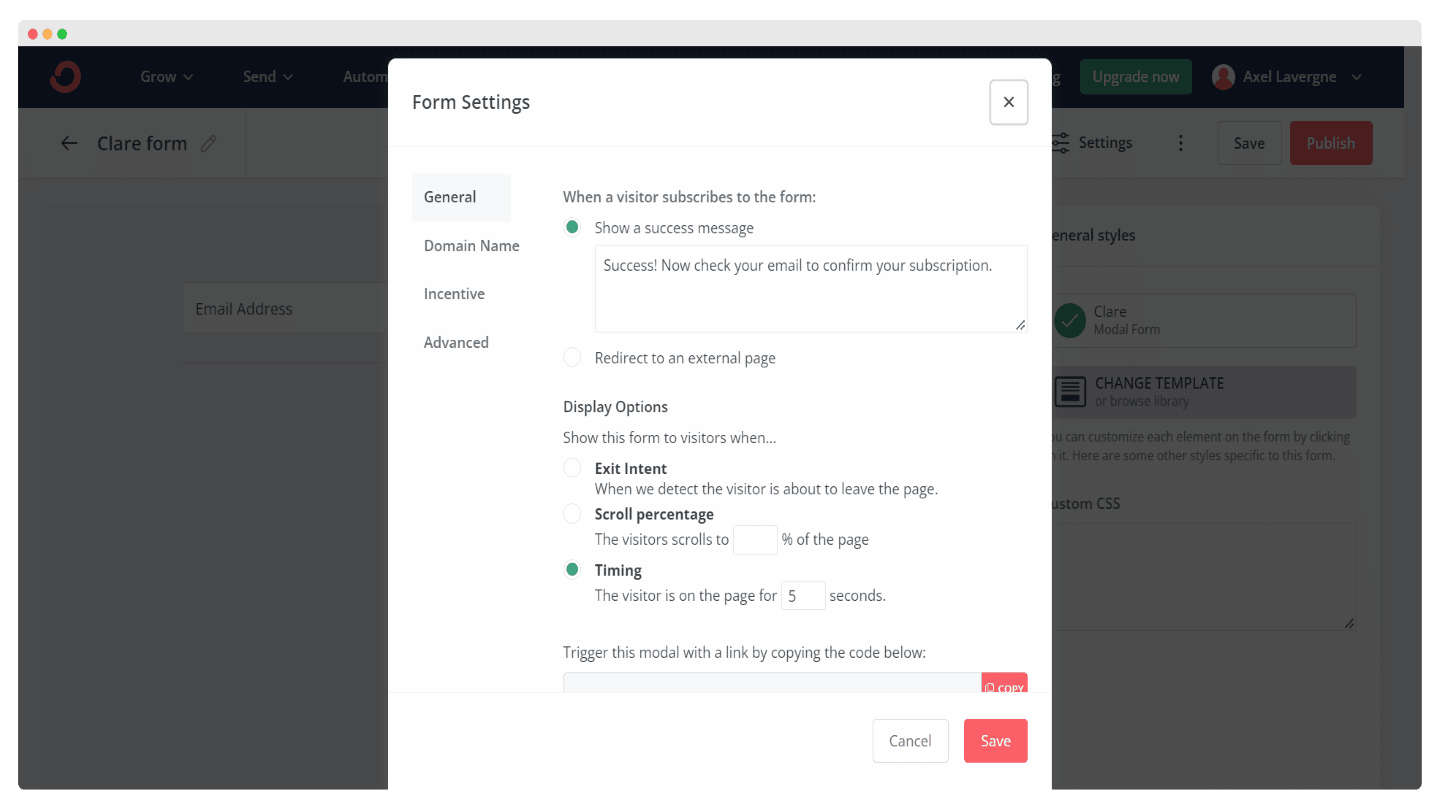
Gallery of capture form templates offered by Kit

Kit also lets you create capture forms that display based on the blog category, for example to promote a CRM benchmark on your pages covering that topic, and a white paper on scraping where it’s relevant.

The software provides more than 40 landing page templates, suited to different categories: ebooks, newsletters, podcasts. The templates are very varied and adapt fairly well to every use case.
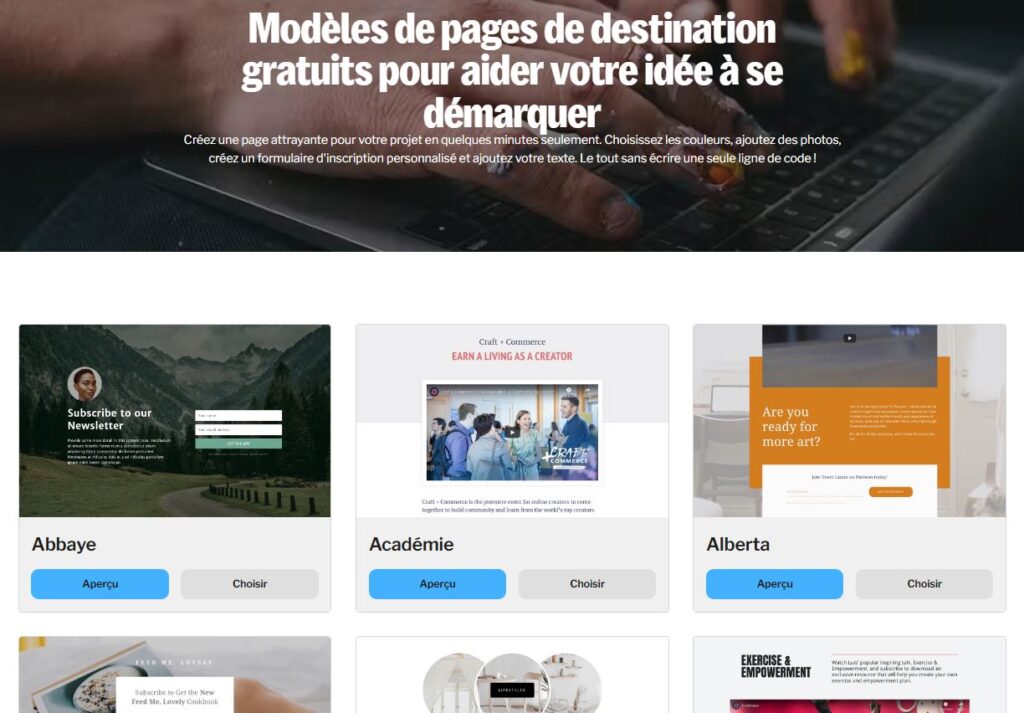
Landing page templates in Kit

Kit’s features are not as advanced as those of a dedicated tool like OptinMonster, but it’s already far more than most email marketing tools offer, and it’s plenty for sites with fewer than 100,000 visitors per month.

Salesdorado’s take

We slightly regret that there are fewer templates than with some competitors, MailerLite or Brevo for example, but overall the lead capture features in Kit are very well done.

Customer support at Kit

Kit’s customer support is available via chat or email, and it’s fairly easy to reach. It’s available 24/7, but only in English.
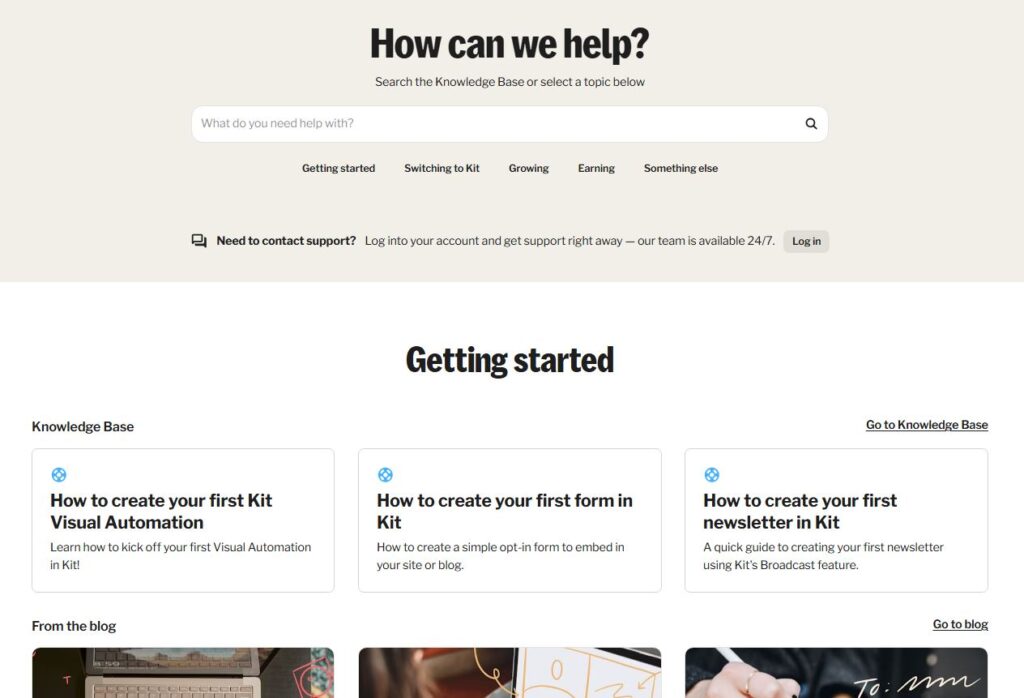
Kit help center

The help center is fairly rich. It clearly lists several topics by category: automations, landing pages and forms, deliverability. The articles are detailed and well illustrated, with explainer videos available on top.
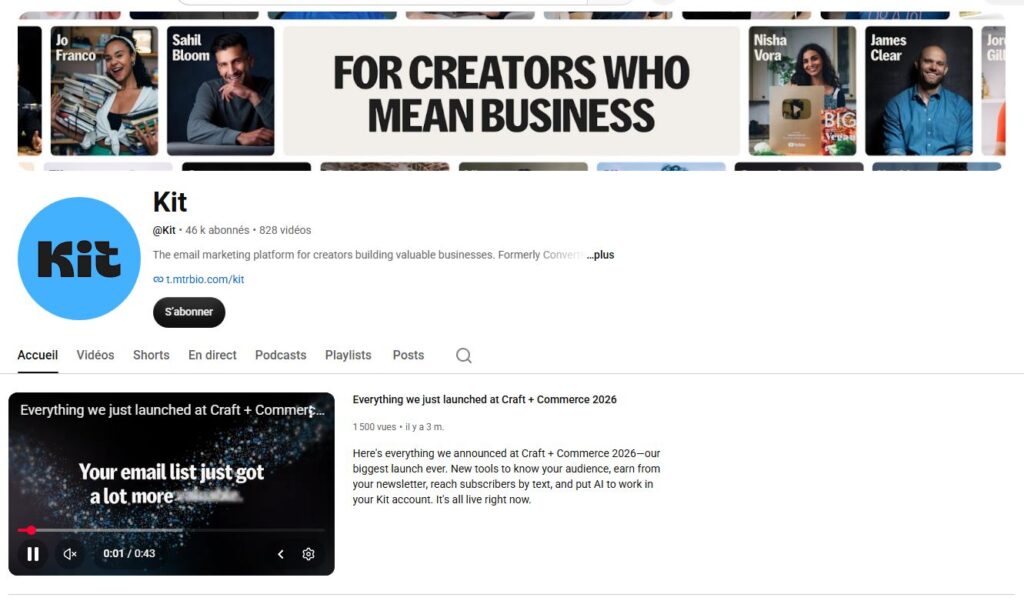
Kit YouTube community

On the community side, Kit users can exchange on the dedicated forum or learn from the software’s YouTube channel. It’s very active, and in English.

The Kit integrations marketplace

Unsurprisingly, Kit’s integrations are very specific to selling digital products or online courses. It’s quite weak on the CRM and CMS side, with very little choice.
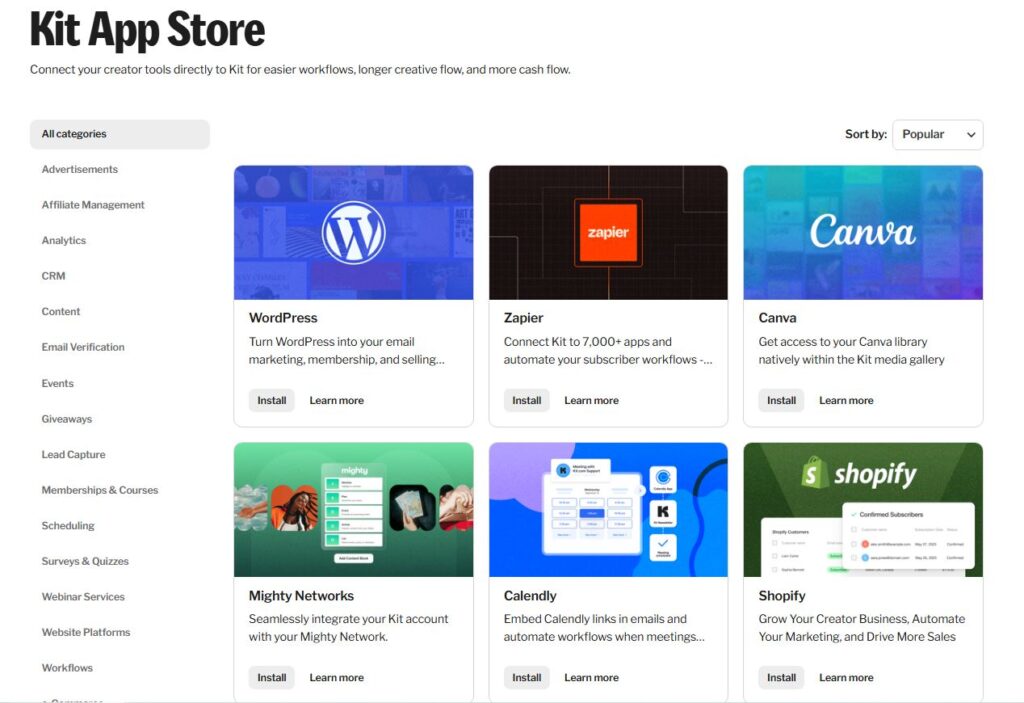
Integrations marketplace in Kit

A few of the integrations on offer:

  • Stripe: Kit was one of the first email marketing tools to offer custom payment links. It’s a dead simple and highly effective way to sell digital products, relying exclusively on no-code tools. If you want to sell courses, content, or access to certain content, it’s really much simpler with Kit than anywhere else.
  • Lead capture: Unbounce, Leadpages, Lead Parrot. Kit offers fairly deep integrations with most landing page builders and lead capture tools.
  • Surveys and quizzes: any method is good to generate leads, sometimes including slightly more complex forms, calculators or more advanced questionnaires. Kit integrates with tools like Typeform, Interact or Gravity Forms on WordPress to make that easier.

The upside

Kit integrates with Zapier and has its own API, which makes it easier to connect with third-party software.

Kit: pricing

Kit offers several plans:

  • Free plan: it lets you have a list of 10,000 subscribers. It includes unlimited landing pages and forms, unlimited newsletter sends, segmentation and digital product sales.
  • Creator plan: at $89 per month for a list of 5,000 subscribers, it unlocks the marketing automation engine, unlimited sequences, A/B testing, integrations and SMS marketing.
  • Pro plan: at $139 per month for a list of 5,000 subscribers, it gives you engagement scoring tools, advanced reporting on engagement and deliverability, and the ability to run a referral program for your newsletter.
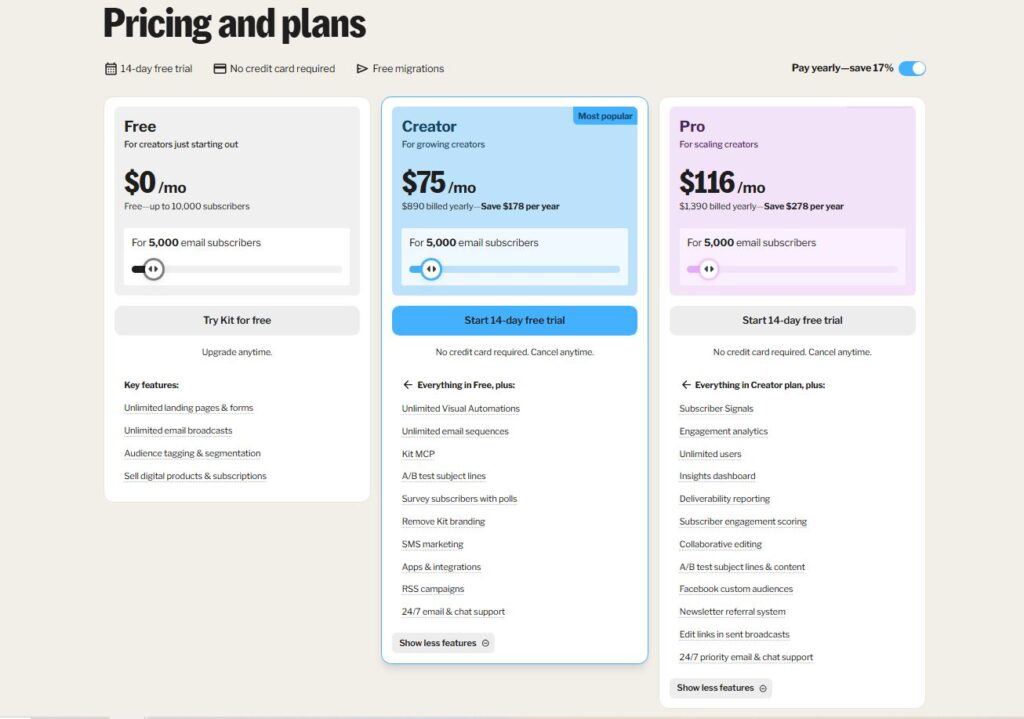
Kit pricing

Pro tip

An annual subscription gets you two months free, i.e. $75 per month for the Creator plan and $116 per month for the Pro plan.

The main alternatives to Kit

Brevo is also an option, with an equivalent depth of features, and it can be very attractive financially depending on how you use it.

ActiveCampaign is one of the most credible alternatives to Kit. The software offers very strong features, especially for marketing automation, lead scoring and lead capture. It’s a very interesting option for those with a large budget.

Specs

Email editor
Visual editor, more than 40 templates, Canva and Unsplash images, videos, polls and countdown timers
Automation
Prebuilt sequences and custom sequence editor, email and SMS
Contacts
Organized with free-form tags, and segments built from logical conditions on those tags
Capture forms
Inline, popup, slide in and sticky bar, triggered by scroll or time on page, displayed by blog category
Landing pages
More than 40 templates, sorted by use case (ebook, newsletter, podcast)
Payments
Custom payment links via Stripe, directly from the tool
Reporting
Focused on audience growth. Engagement analytics and deliverability reporting with the Pro plan
Integrations
Zapier and open API, landing page tools (Unbounce, Leadpages), quizzes and surveys (Typeform, Interact, Gravity Forms). Very few CRMs and CMSs
Support
Chat and email 24/7, in English. Thorough help center, forum and YouTube channel
Pricing
Free up to 10,000 subscribers, Creator at $89 per month and Pro at $139 per month for 5,000 subscribers. Two months free on annual billing

3 alternatives to know

If Kit isn't the right fit, here's what we'd look at if we were you.

  • Logo Brevo
    Brevo 5.0 From 49€/month
    The most powerful European email marketing tool for the price
    See review
  • Logo MailerLite
    MailerLite 4.7 Free up to 2,500 emails per month, then €11 per month
    European email marketing, simple and affordable, with its data hosted in Europe.
    See review
  • Logo Substack
    Substack 4.2 Free, then a 10% commission on revenue
    The paid newsletter launched in 30 minutes, for 10% of your revenue.
    See review

Verified user reviews

Reviews collected through our partner program, work emails verified.

★ No reviews yet

Do you use Kit every day? Be the first to share your review with the Salesdorado community.

Share my review

Share my review of Kit

All reviews are checked and the work email verified before publishing. Just 5 minutes.

★ Work email required
Your rating *
Click to rate (0.5 step)

By submitting, you agree to publish your review (first name + initial, role). Email is never published.

Maxime Ben Bouaziz
Written by
Maxime Ben Bouaziz, CEO, Salesdorado, AI & Sales Tech

Expert in sales tools, CRM and B2B sales automation. Tests and breaks down prospecting, data enrichment and generative AI solutions to help marketing and sales teams build their stack.

Published on October 14, 2026, updated on November 16, 2026, reading 5 min