The tool in detail
Unify after real-world use: feature scope, integrations, pricing and concrete limits.
If you size up Unify against your current cold emailing tool, you’ll find it outrageous: count on roughly $21,000 a year, where an Instantly or a Smartlead costs you 10 times less. Yet companies like Perplexity and Cursor have signed. They’re not crazy, they’re just not making the same comparison.
Unify should be compared to the full cost of a junior SDR, or of a GTM engineer who spends their days maintaining a Clay + Smartlead + intent tools patchwork. That’s the whole promise of the tool: detect a buying signal, qualify the account with an AI agent, find the right contacts, enrich them, write to them and sync everything into your CRM, with no human intervention between the signal and the email sent.
So we evaluated Unify the way we’d evaluate a hire: what it really does on its own, what it will never do, its real cost once the options are added up, and the team profile for which the math pays off. Here’s our full review.
An « outbound machine », not yet another cold email tool
The simplest way to understand Unify is to watch a workflow run end to end.
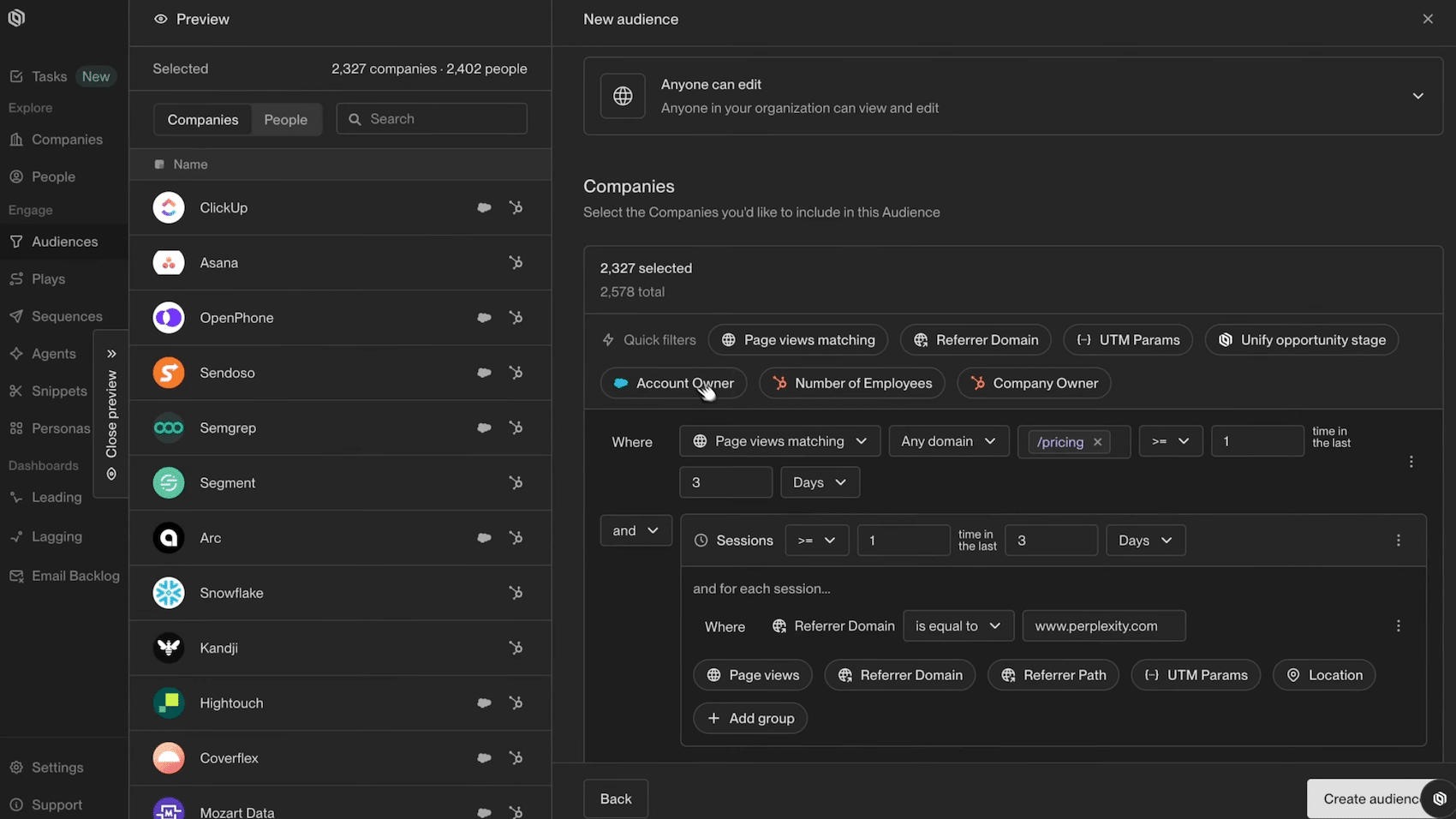
Take the textbook case the vendor itself puts forward: working the visitors to your pricing page.
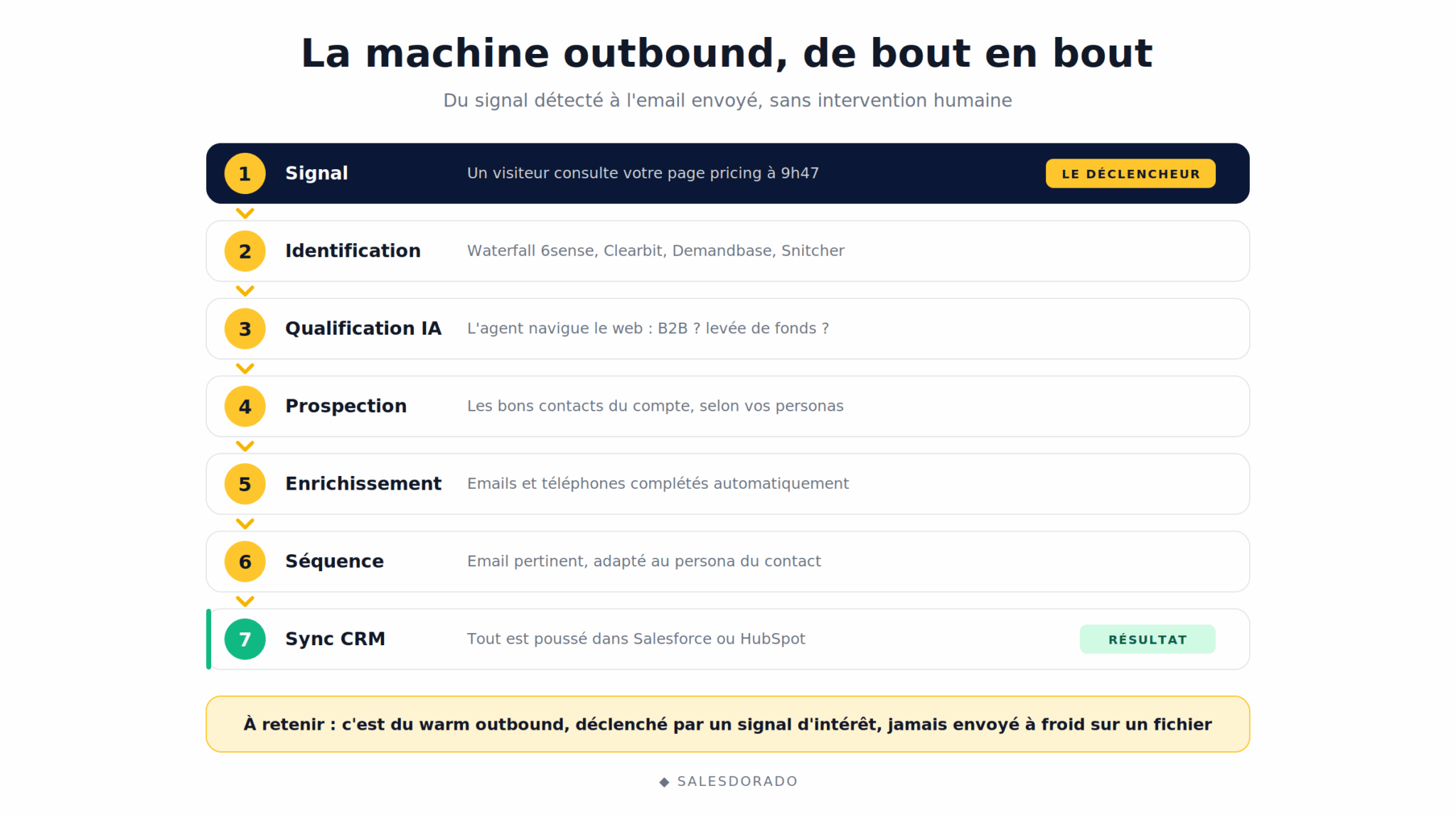
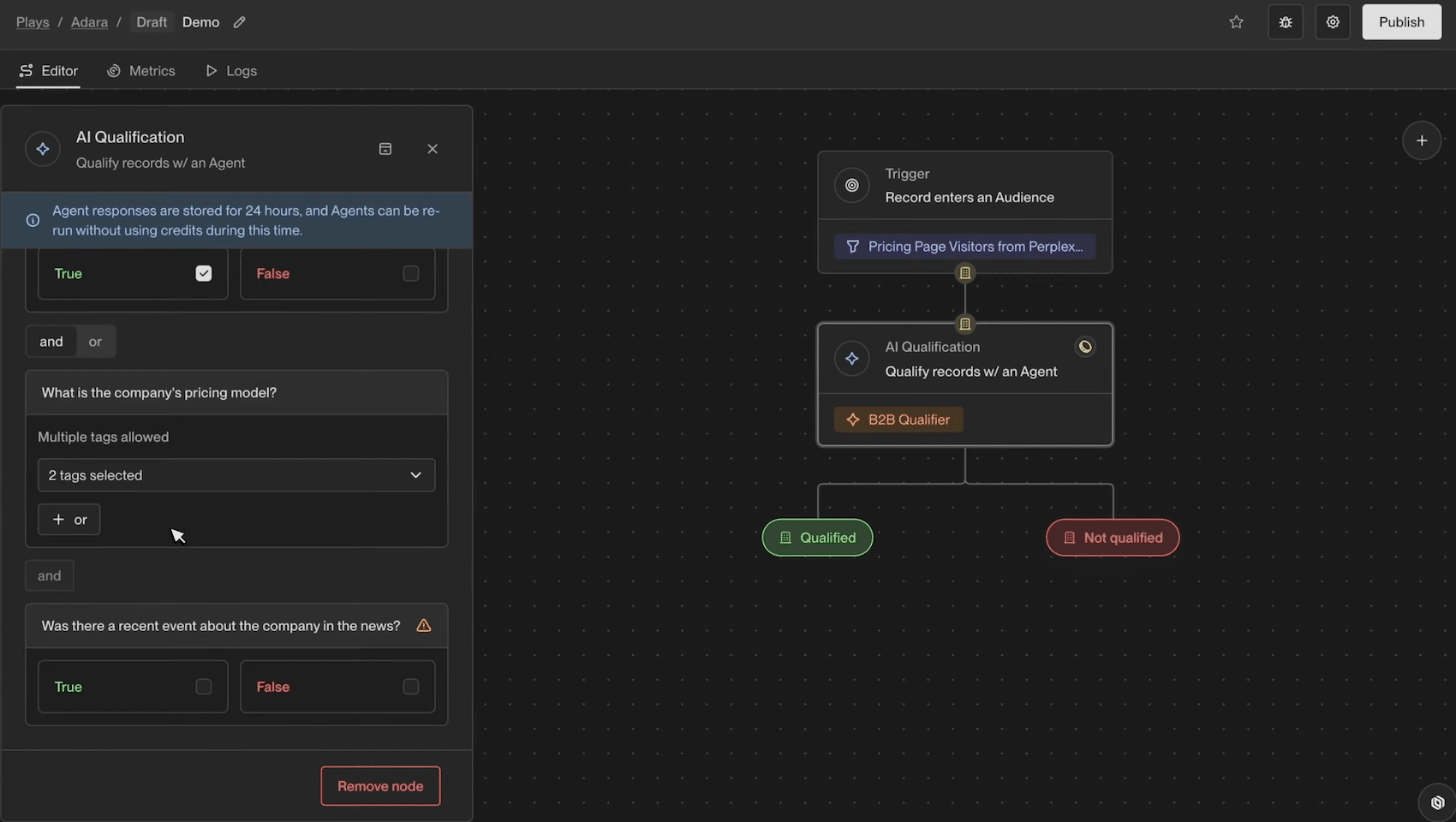
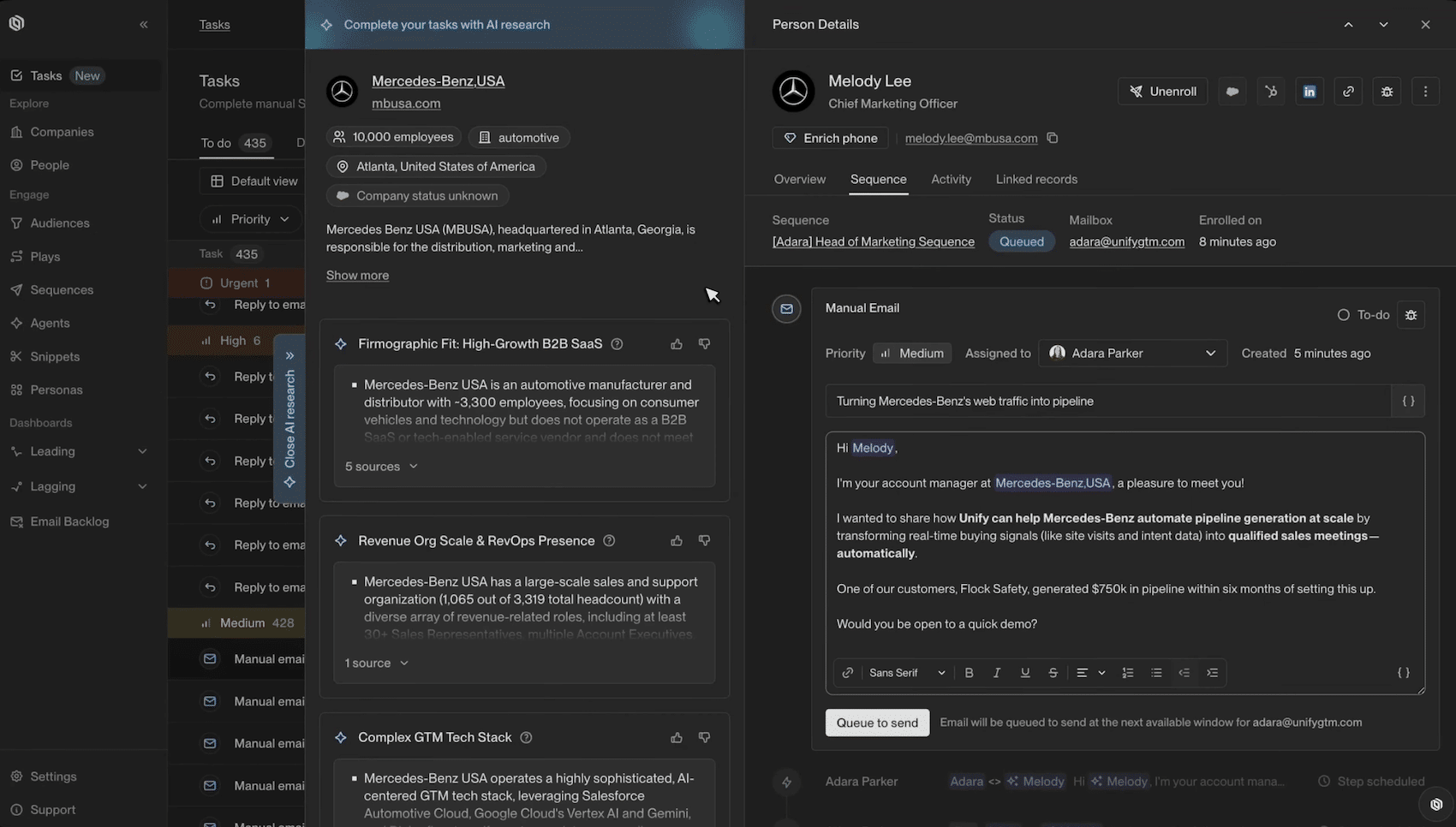
Someone visits your pricing page. Unify identifies their company (and often the person themselves) through a waterfall of identification providers (Unify Intent, 6sense, Clearbit, Demandbase, Snitcher). An AI agent takes over and checks your qualification criteria:
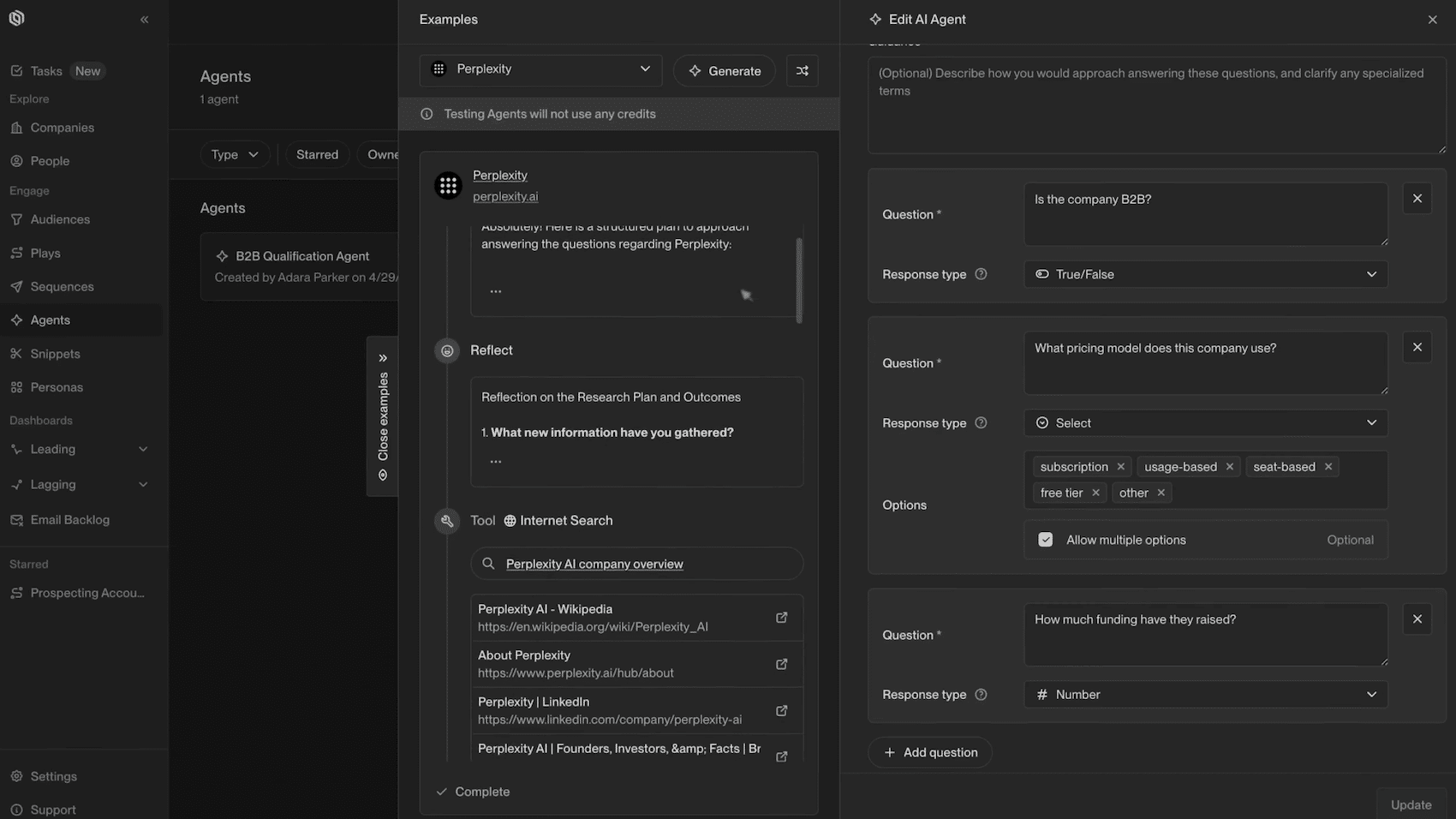
- Is the company B2B?
- Has it raised funds in the last twelve months?
The agent browses the web in real time and answers true or false.
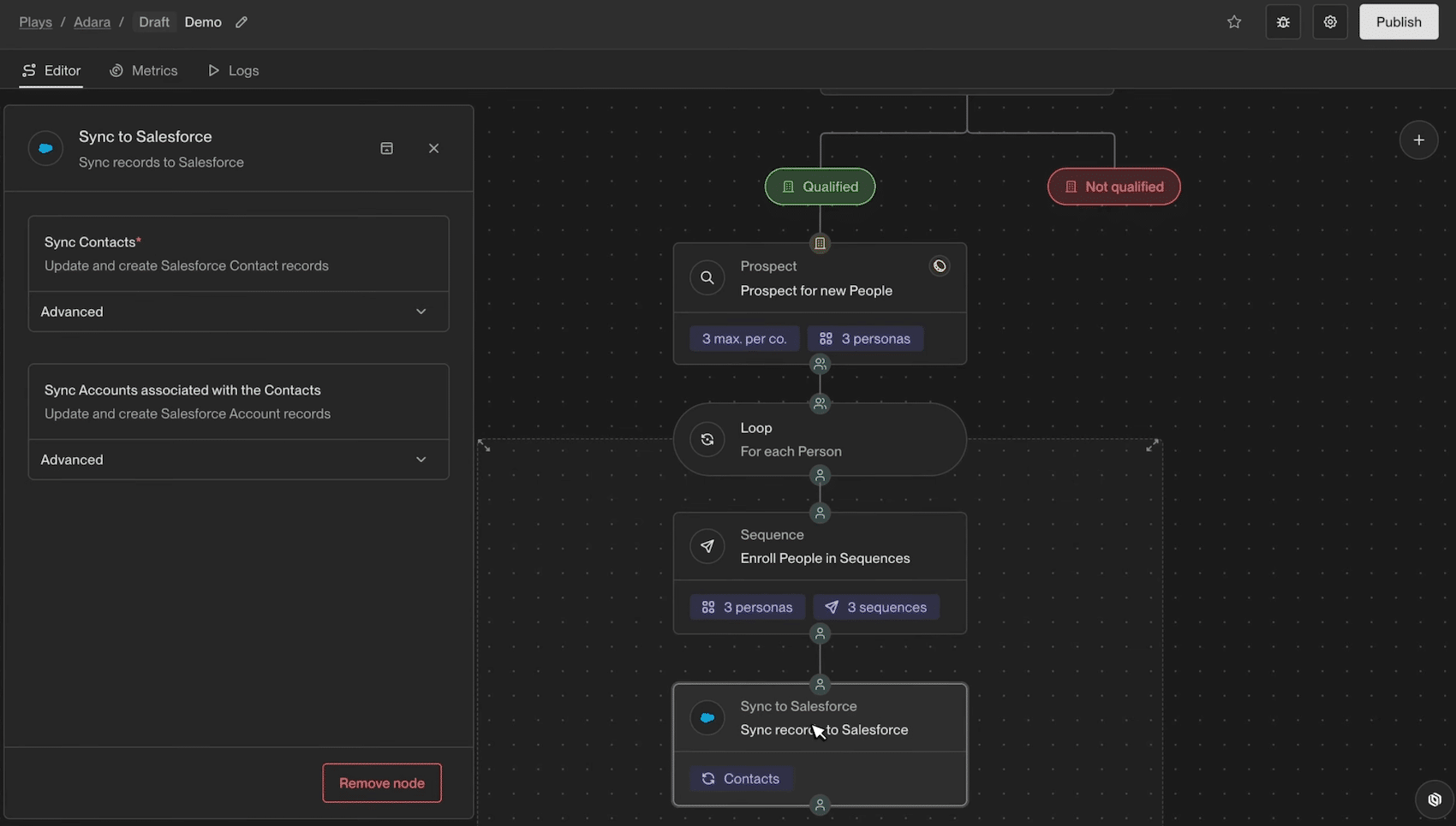
If the account qualifies, a prospecting node looks for the right people at that account based on your personas, for example demand gen oriented Heads of Marketing. These contacts are enriched automatically, enrolled in an email sequence matched to their persona, then synced into Salesforce or HubSpot.
All of this is built in a canvas-style visual builder and then runs with no intervention. The prospect showed a sign of interest at 9:47 a.m., they get a relevant email the same day.
That’s what fundamentally sets Unify apart from classic cold mailing tools: those run sequences on lists you build by hand. Unify also handles what comes before, that is, deciding who to contact and when, based on business signals detected continuously. The vendor calls it « warm outbound »: outbound prospecting, but triggered by a sign of interest rather than sent cold to a file.
Signals, the fuel of the machine
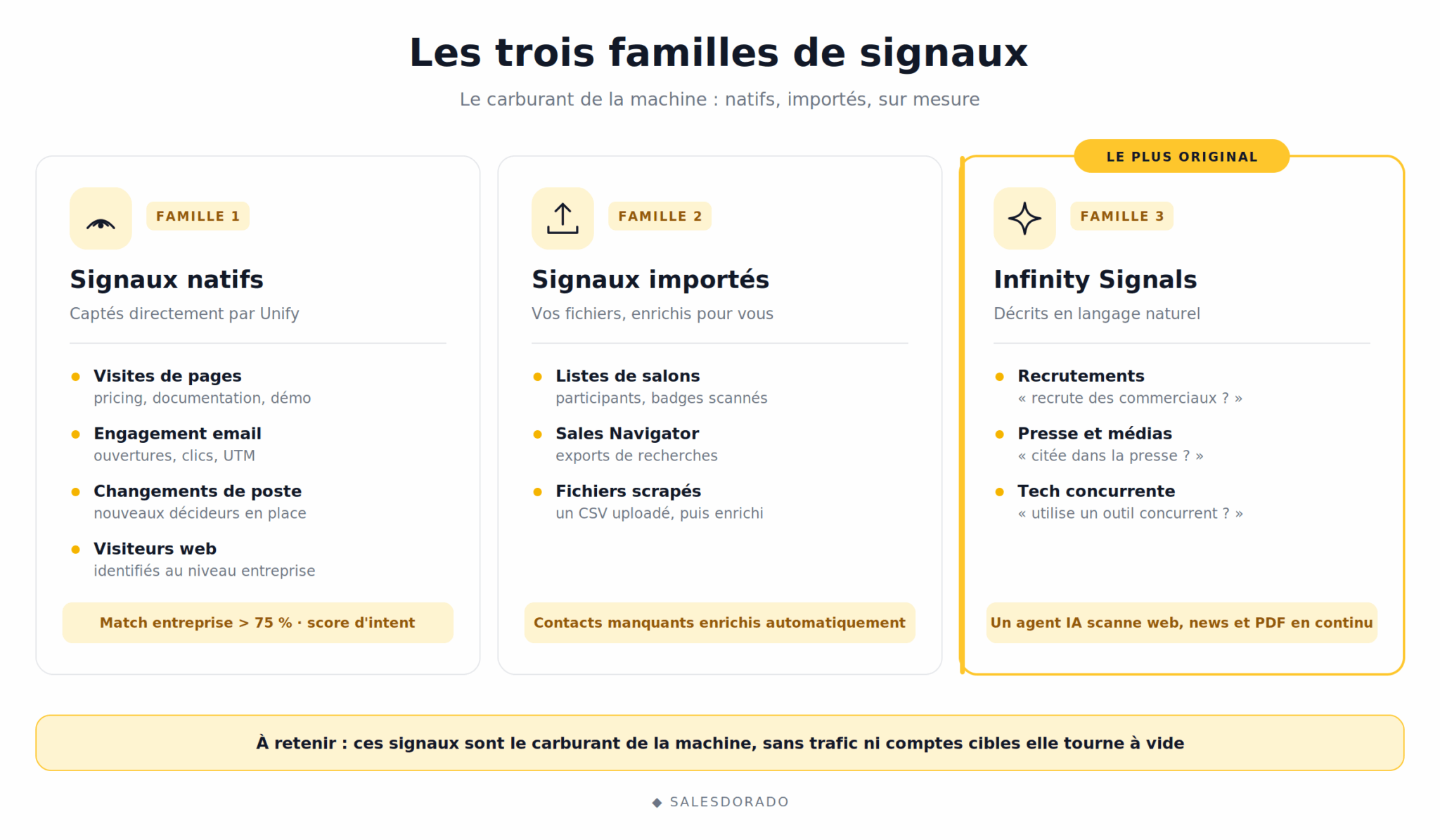
Unify sorts its triggers into three families:
#1 Native signals
These are the behaviors captured directly by Unify:
- Page visits (pricing, documentation, demo).
- Email engagement.
- UTM parameters from your paid campaigns.
- Job changes.
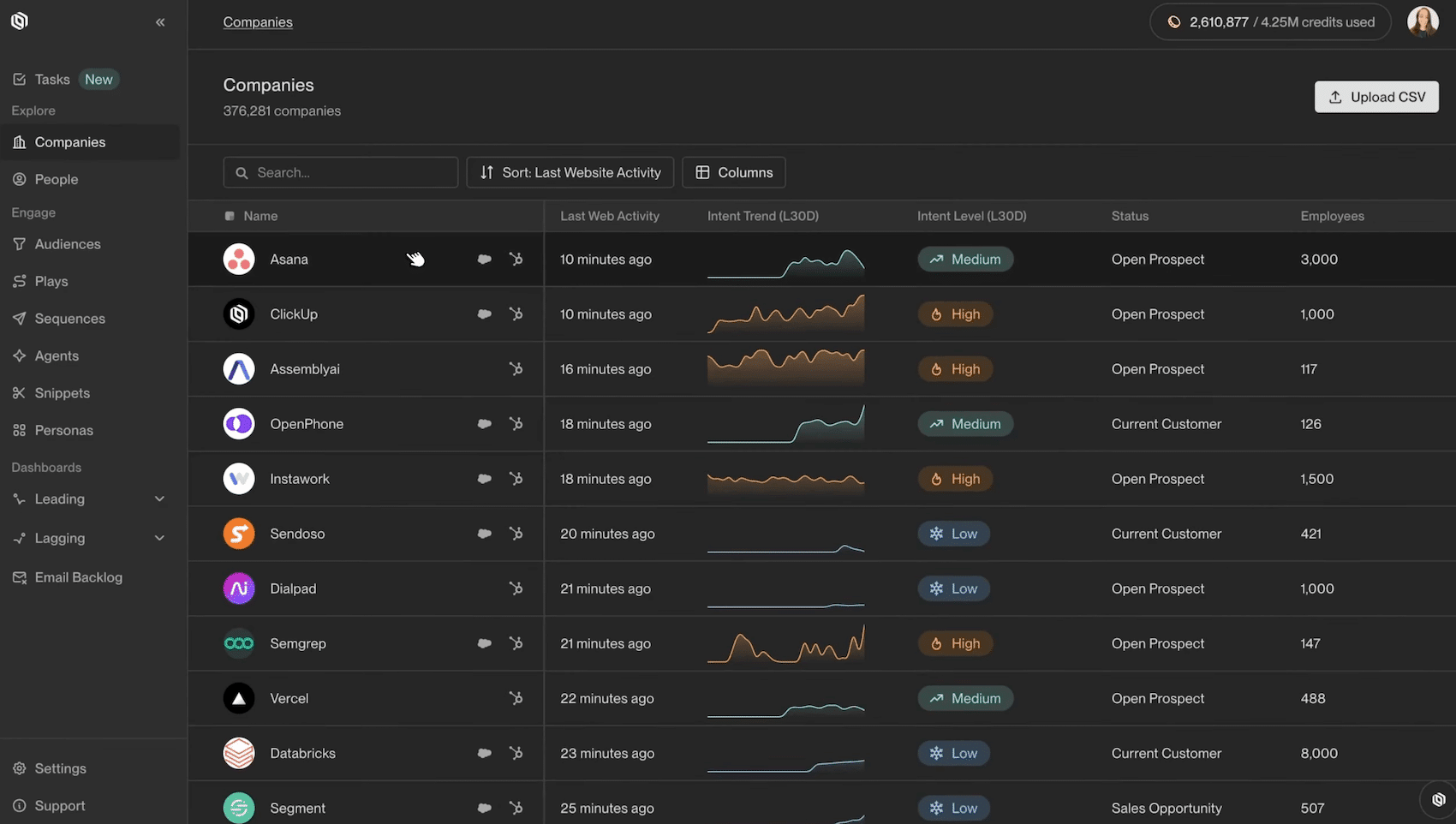
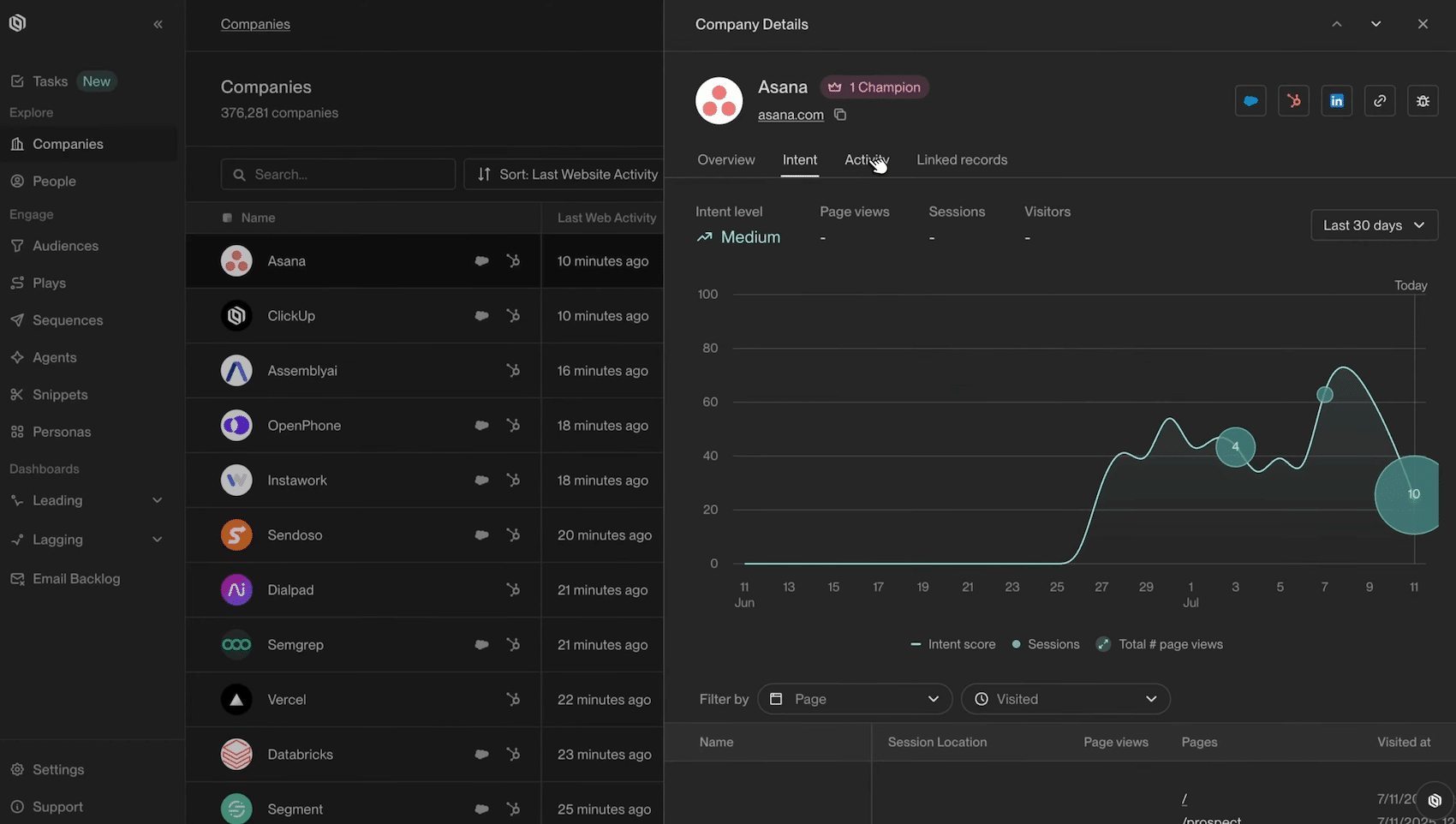
The most powerful signal is web visitor identification, at company level (with an announced match rate above 75%) and at individual level when possible. However, identifying your site’s visitors is reserved for the Business plan. Each account gets an intent score you can check in the Companies tab, with the full history of pages viewed. We covered this topic in detail in our article on identifying anonymous B2B visitors.
#2 Imported signals
Among them:
- Trade show attendee lists.
- Sales Navigator exports.
- Scraped files.
You upload a CSV into Unify, which automatically enriches the missing contacts and makes them immediately usable in a Play. It’s very handy for one-off operations.
#3 « Infinity Signals »
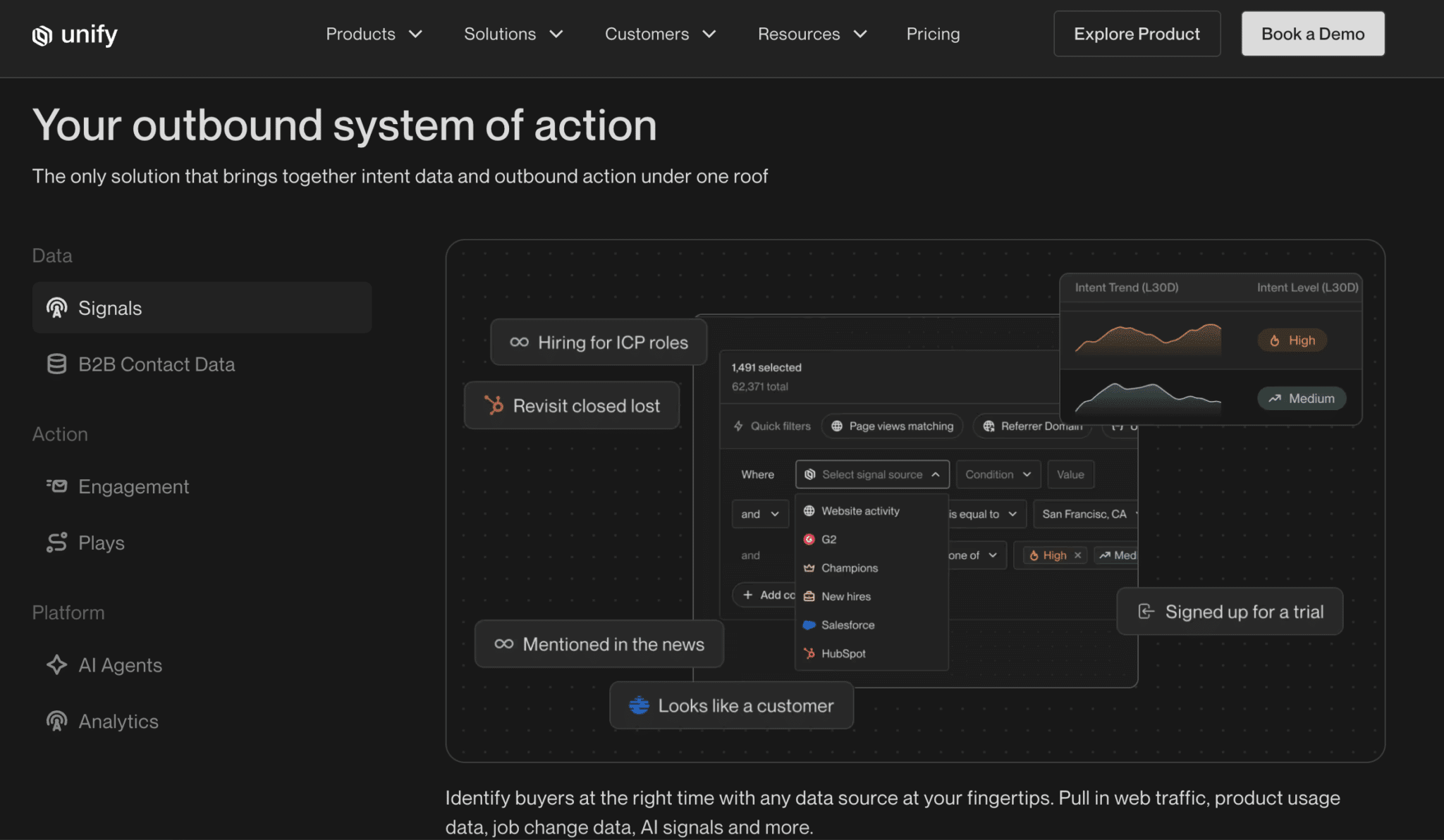
This is the most original part: you describe in natural language what you want to monitor on your target accounts (« is this company hiring sales reps? », « has it been mentioned in the press? », « does it use my competitor’s tech? ») and an AI agent runs in the background to detect those events.
The agent searches the web, scrapes sites, analyzes news feeds and even PDFs. Each detection can trigger a Play. In practice, it lets you create custom signals that don’t exist in any database on the market.
Identifying visitors at individual level relies on identity resolution techniques that raise questions under the GDPR. If your visitors are European, have your lawyer validate the setup before activating this signal at individual level, and if needed limit yourself to company-level identification, which is far less sensitive.
Plays and AI agents: where Unify crushes the competition
Plays are the engine of the tool. In the builder, you assemble « nodes »:
- A trigger (entering an audience, a job change, a CRM field update).
- AI agent qualification steps.
- A prospecting node to find the contacts matching your personas.
- A sequence node with conditional routing (CMOs get the CMO sequence, VPs of Sales the Sales sequence).
- A CRM sync node.
Note that automated Plays, triggered by signals, are reserved for the Business plan.
On top of that come more advanced building blocks such as webhooks, multi-path A/B tests or Slack alerts.
Two things struck us in use:
- First, the transparency of the agents. When an AI agent qualifies an account, Unify shows its full reasoning: the pages consulted, the information extracted, the logic followed to reach a conclusion. We’re far from a black box, and that’s indispensable to trust a system that decides for you who to contact.
- Second, the speed of implementation. Building the equivalent of a Play with an assembled stack (Clay for enrichment, an intent tool, Smartlead for sending, Zapier as glue) takes weeks and a technical profile to maintain the whole thing. In Unify, the workflow from the start of this article is set up in under an hour.
On the messaging side, the agents are also used to personalize emails at scale by combining contact data, CRM data and web research. The result is still AI-generated personalization, with its limits: plan to rework your prompts and snippets to avoid the « email obviously written by a machine » effect. Our advice on personalizing B2B prospecting emails applies in full here.
Finally, each Play has its own dashboard, with the opportunities generated: you know exactly what each one brings in.
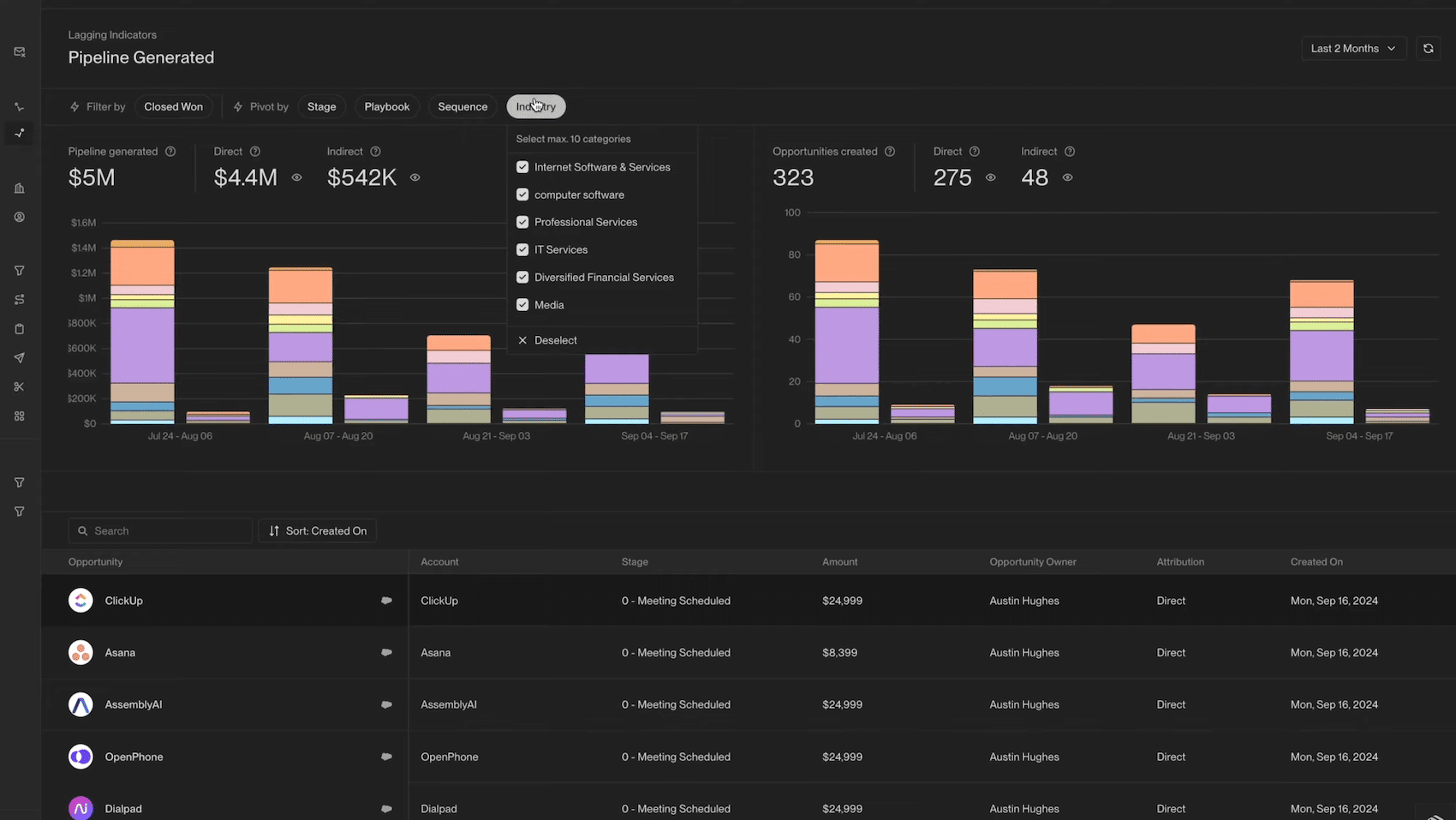
Unify’s real value isn’t in any one feature, but in the fact that everything lives in the same place. No integrations to debug, no data getting lost between two tools, and clean attribution of the pipeline generated by each Play. That’s exactly what an assembled stack can’t do cleanly.
Data, enrichment and managed deliverability
On data, Unify doesn’t rely on a proprietary database but on an enrichment waterfall that queries more than 40 data sources to find emails and phone numbers, without you having to manage a single API key.
The approach is smart: by aggregating vendors, coverage is mechanically better than that of each source taken alone. It’s the same principle we describe in our comparison of B2B data enrichment solutions.
The usual caveat is that these waterfalls are optimized for the US market: test the coverage on your European or other non-US targets before committing, ideally on a sample of 200 or 300 representative accounts.
Deliverability is the other interesting infrastructure building block. With the Business plan, Unify creates managed Gmail and Outlook mailboxes for you ($25 per month per mailbox), warms them up automatically over 21 days, verifies each address at send time (the vendor claims 75% of bounces avoided upstream) and spreads volumes across several healthy domains with health reporting per domain.
In other words, the tool natively includes what you’d go and get from a Warmy or a Lemwarm, and saves you from building your own sending infrastructure. If the topic interests you, our complete guide to email deliverability details the mechanisms at play.
Pricing: the real cost of Unify
This is the section that stings, so let’s be precise:
| Plan | Price | Credits | Users included | What it brings |
|---|---|---|---|---|
| Free | $0 | Limited | Up to 3 | Database, multichannel sequences, click-to-call dialer |
| Base | $20/month per seat, billed monthly | 800 per seat per month | Unlimited | AI email writing, hiring and job change signals, email and phone enrichment |
| Pro | $60/month per seat, billed monthly | 2,400 per seat per month | Unlimited | Read-only HubSpot and Salesforce sync, Slack notifications |
| Business | Custom quote, billed annually | Custom credit pool | Unlimited | Web intent and product signals, signal-triggered automations, managed mailboxes ($25/month per mailbox), power dialer, read-write CRM sync, API |
Three points deserve your attention:
- The credit system. Every action consumes credits in real time: an email enrichment costs on average 1 credit per contact (up to 10), a phone enrichment 4 credits (up to 20). AI costs are also counted in credits, and agent workflows that stack signals and research can consume a lot. Unify deserves credit for blocking actions rather than billing when credits run out, and top-ups stay valid for 12 months. But your real bill will depend on your usage, not just on your subscription.
- What the small plans don’t do. The Base and Pro plans let you test the tool and do AI-assisted prospecting at a low price. But identifying your site’s visitors, signal-triggered automations and managed mailboxes are reserved for the Business plan. For Unify’s core promise, you therefore have to go through sales and an annual commitment.
- The math to do. Measured against the full cost of a junior SDR (45,000 to 60,000 € fully loaded in France, not counting management and tooling), the Business plan becomes defensible as soon as it automates a significant share of the prospecting work. But this math only works if the machine has material to work with: qualified web traffic to identify, a volume of target accounts large enough for signals to fire regularly, and an average deal size that justifies the investment. Below an ACV (Annual Contract Value) of 10,000 €, return on investment becomes very hard to reach.
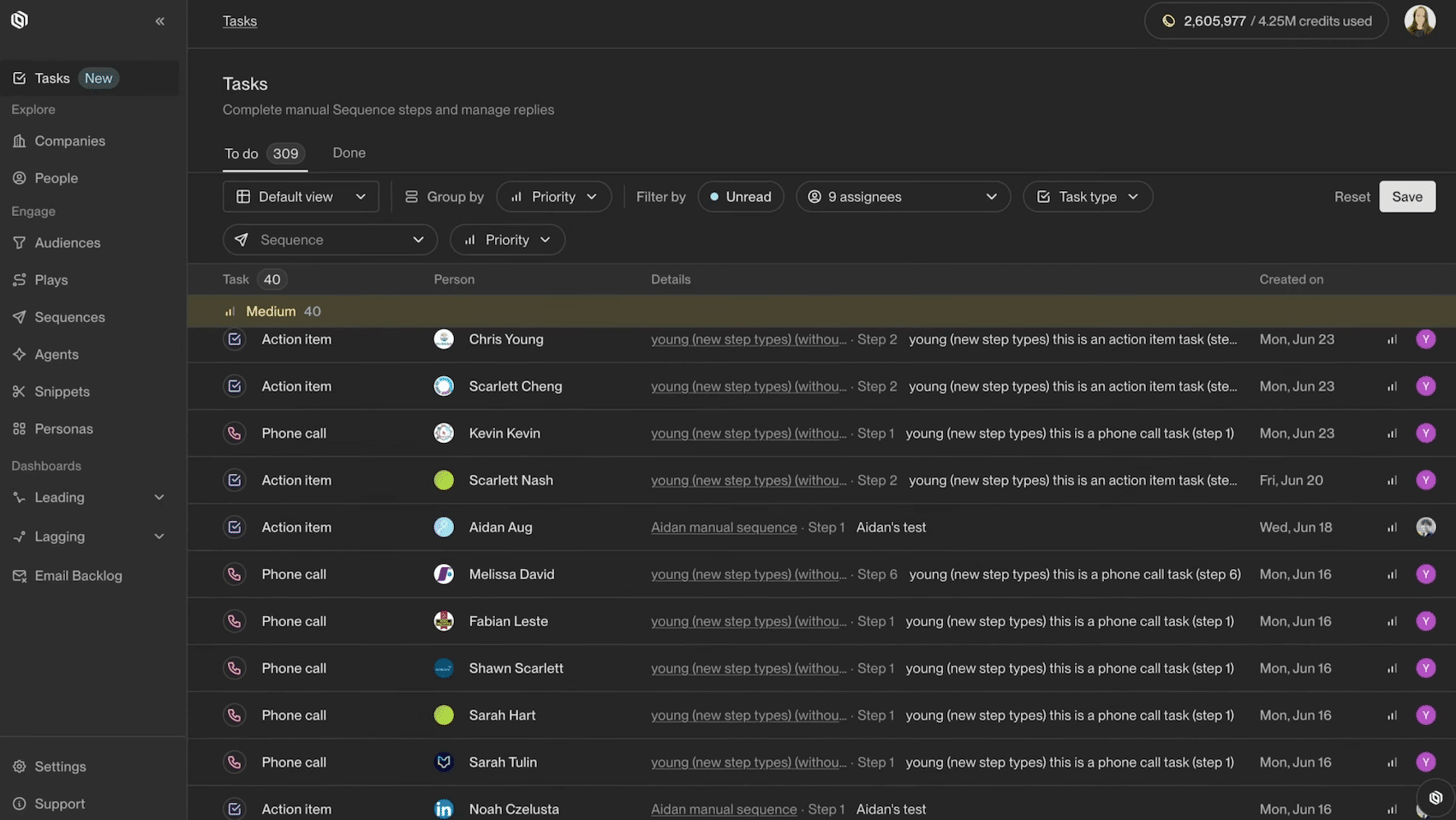
Before any commitment, use the free plan or the 14-day trial of the Pro plan to test data coverage on a sample of your non-US target accounts. It’s the best predictor of the value the tool will really bring you.
Unify vs Clay: which tool should you choose?
For most teams looking at Unify, the real alternative is called Clay, possibly paired with a sending tool like Smartlead.
The two tools embody two opposite philosophies:
- Clay is a workshop: an ultra-flexible spreadsheet interface, more than 100 data providers and the freedom to build exactly the workflow you want. That freedom has a price: complexity. You need someone comfortable with workflows to get anything out of it, and someone to maintain the whole thing over time. Plenty of teams have a half-configured Clay sitting idle.
- Unify is a turnkey system, and owns it. Intent signals are native (6sense, Clearbit, web visits, job changes), sending is built in with its managed deliverability, and workflows are set up in hours rather than weeks. In return, you work within the framework the tool defines, with less latitude than Clay on the tricky cases.
The deciding factor is mostly human. If you have a GTM engineer or a technical ops profile who likes to build, Clay offers more power for much less money (plans start at $167/month). If you want your sales reps to work buying signals without depending on a technical profile, Unify is designed precisely for that. Note that the two sometimes coexist: some Unify customers keep Clay for exploratory cold campaigns and reserve Unify for automated warm outbound.
And if your need is simpler, that is, a contact database and sequences without the signal layer, an Apollo covers the essentials for a fraction of the price.