The tool in detail
Dripify after real-world use: feature scope, integrations, pricing and concrete limits.
If you’re looking for a tool to automate your LinkedIn prospecting, you probably have something in mind: send more invitations, reach more people every week. That’s exactly the reflex Dripify feeds, like all its competitors, with talk of « hundreds of prospects a day » and quotas displayed at 75 invitations daily.
There’s a catch. The number of invitations you can send isn’t set by your tool. It’s set by LinkedIn. The cap sits around 100 invitations a week, whether you’re on a free account, Premium or Sales Navigator. No subscription, no software raises that limit. Comparing automation tools on the volume they promise is therefore pointless: you’ll hit the LinkedIn wall long before you exhaust their quotas.
The real questions lie elsewhere, and this article answers them:
- Does Dripify help you do more with these scarce invitations, instead of promising you more of them?
- Does its cloud architecture, running 24/7 even with your computer off, really protect your account, or does it expose it a little more?
- At $59 to $79 a month, for which profile is it worth it against a French Waalaxy billed in euros?
Read our full Dripify review.
The LinkedIn invitation limit: what Dripify can’t change
Let’s kill the myth right away, because everything else follows from it.
Since LinkedIn tightened the screws on spam, the invitation limit sits around 100 a week. A recent account is throttled lower, sometimes under 50. An older account with a good Social Selling Index can climb toward 150 or 200. The order of magnitude, though, doesn’t move. And paying for a LinkedIn subscription changes nothing: the invitation cap is the same on free, Premium and Sales Navigator.
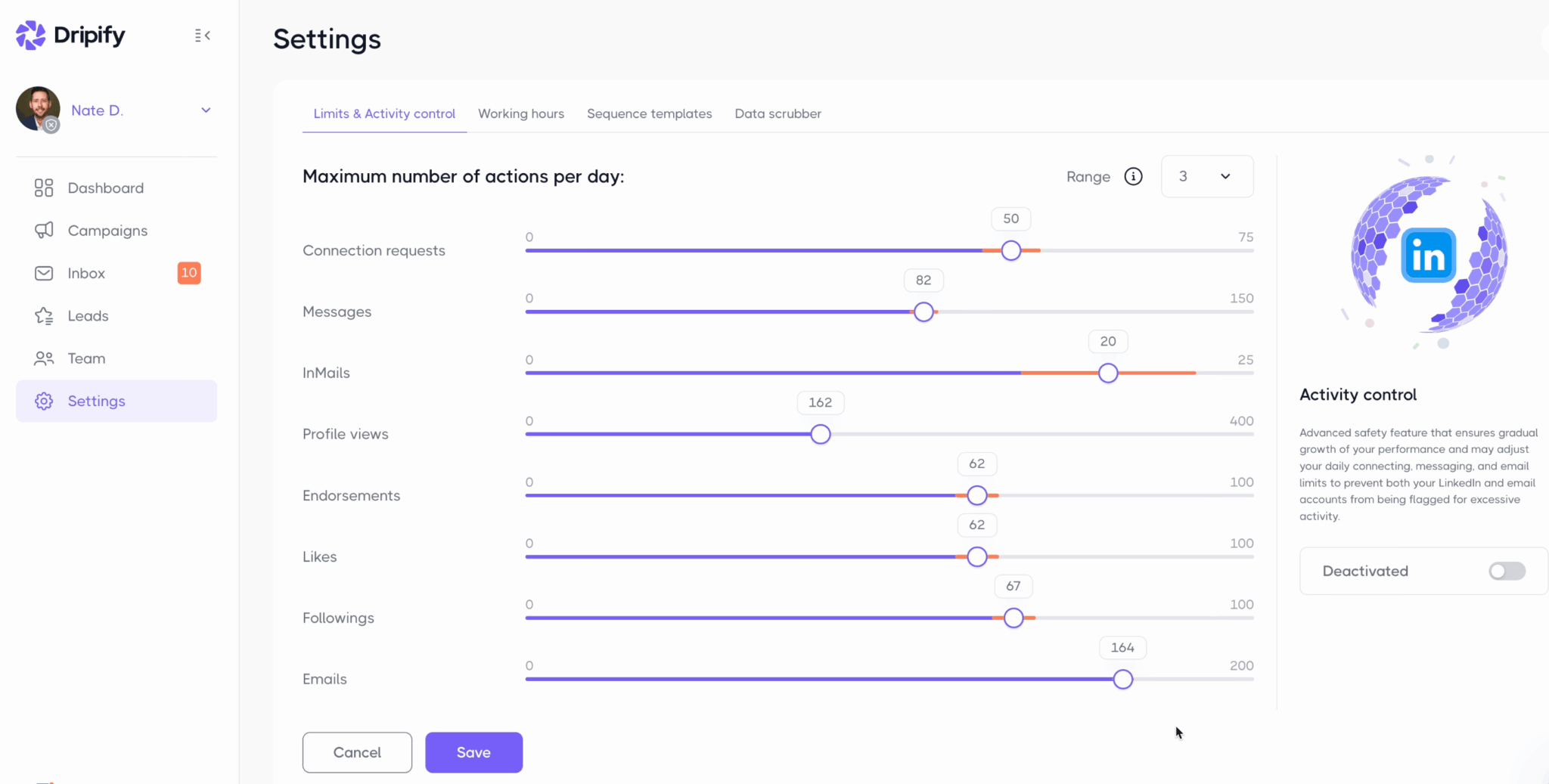
Now look at Dripify’s settings. The invitation slider goes up to 75 a day on the Pro and Advanced plans. Do the math: 75 a day is 525 a week, five times LinkedIn’s real cap. That quota is decorative.
In real life, you empty your invitation reserve in a day and a half, then you hit the message « You’ve reached the weekly invitation limit ». At that point, no tool can do anything more for you.
This shifts the whole question. Since the invitation is a scarce, capped resource, a tool’s real performance plays out on two fronts:
- Its ability to reach your prospects through all the channels the invitation doesn’t cover: email, InMail, a simple like or a comment on their posts, to multiply touchpoints without burning your invitations.
- Its ability to get the invitations you send accepted, because a poor acceptance rate pushes LinkedIn to cut your cap even further.
This second point is counter-intuitive, so remember it. Generic invitations that get ignored are never neutral: LinkedIn notices and punishes you by trimming your quota. Personalization is therefore not a luxury, it’s what protects your ability to prospect the following week. A polished LinkedIn profile plays exactly the same role on the acceptance rate.
It’s with these two criteria in mind (and not the size of the quotas) that we’ll judge Dripify. If you want to dig into the mechanics, our guide to LinkedIn automation lays the right foundations.
Choosing your tool on the number of invitations promised. You’ll pay for quotas LinkedIn won’t let you use. Look instead at multichannel and personalization: that’s where prospecting is won today.
What exactly is Dripify?
Dripify is a LinkedIn (and now email) automation platform built on a structuring technical choice: everything runs in the cloud. Your campaigns run on Dripify’s servers, continuously, even when your computer is off. This choice is no longer as distinctive as it used to be: Waalaxy removed its Chrome extension to go fully cloud in 2026, and Dux-Soup also offers a cloud plan. Linked Helper, for its part, is still a desktop application that runs on your computer.
The comfort is real. You launch a sequence, you close your laptop, it keeps going.
Except the prevailing pitch sells this cloud as a guarantee of safety, and there we disagree. A Chrome extension stays tied to your real session, with your usual hours and your personal connection: in LinkedIn’s eyes, the activity looks like a human’s. A cloud platform that’s « always on », acting from a remote IP at hours when you’re asleep, matches exactly the pattern LinkedIn’s detection hunts for.
Dripify knows this and compensates: a dedicated local IP, human behavior simulation, configurable time windows. But let’s be clear, the cloud doesn’t remove the risk. It moves it. It’s the same trade-off as with PhantomBuster, the other big cloud player on the market.
24/7 cloud is the right choice if you prospect at a steady pace and want to forget about the tool once it’s running. It has become the norm, and Waalaxy made the switch too in 2026. If you’re starting out, with a small volume and a recent LinkedIn account, caution therefore lies in the settings, not in the architecture: gradual ramp-up, tight time windows, low quotas for the first few weeks.
One last word on a misconception that lingers in most online reviews: « Dripify only does LinkedIn ». That was true a year ago. It isn’t anymore. The builder now combines LinkedIn actions and email sequences in the same scenario, with delays, conditions and logical branches. Email arrived late, well after specialists like Lemlist, and it’s still less polished, but it exists. Against our first criterion, it changes the game: following up by email with a prospect who hasn’t accepted your invitation is exactly the smart workaround to the LinkedIn cap we mentioned above.
How Dripify works: from lead list to launched campaign
Let’s get concrete, because that’s where you measure the tool’s maturity. A Dripify campaign is set up in three steps.
Step 1: build your lead list
Dripify offers eight entry points, which can be grouped into four families:
- LinkedIn searches: a standard search, a Sales Navigator search or a Recruiter search, which Dripify pulls in directly
- Communities: attendees of a LinkedIn event or members of a group
- Your existing network: your first-degree connections, for reactivation campaigns
- Imports: a CSV file or profile URLs pasted in bulk
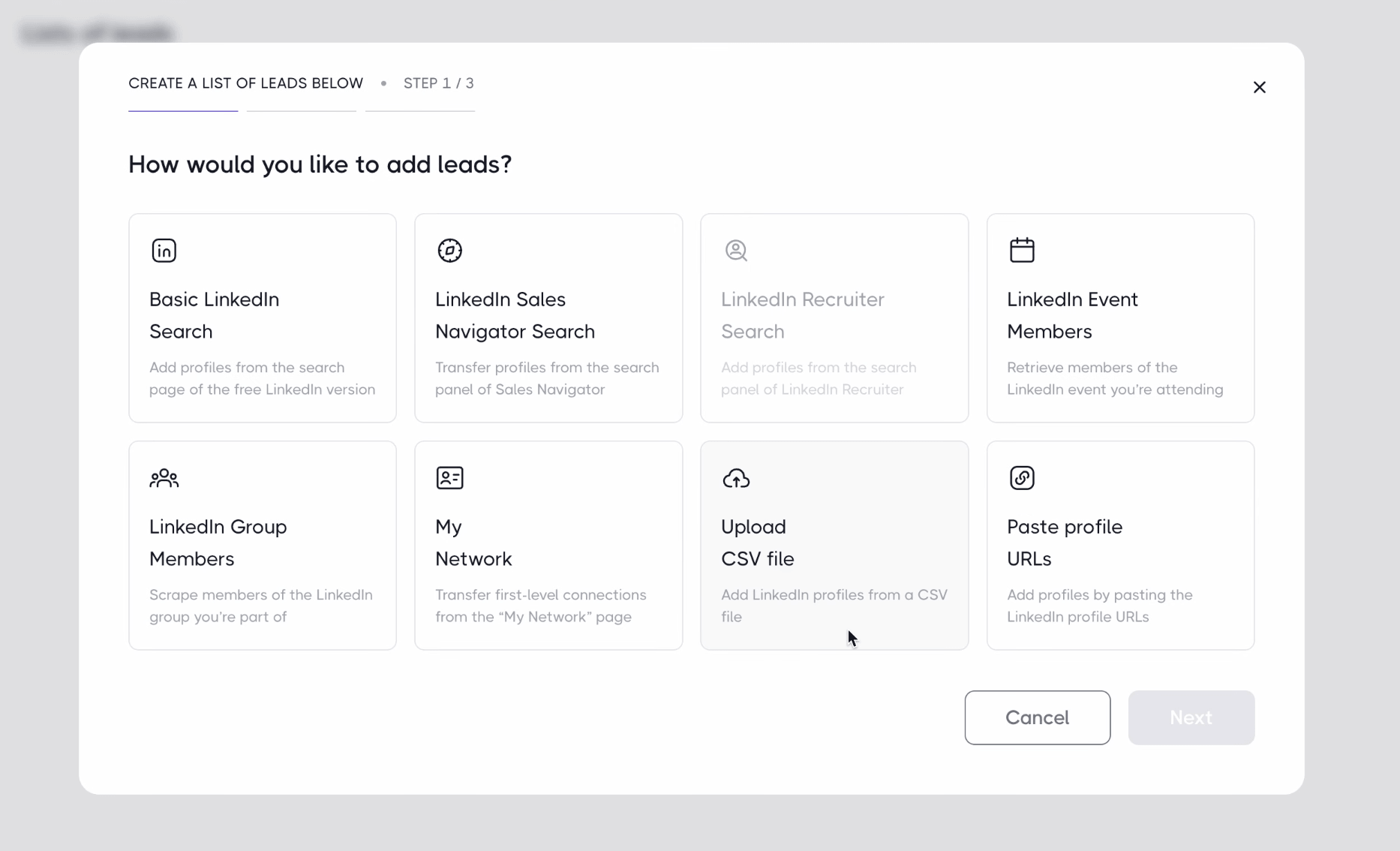
The logic is clear: targeting happens in LinkedIn, the tool picks up the result. Your campaign will therefore only be as good as your upstream search, and that’s a craft in itself. Our guide to building a multichannel campaign with Sales Navigator walks through this step, and our tutorial on X-Ray search will help you find what the native filters don’t give you.
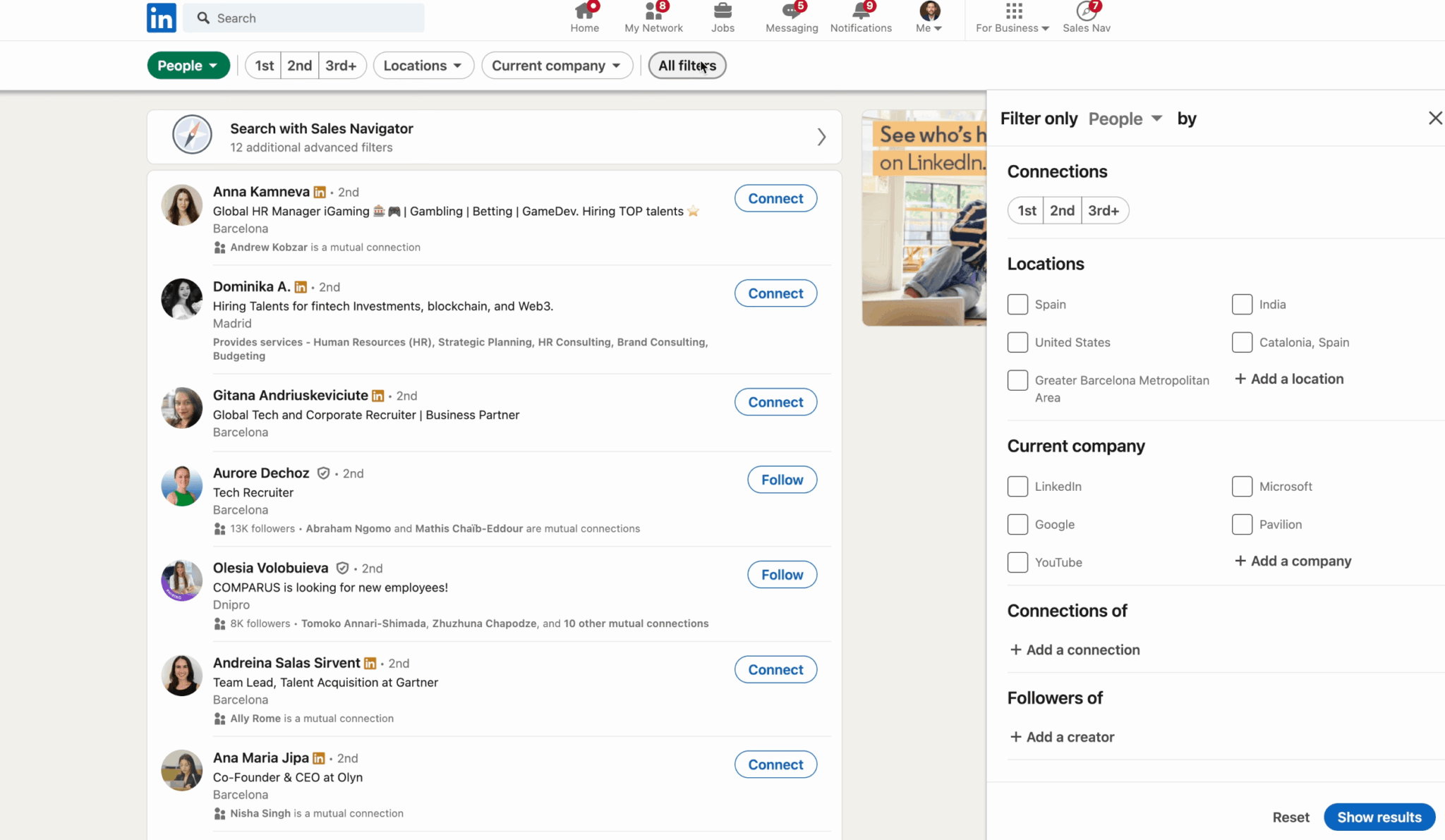
Step 2: filter profiles at entry
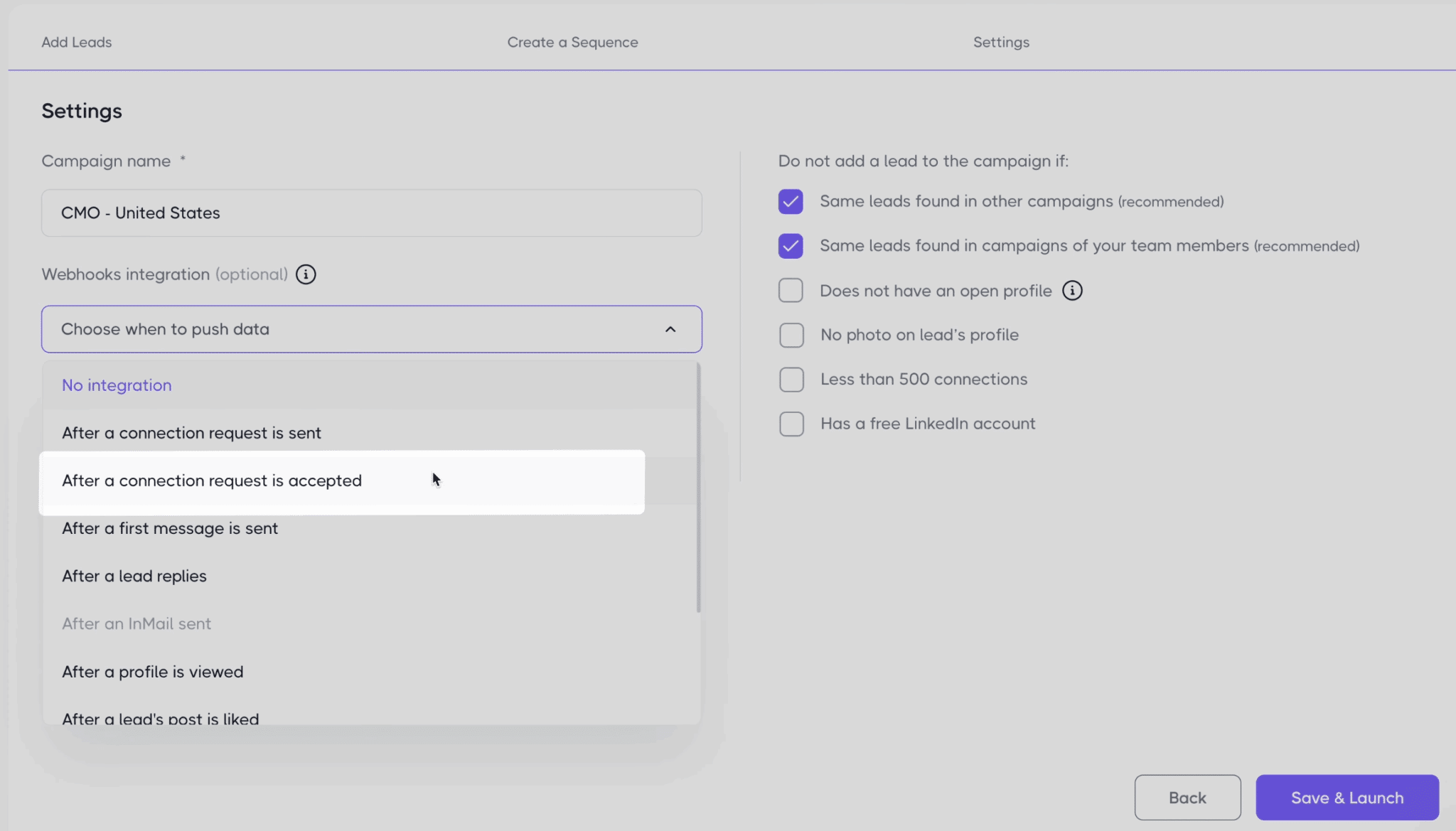
This is the hygiene filter we found best designed. Before adding leads, Dripify offers to automatically exclude certain profiles: those already in another of your campaigns, those already worked by a colleague on your team, profiles without a photo, those showing fewer than 500 connections, free LinkedIn accounts.
These criteria are quality proxies. A dormant or barely active profile is very likely to ignore your invitation, and every ignored invitation damages your acceptance rate, and therefore your cap. Filtering at entry is already protecting your account.
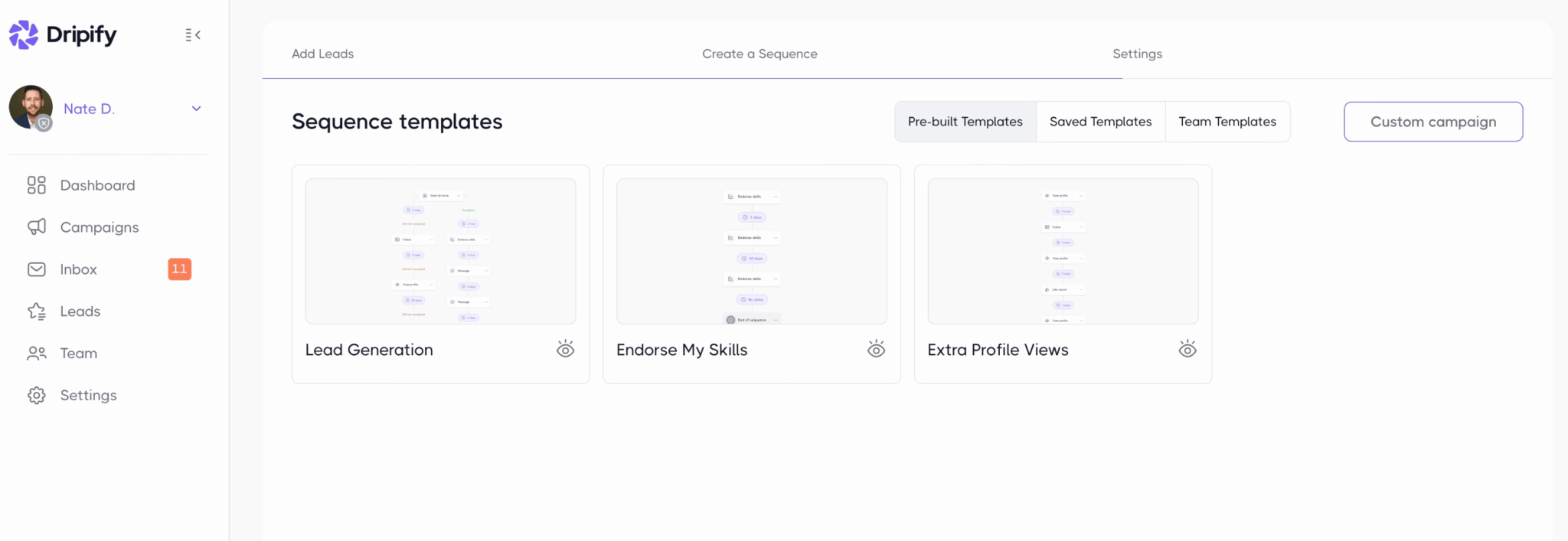
Step 3: build the multichannel sequence
Three ready-to-use templates let you start in five minutes, you can save your own templates or pick from your team’s, and the visual canvas lets you build everything from scratch.
The grammar is rich without being endless: ten actions, from the invitation to withdrawing the invitation, through the message, the InMail, the profile visit, the skill endorsement, the like, the profile follow, the email lookup and the email send. And four conditions to branch scenarios: is the prospect connected, have they seen the message, is their email available, is their profile open. Between each step, a configurable delay.
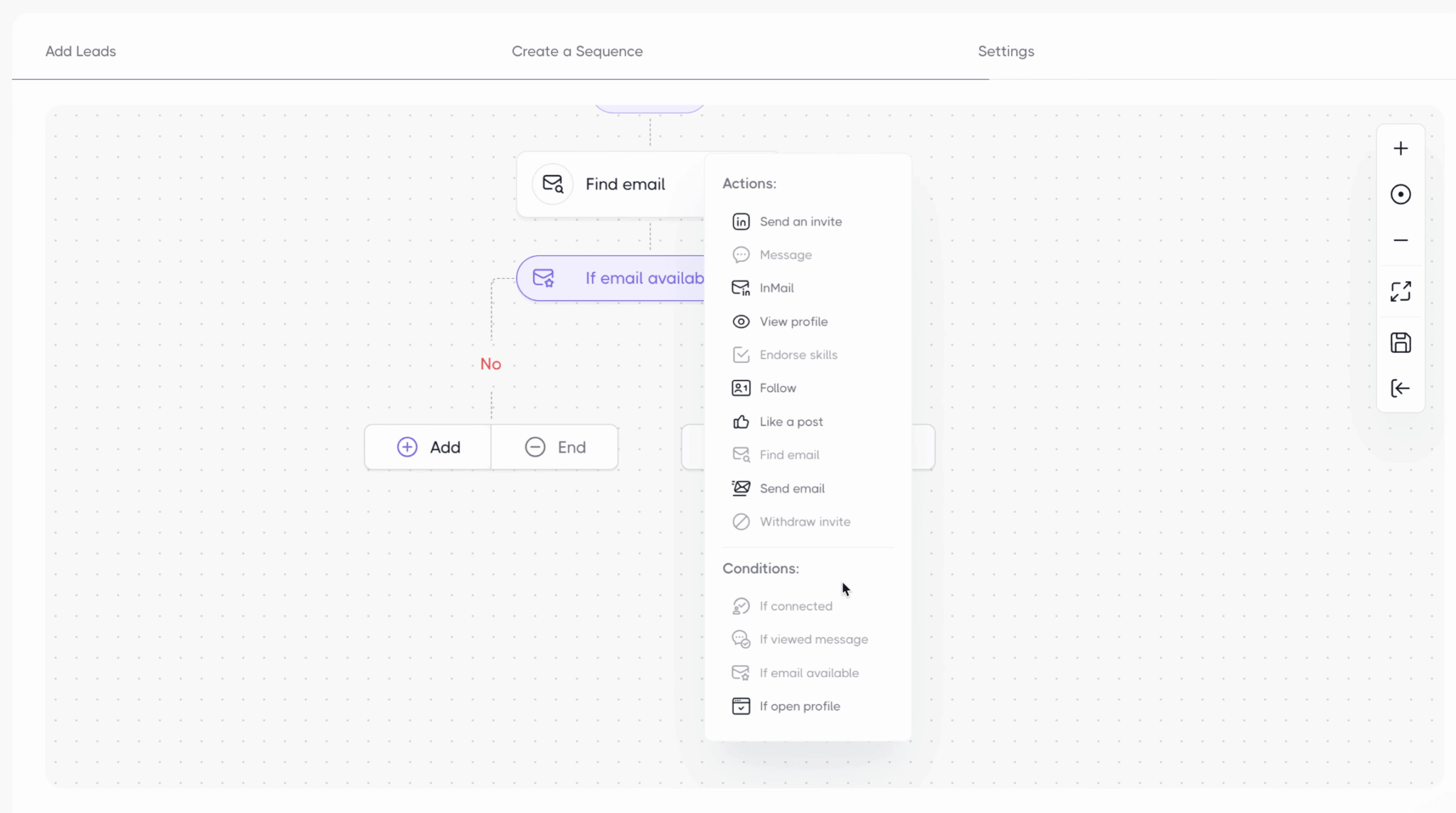
On the writing side, each message accepts personalization variables, first name, job title, company, country, and the invitation message can get an alternative version: Dripify splits sends between the two, which works as a native A/B test. Simple and useful. To go further than a plain variable field, our methods to personalize your prospecting messages apply word for word to LinkedIn.
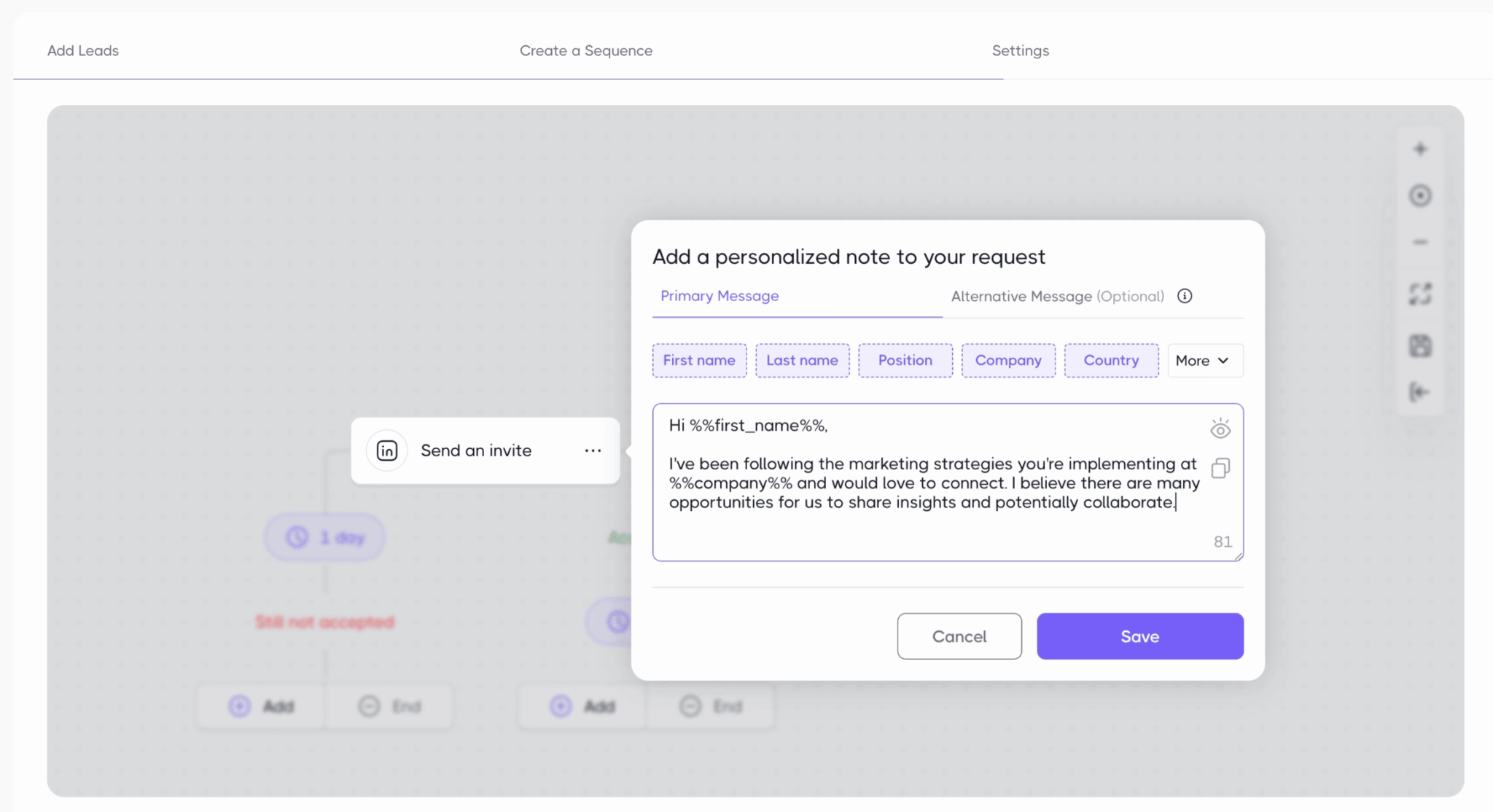
The typical sequence that uses all of this looks like this: warm up the prospect with a profile visit and a like, send the invitation with a personalized note, gently follow up with those who haven’t replied, then, after a few days without acceptance, withdraw the invitation, look up the prospect’s email and move the conversation to that channel.
You recognize the logic: it’s precisely the answer to the LinkedIn cap we described at the start. Our guide to multichannel prospecting sequences gives complete frameworks to adapt.
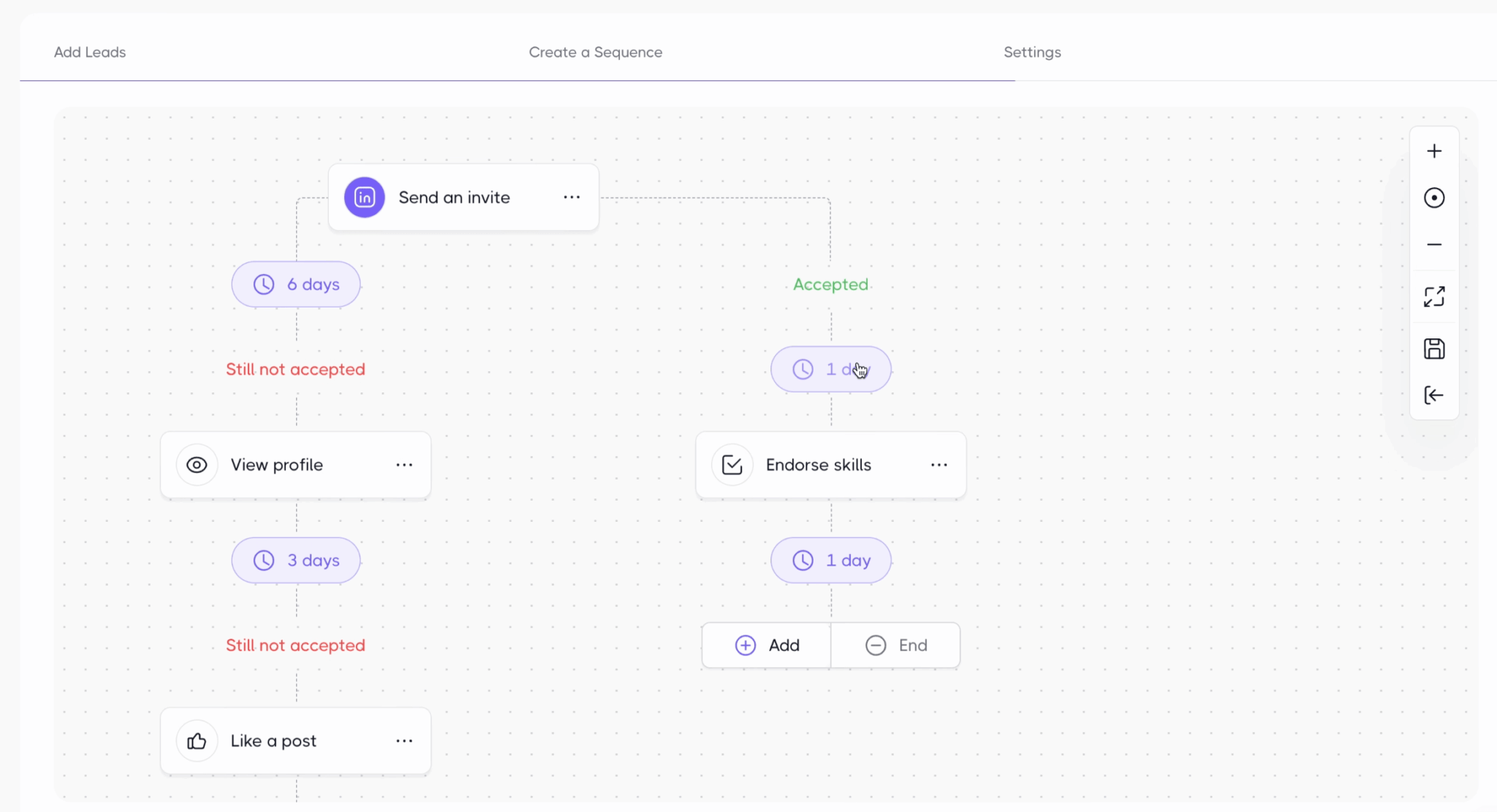
The « still not accepted » branch is the most profitable one in your sequences. An invitation that has been sleeping for ten days will probably never be accepted: schedule its automatic withdrawal, then the switch to email. You recover invitation quota and you reach the prospect through a channel LinkedIn doesn’t cap.
One concrete flaw remains, and it annoys everyone: you can’t edit a campaign once it’s launched. Need to add a step or rephrase a message? You have to recreate a campaign. For a tool that claims to be « ridiculously simple », the rigidity is surprising.
Account safety: Dripify’s safeguards under the microscope
It’s the number one topic for any LinkedIn automation user. Let’s see what Dripify actually offers, beyond the marketing promises.
The settings give fine control over your daily footprint. Each action type has its own slider: invitations go up to 75 a day, messages up to 150, profile visits up to 400, emails up to 200, and so on for InMails, likes, endorsements and profile follows. Working hours align all activity with human hours, your time zone, your working days. You set it once, the tool sticks to it.
On top of these sliders, activity control acts as the lookout. This feature ramps up volume gradually on an account that’s starting out and adjusts your daily limits on its own when it detects a risk of being flagged, on LinkedIn as well as on email. You can turn it off; we advise against it. The only shadow: it’s reserved for the most expensive plan, we’ll come back to that in the pricing section.
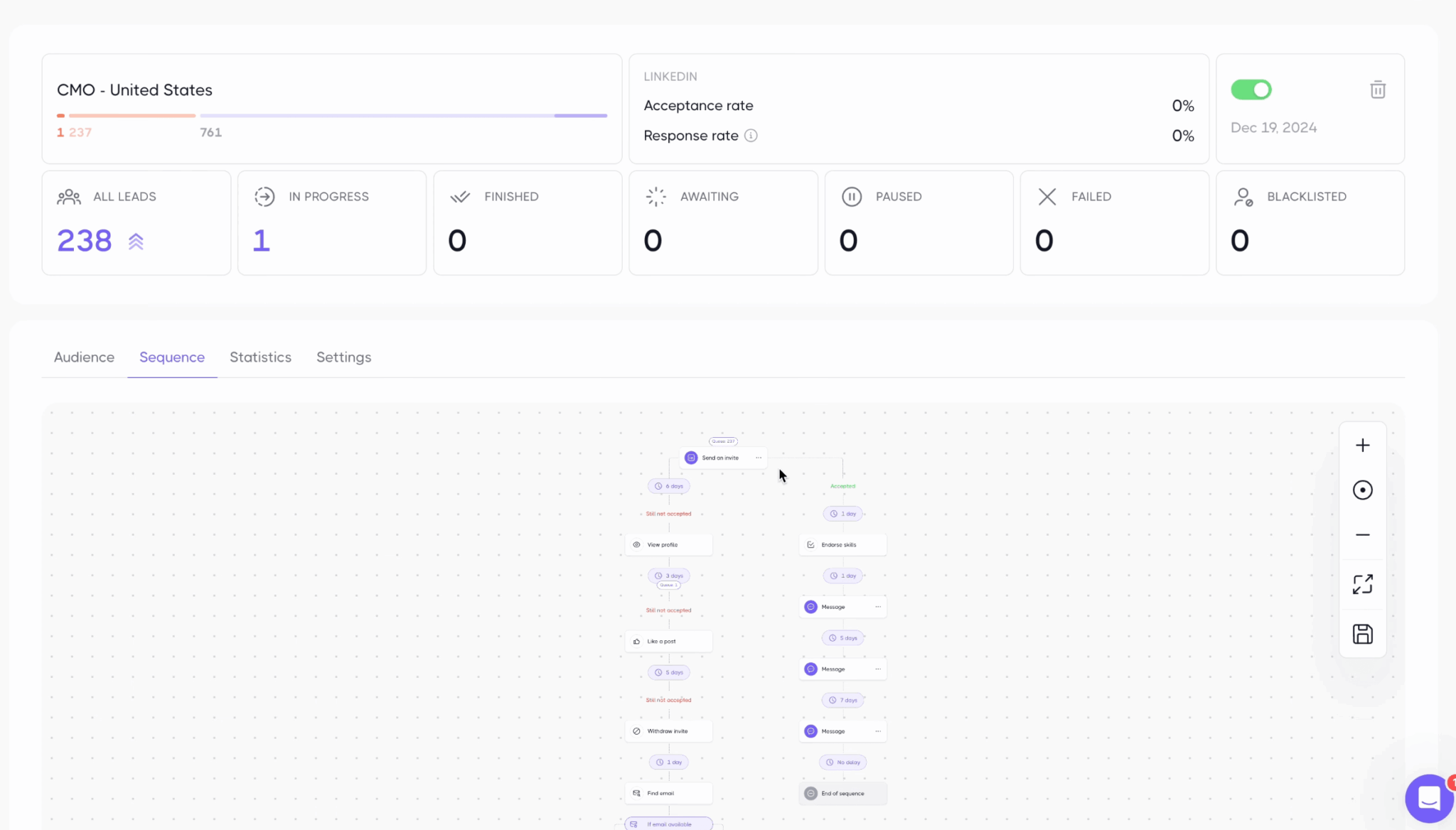
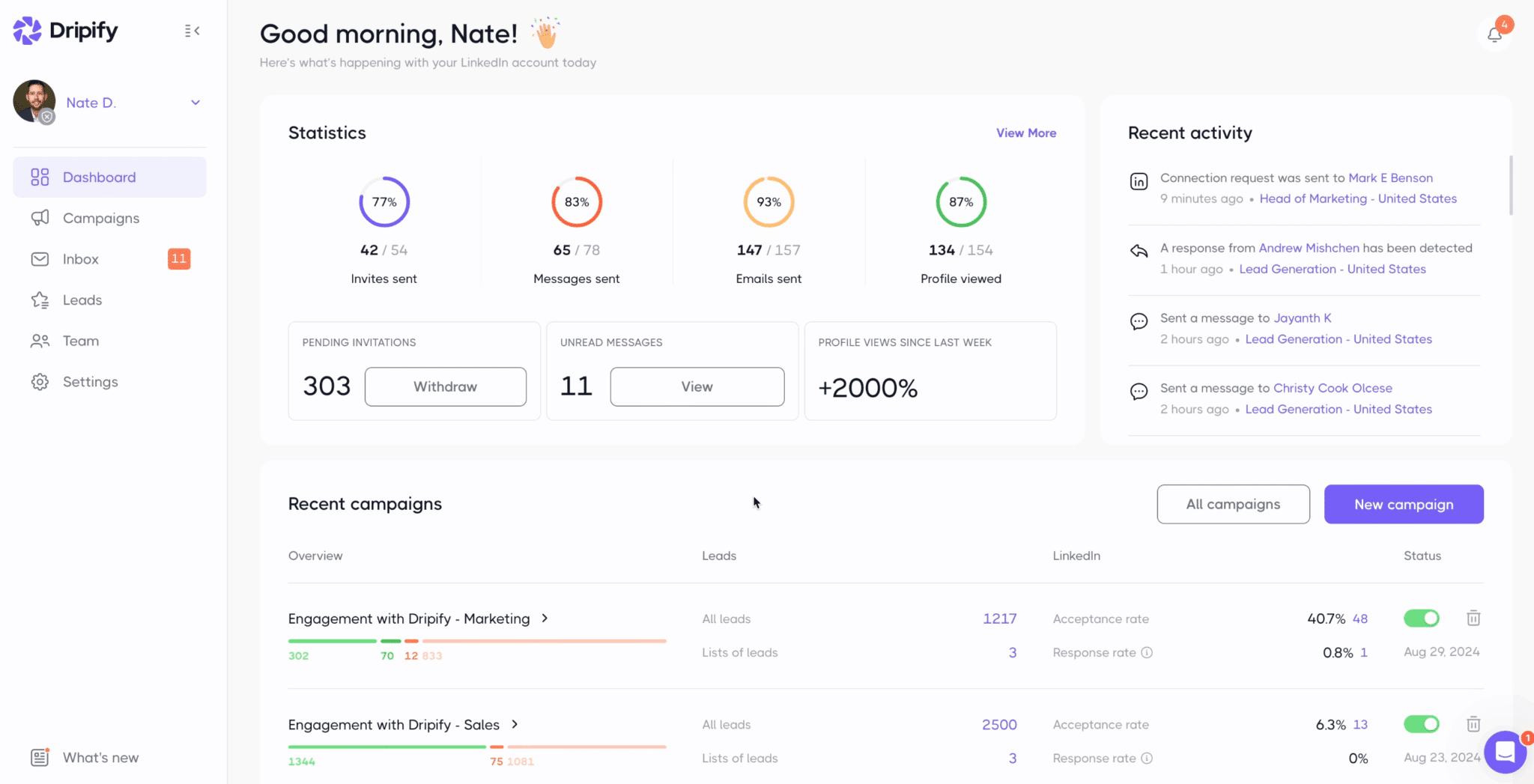
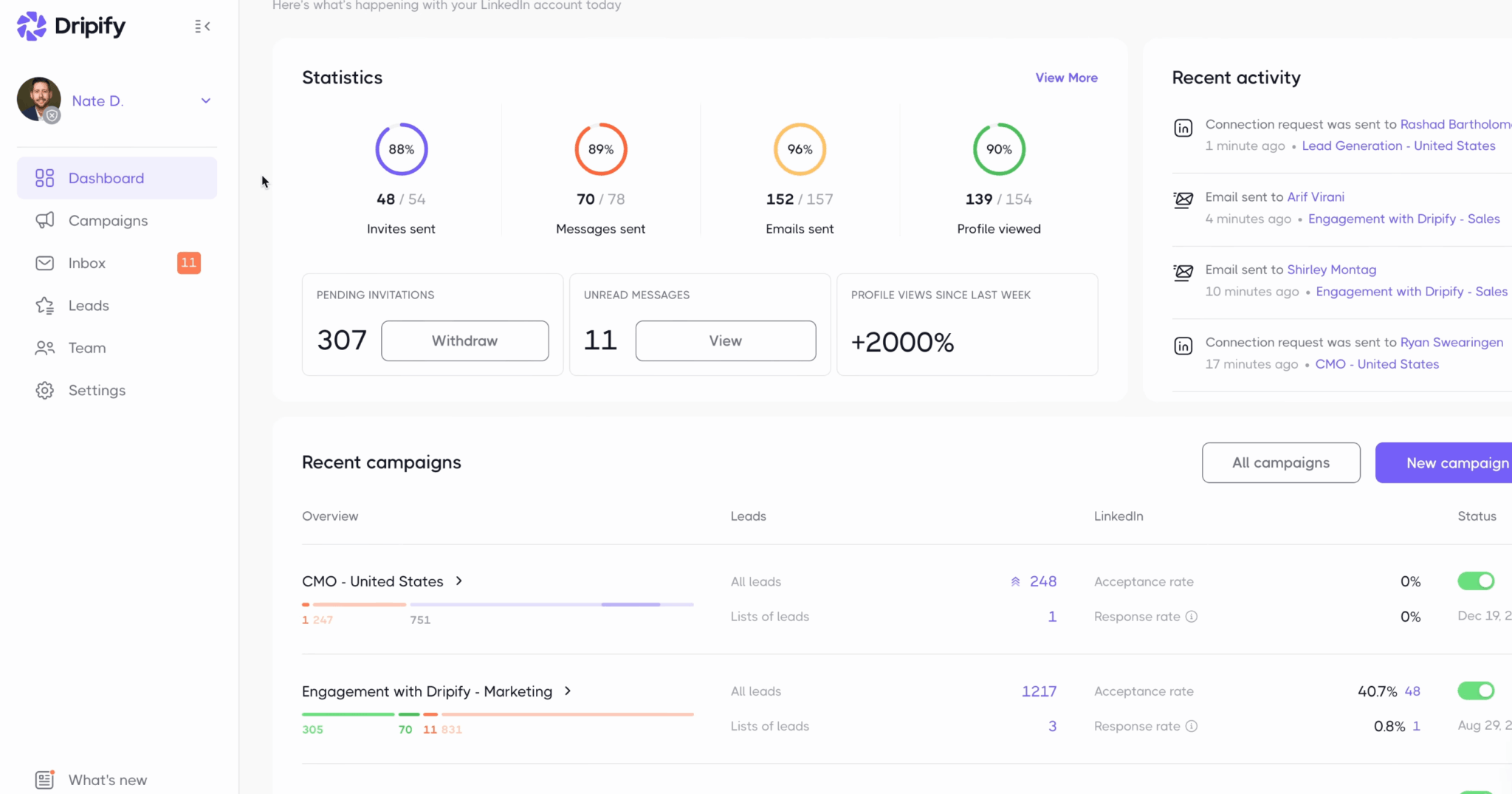
And then there’s the feature nobody talks about and that convinced us the most: bulk withdrawal of pending invitations. The dashboard permanently shows the stock of sent invitations left unanswered, 307 on our test account, with a button to withdraw them all at once.
It’s not a gimmick. A growing stock of pending invitations is a negative signal for LinkedIn, which sees it as spammer behavior and trims your quotas accordingly. Purging this stock regularly is one of the most effective hygiene habits there is, and few tools make it this simple.
Dripify’s interface day to day: dashboard, inbox and lead profiles
Once campaigns are launched, Dripify becomes a control room. It’s day to day that you judge an interface.
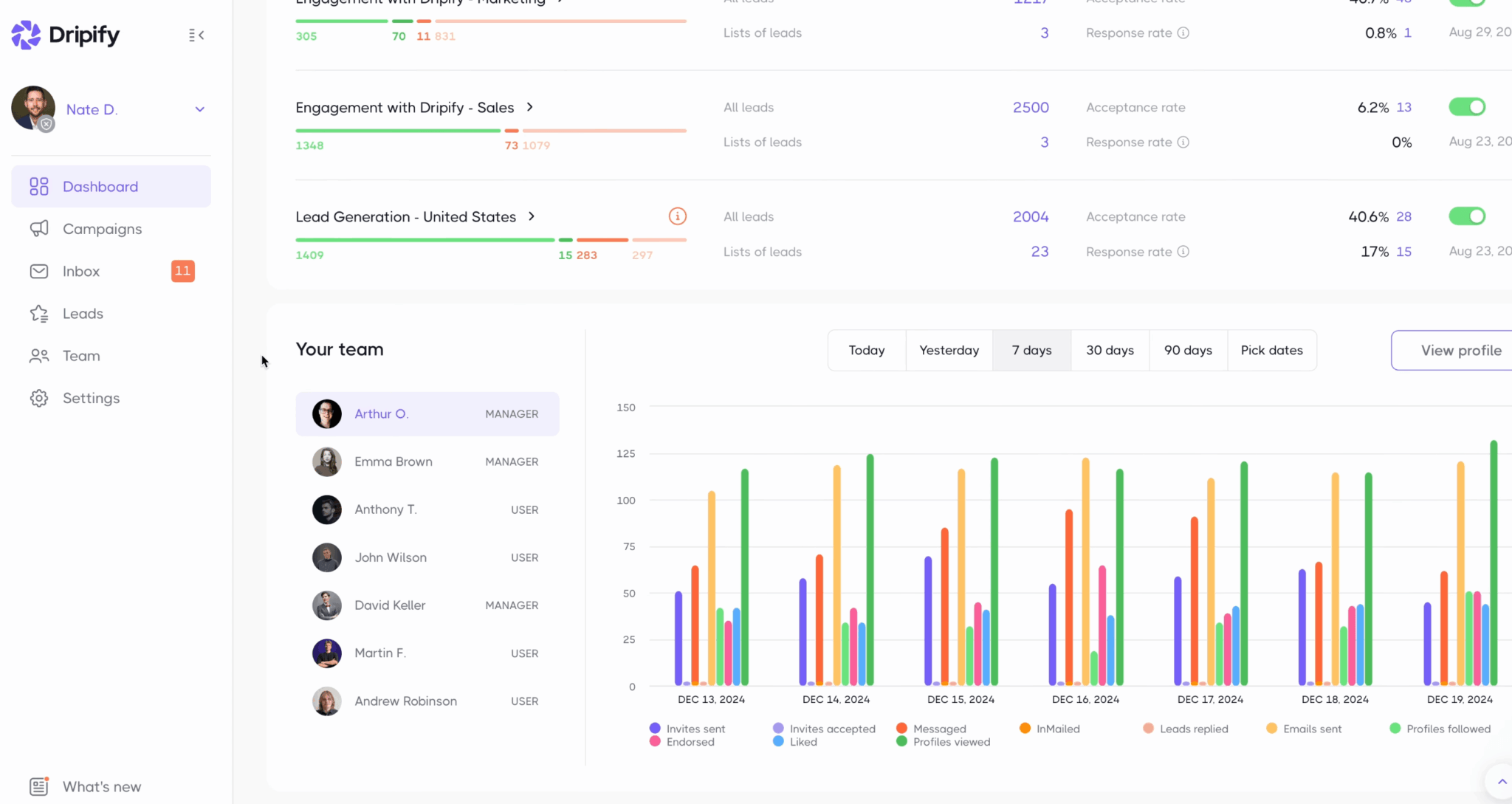
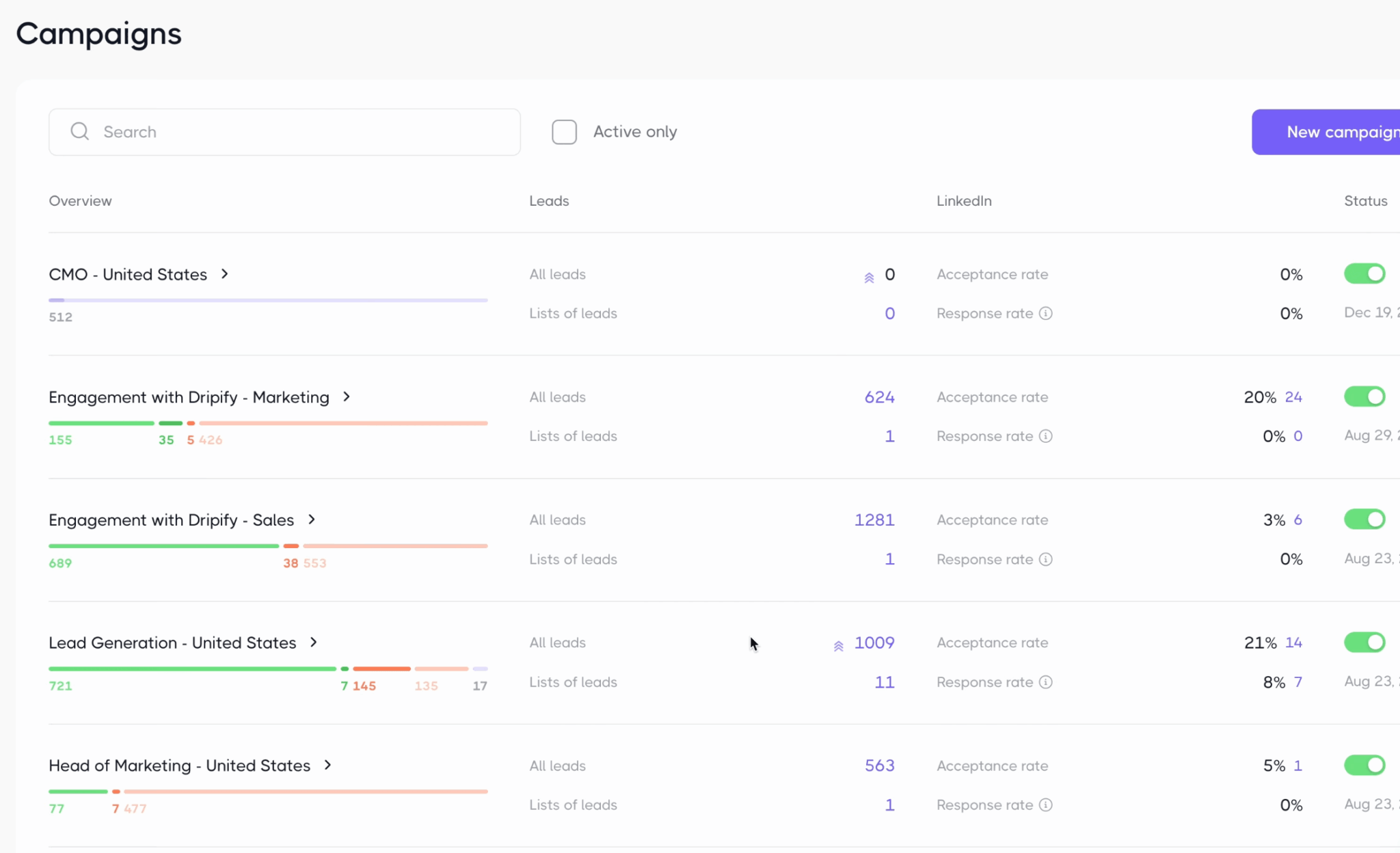
The morning dashboard answers the only question that matters: where does my account stand today? Gauges show the day’s quota consumption, 42 invitations out of 54, 65 messages out of 78, a real-time activity feed lists each action as it happens, and each campaign is switched on or off with a simple toggle, with its acceptance rate and reply rate alongside.
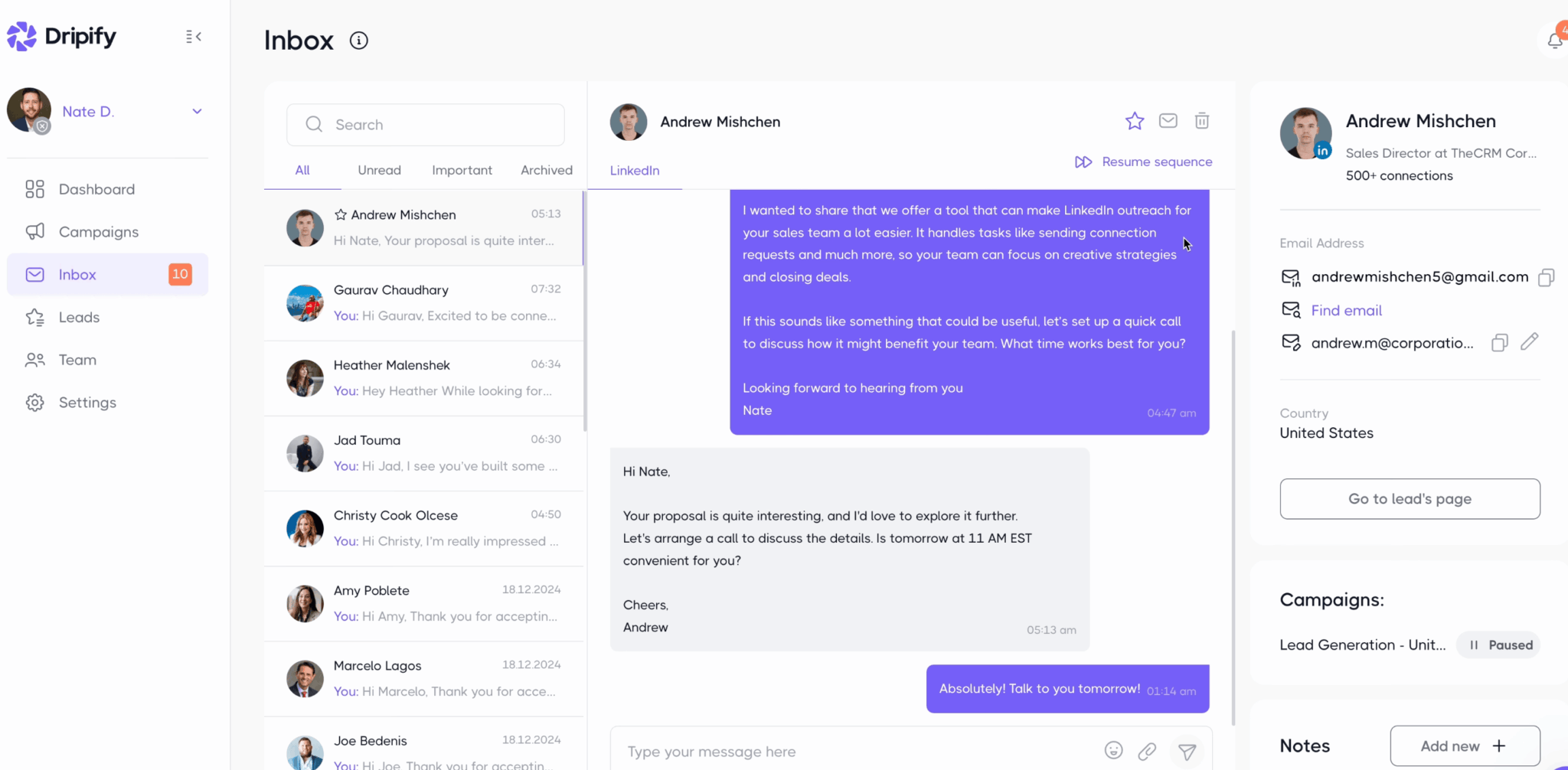
The inbox centralizes all LinkedIn conversations, with unread, important and archived filters. The smartest detail is invisible: when a prospect replies, their sequence pauses automatically. No more disaster scenario of an automated message going out in the middle of a real conversation. If the exchange goes nowhere, a button resumes the sequence where it left off.
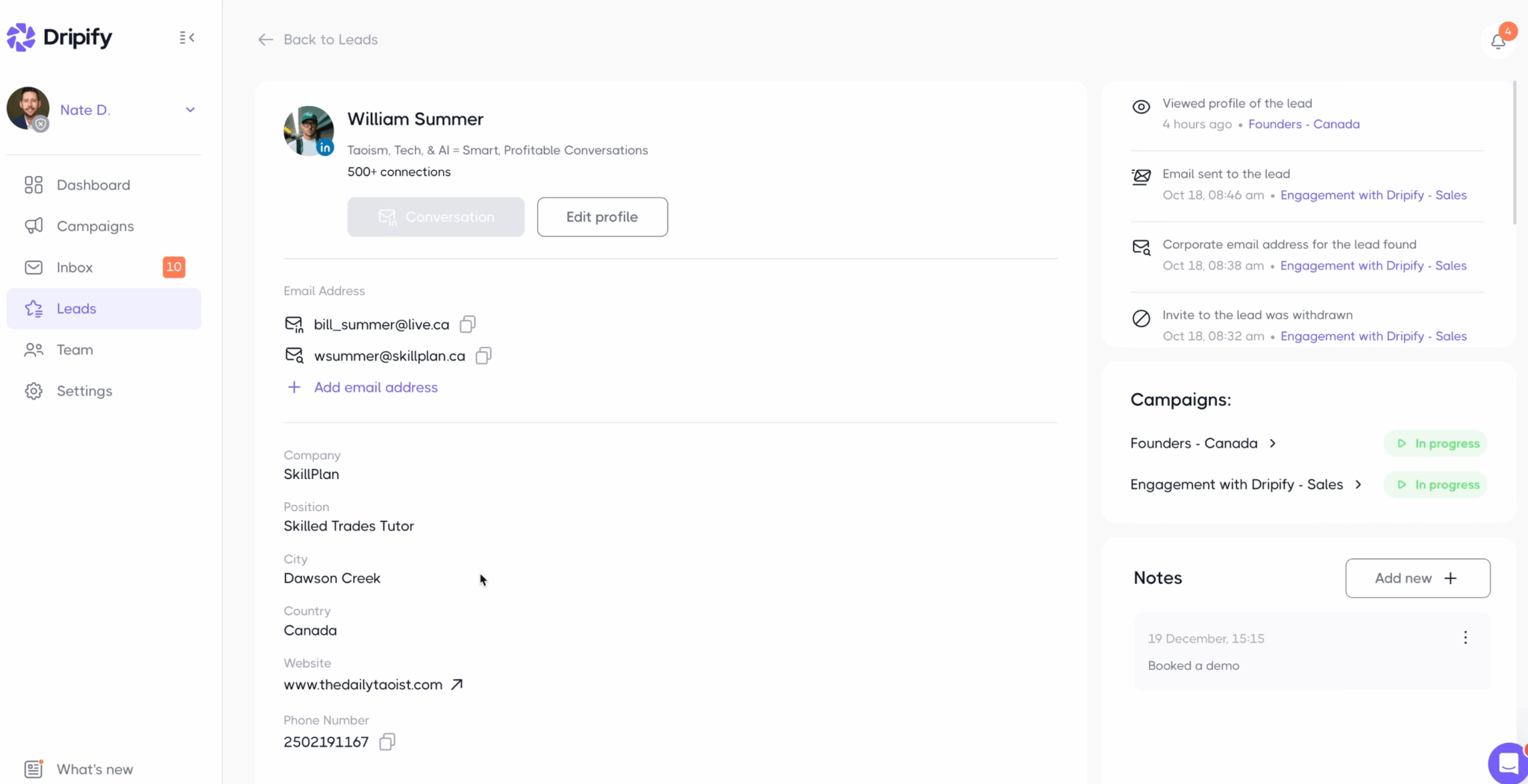
Each prospect has a complete profile: the history of every action concerning them, profile visited, email found, invitation withdrawn, the email addresses detected or added by hand, free notes, and the list of campaigns they’re in. It isn’t a CRM, but for the operational follow-up of prospecting, it’s more than enough. Everything exports to your real CRM via webhooks, which can be triggered at each key event: invitation sent or accepted, first message, lead reply. If you don’t have a tool on the other end yet, our guide to turning LinkedIn into a CRM offers simple setups.
For teams, finally, the manager view shows each team member with their role and an activity chart by period: invitations sent and accepted, messages, replies, emails. An agency managing several sales reps finds its reporting there without a single export.
How much does Dripify cost? Pricing and the real complaint about the plans
Dripify is billed per user per month, in dollars. First thing to note if you don’t pay in dollars: there is no billing in any other currency. Here’s the grid, with the monthly price and the annualized price, the annual commitment bringing the bill down by 20 to 25%.
| Plan | Monthly price | Annualized price | What it unlocks |
|---|---|---|---|
| Pro | $79 / month | $59 / month | Unlimited campaigns, full quotas, inbox, CSV export, Zapier and webhooks |
| Advanced | $99 / month | $79 / month | Everything in Pro, plus activity control, step analytics, multi-team management and lead tagging |
| Enterprise | Custom quote | Custom quote | Everything in Advanced, plus premium onboarding, dedicated technical support and a customer success manager |
All plans include 100 email finder credits. Beyond that, you have to buy packs, from $29 for 1,000 credits to $99 for 10,000. An allowance that melts fast once the switch to email becomes systematic in your sequences, bearing in mind there are free methods to find an email if the volume stays modest. The trial lasts 7 days, with the Advanced plan features and no credit card. On the other hand, there’s no permanent free plan. Waalaxy doesn’t have one either: its free version no longer automates anything, but its trial lasts 14 days.
The real complaint isn’t about the price, which stays reasonable. It’s about what Dripify puts in each plan. The two most decisive features are reserved for the most expensive plan:
- Activity control, which we’ve just seen is your account’s best life insurance, only appears in Advanced.
- Step analytics, which breaks performance down action by action to spot the exact step dragging a sequence down, likewise.
In other words, fine-grained safety and optimization, the two things that matter most as soon as you take LinkedIn seriously, are sold to you as a higher tier at $79 a month. The Pro plan keeps the basic protections, but you’re flying somewhat blind.
If you plan to use Dripify seriously, go straight for Advanced. Pro deprives you of step analytics, A/B testing and activity control, in other words of what separates a managed campaign from one launched at random. Use the 7-day trial, which gives access to the Advanced features precisely, to judge in real conditions.
Dripify or Waalaxy: which one to choose?
The comparison that counts here doesn’t pit Dripify against ten obscure American tools. It pits it against Waalaxy, the French champion, which claims more than 200,000 users. So let’s settle it.
| Criterion | Dripify | Waalaxy |
|---|---|---|
| Price | $79 to $99 per user per month, $59 to $79 on an annual plan, in dollars | €19 to €69 per user per month, up to 50% less on an annual plan, in euros |
| Trial and free version | 7 days with the Advanced features, no credit card, then no free plan | 14 days, then a free version that no longer automates anything |
| Invitations | Slider up to 75 a day on every plan | 300 a month on Pro, 800 on Advanced and Business |
| LinkedIn and email sequences from Pro | Business plan only, at €69 a month | |
| A/B testing | Native, but Advanced only, like step analytics | No native A/B: Waalaxy’s help center tells you to set up two campaigns by hand |
| Inbox | Included from Pro | Paid add-on at €20 a month |
| Integrations | Native HubSpot, Zapier, Make, webhooks and API | CRM sync on every plan, API, Make, Zapier and n8n from Advanced |
| Team management | Roles, multi-team and de-duplication, Advanced only | Team workspace, de-duplication and shared stats on every plan |
| Ideal profile | Team, agency, high-volume prospecting | Solo, beginner, tight budget |
The right question isn’t « which one is best », since they target different uses.
- You’re starting out, prospecting solo on LinkedIn only and watching your budget? Waalaxy wins almost every time. Its Pro plan costs €19 a month against $79 for Dripify’s without commitment, its trial lasts 14 days instead of 7, its interface is simpler and it bills in euros. Our full Waalaxy review covers it all.
- You want email in your sequences, native A/B testing and detailed step-by-step reporting, as a team or an agency? Dripify takes the lead. Email is included from its Pro plan, whereas Waalaxy keeps it for its Business plan at €69, and Advanced adds A/B testing, step analytics and multi-team management.
Two other options, depending on your priority. If email is at the heart of your strategy and not a mere add-on, a specialist like Lemlist will go much further on that channel. And if your only constraint is budget, Linked Helper does the same job for much less, at the cost of a more technical setup. To widen the field, our overview of LinkedIn lead generation tools reviews the market.